Last-Minute SavingsLimited quantities.Shop now

Skip to content
Gift Ideas
Main Content

Customer Ratings & Reviews
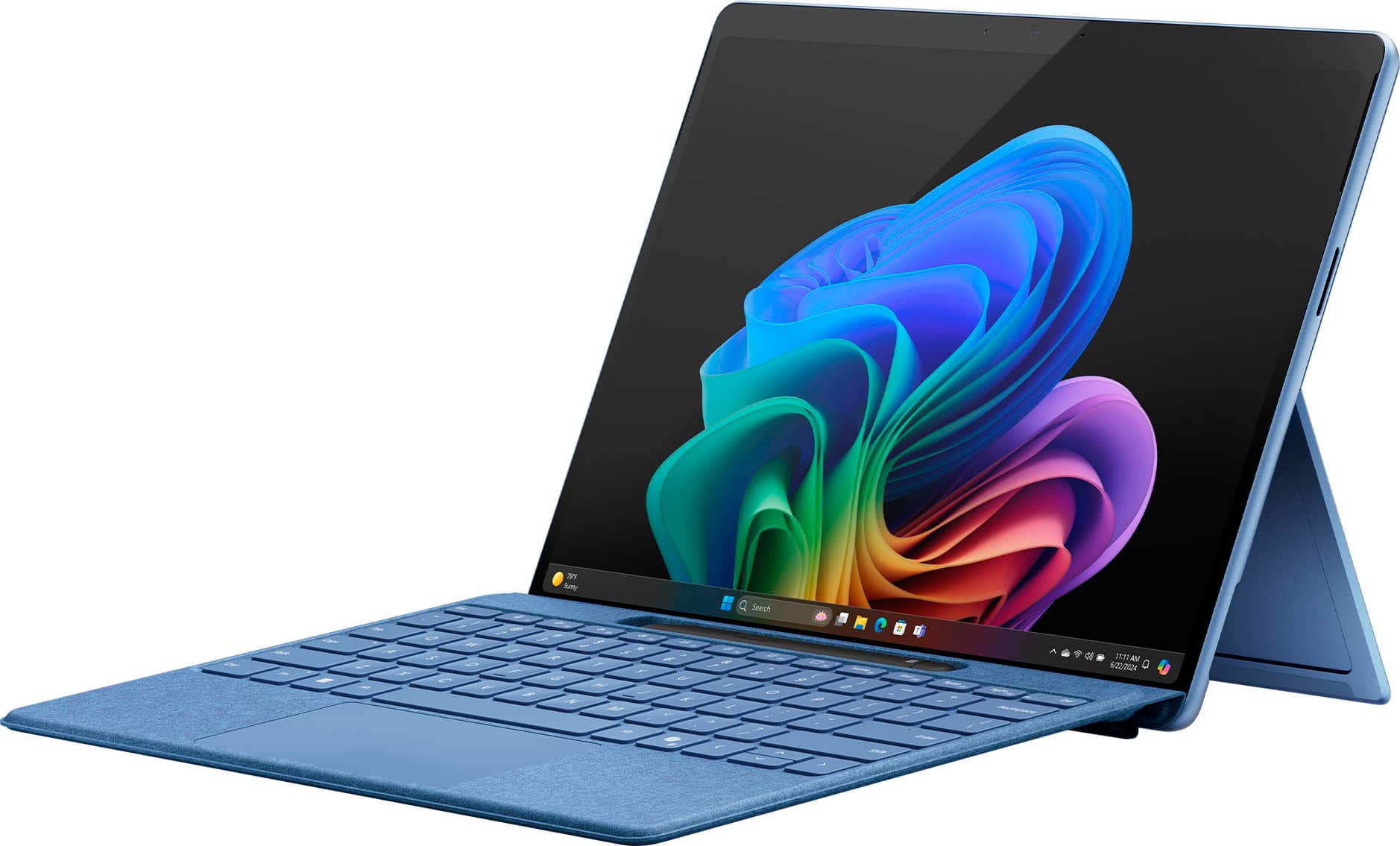
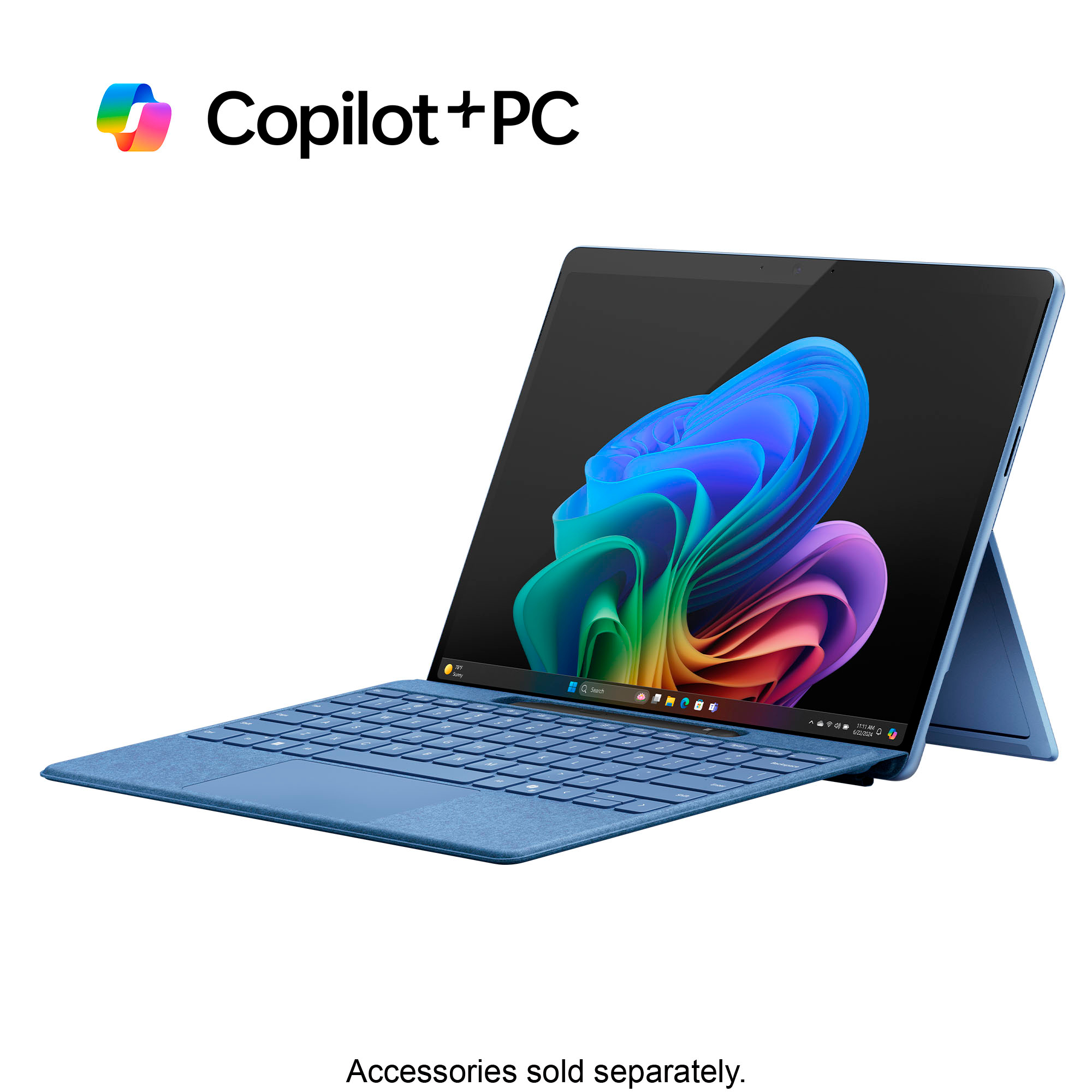
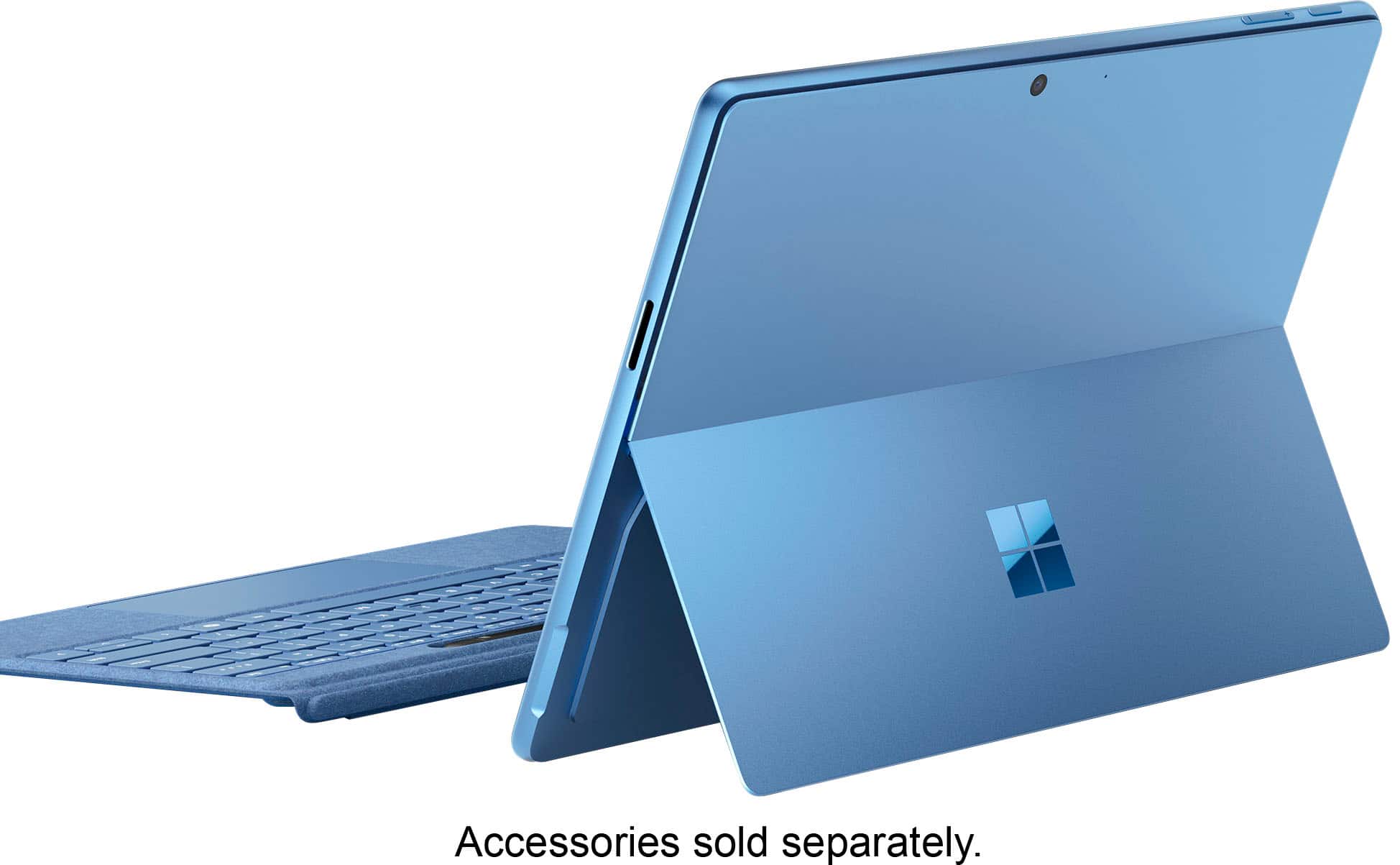
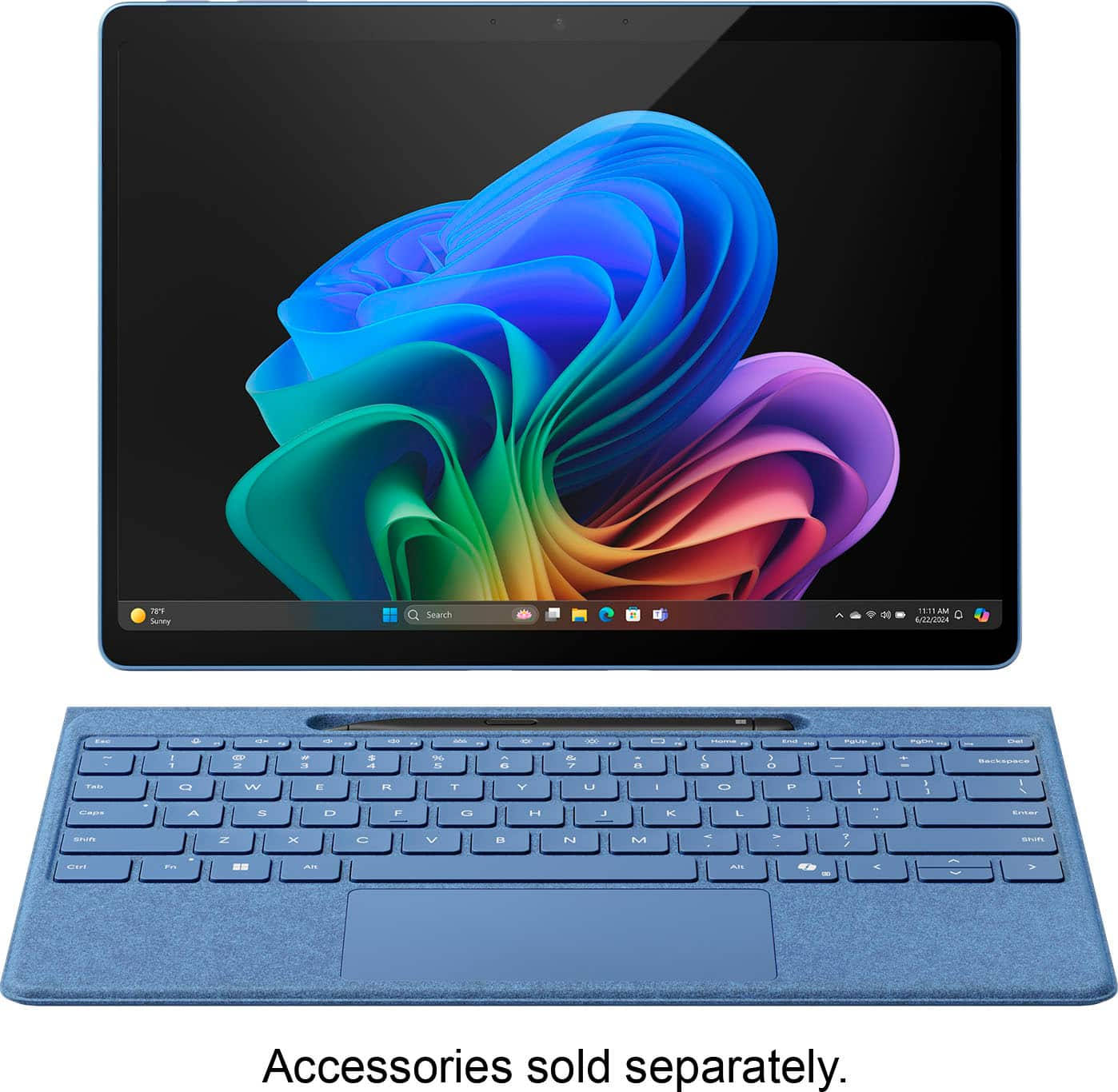
Your price for this item is $949.99
The comparable value price is $1,199.99

Customer reviews

Rating 4.6 out of 5 stars with 1162 reviews

Rating Filter

Rating by feature

  • Battery Life

    Rating 4.7 out of 5 stars

  • Durability

    Rating 4.7 out of 5 stars

  • Display

    Rating 4.8 out of 5 stars

Pros mentioned filter

Cons mentioned filter

91%would recommend to a friend

Customers are saying

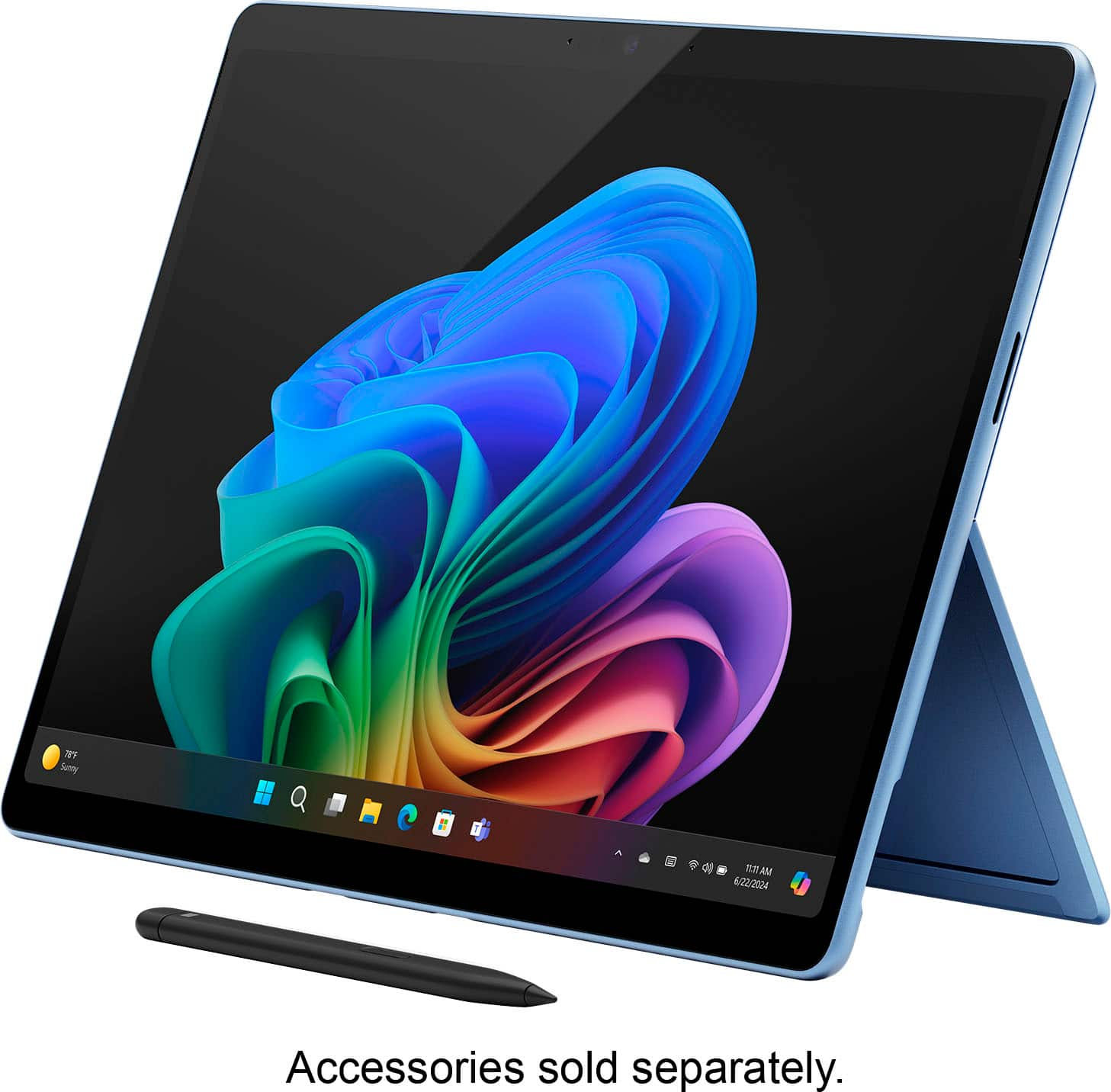
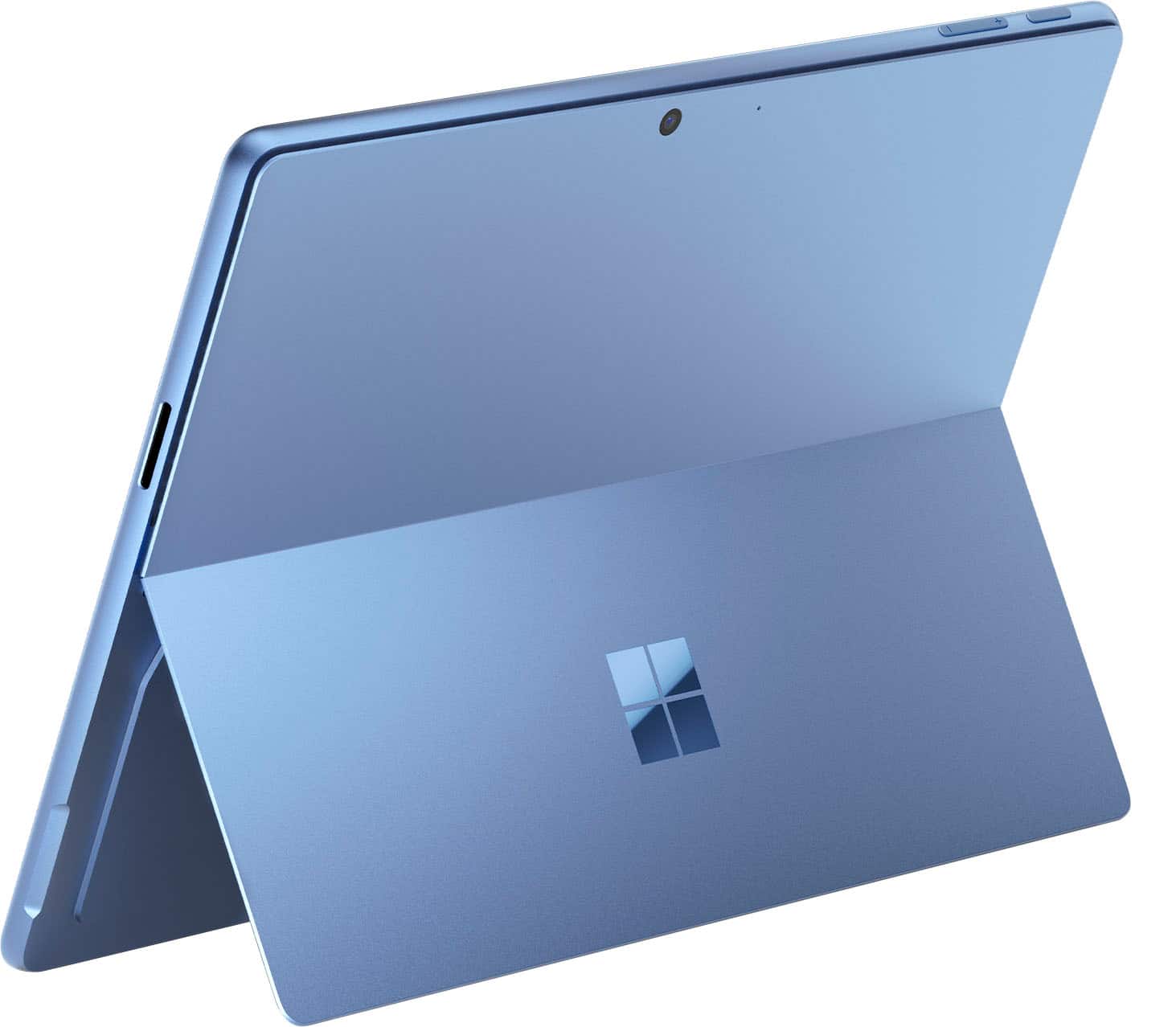
Customers value the Surface Pro for its overall performance, portability, and fast processor speed. Many appreciate the battery life and screen quality, as well as its lightweight design. However, some customers have expressed concerns regarding software compatibility and the product's price.

This summary was generated by AI based on customer reviews.

The vast majority of our reviews come from verified purchases. Reviews from customers may include My Best Buy members, employees, and Tech Insider Network members (as tagged). Select reviewers may receive discounted products, promotional considerations or entries into drawings for honest, helpful reviews.
Page 4 Showing 61-80 of 1,162 reviews
  • Pros mentioned:
    Portability

    Rated 5 out of 5 stars

    Does it all!

    |
    |
    Posted . Owned for 3 months when reviewed.
    This reviewer received promo considerations or sweepstakes entry for writing a review.

    My second one. Never will I ever carry a heavy laptop again!

    I would recommend this to a friend
  • Rated 5 out of 5 stars

    Best of PC and Tablet Together

    |
    |
    Posted .
    This reviewer received promo considerations or sweepstakes entry for writing a review.

    Excellent display, works just like a PC in tablet form. Perfect for business mobility. I was on the fence before purchase but extremely satisfied I decided to purchase.

    I would recommend this to a friend
  • Rated 4 out of 5 stars

    Great

    |
    |
    Posted . Owned for 4 months when reviewed.
    This reviewer received promo considerations or sweepstakes entry for writing a review.

    Pretty good ive been liking it love how it syncs with my samsung so easily.

    I would recommend this to a friend
  • Pros mentioned:
    Processor speed

    Rated 4 out of 5 stars

    Overall review

    |
    |
    Posted . Owned for 1 month when reviewed.
    This reviewer received promo considerations or sweepstakes entry for writing a review.

    I love it. Works very well, is fast enough, quality is good. Some functions for office apps are a bit confusing.

    I would recommend this to a friend
  • Pros mentioned:
    Overall performance

    Rated 5 out of 5 stars

    Amazing

    |
    |
    Posted . Owned for 1 week when reviewed.
    This reviewer received promo considerations or sweepstakes entry for writing a review.

    Im loving this surface pro i have never owned one. Bought it for school and its working amazing

    I would recommend this to a friend
  • Rated 4 out of 5 stars

    Great Laptop for college students!

    |
    |
    Posted . Owned for 2 months when reviewed.
    This reviewer received promo considerations or sweepstakes entry for writing a review.

    Pretty good 2 in 1 laptop. It allows me to write my notes while having the accessories of a laptop. It has a really cool feature of having multiple desktops so I have all my classes separated. Only downside is that it got damaged after a week which Best Buy worked with me to replace and it glitches sometimes. Overall a great product though.

    I would recommend this to a friend
  • Pros mentioned:
    Portability

    Rated 5 out of 5 stars

    Surface Pro

    |
    |
    Posted . Owned for 1 week when reviewed.
    This reviewer received promo considerations or sweepstakes entry for writing a review.

    The best surface that I could get, slim and lightweight

    I would recommend this to a friend
  • Rated 5 out of 5 stars

    Very good customer service.

    |
    |
    Posted . Owned for 1 month when reviewed.
    This reviewer received promo considerations or sweepstakes entry for writing a review.

    excellent equipment very good price. excellent customer service. very happy and according to making this purchase 100% good experience. They helped me choose the best product that fit my expectations .

    I would recommend this to a friend
  • Pros mentioned:
    Battery life, Overall performance, Processor speed
    Tech Insider Network Member

    Rated 4 out of 5 stars

    Great hardware, hindered by Windows desktop focus

    |
    Tech Insider Network Member
    Posted .
    This reviewer received promo considerations or sweepstakes entry for writing a review.

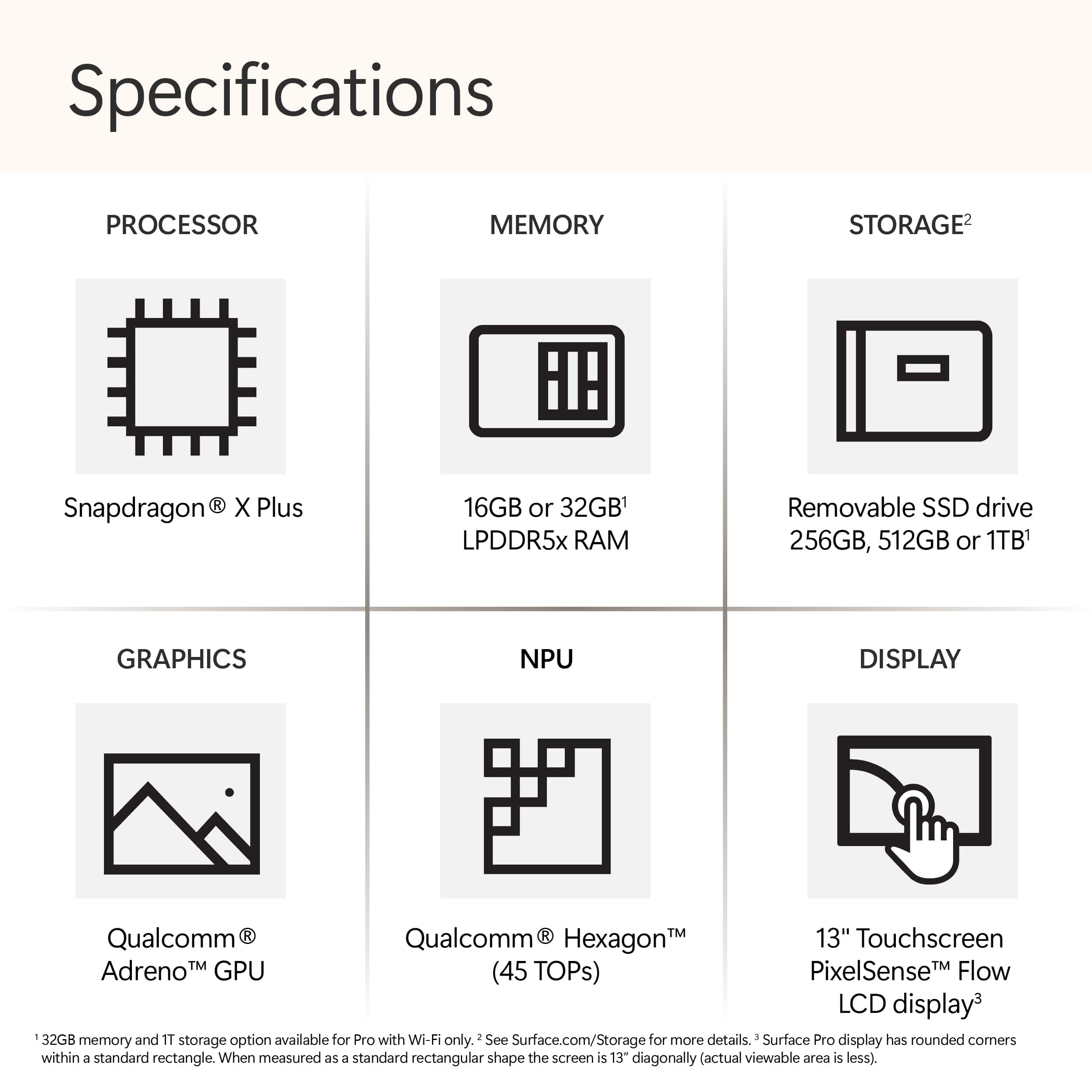
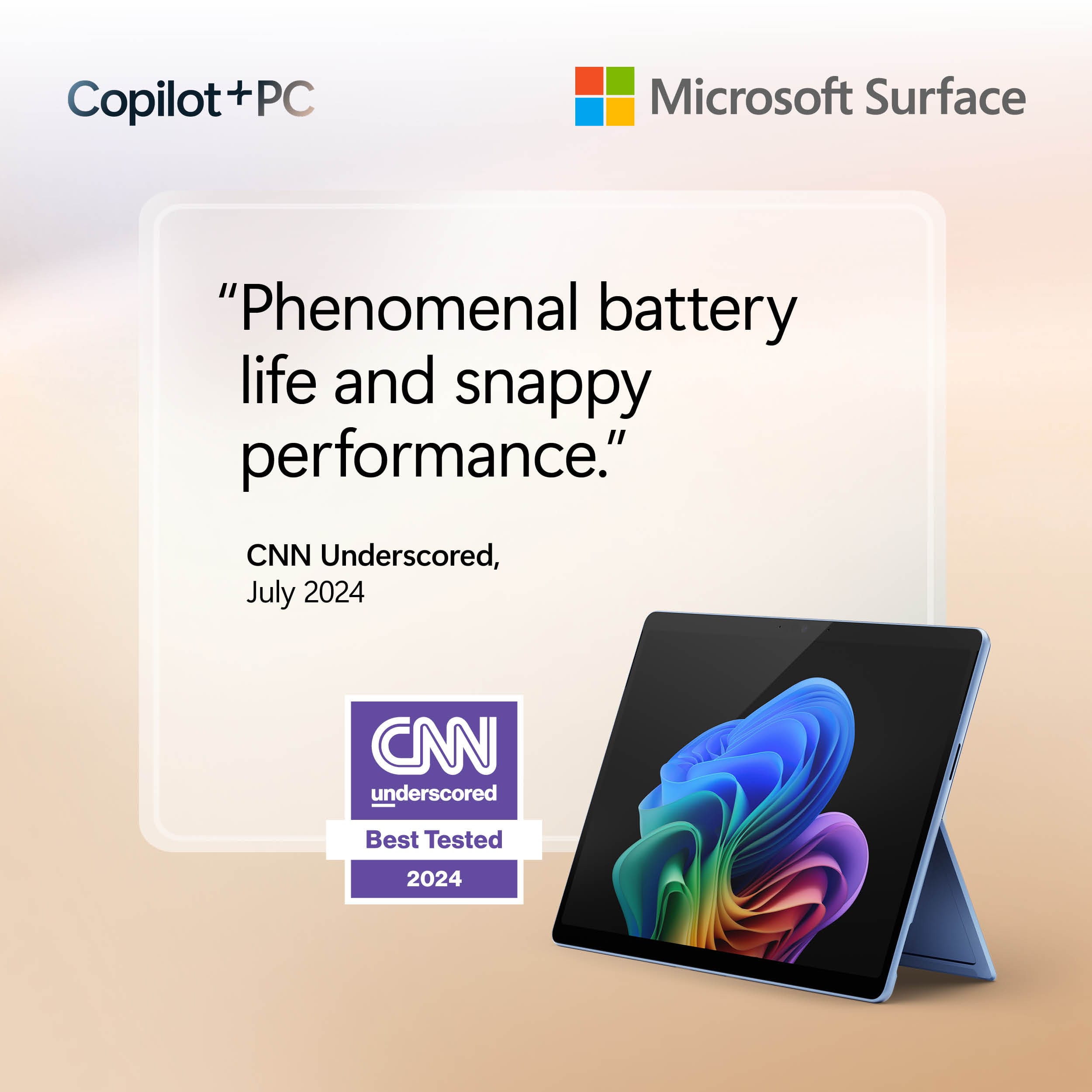
    Great Solid build quality Barely drains battery while asleep Silent during normal usage Fast Can still run legacy programs Good speakers SSD easily upgradable Repairability greatly improved Slightly rounded edges more comfortable Sturdy kickstand stays where it is placed Includes Wi-Fi 7 Two USB-C ports No So Great Several AI features advertised require a subscription Windows sending data to Microsoft by default Increased bloatware built into Windows Windows increasing advertising App store still limited Apps have limited touch optimization Limited usability without keyboard cover At first glance looks identical to is predecessor. The only outward difference is the edges have a slight curve compared to previous models. This makes it feel more comfortable in the hand. It has some weight to it but feels solid and well-built with no hint of flex. The SSD is upgradable via a cover held on magnetically and according to iFixit, repairability has been greatly improved. The original magnetic charger is still featured and still a bit finicky to connect with weak magnets. USB charging is also supported. Setup 6/10 Each time Microsoft makes an improvement to Windows they seem to add a change that takes a step backwards. Setup is the familiar Windows setup but now it is even harder to set up with a local account, OneDrive is automatically enabled, and the base Office Suite is installed by default. Also, during setup Windows Updates are required to be installed before you can even start using the device. Taking a sleek new Surface out of the box only to be stuck waiting 30 minutes for Windows Updates is a bit of a letdown. Once you are in you are greeted with preinstalled third-party apps you did not choose. It would be better if the system just did something like open the Windows Store on first login so people could see and choose what they wanted to install instead. Maybe even have a welcome page on the store that displayed options for essential apps to help without installing first. General Hardware 8/10 As a 2-in-1, the Surface hardware is very nice and does a good job of being a good laptop and tablet but not outstanding for either. As a laptop the kickstand is too sharp for extended use on your lap as it digs into your legs. As a tablet it feels more comfortable to use the kickstand and watch videos versus holding in portrait mode as a reading device. Desktop or docked is best as it feels as good as seamless as desktop computer. Speakers 9/10 It’s surprising how capable the speakers are with everything crammed it this chassis. Coming from an older Surface, the speakers in the Surface Pro 11 are not only much louder but far more capable with more range. They are still limited in bass but still do surprisingly well for the size. Of course, music would sound better on discrete speakers or headphones the built in ones are nice for casual movie or music sessions. Voices are produced with good depth making them easier to understand than tablets years ago where voices were thin and hollow. Cameras 6/10 Camera quality in tablets has improved greatly in the past few years. Since Qualcomm processors were originally built for mobile, they have dedicated camera processing, and it shows. The quality is very good with minimal noise and decent dynamic range. No surprise it doesn’t compete with high end dedicated cameras but it a marked improvement from older webcams and nearly as good as modern smartphones. Using the AI features for automatic tracking or background blur is similar to previous webcams but without any lag. Battery Life 9/10 This is where having the Qualcomm processor really shows. Previous generations of Surface had decent battery life when doing basic work but still didn’t last long. Once you start to push them the fans would ramp up, the tablet would start to heat up, and the battery would drop fast. While the Surface Pro 11 won’t win any awards for the longest battery life, it is still vastly improved and removes a lot of anxiety of running out of battery. Of course, what you have installed and running in the background makes a difference but overall, it has been easy to get a full day of casual usage out of the battery. Furthermore, performance doesn’t feel any difference regardless of whether it is plugged in or not. The larger difference is noticed based on the performance profile you choose. While you can still definitely burn through the battery quickly leaving open heavy apps running the background, battery life is significantly better. Where this shows through the most is in standby time. Previously Windows devices, including an older Surface Pro, would lose half their battery or more overnight on standby if not turned off, the Surface Pro 11 can just go to sleep and when you wake it up the next morning you might have lost 1 or 2% battery. With the Surface Pro 11 you can just put it to sleep, and odds are when you come back in a few hours or a day or even two you will still a good amount of battery life waiting to be used. No more opening your bag to a hot laptop and a dead battery. Legacy X86 apps that run in the background will eat through your battery faster but still better than in the past. Hopefully further optimization for non-native apps will improve this in the future. Adjusting to battery life takes some time as normally seeing 34% battery life on an old Windows device would have you looking for your charger. On this Surface you can check back after 20 minutes of use and only dropped from 34% to 32%. There have been times where this Surface has gone over 2 days without needing a charge with sporadic use. Performance 9/10 While running a full operating system it mostly runs as snappy as a tablet with a lightweight mobile OS. Native apps feel fluid with no perceived loss in performance. On some legacy X86 apps you can occasionally feel more of the translation happening, but it mostly seems to occur on install or launch where times are slightly longer. Once things are up and running for the translation process for non Arm apps feels transparent and doesn’t present a problem unlike the old Windows RT days. In fact, even installing legacy keyboard and mouse drivers went off without a hitch. A bonus is that even though it has fans, they have been inaudible if they have even been on. Also, the case has only felt barely warm to the touch. So far, the only issue encountered was Apple Music. The Windows Store won’t install because it says it is not compatible with the processor which is strange that the only error has occurred with a modern app and not a legacy one. For a first generation of a new series of Arm processors for Windows the transition feels far smoother like they got it right this time. It doesn’t feel like a compromise this time but an upgrade. Software usage 5/10 As a fan of Windows, it is hard to see Microsoft seem like they are going to hit a home run and then miss. The core of Windows is still the same old Windows, but Microsoft really needs to decide how committed they are to convertibles from a software perspective. This, more than anything else, brings down the Surface and other Windows convertibles. While adding new features to Windows, the touch experience on Windows still feels stagnant and a missed opportunity. They made small changes to increase the size of some touch targets, but it would be nice to see them bring some of the touch features of Windows 8 to Windows 11 in a thoughtful manner. An example would be offering swipe gestures in tablet mode. Another example is “New’ Outlook. By default, when opening Outlook when using it as a tablet, buttons are small and crowed and controls are nested in a way that works best with a mouse. There are no gestures to browse emails and each line is small. Deleting or archiving an email takes multiple presses. Another example is sometimes the onscreen keyboard. Sometimes it would not launch, launch completely white until restart, or close in the middle of typing. Microsoft also needs to tone down their advertising, specifically within the OS. By default, Windows now shows you ads for Office and OneDrive on setup, then third-party ads in the start menu, then pushing more ads within the sidebar. This is all by default. It would be better if Microsoft would just send an email showing what was offered or put a page in app store. It feels like Windows is becoming more of an advertising platform than an OS. At the very least these should be opt in features, not opt out. AI Features 6/10 Right now, the AI features feel incomplete. Understanding the differences is confusing. The AI camera effects are nice but with many returning to the office, video meetings have reduced the need. Live translation but I don’t know anyone to try live translation on and unfortunately don’t have access to the summary tools. The main AI tools that have are useful are for editing photos. With Windows Photos you can retouch photos, remove and replace backgrounds, smart erase. With Paint you can sketch a basic design and use Cocreator to help you enhance your design. Cocreator and Image Creator are still in the early stages, so results are inconsistent. There are other AI tools that Microsoft shows you can use to summarize documents and write things for you, but they don’t explain well those are in a different product called Copilot Pro that is an additional subscription beyond Office 365. With the integrated NPU it would have been nice if Microsoft included those without a subscription. Final Thoughts The Surface Pro 11 on the hardware side is a solid device. Microsoft needs to work on having a clear and concise path for where they are taking Windows with regards to advertising as well as tablet controls. Hopefully some of the subscription features will trickle down to be included with Windows as they seem compelling. That said, if you are looking for a quality Windows 2-in-1 device the Surface Pro 11 is a solid option, and the Arm chip is a gamechanger.

    I would recommend this to a friend
  • Rated 4 out of 5 stars

    Overpriced

    |
    |
    Posted . Owned for 2 months when reviewed.
    This reviewer received promo considerations or sweepstakes entry for writing a review.

    I think for the price, it should include a keyboard, and pencil. The charging cable is a bit of a pain, it doesn’t stay in the charing hole when moving the device.

    No, I would not recommend this to a friend
  • Rated 5 out of 5 stars

    Tablet

    |
    |
    Posted . Owned for 2 weeks when reviewed.
    This reviewer received promo considerations or sweepstakes entry for writing a review.

    Excellent tablet the service was very great is very pleased with my product

    I would recommend this to a friend
  • Rated 4 out of 5 stars

    Solid Multitasking Device

    |
    |
    Posted . Owned for 7 months when reviewed.
    This reviewer received promo considerations or sweepstakes entry for writing a review.

    Very fast. Handles multitasking for work on my three-screen setup extremely well. I don't use the tablet features quite as much as I thought I would. Overall a very good machine.

    I would recommend this to a friend
  • Rated 4 out of 5 stars

    Almost Converted Me

    |
    |
    Posted . Owned for 2 weeks when reviewed.
    This reviewer received promo considerations or sweepstakes entry for writing a review.

    Feels like a Mac in design, but I really didn't like having the kickstand. Awkward for use in lap, takes up more space on the desk. Annoying to have to fold out every time

    I would recommend this to a friend
  • Pros mentioned:
    Battery life, Processor speed
    Cons mentioned:
    Software compatibility
    Tech Insider Network Member

    Rated 5 out of 5 stars

    Deceptively powerful 2-in-1

    |
    Tech Insider Network Member
    Posted .
    This reviewer received promo considerations or sweepstakes entry for writing a review.

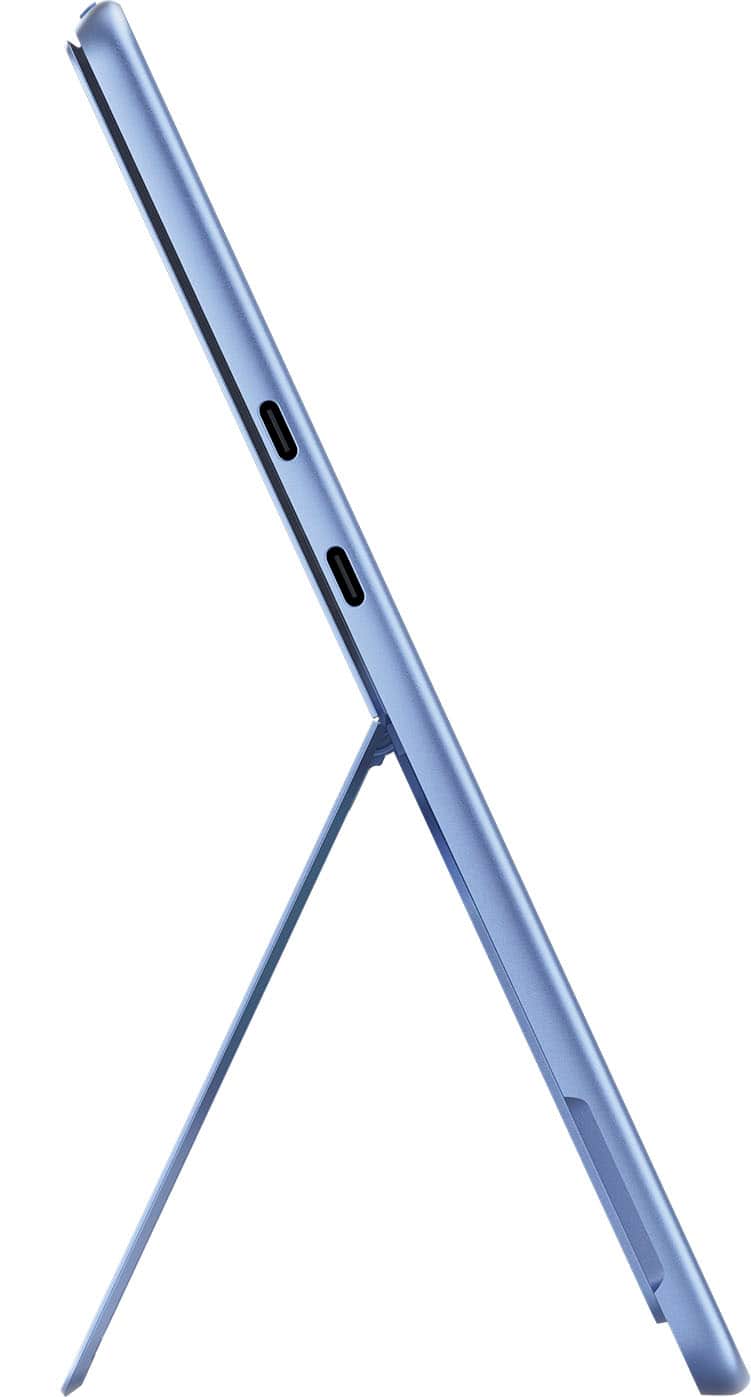
    The Surface Pro 13 OLED 2-in-1 is a best of both worlds beast. Deftly switching from tablet to laptop with an optional keyboard and powered by a 12-core Snapdragon processor mated with a 512GB SSD, 16GB RAM, and a new OLED screen, the tablet feels like a strong laptop in both performance and features. Design/Body: The 13-inch tablet isn’t as large and bulky as it sounds. Much like early smartphones, I’ve come to realize that 13-inch tablets aren’t as huge as I originally thought they were. At first glance the Surface Pro doesn’t look much larger than my 11-inch tablet. It’s only when placed side by side does the slightly larger size of the Surface Pro become evident. The Surface has some weight to it but isn’t uncomfortably heavy. I find it easy to use and handle. The body is crafted from aluminum with a kickstand that allows the Surface Pro to be used upright in landscape mode with a keyboard. The kickstand folds flat against the back of tablet when not in use. I don’t find the aluminum body slippery or fragile feeling. The Surface has two USB-C ports on the left side, two ports on the bottom that integrate with the Surface Pro Keyboard, and three buttons on the top for power and volume controls. All ports and buttons are described with the Surface in the landscape position using the kickstand. Screen: The 13-inch OLED screen looks fantastic. I admittedly wasn’t quite as blown away as I’d hoped but it still looks good. It’s just not the quantum leap I thought it would be over previous Surface tablets. It has the deeper blacks and more richly saturated colors common with OLED. Text and graphics are also clean and razor sharp thanks to the 2880X1920 resolution. The screen has good brightness and fast response. Performance: The 12-core Snapdragon X Elite processor does not feel like an ARM processor. It feels more on par with a full-fledged X64 laptop. This is good because the Surface Pro is essentially a Windows 11 laptop in a tablet body. Despite the demands of running Windows 11, there is no noticeable lag. Windows open quickly and fluidly. Apps launch swiftly and run with no latency or hiccups. The NPU works splendidly and provides the processing punch required to make Copilot and other AI features actually useful rather than merely window decorations. The Surface isn’t the best equipped for PC gaming, but can handle most other tasks efficiently. The only downside are compatibility issues with some software due to the ARM processor. For example, I cannot install the exact same antivirus as my Windows laptops. I get booted to the Microsoft store for a less capable app version of the program. But as far as productivity apps, media editors, and content creation, the Surface Pro handles it all with ease. It doesn’t run hot in most instances and I haven’t encountered a freeze or blue screen yet. The two cameras and speakers are both decent quality. The QHD front facing camera has face tracking and is utilized for Windows Hello facial recognition. The camera takes good quality photos and video and works great for video conferencing. The 10mp rear camera performs well also. Neither camera can best high-end smartphone cameras but both are more than sufficient for a tablet or even a laptop. They’re also better than the cameras on my other tablets. Same with the speakers. They sound loud, clear, and better than anticipated for a tablet. Music sounds rich and is actually enjoyable. The speakers easily outperform my other tablets and even the quite capable laptop I’m currently typing on now. Battery life is fantastic. I only have to charge every couple days with moderate usage. Extras: Windows 11 recently introduced several AI powered new features. The most anticipated being Copilot. Co-pilot is an AI chatbot that provides a wealth of useful information at your fingertips. It can be helpful for research or automating certain creative processes. It can also utilize plug-ins for recipes, shopping, travel, home and more. Another interesting Windows AI feature is the DALL-E powered co-designer. Integrated with later versions of Paint, it allows you to create dazzling works of art using descriptive phrases and rough sketches. For example, I described an anime turtle on the beach, used some brush strokes to indicate the sand, water, sun and clouds and co-creator did the rest. I included the before and after photos with this review. The more descriptive the phrase, the more accurate the AI rendering. Features in Copilot also provide AI enabled searches and information requests, real-time translation with live captions, creative studio filters and effects for the camera and more. The camera filters were somewhat disappointing. There are only three filters and they only work in the video mode, not with still photos. There are also two blur modes: background and portrait. The AI camera effects are an okay start but I hope Microsoft plans on expanding the filters to not only include a larger selection but work for still photos as well. Cons: As we all know, few things in life are perfect and I’d be doing a disservice by gushing over what impressed me and omitting what didn’t. In the not-so-great department, I already mentioned the compatibility issues I encountered trying to install X64 apps on an ARM device. The Surface Pro runs so well, it’s easy to forget it’s an ARM device until running into an issue like that. Another not so great is the requirement for a complex PIN. I wanted to use a simple four-digit PIN that was easy for me to remember but Windows wasn’t having it because it didn’t meet complexity requirements. Now I have to look up my PIN if facial recognition fails for whatever reason. Lastly, it’s a Windows device, so that means frequent updates. It updated on first boot right out of the box. Lastly, I also had a bunch of unwanted files from another PC dropped onto the Surface thanks to OneDrive being infuriatingly active by default. Despite the above minor cons, I am still blown away by the power and capability of the Surface Pro OLED. It’s blazing fast, has great battery life, and offers the power of a laptop with the convenience and travel friendly size of a tablet. I do strongly recommend using it with a keyboard for the full experience. Case style is best and the Surface works seamless and marvelously with the Surface Pro Keyboard. However, any keyboard is better than no keyboard for those times you need a laptop, not a tablet. One thing I can say is as far as reliability, the Surface has already proven to be a long-lasting well-built piece of tech. I'm still using a Surface Pro X 1876 that is at least 4-5 years old and it’s showing no signs of slowing down.

    I would recommend this to a friend
  • Cons mentioned:
    Software compatibility

    Rated 3 out of 5 stars

    Great Tablet PC hardware!

    |
    |
    Posted . Owned for less than 1 week when reviewed.
    This reviewer received promo considerations or sweepstakes entry for writing a review.

    This slate tablet has great hardware, however for me the software is not compatible with my work VPN. Once ARM64 supports improves I would buy again.

    No, I would not recommend this to a friend
  • Pros mentioned:
    Overall performance

    Rated 1 out of 5 stars

    Poor product knowledge, calls divert to India

    |
    |
    Posted . Owned for 2 weeks when reviewed.
    This reviewer received promo considerations or sweepstakes entry for writing a review.

    Computer works great but they don't sell a model that comes with LtE. If you call Best Buy customer service which is based in India they will tell you it has LTE. I've spent about 20 hours calling Best Buy then calling Verizon then calling Microsoft. Best Buy India keeps saying it has 5g lte internally. But Microsoft said they haven't made a surface 11 with lte yet. Best Buy has the worst customer service, they don't know the answers and you are dealing with people that are on the other side of the globe. There's not way to connect to an associate on the floor in a store, all calls go to India and they cannot properly answer your needs. I tried calling corporate in Mn and all those calls are diverted to India. I will never make another purchase at Best Buy ever again because the customer service is horrible. I will Make sure everyone I know is aware of how hard it is to do business with Best Buy, I'm also going to write reviews and spread the word online. I hope that Best Buy is replaced with a better store that serves its customers needs

    No, I would not recommend this to a friend
  • Rated 5 out of 5 stars

    Surface.

    |
    |
    Posted . Owned for 3 weeks when reviewed.
    This reviewer received promo considerations or sweepstakes entry for writing a review.

    Great product in term of display, performance and style.

    I would recommend this to a friend
  • Rated 2 out of 5 stars

    Great but......

    |
    |
    Posted . Owned for 2 weeks when reviewed.
    This reviewer received promo considerations or sweepstakes entry for writing a review.

    I am really compelled to give a one star review, but it is a great device.... unless. I need to be able to VPN to our server remotely. Unfortunately, this processor is not compatible with a bunch of common apps. That is terrible. Who thinks something at this price point can make it without being compatible with common apps??? I would recommend if you are buying this for business to choose something else. At this price point, with add ons, it should work with anything. Really disappointing. Everything else is great. Microsoft should be better. They should also not rob you for a keyboard and a pencil (Apple does the same).

    No, I would not recommend this to a friend
    • Brand response from Snapdragon team
      Posted .

      Thank you for your feedback. We’re continuously working to expand support for more applications, both natively and via emulation. Please visit https://www.qualcomm.com/products/features/windowsapps to see the most popular supported apps. snapdragon

  • Rated 5 out of 5 stars

    The best service & best laptop & best deal

    |
    |
    Posted . Owned for 1 month when reviewed.
    This reviewer received promo considerations or sweepstakes entry for writing a review.

    Very good nice service nice laptop quick service great deal 5 stars

    I would recommend this to a friend
  • Pros mentioned:
    Battery life, Portability, Processor speed
    Tech Insider Network Member

    Rated 5 out of 5 stars

    Lightweight tablet with heavyweight power!

    |
    Tech Insider Network Member
    Posted .
    This reviewer received promo considerations or sweepstakes entry for writing a review.

    Ladies and gentlemen, gather 'round because the Surface Pro 11 is here, and it’s ready to knock your socks off. Microsoft’s latest 2-in-1 tablet/laptop hybrid is not just another device; it’s a tech lover's dream. Here’s my personal take after spending some quality time with this beauty. –Battery Life– First up, battery life. The Surface Pro 11 boasts over 11 hours of juice, which is leaps and bounds ahead of my old Surface Pro 6, which barely survives 4 hours on a good day. This means I can binge-watch, work, and play all day without desperately seeking an outlet. It’s like having a marathon runner in a world of sprinters. –Portability– The Surface Pro 11 is feather-light. At under 2 pounds without the keyboard and just under 3 pounds with it, it’s easy to carry around, whether you’re commuting or just moving from the couch to the kitchen. It’s so light, you might forget you’re even carrying it. –Performance– Now, let’s talk about what’s under the hood. The Snapdragon X Elite ARM CPU with its 12 cores is a powerhouse. It handles computationally expensive tasks effortlessly and stands toe-to-toe with Apple’s M3 ARM CPU. Benchmarks don’t lie; this thing even outperforms my desktop with a Ryzen 9 5900X. Day-to-day tasks feel as smooth as butter, proving this device is no slouch. –Display– The OLED panel is stunningly bright, making it perfect for outdoor use. Those thinner bezels are a breath of fresh air compared to the chunky ones on my Surface Pro 6. Whether I’m watching videos, working on graphics, or just browsing, the display is vibrant and crisp. –Upgradeability– Here’s a win for the tinkerers: the SSD is upgradeable! Unlike my Surface Pro 6 with its soldered-on SSD, the Surface Pro 11 allows you to upgrade your storage. This feature has been around since the Surface Pro 8, and I’m glad it’s still here. The only downside is it uses an M.2 2230 form factor, which limits upgrade options. –Ports and Connectivity– The port selection is pretty generous with two Thunderbolt 4 ports and a magnetic Surface charging port. I can connect almost anything I need, as long as I have my trusty dongles. Setting up my web development environment was a breeze, and WSL ran like a champ. It performs on par with, if not better than, my HP Omen 14 with an Intel Core 7 155U. –Instant Wake and Sleep– The wake and sleep times are impressively fast. The Snapdragon X Elite brings an instant-on experience that’s noticeably quicker than any Windows device I’ve used. It’s a real productivity booster. –Copilot Feature– The integrated Copilot feature, powered by the NPU, is a major plus. Having AI assistance on the device is fantastic, but the placement of the Copilot key (replacing my beloved ‘Control’ key) is a bit annoying. My muscle memory is still adjusting. –The Not-So-Great Stuff– - RAM is soldered: You’re stuck with whatever RAM you buy. No upgrades here, which is a letdown. - Copilot key placement: Great feature, but the placement could be better. My fingers still miss the old ‘Control’ key. - SSD form factor: Limited to M.2 2230, which restricts upgrade options. - Lapability: Using it on your lap can be tricky and uncomfortable, a quirk that’s been around since the first Surface Pro. - Laptop stands: Difficult to use with laptop stands because the angle depends on the built-in kickstand. Annoying for those who use stands regularly. - Bezels: The top and bottom bezels are thicker than the sides. Symmetry would’ve been nicer. - Audio: The built-in speakers are a bit tiny. I rely on my Sony WH-1000XM5 headphones, but it’s worth noting for others. –Wishlist– - Upgradeable RAM: It’s 2024, why can’t we have this in thin and light devices? - Dedicated GPU: An RTX 4060 would’ve been the icing on the cake for some light gaming. Maybe next time, Microsoft? –Conclusion– The Surface Pro 11 is an impressive and versatile 2-in-1 device. Its portability, battery life, and performance make it a standout in its category. It’s not perfect—no device is—but it comes pretty close. If you’re looking for a powerful, portable hybrid, the Surface Pro 11 should be at the top of your list. Just be ready to adapt to a few quirks, and you’ll be more than satisfied. So, should you buy it? Absolutely, especially if you need a powerhouse device you can take anywhere. The Surface Pro 11 sets a new standard for 2-in-1 devices, and it’s a joy to use.

    I would recommend this to a friend