Customer Ratings & Reviews
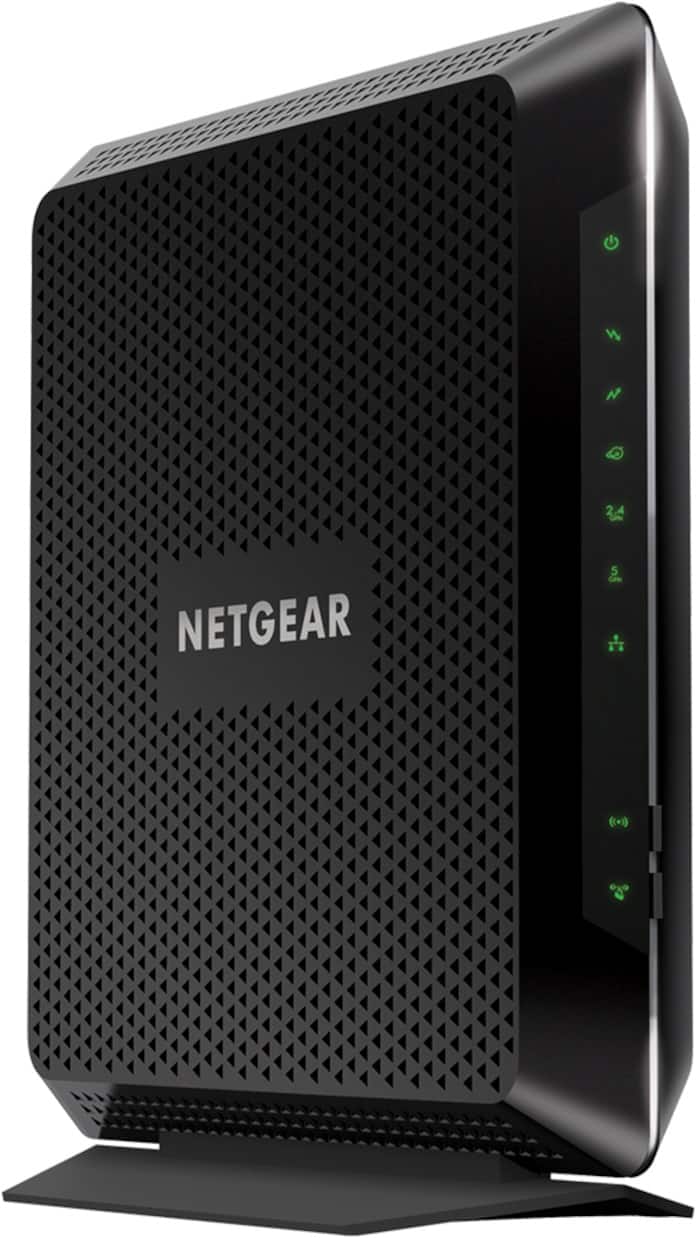
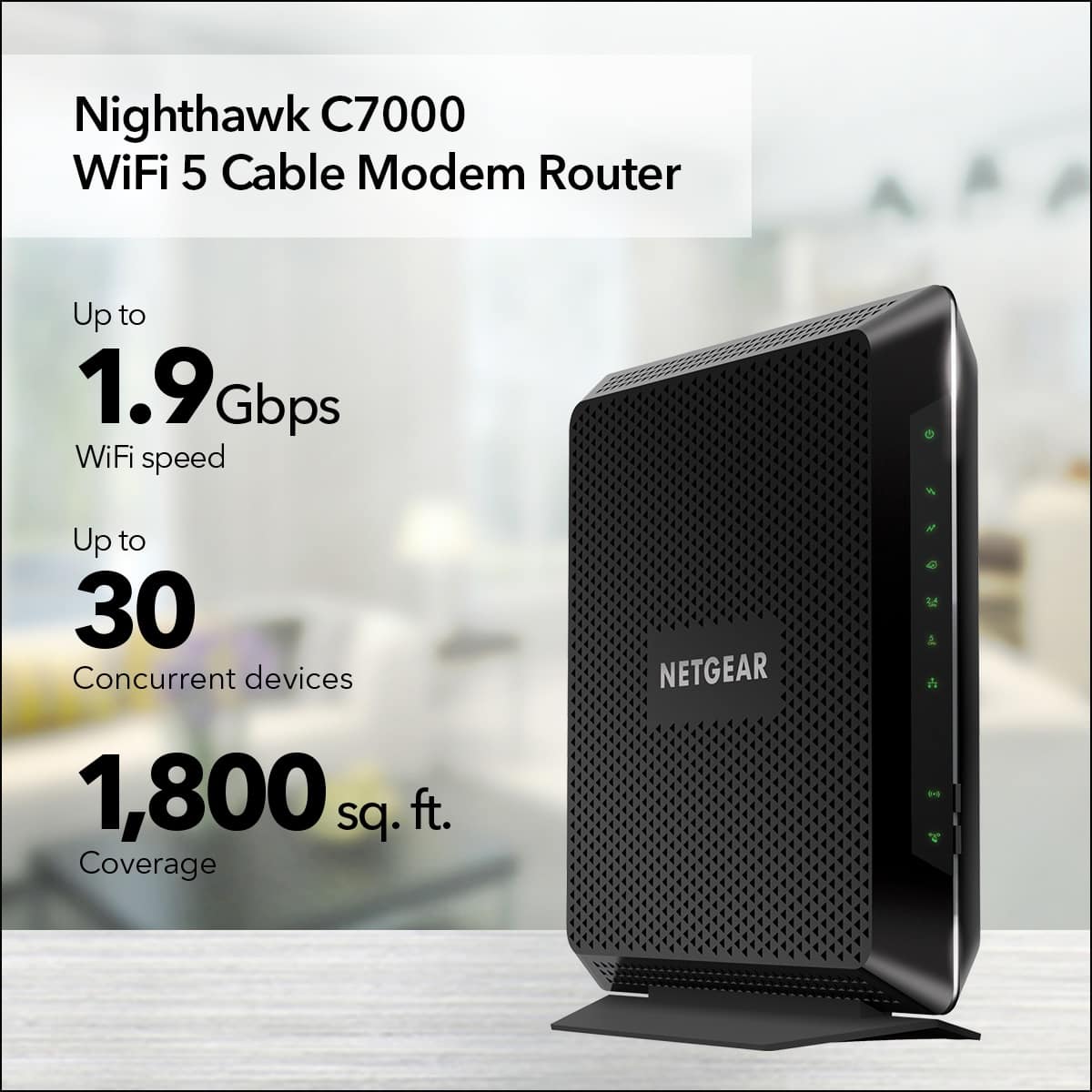







- Model:
- C7000-100NAS
- |
- SKU:
- 11359327
Customer reviews
Rating 4.6 out of 5 stars with 14066 reviews
(14,066 customer reviews)Rating by feature
- Setup4.6
Rating 4.6 out of 5 stars
- Range4.6
Rating 4.6 out of 5 stars
- Signal Strength4.6
Rating 4.6 out of 5 stars
Rated 5 out of 5 stars
Extreme Performance Modem/Router From NETGEAR.
Posted .This reviewer received promo considerations or sweepstakes entry for writing a review.I’ve received this item to review and test the NETGEAR AC1900 Nighthawk Cable Modem Router, thanks to being part of the NETGEAR Friends & Family Test & Review Program. I’m very happy to be part of this Program and will be giving all honest reviews throughout my participation with this program. ~First Thoughts~ I received this modem within three business days straight from NETGEAR, upon receiving the box I immediately opened the product to expect and review the condition I received the item in just in case there was an issue but I didn’t find one besides that the item seems to have been previously used (Very Lightly) due to the NETGEAR sticker being broken. I’ve heard of the Nighthawk Routers that you can find though “Newegg, Amazon, BestBuy” and all other websites that you can buy them from. I enjoy the great reviews from those products it has always made me want to own one but I have never had the chance to get one. This is the first time that I’ve heard about the Nighthawk Cable Modem/Router that seems to have been released this year so being able to test this item and review it has been a privilege and honor. ~Setup~ The setup for this modem was very easy and straight forward process. I did currently own a NETGEAR modem the CM500 that I bought this year at $120 so I had to swap out modems with Comcast which was a bit of a process due to Comcast out sourcing their Customer Care Service. Setting up the Wi-Fi for this modem is easy too thanks to the NETGEAR Genie, I’ve had pass experience with NETGEAR Modems & Routers so using the NETGEAR Genie was a breeze and almost any user that is new with any product that NETGEAR produces will have a very fast setup process. ~Features~ The features of this modem are awesome with it being a 2-1 Modem I am able to remove the middle man that I’ve always had on my desk (i.e. standalone router) that has always plagued all mankind since its existence. Beamforming that this modem includes is an awesome feature to have, before with my standalone router I always had so little distance that I could go before losing my connection with the router while being on my phone so now I am covered all over my house. I have never experience this before and I believe that it only works on the 5GHz channel. Another neat little thing is now I can see what 2.4GHz & 5GHz Wi-Fi networks that are cluttering the surrounding area that I live in and being able to see this I am able to figure out what channel to move too for a better signal if needed. 24x8 Channel Bonding that’s 24 Downstream channels and 8 Upstream channels allowing for a better connection. This means I’ll enjoy full connection with the Comcast Servers while at high peak usage hours in my town when everyone is connected. ~Performance~ Right out of the box the performance with this Nighthawk Modem is amazing I’m reaching the max that my connection is allowed in my area until I upgrade my package at a later time but right now I’m on the Blast 93Mbps/12Mbps speeds. The 24 Downstream bonding channels will future proof myself until Comcast deploys the 24 channels in my area currently its 16x4 bonding and with this modem allowing me to have 8 upstream channels that will also help out a lot when they implement these bonding channels. Downloading huge files within “Steam-Game Client” have never been faster before at 12MB/s giving me the chance to enjoy my games better within a less time frame with downloading them to my computer. Ping has been a problem for a while for me but now that’s better too thanks to everything being a 2-1 Modem. ~Did Product meet my expectation?~ YES!! I’m really enjoying this modem because of everything that it has to offer and feeling a bit future proof for now thanks to it having the 24x8 downstream channels, beamforming for Wi-Fi , and for it being a DOCSIS 3.0 Modem. I do hope they release a DOCSIS 3.1 Modem soon within the next year. ~Price-value~ The price on this modem is a bit pricey at the moment in time with its price tag at $279.99 so I’m not sure if everyone would jump out and grab this modem at this full price range so I hope over some time that the price on it does go down so all end users can enjoy this great modem. ~Would I recommend this modem to my friends and or a family member?~ Another yes from me due to its extreme performance and punishment that it can take while being connected to one or more computers even with all the wireless devices that are connected to it right now.
This review is from NETGEAR - Nighthawk AC1900 Router with DOCSIS 3.0 Cable Modem - Black
I would recommend this to a friendRated 5 out of 5 stars
Excellent router/modem
||Posted .This reviewer received promo considerations or sweepstakes entry for writing a review.Ideal router/modem combo for faster internet speeds. 100% compatible with Comcast. I upgraded to 75 Mbps download speeds to facilitate 4K and 1080p Netflix and YouTube viewing on my smart TV. I set it up in the adjacent room, but it covers the whole house without an extender. Very easy to set up. Has been reliable. No rental fee to the cable company, but it will take a year and a half to pay for itself. Future proof, given 960 Mbps capability. Highly recommended.
This review is from NETGEAR - Nighthawk AC1900 Router with DOCSIS 3.0 Cable Modem - Black
I would recommend this to a friendRated 4 out of 5 stars
NETGEAR Cable Modem Beats DSL Modem wi Winddstream
||Posted . Owned for 2 months when reviewed.This reviewer received promo considerations or sweepstakes entry for writing a review.Purchased this modem to replace the DSL version to use with Windstream Internet Provider. Windstream's service is poor overall and not providing the speed you are paying for and constant outages is frustrating. The DSL version of this NETGEAR worked better than any previously purchased. Windstream said they did not provide cable Internet in our area, so when a tech who came out to install new DVR'sn we were told Windstream did provide cable Internet and the tech had set up many homes in our area. I immediately purchased the NETGEAR cable version to replace the DSL version and it has made a huge difference. This modem is definitely faster, maintains a connection unlike others we know others are using, and the setup is so much simpler. It is nice to get rid of phone filters required for DSL and to have a good modem that does not take up as much space while giving you the speed you require and security, as well. Definitely glad to have cable Internet again and got it at a great price on sale. NETGEAR products have come a long way and have been the best we have found to work with Windstream. May look at upgrading even more now that Windstream has dropped cable TV and now provides Live Streaming TV which is Internet based. This modem has worked much better and provides excellent coverage over 3000 square feet. Would recommend to anyone who has a sub-par Internet Service Provider and/or has DSL but can get cable Internet.
This review is from NETGEAR - Nighthawk AC1900 Router with DOCSIS 3.0 Cable Modem - Black
I would recommend this to a friendRated 5 out of 5 stars
Worth it!
||Posted . Owned for 3 weeks when reviewed.This reviewer received promo considerations or sweepstakes entry for writing a review.This work great and was easy to set up. I have use Netgear for 10 years and they are accurate and dependable.
This review is from NETGEAR - Nighthawk AC1900 Router with DOCSIS 3.0 Cable Modem - Black
I would recommend this to a friendRated 5 out of 5 stars
Awesome Router and Modem
||Posted . Owned for 2 weeks when reviewed.This reviewer received promo considerations or sweepstakes entry for writing a review.The router and modem was so easy to set up. Delivers great speeds, and handles all our devices -Awesome router and modem!
This review is from NETGEAR - Nighthawk AC1900 Router with DOCSIS 3.0 Cable Modem - Black
I would recommend this to a friendRated 5 out of 5 stars
Much more reliable router
||Posted . Owned for less than 1 week when reviewed.This reviewer received promo considerations or sweepstakes entry for writing a review.I finally replaced a very old apple airport extreme with this combo modem/router and am very pleased. With all the streaming and gaming we have in our household, it was a necessity. We noticed a change in coverage and speeds immediately. Reliability on the 5Ghz is much better than on our old airport and our devices have much stronger signal all over the house and outside than before. We decided to replace our old spectrum model at the same time with this device and didn't want to have to rent a new one. Setup was easy as we used our old SSID. Only hiccup we had was with our wireless printer. I had to give it a static IP to make it work but once that was done, it's worked just fine and we're able to print from our all devices. I haven't played around too much with parent controls but I plan to eventually. Overall, very happy with this purchase!
This review is from NETGEAR - Nighthawk AC1900 Router with DOCSIS 3.0 Cable Modem - Black
I would recommend this to a friendRated 5 out of 5 stars
Perfect upgrade
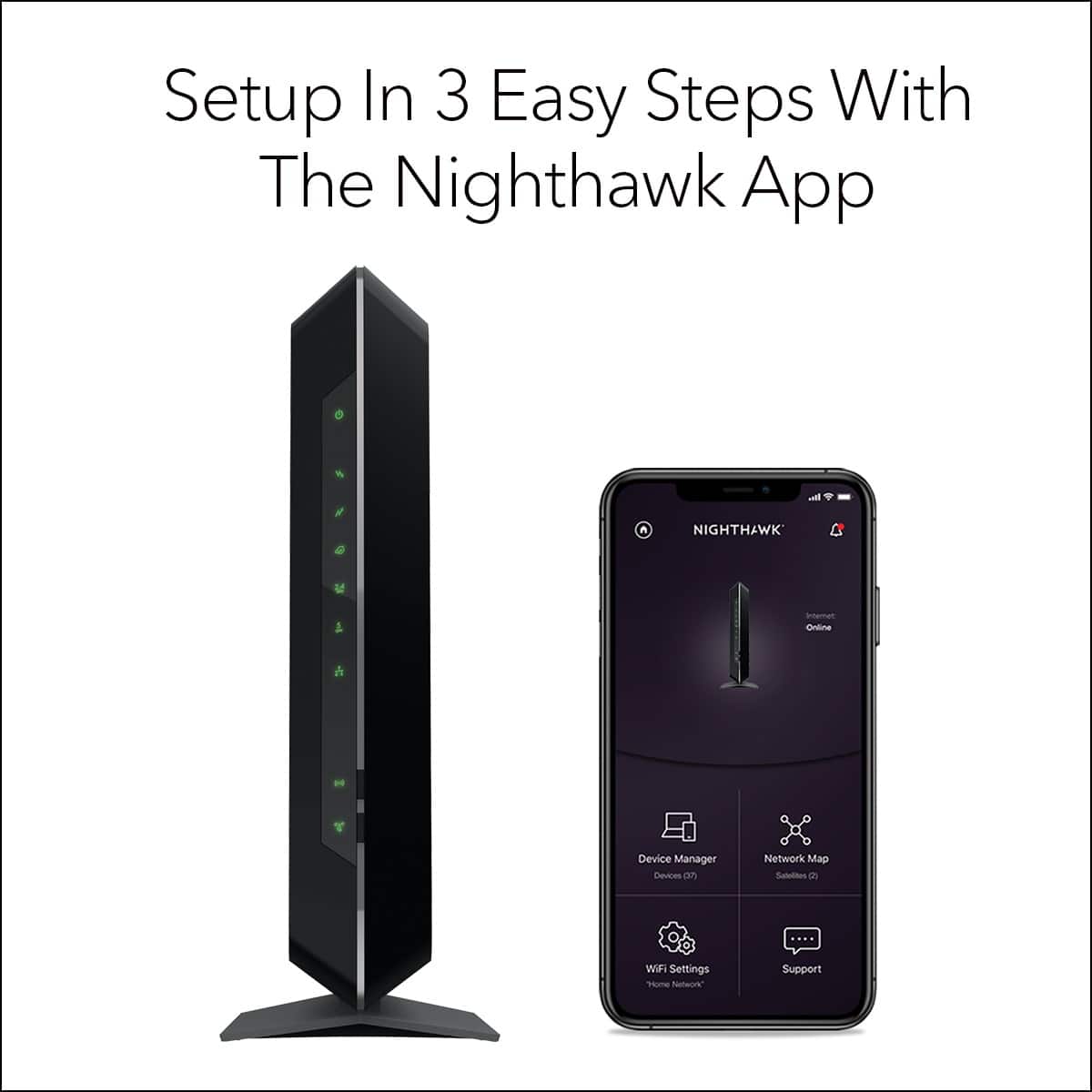
||Posted . Owned for 1 month when reviewed.This reviewer received promo considerations or sweepstakes entry for writing a review.Works well.I was hesitant to replace my modem but really glad I did..this has been much more stable and robust.i am with Comcast Xfinity and it is really easy to set up. Scan a barcode with your phone and it connects, much faster than I expected.
This review is from NETGEAR - Nighthawk AC1900 Router with DOCSIS 3.0 Cable Modem - Black
I would recommend this to a friendRated 4 out of 5 stars
Great Modem, a little expensive
Posted .This reviewer received promo considerations or sweepstakes entry for writing a review.I received this C7000 unit for free as a evaluation product from Netgear. Coincidentally, I purchased the C6300 Netgear modem just slightly a week before receiving the C7000. Setup of the modem took only a couple minutes. Plug in the coaxial cable and power cord. Can't be simpler than that. Called my service provider and asked for activating my modem. All they needed was verification of service recipient and the MAC number on the modem. The call took about 10 minutes, but that depends only on the service provider's representative. After I hung up the phone, I was online immediately. It took me about another 15 minutes to setup all the WIFI password at home including 3 cellular phones, two IPAD Air, two Chromecast TV dongles, one Chromecast Audio dongle and two laptops. What I like the most is the WIFI was already set up and ready to use without going into the modem settings to enable it. The network name and password are conveniently labelled on the modem which is very easy to locate. Of course, if you want to change the password and WIFI name, you would have to login to the modem. The login name and password are also located on the modem. I personally don't mind using the existing password, all I wanted was to get the WIFI working right away after I change the modem. I have Time Warner Ultra 200 which gives me better than 200Mbps speed. My first and only run using speedtest gives me about 120Mbps download and about 25Mbps upload. My guess is it is limited service provider instead of the modem because I ran it during rush hour at night. I also set up two IPcam from Foscam and it went smoothly without issues. Not sure nowadays all the modems are like that or just the Netgear C7000 modem, when I changed the port forwarding setting and applied, it did not need to restart. I recall back then my other modems required rebooting. I have been using the modem for almost a week and it has not given me any issues or problems. The only reason I gives it a 4 star instead of a 5 star is mainly due to the price tag comes with it. For $280, it is a lot for a modem in a typical family. At the same time, if you are willing to pay for this modem, you must be willing to pay for the extra cost of internet speed and so $280 may not be much to you. Overall, it is a great product, easy to use and it meets my expectation. I would recommend it if you can swallow the bill.
This review is from NETGEAR - Nighthawk AC1900 Router with DOCSIS 3.0 Cable Modem - Black
I would recommend this to a friendRated 5 out of 5 stars
Good router
||Posted . Owned for 3 weeks when reviewed.This reviewer received promo considerations or sweepstakes entry for writing a review.Works smoothly and is easy ro aet up a d start using
This review is from NETGEAR - Nighthawk AC1900 Router with DOCSIS 3.0 Cable Modem - Black
I would recommend this to a friendRated 5 out of 5 stars
Modem review
||Posted . Owned for 2 weeks when reviewed.This reviewer received promo considerations or sweepstakes entry for writing a review.Easy to install No problems Strength is very good We definitely recommend to family and friends
This review is from NETGEAR - Nighthawk AC1900 Router with DOCSIS 3.0 Cable Modem - Black
I would recommend this to a friendRated 5 out of 5 stars
Very good high-speed modem
||Posted . Owned for 3 months when reviewed.This reviewer received promo considerations or sweepstakes entry for writing a review.The modem has fast speed, quiet and easy to set up to our million electronics. Worked well with all electronics being wi-fi compatible with no lag time. Worth the money.
This review is from NETGEAR - Nighthawk AC1900 Router with DOCSIS 3.0 Cable Modem - Black
I would recommend this to a friendRated 5 out of 5 stars
Great Gateway Option for Comcast
Posted .This reviewer received promo considerations or sweepstakes entry for writing a review.I bought this Netgear Dual Band gateway to replace my old Motorola Surfboard gateway that I've been using for 7 years. It's a night and day difference! My old gateway would drop connections often and was experiencing the dreaded 'buffering' screen when I would watch Netflix. Also with the old Surfboard I wasn't taking advantage of the Blast! speed (150Mbps) plan I was paying for. I was averaging 40Mbps, but now switching to this Nighthawk unit, I've clocked 179mbps at times, but average at least 150Mbps. Huge difference! This gateway was easy to set up and configure the settings. Technically, I didn't even have to call Comcast to provision the new gateway. Since I already have an online account, I could've done everything online, but their website service was down (typical). Otherwise, I was up and running within minutes.
This review is from NETGEAR - Nighthawk AC1900 Router with DOCSIS 3.0 Cable Modem - Black
I would recommend this to a friendRated 5 out of 5 stars
Easy set up and solid performance
||Posted .This reviewer received promo considerations or sweepstakes entry for writing a review.Works great. Easy set up and got my in-laws away from costly cable and internet rental fees from their provider. Cox….
This review is from NETGEAR - Nighthawk AC1900 Router with DOCSIS 3.0 Cable Modem - Black
I would recommend this to a friendRated 5 out of 5 stars
RickS
||Posted . Owned for 2 weeks when reviewed.This reviewer received promo considerations or sweepstakes entry for writing a review.Set up was easy and works great! I highly recommend.
This review is from NETGEAR - Nighthawk AC1900 Router with DOCSIS 3.0 Cable Modem - Black
I would recommend this to a friendRated 5 out of 5 stars
Cost-saving reliable speed
||Posted . Owned for 1 month when reviewed.This reviewer received promo considerations or sweepstakes entry for writing a review.Purchased this as a gift for my son who has WOW internet. I own this same Netgear C7000 for use with Xfinity. Both families appreciate its reliability and cost savings. Wifi is impressive. 5GHz band delivers me top speeds (200 mbps plan) on my iPhone. Both of my Roku sticks stream without difficulty on 2.4GHz. I have a 1600 sq. ft. 2-story home, and my son’s house is a ranch maybe 1100 sq. ft. Very happy with the purchase.
This review is from NETGEAR - Nighthawk AC1900 Router with DOCSIS 3.0 Cable Modem - Black
I would recommend this to a friendRated 5 out of 5 stars
AWESOME UPGRADE FROM CABLE MODEM
||Posted .This reviewer received promo considerations or sweepstakes entry for writing a review.I read tons of reviews online before purchasing this product! Let me tell you I am very happy with this device. I haven't had to reset it and it has preformed better than expected. The device is covering my whole house with no need to boosters. And the placement of the device is on one end of my house. I am very pleased with this purchase. The device is pricey but I am saving $10/month on rental from the cable company. Believe me the preformance is no comparison. This device is easy to set up and much stronger. Love the dual band!
This review is from NETGEAR - Nighthawk AC1900 Router with DOCSIS 3.0 Cable Modem - Black
I would recommend this to a friendRated 5 out of 5 stars
Nice
||Posted .This reviewer received promo considerations or sweepstakes entry for writing a review.super easy setup with my Xfinity service. super easy connection with my other Wi-Fi devices. great signal strength throughout our home. super fast operation. only been up and running for a week, but this is a huge step up from my old separate Netgear router and Motorola modem combo...which was 7 years old. do not ask me about the technical stuff. I just want gear that is easy to operate, does what it is supposed to do very well, does not cost too much, built to last and is fast. so far I would say this does the job for me.
This review is from NETGEAR - Nighthawk AC1900 Router with DOCSIS 3.0 Cable Modem - Black
I would recommend this to a friendRated 5 out of 5 stars
Netgear router wifi combo
||Posted .This reviewer received promo considerations or sweepstakes entry for writing a review.Compact router wifi unit. Easy setup with less cables to clutter the area it's at. Seems to work well.
This review is from NETGEAR - Nighthawk AC1900 Router with DOCSIS 3.0 Cable Modem - Black
I would recommend this to a friendRated 5 out of 5 stars
Super efficient modem
||Posted . Owned for less than 1 week when reviewed.This reviewer received promo considerations or sweepstakes entry for writing a review.When I got the internet service, the company rent the equipment so I prefer to buy my own. After review all the modem suggestions from the company, I decided for this because its compatibility, performance and price (it is a bit pricey but inexpensive that rent for a year). it is easy to install and have a apps that you can control all your connections. Highly recommend.
This review is from NETGEAR - Nighthawk AC1900 Router with DOCSIS 3.0 Cable Modem - Black
I would recommend this to a friendRated 5 out of 5 stars
Great 2 in 1 Modem & Wifi Router! Works w/Xfinity!
Posted .This reviewer received promo considerations or sweepstakes entry for writing a review.Great 2 in 1 Modem & Wifi Router!!! Works With Xfinity!!! Highly Recommended!!! I am Getting About 225 Mbps Internet Speeds!!! Easy Setup!!! A++
This review is from NETGEAR - Nighthawk AC1900 Router with DOCSIS 3.0 Cable Modem - Black
I would recommend this to a friend