Customer Ratings & Reviews

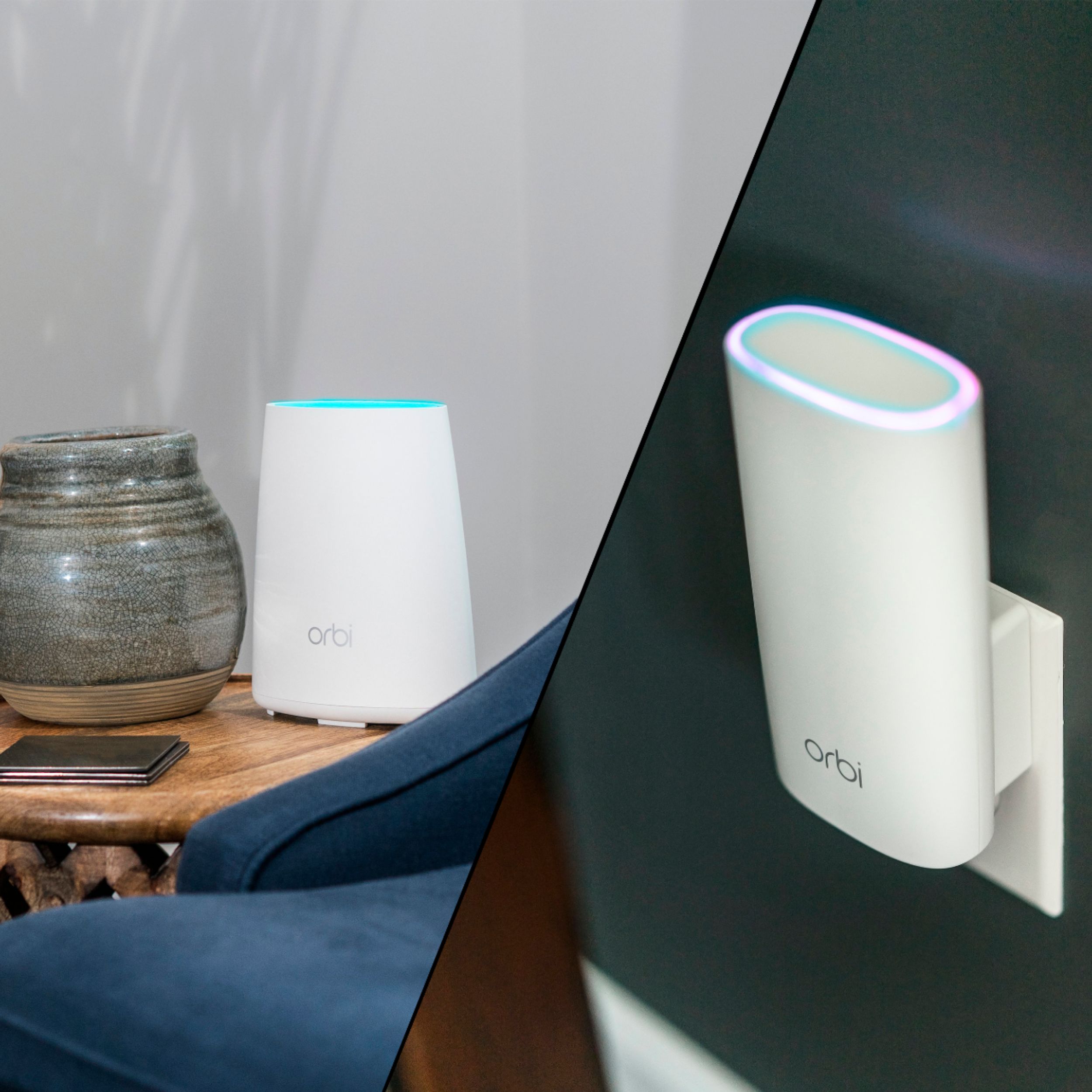

- Model:
- RBK30-100NAS
- |
- SKU:
- 5778800
Customer reviews
Rating 4.6 out of 5 stars with 594 reviews
(594 customer reviews)Rating by feature
- Value4.6
Rating 4.6 out of 5 stars
- Quality5.0
Rating 5.0 out of 5 stars
- Ease of Use4.6
Rating 4.6 out of 5 stars
Customers are saying
Customers have good things to say about the Orbi AC2200 Tri-Band Mesh Wi-Fi System's ease of use, Wi-Fi coverage, and signal strength, with many praising its performance and range. The setup process is also frequently highlighted as simple and straightforward. While some customers find the price to be high, the positive feedback on performance and coverage outweighs this concern for many users.
This summary was generated by AI based on customer reviews.
Rated 1 out of 5 stars
Continuously lost connection
||Posted .This reviewer received promo considerations or sweepstakes entry for writing a review.Terrible product, continuously drops connection with my phone and computer, upgrading to the latest firmware was no help, originally i gave kt a week and it did not improve, i was going to buy another product and was talked into this by the salesman, when I returned the product after a week I saw this product still being pushed, wondering why, stay away, buy something else. Currently using google wifi
No, I would not recommend this to a friendRated 1 out of 5 stars
Great hopes for Orbi
||Posted .This reviewer received promo considerations or sweepstakes entry for writing a review.I took this back as the satellite kept dropping out. I loved the mesh concept, but, mine didn't work. Thru put in main unit was REALLY high, the sat. gave 432 meg thru put.
No, I would not recommend this to a friendRated 2 out of 5 stars
Not great
||Posted .This reviewer received promo considerations or sweepstakes entry for writing a review.It is not as great as we thought it was going to be. We have 100 fiber optic internet and it is still awful
No, I would not recommend this to a friendRated 2 out of 5 stars
Did not work for me
||Posted .This reviewer received promo considerations or sweepstakes entry for writing a review.The was no change in my service. I was trying to extend my service to the garage. There was no change.
No, I would not recommend this to a friendRated 2 out of 5 stars
Stops connecting
||Posted .This reviewer received promo considerations or sweepstakes entry for writing a review.This system has intermittent outages and is maddening. I hope it is fixed with future upgrade.
No, I would not recommend this to a friendRated 2 out of 5 stars
No good
||Posted .This reviewer received promo considerations or sweepstakes entry for writing a review.Did the same thing as Verizon cable no difference actually .02 slower
No, I would not recommend this to a friendRated 1 out of 5 stars
You’ll never get it set up.
||Posted .This reviewer received promo considerations or sweepstakes entry for writing a review.The helpdesk page for this product gave me a 404 not found error if that tells you anything. The directions are complicated and are of absolutely no use. I work with computer peripherals for a living and I just could not get this to work. Forget this and look for an alternative.
No, I would not recommend this to a friendRated 1 out of 5 stars
Disappointed
||Posted .This reviewer received promo considerations or sweepstakes entry for writing a review.I was looking to increase my wireless range in a 3100 sq' home. After spending many hours, I found that my Verizon router (now Frontier) performed as well and is more reliable. The Orbi was too intermittent in its ability to maintain a connection.
No, I would not recommend this to a friend- Pros mentioned:Ease of use, Performance
Rated 5 out of 5 stars
Easy install, powerful WiFi network
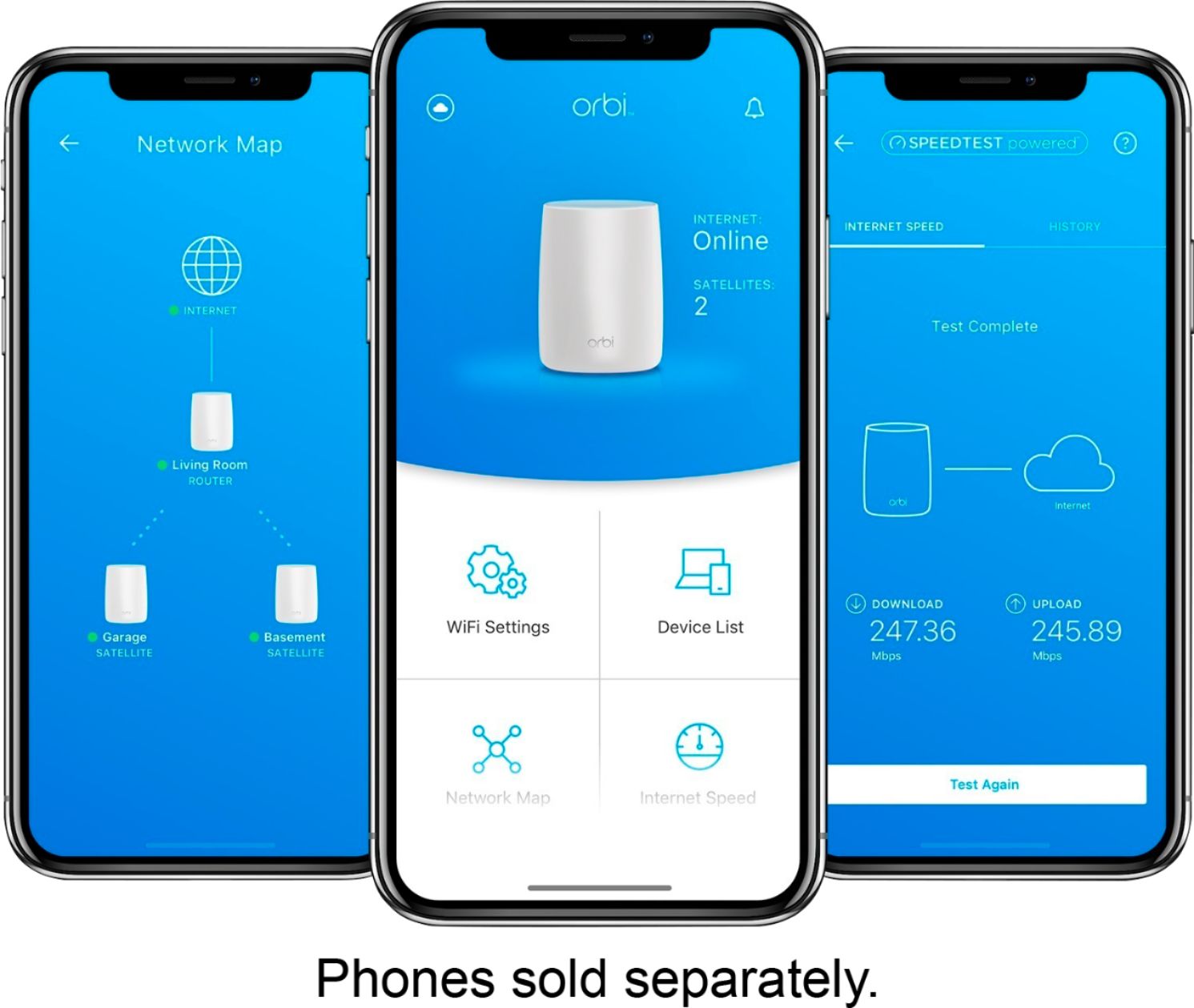
Posted .This reviewer received promo considerations or sweepstakes entry for writing a review.Wow, this was the simplest networking setup I have ever done! To add even more weight to that statement, I have done a lot of setups that were pretty easy and the ease of this setup simply blows them away. I hope this next comment doesn’t offend anyone but the Orbi system has a very “Apple” feel to the whole product. The design of the packaging, the beauty of the product, the simplicity of the interface all create this sense that the user was really taken into consideration during the creation of this product. They definitely didn’t just say “lets solve this networking issue” and slap together a functional system but instead they decided to really put a lot into the aesthetics and ease of use of this product. From start to finish the set up only took a few steps and I was guided the entire way by the Orbi App on my iPhone. If you want to set up a powerful home or small business network and don’t want to have to spend a lot of time configuring then this would definitely fit that bill. In the past I had WiFi coverage problems in my home and had set up a dual access point network so devices could easily connect in the dead spaces at the far end of the house. It took awhile to set that up because there were many settings I had to configure to make sure everything worked as it should. When I created this similar network with the Orbi system all I needed to do was define a network name and password on the main device, plug in the satellite device and tell the app find the satellite. Done! I can’t say enough at how amazed I am at how simple this whole process was. OK, I left out that there were a few extra steps that I took to secure the access to the Admin controls of the system, which I really recommend, but I don’t know that those were required and the app guided you through that process so, again, pretty simple and straightforward. Of course, easy installation is great but what does it matter how easy it is to install if the system doesn’t work well? Not to worry in this case as the system performed very well, and measured even better performance than my original dual-access point system. I have a device to measure the strength of the WiFi signal at various points across the house and the signal was strong and clear throughout. Because I am fairly familiar with the setup and configuration of a home WiFi network the one downside I initially saw was that there was no way to “look under the hood” and see how everything was configured. Generally, there are pages of settings with network gear and sometimes, if you understand what you are doing, it is worthwhile to make changes to fit your needs. With the Orbi app, once you do the basic setup the only other options I found were to add additional satellite devices, restart the setup from scratch, or check to see who is connected. (I love the way you can check who is connected from the app because it is very quick and simple to do and something I like to do frequently.) So I was all ready to drop a star on my review because of the lack of additional control capability when I remembered that the system was also supposed to allow the creation of a guest network. Because that wasn’t part of the app I knew there must be a way to access that control somewhere. I did a quick search on Netgear’s website and found that this system actually does allow you to get in and have access to all of those deeper controls too! Star added back! The lack of this access through the Orbi app is probably good because it doesn’t leave a user feeling that they are missing something if they don’t understand those controls. Now my complaint is that I did have to do a search on Netgear’s website to find out how to get access to those controls. I didn’t see anything documented or in the app that indicated there was a path to those settings. Because this system is the low-end model maybe that information is more readily available during setup of the higher-end systems. Still, it would be nice for them to alert you that those instructions exist for users of this system too. I guess if you are a power user you will also know how to search for those details. When you access the Admin page that accesses those deeper controls, some of the options you can do is create a guest network, set finer access control for devices and how they connect to the entire network, and adjust many other things that a more network savvy person might want to control. One of the features that I found really cool with this system is when you create a guest network is that you can turn it on or off using Amazon’s Alexa. A guest network is something that is great when you don’t want to provide guests with your normal login credentials, or for a business and you want to keep customers segmented and not allow access to your company network. The ability to control it with Alexa means a simple voice command to your Amazon Echo or EchoDot speaker can turn that network on or off and you don’t have to login on a device like a phone or laptop to enable or disable that network. Personally, I only enable my guest network when I have guests and I don’t share the administrator access credentials to modify those controls with my family. When they have friends over I have to be the one to grab a device and enable the feature. Now I, or anyone in my family, can simply say the command to Alexa and turn on the guest network for whoever is visiting and I don’t have to be bothered. I have not yet been able to test this feature but I am very excited to get that enabled next week! In conclusion, if you want a great WiFi router that is aesthetically pleasing, incredibly simple to get up and running yet is very powerful, this is a great system for meeting that need. At the same time, If you are a networking power user and also want to be able to configure Access Control Lists, QoS, enable a VPN, etc. this system also has that capability too. If that last sentence sounds like gibberish then this system is definitely the one you want to give you great performance and coverage in your home or small office but not require you to learn anything about networking to setup an excellent network. Although I was provided this product for free to test the system and write this review, the content of the review is my honest and unbiased opinion.
I would recommend this to a friend Rated 1 out of 5 stars
Returned
||Posted .This reviewer received promo considerations or sweepstakes entry for writing a review.It kept disconnecting or switching to the slower 2.4 instead of the 5 and it doesn’t give you the option to choose which channel you can stay connected to.
No, I would not recommend this to a friendRated 1 out of 5 stars
It is not the greatest if you do not have a open c
||Posted .This reviewer received promo considerations or sweepstakes entry for writing a review.My home is not open concept. We still have issues with our internet. We should of got he one with two extensions.
No, I would not recommend this to a friendRated 1 out of 5 stars
Terrible router!
||Posted . Owned for 1.5 years when reviewed.This reviewer received promo considerations or sweepstakes entry for writing a review.Says it’s easy to set up, but at the end I could never get it to work, and set up failed twice.
No, I would not recommend this to a friend- Pros mentioned:Ease of use, Wi-fi coverage
Rated 5 out of 5 stars
Value, easy to setup, good, simplified coverage
Posted .This reviewer received promo considerations or sweepstakes entry for writing a review.Background: This is a two story home about 3600 square feet. The old network covered whole home but it took multiple types of devices to do that. I have 300 Mbps coming into the home through a cable modem, it connected to an Airport Extreme which covered part of the lower level, the upper level was hardwired via Cat 6 to the Airport Extreme. I had two fringe areas that needed special help, I used a power line bridge to wireless for one, and another wireless bridge for the other. In all, I had the to “three different” network names which made moving around the home difficult. That said, the overall throughput in the home was good, worst case throughput was 100Mbps. I decided to use switch to the Orbi for a couple of reasons, the first was to updating the access point / router to get the latest in security (5 years old is a longtime in AP years), the second reason is to have an easier to manager system that will deliver throughput to all corners of my home. Setup — I installed the access point in the middle of my home (same place as my old Airport Extreme), I put one satellite upstairs and the other in the back corner of the lower level. During and after the install I did have to move the satellites around to improve the throughput . . . more on that. The setup was good, I did had to restart the process a couple of times because of my errors. I found the phone application OK, the issue I had was it did not acknowledge that a satellite was connected when the web application did. After it was setup then both phone and web app agreed. I like the advanced features that are available using the web application. Coverage — My whole is now covered with one network . . . nice. I am now able to move around the whole home using one SSID. This also applies to the guest network you can enable. Performance — Pretty good. I’m getting 250 - 330 Mbps down and 20Mbps up through most of my house. Master bedroom drops off to 60Mbps so more “tuning” is needed. Bottom-line — Good value, easy to setup, good coverage and performance, and a greatly simplified network. And it is good to have an up-to-date secure access point.
I would recommend this to a friend - Pros mentioned:Ease of use, Speed
Rated 5 out of 5 stars
Amazingly Simple Setup - Incredible Performance!
Posted .This reviewer received promo considerations or sweepstakes entry for writing a review.I have setup my fair share of Wifi Systems in the past, but the ORBI has to be the easiest by a mile. Plug in the power and Ethernet Cable (like a phone cable for older users), download the App from the Google Play or Apple store, open App and follow the instructions. SIMPLE. There is also a way to set it up from a browser. I was very encouraged when seeing the speeds coming from the ORBI, my internet connection speed when HARDWIRED to my cable modem are about 220/MBPS and with the ORBI I experience the SAME speeds. With the satellite plugged in I was on the porch, out in the yard anywhere within the house the speed stayed constant, also when each one (3) of my family members was streaming (Netflix, Amazon Prime Movies or YouTube) I saw no slow down! Also I am a gamer, I experienced no Wireless lag, with 2 Xbox-Ones hooked up! (Additional networking setup is required through the web-browser interface) If you are besieged by family members soaking up your bandwidth this is the Wifi system for you, no more buffering, run all of your devices at once! So if you have had a new internet install lately you may have seen the different speed bands (wireless_name-2.5,wireless-name-5.0) with ORBI it knows what will work the best for your device! You have one single network name! (Which you can set to anything you like) Mine is GO_COWBOYS! The price is higher than some Wifi systems, however the build quality is worth every penny and you are getting 2 units (some have 3). My ORBI was for the 3500 Sq Ft home, and if you move to a larger house you can buy another satellite! Plug in and go! My only complaint is that the Phone Application didn't have more options, like a "gaming" mode to help less knowledgeable users set up the system in an optimal fashion. A one button Gaming mode would be awesome! or a community share button where you could download optimal settings for different online game. Netgear supplied me with this product and has allowed me to keep it free of charge in exchange for my Honest Review. Honestly I was considering purchasing this for all of the reasons I listed!
I would recommend this to a friend Rated 1 out of 5 stars
Product Short Life Cycle
||Posted .This reviewer received promo considerations or sweepstakes entry for writing a review.Product has a short life cycle and did not last 12 month's. Coverage was great until then.
No, I would not recommend this to a friendRated 1 out of 5 stars
Really wanted this too work
||Posted . Owned for 1.5 years when reviewed.This reviewer received promo considerations or sweepstakes entry for writing a review.Basically just couldn’t get this working for me at all tried everything
No, I would not recommend this to a friendRated 1 out of 5 stars
Dont buy
||Posted .This reviewer received promo considerations or sweepstakes entry for writing a review.Started out great then after about 6 months the system failed and drops signal
No, I would not recommend this to a friendRated 1 out of 5 stars
Transmission Strength Poor
||Posted .This reviewer received promo considerations or sweepstakes entry for writing a review.I tried this product but found its signal very poor!
No, I would not recommend this to a friend- Pros mentioned:Speed
Rated 5 out of 5 stars
Router providing fast speeds and ample coverage
Posted .This reviewer received promo considerations or sweepstakes entry for writing a review.The Orbi set-up was straightforward. I ended up downloading and using the Orbi app to assist with the install. The install it self went smoothly except that I had forgot that I had to update Comcast that I was using a new router. Once I remembered that I had it up and running quickly. The satellite was also easily installed as well and the Orbi app will let you know that the satellite is working. I love the mesh system using a single network name as opposed to having two different wifi signals that I would have to manually switch between. (I know you can up your phone to switch between stronger signals 5ghz and 2.4ghz, but I like that the mesh system does this all automatically). The speeds are great and even beat my previous Netgear Nighthawk. I just pulled a 98Mbps download speed in my kitchen across the room from the router, but your speeds may vary due to your internet provider. This router would be great for a mid to large sized home or a small business. Overall, I happy with the router and plan to use it for many years. I would like to point out that I received this product for free from NETGEAR as part of a test and review program in order to provide a review.
I would recommend this to a friend - Pros mentioned:Speed
Rated 5 out of 5 stars
Wow, what a difference!
Posted .This reviewer received promo considerations or sweepstakes entry for writing a review.We have a fast 300 Mb/s service, but with our old high-end Netgear Nighthawk router, we couldn't get anything approaching that speed unless we were in the small room where the router was located. 30 feet away in our living room, we were lucky to see a steady 10 Mb/s. I tried simple range extenders, and that helped a bit, but at the cost of having 4 network names instead of two. I hoped that Orbi would be a big improvement, and wow was it! We have only one network name now- no separate network names for 2.5 GHz and 5 GHz bands, and no separate name for the extender, or second node. In our living room, we see 280 MB/s. We see no less than 60 MB/s anywhere in our big house. Speedtest says it works, and we see a big improvement in browsing, downloading, and streaming videos. Setup was easy using the Orbi app on my phone. Highly recommended.
I would recommend this to a friend