Customer Ratings & Reviews
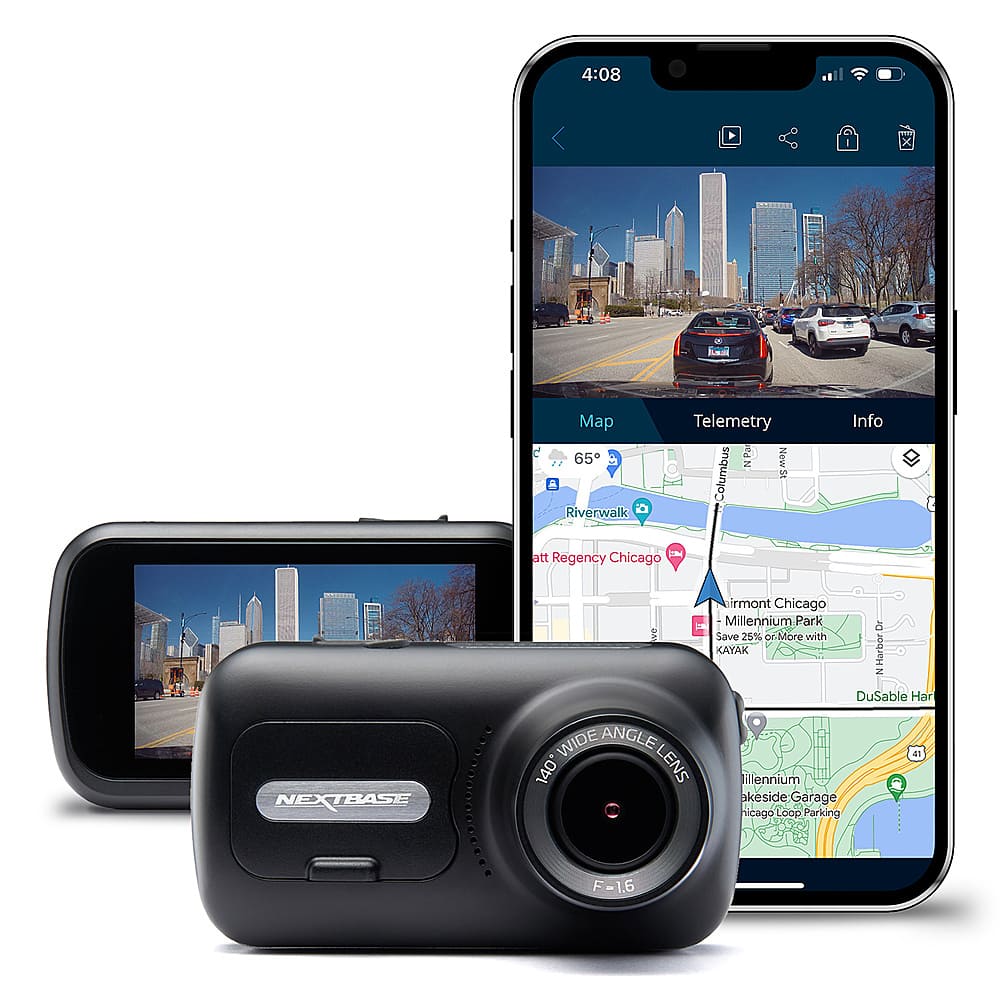

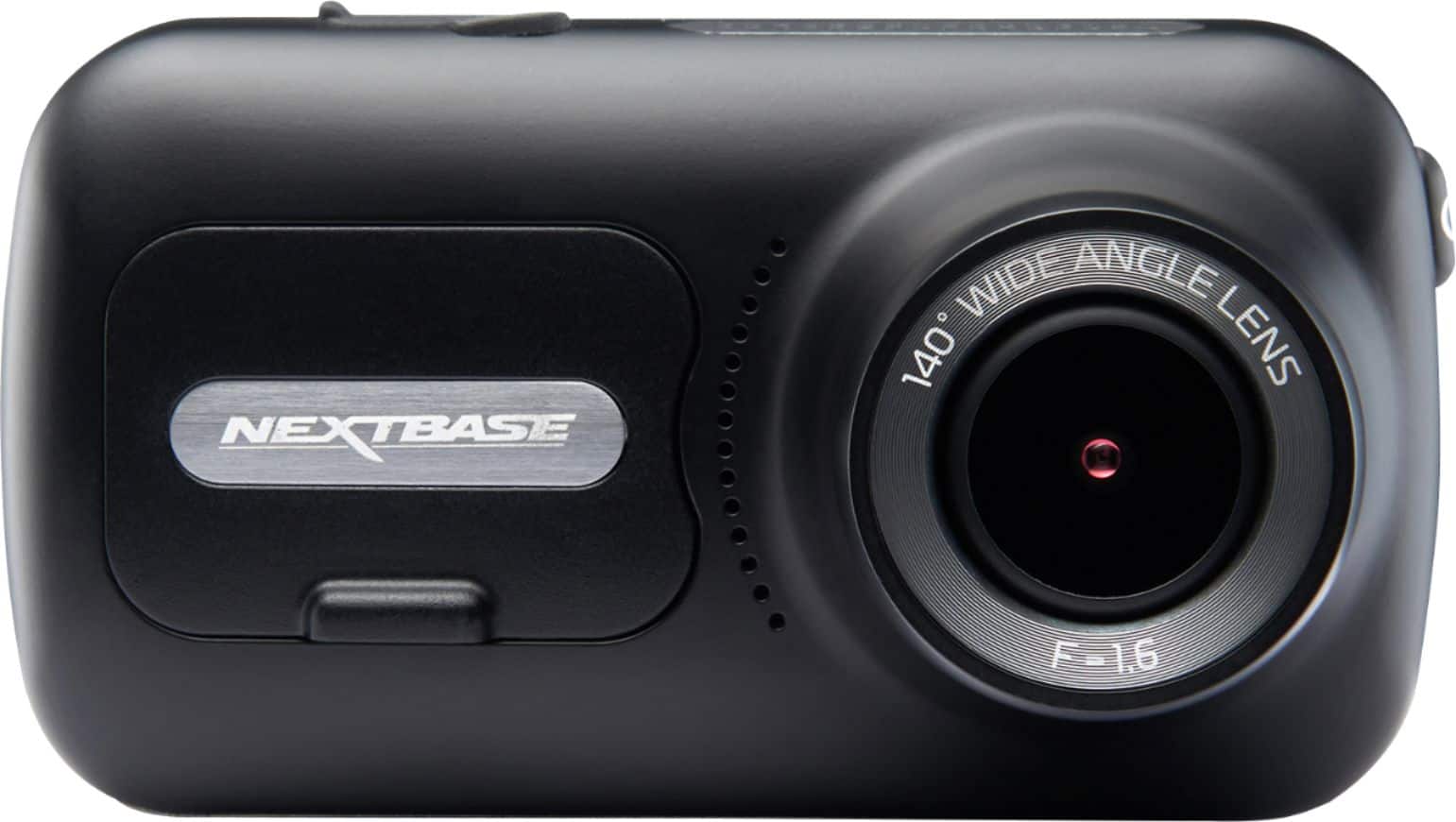
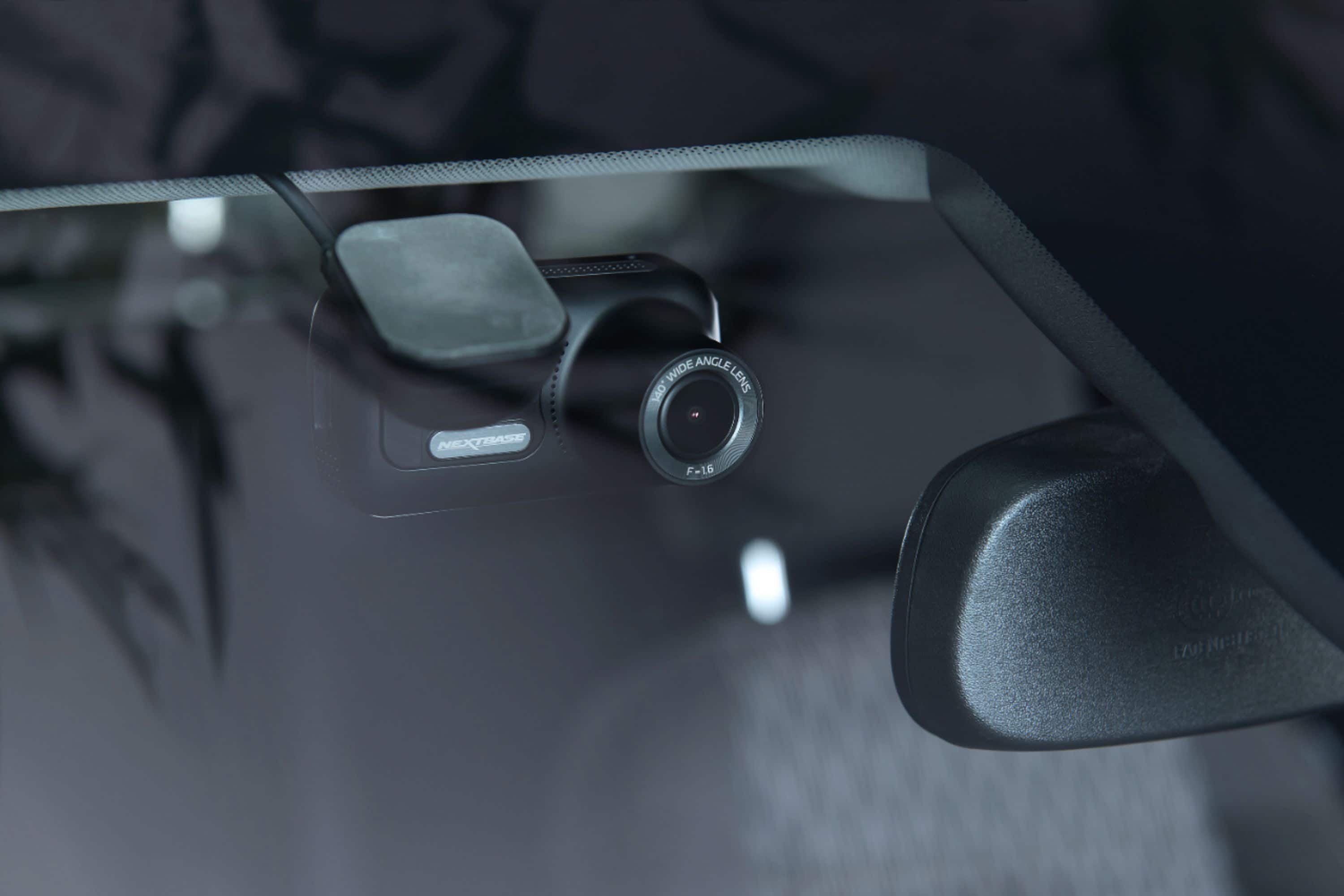
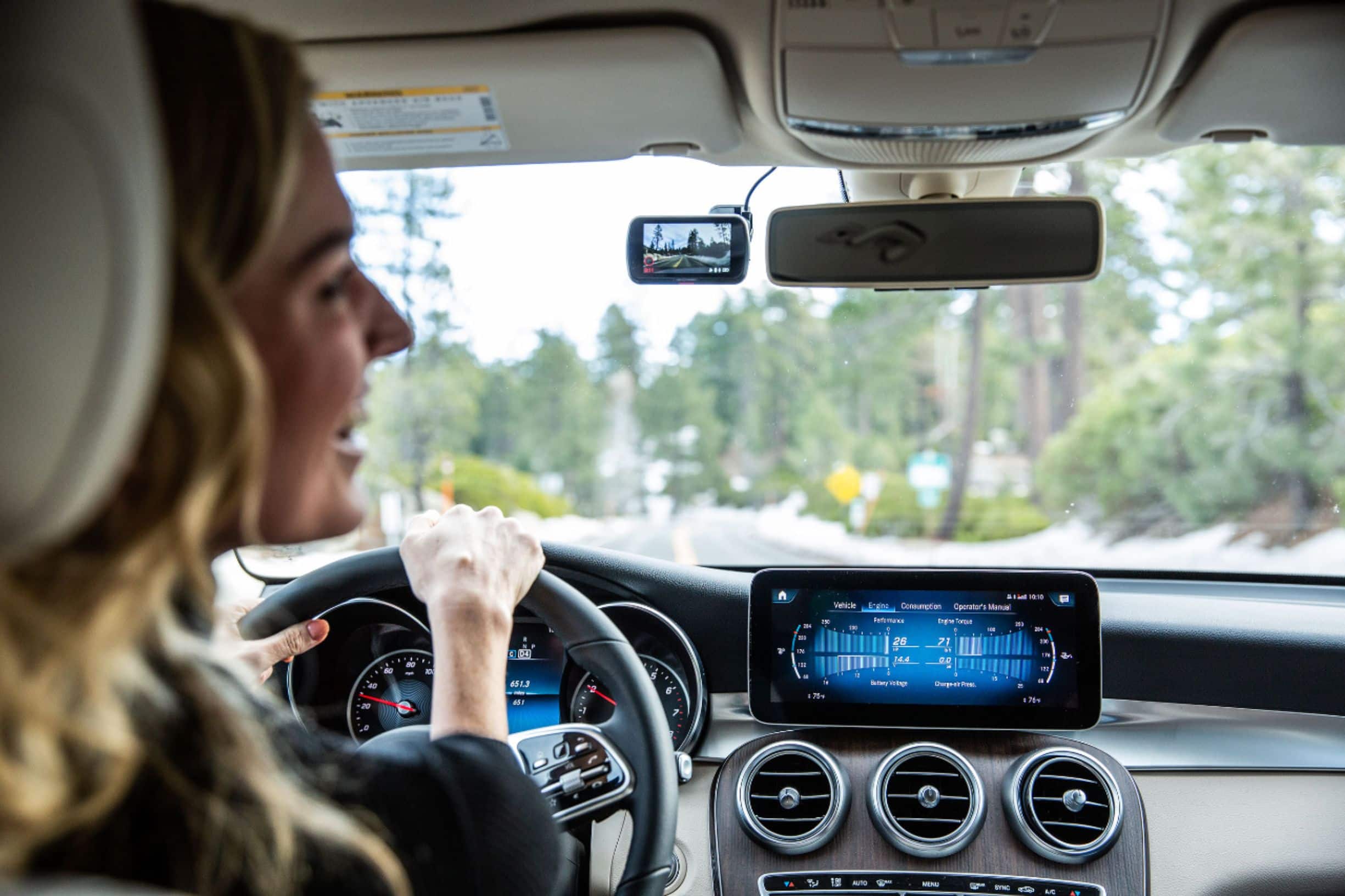

- Model:
- NBDVR322GW
- SKU:
- 6347000
Rating by feature
- Value
Rating 3.7 out of 5 stars
- Quality
Rating 3.9 out of 5 stars
- Ease of Use
Rating 3.9 out of 5 stars
Customers are saying
Customers enjoy the 322GW Dash Cam for its video quality, overall performance, and ease of use. The dash cam is also appreciated for its small size, secure mounting, and many features. However, some customers have expressed concerns about connectivity issues, battery life, and overheating. Additionally, a few customers have reported issues with the app performance.
This summary was generated by AI based on customer reviews.
Not worth
||Posted .This reviewer received promo considerations or sweepstakes entry for writing a review.For the price I paid for, it's not worth buy due to the quality of the video. I would return it for a better one,
No, I would not recommend this to a friendBrand response from Nextbase
Posted .Hello Jack,
Thank you for taking the time to write your review, I'm sorry to hear that you're having an issue with the video quality. Please contact our Support Team for assistance in this matter: [email protected].
- Pros mentioned:MountingCons mentioned:Connectivity

Good Multi-Featured Dashcam; App Needs Improvement
|Posted .This reviewer received promo considerations or sweepstakes entry for writing a review.Instruction Manual: I’d recommend you download the more detailed & comprehensive online instruction manual to supplement the startup guide included in the box. Mounting: 2 options: You can use either the removable suction cup to fasten the cam to the windshield or the double-sided sticky-tape mount. I opted for the windshield suction cup & placed the cam near my rearview mirror. The suction cup is strong & holds the cam steady. The convenient integrated Click-&-Go magnetic connector allows me to remove/reattach the cam w/o removing the mount. Power: comes from the included 12V power cable which extends from the mount to my cigarette lighter receptacle. I don’t like unsightly cords that can interfere w/my field of view; so, I plan to buy the $29 hardwire accessory kit to hardwire the cam into my SUV. Connectivity: I downloaded the Android app to my Samsung Galaxy S9+ & was able to connect to the cam via both Bluetooth & Wi-Fi. The app is slow & buggy w/some definite connectivity issues that need improvement. Charging: Prior to 1st use, I charged the dashcam for a couple hours by connecting the cam to my PC via the included USB cable. Software: While connected to my PC via the included USB cable, I download the required firmware update from Nextbase’s website. This ensured a smoother setup process when I configured my basic settings, including: auto power, microSD card formatting, high (1080p HD default) or low resolution (720p) recording format, audio on/off, screen dimming, loop recording length, speed, location, date, time zone, alerts, parking mode, G sensor, GPS, & other features. Display: While you can always use your smartphone app, the 2.5” LED touchscreen on the back of the dashcam also gives you an easy-to-navigate scrollable menu & allows you to view your video footage & change your settings w/o having to connect to another device. Video: I was able to view, manage, & edit my videos via both my PC & smartphone. Video quality at 1080p full HD & 60fps is quite good. Audio: Remember that, unless you toggle off the audio recording feature, all sound inside your cabin, including handsfree speakerphone calls, conversations w/passengers, & any ‘commentary’ about fellow drivers on the road are all recorded & accessible for playback w/the recorded video. GPS: With the cam’s GPS, I was able to see relevant data displayed w/the cam footage on playback including GPS coordinates, map, compass heading, route taken, direction traveled, speed, date/time, etc. In the event of an accident or some other incident, the data could prove critical in documenting the facts. It’s a 2-edged sword in that the evidence could be used to help prove your innocence or your guilt. Recording: The cam begins recording automatically when the vehicle’s ignition is turned on. For manual recording simply press the red button on the screen to start & press it again to stop. Video records in 1, 2, or 3-min. increments, making it easy to scroll thru saved clips for later viewing. The cam also has a protect button that allows you to manually preserve an important clip so that it’s not overwritten by the loop recording system. You can also capture a still photo while the cam is recording video by tapping the touchscreen on the back of the dashcam. Memory Card: I used a 32GB U3 microSD Card for the loop recording system. However, I’d recommend opting for a larger memory card (128GB) so that recorded video isn’t overwritten as frequently. Some may find it annoying that Nextbase doesn’t include even a limited capacity memory card in the pkg. It can feel a bit like opening a hi-tech present on Christmas morning only to discover a “batteries not included” sticker on the box. Park Mode: The cam has an internal battery which Nextbase says will last for over 1 week while your vehicle is off & parked. The cam’s internal G sensor becomes more sensitive in park mode & will automatically power on & record for 3 mins. if it detects movement & then shut down again. This feature might prove useful in the event your parked vehicle is impacted in a hit-&-run accident, vandalized, or broken into by thieves, assuming they don’t steal the cam itself. Wide-Angle View: The cam has a 140º field of view which is wide enough to capture all traffic lanes of my freeway commute & even the shoulders when I’m not on interstate hwy. Nighttime video quality is good on streets w/good lighting, but it doesn’t act like a “night vision” cam on dark, unlit roads. Emergency SOS: Alerts 1st responders to your location if you're involved in an accident. When viewed on my PC, the Nextbase viewer software (MyNextbase Player app) demonstrates the richness of the Nextbase dashcam’s feature set by providing a comprehensive display of captured metadata. All the data is displayed beneath the file footage during video playback. The experience is not unlike a video game display w/a speedometer, compass heading, GPS coordinates, Google Maps, G-sensor reading, etc. And you can share these files at the click of a button w/your insurance provider or upload them to your social media platforms (Facebook, Twitter, & YouTube, etc.). You can zoom in/out, stake screenshots, edit, & share your files by using the MyNextbase Connect app, which uses a fast, secure Wi-Fi connection w/a new, improved chipset. The app is available for free at the Google Play Store or Apple App Store. In conclusion, this is an impressive dashcam w/a good feature set. Once the buggy app & connectivity issues are fixed, this will become a 5-star product.
I would recommend this to a friend low quality
||Posted .This reviewer received promo considerations or sweepstakes entry for writing a review.The captured images are blurry, the price is high, and the value is seriously inconsistent with the price.
No, I would not recommend this to a friendBrand response from Nextbase
Posted .Hi Vincen,
Have you tried adjusting the resolution within the camera's settings? If you'd like to contact our Support Team, we can assist further. We're available at +1 800 2805 178 or [email protected].
Disappointed
||Posted . Owned for 1 week when reviewed.This reviewer received promo considerations or sweepstakes entry for writing a review.This camera doesn't do its job well, keep freezing mostly, and it doesn't worth of this price too.
No, I would not recommend this to a friendBrand response from Nextbase
Posted .Hello ,
SD cards only have limited lifespans. In our manuals we recommend formatting every 2-3 weeks to prolong the life of the card. Without this regular formatting, or if the card is non-compatible or damaged, the card could corrupt which would cause a failure of data writing.
Symptoms of SD card failure are: an audible 'alarm' tone, non-functional buttons, freezing, corrupted files on playback, image missing from files, lack of file recording etc.
If your camera is freezing, please check that your SD card is compatible for use.
Please remove the SD card, then press the reset button on the underside of the Dash Cam. Then, without the SD card inserted, please turn on the Camera. Does it now start normally? If so, then the SD card is causing the freezing.
If you need any help with identifying your SD card or checking compatibility, please contact us at [email protected].
Not recommend
||Posted .This reviewer received promo considerations or sweepstakes entry for writing a review.It’s worth I have ever, not recommend, the pictures are not clearly at all, and quality is cheaper
No, I would not recommend this to a friendBrand response from Nextbase
Posted .Hello Roya,
Have you selected the best resolution in the settings? Are you using a Nextbase SD card? Have you updated the firmware to the latest version?
If you need any help with the above, please contact our Nextbase Support Team at [email protected].
Dash Cam including Install
||Posted . Owned for 11 months when reviewed.This reviewer received promo considerations or sweepstakes entry for writing a review.Solid product, great install service from Best Buy. Definitely recommend
I would recommend this to a friendAvoid this dash cam
||Posted . Owned for 1 week when reviewed.This reviewer received promo considerations or sweepstakes entry for writing a review.Constantly comes up with GPS Mount error and ask to rewrite SD card. Return it.
No, I would not recommend this to a friendBrand response from Nextbase
Posted .Hello,
SD cards only have limited lifespans. In our manuals we recommend formatting every 2-3 weeks to prolong the life of the card. Without this regular formatting, or if the card is non-compatible or damaged, the card could corrupt which would cause a failure of data writing.
Symptoms of SD card failure are: an audible 'alarm' tone, non-functional buttons, freezing, corrupted files on playback, image missing from files, lack of file recording etc.
Please ensure you're using a Nextbase SD card.
- Pros mentioned:Video qualityCons mentioned:App performance
Great Dashcam, App needs bug fixes
|Posted .This reviewer received promo considerations or sweepstakes entry for writing a review.I think this dash cam has the potential to be excellent, as soon as the developers get the app working correctly. I could not get the app to do many of the functions it is supposed to. The app keeps telling me to update the firmware on the dashcam, it creates the wifi connection and starts uploading the firmware to it but it never completes. I was also not able to transfer any of the recorded footage to my iPhone with the app. I think the app needs fixing. The app looks great though and has many exciting features including an SOS option in the even of an accident or emergency. I think once the developers get all those bugs fixed, it will make the dashcam perfect. If you've made it this far and are still with me, let me tell you the great things about this dash cam. 1. It comes with two mounting options. You can either use the provided double sided sticky tape to mount the base to you car's dash, or you can use the suction cup mount to stick it to your windshield. I opted to use the suction cup mount. It is strong and keeps the dash cam steady. There was no need to moisten the suction cup, so theres no left over residue when you remove it. The dash cam has a really neat magnetic mounting system on it that allows you to remove the camera without removing the base from your dash or windshield. It's quite brilliant as it also acts as the cameras power source. You are provided with a long power cable that plugs into your vehicles 12v power outlet. It automatically powers on and starts recording when you turn your vehicle on. It records in 1 minute intervals making it easy to scroll through your saved clips for browsing later. The dash cam also has a button that allows you to manually save a clip if you want to save it at a certain point. The coolest thing about this dash cam is that it has a built in gps and spedometer. Your gps coordinates and speed are logged and recorded on the dash cam footage, along with the time and date. It is a great feature to have since it will assist you in making your case in any event. Video quality is very good and usable. It has a 140* field of view. I find its wide enough to cover all 4 lanes on our Texas highways. Night time video quality is also good, although don't expect it to act like a night vision camera on totally dark roads. Roads that are well lit look good in the footage. I recommend using at least a 64gb micro sd card. Go for 128gb if you plan on going on long road trips. I was able to drive for about 2 hours over two days and not fill up my 64gb sd card. I still have plenty of space actually. The dashcam has a "park mode" that is powered by the built in battery on the dash. Battery has been good enough to last through a two hour movie while my car was parked in the lot.. Nextbase claims that the battery will last for over a week while your vehicle is off and parked. The G sensor becomes more sensitive in park mode and will automatically power on and record for 3 minutes if it detects movement and then shut down again. Cool feature to have! The nextbase 322GW is an excellent dash cam with many great features. Once the app is polished, I'm sure it will make this dash cam perfect. Pros: "Click and Go" Mount system is very cool Highly Accurate GPS built in Wide Angle view with polarizing filter Loop Recording Park mode, SOS feature and G sensor Cons : iOS app is buggy and needs fixing. Could not update firmware or transfer footage wirelessly to my phone with app.
I would recommend this to a friend Poor quality
||Posted .This reviewer received promo considerations or sweepstakes entry for writing a review.Don't like this cam, looks like poor quality and don't worth the price.
No, I would not recommend this to a friendBrand response from Nextbase
Posted .Hello Karen,
Thank you for your review. Have you checked that you're using a compatible SD card and that you've updated the camera's firmware? Are you playing the files on MyNextbase Player and are you viewing the High Resolution file?
If you need any further help, please don't hesitate to get in contact at [email protected].
- Pros mentioned:Video qualityCons mentioned:Connectivity
decent video, poor wifi connection
|Posted .This reviewer received promo considerations or sweepstakes entry for writing a review.Overall, this camera is good, especially for the price, but there are some fallbacks from the promised features. Taking out of the box, and first use: To note, this does NOT include a required SD card, so you will need to purchase one separately. You need to charge the camera (with included USB cable) for 2 hours prior to first use. I then started the setup process, and that's when a few problems began. It paired very easily with my phone via bluetooth, but it notified me of a firmware update. This, or most of the other features, require it starting a "high speed wifi connection". The connection process started, and my phone "connected" easily, but nothing actually worked. I tried to update the firmware for around an hour, with no luck. I ended up having to reset the camera, and connect it to my computer via USB and update the firmware from the website. I then was able to go through the rest of the setup process, such as setting location, time zone, and other features. Installation: The camera includes a GPS mount (which uses a suction cup or adhesive), and a 12V plug for power. You can purchase separately wiring for a permeant installation, but I have not gone that route yet. There is also a plastic cable routing tool that helps push the cable into crevices around your windshield to hid the cable. I found the suction cup quite strong and works well, and I'm not tempted to use the adhesive mount. Video quality and features: The video quality is quite good. You can choose between different resolutions (I use 1080P 60FPS) and different video lengths. 1, 2 or 3 minute videos are your choices. I use 3 minute videos, and it just continuously records 3 minute videos and overwrites the oldest ones as the SD card fills up. There is a protect button on the camera, and you can push that and protect that moment in time from being overwritten. While the camera is recording, you can tap the touch screen to take a picture while the video keeps recording. Video playback: You have two options. Using the app, or taking the SD card out and playing the video on a computer. I have lots of trouble with the app and its connection. I contacted tech support, and tried their ideas, but it still doesn't work very well. After multiple resets, I was finally able to get it to slightly work, but it is very slow, and videos don't always load on the application. I'm not sure if it is a software or hardware issue, but it is so slow to the point where I don't bother using the application, which is a bummer because that is a large reason to use this camera, so you don't have to take out the SD card for review. With that being said, if I put the SD card into may computer, and use the software from the website, you can see a large amount of information overlayed with the video. There is a GPS map, compass heading, speed and more. The video quality is good, and the sound it records is alright (you can turn audio recording on or off). Overall: Video quality is good, and the metadata is records is great as well. The app is so slow to the point it is useless, but that is a large reason to actually get this camera. I might as well get a camera without any wireless connection and save some money as I don't use the application anyway. If the application and connection issues are able to be fixed, this would be a great camera, but until then I can't recommend it.
No, I would not recommend this to a friend - Pros mentioned:Mounting, Overall performance, Video quality
Very Nice Dash Cam
|Posted .This reviewer received promo considerations or sweepstakes entry for writing a review.The camera works great, cable routing was a pain for me but I think that would be true for any product so I don't consider that a strike against this camera. The camera and base are really well made, with quality mayerials. Once the camera is mounted in place it works great. Setup was a little tricky but I got through, setting up the app took a little longer than I expected but wasn't overly complicated. Overall this is a very nice product, and I would recommend it to a friend.
I would recommend this to a friend Poor video quality
||Posted . Owned for 7 months when reviewed.This reviewer received promo considerations or sweepstakes entry for writing a review.U can buy better video quality with $ 50 and different to monitor the setup
No, I would not recommend this to a friend- Pros mentioned:Video qualityCons mentioned:Battery life
My first dashcam
|Posted .This reviewer received promo considerations or sweepstakes entry for writing a review.My first question was -- do I need a dashcam? It isn't hard to find reviews and commentary online about the benefits of having a dashcam. If you drive in any amount of traffic or take long trips, it is worth having the extra safety of a dashcam to be there as a witness for you if anything happens. However, a dashcam is not a form of secret surveillance! Most of them, including this one, are be pretty conspicuous. It's pretty easy for people to see that you have a dashcam, and sometimes I worry about having someone break into my car to steal it. Fortunately, the charging cord plugs into a very well-made base so it's relatively easy to pop the camera off and take it with you. When you do have the camera in hand, you can view the videos and transfer them to your phone. However, the battery doesn't last very long when unplugged, so either have a mini USB cable and charger on hand or work really quickly! You only have a couple of hours. You could also remove your micro SD card and view the videos on a PC. The videos are saved as MP4 files, so you should have really broad compatibility. You can also download Nextbase viewer software so that you have access to way more features, such as viewing the navigation metadata, maps, and you can grab still photos and share them. It also lets you update the camera's firmware. The installation was challenging. The instructions in the box weren't very detailed, so if you're into user manuals, go online and download the full manual. Setting it up physically was pretty straight-forward, however I had a real hard time with the app. It connects to your phone via bluetooth, but right away it also wants to establish a wifi connection with your phone before you can do anything. It was a pain trying to get it to connect. Rather than call tech support for help, I muscled through it, uninstalling, reinstalling, rebooting, resetting, until I finally got it to connect. The app has some really nice features, but it doesn't synch the videos to your phone automatically. With the amount of data, that makes sense. You have to be connected to the camera and copy files to your phone if you want to save them. I found that the video quality was awesome. The video was sharp, colorful, and clear, even in low light. I haven't tried it at night yet, so I can't talk to its night vision. Overall, I found this to be a quality device and I recommend it.
I would recommend this to a friend - Pros mentioned:Mounting, Video qualityCons mentioned:Connectivity
An older model, but still does okay for just 1080p
|Posted .This reviewer received promo considerations or sweepstakes entry for writing a review.This model is a bit long in the tooth, so to speak. I was surprised to see the USB cable and the power outlet cable both have mini-USB connections, which I haven't seen for a few years now. The camera resolution is only up to 1080p, but that does well enough for most uses. It could be a little better in night use, however. The camera itself is a bit large and has some weight to it, but that does make it feel a little more quality in build. The included quick start guide will walk you through the basic installation easy enough. There is an app you can download to use with this cam and that is handy to use. The mount must be stuck to your windshield, but the mount itself will attach to that magnetically, which makes it easy to remove from the mount. So overall this is a solid dash cam, but a little dated. The cam lacks any on board memory, so a micro-SD card is to be used (up to 128GB).
I would recommend this to a friend - Pros mentioned:Ease of use, Video quality
Great build and image quality
|Posted .This reviewer received promo considerations or sweepstakes entry for writing a review.I am a big proponent of dash cams. While it’s one of those devices you hope to never use or need, they do offer peace of mind. And sometimes catch cool footage. All dash cams suffer from the same minor annoyances and inconveniences, which is namely, installation and hiding the cables. Also, most aren’t very intuitive and require a bit of trial and error to get right. But what really matters is the video quality and a wide angle of view, which I can say are areas where the NextBase excels. IN THE BOX The dash cam comes with the camera; long power cable (plugs into cigarette lighter); suction cup mount and a “sticky” mount. I don’t favor the “sticky” adhesives for the windshield because I found when it gets hot out, the adhesive heats up and the camera falls. But rather than make you buy a suction cup mount, NextBase graciously gives it to you. There is no SD card, so you will have to purchase it. There’s also a plastic tool to help you hide the cable (more on that below). I must admit that the NextBase is well built. It feels like a solid camera. Not only that but it’s really slick. It’s like a thinner but wider GoPro. The screen is sharp. INSTALLATION Note that you are supposed to charge the camera using a mini-USB cable (included in the box) for 2 hours before first use. I plugged it in and set the time and date and let it charge before installing it. It’s pretty self explanatory if you think about it, all you need to do is plug the power cable into your car and then plug it into the mounting bracket, to which your camera attaches to magnetically. The tricky part is hiding the cable. It is recommended that you place the camera on your windshield to the right of your rearview mirror, that way it’s not in front of the driver and it’s close enough in the middle to capture the entirety of what’s going on in front of your car. Once the installation base is mounted where I wanted it, I then plugged in the USB cable to it, and ran it along the top of my windshield (underneath the fabric ceiling) and then ran it in between the rubber seal and the plastic interior, down the side of the door, underneath the glove box and then plugged it into the power outlet. Using the tool makes hiding the cables pretty easy. It didn’t take me longer than a few minutes and I got a professional look (other than a cable plugged into my charging port all the time, but I don’t mind that). The only oddity is that there is a removal door in the front of the camera (attached by magnets) that you take off to magnetically attach the camera to the base. Now this is awesome, because if you need to remove the camera to review the footage or make it easier to take the SD card out, it’s as simple as removing the camera from the base rather than taking the suction cup off the windshield, etc. BUT, that magnetic door I mentioned, comes completely off. What are you supposed to do with it? Granted, it doesn’t matter much, I bet your camera will be attached the mount 99% of the time, but I wonder why it’s there? SETUP/NAVIGATION After charging it and before attaching it to the installation base in my windshield, I recommend taking a look at the settings. My only real knock on this camera is a lack of knowledge re the various settings. Some you can you figure out (parking mode, which turns the camera on if it detects the car getting hit) but others are confusing. I turned off audio recording because I don’t want my conversations/music/singing in the car to be recorded. I also changed the recording time to 3 minutes increments. It makes it difficult to find what video you are looking for after the fact, you might have to search through dozens of MP4 files, but when you think about it, it makes sense to record in short bursts. Easier to share and manage. I also turned the screensaver on so the screen doesn’t light up my car all the time. The interface, while could use some explanation, is pretty intuitive. And having a touch screen rather than physical buttons makes it easy to figure out/change the settings. Like I said, some of the settings aren’t very intuitive in and of themselves (or what each setting does) but it’s easy to change them and navigate the menus. I know I’ve mentioned it a couple of times, but the truth is most people will be just fine with default settings (save, turning off audio recording). Another great feature that I haven’t had the opportunity to use yet because nothing exciting has happened during my drives since I’ve had it, is that you can hit a button below the screen to “mark” an important scene. So say you get in a wreck, hit the red button and it highlights (if you will) that file so you can quickly retrieve it in its own file folder, rather than navigate through dozens of video files. FOOTAGE QUALITY I can’t say enough about the footage quality which is truly what matters. At its highest setting it’s recording at 1080p and 60 FPS. It’s buttery smooth. And it has a wide angle to capture the scene in front of your car without looking too much like a “fishbowl.” There’s not much else to say other than to say that the footage quality is awesome and that’s what matters most in a dash cam. BATTERY LIFE One last thing, say you get in a wreck and your power dies in your car, the camera has a battery in it that runs from what I can tell 30 minutes or so. I haven’t tested it, but only know from messing with the settings on the initial install (after charging the battery). While I haven’t been in the situation yet, I believe it’s an important feature for a dash cam, to be capturing video after an incident with no power. CONCLUSION I used a Rexing dash cam and while it took great footage (which is what really matters) it was rather bulky and had an awkward user interface. Plus I had problems with it sticking to the windshield when it got hot outside. I found the NextBase cam to be a better alternative. While I can't speak for all dash cams, this NextBase camera seems to have it all. Great video footage, it looks great (meaning it’s not an eyesore on my windshield), and useful features. If you are in the market for a dash cam, I would put this one high on your list.
I would recommend this to a friend - Pros mentioned:Video qualityCons mentioned:Connectivity
A good camera with phone integration
|Posted .This reviewer received promo considerations or sweepstakes entry for writing a review.The camera gives a good, clear picture of where you're driving. I really like the ability to download videos directly to my phone without have to take out the memory card or detaching the unit altogether. That said, the wifi-direct connection between a phone and the camera could sometimes be a little slow. The touchscreen controls are also pretty good, although sometimes I found myself having to touch a bit stronger than usual and thereby move the camera around a bit. This is another reason why I like the connection to a phone...and yes, you will need to download an app to do that. Otherwise you can simply remove the memory card and view the files on any computer. Installation is much simpler than you might think - The panels or lining on a car are usually pretty simple to remove in order to hide the wiring.
I would recommend this to a friend - Pros mentioned:Ease of use, Overall performance
Setup:A+, Video:A+, Durability:?
|Posted .This reviewer received promo considerations or sweepstakes entry for writing a review.Set this up on my Nissan Leaf. Took only a few minutes to hook up, and I was ready to go. I had a 422GW in my wife’s car, and that literally fell apart after a year. Seems the plastic casing didn’t hold up well to summer car temps. Hopefully this version stays in one piece as long or longer. Nextbase stuff works great, and is easy to use. Friendly PSA #1, make sure you use the Nextbase MicroSD or a similar security device-configured MicroSD so the card doesn’t burn out quickly from multiple read/write cycles. Friendly PSA #2, Park in a garage or under shade. As I stated earlier, the plastic shell fell apart on my last one, and it was rather disappointing. The actual camera and app are fine, so I went with Nextbase again, now knowing to avoid a vulnerability.
I would recommend this to a friend - Pros mentioned:Ease of use, Video quality
Good dashcam for the money!
|Posted .This reviewer received promo considerations or sweepstakes entry for writing a review.SUMMARY ------------- For the price, this is a great dashcam, it has excellent video, supports microsd card for local storage, integrates with alexa and also has a parking mode to record when the car is parked something similar to the sentry mode in Tesla I think for the price this is a great buy What's in the box ------------------------ • Dash Cam • Click&Go Pro Mount - Self Adhesive • USB Cable • 12/24V Power Adapter, • able Fitting Tool • Second 3m Base Plate • Quick Start Guide Pros ------ Excellent video quality at 1440p Alexa integration Parking mode Supports microsd card Reduced windshield glare with polarizing filter. sends crash footage directly to your phone. Is gps enabled to capture your speed and location. Cons ------- A bit pricey. DETAILED REVIEW ------------------------ This device is basically a plug and play. Instructions do ask the dashcam to be charged for a full 2 hours before using. It comes with the mount which can be used with the adhesive OR suction mounted. The charging cable goes directly on to the mount instead of the device. This is a helpful design because it lets you easily plug in and out the dashcam. The dashcam has a 3 inch touch screen to access the menus. The cam is also alexa enabled, you just need to connect it to your amazon account. I also liked the parking mode which can capture any events when your car is parked. Lets say someone dings your car, it can capture it. However, it cannot capture the 360 degree or the rear of the vehicle. There is also an SOS Mode which is free for the first month and 4.99 after that which can send a SOS signal to 911. I wish there was discounts for dashcam, It would definitely help offset some of the cost. However this is an important device when it comes to events such as a crash so that you can capture details. Overall for the price, this is a great buy!
I would recommend this to a friend - Pros mentioned:Ease of use, Video quality
Outstanding Dashcam
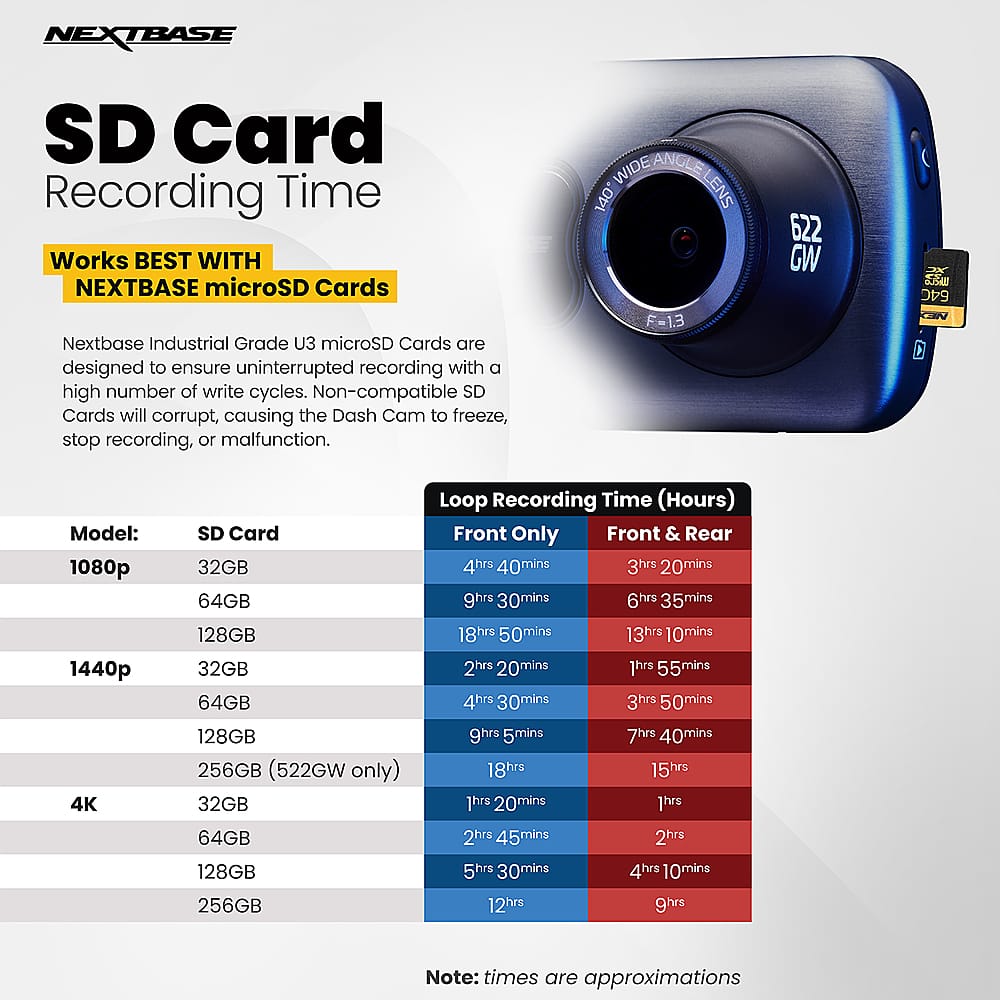
|Posted .This reviewer received promo considerations or sweepstakes entry for writing a review.This dashcam (322GW model) by Nextbase is in the middle of their available products, not the most or least expensive, and is reasonably priced for the quality of this device. It's easy to get started and has additional features to explore when you're not driving. Once it's set up, there are several automatic controls that make it unnecessary to do more than let it work while the vehicle is in motion. When turning it on for the first time, the prompts on the screen guide you through the initial settings- language, time zone, units of speed (mph or km), date, etc. Then it lets you know to install the app on your phone, and connect to the dashcam. This connection allows more features to be activated. One of these is the Emergency SOS. With the dashcam and phone connected, it's activated through the app. The user adds their personal information, along with medical conditions, allergies, medications, and blood type. If an accident occurs, the dashcam can detect this and starts a countdown. If it isn't cancelled, because the driver is unable to and cannot call for help, it will contact emergency responders to assist. This seemed like a great addition to this device. There would be video, and information a first responder might need in the app. Additional features include parking mode, where the camera will start to record if it detects movement of the vehicle, even if the car is still off, useful if something happens to the car when the driver is away, and a screen saver that can show the rate of speed. I turned on cruise control in my car, and the speed matches, so it's accurate in measuring that. You can edit the videos on the dashcam screen, or transfer them and edit them there, such as on a computer. The videos are crisp and clear, HD quality and settings are adjustable between 1080 & 720. Duration of each video is preset by the user, so you can keep them very short or have them a few minutes long. A micro SD card is required. Nextbase has their own cards available, but it doesn't have to be that brand, as long as it's a recognized brand and its speed is compatible, at least class 10, although U3 is recommended, with plenty of room for storing videos. A 32GB holds about 240 minutes, and 64GB about 480. I was impressed with this dashcam and look forward to continuing to explore its features.
I would recommend this to a friend - Pros mentioned:Video quality
Nice camera and quality. Few annoyances.
|Posted .This reviewer received promo considerations or sweepstakes entry for writing a review.i've never had a dash cam before and was impressed by the quality of this camera in general. I always expected just a cheapy camera with cheap quality but the picture quality isn't half bad. Nice frame rate and it technically "just works" once you plug it in after you put an SD card in it (not included). Setup is OK depending on how much you want to set up. You can technically just plug in your SD card and then plug the camera in and it boots up and immediately starts recording. But you'll probably want to set everything up properly. This isn't too bad either but could be better. The app is easy enough to install. My phone (iPhone XS Max) was able to detect the camera during the setup phase, but it never popped up in the popover bluetooth screen. I had to exit the app and manually connect in the phone's bluetooth menu. After that, firmware update was pretty painless. The rest of the setup was pretty inconsequential. There's just not a lot of things to "setup" here. Installation is also pretty easy. As I've never used a dashcam before, I would have liked a little guidance on the best places to mount the cam but I feel like I found a good enough place sort of behind the mirror and the sticky mount sticks pretty good. You're also instructed to route the power cable (you get a pretty long one) up and around your windshield before plugging in to a cigarette lighter. The power cable provided is a hard wired cigarette adapter and not a USB cable. You'll need to use your own micro-USB cable if you don't have a cigarette lighter in your car as the included one is very short and is probably just for charging the camera in case you want to use it wireless. Functionally, it works pretty well. You just attach the front of the camera to the mount and it grabs it with a pretty powerful magnet and the camera turns on automatically and starts recording. I ran into a weird issue that some of my settings didn't save. Like I would turn off SOS and when the camera turned back on, it turned SOS back on. Same with clip length and such. None of the small settings I tweaked seemed to stick after the camera rebooted. But the picture quality looked good and it worked for two 4 hour trips without any glitches from what I saw. Retrieving and reviewing the clips was a little cumbersome but could be worse. In reality, you aren't really going to be doing this all that often so I guess it's not terrible. It switches to a direct Wifi connection any time you connect to the camera from the app so it can download things faster which is great, but the transition is far from seamless and it asks you to confirm joining the new Wifi network each time you connect without an option to always connect. The actual review of the clip is pretty cool with the clip on the top half of your device and then the map with your exact location on the bottom half plus you can swipe over to view your speed and other driving information for that exact moment in the clip. I thought this was the neatest part of the clips. So my final thoughts are, this is probably not the perfect dashcam but for my first one, I think it's pretty cool. I intend on hard wiring the power to the car so I'm not losing a cup holder (since the cigarette adapter is quite long) but other than that, it's working great and I hope to never really need to retrieve anything from it. If this fits your budget, I'd recommend this dashcam.
I would recommend this to a friend