Customer Ratings & Reviews





- Model:
- SYC940800V051
- SKU:
- 6617349
to a friend
Customers are saying
Customers love the Small Business Premium cybersecurity product for its range of features. The VPN is easy to set up, and the cloud backup provides a generous 500GB of storage. Users also appreciate that the software doesn't significantly impact system performance and the driver updater works well.
This summary was generated by AI based on customer reviews.
- Pros mentioned:Vpn

The perfect collection of Internet Security Apps.
|Posted .This reviewer received promo considerations or sweepstakes entry for writing a review.I was a user of the Norton applications when they first came out for PCs. Norton was the trailblazer for Internet Security and maintaining your PCs overall health and optimization. But, I ventured on as other companies and their offerings came onto the scene at a better price point. However, I wanted to give Norton another try, when I saw that they had released a premium version of their key Apps for Small Businesses. I have been using this in my Small Business for the past 8 days and overall I have been very pleased (actually extremely pleased). Norton Small Business Premium meets all of my expectations without sacrificing PC performance or involving a complicated setup process. I will break my review down of Norton Small Business Premium below: 1) Installation and Setup: The activation, installation, and setup was a breeze. All that was required was to setup an account on my.norton.com and add (activate) my Key Code to my account. Once that was complete, I could download each of the applications (Norton 360, Norton Utilities Ultimate, and Norton VPN) onto each of the Desktop and Laptops within my small home business. I could also install Norton 360 and Norton VPN on our Android devices from the Google Play Store. They all installed perfectly fine and have been running smoothly in the background for the past 8 days. I currently have Norton Small Business running on 1 Desktop (Windows 11 Pro), 3 Laptops (Windows 11 Pro), and 1 Samsung Phone (Android One UI 7.0, Android 15). 2) Norton 360 (Antivirus and Internet Security): Norton 360 runs a "Smart Scan" upon installation. It checks for Viruses and Malware on your PC, it checks the security of your Network, and other issues. Then it sets up an automatic Smart Scan to be run weekly, which can be changed. The real-time Antivirus monitoring has performed wonderfully and I haven't noticed any degradation in the PCs performance or battery life. It also did not flag any "false positives" as virus or malware over the past week. Norton 360 also includes; Cloud Backup (backs-up a devices files to the cloud), Software Updater (checks installed software and drivers for available updates), File Cleanup (removes junk files from a device), Startup Manager (improves startup time by removing processes loaded at startup), SafeCam (protects your devices webcam and microphone from unintended remote access). All of these additional functions also performed well and quickly. 3) Norton Utilities Ultimate: Norton Utilities Ultimate scans your PC and Windows System Files. It locates System Junk (leftover installation files, etc.), Browser Data (Web history), Broken Registry Keys, Broken Shortcuts, and Windows Processes (processes running in the background), and Disk Optimization (Disk/File Fragmentation). Norton Utilities is very comprehensive and identifies potential areas to optimize your PCs performance. You then can decide which, if anything, you want to have Norton Utilities clean up. There is some risk with this, so I only have it clean up the obvious junk files. This works very well at cleaning up the leftover junk files and helps maintain my PCs performance. 4) Norton VPN: I really like that Norton VPN allows me to auto-connect when I take my laptop or phone outside of my home office. It identifies risky networks and automatically turns on Norton VPN. I can select which networks to trust. This is great for when I or others I work with travel. Norton VPN has all of the normal VPN functions that I expect, including Ad Blocking, etc. It works perfectly fine for my organization and they have a lot of networks that I can connect to. However, if I travelled more internationally, this may not be sufficient, and there are some features that are still in beta (Double VPN and IP Rotation). 5) Norton Identity (Dark Web Monitoring): For me, this is a free bonus, but doesn't seem very practical for many small businesses. If you have a single owner or family business, this would be useful. But, you can only enter information for a single person to monitor. Also, this only monitors the Dark Web and alerts you to any breaches of your information. It doesn't provide any insurance to help with clean-up of your finances. It did find a recent breach of my information before my personal Identity Theft Insurance detected it. Summary and Recommendation: I really like Norton Small Business Premium for my home based business and for my family. When it comes time to renew, I will certainly consider this again and would highly recommend this to anyone. I really like the user interface and how seamless everything works together. More importantly, all of the Apps run quickly without affecting system performance and the Norton Utilities clean-up didn't adversely affect my Windows installation and normal functions. My only dislike regarding Norton Small Business, is that I wish it would allow me (an IT person) to install and setup each of the Apps on my company's PCs (or family's) and lock the users out from making any changes. In a small business, I want my IT person to define the setup and not let the user disable the antivirus, etc. At $209.99 for 10 devices, the cost seems high. But, when I look at the cost per device, to me $21.00 is very reasonable. In my case I currently have 7 devices between desktops, laptops, and phones and I feel the cost is justifiable. I also feel this would work out perfectly for a family.
I would recommend this to a friend - Pros mentioned:Cloud backup, Vpn
Comprehensive security and privacy subscription
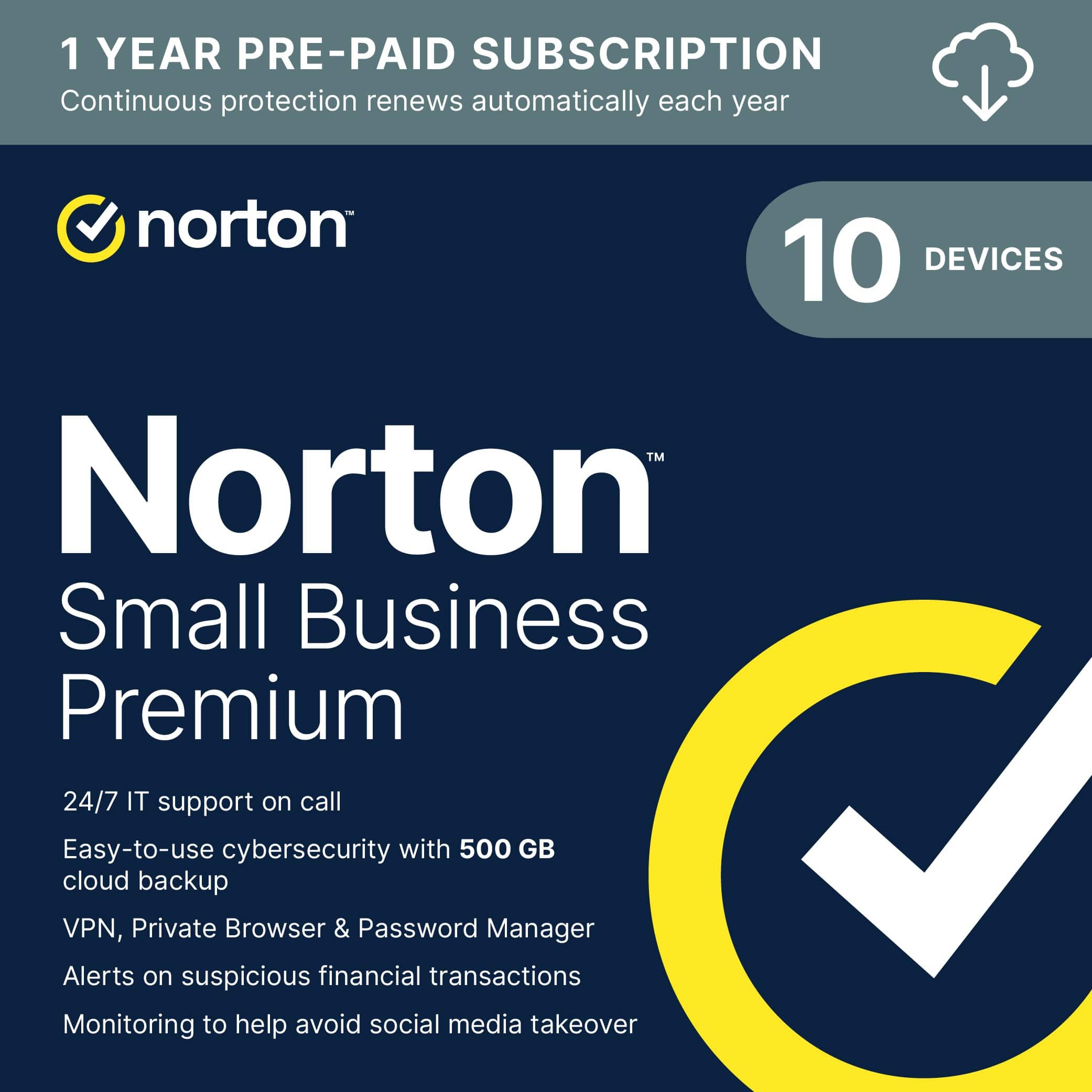
|Posted .This reviewer received promo considerations or sweepstakes entry for writing a review.Norton Small Business Premium is a comprehensive security and privacy software package that allows you to protect up to ten devices—Windows PC and Mac; Android and iPhone/iPad. The Small Business Premium license includes 500 Gb of Cloud Storage—for Windows only. You can purchase and activate the software on the Norton website, or enter a subscription key code on the site if you already purchased a plan. The subscription renews annually. SETUP You will need to sign up for a Norton account to use the software suite. If you have another security suite running, deactivate it before installing Norton software. Once registered for Norton Small Business Premium, it takes 20-30 minutes to configure this comprehensive suite of tools. On a Windows PC or Mac, download and install the software. You can sent invitations to other devices to download and install separate Norton apps, for example on an iPhone or Android phone, or another computer. You then configure the Norton desktop or other device app(s) for browser security, Safe Web, Automatic WiFi Scanning. Norton requests full disk access (allow this in your security settings) for disk scans, backup, etc. I installed the software on a MacBook Pro running Sonoma and on an iPhone with the latest iPhoneOS. There are three separate apps for the iPhone. PROS - Powerful Suite of apps you can monitor from a central, online dashboard. - Secure VPN works without the need to log in; you can turn on/off Secure VPN. - Virus Scan. - Dark Web Notifications if your password(s) compromised. - Safe Web features. - WiFi Scanning. - Ability to identify items to monitor, such as up to 5 email accounts; your address; Mother's Maiden name; Credit Cards, Bank Accounts, and more… - Protect up to 10 devices. - 500 Gb of Cloud Backup for WINDOWS ONLY. - Includes Norton Password Manager that syncs across your devices. - Password Manager allows you to generate and save passwords, and autofills on websites (optional feature). - Company has been in business since 1982. CONS - NO CLOUD BACKUP for MacOS - You can run only one VPN at a time; if you have an existing VPN you are required to use, then turn off this feature in Norton. - Password Manager generates only passwords of the number of characters you specify; it cannot generate passphrase or User names. - Pricey, especially without Cloud Backup for MacOS, and if you cannot take advantage of Norton VPN. While this is a comprehensive, powerful set of apps, the lack of 500 Gb of Cloud Backup for MacOS computers can be a deal-breaker for small businesses than run the Apple hardware stack. The standard iCloud backup is 5 Gb, with additional capacity available for a fee. Apple does not offer a 500 Gb plan.
No, I would not recommend this to a friend Must have for Small Business (family) Security
|Posted .This reviewer received promo considerations or sweepstakes entry for writing a review.Norton Small Business Premium Up to 10 employees, 2 devices per user Device protection (antivirus, anti-malware) 24/7 business tech support Dark web monitoring VPN 500 GB cloud backup Secure browser Encrypted vault for passwords and credit cards Social Media monitoring Financial transaction monitoring for linked company bank accounts Driver/software updater Windows PC cleaner Introduction ======================== Norton started the PC protection trend decades ago and they're still going strong even as many competitors emerged, including Microsoft's own native security product that's built into Windows 10 and 11. Norton Small Business Premium helps protect up to 10 employees and their devices by including a suite of useful software products and utilities to help small businesses that often struggle with IT and security. Setup and Features ======================== Every dollar counts when you're running a small business, and though I've been in IT for 25+ years, I know many business owners aren't focused on IT and security. They're focused on running their business! Norton Small Business Premium can protect their employees and devices and allow them to call in for support whenever they need it. The main features are (Up to 10 employees, 2 devices per user): -Device protection (antivirus, anti-malware) -24/7 business tech support -Dark web monitoring -VPN -500 GB cloud backup -Secure browser -Encrypted vault for passwords and credit cards -Social Media monitoring -Financial transaction monitoring for linked company bank accounts -Driver/software updater -Windows PC cleaner That's a pretty good bundle for 1 year, especially for companies that don't have their own IT staff nor expertise. I've listed them above in order of importance (in my opinion) for a non-tech-savvy small business. Installation is easy! Just browse to their subscription website after receiving an email, paste in the code, and download the software installer. Throughout the software installation, you'll be guided to install all the components or just the ones you want. For example, you could leave off the secure browser if you don't need it. After installation you can also add more devices by sending an email or SMS to the mobile device that you'd like to protect. In my case, it was easy to send an SMS to my Android phone to kick off the installation process. Another nice point is that you can easily manage many of your subscription features, connected devices, and more from the Norton website after logging in. Overall Usage ======================== For the most part, Norton's protection suite doesn't get in the way. The very first time you run it, you may see warnings about being a public or private network, or a recommendation to install the VPN client if you haven't already. Once you're up and running for a few days, it's pretty unobtrusive and (hopefully) it's just doing its job, keeping you protected from viruses, malware, and more. In the past, antivirus utilities could take up a lot of system resources (CPU, RAM) and slow down things, but I was happy to see that Task Manager showed very low utilization while Norton was running. VPN is very useful these days, especially for mobile workforces. If you or your team are out and about at coffee shops or hotels and using public wi-fi, a VPN will help protect their device and the data stored/transmitted. Not only that, if you're traveling internationally, you can change your VPN location to appear to be in the USA if you need to stream your favorite shows. There's a "no log" policy like other privacy-focused VPN providers and I didn't notice a performance difference between my primary VPN and Norton's. Dark web monitoring can search for your information (based on your email or phone number) on the dark web where credentials are sold for criminal purposes. Knowing that your information has been leaked out there can be useful so you can change passwords, logins, or examine your devices for compromise. Secure browser is a locked-down browser to help keep your data secure while doing sensitive things like banking. Of course, there's a password manager to help store and use the complex passwords that are required these days. If you're still sharing passwords between different online accounts, it's time to change that! 500GB of backup may not sound like a lot for some of you with giant media libraries, but if we're talking about backing up the main documents and important files, it should be plenty for a few PCs in a small business. Automated backup is something all small businesses need. Lastly, there are some PC utilities that can help keep your drivers and applications updated by scanning your installed applications and devices and seeing what might have updates. This is an important process that should be automated because most people aren't going to check each application manually for updates. Updates may add features, but typically also add security patches for newly discovered vulnerabilities. Yes, many PC manufacturers include a driver update utility, but Norton's application updater can check your other installed applications as well. Conclusion ======================== Norton has been a trusted name in computing protection for decades. For a small business that's not focused on IT and security, 1 year of trusted protection to keep their devices, information, and network activity safe is worth it at this price. Even if you're an IT expert, do you really want to be the IT department for your friends and family?
I would recommend this to a friendComprehensive Anti-Virus Protection Software
|Posted .This reviewer received promo considerations or sweepstakes entry for writing a review.After my computer was hacked 20+ years ago and I was left with a “Black screen” and blank data drive, I have always had a virus protection program on all my devices that interact with the internet in any way. In today's world, it is even more critical to have a virus protection program on your devices, and it is imperative to have anti-virus software if you are interacting through your devices in a business environment. There are many ways to be tricked, scammed, stolen from, or just plain hacked through internet interactions. The Norton Small Business Premium, designed for PCs, Macs, and mobile devices, offers comprehensive protection to safeguard you from many malicious actions circulating on the internet. It will work with Windows, MacOS, and Android devices; the only required specifications are to use the following operating systems. If using a Windows computer, specifications require that the operating system be Windows 11, 10, 8/8.1, or 7 with Service Pak 1 or later. For macOS, the most recent iOS system or two previous versions are required, and Android 10 or later is required for Android devices. To counter the rise in phishing schemes, unauthorized banking transactions, identity theft, stolen passwords, dark web extortion, etc., Norton’s Anti-virus software features that make it Premium begin with Device Security. With real-time antivirus protection, a Firewall helps block cybercriminals from accessing your network. The virus protection is continuously updated to counter the increasing malware that criminals sneak onto your devices to sabotage your identity. The software updates constantly to patch security issues that arise daily. The anti-virus program includes a Password Manager that helps to store credit card numbers and personal information in an encrypted vault more securely. It also has a feature to monitor Social Media so that criminals cannot steal your or your business profiles and post damaging false information designed to cause harm or destroy your reputation. The anti-virus software also offers Private Browsing and a secure VPN with bank-grade encryption, making it safer and easier to access websites on the go, while traveling, in coffee shops, conference arenas, etc. A 500 PC Cloud Backup secures your data in case of ransomware attacks, PC theft, or hard drive failures. This software also offers Utility features that clean out junk, remove unnecessary and unused apps and data, which all help to keep your PC running smoothly. To do this and to erase security vulnerabilities in drivers, it also offers Driver Updates that are guaranteed to be from malware-free websites. The program also monitors the Dark Web by automatically scanning hidden sites and notifying you if your data is discovered in any of these places. Norton offers something that most other cybersecurity anti-virus companies do not: 24/7 network business tech support and remote IT support for business devices, including network printers. The software subscription includes five support tickets per year. This is an online subscription, and the program is downloaded and installed on your main computer. The program lets you add up to ten seats (there is a subscription for five seats), and each of these seats can be controlled from the main dashboard. They can be assigned from the primary PC where the product key was entered to activate the software program and can be turned on and off. Seats are added by accessing the main dashboard and emailing the invitation to download and install the program on individual PCs. The only problem I had with downloading and installing the program was that it insisted I use the LifeLock password. Norton now owns LifeLock, and it would not let me move forward without connecting it to my LifeLock/Norton account. Once I moved past that, it downloaded quickly and installed even quicker. Initially, the program will scan your entire PC to ensure that the system is clean, which offers peace of mind, especially when dealing with your and other people’s (clients') financial livelihoods. I would recommend this anti-virus program; it is very comprehensive and seems to cover countering most, or all, of cybercriminals' tactics. It is a little costly compared to similar programs that offer the same assurances. I read where other users encountered unnecessary notifications pop-ups, but I have not experienced any of that action. It is a good, solid anti-virus PC protection software program. Still, I need to work with it in various computer interactions for over a week to thoroughly compare it with other top-rated Anti-Virus programs I have used.
I would recommend this to a friendGood comprehensive package; great value for all
|Posted .This reviewer received promo considerations or sweepstakes entry for writing a review.This is hard to beat in terms of value. You get coverage for up to 10 devices-Windows, Mac, Android, iOS-so you can protect your laptops, desktops, and phones and tablets all under one roof. Setup is pretty straightforward, and the user interface is clean and intuitive, even if you’re not a tech pro. This is essentially Norton360 but for businesses and with a fleshed out devices management panel. One of the things I really like is the connection through sign in with Google or Apple, which always feels like an extra layer of security for me. I actually trust these companies with the gatekey more than me because if they screw it up, they’ll lose more than I will. A real draw here is the business-grade security suite. You get always-on antivirus and local firewall protection. I think their solution of anti-ransomware is prudent, but most of us already have a cloud backup today. I prefer Windows Defender or MalwareBytes approach because prevention of taking over my system from the system is a solid way to protect. The package also includes a VPN for secure browsing, dark web monitoring for up to five contacts, and a driver updater to keep your PCs running smoothly. These and other tools make for a pretty complete package if you didn’t have some of these services already. We intend to use some of the licenses for my wife’s business so we’re glad there’s also 24/7 business tech support. Having someone to call when things go sideways is a big plus, and not something you get with most consumer antivirus. So when I’m out of town and something goes wrong, she’ll have someone to call as part of the package. Performance-wise, Norton’s protection seems to be fairly lightweight. It runs in the background and doesn’t seem to bog down your system vs Windows Defender, though full scans can slow things a bit if you also have a rotating rust drive plugged in. The VPN is handy for travel or remote work, but it can slow your internet speeds a little vs something like Nord or PIA. Another thing to watch for is the auto-renewal that loves to turn on by default. It seemed easy to bypass that while I was setting up, but I was paying attention to every page. The multi-device management is easy, and you can see and control which devices are protected from your Norton dashboard. This is a primary reason why you want to use this package. If you have multiple devices, this single dashboard will help you get your security checked off. Norton Small Business Premium ends up being a get-everything-at once-solution for anyone who needs reliable cybersecurity and also doesn’t have a dedicated VPN, Utilities suite, Cloud Services, Dark Web Identity Protection, password management... I mean, the package is a gorilla with everything in it. If you need more than what the package offers of any of those other services, there are routes to go, but this package gets all of them in at once. Pretty much a RECOMMEND from me.
I would recommend this to a friendBrand response from Norton & LifeLock Product Expert
Posted .Thank you for your feedback. We love hearing from our Norton customers!

Just buy it
|Posted .This reviewer received promo considerations or sweepstakes entry for writing a review.I'm the kind of person that is not detailed enough to use different passwords that are a mile long to better protect myself against hackers across all the different platforms I use. I think in today's world, everyone uses so many multiple types of devices and literally almost everything we do is through those devices. It really makes us vunerable. And if you have a small business, you can multiple that number by at least double. It's like keeping all the windows open in your house, the more windows open the more places for thieves to enter through. The Norton Small Bussiness Cybersecurity will help anyone make sure that their "home" is secured. The download was a breeze. Instructions to download with the software is very easy. Create a user account and follow the instructions, nothing out of the ordinary. Once installed, you can send an email to yourself with a link that will in turn let you install the anti-virus to up to 10 devices. Which, if you own a business, can be easily used up. I have 2 phones, an android and a ios, both app downloaded easily and the interface is exactly the same from what I can tell, so really easy to learn. The interface was what really stood out for me. So easy to navigate, everything was right there and easy to understand. Most apps will try and do too much, so there is layer upon layer. Norton got a win with it's app. I also really love the 500gb of cloud storage that comes in this package. It's going to be very useful and I really like knowing it's an extra layer of back-up for all my information. This is a definite must have for anyone with any kind of device.
I would recommend this to a friendBrand response from Norton & LifeLock Product Expert
Posted .Thank you for your feedback. We love hearing from our Norton customers!
A Versatile One Stop Cybersec and PC Optimization
|Posted .This reviewer received promo considerations or sweepstakes entry for writing a review.The Norton Small Business Premium offers a robust and comprehensive cybersecurity solution. Though it is meant for small business, it is suitable for general users. It offers protection for up to 10 devices: PCs, Macs, and even mobile devices. The subscription includes three separate apps: the internet security app, Norton Utilities and a driver update app. The subscription includes various features such as 500 GB of PC cloud backup, financial transaction alerts, a password manager, VPN and private browsing, dark web monitoring, and PC health maintenance. Most of these features are actually useful. The PC app is quite light, and it does not eat up system’s resources. The app is very user-friendly with interfaces that are intuitive. All features are categorized into four sections: security, performance, privacy and identity. They are accessible from the dashboard, which is well designed and easy to use. The dark web monitoring lets user survey personal information for internet leak, in which case Norton will send an alert. The Norton Utilities Ultimate app lets user optimize and declutter PC. Norton Utilities is a very good app for ensuring the top performance of PC so before deciding whether it’s time to upgrade for a new PC, try to optimize it first with the app. One key component of the app is the PC cloud back up, which lets user to safely back up a PC and restore it in case of ransomware attack or hardware failure. It’s a great peace of mind feature not just for business but also for general users. Also worth to mention is the VPN function, which lets you to add another layer of security say for example when doing financial transactions online. Overall, this is a versatile one stop solution for cybersecurity protection and PC optimization.
I would recommend this to a friendBrand response from Norton & LifeLock Product Expert
Posted .Thank you for your feedback. We love hearing from our Norton customers!
Easy and effective
|Posted .This reviewer received promo considerations or sweepstakes entry for writing a review.The Norton Small Business program seems to be a pretty good option for managing protection across your company’s computers. It’s not much different from other Norton programs I’ve used in the past, with the exception of the cloud backup and the 10 accounts per license, which is really nice. I have four work computers and a work tablet (iPad Pro), so being able to have all my devices on the same license key is a great feature. The installation process is as straightforward as possible, and you can easily email access invites to your coworkers or other devices. The feature I found most surprising is that I can use this same subscription on my iPad. I had to download the Norton 360 app, but once I did, I was able to activate it using my license key. This is a wonderful feature because now I can use Norton’s VPN on my iPad. Previously, I was using a separate service for VPN, but now it’s tied into my Norton account and can even trigger automatically depending on the network connection. The program also comes with cloud backup, which I read about but opted out of. My computers, like most business computers, already have automatic backup through Microsoft 365. I felt like turning this feature on would be redundant and might cause more confusion than anything. Overall, the software seems to be pretty great. It’s minimally invasive, which is always a plus for antivirus software, and it’s effective at what it does. The iPad support and VPN are huge for me, as is the ability to manage all my devices on a single license.
I would recommend this to a friendBrand response from Norton & LifeLock Product Expert
Posted .Thank you for your feedback. We love hearing from our Norton customers!
Good for quick start and simple for a business
|Posted .This reviewer received promo considerations or sweepstakes entry for writing a review.Review of the Premium version of Norton Small Business Premium Cybersecurity with Antivirus The small business version comes with a comprehensive but basic enough to protect digital aspect of the devices used for the business. It includes: 1. Device Security 2. Cloud Backup put to 500GB 3. Secure Browser 4. Private Browser 5. Password Manager 6. 24/7 Business Tech Support. 7. Secure VPN 8. Driver Update 9. Alert on suspicious transactions 10. Social Media Monitoring to help prevent admin account takeover The installation as per guided via tech support, had to install Norton 360 as activating the account. From there the features enabled for the type of account. Once the installation is done and setup, its process is quite similar to any application usage. It is in a sense of enabling VPN, WiFI security, data security, SMS security, Calendar Secure. To add additional device or employee, it can be done manually admin or owner perse, or send invite or via scanning a QR code. For security on each of features, like per device, enabling vpn or so so on has to happen at device or employee’s device level. What I liked most about the it is its close to rest of consumer targeted application alike experience. Doesn’t take large effort to setup and understand the interface and how to proceed within the application. What I wish it would do better: 1. The application doesn’t support landscape mode in iPad; 2 .Considering business focused application although in small package, to add second employees device, the owner has to provide its own user and password to Norton in order to activate on additional devices. If all of devices are managed by same owner, this wouldn’t be an issue. But for case of distributed to number of employees for business purposes, it leave open risk to any changes or expose owner account information. 3. For backup, it is managed via web opened from the application. The process requires login procedure. The fact that it can’t be managed from the same application or requiring to open browser makes the process cumbersome. Based on the short time usage, the small business version is small package for business needs, but its features and how to enable seems to come a bit short considering it is meant for business. However good enough for quick start and be covered or a bit less of exposure to the risk of cybersecurity vulnerabilities.
I would recommend this to a friendBrand response from Norton & LifeLock Product Expert
Posted .Thank you for sharing your feedback. We have shared with the IT teams. Appreciate your input.
We always strive to provide a 5-star experience and welcome any additional comments so that we can do better next time.
- Pros mentioned:Cloud backup, Driver updater, Vpn
All your security and support needs in one place!!
|Posted .This reviewer received promo considerations or sweepstakes entry for writing a review.Norton small business premium 10 device cyber security with antivirus plus 24/7 business tech support plus 500 GB PC cloud backup is what any small office setup needs. It includes financial monitoring to alert you of transactions on your bank accounts that could be suspicious. That includes social media monitoring to help your accounts for me and take it over, which we all use now to reach out to our customers, so it is a very good option for your company. It also has employee identity monitoring to help find your employees' information on the dark web. It will protect all your equipment with a real-time antivirus firewall to keep unwanted activity from affecting your systems. It includes 500 GB of cloud backup, which is nice. It also includes a Bank-grade VPN to help surf the web at home and on the go. And there's also a private browser, a secure browser that helps keep you safe. And also keep your computers running well with Utilities Unlimited, which removes junk files and stuff that you're not using. Software updater keeps all your software running seamlessly with no headaches. And there is also a driver updater that keeps all your system files current. If you're looking for the ultimate protection as well as a software updater, this is the one for you.
I would recommend this to a friend - Pros mentioned:Cloud backup, System performance, Vpn
Great choice for any small business!
|Posted .This reviewer received promo considerations or sweepstakes entry for writing a review.I run a small farm and have a farm stand that we use to interact directly to consumers. This software makes things really easy. The driver update tool is super easy to use and is more intuitive than trying to rely on what is built in Windows. VPN is an easy tool to setup. The cloud backup to help protect from ransomware attacks was also intuitive and easy. Install took about 5 minutes and doesn't seem to have much if any impact on system performance. Install was easy and just required a profile to be setup. The dark web monitoring give good peace of mind to make sure passwords aren't leaked and if they are, letting you know so you can change them. The social media monitor took a bit of time to setup but was nice. As a direct to consumer business, public reputation is important and being able to easily manage and understand that reputation is at your fingertips with this. Lastly, I tried the tech support number and it was quick to connect to someone ( sub 2 minutes). I would recommend this for any small business out there that wants to focus more on the business and less on the IT stuff.
I would recommend this to a friendBrand response from Norton & LifeLock Product Expert
Posted .Thank you for your feedback. We love hearing from our Norton customers!
- Pros mentioned:Cloud backup, System performance, Vpn
Great for small business owners like myself
|Posted .This reviewer received promo considerations or sweepstakes entry for writing a review.After using Norton Small Business Premium for a few days, I can say it is a nice cybersecurity solution that does exactly what it says. The installation process was smooth and fast. I downloaded the software, followed the clear instructions, and had it up and running on multiple devices in less than 20 minutes. The software supports Windows, Mac, Android, and iOS, which made it easy to protect all my business devices from a single account without any confusion. This cross-platform compatibility is important for anyone running different devices in their business.Once installed, Norton Small Business Premium runs quietly in the background without slowing down my devices. Many antivirus programs tend to impact system performance, especially during scans, but this one did not cause any noticeable lag or interruption. The initial full system scan took some time, which is normal for a comprehensive check, but it did not interfere with my work. After that, the program switched to efficient real-time protection that continuously monitors for threats without being intrusive.The software immediately found a few minor issues on my machines such as tracking cookies and suspicious files that had been missed by previous protection. What I liked most was that Norton handled these threats automatically without overwhelming me with technical details or unnecessary alerts. When it blocked a risky download, it provided a simple explanation so I understood the reason for the block without having to dig through complicated security jargon. This clear communication makes it easier for someone who is not a security expert to stay informed. The cloud backup feature is included with 500GB of storage, which I was not expecting to use right away but quickly saw the value in. Setting it up was easy and intuitive. I started backing up important business files and documents on the same day, and the backups now run quietly in the background without slowing down my internet or computer. Having an automatic cloud backup gives me peace of mind that if anything happens to my devices, my data is safe and easily recoverable. In a business environment where data loss can be costly, this is a crucial feature.Another feature I appreciate is the Secure VPN that comes with the package. While it is not the fastest VPN I have tried, it is stable and reliable. I use it mainly when I am working from coffee shops or on public Wi-Fi to protect my data from potential snooping. The VPN is easy to turn on and off, and it does not interfere with my video calls or other online activities. For basic secure browsing on the go, it performs well and adds an extra layer of protection. Even though I have not had to contact customer support yet, knowing that 24/7 technical help is available makes me feel more confident in the product. Small businesses often do not have dedicated IT staff, so having access to expert help at any time is a valuable safety net. This support availability shows that Norton understands the challenges of running a small business and provides reassurance that help is just a call or chat away if needed. The only minor drawback I noticed is the occasional pop-up promoting other Norton services. These messages encourage users to try identity theft protection or password managers. While these are useful tools, the pop-ups feel a bit out of place since I already purchased the premium plan. It would be better if there was an option to disable these upsell messages to keep the experience focused on the features I am already paying for. However, this is a small issue and does not affect the core functionality of the software. The administration dashboard is clean and functional but could be improved for users who are not really familiar with security software. There are many settings and tabs, which may be confusing for some. A guided setup or clear recommendations for optimal configuration would help make management easier. For now, it is manageable, especially for users who spend a little time exploring the dashboard. Clearer instructions and simpler navigation could make this product even more accessible for small business owners without technical backgrounds. Managing licenses and devices is straightforward. The portal shows which devices are protected and allows easy transfer of licenses when adding or removing devices. This is important in a business setting where hardware changes frequently. The licensing system works smoothly and does not cause any hassle, which is refreshing compared to other software I have tried that complicates device management. Norton Small Business Premium provides essential protection in a way that fits the needs of a small business. It offers antivirus and malware protection, cloud backup, VPN, and reliable customer support all in one package. It is not overloaded with unnecessary features or complicated options. Instead, it focuses on delivering effective security that runs quietly and efficiently in the background without disrupting daily operations. This product is well-suited for small business owners who need strong protection but do not have the time or expertise to manage complex security software. It simplifies cybersecurity by automating many tasks and providing clear, understandable alerts when attention is needed. The combination of protection, backup, and VPN features makes it Great solution for protecting devices and data. For anyone running a small business and looking for a dependable, straightforward security package, Norton Small Business Premium is a strong choice. It balances performance, usability, and coverage in a way that fits naturally into a busy workday. The peace of mind it provides is worth the investment, especially knowing my business data and devices are safe from most common threats. If you want reliable protection that does not get in the way, this product will deliver. It focuses on what matters most: keeping your systems secure, backing up important data automatically, and helping you stay protected when working remotely. The 24/7 support adds extra reassurance that help is available whenever needed.Norton Small Business Premium is a trustworthy and practical cybersecurity solution designed for the realities of small business use. It is easy to set up, runs smoothly, and offers essential features without unnecessary distractions. While there is room to improve some user experience elements, the core functionality and performance are strong. It provides peace of mind so small business owners can focus on running their companies instead of worrying about things
I would recommend this to a friendBrand response from Norton & LifeLock Product Expert
Posted .Thank you for your feedback. We love hearing from our Norton customers!
- Pros mentioned:Driver updater, System performance, Vpn
Norton Small Business Premium
|Posted .This reviewer received promo considerations or sweepstakes entry for writing a review.Norton Small Business is a full-service provider of the following: Norton Antivirus: This package includes Norton’s leading Antivirus suite. This package keeps you up to date with the latest version of Norton Antivirus. From the control panel you can run a Smart Scan. This scans your files for Virus and Malware content, there is also a network scan. This scans your network for security issues. From here you can also connect to Norton’s Genie Scam Protection. This is essential for your phone. This package also includes 24/7 Business Tech Support: Norton tech support for your IT support for your business devices including network, printers and software. This subscription allows you to call five times per year. There is also a Secure VPN. This allows you to go online safely from home or the nearby coffee shop. The next feature is 500 GB Cloud based storage, allowing for fast file retrieval in a failure or ransomware attack. Financial Monitoring of your selected accounts. Act fast when we discover suspicious transactions. Password manager allows you to store and retrieve your passwords and credit card information in a personal and encrypted online vault. The next feature is software updater. This helps you patch and keep your programs up to date. I thought I had all my software up to date, when I ran this, I found out it was not up to date. I also was pleased with the Driver Updater. All of this included in the purchase price. I found my computers running smoothly again after installing this and updating/ cleaning the systems.
I would recommend this to a friendBrand response from Norton & LifeLock Product Expert
Posted .Thank you for your feedback. We love hearing from our Norton customers!
- Pros mentioned:Cloud backup, Vpn
Excellent with some Caveats
|Posted .This reviewer received promo considerations or sweepstakes entry for writing a review.While I still believe antivirus is a good idea, it has become less mandatory for most modern operating systems since they come with their own. However, what drew my attention to Norton Small Business Premium was that it is an all-in-one cybersecurity solution. It covers antivirus, but more importantly, it provides VPN to help with traffic tracking prevention, and cloud backup which is very helpful for many situations, but especially if you fall victim to ransomware. The only issue with the cloud backup solution is that 2TB would have been more adequate for my needs. It also comes with PC optimization tools such as PC cleaner, Safe SMS for your mobile phone, Safe Web, social media monitoring, etc., and all are managed through an intuitive interface. However, what I find missing is email protection, which is still the most used means for attacks. Yes, there is an “upgrade protection” option, but then you have to add another subscription. And be aware that they will keep reminding you to upgrade. That is the part that I don’t like. As with most Norton products, performance impact is generally minimal. The only annoyance is that notifications are a bit intrusive. Not too much, but it is still annoying. Two devices per user may not be enough even for some small businesses. It is nice that it includes 24/7 business tech support, so you don’t have to be the IT guy for your employees, especially if you don’t have dedicated IT resources like most small businesses. Overall, it is an excellent product with some caveats as explained above. Those caveats are the reason I’m not giving it five stars.
I would recommend this to a friend - Pros mentioned:Driver updater
Very good for the right customer.
|Posted .This reviewer received promo considerations or sweepstakes entry for writing a review.I’ve been a Norton user since Peter Norton actually owned the company. Norton products have saved my tush many, many times. Through the good and bad, despite many people telling me I shouldn’t use it, I have. Most recently I have been using Norton 360 Premium in our small office and at home. The virus scanner in 360 is very robust and its impact on performance is barely noticeable with the programs we use in our office. When I saw that they had a more business focused version, I had to give it a try hoping it was more streamlined. Family focused features like parental controls have been removed and some office specific items have been added like a driver updater and a version of Norton Utilities to optimize the PC. This is not a true Endpoint business version with a central control panel for administrators. It’s more like a more focused home version. The Norton interface is fairly simple. 360 is big on selling upgrades as they show links for features that may not be included in your license. So far I have not seen this behavior in the small business version. Virus Scanner: This is basically the same scanner that is in Norton 360. It’s always been a very effective scanner. Quick Scans take just a few minutes but the length of time it takes depends on how much data you have on your drives. Real Time Cyber Protection: This active scanner protects against real time attacks through your browser, emails and attachments. I’ve been saved by this many times. Windows Defender does not stop many of these attacks. During an attack, Norton tells you what happened and gives you info on the attack that was stopped. It’s probably the best part of this suite. Secure VPN: I don’t use this often because I’m working from a secure network and rarely need to fake my location. I will use it if I visit a site I know is in China, Russia or any other untrusted state. Again, it’s easy enough to turn on and off as needed. Secure Browser: This is a Chromium based browser and it feels like it. It is supposed to block dangerous websites and ads to protect against malware and fishing attempts. The Norton Safe Search feature will tell you with a small icon is a site is safe or suspicious. The Norton Safe Web extension is supposed to add this function to other browsers, but I haven’t seen the icons in other browsers in my latest installation. I haven’t used the secure search long enough to compare it to Bing or Google, but searches seem good so far. Norton Password Manager: My father used this for quite a few years, but it was a bit clunky and he had a few issues using it. This newer version seems to have a much improved interface, especially on the iOS app. It works like most password managers. It will fill in login info for you if you want it to. It has several sections including Favorites, Login Info, a Wallet for payment info, an Address Book, and a section for Notes. There is also a Password Generator and a Link to a Secure Browser. This is the first Password manager I’ve seen with a built-in browser. From my limited use, it works well enough and seems secure based on the research I’ve done. I have 2 other password managers that I use and work just as well, but I pay extra for them. This PW manager is free even if you don’t have other Norton products installed. Passwords are stored in the cloud so they can be seen by the desktop/laptop apps and the cell phone apps. This gives me some concern, but most modern backups are stored there. Just make sure you have a good, strong password that is only used for this. Backup: The premium version I have includes 500 GB cloud backup vs only 75 GB for the 360 version I used previously. 75 GB was not enough to back up our office PCs. 500 GB is more than enough. Running the program is simple enough and similar to other cloud backups (create backup set, pick backup location, select files to backup, set backup schedule, run backups). However, I did have issues when I tried to change what was going to be backed up. If I changed the default, the backup program just locked up when I hit create. The default worked fine. There are also 2 included Utility programs that are not included in 360 Premium. These include a Driver Updater and Norton Utilities. Driver Updater: This is very easy to use. It scans your PC and tells you what drivers are out of date. You just tell it to do the updates and after a few minutes of downloading and installing, your PC is up to date. It worked flawlessly when I tried it. Norton Utilities: Again, this was quite easy to use and seemed to work flawlessly when I tried it. It cleans out unused files, optimizes disks, lets you turn off processes that might be slowing down your computer. It also has an uninstaller for unwanted/unused software. The big issue with this utility is it digs deep into Windows and might cause some damage or remove some features you want if you are not careful and/or you don’t know what you are doing. What is quite ironic is Norton has long been blasted for slowing down computers with all the background processes it needs to run all its features. It doesn’t mention these Norton Processes in the scanners… Hmmm Final thoughts… Norton Security Suites are very large, complex programs. Norton does its best to simplify these programs and you have to trust that they have been programmed properly. For many, that trust hasn’t been earned. The new partnership with Life-Lock has made me question whether or not I want to continue using Norton Products because of how pushy they can be offering other features. But, the underlying technology is sound, so I keep using it. This new, business-oriented version seems to be less intrusive with pop-ups and pushing additional features. I also hate how hard they push auto-renewal. In Norton 360, you need to have it turned on and provide payment information to install the product. In this version, they give you the option. So that is certainly an improvement. Would I recommend it… It depends on the user and the circumstances of the business, but yes, I would for the right environment. We are 5 people in our office. We have 7 computers and a server. We do a lot of online research and PCs without advanced protection have been attacked in the past. This Security Suite is actually better suited for our environment than a home product or a full Endpoint product. I will be keeping it for now as it seems tailor made for us. However, a slightly larger or smaller office would probably be better off with something else.
I would recommend this to a friend - Pros mentioned:Cloud backup, Vpn
2025 - Online Computer Security a MUST!
|Posted .This reviewer received promo considerations or sweepstakes entry for writing a review.Norton - Small Business Premium (10 Device) Cybersecurity I have installed this Anti-Virus program on one of my laptops for evaluation purposes. I am heavy hearted that we have to do this, but we do what we must do to protect our privacy, our work, our finances and all the time we put into using a computer. Norton has been around for a long time and have used it in the past. The app provides for anti-virus protection. It also provides a built-in VPN (Virtual Private Network) which adds additional security protection It monitors social media activity and includes a built-in browser with extra safeguards. The software includes a 500 GB Cloud Drive for secure offsite storage that uploads automatically from the Document directory on a PC. Norton small business offers protection for various types of devices such as iOS devices and other operating system devices, though I have not explored that capability yet. Overall, the software installed under tight Norton scrutiny which was easy to follow and understand. The application runs under a very clean control panel which allows for deeper function exploration which I intend to do. Also, I have not yet had time to examine how much, if at all, the Norton software might slow down the computer during processor. Norton has come up with a very fine security application which is essential in current data processing needs.
I would recommend this to a friend - Pros mentioned:System performance
Keeping Your Business or Family Safe!
|Posted .This reviewer received promo considerations or sweepstakes entry for writing a review.Norton has FINALLY done it! They have listened to customer feedback over the years about the interface and overall resource-heavy software to make one of the best suites on the market. If you run a small business or want home protection with additional features, I can now confidently recommend Norton. The virus protection is award-winning and has always been good, but now the system performance and user experience have also dramatically improved. The user experience is intuitive, and it has become a seamless experience. This suite of programs includes antivirus, firewall, secure VPN, password manager, and cloud backup for safeguarding critical business data. The acquisition of LifeLock provides identity theft monitoring and other scans on the dark web to keep you and your family/employees safe. 24/7 Business Tech Support is also included to provide round-the-clock assistance for IT issues and virus removal. Device optimization tools including software and driver updaters to maintain system performance protect against vulnerabilities. Getting Started 5/5 Setting up Norton Small Business Premium 2025 is so easy. If you don't have one already, create your Norton login, enter the prepaid key, download your installer, and that's it! You NO LONGER need to link your credit card to the auto-renew screen before installation or use - they listened again. You don't have to be an IT professional to figure it out or configure things. For me, it took about 15 minutes to install on each computer, which isn't too bad. I managed to complete the setup on all six PCs in under an hour. I like the UI interface uses a color scheme that is understandable and intuitive. Green means everything's good, yellow means you should check it out, and red means there's a problem you need to fix immediately. User Experience & Features 4/5 The scattered dashboard and fractured apps are now a thing of the past. Norton has integrated all the various features into the software, so you aren't opening multiple windows. It is now neatly organized into six tabs: Security, Performance, Privacy, Identity, Search, and Settings. Everything is where you'd expect it, making this so intuitive. The settings can get a bit mixed up, but everything is there. Scans, backup, password manager, and live update are easily accessible. Performance handles exactly what you'd expect from software updates, file cleanup, start-up manager, disk optimization, and driver updater are all laid out for you to find, keeping things running in tip-top shape. Additionally, there are Driver Updaters, Norton Ultimate Utilities, which perform IT tasks like file removal, registry cleanup, and other more in-depth PC utilities to handle data recovery. Data cleaners for privacy are also included. System Performance 4/5 One of the biggest complaints about security software is that it slows down your computer. I have good news, they fixed that too! Norton Small Business Premium 2025 doesn't impact performance. I ran some large programs, such as Da Vinci Resolve, and streamed video while Norton was scanning my computer, and it barely affected performance. I have 64GB of RAM, and I've also tested it on a Surface Laptop with 4GB of RAM, with little to no slowing whatsoever. Norton is particularly effective at catching real-time malicious content before it can harm your business. It stopped fake emails and phishing attempts and blocked sketchy file attachments that could have been viruses. Useful Business Features Norton didn't just take their regular home version and call it a business product. They added stuff that's helpful, like tracking of all your computers and phones from one place (My Devices). It searches the dark web to see if your business/personal info has been stolen. It backs up your important files automatically. It has a firewall that understands business software. The Search feature is great if you don't know where everything is. It operates much like universal search in your phone where it looks for keywords in the WHOLE application. Needs Improvement With all that Norton did to fix the current software, there is still a HUGE annoyance that needs to be addressed. The window does not go full screen, and if you use scaling, you cannot see everything in the window. This is the only weakness to the UI improvements that were made, and I cannot say how difficult it is to use this on a 4k display. Be prepared to scroll a lot, and hopefully you can see everything. Another thing I can say is pricing feels a bit much if you don't have 10 devices. Bottom Line 5/5 Norton Small Business Premium 2025 is functionally excellent and checks all the boxes. You don't need an IT person to manage it, and it works well even on older computers. The suite now gives small business owners something really important - peace of mind, so you can focus on running your business instead of worrying about computer security. If you're looking for security software for your small business, Norton Small Business Premium 2025 is definitely worth checking out. Just make sure you understand the pricing before making a purchase.
I would recommend this to a friend An easy choice for your business. No regrets
|Posted .This reviewer received promo considerations or sweepstakes entry for writing a review.If you are looking for device security for your business and want to feel comfortable that you made a great choice, then Norton's Small Business Premium is where you need to look. Packed full of features, Norton really makes managing your devices simple. The first thing you will notice after installing Norton, is that the user interface is very clean and organized, and it is very easy to navigate and get to where you are wanting to go. It has 4 main groups that you can open to access; Security, Performance, Privacy, and Identity. Security- It is all of your virus protection and scan tools to look for malicious content on your devices. It comes with 8 different focused "preset" scans, and lets you create custom scans, where you can choose what files or folders to specifically focus on. On the opposite, you can also create an exclusion list that lets you select files or folder that you do not want scanned. The last part of the security area is also the ability to create rescue disks to run virus software in the event your computer crashes and you can not operate windows. You can use either usb or DVD, and also select whether you want to boot in UEFI, or BIOS. Performance- This group allows you to run a software updater, do a file cleanup, Defrag your hard drives, or run a startup manager. I have found it very useful, as many workstation computers do not have proprietary software from the manufacture for updating drivers and such, so being able to run these scans is a great benefit and is able to keep the computer up to date. Privacy- This group allows you to turn on or of your own VPN access, as well as a safecam protector, that keeps remote accessing intrusion from seeing your webcam or microphone. The VPN setup is easy, and you can select between IP's from 29 different countries, as well as the fastest location to you, or P2P-Optimized Regions. It also has an ad tracker blocker, and keeps an active amount of how many trackers were blocked. This area is a must use for anyone and operates extremely well. Identity- This area allows Norton to do Dark Web Monitoring on areas like email, addresses, phone numbers, mothers maiden names, drivers license, insurance, credit cards, bank accounts, gamer tags, and passports. It is easy to add lists to each area for monitoring. Outside of those groups, you can also perform a cloud backup, update software (different than driver updater) and even install a Norton Private Browser. There is also features to install browser extensions, as well as a password Manager that helps keep all of your passwords together and safe. Overall this software has been an amazing addition to my workcenters, as you can have up to 10 devices on just one subscription, each work center able to have their own vpn and monitoring that stays on top of your computer performance. I highly recommend this product.
I would recommend this to a friendBrand response from Norton & LifeLock Product Expert
Posted .Thank you for your feedback. We love hearing from our Norton customers!
- Pros mentioned:Cloud backup
Ideal for Large Households or Small Businesses
|Posted .This reviewer received promo considerations or sweepstakes entry for writing a review.The Norton - Small Business Premium (10 Device) Cybersecurity software offering is an excellent deal. Norton is a trusted source for digital security that’s current and updated regularly. This package is ideal for large households or small businesses since it includes installation on up to 10 devices. That especially makes it a great deal for the price. The list of features is large: * Device Security - Offering protection against viruses, malware, spyware, ransomware and other online threats. * Dark Web Monitoring - Be aware that the effectiveness of this requires you to provide personal information. * Secure VPN - Providing added security (which does not appear to affect online speeds). * 500 GB of Cloud Backup - This is not available for Macs. * A Password Manager * Virus Protection - A common, but vital, way to protect yourself. * Utilities for reclaiming space and improving speed on your computer. * Driver Updater - For Windows only. * A Private Browser for secure browsing that’s safe from trackers and ads. * Note: These features are offered with an annual subscription. I found the software package easy to install and begin using immediately. No problems. You can jump right in and benefit from scans and virus protection even as you’re still getting up-to-speed with some of the other features requiring more information. It’s been awhile since I’d last used Norton software. As a result, I was very impressed with how far it has come. The interface is so nice! It is very easy to understand and use, which is critical because there’s such a wide variety of features and options to work with. Well done.
I would recommend this to a friendBrand response from Norton & LifeLock Product Expert
Posted .Thank you for your feedback. We love hearing from our Norton customers!
- Pros mentioned:Vpn
Nice Security Suite- Good Protection
|Posted .This reviewer received promo considerations or sweepstakes entry for writing a review.The software was easy to install and setup, it does do a few more thangs than my previous virus protector and firewall which was a nice surprise. The menu system is pretty easy to navigate and all the features are pretty much at your fingertips and easy to navigate. SCAM detector, VPN, Identity Monitoring, Data Cleanup. The scam detector is nice but it did make me a little uneasy- you have to sign in with your email password and let it scan your files for phishing attempts, malware and virus files. I tried it out still felt uneasy giving it access to my email but it did detect phishing emails very easily. The VPN has pretty much become standard on most firewalls and this one does a nice job of connecting you to a VPN and keeping the speeds fast while keeping you secure. Identity Monitoring Another pretty standard feature which keeps an eye on the dark web for all your sensitive information, passwords and vital information. It alerts you and gives you a heads up when you have a security risk. Private Data Cleanup This is a nice feature i was not used to having, it looks for all your accounts in your name and you can request to have that file and account deleted and scrubbed from the internet. It takes a while but it is a eye opening feature that shows you accounts you either forgot or were created without your knowledge. OVERALL A very good security suite which does the basics and a little extra, all you need is a tune-up software or purchase the add-on and you are all set.
I would recommend this to a friendBrand response from Norton & LifeLock Product Expert
Posted .Thank you for your feedback. We love hearing from our Norton customers!