Customer Ratings & Reviews
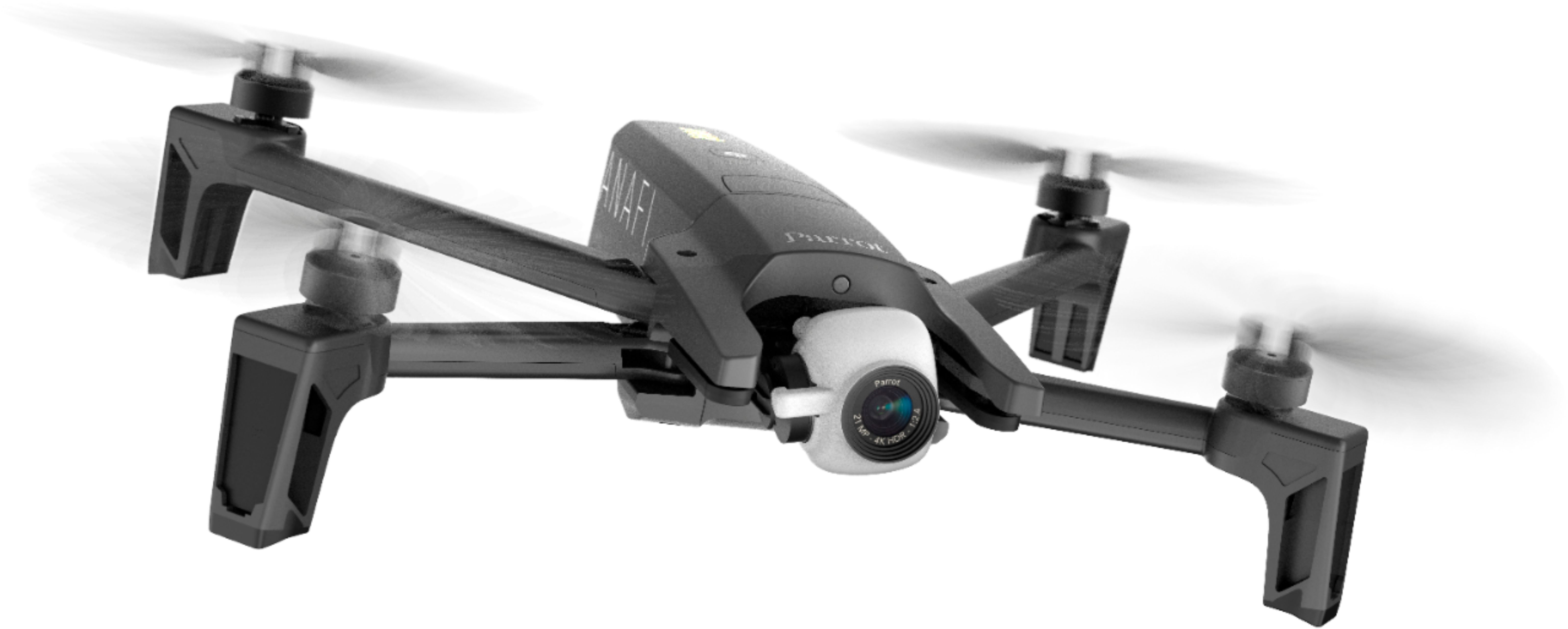
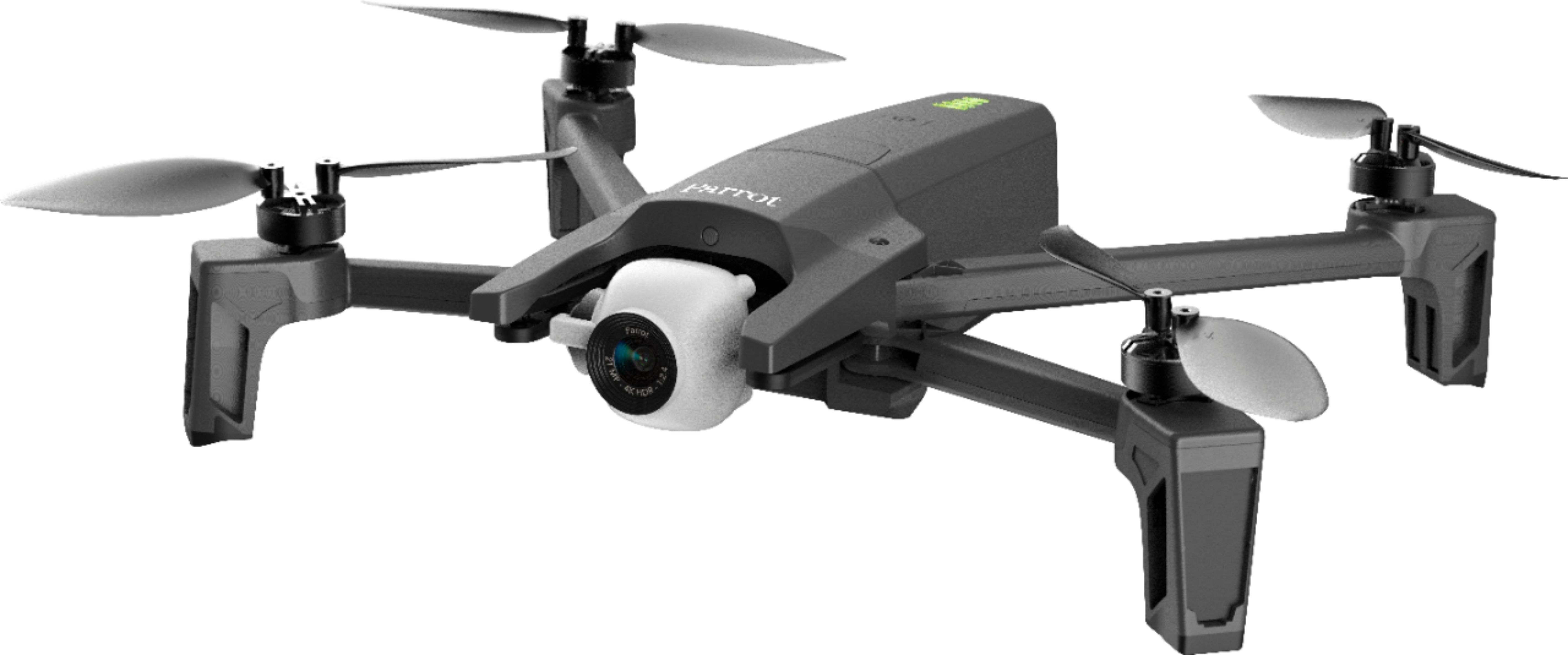
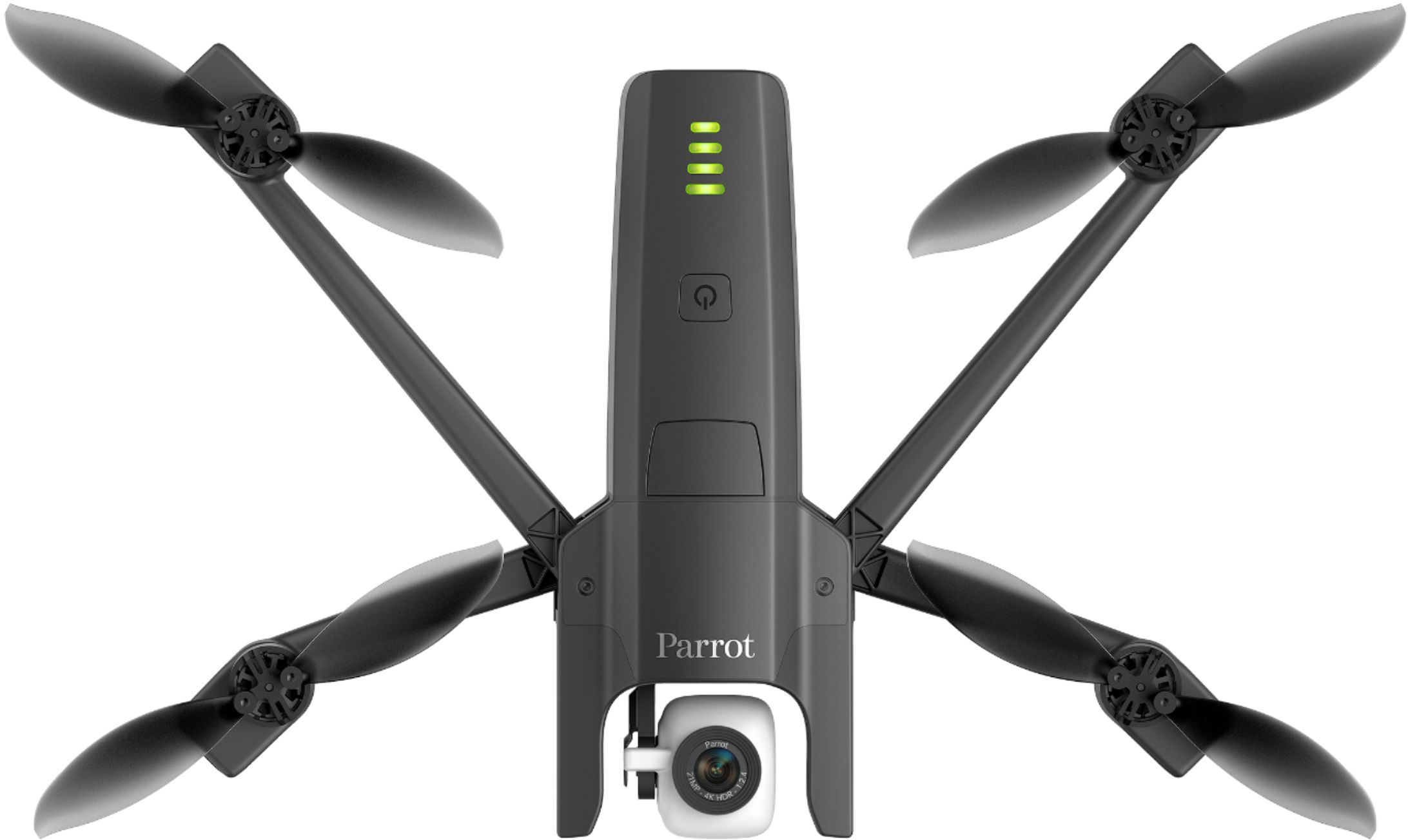
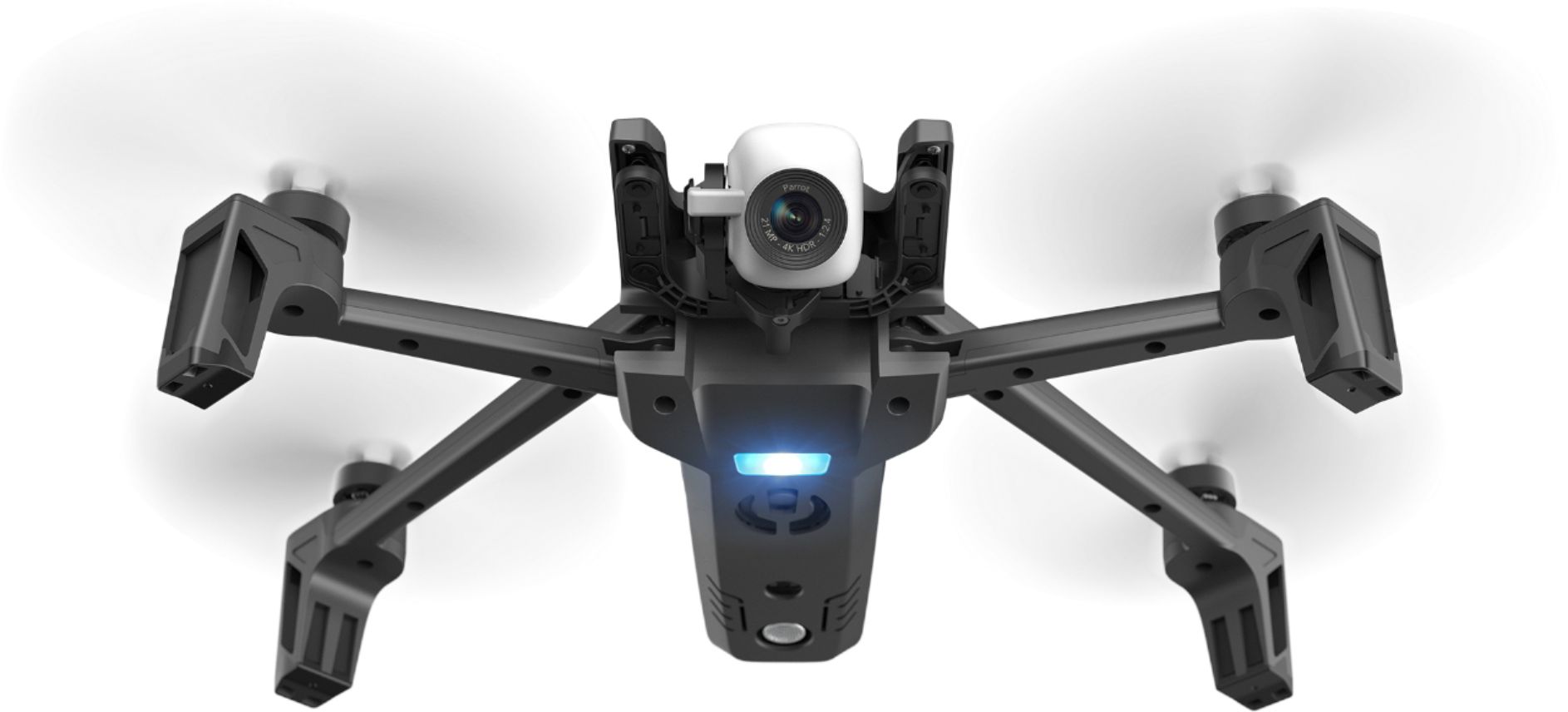


- Model:
- 50855BBR
- SKU:
- 6251616
Rating by feature
- Value
Rating 3.9 out of 5 stars
- Quality
Rating 3.8 out of 5 stars
- Ease of Use
Rating 4.1 out of 5 stars
Customers are saying
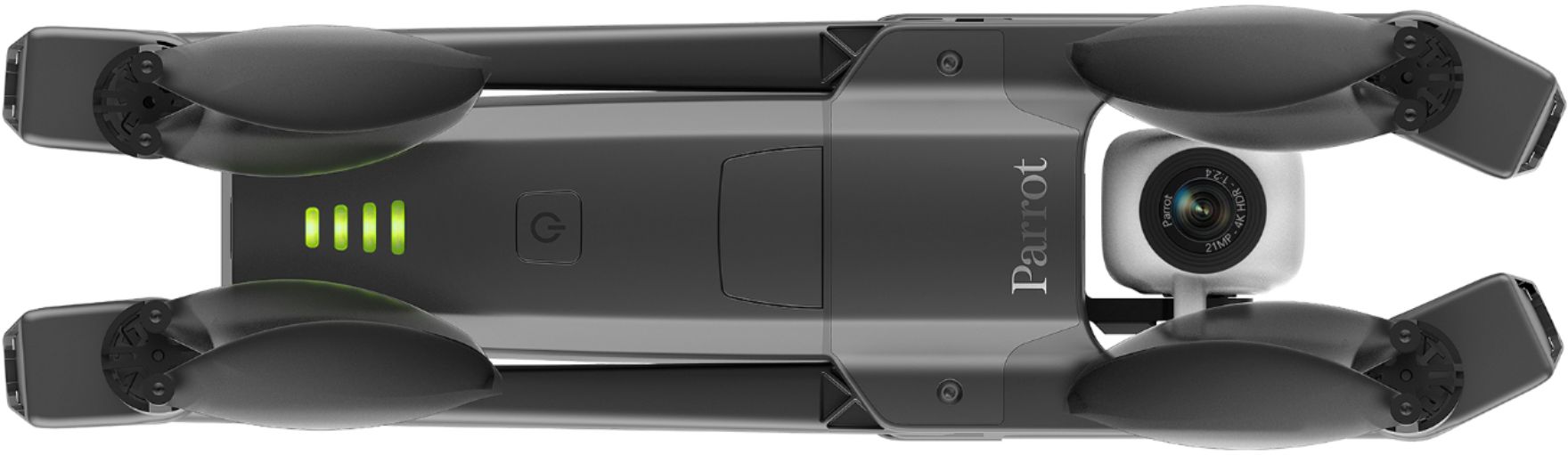
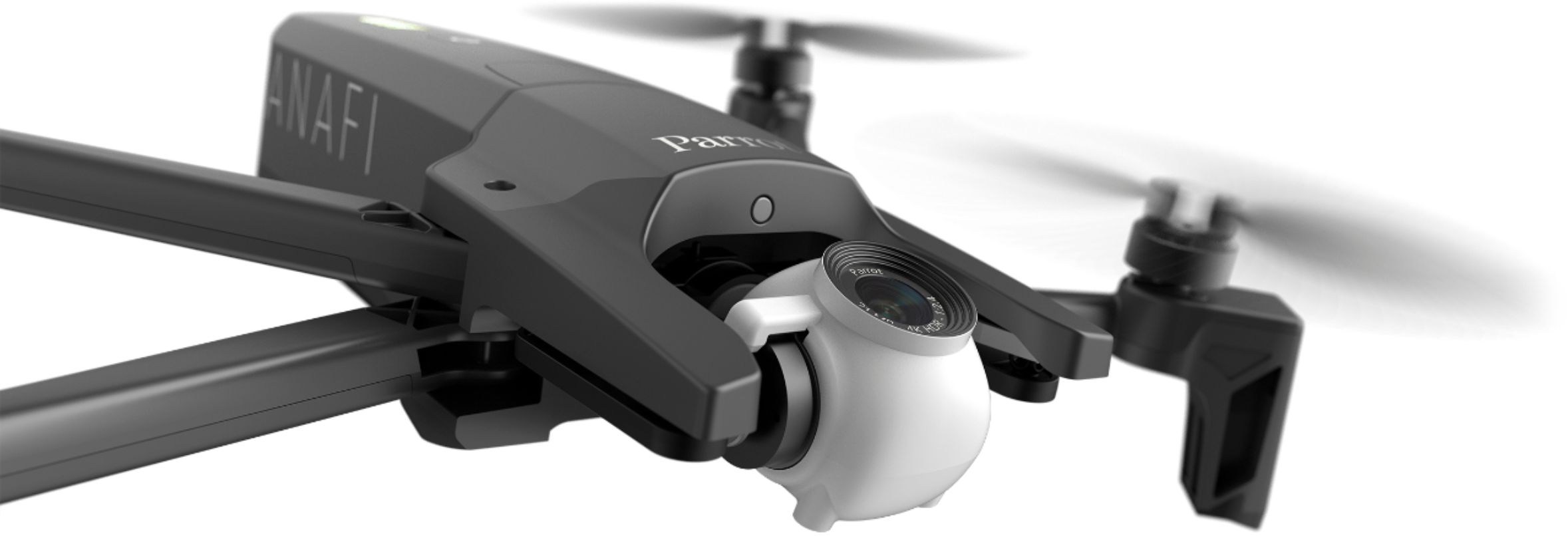
Customers have good things to say about the ANAFI 4K Quadcopter's camera quality, ease of use, and flight time, frequently praising its quiet operation and lightweight design. However, some users point out the lack of obstacle avoidance as a significant drawback. Other criticisms include the controller design and limited range.
This summary was generated by AI based on customer reviews.
- Pros mentioned:Camera quality, Ease of use, Noise levelCons mentioned:Obstacle avoidance, Range
Quiet, Simple, & Fun for half the price
||Posted .This reviewer received promo considerations or sweepstakes entry for writing a review.After a month of using the Anafi I am very happy with my first drone. A year of researching & reviewing options finally gave way to the appeal of this extremely quiet & speak drone from Parrot. Positives: Budget choice with a lot of punch Good camera (2.4 aperature) Quiet if not nearly silent!!! Easy to fly & learn Tiny & Sleak= very portable & unobtrusive in the air Simply fun to send up in the air Negatives: No obstacle avoidance Not yet supported by major drone software programs for surveying Weaker range (Wi-Fi) I would highly recommend to anybody on a budget, curious about drones but not fully invested, critical of DJI dominance, or simply wanting an inconspicuous camera in the sky to capture beautiful scenes
I would recommend this to a friend - Pros mentioned:Flight time, Noise level
Incredible for it's Price Point. The best!
||Posted .This reviewer received promo considerations or sweepstakes entry for writing a review.I've owned several DJI drones over the past few years. Mavic PRO, Phantom, Mavic Air etc. I've honestly never enjoyed flying a drone more than the ANAFI. I primarily use the drone for recreation/aerial photography for both real-estate and weddings. The biggest draw from this drone is the propellers are incredibly quiet. Once you fly up roughly 50-60 feet the sounds of the rotors are completely undetectable. This was a HUGE selling point for me, given that the loud buzzing bee sound of my Mavic AIR draws entirely too much attention. At a wedding or public event it was non usable. The second biggest draw is that this drone has NO GEO FENCING! DJI's Geo Fencing is well beyond the point of being a hassle. I have an FAA remote pilot license and can bypass 90% of the restrictions, however it requires submitting constant requests to DJI, providing dates etc etc. I understand that the fencing is in place for safety, but it's a huge hassle as a pilot to just take it out and fly. Other than what I covered thus far, the drone handles very well. It feels lighter/cheaper, however I quickly learned that it's due to it's air injected carbon fiber body. The drone is crazy light, and also explains why it gets a true 25 minute flight/battery.
I would recommend this to a friend - Pros mentioned:Camera quality, Flight time, Noise levelCons mentioned:Obstacle avoidance, Sd card

Great Travel Drone that's EASY to Fly!
|Posted .This reviewer received promo considerations or sweepstakes entry for writing a review.This drone’s compact foldable design is perfect for the photographer on the go. The 4K camera with 180° rotation and lossless zoom will ensure you capture that perfect shot. The lack of obstacle avoidance may be a deal breaker for some, but if you’re in the market for a high-quality camera drone at a fraction of the price, you should strongly consider the Parrot Anafi. The Parrot Anafi isn’t the best, nor the most advanced drone the market, but honestly for the price, it is hard to beat. The lack of obstacle avoidance really holds this drone back, but as long as you fly responsibly and stay aware of your surroundings, you will not have any issues safely piloting this drone. The controls and app are very intuitive and respond quickly with very little lag. The GPS lock helps maintain stability with little to no drifting, and the highly configurable flight controls ensure everyone, from the veteran drone photographer to the first-time owner, has an enjoyable experience. This drone features multiple flight modes ranging from full manual control to advanced object tracking. My personal favorite is “Cameraman”, which enables you to lock onto a target and manually control the flight path of the drone while keeping the subject perfectly centered in the shot. Unlike its competitors, Anafi’s “Follow Me” mode supports camera panning as well as chase shots, whereas most of the competition only offers the latter. The 4K/21MP camera, while extremely small, offers crisp video and excellent photographs. The gimbal is very responsive keeping videos smooth and jitter free. The camera also supports optical image stabilization to correct for any vibration / shaking. I have logged 21 flights since its arrival and have only experienced one minor glitch with the software. On one flight, the SD card reported an error, causing the live video to freeze. I suspect a recent software update was the cause and a reinstall of the app appears to have corrected the issue. Aside from this one issue, my experience with this drone has been flawless. Overall, I’m giving the Parrot Anafi 4 Stars due to the lack of a suitable controller case and for requiring in-app purchases to unlock the drones full potential. (The additional apps are currently on sale for $0.99 now through 9-6-18, previously they were $17.99/ea.) Pros: • Easy to Fly – Perfect for a first-time camera drone owner • Intuitive App • Multiple flight control options. The drone can be controlled directly from your phone, tablet or SkyController with or without a phone. • Excellent video and picture quality • Very quiet compared to other drones currently on the market– Hardly notice/hear drone 20 ft away • USB-C charging (6% to full charge took approx. 1.25h) • 4K camera with Lossless Zoom and HDR • Camera Gimble allows for 180° of vertical rotation so you can capture shots directly above or below the drone, without obstruction by the propellers • Fast start – Unfold the drone and you’re ready to fly • Storage case included • Long Flight time (20-25 minutes) • Lightweight, but solid construction • USB-C cable included • Expandable Memory • OTA firmware updates • Very responsive and configurable flight controls • Advanced target tracking – Superior to DJI • Does not enforce No-Fly Zones! Cons: • Micro SD card uses a tray style holder, if the cover falls off it can be lost, making it impossible to properly mount the SD card. I would prefer an SD slot. • No protective case for the handheld remote; Thumb Sticks exposed, could potentially become damaged when placed in a backpack. • No obstacle avoidance • The handheld controller does not support thicker phone cases • In-App purchase required to unlock all flight modes.
I would recommend this to a friend - Pros mentioned:Flight timeCons mentioned:Obstacle avoidance
My Wish List for the Parrot ANAFI
||Posted .This reviewer received promo considerations or sweepstakes entry for writing a review.It's a very precise flyer. Stops on a dime in any direction. Maybe just a little too mechanical in it's stopping power when it comes to filming but great for safety. Super smooth flights and the I love all the modes. Cinema is great for shooting movie like clips and the dolly zoom is perfect for getting the vertigo effect to add more drama into your video. My Wish List for the Parrot ANAFI - It should have object avoidance sensors and it would be cool if you could turn them on and off. I haven't flown into any but I would feel a lot better if it had it. - It would be nice if they had goggles that worked with it too. - Builtin, foldable, extended legs would help when flying in a high grassy area. Yes you can hand launch and land and even use a landing pad but this would still be a welcome addition. I see aftermarket landing gear extensions being sold but would rather it be a original part.
I would recommend this to a friend - Pros mentioned:Camera quality
Impressive drone
||Posted .This reviewer received promo considerations or sweepstakes entry for writing a review.At first look and feel I wasn’t impressed for that price but but after flying and inspecting it turned out pretty impressive! Camera video was very crisp and clear and the zoom comes in handy to get good close ups. 4 stars only because the power button is easily turned on or off when grabbing
I would recommend this to a friend - Pros mentioned:Camera quality, Ease of use, Flight timeCons mentioned:Obstacle avoidance
Nice drone, but lacks obstacle avoidance
|Posted .This reviewer received promo considerations or sweepstakes entry for writing a review.This is the first drone I’ve owned, so I don’t have much to compare it to, other than the few times I flew my son’s AR 2.0, which was a few years ago. That said, I thought the Anafi was very easy to fly, despite the incredibly sparse user guide included. I’m not yet comfortable flying primarily by the video feed, so I couldn’t test the range completely, but it definitely has a greater range than the AR did. Picture quality was good, and you can even shoot in RAW format, but there is a bit of a fish-eye effect from the wide angle lense. Pro’s: -Folds to compact size, easily transportable in included rigid case. -Easy to fly. Can set altitude and geofence limits to help prevent yourself from wandering where you don’t intend to. -Camera gimbal does a good job of keeping camera oriented properly. -USB-C charging, and includes 1 cable. -Good flight time of 20-25 minutes. -Wireless controller has a very nice feel to it. Feels solid, without being uncomfortably heavy. -Can fly with just the wireless controller or just your phone (with a more limited range), in addition to the combination of the two. -Includes spare propellers, and the tool needed to change them. -Good manual video controls, such as shutter speed and iso. Cons: -No obstacle avoidance features. I know other drones in this range have such features, so I’m baffled as to why they would omit them. This would probably be the most significant negative, in my opinion. -Slot for micro SD card is inconveniently in a tray under the battery, and not the easiest to properly align. It doesn’t slide in, rather sets in a very small depression & has metal clip that covers it. Would much prefer a slot, rather than a tray. -No carrying case for wireless controller. -There can be a lag in the live video feed after snapping a picture. -There is some wide-angle (fish-eye) distortion in the corners of pictures. -Does not include a charger. -Spare batteries are $100 -Wireless controller may not fit larger phones, and may inadvertently press phone power/volume buttons. Barely fits my Note 8 with a thin case. -Very limited user information included. Just a very brief quick-start guide, and a gazillion page “Flight Safety Guide”, in about 52 languages. -Have to pay extra for two of the app features, Follow Me and Flight Plan. For the cost, these should just be part of the app. Overall, I’d consider this a fine drone, but as I mentioned before, I have very little to compare it to. Going to give it four stars, because I think it’s good, but could be five stars if they had obstacle avoidance features.
I would recommend this to a friend - Pros mentioned:Camera qualityCons mentioned:Obstacle avoidance
Great Drone!!!
||Posted .This reviewer received promo considerations or sweepstakes entry for writing a review.Great drone! Flys well in almost all conditions. Video is superb! Downloading videos is simple! Only wish I have...wish it had obstacle avoidance. Just be careful when flying far away from your line of sight unless you have great depth of field vision.
I would recommend this to a friend - Pros mentioned:Camera quality
Great Starter Drone
||Posted .This reviewer received promo considerations or sweepstakes entry for writing a review.I am in real estate, and purchased this drone to begin taking overhead shots and video of properties. It is a very nice drone to learn with, and offers fairly high quality video. I find at times that it is a little grainy, but that is also because there are so many different video settings you can choose from. With further practice, I feel like I will be able to get optimum quality video from this product. Definitely recommend the Best Buy Protection plan - as they will provide a new unit in case of breaks or accidents! Recommend!
I would recommend this to a friend - Pros mentioned:Battery life, Camera quality, Ease of useCons mentioned:Controller design
Enjoyable to fly
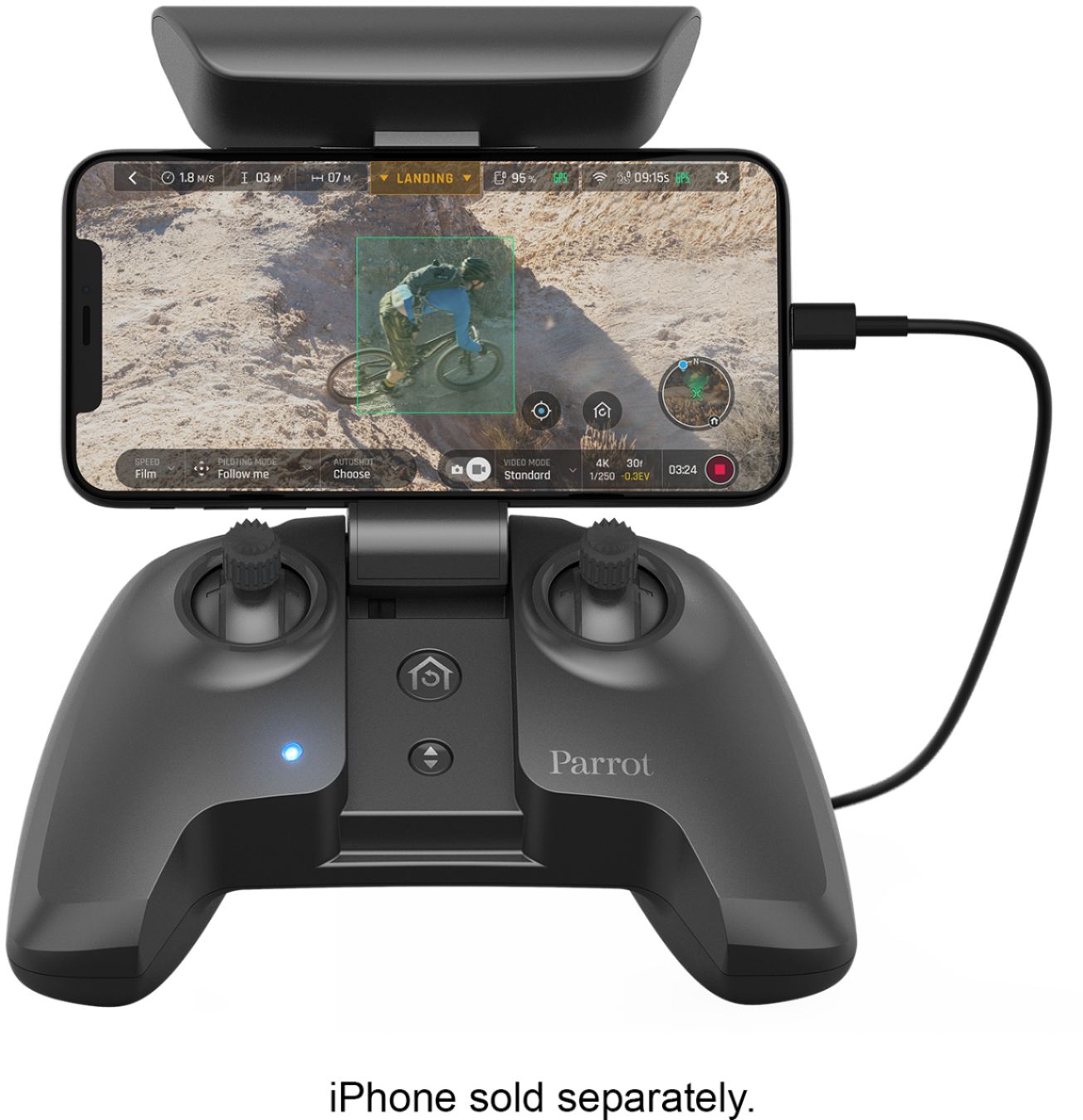
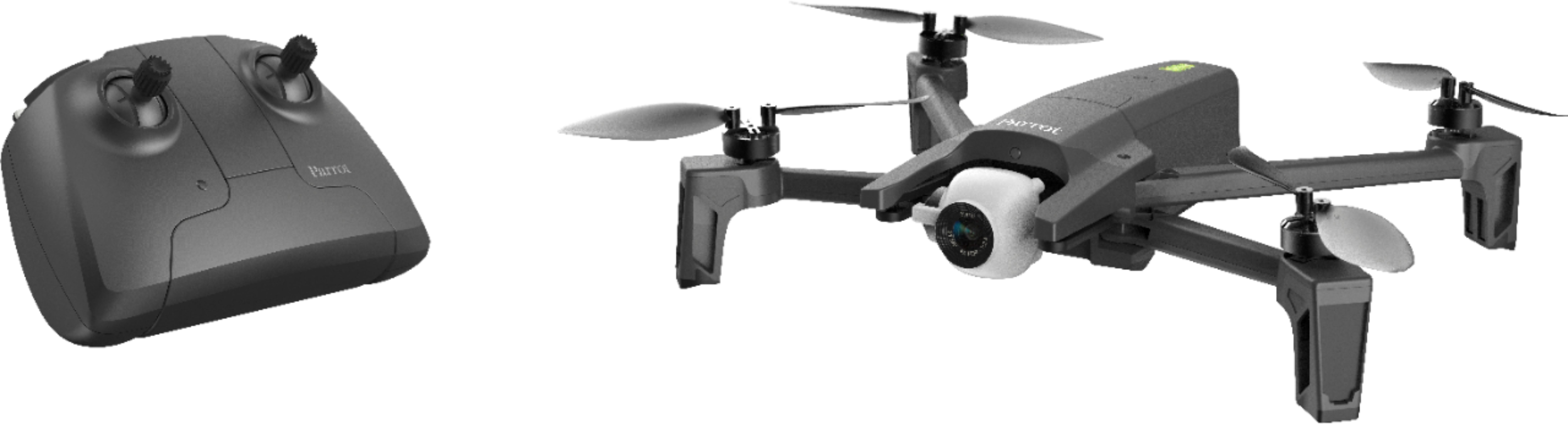
|Posted .This reviewer received promo considerations or sweepstakes entry for writing a review.I chose the Anafi drone by Parrot for my first flying experience. I’ve seen other drones in use, but I had never controlled one on my own. I found it pretty enjoyable to use. There are 3 components needed in order to use this drone: the drone itself, your cell phone, and the app that’s loaded to the cell phone. The cell phone that I used was a Samsung S8+. It is protected by an Otterbox (important later). The app for the drone is called FreeFlight 6. I downloaded this for my Android through the Google Play store. It is also available for the iPhone in the App Store. The software loaded just fine, and so far I haven’t had any issues with the app. The only significant thing that I saw was that it is hard to get out of the app when you are finished flying. The back and home buttons are hidden when the app is open, so it’s not as easy to close the app as I would like. The app did have a nice feature that allowed you to change the controller functions to customize how you’d like to operate the drone. The drone is foldable for portability, and has a 4K camera. It comes with several items: a carrying case, controller, 16GB micro SD card, USB-A to USB-C cord, 1 battery, 8 extra propeller blades, and instructions. The instructions were really minimal. Mostly just pictures. I would have liked to have had more information as a first time user, but I figured it out fairly quickly. You’ll need to charge the drone battery and the controller initially. There’s one cable but no AC charger, so you’ll need something that powers through USB in order to charge each of those. Since it comes with just the one cable, you can only charge one thing at a time unless you have an extra cable. Also, the instructions showed charging the battery with a wall charger. It doesn’t come with the drone so I thought that was a little confusing. The controller is about the size and shape of an X-Box controller. It folds open to hold your phone while you use the app. The provided USB cable connects the controller to the phone. The controller is one of the biggest parts that I felt could have been designed better. I had a lot of trouble getting my phone to stay in the controller. It has the Otterbox on it like I mentioned earlier, which should have helped give the edges some grip. This is something that can definitely be improved upon. The 4K camera can be set to different recording qualities. I naturally went to the highest to test it out, and it quickly filled up the memory card. I recommend purchasing additional memory. Switching out the card requires removing the battery and removing the card so it’s not difficult to do. The drone sounded like the other drones that I’ve seen in person. It’s not stealthy. My wife could hear it inside the house. The battery was decent. The drone could operate for about 25-30 minutes before needing a charge. There is a monitor for the battery in the app, and it will give you a warning when the battery is getting low. It would be good to purchase another battery, as it does take time to charge the battery fully. Overall, I liked the Anafi. The controller and app could use a little work. I’d also like to see a charger and a second USB cable, but those items can be purchased rather easily.
I would recommend this to a friend - Pros mentioned:Camera quality, Ease of use, Noise level
Easy to fly. Very Stable. Great Video Quality
|Posted .This reviewer received promo considerations or sweepstakes entry for writing a review.This is my first experience with a quality drone. My only other experience was frustration with one from a discount store. I knew this wasn't a large drone, but I was surprised by the size of the box. It was well packaged; the drone in it's zippered case with the memory card case and USB-C cable, the spare blades were in their own box and then there was the controller. Opening the arms on the Anafi I was surprised at how flexible they are. Theres a bit of flex and twist to them and I'd suspect if/when you hit something this may prevent them from breaking. I set everything up to charge overnight so I could start fresh in the morning. Setup was relatively easy. I downloaded the app to my iPhone X and started the process. When I plugged my phone into the controller I was greeted with a prompt to access the FreeFlight app. Once in the app I had to go into the WiFi setting to connect to the drone, then the app showed as connected. Next I went to set my phone into the holder on the controller. I have my phone in an Otterbox Symmetry case, which isn't all that thick and I just didn't feel like it was all that secure. Taking out of the case and trying again, it definitely felt more secure. So ready for the first flight I launched in my back yard, from my hand. The Anafi jumped right up and started hovering about 4 feet off the ground, perfectly stable in a light breeze. Using the controller I tried out the directional sticks, first rotating the drone in place, then sliding it side-to-side and finally taking it up about 25' before bringing it back down to shoulder height. From there I ran it backward to the fence line and was able to stop it without hitting the fence, before flying it back just to my left side and stopping right near me. Really impressed with how easy this is to fly. Also with the small blades it was much quieter than the cheap drone I'd tried prior. From here I took it back up just above my roofline and then panned the camera down. I was able to go from one end of the house to the other and realized I need to clean leaves out of my rain gutters. Brought it back down to land and the landing was also easy. Took it all back inside and went to watch the video on my phone. I'm not one to read instructions before jumping in and it took me a few minutes to realize you have to transfer the video from the Anafi to the gallery in the app before you can view it. If the Anafi isn't turned on, you don't see the prompt to access the SD card. A 2 minute 4K video took about 10 minutes to transfer to the phone. The video was crisp and very stable. During the period where I was rotating in place, until the camera picked me up you might not have realized it was coming from a flying object. Overall I'm very impressed. This is stable enough for a beginner to fly, I think the arms will handle impacts well, and the video quality is awesome. The only thing I didn't like was the way my phone fit in the controller while in the case. May have to look at options to help secure it. I can't wait to play with the follow-me and flight plan options, along with all the other video flight options.
I would recommend this to a friend - Pros mentioned:Camera quality
Great drone
||Posted .This reviewer received promo considerations or sweepstakes entry for writing a review.I’m very impressed how far and high can fly this little guy, the cámara it’s a 4K so the image is very clear, you can fly with the controller and with your phone to see on real time or only with your phone without the control.
I would recommend this to a friend - Pros mentioned:Battery life, Camera quality, Noise level
Great Drone For Experience or Newbie Drone Users
|Posted .This reviewer received promo considerations or sweepstakes entry for writing a review.Truth be told, I’ve never owned a drone until now. I’ve known about Parrot for a long time as I own their incredible Zik 3.0 headphones. But a drone was something I figured is complex and not something I’d likely buy. After reading multiple reviews and seeing how easy people said the Anafi is to get up in the air, coupled with the high quality 4K video ability, I decided it was time to give one a try. The package arrives nicely put together. The drone itself is housed in a really nice zipper hard carrying case, the controller is next to it and there is a SDXC adaptor, a USB to USB C cable for charging and two documents, a quick start guide and a book about Flight Safety. Also, there is a box with extra propeller’s for the day you may not land safely and you need to replace them (plus a tool to install them). I wish they had included an actual user manual, but for that you can go out to www.parrot.com, click on the Anafi drone and download the full user guide. I really needed the user guide because it just wasn’t that clear to me where the MicroSD card was or how it should be removed or used. I actually sent a technical support question to Parrot at 10:00 PM, mind you and it was very impressive when I received an immediate response. It’s nice to know someone was responding to customer questions after hours. So it was time to start charging the drone and the controller. Only one USB to USB C cable is provided, but I have extras on hand, so I was able to charge both at the same time. If you don’t have an extra cable, you might want to get one so you can do the same. Otherwise, you’ll be charging them separately, which will take more time. Next up was to download the FreeFlight 6 app from Parrot in your App Store for either Android or iOS. Note that in the Apple Store, you don’t look for Parrot. You look for FreeFlight 6. The App is free, which is good. But no so great is that for the ability to have your drone follow you, you have to make an in-app purchase. It’s only $.99 right now, but it stated that after September, the price goes up to $15. Given this drone isn’t exactly inexpensive, it’s a little surprising you have to buy add-ons like Follow Me. I was aware that flying a drone which weighs more than ½ pound, requires you register with the FAA. With the battery attached, the Anafi weighs about ¾ lb. You can do this online and once you pay a modest fee, you’re provided with a 3 year Small UAS Certificate of Registration, a card to carry with you and a UAS Certificate Number, which is supposed to be affixed to the drone itself. Once you’ve got everything charged and the app downloaded, you need to connect to your drone, which is very easy and intuitive. You launch updates from Parrot and if necessary, calibrate the camera. This is a perfect for a newbie like me. It’s pretty much idiot proof. Here’s what I thought was great: *Small and compact and easily stored *The hard-shell zipper case makes storing the Anafi safe and sound *The FreeFlight6 app is easy to use and very intuitive *The camera takes great videos – REALLY GREAT *I love the HDR capability – Colors just pop in super clarity *The camera swivels up and down *You can also take a still shot in high resolution – pretty cool! *It’s pretty darn quiet in operation Here’s what I thought could be better (and it’s not much): -I wouldn’t use the Anafi if it could rain as it doesn’t seem very weather proofed -The controller is rather large, but my iPhone does fit snugly -How the MicroSD card is stored is not ideal. It would have been better if there was a SD card slot -It’s disappointing to have to pay extra for extra functions, like Follow Me and Flight Plan -16GB isn't much memory. But you can add up to a 256GB memory card -There’s no carrying case for the hand held controller So there you have it. If you’re an experienced Drone user or a newbie like me, I’m sure you’ll love how compact and easy the Anafi is to set up and use. Parrot is VERY well known in the drone world and I know this will provide years of fun experiences backed by a company who stands behind their products with excellent after sales service.
I would recommend this to a friend - Pros mentioned:Camera quality, Noise levelCons mentioned:Obstacle avoidance
Lots of fun!!!
|Posted .This reviewer received promo considerations or sweepstakes entry for writing a review.First time really flying a drone, so this the view from a newbie. Got drone. ...it rained a few days, but at least we read the directions, downloaded the app and updates, and got it all charged up. ..then we were working until after dark, then it rained for a few days. Then we had a good day, but the battery was dead. Or something was wrong, anyway - the drone wouldn't turn on. So we went back home and plugged it into a charger. There were some flashing red lights and then it settled down to green, showing half charge. After that it seemed fine. Not sure what that was all about. Perhaps it will warrant an update later. So, finally got a great day. Put phone in the holder on the controller and away we went!!! (Controller does NOT have that great grip on phone- EASY FIX PARROT.) Drone is very quiet with just a buzzing sound. Video is beyond stable - almost unreal. Probably normal for a drone at this price point, but amazing! We brought the drone to eye level and the recording of us is, well, kind of spooky. It looks sentient. Oh, and TAKE THE LENS COVER OFF BEFORE FLYING, just a suggestion. Micro SD card - you have to remove the battery pack and slide and tilt up a tiny metal cover to access it. It seems like Parrot could have come up with something more durable and convenient. At least you can use the USB C cable to download your video instead. Parrot has made the actual flying super easy even for a beginner, but do read the directions first. You'll want to let it to lock onto GPS before you launch, for example. Leave it in photo mode while you learn to use the controller; the very slow default settings will give you the time you need to fix mistakes before you crash. Oh, and those trees and buildings around you? They get really close really fast, and the drone doesn't have obstacle avoidance, so practice at first in an open field or parking lot. Find a flat surface for launching and landing; it complains if the blades are hitting grass. Overall, both the drone and the controller feel well made, not cheap. It was a little disappointing that the real-time video update on the phone was, well, not real time, which made setting the camera tilt angle tricky. Nice feature, though, and the video we got from it was fantastic!
I would recommend this to a friend Fun drone - bad camera
||Posted . Owned for 2 weeks when reviewed.This reviewer received promo considerations or sweepstakes entry for writing a review.This drone was easy to use. It was pretty fun to fly around too. I tested it at our camp property and found that the camera on this unit had some distortion in the pictures. I would think that the unit I had was defective and not all of them are like this. But, I ended up returning it.
No, I would not recommend this to a friend- Pros mentioned:Camera quality, Ease of use
So easy a caveman could fly it...
|Posted .This reviewer received promo considerations or sweepstakes entry for writing a review.[SHORT STORY] Parrot ANAFI quadcopter drone is a must buy if you like plug and play simplicity. Pros: -USB C port -Micro SD expandable memory -4K camera -solid build quality -Battery removes easily -Storage case is premium quality and looks nice -Easy to fly -Stays where it hovers -Picture and video looks good -Lens cap cover Cons: -Does not include power adapter that plugs into wall (i used my Nexus 6P power supply) -Case has no room for spare battery -Didn't really care for the expandable memory slot location under the battery or how it opens/closes -Drone is loud (sounds cool though) [THE LONG STORY] Everything about this drone is simplicity. To the Super Quick Start Guide that reads like an ikea instruction card. The card has pictures that show 8 the simple steps will get your drone in the air after of you do the following: Register with the FAA so you can get your UAS number. So I have flown those cheapo helicopter and drones you find at end caps of grocery store/electronic stores. Very hard to fly and always end up wrecking them. Well let me ease your fear or wrecking this sweet Parrot ANAFI quadcopter drone. I opened the flight app, powered on drone, powered on controller (looks similar to xbox one s controller), and was ready for lift off (don't forget to remove camera lens cap). Drone propellers started spinning and the ANAFI started rising about 2 feet and hovered ready for me to control it. Left thumbstick controls height and right controls direction. You can either fly with just the controller and/or your cell phone. Live map and camera view show up on your camera. It is pretty sweet! I flew for about 20 minutes and the app showed the battery on the drone had about 4% battery life so I brought the drone close to original take off point, switched to landing on the application and this auto piloted the drone down without incident. That was very awesome that I didn't have to call Maverick to bring me in for a landing. For the whole time besides landing I was on manual pilot mode. For the most part the drone stayed hovering where it was. There was minimal breeze and saw very little drift of the drone if any. The controller has buttons to take pictures, zoom camera, etc. There is also feedback on android app that show field of view the camera has in red. The only issue I had was fitting my Google Nexus 6P in the holder of the controller. Maybe if I took my phone case off it would fit better. Also had to orient phone so the holder didn't squeeze the volume keys of the phone. I also had to go to my USB settings on phone and select file transfer in order to get the phone to recognize the controller. If not then the phone thinks the port is only for charging. I had a few people come out and watch my drone fly over an empty field. I didn't test the full range of height and distance but I feel confident it will go wherever I want to take it (of course following proper safety guidelines), The flight and controls are exact enough I could follow a friend who is mountain biking and document the ride for fun. I couldn't find any flaws with the unit. It was just so easy to use and fly. I hope to unlock more features as I continue to log more flight time. If you a blogger, real estate picture person, hobby flyer, etc I feel this drone would be a good fit for everyone. One thing that future models could improve on is a more colors options for the drone. If one thing it is a pretty bland color.
I would recommend this to a friend drone
||Posted . Owned for 1 week when reviewed.This reviewer received promo considerations or sweepstakes entry for writing a review.we really like this drone it does many things were enjoy it very much
I would recommend this to a friend- Pros mentioned:Battery life
I'm a Beginner...
|Posted .This reviewer received promo considerations or sweepstakes entry for writing a review.Quick Info Phone Used OnePlus 5T 6" screen and Dash Charger and cable. The Anafi is my first introduction to a drone, not counting the RadioShack Christmas specials. And so as my summary states, I'm definitely a beginner and I have to say I was quite nervous as I was pretty scared to crash the thing. I read a few reviews first and people said it just took off on them and crashed and there are no replacement parts for control arms. Checking the website, you get battery packs, controllers, and blades. That's about it. As of writing I received the drone in the mail 7 days ago and our weather has been a little crazy so I've had to delay frequently my time to try it out. Today was bright and sunny, but had a good 4-5 mph wind. And it didn't phase this thing one bit. It stayed and hovered just were I would leave it. Again as a beginner, I couldn't be more pleased. I did crash it twice, once into small tall brush. Hard enough it collapsed a control arm and sent a warning to the controller screen. The second time I ran into a group of pine trees and it landed on the ground with arms in full lock, ready to fly! So its at least sturdy enough for that. When it comes to walls and such I'll let you be the judge. Also as a beginner I think they could do a few things better: -Have a bit more info in the packaging: there are two pamphlets one labeled a "Super Quick Starter Guide", you can see in the photo, and they mean super quick, like 8 photos. The second was FAA regulations in about 100 hundred languages, that is about 8 pages per language. Any real info is found on the support site and they have it setup as a Q&A style which tells me they really did me to give very limited explanation of things. Which I'm not one to complain about saving a few trees, but a bare minimum would be to have the charging specs included with the drone. The support site had this info. But without a charger included, I'm not just going to throw any old charger on it. I have a laptop that charge off of USB-C, but wasn't sure if it would deliver too much power, verdict is still out. Ended up using my phone charger. -Include a charger, for the price it's not going to be much more and most people these days don't have one that is USB Power Delivery certified to get the fastest charging times available. -As well a bit more info on just how to fly the thing. After my first flight I've realized that its just that simple to fly, it still could have a simple short video tutorial, the FreeFlight 6 app at least has the joystick layout (feels like a video game setup) but it also doesn't give much explanation into all the settings that can be changed and advantages/disadvantages. It definitely has a learning curve in the UI department. I would really like to see a demo mode either in the app or on the website to play with the settings and see how they affect the drone. -How to turn it on/off! The "Super Quick Guide" could at least two double clicks to get it into pairing mode with the remote. -My phone is the max size of what Parrott says is the range of 6". It's not the best design, it's quite crazy trying to get it to fit in, but honestly given the setup you don't want a small screened device. -It did drop GPS signal a couple of times and that didn't disrupt my flying at least at the distances I was flying; not far. It did say that I could do a planned route. I could keep going, but you get the point...too much guess work. Maybe being a beginner this is all stuff that veterans know? I'm pretty comfortable with tech, but this is out of my normal element. Honestly, that's why I gave it 4 Stars, while there is a lot of guess work, at least its easy to fly. Its not so easy you feel like a pro. Currently I'm only flying by sight not the screen, but I do live near a small forest, so I'm not ready to rely on my on screen depth perception. Closing Arguments: It's definitely worth the investment, do take into consideration that if it breaks, its probably broke. Accessories: Considering an extra battery for longer flight times. Maybe having some sort of harness for the controller would help to prop the arms up higher to fly using the screen.
I would recommend this to a friend - Pros mentioned:Camera quality, Noise level
Great drone for beginners and more advanced users
|Posted .This reviewer received promo considerations or sweepstakes entry for writing a review.This is the first drone I've used however I had a general idea what to expect and that some do more than others. The app you use on your phone is so easy to get started and get flying. I was impressed with how little it took to get in the air and love that it can be flown with or without the controller. The first time I took it out I just used my phone to get the feel for how to fly and maneuver the drone. It's so easy to use and I'm so impressed with the camera quality. Pictures and video are crystal clear. The controls for moving the camera were a little harder to get used to but it's so similar to a gaming controller that once you figure out the buttons it's fairly quick. The range and height on this is incredible. It does take awhile to charge which is my only complaint. Otherwise this would be great for beginners and should do the job for more experienced flyers as well. It's fairly quiet which I was surprised by which is a great feature.
I would recommend this to a friend Put's the Fun in Functional - Great Potential
|Posted .This reviewer received promo considerations or sweepstakes entry for writing a review.I want to begin with saying this is my first drone and I'm certainly a novice to the hobby. Anything from experience that I learned was from my father-in-law whom has had one for some time now. Also I started with issues initially because I thought my phone was "new" enough to connect to the controller but alas, it wasn't. Because when they say new, they mean devices with the USB C port which are only truly making the change with releases this year. I will get into this more below. Fortunately I found an adapter on Amazon that I can confirm that works and allowed me to connect my phone (USB C - female to micro USB - male) and use the controller. It came in a two pack with the brand name "Choetech" (I've also included a picture). I have a feeling the key is to use an adapter and the cord supplied so it's possible any adapter may work but be aware a regular USB to micro USB cord does NOT work with the controller. This was good because I didn't have much luck with wifI only. The first time I ended up crashing it because I had the "auto switch" wifi feature turned ON in my phone where if it detects a stronger wifi signal, it automatically changes. Thus I lost control and it went into a wooden post, fell hard into the outside corner of a wooden planter box and to the concrete. Advice - turn this feature OFF on your phone when flying with wifi. The 2nd flight it was ok for less than a minute but somehow started drifting to the same spot and I again lost control/connection. I had to grab it out of the air and quickly "land" it to stop it. I didn't care to try it again until I used the controller. Being in a community we have tons of wifi interference and I know this can cause issues for ANY drone. Perhaps I'll test it again using wifi after a few updates down the road. GOOD: The bright side to crashing however - as my heart sank and I walked over to it's beeping lifeless body, I was shocked to find how it barely had a scratch. Only two propellers on one arm had a slight little roll where it hit and it wasn't even enough to change them out. This thing seems VERY durable and well built! Sound wise I find it a lot more tolerable and pleasant compared to my father-in-laws larger, more expensive DJI (I think it is). On the flip side though, his you can't hear at all once at a certain height while I found the Anafi I could still hear at a significant height. As for the controller, I'm a huge gamer so it feels so great in my hands. I even swapped the joystick controls in the app options to make the controls more like a FPS shooter. I found the response time from the controller input including both flying and camera inclination to be spot on which is great. The gyroscopic camera is also as steady as can be. I had fun testing it flying it quickly side to side and it stayed completely still as far as my eye saw. Visible wind affected it only very little considering how small and light it is which would be expected but also a slight surprise it's not more. A big plus is it did come with an 16 GB micro sd card which is really nice so you're ready to go out of the box. Pictures are indeed just gorgeous as you would expect from something 4K with HDR so going into detail is not necessary, you'll just love it. The 2.7x lossless zoom is so impressive, too. For some reason I was having issues with video recording but it may be the app. It seemed to record even though the app was showing issues, so I can't say much about that. It could have also been user error but if the quality is like the pictures than I'm not worried. The device itself is working as intended which is most important but I have more to say below about the app. I was indeed able to download the media through the wifi to my phone right after flight easily where I could even instantly share it to someone if I'd like. I would have to say because of the 180 degree swivel camera, great capture ability and compact design, I would think this drone would be on the top of the list when it comes to using for functional & commercial use such as real estate, repair/construction jobs etc... I have a two story house so if I have any future issues again myself I will be surely reaching for this thing to investigate before getting on a 25 ft ladder again! Overall it's really fun to fly and with the 4K HDR 180 degree camera and various picture/video features, the potential goes really as far as your imagination. CONS: Couple of gripes here, though. First is you have to pay to unlock both the "Follow Me" and "Flight Plan" modes which according to someone else the cost is $17.99 each. There IS a sale for just .99 cents right now but still. Maybe I'm wrong since I'm not as knowledgeable of all drones currently on the market, but I would think at this price point it would include those. While the concept to keep the selling price low while offering those modes as optional is a good one, the price point makes it a bit ineffective. I'll eventually purchase but for review purposes, I wanted to only use what comes out of the box. Second, while the quick start pamphlet was nice and easy, the booklet only gave basic drone operating regulations/tips/warnings. It really would have been nice if they also had a few pages explaining the interface in the app and what it all means when on the flying screen. Thirdly, you most likely will have to take your phone out of it's case to put in the controller like I had to. This wouldn't have been as big of a deal if it weren't for the fact that it really doesn't seem the most secure in the controller's grasp at all in general. A quick accidental brush is all it takes. I may try to create my own strap in system down the line. Lastly but most importantly is clarification of device compatibility. The box says this was made for iPhones (although Androids work perfectly fine too), and only comes with a USB A - C cord to plug into only the newest device models. I don't know what the exact last model Android/iPhones to have the micro USB port was but I know they were as recent as last year (2017).This means you need an adapter to hook up to slightly older devices. It would have been really beneficial to them if they either supplied an adapter or a second same sized short cord for phones still with the previous/micro USB ports. I feel like they are really limiting their market right now when these newer ports are still only starting to be added to phones. But this may have been intentional due to the current app state. They may have wanted to work on the newest phones first and work their way down. APP - Freeflight 6: While this is currently a "con" it's also something currently improving and undoubtedly will be better in the future therefor it deserves it's own section. Future readers can ignore this part as things will obviously be better as time goes on. Like others the biggest app issue I experienced was video feed issues. In the beginning it was only updating the feed once every 5-10 seconds but at least it worked. Eventually the feed completely went out and made the picture/video features lag for minutes and then stopped working all together. The drone controls, including the movement of the camera, were flawless this whole time though so that was comforting. After the latest update it seemed to stay working for the most part other than losing feed here and there which worked after restarting the app. Still dealt with the video feed lag though but I can deal with that for now as long as it works. Now one thing is clear by my own experience and other reviews on Google Play of the app - it's having a lot of problems right now. But the Parrot team is working tirelessly sending out updates. There has been 3 I think in the past week alone and people have already seen improvements (including me with the last one). I do believe things will continue to improve. With that said, I WOULD recommend this drone BUT perhaps for some waiting may be the best course of action. I'd keep watch at the forums and updates from the app to see how things are going in the meantime.
I would recommend this to a friend- Pros mentioned:Camera quality, Flight time
Good but not perfect
||Posted .This reviewer received promo considerations or sweepstakes entry for writing a review.I am very happy with the Parrot Anafi. It is very lightweight yet sturdy and it flies very well. The controller is very comfortable for me and I actually prefer the paddles for zoom and gimbal control over the wheels that other drones use. Having owned multiple drones (P3 Pro, Mavic Pro, Mavic Air and Typhoon H) I can say this is my favorite, especially when it comes to being travel friendly. The straps on the case allow me to easily attach it to the shoulder strap of my backpack or camera bag and not have to worry about digging through a pack to get the drone out for use. The Mavic Air was similarly sized and spec'd for video and flight time but I grew very tired of DJIs nannying when it came to firmware and flight locations. I was unable to fly multiple times in safe locations with DJI even after going through their approval process. There have been a handful of times that obstacle avoidance would have been a nice insurance but I have not really missed it. The Anafi seems to have better connectivity with its controller than my Mavic Air did as well, I notice a lot less interference when flying in proximity to Wi-Fi or other EFI sources. Dispite only having digital stabilization for the horizontal axis the video output has been very smooth and I am very happy with it. The extra rotation on the gimbal and the lossless zoom have opened up some very cool shots. I've been using the Anafi for the last two weeks while traveling to Hawaii and taken it on multiple hikes through mud, waterfalls, and rain and it has performed flawlessly. I know for sure that had I brought either Mavic on this trip instead I would have missed a handful of flight opportunities given the fact that I have never had a trip go without a hitch when using them. The only negatives that I find with the drone I feel can be fixed easily enough by Parrot with software updates, increased production, or other easy means. The first negative is that I have been unable to purchase additional batteries, I have been using a QC3.0 battery pack to recharge on the go and this has been working well enough for now. Second, is that the drone tends to wander a bit when hovering. Not enough to worry me but I feel they could improve the algorithm for locking position and how much it corrects for wind. Third negative deals with micro sd cards. I was fortunate enough to have bought a 'compatible card' without first referencing Parrots website but even then I ran into a few issues when attempting to format the card after converting the file system to FAT32. It seemed like the drone hung up during formatting but after a reboot it finally recognized the full capacity of the 128gb card. The last negative I have concerns the in app purchases. At first I wasn't overly bothered by the extra cost but that changed after realizing that the two additional flight modes were sold separately. I feel that is an excessive cost for the flight modes and it would be much easier to swallow if they were both the price of one. Given the negatives I've listed and the alternatives available this is still by far the best drone experience I've had and it will be my go to for my aerial footage needs. Hopefully I'll be testing out the Evo soon and I will update this review with comparison info as needed.
I would recommend this to a friend