Customer Ratings & Reviews
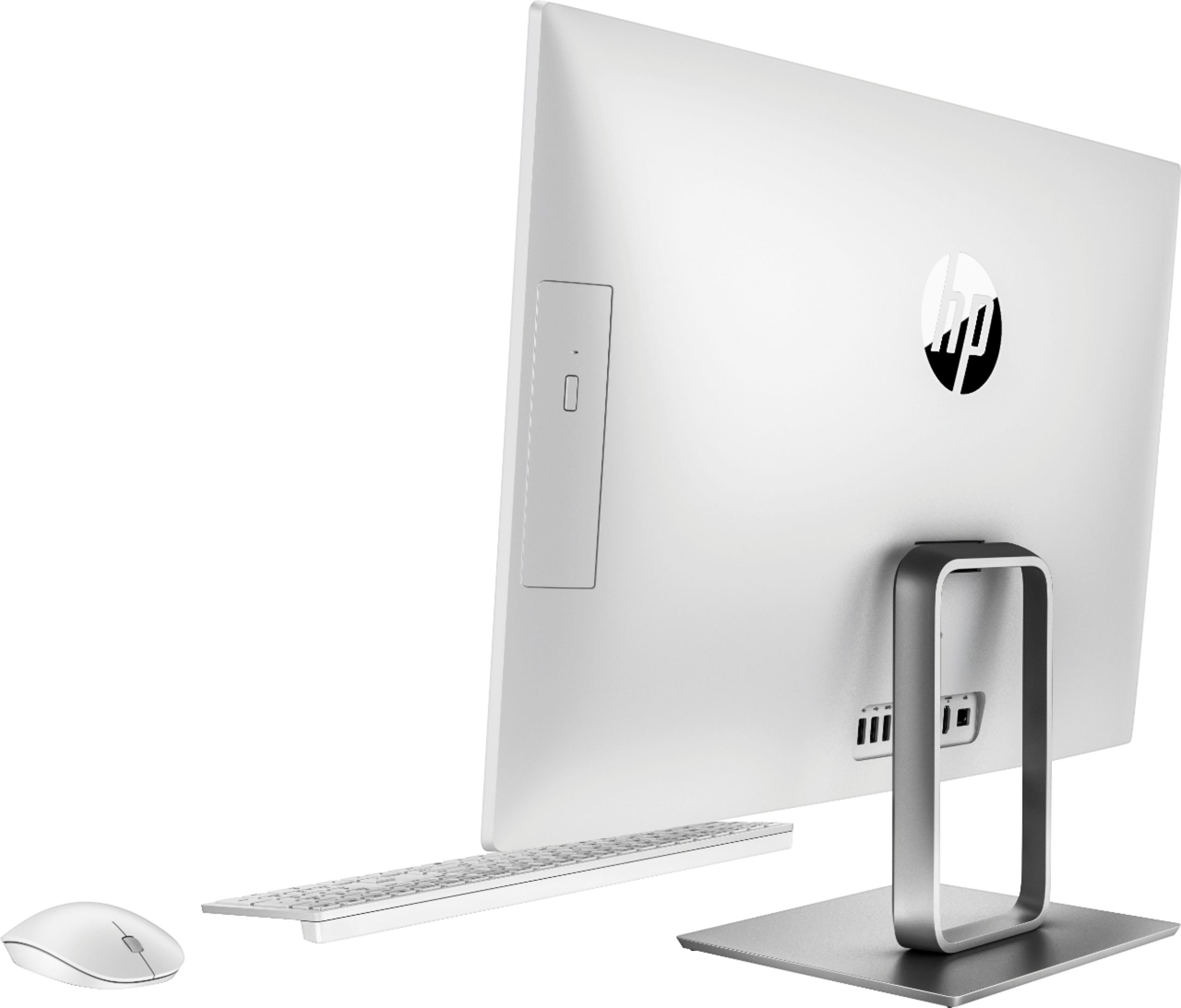
- Model:
- 24-R124
- SKU:
- 6229149
Rating by feature
- Value
Rating 4.4 out of 5 stars
- Quality
Rating 4.4 out of 5 stars
- Ease of Use
Rating 4.5 out of 5 stars
Customers are saying
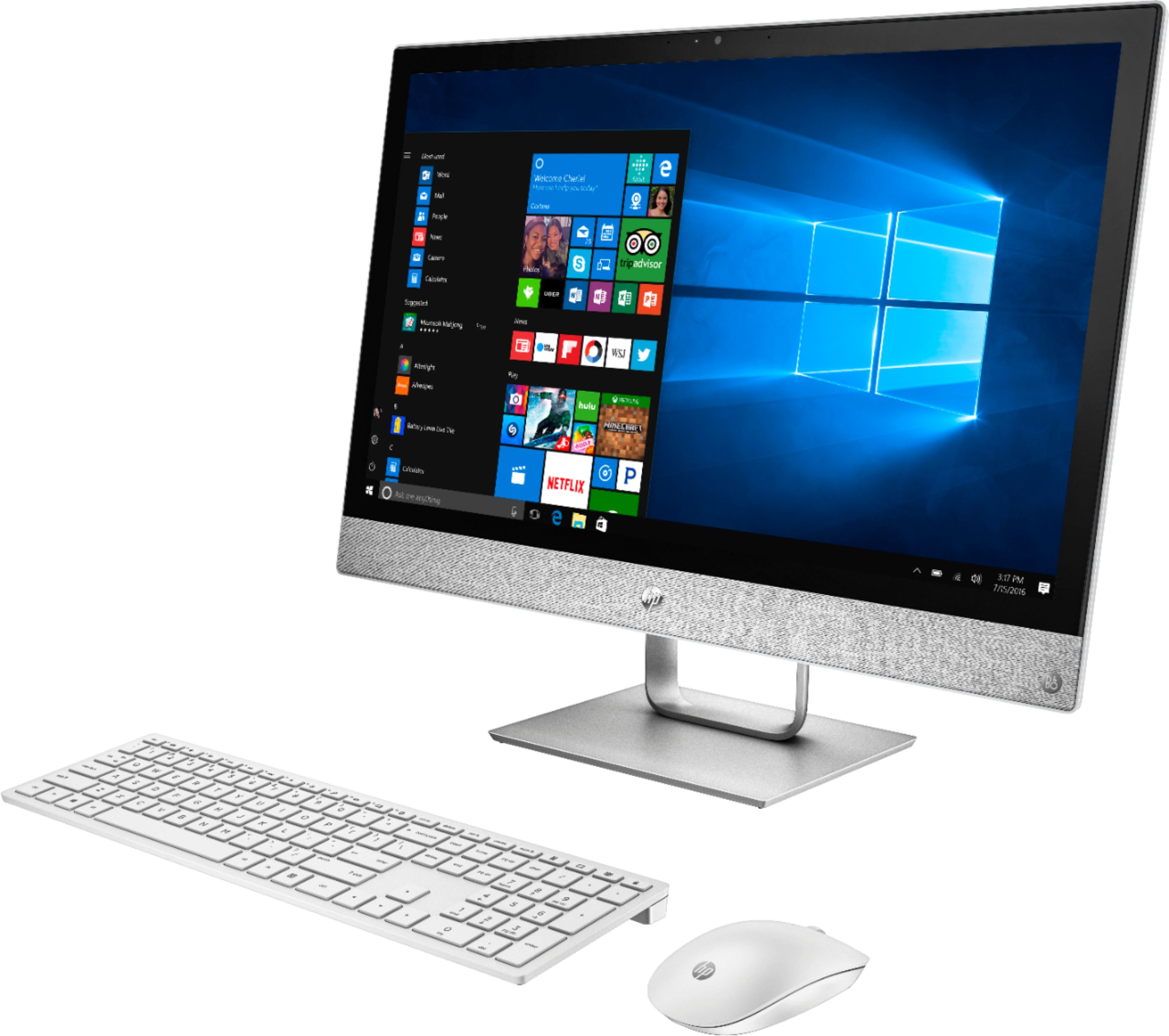
Customers express satisfaction with the Pavilion 23.8" All-in-One's large screen size, ease of use, and performance. Many appreciate its sleek design and the responsive touchscreen functionality, while some found the setup process straightforward. However, a few users noted limitations with the number of USB ports and the sound quality of the built-in speakers.
This summary was generated by AI based on customer reviews.
- Pros mentioned:Performance
21st Century Computer
||Posted .This reviewer received promo considerations or sweepstakes entry for writing a review.We replaced my wife's old, dying desktop with this device, and that was overdue - not enough memory, disk space, slow, and incompatibilities with software. The HP Pavilion has more than met performance expectations and is a beautiful piece of equipment - just a screen, keyboard, and mouse on the desk. And, BTW, our purchase assistance in the Clearwater store was great, and the Geek who checked out my set-up (10 minutes), moved files, and offered advice and assistance was highly professional. We're very pleased, and I'm jealous!
I would recommend this to a friend - Pros mentioned:Speed
HP all in one.
||Posted .This reviewer received promo considerations or sweepstakes entry for writing a review.Don't want clutter, don't have space, then this the computer you need to look at. Great price and pretty fast.
I would recommend this to a friend - Pros mentioned:Ease of use, Screen size
Great computer
||Posted .This reviewer received promo considerations or sweepstakes entry for writing a review.Love the size of the screen. The unit is great looking and is easy to use.
I would recommend this to a friend - Pros mentioned:Performance, Screen size

All around good desktop
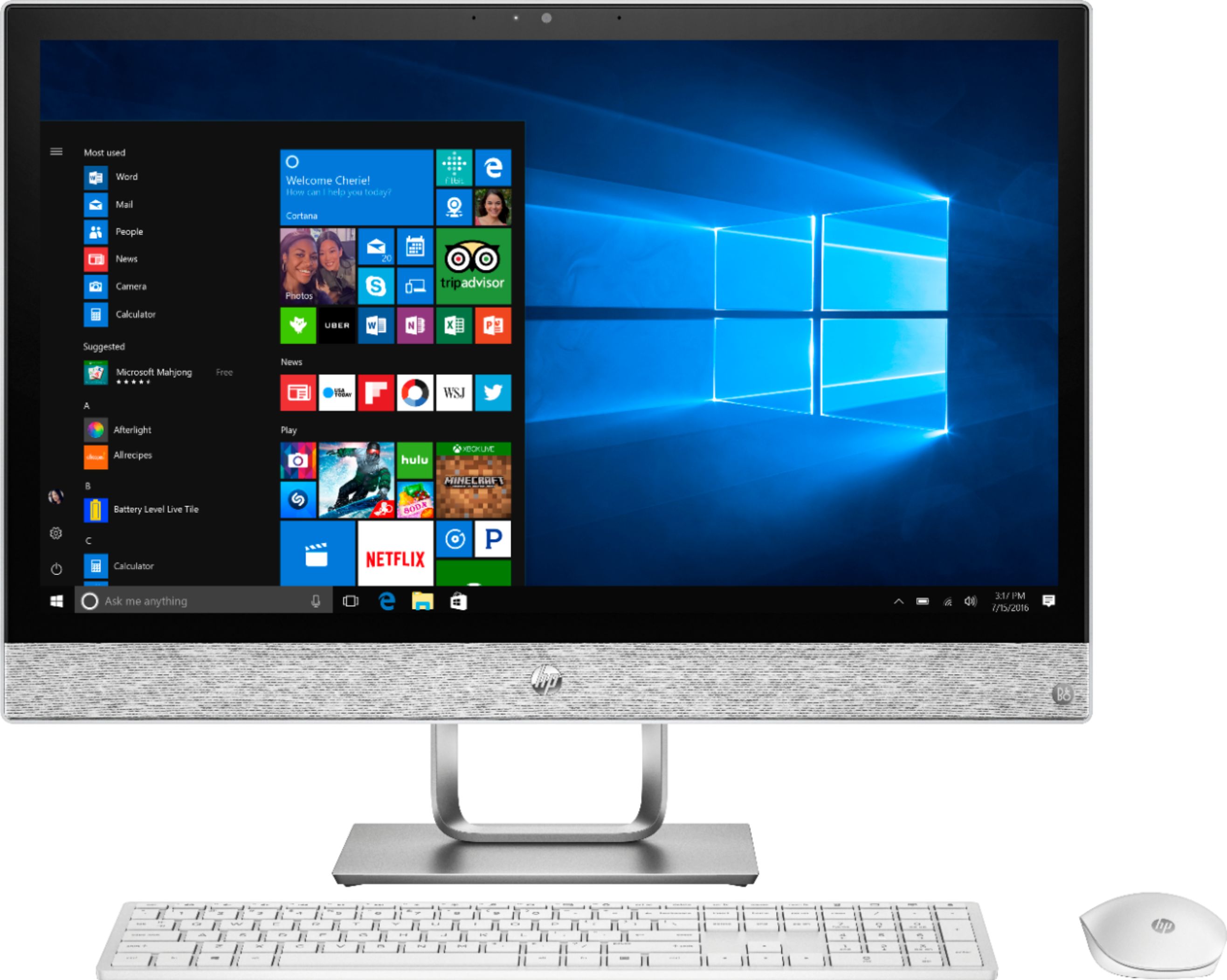
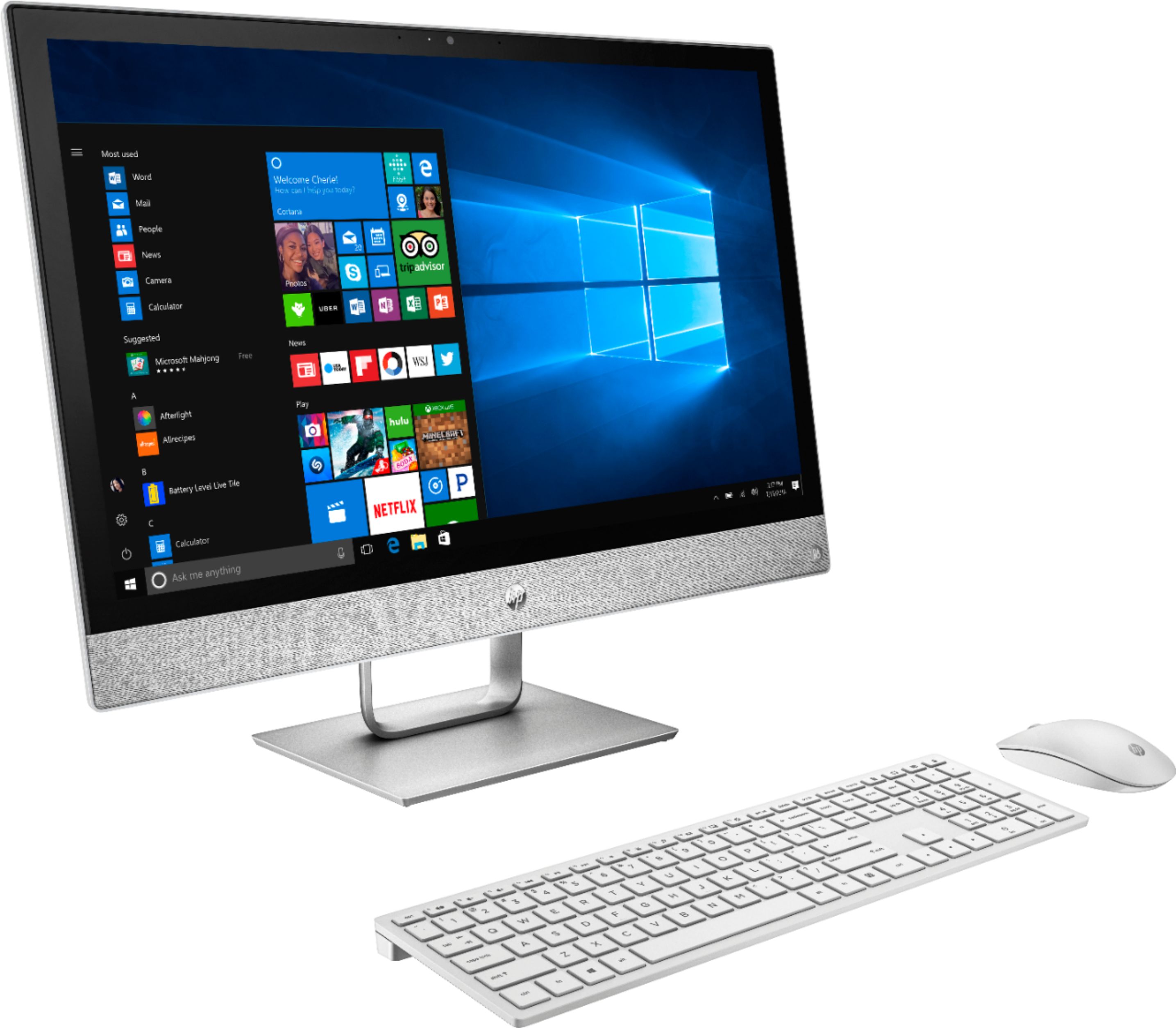
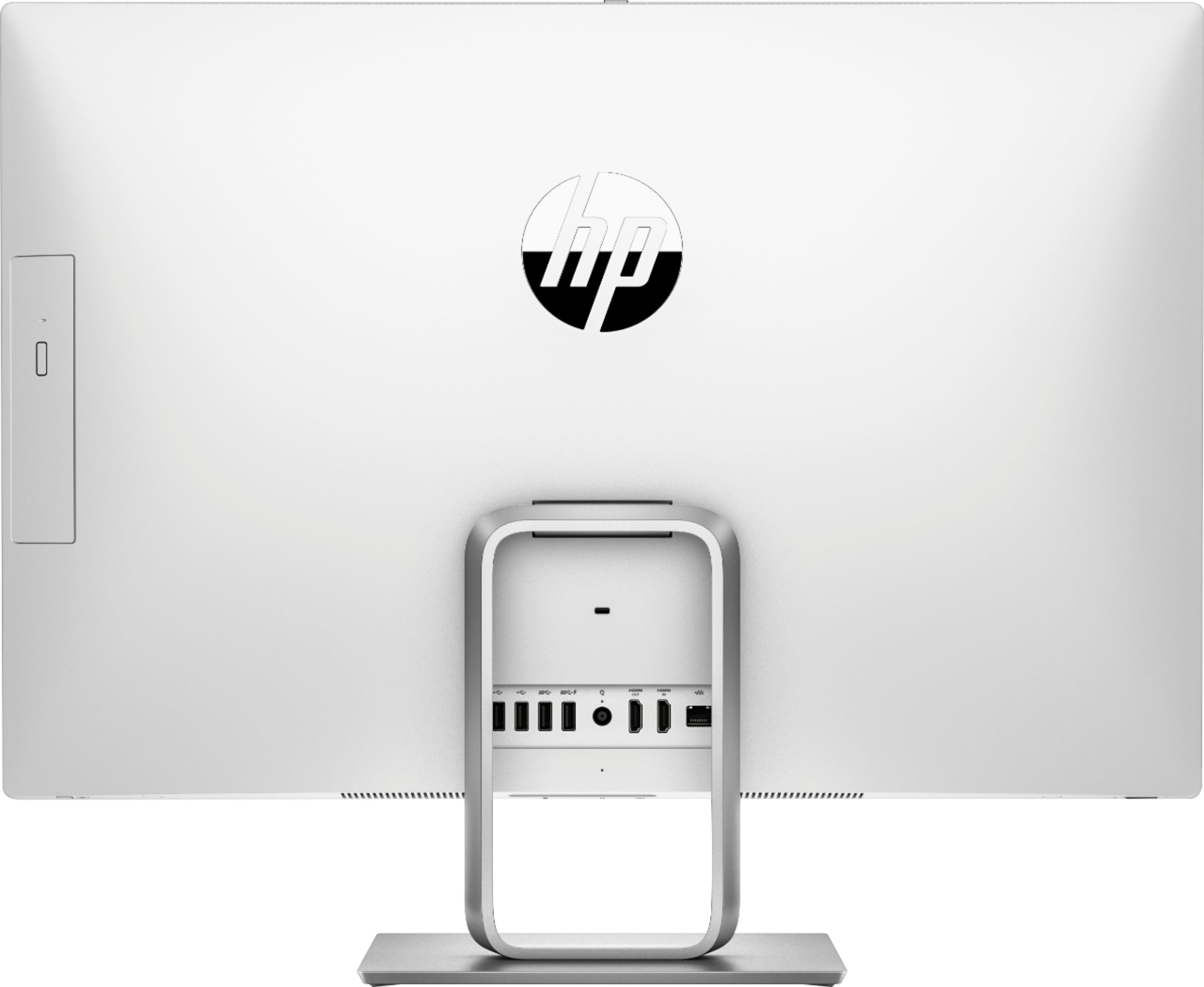
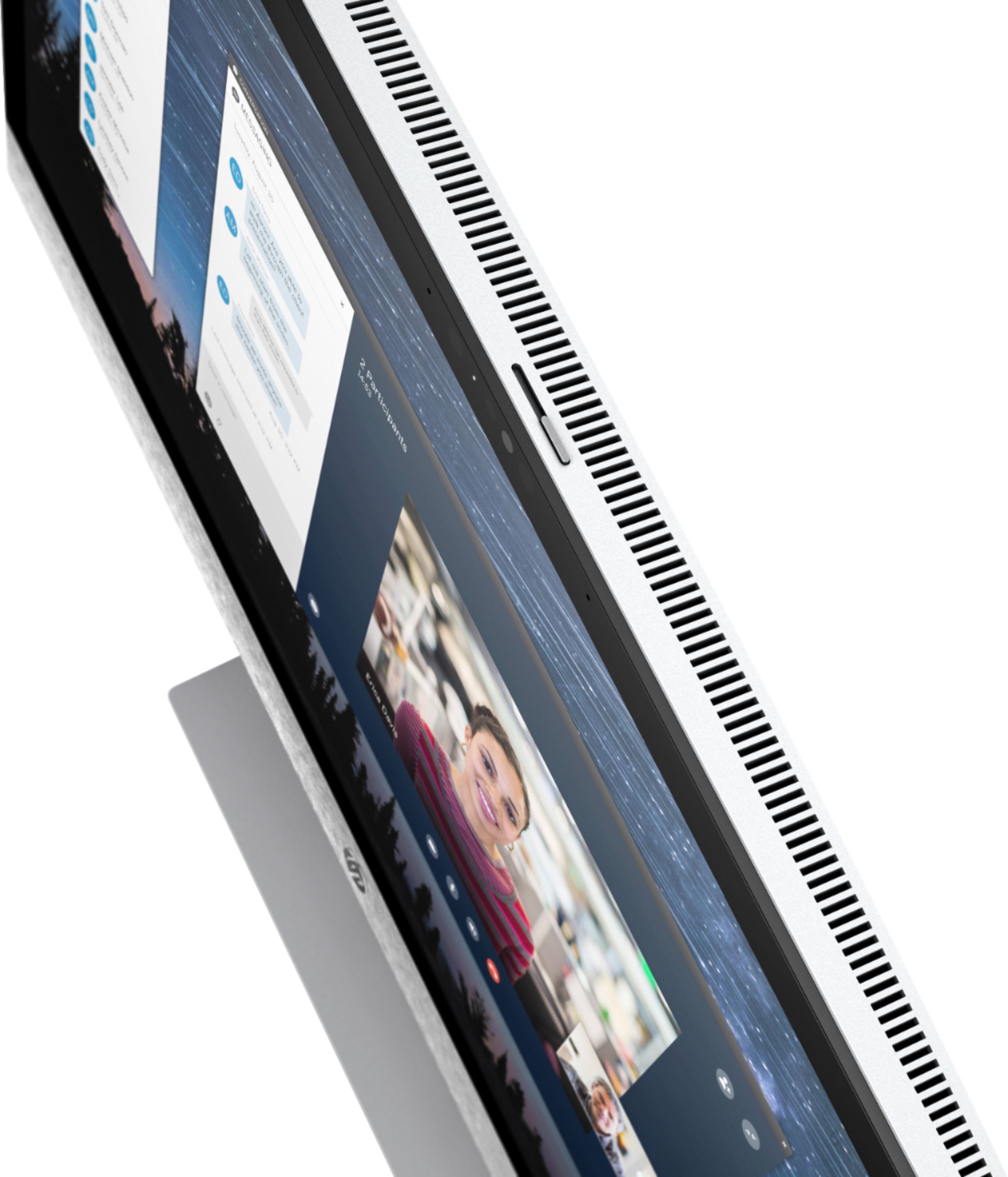
|Posted .This reviewer received promo considerations or sweepstakes entry for writing a review.Appearance: This all in one looks beautiful and natural in my space. With a sleek and slim design featuring white/silver body and grey fabric accents, I don't feel the need to hide it when guests come over like other desktops. I was worried about the size of the monitor when looking at the dimensions, but its actually the perfect size. Display: Large touch screen display with OK graphics when performing basic tasks, however the screen truly shines when playing videos or games. When surfing the internet or working messing around in various applications the display feels whitewashed. This is likely a settings thing I haven't figured out yet. I have enjoyed the option of utilizing the touch features, something I have not had much interest in when it comes to a computer. Touch screen shined most while playing turn based strategy games. Audio: Has B&O audio built in which is a nice feature and creates a surround sound effect while playing games or watching Netflix, however I wasn't impressed with audio performance for music as it sounded hollow. Once again, could be a settings thing. Inputs and extras: Features 4 USB, 2 HDMI, 1 ethernet and a rare thing to find in any computer today... a disk drive! One nifty little feature I really enjoy is the sliding shutter over the webcam ensuring privacy. I also really enjoy the wireless keyboard that came with. It looks and feels expensive and I LOVE typing on it. I also enjoy the mouse, but it's nowhere near the quality of the keyboard. Gaming: This computer features Radeon Vega Graphics and a Ryzen 5 processor which from my understanding equals great gaming performance and allows VR gaming. I took a few games for a test spin and was really impressed with the performance and response. This computer offers gaming mode and special in game features like screen record, snapshots etc.. as a standard feature. When gaming mode is on, the computer prioritizes your game over background functions creating a seamless gaming experience. I played Assassins Creed and utilized my xbox controller which easily synced with the computer. Graphics were fantastic, and no lagging and the audio was good. I also played Civilization 6 and took advantage of the touch screen which felt really natural and made the game more enjoyable. All and all I think this is a great computer for gaming, probably the best I have played on. Other things: I don't do to much on a computer besides playing games and surfing the internet, but there are many other features that this computer has to offer from xbox game streaming, netflix built in as well as a free mail application where you can log into gmail, live, etc. without having to purchase outlook or office. Overall: I look forward to seeing what else this all in one has to offer, and would recommend for anyone who needs a reliable, multipurpose computer with a focus on gaming or strenuous programs. I know I am not taking full advantage of this machine, and have more to learn about the device but have really enjoyed my experience so far.
I would recommend this to a friend - Pros mentioned:Design, Screen size
Excellent basic All In One
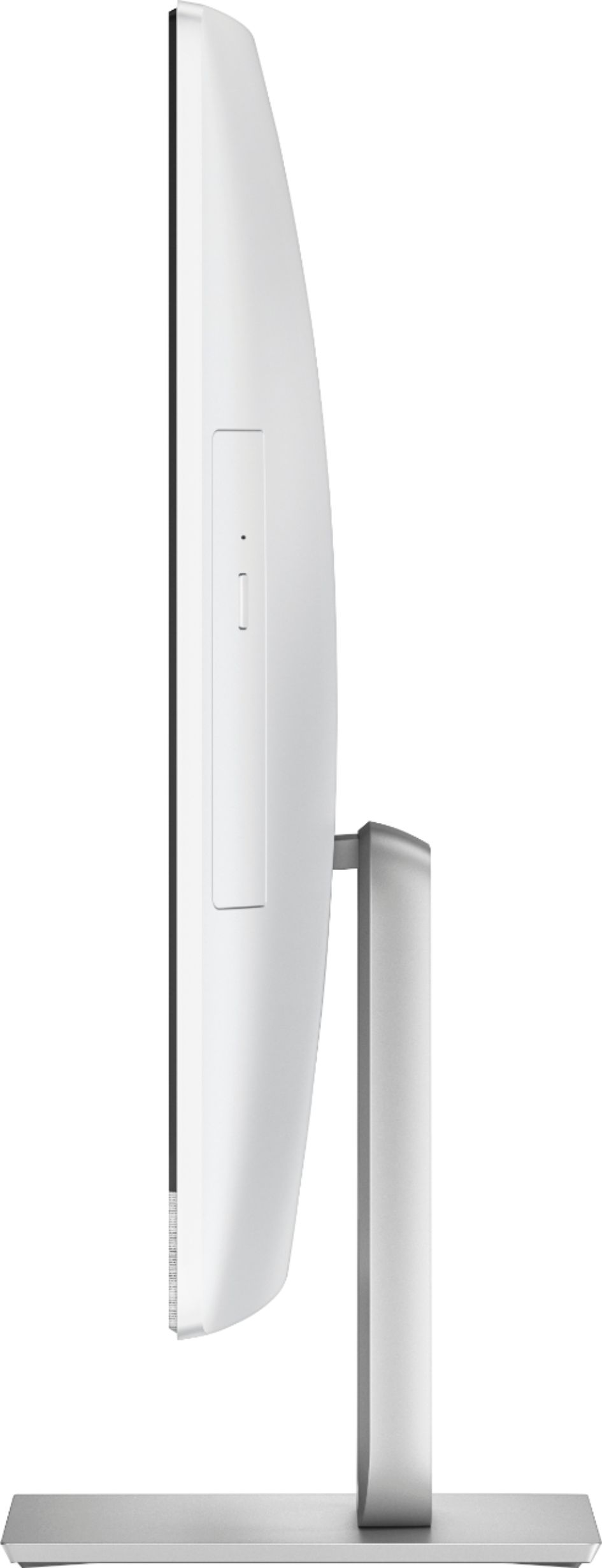
|Posted .This reviewer received promo considerations or sweepstakes entry for writing a review.This is the first HP AIO “All in one” I’ve used and have to say I’m pretty impressed with it. The unit was very well packed with foam surrounding the whole unit, and was surprisingly heavy. Most of this is due to the fairly thick touch screen glass, “nothing thin and flimsy here”. The unit was fully assembled with the stand attached, so no assembly required other than installing batteries in the keyboard and mouse then plugging in the power adapter. When setting up be sure to put the keyboard/mouse dongle in one of the available USB ports on the back of the unit. I put it in the far left open slot as that kept the most easily accessible ports open for attaching removable devices. The outside of the unit is manly white, with some silver trim with the speakers below the screen being covered in a silver/gray cloth, “my wife thought it looked really stylish”. The included keyboard and mouse are also done in White, “while is not my favorite color for either of them, but they do look good matching the main unit”. There are plenty of open ports on the back, one USB port being used up by the wireless dongle, there are 3 USB ports still open. There are also HDMI IN and Out ports, we hooked up our ROKU to the input and you can switch video sources by the selector switch at the bottom right of the screen. This is really handy for someone wanting to have a computer and TV with limited space like a college dorm room. I couldn’t find if you could do PIP with it, so you could have one source displayed while using the system, “would be nice if you could do that”. There’s also an Ethernet port on the back for a wired connection, “we are using 5ghz WiFi though”. Under the front of the monitor, right in the middle there’s a SD card reader, headphone jack and USB 3 port. Upon starting up you are welcomed to a voice guided setup, “I don’t need this” but it was very simple and easy to understand for anyone that isn’t use to setting up computers and Windows 10. After the initial setup I always check for windows updates “which there were a few” and let them install before doing anything else. I also ran the HP support application and updated everything it had listed. This model comes with a 3.5” 1tb spindle drive, no SSD, but boot time and performance are still really decent. All my other systems have SSDs as their main drive and I was pleasantly surprised that this one actually performs quite well for having a standard drive. I can tell the difference if I sit and really watch the time it takes for applications to open, but for this type of system it’s not a big deal as it will be mainly used for watching videos and surfing the internet. The quality of the screen is excellent and 1080 in a 24” screen is more than plenty. The Radeon Vega 8 graphics seems to keep up really well, even better than the Intel graphics processors I’ve used. Playing movies on Netflix and Amazon is super smooth and looks really good. The glossy screen though does pick up a lot of reflection so you won’t want a window or brightly lit areas behind the viewing area. I haven’t tried any gaming on this yet but don’t expect much and I have a gaming rig for my heavy duty gaming anyway. It’s more than plenty for the Windows Store games though. The Radeon app that’s built in has a few video presets, and putting it on the Movie option does make a difference, and you can do quite a bit of customization if you want tweak it to your preference. There’s also a blue light setting that you can schedule to cut down on blue light making it easier on your eyes when reading a lot of txt. The keyboard and mouse are pretty good, I prefer my gaming keyboard and mouse as they fit me better and I handpicked them for my individual preferences. The keyboard is pretty small, there’s no wrist wrest so if you plan on doing a lot of typing you may want to add one. I do wish the keyboard were back-lit but most wireless ones aren’t as it would consume batteries pretty fast. The mouse is sort of small and very light, “I prefer a larger and heavier mouse too”, the edges seem to be a little on the sharp side and if this were my daily use machine I’d be replacing it pretty quick. My wife doesn’t mind either and isn’t as picky as I am when it comes to those. The built in B&O speakers are good, better than the built in ones in our TV, with plenty of volume and are really clear. The built in webcam has a decent picture if the room is well lit, pretty grainy but usable in a dimly lit room. We both really liked that it has a slider on top of the screen that you can use to cover the camera for security purposes, and that’s the way we will leave it when not in use. There’s also a built in CD/DVD drive on the right side of the back “facing front” which comes in handy for playing movies, “we just haven’t tried that part out yet. The touch screen is very responsive, and works really well, although my wife did say she couldn’t see the reason for it unless you purchased this system needing a touch screen “I agree with her on that”, otherwise we could easily do without it. Out of curiosity I wanted to see how upgrade able this would be so I took it apart, “NOTE, I would not be attempting this unless you were really comfortable with disassembly, fortunately I’ve had a lot of experience doing this”. The stand is held in by 4 hex head screws and HP was kind enough to include a hex wrench in the box. After removing the stand there are two rubber covers at the bottom edge of the screen, removing those exposes two screws that have both cross and straight bladed slots. These are not removable, each one is attached to a cam that forces the clips holding the back on to release, “sort of unusual but it works”. Once those release the first clips you just have to work your way around the screen pulling the back away from the front frame releasing the rest of the clips, I used a guitar pick to run around the back and inserted some around the way as to keep the back from reattaching itself. After lifting the back away the CD/DVD drive is attached by a long cable and you are able to lay the back up and out of the way without removing the cable. You can see the 3/5” drive toward the top under a perforated cage. The cooling fan is sitting to the right of it, land even has a small duct blowing cool air across the hard drive. Below those are where the mother board is and there’s a metal shield completely covering it. There are a 6 screws around that shield you have to remove, “you don’t have to remove the stand bracket screws”, and then lift away the shield, underneath there is one open ram slot and an open M.2 slot. I’m not sure exactly which M.2 this supports and will take some research to find out what the board supports, but it should be easy to add a SSD to that slot, there isn’t a screw in the hold down point at the end of the slot area so you would have to find one for that also. The main drive is a 3.5” desktop drive, it’s accessible without having to remove the shield around the motherboard, which would make changing and replacing very easy. My only real complains about the system are the keyboard and mouse, just not to my liking really and the labels on the ports on back could have been printed in black instead of light gray, “very hard to read”. With those only being my main complaints this is a really good system for someone that want’s an all-around machine “except for heavy gaming” and would also like to use it as a video playing / streaming device.
I would recommend this to a friend - Pros mentioned:Screen sizeCons mentioned:Usb ports
Gorgeous and Beefy and with Room to Expand
|Posted .This reviewer received promo considerations or sweepstakes entry for writing a review.This is one very sharp modern looking PC. A large beautiful and bright IPS LED backlit screen, graphics just pop. The touch screen is cool to use. Scrolling and zooming in is so intuitive. But fingers can leave oily prints, so I’ll probably stick to the mouse for most things. But it’s nice to have for some tasks and young kids seem to find it easier. The round B&O label in the front lower right of the screen bezel is NOT the power button. The power button is on the bottom of the screen. In my search for the ON button, I found that the bottom of the PC screen has small plastic tabs/labels, clear with white type that fold down in front of power button and the various ports to help you find things. They are folded up tight to the case, so look/feel for them and pull them down. As these ports on the bottom are not normally visible, this was a thoughtful and welcome touch. The stand is very sturdy. The monitor tilts smoothly and holds its position. It feels like a high-quality piece. A long Allen wrench is included so you can remove it. If you someday go to replace or upgrade a component, it will come in handy. If you can still find it. I taped mine still in the bag under the keyboard. The setup has audio prompts! It will talk you through the few questions there are and only took a few minutes. There were no hard or technical questions to answer. I find Windows 10 to be best version of Windows so far. If your using an older version of Windows, you will find allot to like in Windows 10. Putting this in a bedroom or will it do duty in a dorm room at college? Good news. There is a built-in shutter switch on the top to cover the camera with a simple plastic shutter. I much prefer this mechanical lock over software. There is no way to override or hack that with software and you can see at a glance if the lens is covered. The PC boots up and shuts down quickly. The AMD Ryzen CPU has plenty of performance to handle Office applications, web browsers, and multi-media. Skype Video Conferencing, Music, DVD’s, streamed movies played without any glitches at all while I worked. I applied all updates and I still have over 900-GB of space left to use. 1TB is a allot of space for a home PC. It’s a fast 7,200 RPM 3.5” desktop mechanical hard drive. I was expecting a slower 2.5” laptop or 5,400 RPM drive. A very welcome surprise. If 1TB is not enough, you swap in a larger drive, or an SSD drive for some extra speed. There’s also one M.2 socket 3, 2280 key ‘M’ card slot on the mainboard. You could put an SSD drive on a card in the PC if you desire for a boost in performance. They are currently out in up to 1TB size. I found the 8GB of speedy DDR4 RAM to be enough to have several applications open at the same time. If Task Manager shows you are using all your RAM and paging to disk, you can add another 8GB module, up to 16 GB is supported. My unit had one 8GB memory module and one empty slot available. This PC supports virtually every network connection standard in use today. There is LAN cable jack that will support Fast and Gigabit Ethernet. That’s as fast you will likely find outside of a data center. If you prefer Wi-Fi, there is a card mounted near the top of the mainboard in a M.2 socket 1 slot. This card is Dual band (2.4 GHz and 5.0 GHz) and supports 802.11 a/b/g/n/ac. 2X2 as well as Bluetooth 4.2. However, you connect, it’s there. Only the best, nothing was held back here. The network card also has Bluetooth version 4.2, which is what you want. This version provides for long battery life in BT 4.2 peripherals. I connected Bluetooth speakers, two mice, a second keyboard, and my phone. All connected and worked without issue. All were live at the same time. Just pick up a different mouse or keyboard and use it. Noting to switch or re-pair. You can setup Window’s to auto-lock the screen when the phone moves several feet from the PC. The keyboard has very little extra material on the edges, so it seems small. I checked and keys match up with my standard keyboards, there’s just nothing extra. Minimalist. The keyboard is ‘good’. It feels is OK for a home PC, but you will not confuse it for gaming or typists’ keyboard. It’s what one expects on a home PC. The same can be said for the mouse. Name brand batteries come with the PC for them, they are not rechargeable via USB. With a battery life of 6-12 months, there’s no need. Everything you need to get the PC up and use it is in the box. I did find it odd that HP requires the use of a USB receiver for the keyboard and mouse. Bluetooth 4.2 is built into the PC, so why not use it leave the USB port open? Use the USB 2.0 port for the keyboard/mouse receiver. Save the faster USB ports for drives, camera’s and other devices that can make use of the higher speed USB ports. Speaking of USB ports, there are five of them. On the back there are four; two each of USB 2.0 and USB 3.1 ports. All four USB ports are hidden on the back of the PC in the center. A hard spot to get to if the PC is against the wall. If you use USB peripherals much, I recommend adding a USB expansion bar so it sits under the monitor for easier access. However, it takes away from the minimalist clean look. There is a fifth USB Port on the bottom of the screen. It is a USB 3.1-Type C port. Its not the rectangular connection like on the back. Newer high-speed peripherals use this. There are two HDMI ports on the back, and In and an OUT. On the IN port I connected a streaming IPTV box so this PC could duplicate as a TV. On the OUT port you can add a second monitor and extend your desktop across two screens, or just use a different monitor or projector. The DVD-RW drive is easy to access on the right side, a natural location. Wish there was a pair of USB 3.1 ports there as well. The memory card slot can be accessed without reaching around back. Its on the bottom edge of the PC. It takes some getting used to since you can’t see it, but using it is very doable. The sound is very good for not having external speakers. The best built in speakers I’ve come across. More than adequate for typical desk duties and background music. If you desire more, there is a mini-DIN headphone/microphone combo jack and Bluetooth. Either can be used to connect to external speakers. I found connecting Bluetooth speakers to be a simple task. In summary, this looks and feels like a high-quality PC. You will be proud to have it on the Reception Desk or in your home. Performance is really good for a home/work PC. There are enough ports, drive space and RAM for most people to use this for a long time before they may need to upgrade something. And when they do, they can! Which can’t be said for all PC’s like this. My only real complaint is the location of the rear USB ports. A few on the back are good, a few on the side would be great. I frequently use thumb drives, so I’m dinging it a star for that. Otherwise this PC meets and generally beats what I expected to find in an All in One PC. They have come a long way in a few years and are not limited budget PC’s anymore.
I would recommend this to a friend - Pros mentioned:Design, Speed
An All in One that can be One for All
|Posted .This reviewer received promo considerations or sweepstakes entry for writing a review.An all in one PC is, by definition, a compromise. This machine makes the best of the situation with a beautiful, large touchscreen paired with a wireless keyboard and mouse. It’s powered by a laptop-grade AMD Ryzen 5 processor that rocks and AMD’s Radeon graphics engine. These do a more than adequate job with office tasks and web surfing. The machine has ports on the back if you want to add a 2nd monitor. I ran with two screens playing streaming videos on both, and this HP kept both going strong. Sound is on par with a higher end laptop, but no where close to decent PC speakers or even an Echo. Plan to use the built in headphone port for anything beyond Windows sounds. Unfortunatly, the port does not have a place to plug in a separate mic input, which limits your choices of headsets. There are 2 USB 3 and 2 USB 2.0 ports on the back side. One is taken up by the wireless adapter used to connect to the keyboard and mouse. There’s also a LAN port. The biggest flaw is that this machine comes with a 1 TB hard drive as its default storage. Most higher end laptops have an SSD drive to boot from. At this price, HP should have spent the extra few $ in parts to include a 128GB SSD to boot from in addition to the larger spinner for storage. Fortunately, this can be rectified easily as the motherboard supports an M.2 2280 port which you can add an SSD stick, bringing boot time down to 3 seconds. One downside to an All in One is expandability. While this machine is expandable, it’s not as easy as a desktop tower. YouTube has a couple of videos showing how to do it. Once you have it open, you can add an additional 8GB of RAM, replace the hard drive with a larger capacity or add an SSD stick. After those tweaks, you’ll have a great machine that will serve you well.
I would recommend this to a friend - Pros mentioned:DesignCons mentioned:Usb ports
Nice features but details could use refinement.
|Posted .This reviewer received promo considerations or sweepstakes entry for writing a review.Pros: * Very attractive design that looks good from the front and back (mostly). * Stable base and sturdy hinge. * Matching wireless keyboard and mouse. * Built-in sliding cover for webcam privacy. * HDMI input allows monitor to double as video display for other devices. Cons: * External power supply (brick) is huge. * All buttons (power, volume, etc.) are hidden below the bezel and difficult to remember position of. * No VESA (monitor arm or wall mount) mounting options. * DVD drive door fits poorly and mars the nice-looking back panel. * Webcam is not compatible with Windows Hello for facial recognition login. * No way to pass the touch screen through to an external device (use the touchscreen for another PC). The HP Pavilion AIO 24-R124 is a nicely-designed all-in-one Windows PC. It has everything that one might expect from a recent touchscreen PC including a built-in webcam, nice speakers and a wireless keyboard and mouse. It gets most things right, or at least right-enough for the price point. What it could use, though, is a bit more refinement on some of the details. For example, the included wireless keyboard and mouse are nice, but you have to plug the included USB dongle into one of the few USB ports to get them to work. Why is the receiver not built-in? Also, the wireless mouse has a power button on the bottom, but the wireless keyboard does not have a power switch. All of the on-PC buttons (power, HDMI input switching, etc.) are on the underside of the bezel. There are some removable stickers on the bezel for shipping purposes that tell you what buttons are where. Those stickers are intended to be removed as part of setting up the unit, and once they’re gone, you have to feel for the buttons and remember what “bump” is what button. Hidden buttons, even those that you don’t need to use often, are not the best idea without some labeling where you can see it. I would love to mount this PC on my wall and use it as a touch-screen kiosk PC, but the (admittedly nice) desktop stand is intended to be removed only to access the inside of the PC to perform component upgrades and there is no VESA mount available for it. The built-in webcam is nice enough and for those who are paranoid of webcam snooping, there is a slide switch on the top of the screen that slides a cover over the webcam for privacy. The slim design of the PC is attractive, but apparently not big enough to fit a built-in power supply so a fairly huge external brick is included to go between the PC and the wall outlet. Not a huge deal (pun intended) but its just one of those details that could use some refinement for a 5-star rating. Overall, this AIO PC looks nice on a desk and fills just about every need one could have for a modern Windows AIO PC. As they say, the devil is in the details and this would be an awesome PC if it just got those little details right, too.
I would recommend this to a friend best product ever
||Posted .This reviewer received promo considerations or sweepstakes entry for writing a review.great investment i use it for work and when im free...no compliants
I would recommend this to a friend- Pros mentioned:Design, Screen size
HP in the game again
|Posted .This reviewer received promo considerations or sweepstakes entry for writing a review.Ever since the disaster called Vista, my husband and I have avoided owning a Windows machine, we used technology manufactured by a competitor. Well, my husband was off work the day this HP Pavilion desktop arrived. Curiosity got the best of him, he started the unpacking and set-up of the system. When I got home, he had a huge grin and told me to have a look....everything was in place and connected to our network. I fell in love with wireless keyboard and mouse, both super responsive to whatever commands/clicks I input. The one piece design of the cpu is sharp and polished, also not bulky or heavy. I also like the touch screen feature, it just has the modern approach to getting things done. My husband is less favorable to that function because it means we have to clean the screen more often..his words. Windows 10 is a huge improvement from Vista, but my husband did some tweaking anyway to make it feel less bloated on start up. Also he downloaded another browser for our internet usage. End result, huge applause for HP making a desktop system that is worth every dollar other customers will pay to own.
I would recommend this to a friend - Pros mentioned:Screen sizeCons mentioned:Speakers
Great all in one computer
|Posted .This reviewer received promo considerations or sweepstakes entry for writing a review.This new all in one HP desktop is great for someone that doesn’t have space for those big computers. Perfect screen size, small keyboard and mouse, beautiful blizzard white finish. Easy to set up with the help of Cortana, that’s probably why there’s not a manual book inslcuded, there’s no need for one. The HD crystal clear resolution of the screen is perfect to watch videos or movies. A couple of things I didn’t like: the speakers sound, it’s just a basic sound unless you pay for some Dolby sound app on Microsoft, but I just rather use an external computer speakers for a better sound, another thing that wasn’t to happy about it was the keyboard and mouse doesn’t include a chargeable batteries or cable like other wireless accessories for desktops, it only includes 4 regular Duracell AAA batteries. The screen also has a built in camera that you can close when not in use, also has a DVD- RW on the back. The power button was hard to find but there’s a little clear plastic showing where’s located, the USB ports , HDMI and Ethernet port are located on the back of the screen while the memory slots are underneath the monitor along with the power button. The computer is a great upgrade from previous touch screen HP computers. A little slow at the beginning but you just have to make sure all windows software are update and that you have high speed internet/WiFi.
I would recommend this to a friend Good looking, fast PC
|Posted .This reviewer received promo considerations or sweepstakes entry for writing a review.I was excited to get this PC as I have enjoyed Windows 10 on my work Surface Pro and wanted to see how it would do in a bigger form factor. The first thing you notice when unboxing this computer is that it is a good looking machine. The white and silver is a great combo and it looks very clean and modern. The grey "fabric" covering at the bottom where the speakers are is a nice touch. The machine is thin and very sturdy thanks to a pretty heavy metal base. It tilts up and down nicely and does not wobble at all. The setup was a breeze. Once I got all of the protective film off of it I plugged it in and started her up. Windows 10 had a brief process to set up the wifi and location services. Once it started up I did a restart and then some updates were installed. Windows starts pretty fast and apps are ready to use quickly. That has always been my issue with Windows PC's, especially without an SSD hard drive, so hopefully this keeps up. I am not putting my computer through any heavy work. Web browsing, some work in Office, and email is pretty much all I do, nothing power intensive. This machine handles all of that wonderfully. The advantage of an all one is maximizing space and not having wires running all over the place which drives me crazy. The computer has one wire running out of it for power and that is it, it looks very clean and sleek on my desk. There are 4 USB ports in the back, 2 are 2.0 (why bother?) and 2 are 3.0. The keyboard and mouse come with a usb dongle so that takes up one of the slots right away (why not bluetooth to avoid the dongle?) There are 2 HDMI ports on the back, one for audio/video out and one for an input, which I love. I am easily able to switch over to my work PC to get things done on the bigger monitor. The output would be nice to have a 2 screen setup which I do not need. At the bottom of the computer there are a couple of nice touches. An SD card reader, a headphone jack and a USB-C port. Nice surprise as this was not listed in the tech specs. I might have to pick up a USB-C to lightning cable to test the charging speed. I do wish that there were ports that were easier to access, maybe one or two on the side? You have to reach around for the ports behind the pc or tilt it up to reach the ones under. No biggie. At the top of the screen is the webcam which has a slider that will cover the webcam for privacy, really nice, simple thing since I will rarely use the webcam. The sound has some help from nice Bang and Olufson software to customize the audio experience. The speakers are nice and clear and produce good sound for a basic listening experience. So far so good, as someone who uses Mac's more at home, this HP has been a good experience on a beautifully designed machine. Pros: - Sleek design, slim - Good speaker for an all in one - USB-C port - Fast - Graphics look good - Solid build Cons: - I do not like the keyboard. It is full size but feels small. It also does not have legs, just a little incline from where the batteries go. I need more than that. It also does not have an on/off switch like the mouse does. Annoying when switching between computers and when I have the PC sleeping - Keyboard and mouse have a usb dongle that takes up one of the 4 ports. Just make those devices bluetooth or have the receiver built in - The power cord. It is great having just one wire come out of the back of the pc, however, that one wire runs to a huge power brick. Hard to conceal that. Take a cue from Apple, integrate the brick into the machine. Those are minor complaints, I really am impressed by this computer and love using it.
I would recommend this to a friend- Pros mentioned:Design, Speed
Great so far....
||Posted .This reviewer received promo considerations or sweepstakes entry for writing a review.I did a lot of research before purchasing this pc for my daughter for school and luckily it went in sale just in time. I have never owned an all-in-one pc before so I was a little skeptical. Right out of the box this thing looks sharp! And much bigger than I had thought. Set up was quick and easy. The wireless keyboard and mouse work perfectly and are also great quality. The picture and sound are amazing. We played around on it for quite some time and can say its quick and silent. This seems to be a great quality pc. I am impressed with it and how sharp it looks. So glad we got this on sale, but if it hadn't been on sale, it would still be worth it.
I would recommend this to a friend - Pros mentioned:Design
An All-In-One that's sleek, and works how you want
|Posted .This reviewer received promo considerations or sweepstakes entry for writing a review.This HP All-In-One (AIO) has the most beautiful appearance of any desktop PC I have ever seen. It’s large stunning ultra HD display, and slim design makes it a computer I want to have out for everyone who comes into my home to see. I use my HP AIO for so many different things it has been one of my favorite additions to my current technology set up. I stream movies, YouTube, and broadcast live streams as well as check emails and more! The speaker quality is superb and allows for great sound quality no matter where I’m at in my apartment. This PC packs little features that are unique such as a privacy tab that slides over the webcam creating some peace of mind especially this day in age. The only reason I gave it 4 stars instead of 5 was the lagging processing speed, but it’s nothing that I can’t handle. The touchscreens response time and the versatility in how I can control everything on it from my voice with Cortana to touch all the way to control it across the room with the wireless controls make me compelled to recommend this desktop over any others I’ve seen on the market!
I would recommend this to a friend - Pros mentioned:Design, Performance, Screen size
love this all in one
||Posted .This reviewer received promo considerations or sweepstakes entry for writing a review.I bought this for my new office, and I am in love with it. It has performed great since I pulled it out of the box. I love the combination of touch screen and keyboard/mouse. I love that this has wireless keyboard and mouse. It is super fast and very sleek looking, and it fits perfectly in with my business.
I would recommend this to a friend - Pros mentioned:Design, PerformanceCons mentioned:Ram
Looks and works modern
||Posted .This reviewer received promo considerations or sweepstakes entry for writing a review.This has a look quite similar to an iMac at a fraction of the cost. The CPU, the AMD Ryzen, is one of the newest tech CPUs that does not have the kernel fault built-in unlike most of the Intel core processors. The memory lacks, but is similar capacity to high-end iMac. Despite what Best Buy may tell you, this can be upgraded simply by adding another 8gb SO-DIMM module, and its internal hard drive can be replaced by an SSD. There even are mounting holes in the hard drive enclosure for this size of solid state drive. Lastly, if you get the thinnest slot-feed blu-ray disc drive, this can read and play that media (with software, usually available for free download from various sources). Its gaming performance is good, better than 60 FPS in World of Warcraft.
I would recommend this to a friend - Pros mentioned:Design, Ease of use, Performance
Beautiful Unit
||Posted .This reviewer received promo considerations or sweepstakes entry for writing a review.The first thing you notice about this AIO is the white ans silver case. Gorgeous! Excellent mid-spec unit that should impress all but gamers and video editors. Reasonably priced. Easy to setup.
I would recommend this to a friend - Pros mentioned:Screen size, Speed
Nice Computer for an Average User
||Posted .This reviewer received promo considerations or sweepstakes entry for writing a review.This computer won't win any prizes if you're a gamer or using it for business but it is a great little computer for the average home user. Screen is great, fairly fast processing and touch screen is a boon. If you're looking for a solid computer for your family, it is perfectly adequate for a decent price.
I would recommend this to a friend - Pros mentioned:Screen size, SpeedCons mentioned:Hard drive
Very nice all-in-one pc with small modification
||Posted .This reviewer received promo considerations or sweepstakes entry for writing a review.This is very nice PC, fast, quite, screen is pretty good. Only one thing I did immediately after purchase I changes HDD to 500Gb SSD and now this PC much faster and quieter. Really recommend this product with price on sale!
I would recommend this to a friend - Pros mentioned:Design, Screen size, Speed
Wonderful Desk Top for Work
||Posted .This reviewer received promo considerations or sweepstakes entry for writing a review.This PC is great for my line of work. I sell vehicles and am on and off my computer all day long. Quick response time, great screen and graphics. And it looks great in my office.
I would recommend this to a friend