Customer Ratings & Reviews

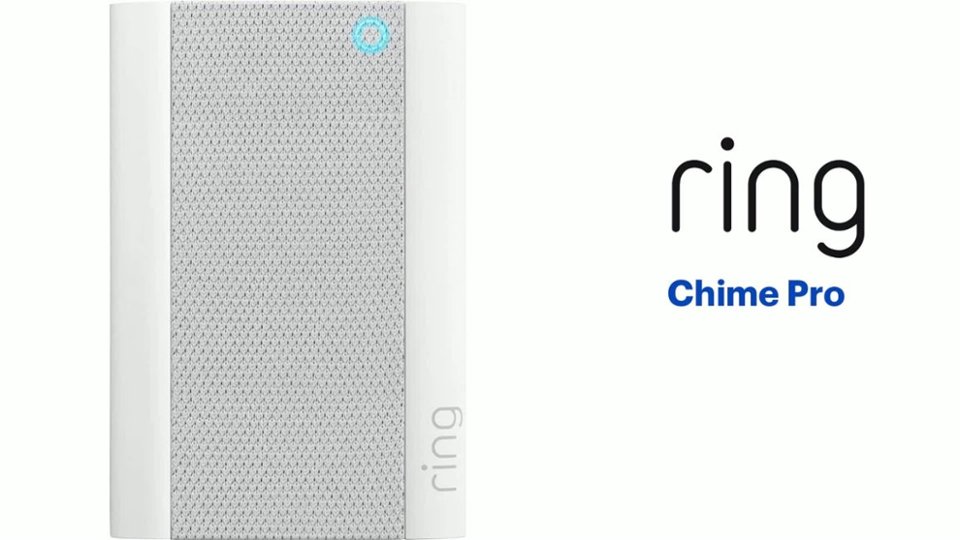
- Model:
- 8AC1PZ-0EN0
- SKU:
- 10560220
Rating by feature
- Video Quality
Rating 4.7 out of 5 stars
- Mobile App
Rating 4.8 out of 5 stars
- Sound Quality
Rating 4.7 out of 5 stars
Great stuff
||Posted .This reviewer received promo considerations or sweepstakes entry for writing a review.Alerts me when people are knocking my door and it’s the best option
I would recommend this to a friendDouble value 1 product
||Posted . Owned for 3 months when reviewed.This reviewer received promo considerations or sweepstakes entry for writing a review.Great value and I needed the wifi extender so double bonus .
I would recommend this to a friendJeff
||Posted . Owned for 3 weeks when reviewed.This reviewer received promo considerations or sweepstakes entry for writing a review.Excellent service and low pricing and helpful staff.
I would recommend this to a friendPiece of mind
||Posted . Owned for less than 1 week when reviewed.This reviewer received promo considerations or sweepstakes entry for writing a review.Best thing I ever purchased love it love it. Peace of mind
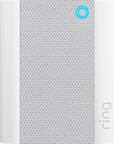
I would recommend this to a friendRing Chime
||Posted . Owned for 2 weeks when reviewed.This reviewer received promo considerations or sweepstakes entry for writing a review.Great addition to my ring and notify me with different tones.
I would recommend this to a friendRing
||Posted . Owned for 1 month when reviewed.This reviewer received promo considerations or sweepstakes entry for writing a review.Love it !!!! Will be buying another one in the near future !!!!!
I would recommend this to a friendLove the new designed Chime
||Posted . Owned for 3 weeks when reviewed.This reviewer received promo considerations or sweepstakes entry for writing a review.Love the new Sandy improved Ring Chime which had to be replaced
I would recommend this to a friendEquipment is good
||Posted . Owned for 3 weeks when reviewed.This reviewer received promo considerations or sweepstakes entry for writing a review.Great camera, but for some reason does not record all activities.
I would recommend this to a friendIt is good for connecting outdoor cameras
||Posted . Owned for 4 months when reviewed.This reviewer received promo considerations or sweepstakes entry for writing a review.This is much better than the previous version and it worked well to provide WiFi connection to my outdoor camera.
I would recommend this to a friendGreat Buy
||Posted . Owned for 1 month when reviewed.This reviewer received promo considerations or sweepstakes entry for writing a review.The Ring chime pro is the perfect addition to any ring doorbell.
I would recommend this to a friendGood purchase
||Posted . Owned for 1 month when reviewed.This reviewer received promo considerations or sweepstakes entry for writing a review.This item worked terrifically. Came in really handy
I would recommend this to a friendLove Lighting
||Posted . Owned for 2 months when reviewed.This reviewer received promo considerations or sweepstakes entry for writing a review.Really love that could change ringtones and move to anyplace
I would recommend this to a friendChime
||Posted . Owned for 3 weeks when reviewed.This reviewer received promo considerations or sweepstakes entry for writing a review.Just what we needed to expand WiFi coverage……………..
I would recommend this to a friendNeeded a boost
||Posted . Owned for 1 month when reviewed.This reviewer received promo considerations or sweepstakes entry for writing a review.My ring had fair signal and now it has very good signal. Def works!
I would recommend this to a friendRing ring
||Posted . Owned for 3 weeks when reviewed.This reviewer received promo considerations or sweepstakes entry for writing a review.Works well easy hook up. No connection problem at all.
I would recommend this to a friendHighly recommend
||Posted .This reviewer received promo considerations or sweepstakes entry for writing a review.I bought the replacement battery which I highly recommend.
I would recommend this to a friendEasy to set up, easy to use
||Posted . Owned for 1 month when reviewed.This reviewer received promo considerations or sweepstakes entry for writing a review.Very pleased! Would definately recommend, and have recommended!
I would recommend this to a friendChime Pro
||Posted . Owned for 1 year when reviewed.This reviewer received promo considerations or sweepstakes entry for writing a review.It drops connections intermittently but it has been helpful.
I would recommend this to a friendBrand response from Ring
Posted .Hi ValerieS.
Thank you for taking the time to share your experience with us. At Ring, we understand it is essential to have your Ring Chime Pro online and working properly so you can keep your home secure. Having a solid connection ensures you do not miss any activity around your home. We are here today to provide you with education to assist you in finding the best solution for your home’s environment.
It sounds like the device is not operating as expected in regard to connectivity. Even with your Ring Chime Pro, your router is still your main source of connection for your Ring device. Ideally, the maximum distance between the router and your device is 20-25 feet with the Ring Chime Pro about halfway between the Ring device and your router. If possible, try moving the router closer to the Ring device. Also, make sure your router is not in a closet or behind furniture, like a sofa, so the router has an unobstructed signal. To connect the Ring device to the Ring Chime Pro network, please follow the steps below.
1. Open the Ring app.
2. Tap the menu (≡).
3. Tap Devices and select your Ring Chime Pro.
4. Tap the Chime Pro Network tile.
5. Select Switch to Chime Pro Network and follow the prompts in the app.
6. Allow some time for your device to fully reconnect to the network, then check your wifi signal strength in Device Health to confirm it has successfully reconnected.
You can also hold down the reset button on the side of the Chime Pro for 10 seconds and release it to power cycle the Chime Pro.
If any additional information is needed regarding your Ring Chime Pro, please reach out to our community. Ring Community is our first peer-to-peer community forum, giving our customers the ability to help one another and share their feedback and experiences directly with Ring.
Thank you,
Miyuki from Ring.
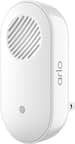
Ring Chime Pro
||Posted .This reviewer received promo considerations or sweepstakes entry for writing a review.Set up to increase WiFi to Ring door bell pro Works well
I would recommend this to a friendChime
||Posted . Owned for 1 month when reviewed.This reviewer received promo considerations or sweepstakes entry for writing a review.So far it works great itvwas a great recommendation
I would recommend this to a friendBrand response from Ring
Posted .Hello Happyteam,
Thank you for taking a moment to leave your review on the Ring Chime Pro. At Ring, we believe that stronger communities are the key to safer neighborhoods. That is why we are driven to create products that help you protect what matters most at home, and empower you to connect with your visitors from wherever you are.
Your experience with Ring is impactful on our future as a company, and we would love to hear from you directly on our Ring Community forum. If you have any experiences to share, questions regarding Ring and our services, or any feedback and product suggestions, we encourage you to have your voice be heard: https://community.ring.com/!
Thank you, Jamila with Ring