Customer Ratings & Reviews

- Model:
- 8AC1PZ-0EN0
- SKU:
- 10560220
Rating by feature
- Video Quality
Rating 4.7 out of 5 stars
- Mobile App
Rating 4.8 out of 5 stars
- Sound Quality
Rating 4.7 out of 5 stars
Chime
||Posted . Owned for 4 months when reviewed.This reviewer received promo considerations or sweepstakes entry for writing a review.Chime works pretty well, extended wifi connections need work on
I would recommend this to a friendBrand response from Ring
Posted .Hi Thao!
This device is designed to provide you with a quality internet connection to your Ring devices. It can also help amplify Ring alerts through your home. We’re here to gather further information, and help you get the most from your Ring Security.
For the Chime Pro to work as intended, you’ll need to switch your Ring doorbells and cameras to the Chime Pro Network. Please reference this article to learn how: https://support.ring.com/hc/en-us/articles/115003763123-Connecting-an-Existing-Ring-Product-to-Chime-Pro
Please pay close attention to the “Best Practices for Wifi Extenders” portion of the article, as device placement is key. Should you have additional questions, we are happy to find the best solution for you. Additionally, please feel free to reach out to our Ring Community forum at https://community.ring.com/, where Ring users like yourself share their personal experiences with Ring.
Regards,
Caitlin with Ring
Ring
||Posted . Owned for 3 weeks when reviewed.This reviewer received promo considerations or sweepstakes entry for writing a review.Not needed could have just brought the regular ring chime instead
No, I would not recommend this to a friendBrand response from Ring
Posted .Hello Pooh!
Your satisfaction with your Ring security is of the utmost importance to us. We would love to get connected with you to ensure you have the Ring Chime that best suits your needs. The Ring Chime Pro is designed to be a wifi extender in addition to alerting you of doorbell and motion alerts. If you choose to connect your Ring devices to the Chime Pro, you will experience enhanced performance to all connected Ring devices.
If you have any additional questions or concerns, we would like to invite you to check out our Ring Community forum, where other Ring users like yourself come together to share their experiences with Ring: https://community.ring.com/.
Kindly,
Caitlin with Ring
Dissapointed
||Posted . Owned for 1 week when reviewed.This reviewer received promo considerations or sweepstakes entry for writing a review.Had the chime pro for 1 week, constantly disconnected from wifi and then just stopped connecting all together. Ive tryed unplugging it and forgetting the device and reconnecting and the ring app doesnt even recognize it and wont connect to it. It also gets alarmingly HOT! I will be returning it and trying the 1st generation chime.
No, I would not recommend this to a friendBrand response from Ring
Posted .Hi Toria.
Thank you for taking the time to share your experience with the Ring Chime Pro.
We understand how important it is for your Ring device to have a strong and consistent wifi connection. Being able to rely on alerts from your Ring Chime Pro is an essential feature of the device. We would love the opportunity to work with you to ensure your device is working as it should.
It sounds like you have some concerns about your device falling offline and not being able to reconnect it. If your Ring Chime Pro keeps disconnecting from wifi, it could be too far from the router. The ideal placement for your Chime Pro is about halfway between your wifi router and the device it’s connected to. Wifi extenders work best with devices that won’t be moved. The maximum distance between the router and the device should be under 30 feet (ideally 20–25 feet).
If the distance is greater than 30 feet, you might need a different solution to resolve a weak wifi signal, like a mesh network rather than a wifi extender. A wifi router creates a single access point that broadcasts a signal. The further the signal has to go, the weaker the signal gets. A mesh network creates multiple points of access to distribute wifi signals and keeps each signal strong.
Follow the steps below to check your wifi signal strength:
Open the Ring app.
Tap the menu (≡) on the top left.
Tap Devices.
Select your Chime Pro.
Tap Device Health.
Your RSSI signal should be lower than -65.
Visit our support center for more information.
Ring Community was established to assist in providing our neighbors with the most recent news and instructional material. Four sections make up this online forum: Ring Updates, Product Boards, Tips & Tricks, and a Moderators' Corner. You can start new topics on the Product Boards with your questions or suggestions; a search function will assist you in locating subjects that other neighbors have previously posted.
All the best,
Nicole from Ring.
It's ok
||Posted . Owned for 2 weeks when reviewed.This reviewer received promo considerations or sweepstakes entry for writing a review.Setup was easy but the chime is really low. It could be better
No, I would not recommend this to a friendBrand response from Ring
Posted .Hello SueS,
Thank you for taking the time to share your Ring experience with us. We appreciate that you have placed value in owning a Ring device to secure your home. Our top priority at Ring is to ensure that our customers have the best possible experience with our products. We really appreciate your feedback. Our team is always striving to improve our products and their performance.
Based on your review, it seems that you are not able to change the alert tone of the Ring Chime. To change the alert tone, select your Ring Chime under the device tab on the Ring App. You have the option to change and customize Chime tones for Alerts and Notifications. From there, you can select audio settings and adjust the volume on your Ring Chime.
The Chime tones available are:
Silent
Windchimes (plays once)
Windchimes (plays 3x)
Cowbell
Echo
Navi
Dogs
Ping Pong
Sonar
Xylophone
Siren
Please see our help center article for more information: https://support.ring.com/hc/en-us/articles/214363386-Selecting-Chime-Tones-for-the-Ring-Chime.
Ring Community is our first peer-to-peer community forum, giving our customers the ability to help one another and share their feedback/experiences with Ring. We invite you to reach out at https://community.ring.com/ if any additional information is needed regarding your Ring Chime concern.
Thank you, Jamila, with Ring.
chime pro
||Posted . Owned for 1 month when reviewed.This reviewer received promo considerations or sweepstakes entry for writing a review.Helped some with wifi extension but not as much as needed
No, I would not recommend this to a friendBrand response from Ring
Posted .Hello Beth,
Thank you for leaving a review. We completely understand the relevance of having your home security up and running. Having peace of mind that your device’s connectivity is solid is also very important. As a consumer, I also expect a product to perform at its optimal use. If you are noticing that your Chime Pro is not extending your WIFI as far we recommend moving the Chime Pro closer to your Ring device. If you have tried the above suggestion and still need assistance, please reach out to us directly at 18006561918. We look forward to hearing from you. -Jamila at Ring
Chime pro
||Posted . Owned for 3 weeks when reviewed.This reviewer received promo considerations or sweepstakes entry for writing a review.Not a great extender but camera works somewhat better
No, I would not recommend this to a friendBrand response from Ring
Posted .Hello,
We understand how important it is to experience a reliable connection to your home security devices. The Ring Chime Pro is intended to help better your connection to Ring doorbells and cameras. With proper placement and the Chime Pro Network, you should notice a significant difference. Our team is here to ensure that is the case.
Placement of your Chime Pro is key. For the initial setup of the Chime Pro, place it within a 20 feet radius of your router to ensure a successful setup. Once the unit is set up, move your Chime Pro halfway between the router and the Ring device.
If your Chime Pro has trouble re-connecting, then it might be due to interference. Some things that can cause interference include (but are not limited to):
* Materials such as stucco, brick, or concrete.
* House appliances such as microwaves.
* Electronic devices such as televisions, game systems, or wifi enabled devices.
To ensure the best performance, please test a few different locations. You’ll find that one area provides the best performance. We invite you to visit our Community Forum for some additional tips and tricks, as well as additional support. For any additional questions or concerns, please feel free to reach out on our community forum at https://community.ring.com/.
Regards,
Antonio from Ring
Booster
||Posted . Owned for 9 months when reviewed.This reviewer received promo considerations or sweepstakes entry for writing a review.It helps with the cameras outside the house..........
I would recommend this to a friendBrand response from Ring
Posted .Hello Holman,
Our top priority at Ring is to ensure that our customers have the best possible experience with our products. We really appreciate your feedback. Our team is always striving to improve our products and their performance.
Each home's unique layout will affect how far this device's network will reach. Please bear in mind that heavy-duty materials such as brick, metal, cement and large appliances can affect a wifi signal.
For optimal performance, please use the Chime Pro Placement Test feature. This can help ensure you have a good installation. To learn more, please visit this article: https://support.ring.com/hc/en-us/articles/360052520292-Using-Chime-Pro-Placement-Test-to-optimize-your-wifi
For any additional questions or concerns, please feel free to reach out on our community forum at https://community.ring.com/.
Thank you,
Antonio from Ring
Ring chime pro
||Posted . Owned for 3 weeks when reviewed.This reviewer received promo considerations or sweepstakes entry for writing a review.Definitely helps if ur wifi signal on ur ring is weak buy this
I would recommend this to a friendBrand response from Ring
Posted .Hello VeeJ,
Thank you for taking a moment to leave your review on the Ring Chime Pro. At Ring, we believe that stronger communities are the key to safer neighborhoods. That is why we are driven to create products that help you protect what matters most at home, and empower you to connect with your visitors from wherever you are.
Your experience with Ring is impactful on our future as a company, and we would love to hear from you directly on our Ring Community forum. If you have any experiences to share, questions regarding Ring and our services, or any feedback and product suggestions, we encourage you to have your voice be heard: https://community.ring.com/!
Thank you, Jamila with Ring
It’s okay
||Posted .This reviewer received promo considerations or sweepstakes entry for writing a review.Doesn’t do a good job extending the WiFi for my ring doorbell device. It has a delayed reaction from my ring doorbell to my chime pro. It doesn’t perform how I thought it would. Debating to keep it or just return it because I bought it mostly for the WiFi extension.
No, I would not recommend this to a friendBrand response from Ring
Posted .Hello ToBuyOrNotToBuy,
We know how important it is to have a stable internet connection to your devices. This Ring Chime Pro is intended to improve the internet connection to your Ring devices by extending your home wifi signal. Our team is here to help you find a solution.
To use the extender, you must ensure your Ring devices have switched from your home wifi over to the Chime Pro Network.
To learn how, please see our support article here: https://support.ring.com/hc/en-us/articles/115003763123-Connecting-an-Existing-Ring-Product-to-Chime-Pro
For more tips, tricks and further support, please visit our Community Forums here: https://community.ring.com/
All the best,
Marlom at Ring
Poor lighting
||Posted . Owned for 1 month when reviewed.This reviewer received promo considerations or sweepstakes entry for writing a review.Needs a better night light if no light is around the camera is dark
No, I would not recommend this to a friendBrand response from Ring
Posted .Hi BJDaBonder.
Thank you for taking the time to share your experience with us. We understand the importance of having your Ring device function consistently and reliably so that you can effectively monitor your home. The features and functionality of the Ring Chime Pro provide you with peace of mind about your home security. We can definitely provide you with more information regarding the concern mentioned in your review.
Some Ring devices are designed with the "Color Night Vision" feature. "Color Night Vision" adds color to video in low light for improved clarity and motion detection. With the feature turned off, your Ring device will show video captured at night in black and white. We have included a link here to an article on our website with more information on how to enable "Color Night Vision" on your Ring Device. https://ring.com/support/articles/83hut/Turning-Color-Night-Vision-On-or-Off-in-the-Ring-App.
Ring Community was launched to help deliver the most current news and educational information to our neighbors. This online forum is divided into four categories: Product Boards, Ring Updates, Tips + Tricks, and a Moderators’ Corner. The Product Boards are where you can begin new topics with your questions or feedback; there is also a search option that helps you find topics that have already been posted by other neighbors. We invite you to visit our community today for more information on your Ring Chime Pro.
Thank you,
Melissa from Ring.
Saving up for different doorbell/security light sy
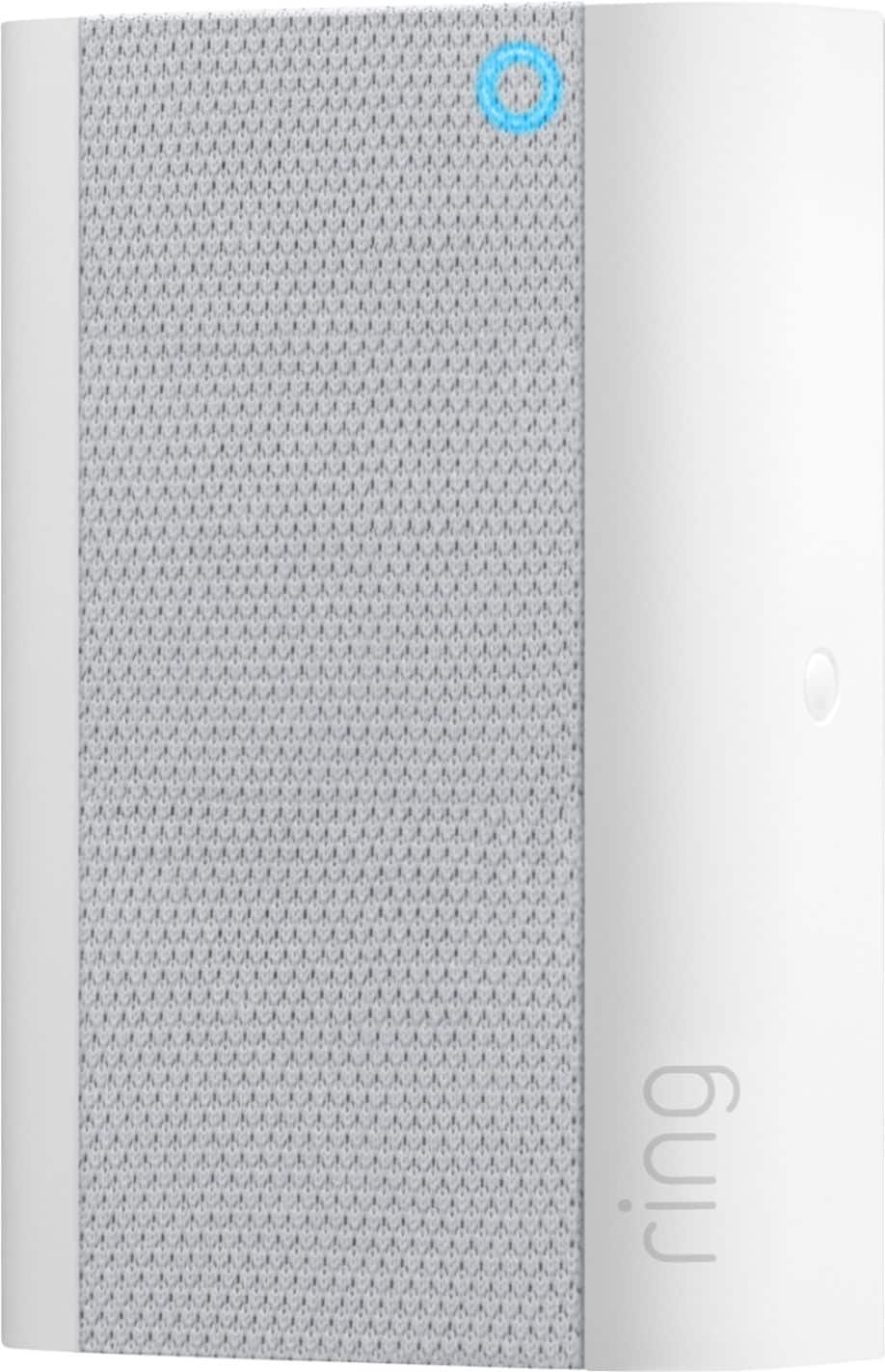
||Posted . Owned for 11 months when reviewed.This reviewer received promo considerations or sweepstakes entry for writing a review.It has a cute little blue light in the upper right corner, but after three attempts by myself and two by other computer techs, over the past couple of years, it will not sync up with the Ring Doorbell. Bought this to add another door bell in a different part of the house. (Nighthawk RAX50, 81%WiFi signal at the Chime)
No, I would not recommend this to a friendBrand response from Ring
Posted .Hi GaryP.
Thank you for taking the time to share your experience with us.
We understand the importance of a seamless setup process so that you can begin using your Ring Chime Pro right away. Being able to rely on the alerts to know when someone is at your door is an essential feature of the Ring Chime Pro. We want to ensure your device is working as intended by providing you with solutions to resolve the concern you mentioned in your review.
It sounds like your Ring Chime Pro has not been able to connect. If your Ring Chime Pro does not seem to be connecting when you’re first setting it up or is not showing any light patterns, try moving the Chime Pro to another outlet. Once a light pattern appears, it will take at least 30 seconds before the device goes into setup mode.
If you’ve had your Chime Pro for a while and it seems unresponsive, make sure that it’s connected to wifi and that the firmware (internal software) is updated. You can check both of these things in the Ring app under Device Health:
Open the Ring app.
Tap the menu (≡) on the top left of the screen to open the side menu.
Tap Devices.
Select your Chime Pro.
Tap Device Health.
If your Chime Pro is not connected to wifi, you’ll see an option to "Reconnect to wifi." If your firmware says “up to date," then you have the latest version. If your firmware is not up-to-date, you may see numbers that represent the version of firmware that you have. You may need help from Ring Support to get it updated. Please reach out to our support team for additional assistance.
We invite you to reach out to our Community if any additional information is needed regarding your question. The Ring Community is our first peer-to-peer community forum, giving our customers the ability to help one another by sharing their feedback and experiences with each other.
All the best,
Nicole from Ring.
Did not extend WiFi signal
||Posted . Owned for 1 month when reviewed.This reviewer received promo considerations or sweepstakes entry for writing a review.Did not extend the WiFi signal to our Ring Camera. Tried in multiple locations in the house.
No, I would not recommend this to a friendBrand response from Ring
Posted .Hi SarahJ.
Thank you for taking the time to share your experience with us. We understand the importance of having a consistent wifi signal on your Ring device. Having a solid connection ensures you do not miss any activity around your home. We are eager to address the issue you raised in your review and provide you with a resolution today.
It sounds like the device is not operating as expected. Even with your Chime Pro, your router is still your main source of connection for your Ring device. Ideally, the maximum distance between the router and your device is 20-25 feet with the Chime Pro about halfway between the Ring device and your router. If possible, try moving the router closer to the device. Also, make sure your router is not in a closet or behind furniture, like a sofa, so the router has an unobstructed signal.
We invite you to reach out to our community if any additional information is needed regarding your Ring Chime Pro. The Ring Community is our first peer-to-peer community forum, giving our customers the ability to help one another by sharing their feedback and experiences with each other.
Thank you,
Melissa from Ring.
It’s not really superior by the old chime
||Posted . Owned for 1 month when reviewed.This reviewer received promo considerations or sweepstakes entry for writing a review.It’s not really superior by the old chime so just thrown my money
No, I would not recommend this to a friendBrand response from Ring
Posted .Hi Pako.
Thank you for taking the time to share your experience with us. We understand the importance of having all relevant product information prior to purchasing. The features and functionality of the Ring Chime Pro are incredibly valuable and help provide you with peace of mind about your home security. We can definitely provide you with more information regarding the concern mentioned in your review.
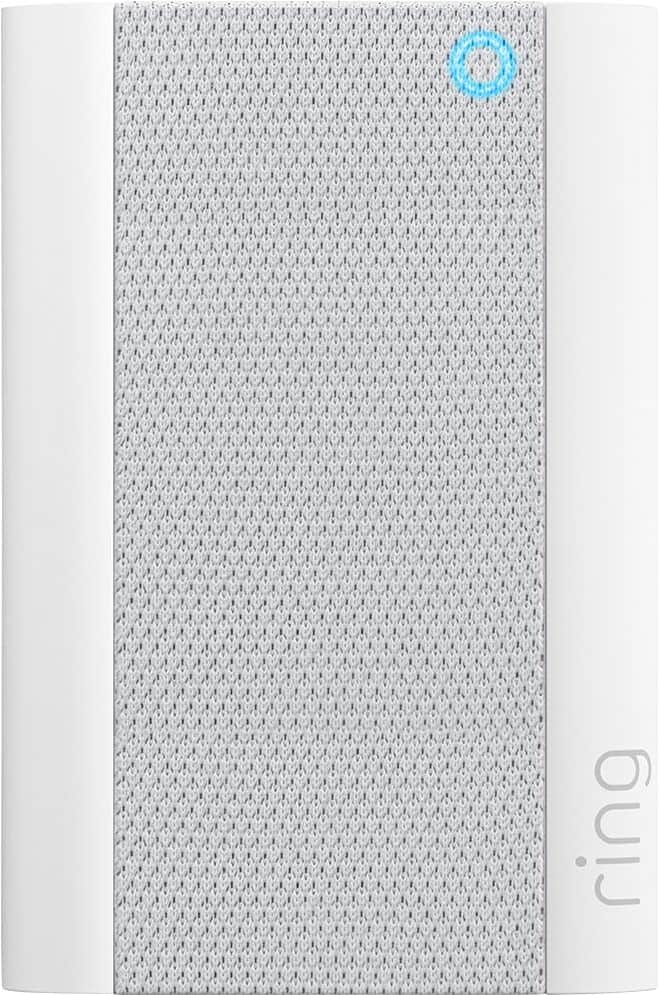
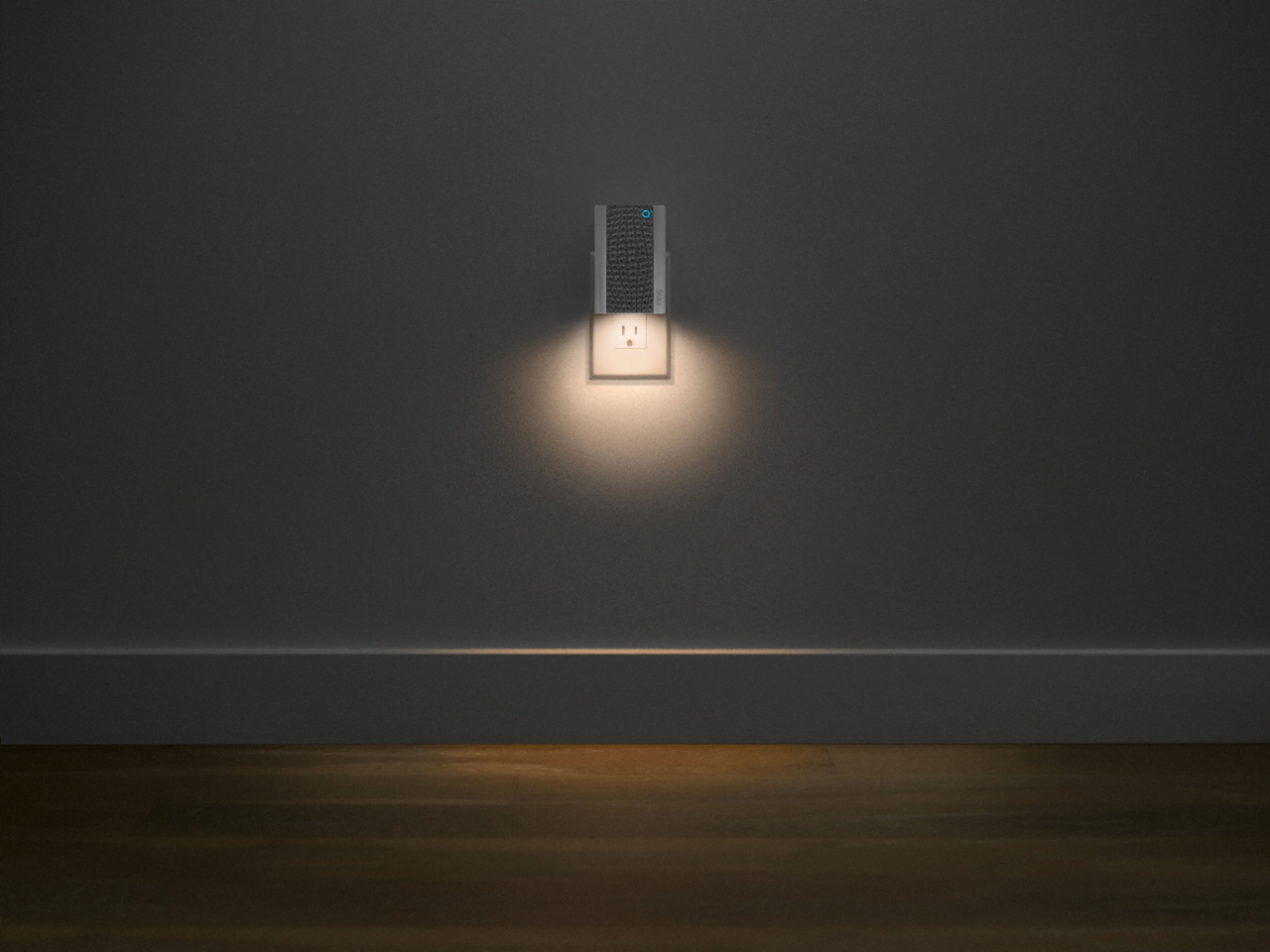
The Ring Chime and Chime Pro can play audio alerts when motion is detected on your Ring device or when someone presses your Ring doorbell. The Ring Chime Pro (2nd Generation) is the updated version of the Ring Chime Pro (1st Generation) wifi extender. It features a new design, built-in nightlight, dual-band 2.4 GHz and 5 GHz wifi connectivity, and guided feedback during setup that helps you find the best location for your Chime Pro.
We invite you to reach out to our community if any additional information is needed regarding your Ring Chime Pro. The Ring Community is our first peer-to-peer community forum, giving our customers the ability to help one another by sharing their feedback and experiences with each other. Please let us know if we can be of further assistance!
Thank you,
Melissa from Ring.
Worth it!!
||Posted . Owned for 3 weeks when reviewed.This reviewer received promo considerations or sweepstakes entry for writing a review.This is the real deal! Got this when I upgraded my unit. And I’m the better for it. Works flawless and was a deal at Best Buy.
I would recommend this to a friendDoorbell chime and extender
||Posted . Owned for 1 month when reviewed.This reviewer received promo considerations or sweepstakes entry for writing a review.My doorbells are way more responsive. My back door use to be hit or Miss with connecting. Now I can view them fairly quickly
I would recommend this to a friendOk
||Posted . Owned for 3 weeks when reviewed.This reviewer received promo considerations or sweepstakes entry for writing a review.Easy to use and connect, but didn’t boost my signal at all.
No, I would not recommend this to a friendBrand response from Ring
Posted .Hello SMRel,
Thank you for leaving a review. Here at Ring, we understand how critical it is for your Ring Chime Pro to work as intended. It's a key component to ensure all connected Ring devices have a strong signal, along with providing an internal audio effect through your home. We are here to lend some assistance.
Based on your review, it seems that you are having trouble with your Ring Chime Pro extending your wifi signal. When this happens, we recommend moving your Chime Pro. The ideal placement for your Chime Pro is about halfway between your wifi router and the device it’s connected to.
Wifi extenders work best with devices that won’t be moved, and ideally, the maximum distance between the router and the device should be under 30 feet. If the distance is greater than 30 feet, you might need a different solution to a weak wifi signal, like a mesh network instead of a wifi extender. A wifi router creates a single access point that broadcasts a signal. The further the signal has to go, the weaker the signal gets.
For more information on troubleshooting your Ring Chime Pro, please see our help center
article: https://support.ring.com/hc/en-us/articles/360048673232-Troubleshooting-Your-Ring-Chime-Pro-and-Understanding-Light-Patterns.
For any additional questions or concerns regarding your Ring Chime Pro, please feel free to reach out on our community forum at https://community.ring.com/. We look forward to hearing from you soon.
Thank you, Jamila with Ring.
Nice chime
||Posted . Owned for 1 month when reviewed.This reviewer received promo considerations or sweepstakes entry for writing a review.doesn't help with wifi service no matter where I place it
I would recommend this to a friendBrand response from Ring
Posted .Hello Mimi,
Here at Ring, we understand how critical it is for your Ring Chime Pro to work as intended. It's a key component to ensure all connected Ring devices have a strong signal, along with providing an internal audio effect through your home. We are here to lend some assistance.
Based on your review, it seems that you are having trouble with your Ring Chime Pro extending your wifi signal. When this happens, we recommend moving your Chime Pro. The ideal placement for your Chime Pro is about halfway between your wifi router and the device it’s connected to.
Wifi extenders work best with devices that won’t be moved, and ideally, the maximum distance between the router and the device should be under 30 feet. If the distance is greater than 30 feet, you might need a different solution to a weak wifi signal, like a mesh network instead of a wifi extender. A wifi router creates a single access point that broadcasts a signal. The further the signal has to go, the weaker the signal gets.
For more information on troubleshooting your Ring Chime Pro, please see our help center
article: https://support.ring.com/hc/en-us/articles/360048673232-Troubleshooting-Your-Ring-Chime-Pro-and-Understanding-Light-Patterns.
For any additional questions or concerns regarding your Ring Chime Pro, please feel free to reach out on our community forum at https://community.ring.com/. We look forward to hearing from you soon.
Thank you, Jamila with Ring.
Pretty good
||Posted . Owned for 3 weeks when reviewed.This reviewer received promo considerations or sweepstakes entry for writing a review.Chime works. Unfortunately does not extend my WiFi very far.
No, I would not recommend this to a friendBrand response from Ring
Posted .Hi Robert.
Thank you for taking the time to share your experience with us. We understand the importance of having a consistent wifi signal on your Ring device. Having a solid connection ensures you do not miss any activity around your home. We are eager to address the issue you raised in your review and provide you with a resolution today.
It sounds like the device is not operating as expected. Even with your Chime Pro, your router is still your main source of connection for your Ring device. Ideally, the maximum distance between the router and your device is 20-25 feet with the Chime Pro about halfway between the Ring device and your router. If possible, try moving the router closer to the device. Also, make sure your router is not in a closet or behind furniture, like a sofa, so the router has an unobstructed signal.
We invite you to reach out to our community if any additional information is needed regarding your Ring Chime Pro. The Ring Community is our first peer-to-peer community forum, giving our customers the ability to help one another by sharing their feedback and experiences with each other.
Thank you,
Melissa from Ring.
Stay away from Ring
||Posted . Owned for less than 1 week when reviewed.This reviewer received promo considerations or sweepstakes entry for writing a review.I purchased 4 ring spotlight battery cams and one wired spotlight cam. Bjg mistake. I should have done my homework. I installed everything and thought I would have loved the system. The cameras felt a little cheap but that wasn't an issue for me. The problems were horrible audio quality, very subpar resolution for what they call 1080p video, numerous connectivity issues, and lights that you had absolutely zero way of turning off or snoozing. I returned these cameras and decided to spend the extra money to buy nest cameras. Also run on the exact same wifi at the exact same locations with zero problems. The video quality is fantastic and the audio is clean and clear. Do your homework people. I'll leave it at that.
No, I would not recommend this to a friendBrand response from Ring
Posted .Hello TAVITO, Thank you for taking a moment to leave your review of the Ring Spotlight Camera. At Ring, we believe that stronger communities are the key to safer neighborhoods. That is why we are driven to create products that help you protect what matters most at home, and empower you to connect with your visitors from wherever you are. We are saddened to read that this device did not meet your expectations, but are still here to assist you, if needed. If you still have the Ring device in your possession, we invite you to reach out to us at https://community.ring.com/. Ring Community is our first peer-to-peer community forum, giving our customers the ability to help one another and share their personal feedback/experiences with Ring. We look forward to hearing from you, if we can be of any further assistance! Thank you, Jamila with Ring
Simply not worth the money...
||Posted . Owned for 1 month when reviewed.This reviewer received promo considerations or sweepstakes entry for writing a review.I took all back...returned and installed another system. The ring shut itself off and had a hard time getting it back up again. Finally just boxed it all back up and returned it.
No, I would not recommend this to a friendBrand response from Ring
Posted .Hi Yaya. This Help Center article here has some great tips and tricks for getting your Ring Chime Pro up and running. If you have any further questions or concerns, try browsing the Ring Community at https://community.ring.com/. As our first peer-to-peer forum, the Ring Community allows you to ask questions and interact with other neighbors to discuss your Ring devices. Best wishes, David with Ring.