Customer Ratings & Reviews
- Model:
- B0B6GJBKRK
- SKU:
- 11470658
Rating by feature
- Value
Rating 4.8 out of 5 stars
- Quality
Rating 4.8 out of 5 stars
- Ease of Use
Rating 4.8 out of 5 stars
Ring Camera
||Posted . Owned for 4 months when reviewed.This reviewer received promo considerations or sweepstakes entry for writing a review.Just wish it had a little wider of a screen/camera grab.
I would recommend this to a friendGreat camera, needs more mounting options.
||Posted . Owned for 1 month when reviewed.This reviewer received promo considerations or sweepstakes entry for writing a review.Great camera, easy to install. Would like more mounting options.
I would recommend this to a friendcamera
||Posted . Owned for 1 month when reviewed.This reviewer received promo considerations or sweepstakes entry for writing a review.work good,but i have to reset camera and password when power goes out
I would recommend this to a friendRing Desk cam
||Posted . Owned for 1 month when reviewed.This reviewer received promo considerations or sweepstakes entry for writing a review.Average sound and picture. The delay seems longer when trying to view videos or live when compared to other cameras. nice budget option
I would recommend this to a friendBrand response from Ring
Posted .Hi Customer202020.
Thank you for sharing your experience with us. We understand how critical it is for your Ring Indoor Cam, 2nd Gen to detect motion accurately so that you can be alerted within the Ring app to any motion activity around your home. Rest assured, we are here today to provide you with some information in order to ensure you get the most out of your motion detection! We are confident we can find a solution that works well for you and your home’s environment.
I would be happy to address your concern regarding the issue that you are experiencing with the delay in motion detection of your Ring Indoor Cam, 2nd Gen. It is important to ensure that you have the proper motion settings in place for your environment. This includes increasing the "Motion Sensitivity" and setting "Motion Frequency" to "Frequently" in the Ring app. To optimize your motion zones and ensure that the device will detect accurately, please follow these steps:
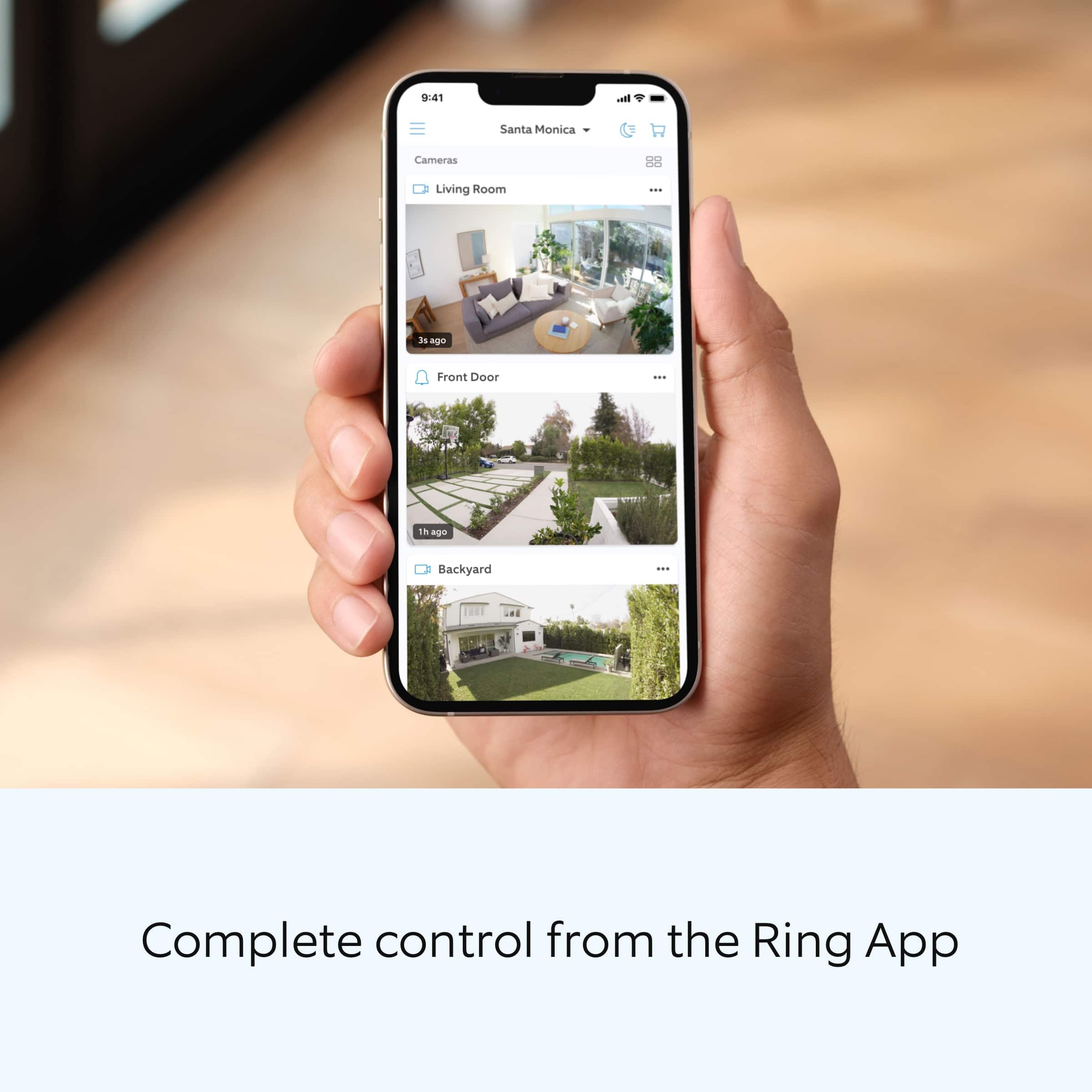
Open the Ring app.
Tap the menu (≡) on the top left.
Tap Devices.
Tap the relevant device.
Tap Motion Settings.
At the top, tap Edit Zones or scroll down to tap Camera Motion Zones.
Note: If you are using a battery-powered device, you may need to toggle on Advanced Motion Detection under Advanced Settings before you can add customizable Motion Zones.
To adjust an existing Motion Zone: tap the Zone you want to adjust, then drag the points of the Zone to do so. Tap Save.
To add a new Motion Zone: tap Add Zone and drag the points of the Zone. Tap Save.
Accuracy in motion detection can also be improved by enabling Smart Alerts for people only in your Ring app.
To enable Smart Alerts:
Tap the menu (≡) on the top left.
Tap Devices.
Tap the device that you want to adjust.
Tap Motion Settings.
Tap Smart Alerts.
Tap Enable Feature.
Tap Continue.
Select the notification options that you want for Person and Other Motion.
You'll see a video camera where you can select or de-select recording and a bell icon to represent alert notifications.
After you've adjusted your settings tap Done.
If any additional information is needed regarding your Ring Indoor Cam, 2nd Gen question, please reach out to our community team. The Ring Community is our first peer-to-peer community forum, giving our customers the ability to help one another by sharing their feedback and experiences with each other.
Thank you,
Miyuki from Ring.
Perfect For Home Safety
||Posted . Owned for 3 weeks when reviewed.This reviewer received promo considerations or sweepstakes entry for writing a review.I like it alot. It’s helpful to see who is at my door.
I would recommend this to a friendInside or outside options
||Posted . Owned for 3 weeks when reviewed.This reviewer received promo considerations or sweepstakes entry for writing a review.Gives me an inside or outside camera options when needed.
I would recommend this to a friendGood deal
||Posted . Owned for 3 weeks when reviewed.This reviewer received promo considerations or sweepstakes entry for writing a review.Good product;...............................basic.
I would recommend this to a friendSecurity Indoor Cam
||Posted . Owned for 3 weeks when reviewed.This reviewer received promo considerations or sweepstakes entry for writing a review.Good product, clear visibility and easy to install.
I would recommend this to a friendRossana A
||Posted . Owned for 1 month when reviewed.This reviewer received promo considerations or sweepstakes entry for writing a review.The device did not have any instruction on how to install on the wall if one wished to do so. Plus the price is a bit on the high range which is a negative for the product.
No, I would not recommend this to a friendBrand response from Ring
Posted .Hi RossanaA.
Thank you for taking the time to share your feedback with us.
We understand the importance of a seamless installation process, as this allows you to start using your Ring Indoor Cam (2nd Gen) right away. The features and technology provided by the Ring Indoor Cam (2nd Gen) are incredibly valuable and help provide you with peace of mind about your home security. We can definitely provide you with more information regarding the concern mentioned in your review.
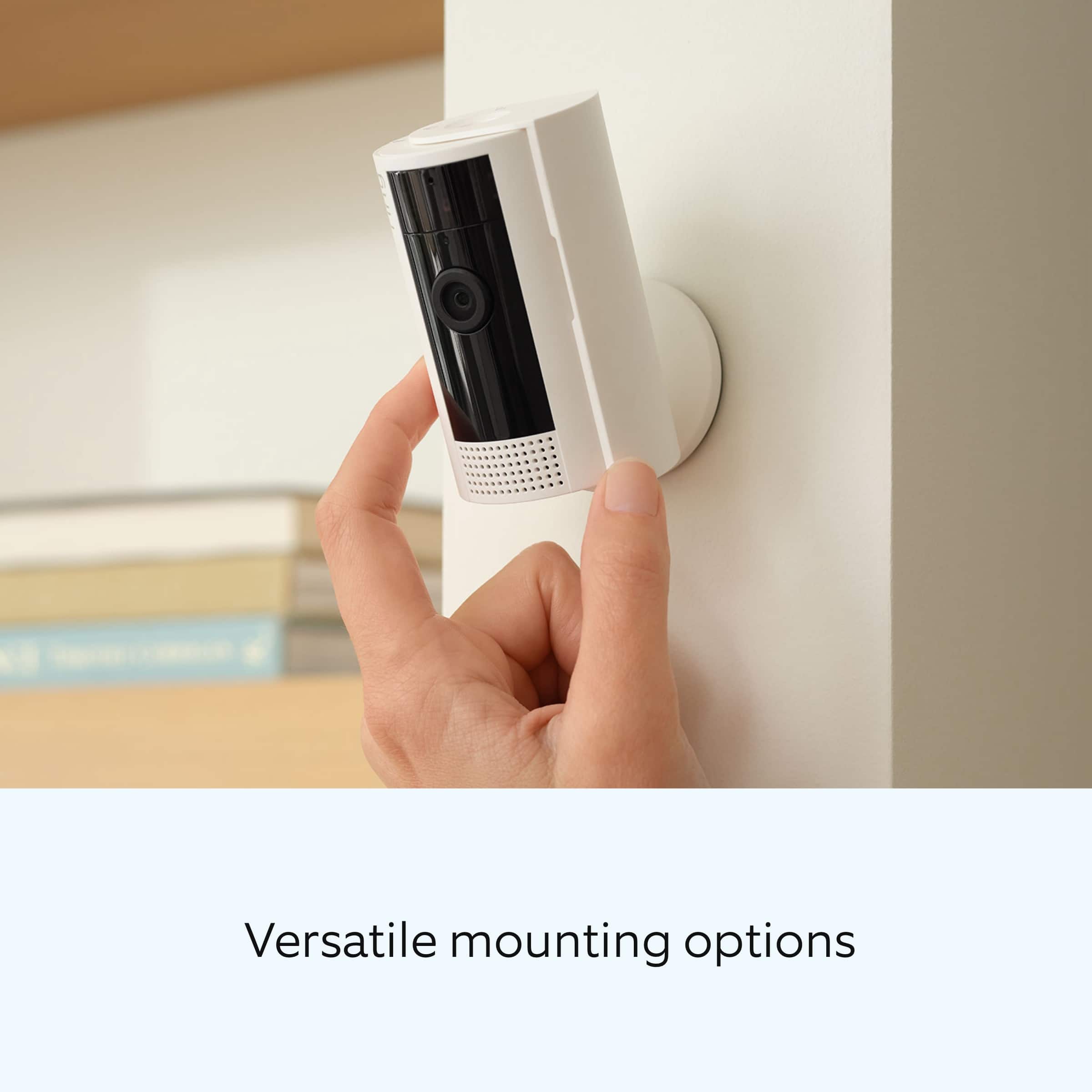
It sounds like you have some questions regarding installing your device on a wall. The Ring Indoor Cam can be mounted anywhere indoors on its own stand, or it can be mounted to a wall or ceiling. Follow these steps to install your device on a wall or ceiling:
Slide down to unlock and remove the mounting plate.
Install the mounting plate on the wall.
Slide the Indoor Cam onto the mounting plate.
Adjust the camera angle.
Visit our support center for more information on the step-by-step process to install your Indoor Cam (2nd Gen).
Ring Community was launched to help deliver the most current news and educational information to our neighbors. This online forum is divided into four categories: Product Boards, Ring Updates, Tips + Tricks, and a Moderators’ Corner. The Product Boards are where you can begin new topics with your questions or feedback; there is also a search option that helps you find topics that have already been posted by other neighbors.
All the best,
Nicole from Ring.
Worst ring product
||Posted . Owned for 1 month when reviewed.This reviewer received promo considerations or sweepstakes entry for writing a review.It constantly disconnects from my WIFI. Image quality is worse than my original which I had for ~8 years.
No, I would not recommend this to a friendBrand response from Ring
Posted .Hi RWD3.
Thank you for taking the time to share your experience with us. We understand the importance of having a consistent wifi signal on the Ring Indoor Cam (2nd Generation). Having a solid connection ensures you do not miss any activity around your home. We are here to provide you with some information to resolve the connection issue you mentioned in your review.
It sounds like the device is not operating as intended. Ring devices require high-speed internet to bring you crisp, clear video and audio. Poor network connectivity can affect the performance of your Ring device. Identify and troubleshoot what is causing connectivity issues for Ring devices to give you the best possible video and audio experience.
To determine whether or not the problem is caused by poor upload speed, run a speed test to determine if your network can support Ring devices. Ring devices with 1080p video require at least 1 Mbps upload and download speeds, though 2 Mbps is recommended for optimal performance. In addition to ensuring that you have sufficient wifi speeds, you will also want to check the signal strength of your device. A poor wifi signal can cause connectivity with your Ring device to be unreliable. Check the Device Health section of your Ring application to ensure the device’s RSSI is within an acceptable range. The recommended range for optimal performance is 0 to -60 for the RSSI.
For more information on your Ring Indoor Cam (2nd Generation), we invite you to reach out to our community. Ring Community is our first peer-to-peer community forum, giving our customers the ability to help one another and share their personal feedback and experiences with Ring. We look forward to hearing from you if we can be of any further assistance!
Thank you,
Amilia from Ring.
YOU GET WHAT YOU PAID FOR
||Posted . Owned for 3 weeks when reviewed.This reviewer received promo considerations or sweepstakes entry for writing a review.This security camera works great during the day. However, its performance in the night or where there is very little light leaves much to be desired. I guess you get what you paid for.
I would recommend this to a friendBrand response from Ring
Posted .Hi MrAnderson.
Thank you for taking the time to share your experience with us. We understand the importance of having your Ring Indoor Cam (2nd Gen.) record clear and concise videos so that you can effectively monitor your home. The features and technology provided by the Ring Indoor Cam (2nd Gen.) are incredibly valuable and help provide you with peace of mind about your home security. We can definitely assist you with this today, and we are confident we can find the correct settings for your home’s environment.
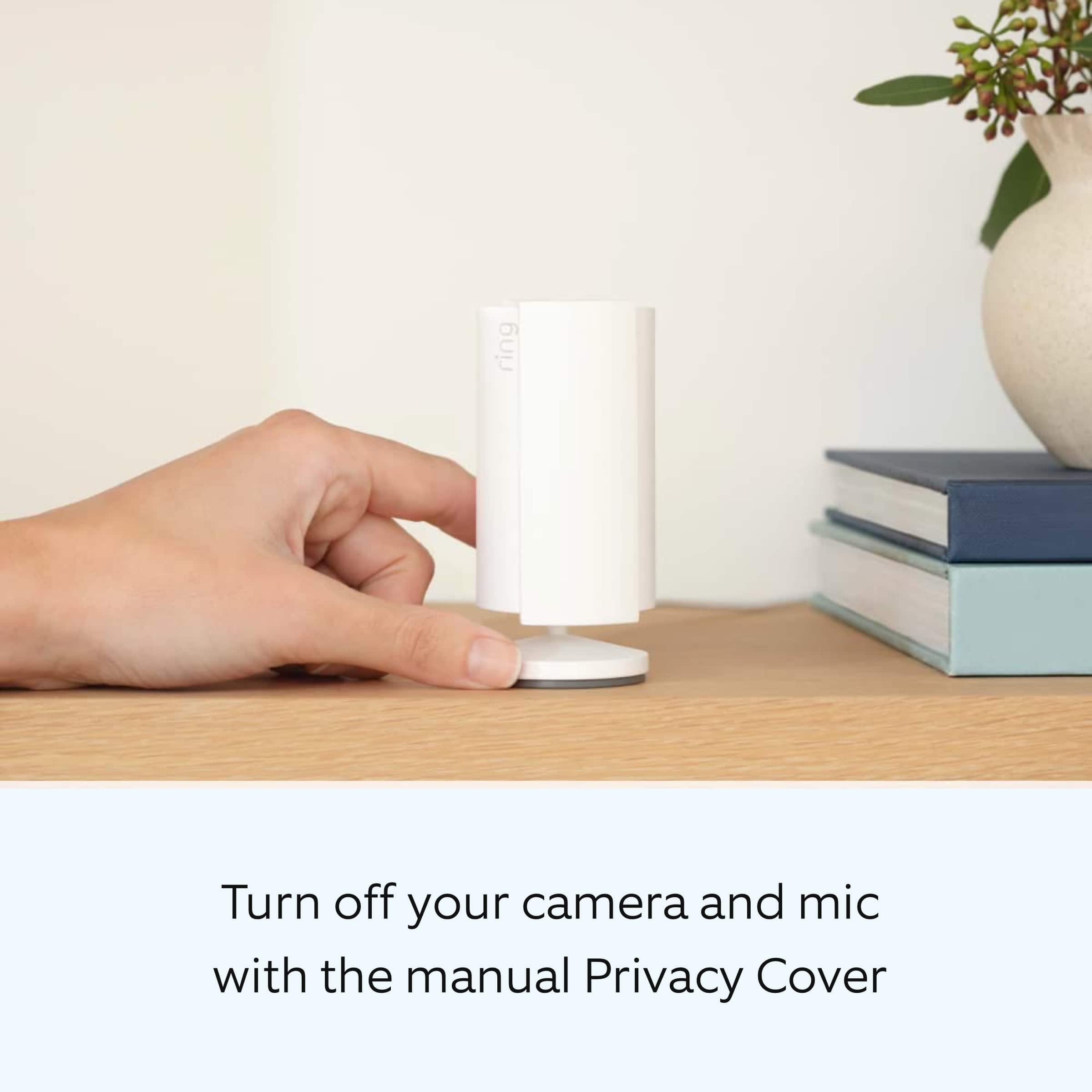
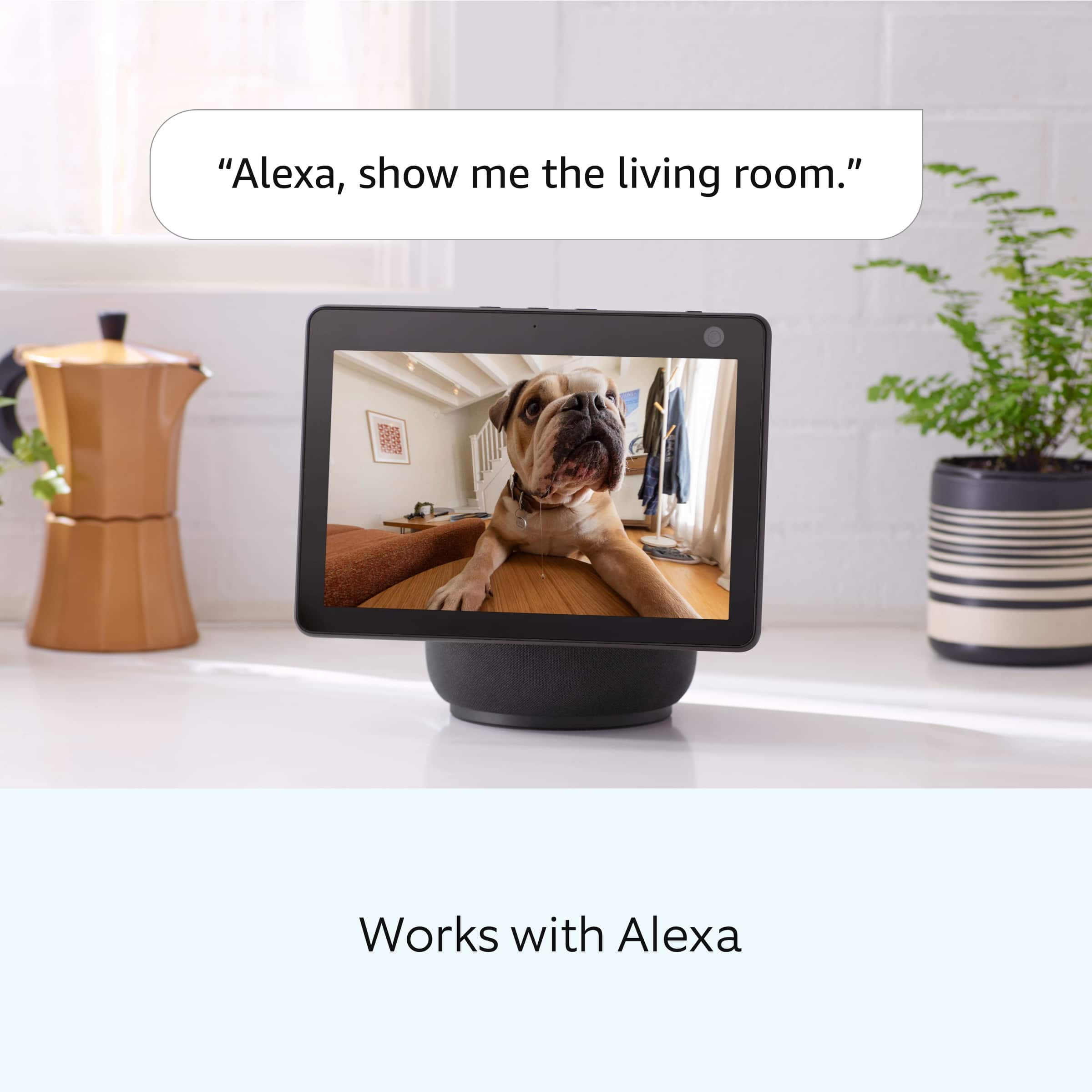
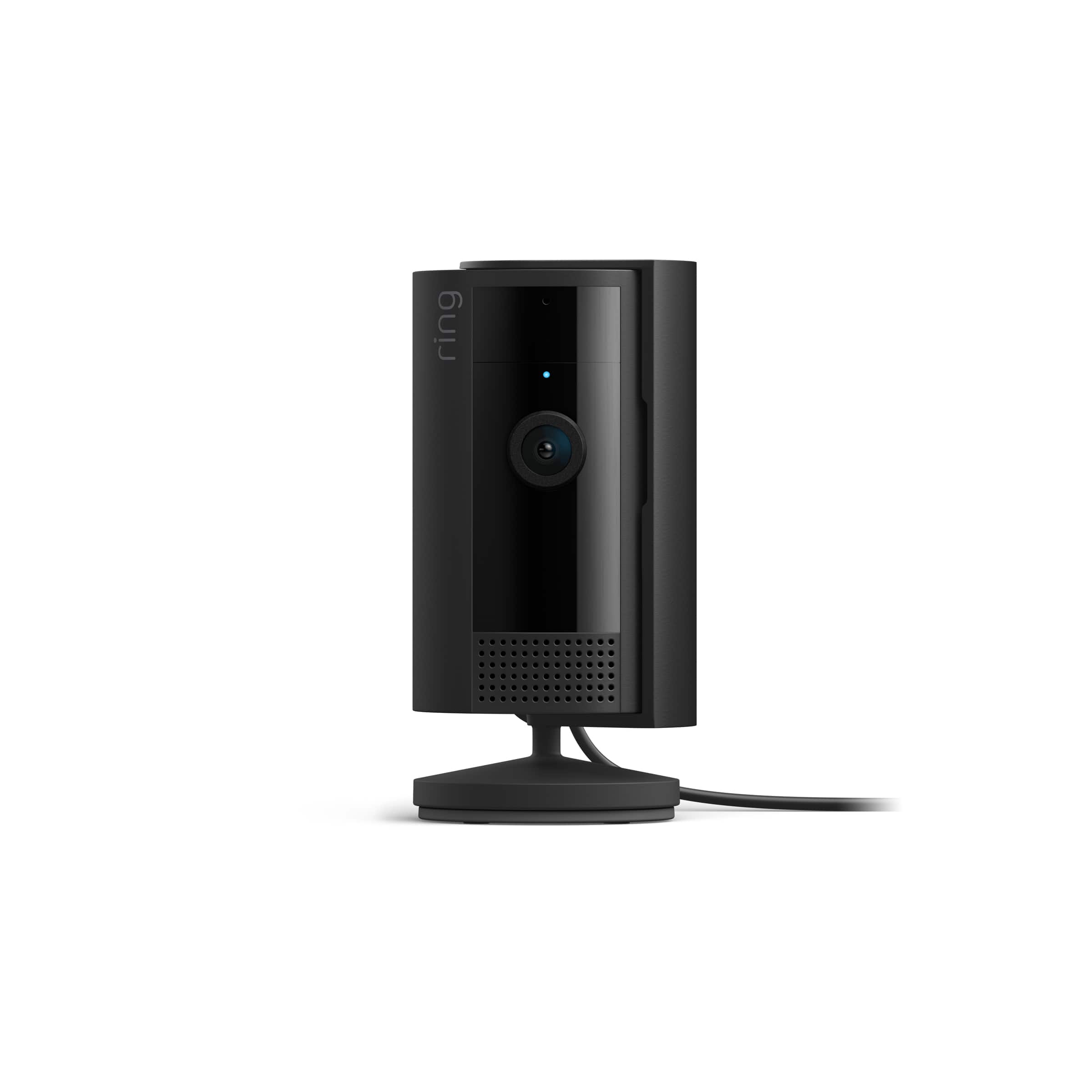
It sounds like the device is not performing as expected in regards to "Night Vision." The Ring Indoor Cam (2nd Gen.) is a small, lightweight security camera with flexible mounting options specifically designed to be used indoors. The Ring Indoor Cam (2nd Gen.) features 1080p HD video recording, two-way audio with noise cancellation, a wide viewing angle, and built in siren. It is also compatible with connected Echo devices. The Ring Indoor Cam (2nd Gen) features an enhanced mounting design, a power cable/adapter, and an included removable privacy cover. A tone will sound when the cover is secured and active.
To ensure that the "Night Vision" feature works as intended, make sure your Indoor Cam’s infrared light is toggled on in the Ring app. The infrared light control is in your Ring app under Video Settings. Enable "Color Night Vision" in the Ring app to help improve clarity at night.
To turn the "Color Night Vision" on or off, follow these instructions:
Open the Ring app.
Tap the "Menu" (☰).
Tap "Devices."
Select the device you want to adjust.
Tap "Device Settings."
Tap "Video Settings."
Toggle "Color Night Vision" on or off.
If you are experiencing issues with video quality, we recommend rebooting your Ring Indoor Cam (2nd Gen.) in the Ring app.
Open the Ring app.
Tap the "Menu" (☰).
Tap "Devices."
Select the device that you wish to reboot.
Tap on the "Device Health" tile.
Scroll down to "Reboot This Device."
Give your device a few moments to start back up.
We invite you to reach out to our community if any additional information is needed regarding your Ring Indoor Cam (2nd Gen.). The Ring Community is our first peer-to-peer community forum, giving our customers the ability to help one another by sharing their feedback and experiences with each other.
Thank you,
Melissa from Ring.
Decent camera
||Posted . Owned for 3 weeks when reviewed.This reviewer received promo considerations or sweepstakes entry for writing a review.These cameras would be okay if you were able to scroll back through the entire video, not just motion activated video.
I would recommend this to a friendBrand response from Ring
Posted .Hi AshleyH. Thank you for taking the time to share your experience with us. We understand how important it is for you to be able to download and view videos from your Ring Indoor Cam (2nd Gen.) so that you can monitor your home. Being able to save, download, and review footage captured by your Ring Indoor Cam is a valuable feature of the Ring Protect Plan. We can definitely provide you with more information regarding the concern mentioned in your review.
It sounds like the device is not operating as expected. Indoor Cam (2nd Gen.) is a small, lightweight security camera with flexible mounting options specifically designed to be used indoors. Indoor Cam features 1080p HD video recording, two-way audio with noise cancellation, a wide viewing angle, a built in siren, and a removable privacy cover. A tone will sound when the cover is secured and active. It is also compatible with connected Echo devices.
You can download one video at a time from the Ring app, or download up to 50 videos at a time in bulk from your account on Ring.com.
From a web browser:
Sign in to your Ring account.
Go to History and select Manage .
Select the videos you want to save.
Select Download .
You may need to re-enter your password.
Videos are time stamped and downloaded to your computer as a .zip file. Once unzipped, each .mp4 file can be opened and viewed individually.
From the Ring app:
Go to the menu .
Select History .
Scroll to the video you want to share, then tap more .
Select Share then download . A pop-up screen will appear.
We invite you to reach out to our Community if any additional information is needed regarding your Ring Indoor Cam (2nd Gen.). The Ring Community is our first peer-to-peer community forum, giving our customers the ability to help one another by sharing their feedback and experiences with each other.
Thank you,
Melissa from Ring.
Camera
||Posted . Owned for 9 months when reviewed.This reviewer received promo considerations or sweepstakes entry for writing a review.Good for small spaces. I’m happy with it. It does its job.
I would recommend this to a friendBrand response from Ring
Posted .Hello ItsLish.
Thank you for taking a moment to share your feedback of the Ring Indoor Cam with us.
At Ring, we believe in keeping people close to what’s important. That is why we are driven to create products that help you protect what matters most at home and empower you to connect with your visitors from wherever you are. Together, we’ll make neighborhoods safer! We are pleased to read that you are enjoying the benefits of having a Ring security device installed!
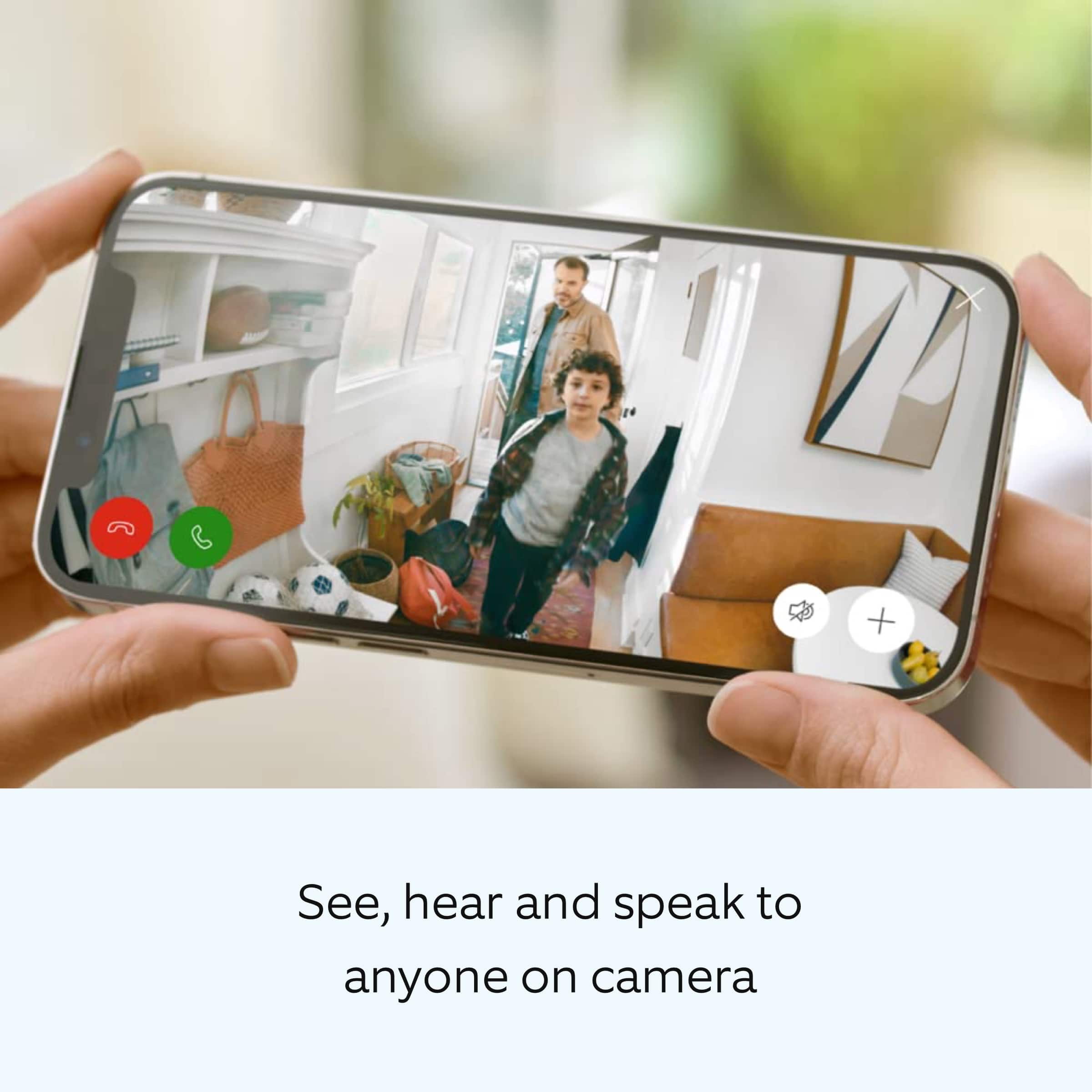
Indoor Cam is a small, lightweight security camera with flexible mounting options specifically designed to be used indoors. Indoor Cam features 1080p HD video recording, two-way audio with noise cancellation, a wide viewing angle, and a built-in siren. It is also compatible with connected Echo devices.
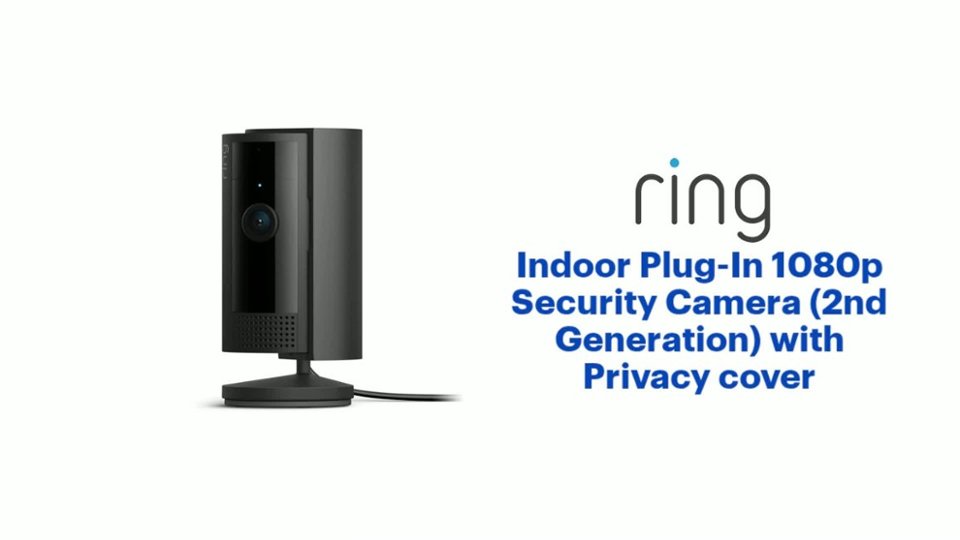
The Ring Indoor Cam (2nd Gen) features an enhanced mounting design, a power cable/adapter, and an included removable privacy cover. A tone will sound when the cover is secured and active. Visit our support center for more information.
Ring Community is our first peer-to-peer community forum, giving our customers the ability to help one another and share their feedback and experiences with Ring. We invite you to reach out if you have any additional questions or feedback regarding your Ring Indoor Cam.
All the best,
Nicole from Ring.
When it worked
||Posted . Owned for 1 month when reviewed.This reviewer received promo considerations or sweepstakes entry for writing a review.Camera was working great for a short period but then I’d notice it was not recording when I knew it should see me. Found out it would randomly lose power. I had to unplug it and plug it back in multiple time to get it to come on and work again. By the third time it lost power I packed it up to exchange it for another. The current one does show any problems yet but we’ll see.
I would recommend this to a friendBrand response from Ring
Posted .Hi Greatstuff.
Thank you for taking the time to share your experience with us. We understand how important it is for your Ring Indoor Cam (2nd Gen.) to function consistently and reliably, so you are alerted to any wanted or unwanted activity in or around your home. The features and technology provided by the Ring Indoor Cam (2nd Gen.) are incredibly valuable and help provide you with peace of mind about your home security. We are eager to address the issue you raised in your review and provide you with a resolution today.
It sounds like the device is not performing as intended. Indoor Cam is a small, lightweight security camera with flexible mounting options specifically designed to be used indoors. Indoor Cam features 1080p HD video recording, two-way audio with noise cancellation, a wide viewing angle, a built in siren, a power cable/adapter, and an included removable privacy cover. A tone will sound when the cover is secured and active.
If your Ring Indoor Cam (2nd Gen.) isn’t working after you plug it in, we recommend following these steps: Try another outlet in case the one you’re using may be faulty or associated with a light switch. Make sure the micro-USB cord is securely attached to the port. Press the reboot button or use the reboot feature in the Ring app if the camera is out of reach. If the device remains unresponsive, press and hold the setup button on top of the camera for 10 seconds. Allow a full 60 seconds for the camera to power back on after the reset is complete.
If you still have the Ring Indoor Cam (2nd Gen.) in your posession, we invite you to reach out to our community for more information. The Ring Community is our first peer-to-peer community forum, giving our customers the ability to help one another by sharing their feedback and experiences with each other.
Thank you,
Melissa from Ring.
Wait for a sale… or go with an HD camera instead
||Posted . Owned for 3 weeks when reviewed.This reviewer received promo considerations or sweepstakes entry for writing a review.Poor image quality and sound. Easy to install but it lacks many positive qualities beyond that.
No, I would not recommend this to a friendBrand response from Ring
Posted .Hi BryanW.
Thank you for taking the time to share your experience with us. We understand how important it is for your Ring Indoor Cam to record clear and concise videos so that you can effectively monitor your home. The features and technology provided by the Ring Indoor Cam are incredibly valuable and help provide you with peace of mind about your home security. We want to ensure your device is working as intended by providing you with solutions to resolve the video quality concern you mentioned in your review.
It sounds like the device is not performing as expected. Ring devices require high-speed internet to bring you crisp, clear video and audio. Poor network connectivity can affect the performance of your Ring device. We are happy to share some troubleshooting steps to help you diagnose and fix common video issues that you may experience with Ring doorbells and cameras.
Ring devices with 1080p video require at least 1 Mbps upload and download speeds, though 2 Mbps is recommended for optimal performance. In addition to ensuring that you have sufficient wifi speeds, you will also want to check the signal strength of your device. A poor wifi signal can cause connectivity with your Ring device to be unreliable.
Check the Device Health section of your Ring application to ensure the device’s RSSI is within an acceptable range. The recommended range for optimal performance is 0 to -60 for the RSSI. Turn off your mobile device's cellular data and connect to the same wifi network as your Ring device. Open the Ring app. Tap the menu (☰). Tap “Devices.” Select your device. Trigger an event on your Ring device. This could mean pressing the button on a doorbell or activating the motion sensors on a camera. Answer the event and examine the resulting video.
We have listed some possible outcomes from this test here:
1. The footage is crisp and clear.
If your video appears good when next to the router, the issue may be caused by a disruption in between your router and your Ring device’s normal location. To fix this, try moving your device closer to the router or extending your wifi signal with a wifi extender like the Ring Chime Pro.
2. The footage is heavily pixelated.
If you’re seeing heavy pixilation, even next to the router, this may be due to slow wifi speeds.
There are severe pauses in live video.
If your video pauses, stutters, or gets frozen and your wifi speed meets the minimum standards, try rebooting your router. Unplug your router, wait 30 seconds, and then plug it back in. It should take three to four minutes to reboot. Then, test your Ring device again and see if there's any difference.
4. There is a long delay before your video starts.
This is also caused by slow wifi speeds. Assuming you have high-speed internet, reboot your router and the mobile phone, tablet, or PC you're accessing the video feed on. Test an event when it's back online to see if there's any difference.
For more information on your Ring Indoor Cam, we invite you to reach out to our community. Ring Community is our first peer-to-peer community forum, giving our customers the ability to help one another and share their personal feedback and experiences with Ring. We look forward to hearing from you if we can be of any further assistance!
Thank you,
Matthew from Ring.
Ring indoor
||Posted . Owned for 2 months when reviewed.This reviewer received promo considerations or sweepstakes entry for writing a review.Great for inside use and watching what’s going on inside your home
I would recommend this to a friendBrand response from Ring
Posted .Hello Nikki,
We are pleased to read that you are enjoying your new Ring Indoor Cam (2nd Gen) device and that the features included are meeting your expectations. We believe that stronger communities are the key to safer neighborhoods. That is why we are driven to create products that help you protect what matters most at home and empower you to connect with your neighbors from wherever you are. Together, we’ll make neighborhoods safer!
Ring Community was launched to help deliver the most current news and educational information to our neighbors. This online forum is divided into four categories: Product Boards, Ring Updates, Tips + Tricks, and a Moderators’ Corner. The Product Boards are where you can begin new topics with your questions or feedback; there is also a search option that helps you find topics that have already been posted by other neighbors. We invite you to visit our site at https://community.ring.com/ today.
Thank you,
Alexis with Ring
It is ok
||Posted . Owned for 2 weeks when reviewed.This reviewer received promo considerations or sweepstakes entry for writing a review.Low quality in the outside. I believe it wont affect the resolution
I would recommend this to a friendBrand response from Ring
Posted .Hi Oskarate1.
Thank you for taking the time to share your experience with us. We understand the importance of having all relevant product information prior to purchasing. The features and technology provided by the Ring Indoor Cam (2nd Gen.) are incredibly valuable and help provide you with peace of mind about your home security. We can definitely provide you with more information regarding the concern mentioned in your review.
It sounds like the device is not what you expected. Indoor Cam (2nd Gen.) is a small, lightweight security camera with flexible mounting options specifically designed to be used indoors. Indoor Cam features 1080p HD video recording, two-way audio with noise cancellation, a wide viewing angle, and built in siren. It is also compatible with connected Echo devices. Indoor Cam (2nd Gen) features an enhanced mounting design, a power cable/adapter, and an included removable privacy cover. A tone will sound when the cover is secured and active.
We have included a list here of the items that you can find in the box with your Ring Indoor Cam (2nd Gen.):
Indoor Cam
Six-and-a-half foot power cable
Stand and wall mount accessories
Setup Guide
Security sticker
Privacy Cover (2nd Gen)
7W USB-A Power Adapter (2nd Gen)
We invite you to reach out to our community if any additional information is needed regarding your Ring Indoor Cam (2nd Gen.). The Ring Community is our first peer-to-peer community forum, giving our customers the ability to help one another by sharing their feedback and experiences with each other.
Thank you,
Melissa from Ring.
No good
||Posted . Owned for 3 months when reviewed.This reviewer received promo considerations or sweepstakes entry for writing a review.This camera keeps shutting down, the router is literally next to it and yet it can’t find signal
No, I would not recommend this to a friendBrand response from Ring
Posted .Hi dee1.
Thank you for taking the time to share your experience with us. We understand the importance of having a consistent wifi connection to your Ring Indoor Cam (2nd Gen.). Having a solid connection ensures you do not miss any activity around your home. We are here to provide you with some information to resolve the connection issue you mentioned in your review.
It sounds like the device is not operating as intended. To determine whether or not the problem is caused by poor upload speed, run a speed test to determine if your network can support Ring devices. Ring devices with 1080p video require at least 1 Mbps upload and download speeds, though 2 Mbps is recommended for optimal performance. In addition to ensuring that you have sufficient wifi speeds, you will also want to check the signal strength of your device. A poor wifi signal can cause connectivity with your Ring device to be unreliable. Check the Device Health section of your Ring application to ensure the device’s RSSI is within an acceptable range. The recommended range for optimal performance is 0 to -60 for the RSSI.
For more information on your Ring Indoor Cam (2nd Gen.), we invite you to reach out to our community. Ring Community is our first peer-to-peer community forum, giving our customers the ability to help one another and share their personal feedback and experiences with Ring. We look forward to hearing from you if we can be of any further assistance!
Thank you,
Melissa from Ring.
Ring cameras
||Posted . Owned for 1 month when reviewed.This reviewer received promo considerations or sweepstakes entry for writing a review.Great Addition to my other ring cameras, works great
I would recommend this to a friendBrand response from Ring
Posted .Hello Iahoni.
Thank you for taking a moment to leave your Ring Indoor Cam (2nd Gen.) rating. Here at Ring, we believe that stronger communities are the key to safer neighborhoods. That is why we are driven to create products that help you protect what matters most at home and empower you to connect with your neighbors from wherever you are. Together, we’ll make neighborhoods safer!
We are pleased to read that you are enjoying the benefits of having a Ring security device installed! Indoor Cam (2nd Gen.) is a small, lightweight security camera with flexible mounting options specifically designed to be used indoors. Ring Indoor Cam (2nd Gen.) features 1080p HD video recording, two-way audio with noise cancellation, a wide viewing angle, and built in siren. It is also compatible with connected Echo devices.
Indoor Cam (2nd Gen) features an enhanced mounting design, a power cable/adapter, and an included removable privacy cover. A tone will sound when the cover is secured and active.
Ring Community is our first peer-to-peer community forum, giving our customers the ability to help one another and share their feedback/experiences with Ring. We invite you to reach out to our community if you have any additional questions or feedback regarding your Ring Indoor Cam (2nd Gen.)
Thank you,
Melissa from Ring.
Beware
||Posted . Owned for less than 1 week when reviewed.This reviewer received promo considerations or sweepstakes entry for writing a review.I purchased this today at Best Buy, driving 4 hours through the snow round trip. I got home and wasted an hour trying to set this up and then with customer support only to be told by them that the camera is defective and to not buy products from Best Buy, to go straight to Ring’s website. No thank you, i will just stick with Nest and I love Best Buy. I Googled the wifi connection problems with Ring and apparently it is a very common and widespread problem, not just a defective camera. I will be emailing Best Buy and letting them know that Ring customer service is trying to divert customers away.
No, I would not recommend this to a friendBrand response from Ring
Posted .Hi HeatherG.
Thank you for taking the time to share your experience with us.
We understand the importance of a seamless setup process so that you can begin using your Ring Indoor Cam right away. The security features and technology provided by the Ring Indoor Cam are incredibly valuable to your peace of mind, and receiving a defective device is not the experience we want any of our neighbors to encounter during the purchase process. We would love the opportunity to provide you with a concrete resolution today.
It sounds like your Ring Indoor Cam is failing to connect to your home's wifi network. Below are some common causes and ways to resolve setup failure if you're receiving a 'Setup did not complete' message and cannot finish setup:
Your Ring device is too far from your wifi router. Ideally, your router should be within 20 feet of your Ring device. Try bringing the device closer to your router during setup.
There's a possible issue related to your wifi modem or router. Try rebooting your router and attempting the setup again.
If you've tried addressing the above troubleshooting steps and still cannot get your device connected, we invite you to visit our support center for additional wifi troubleshooting steps.
Ring Community was launched to help deliver the most current news and educational information to our neighbors. This online forum is divided into four categories: Product Boards, Ring Updates, Tips + Tricks, and a Moderators’ Corner. The Product Boards are where you can begin new topics with your questions or feedback; there is also a search option that helps you find topics that have already been posted by other neighbors.
All the best,
Nicole from Ring.