Customer Ratings & Reviews
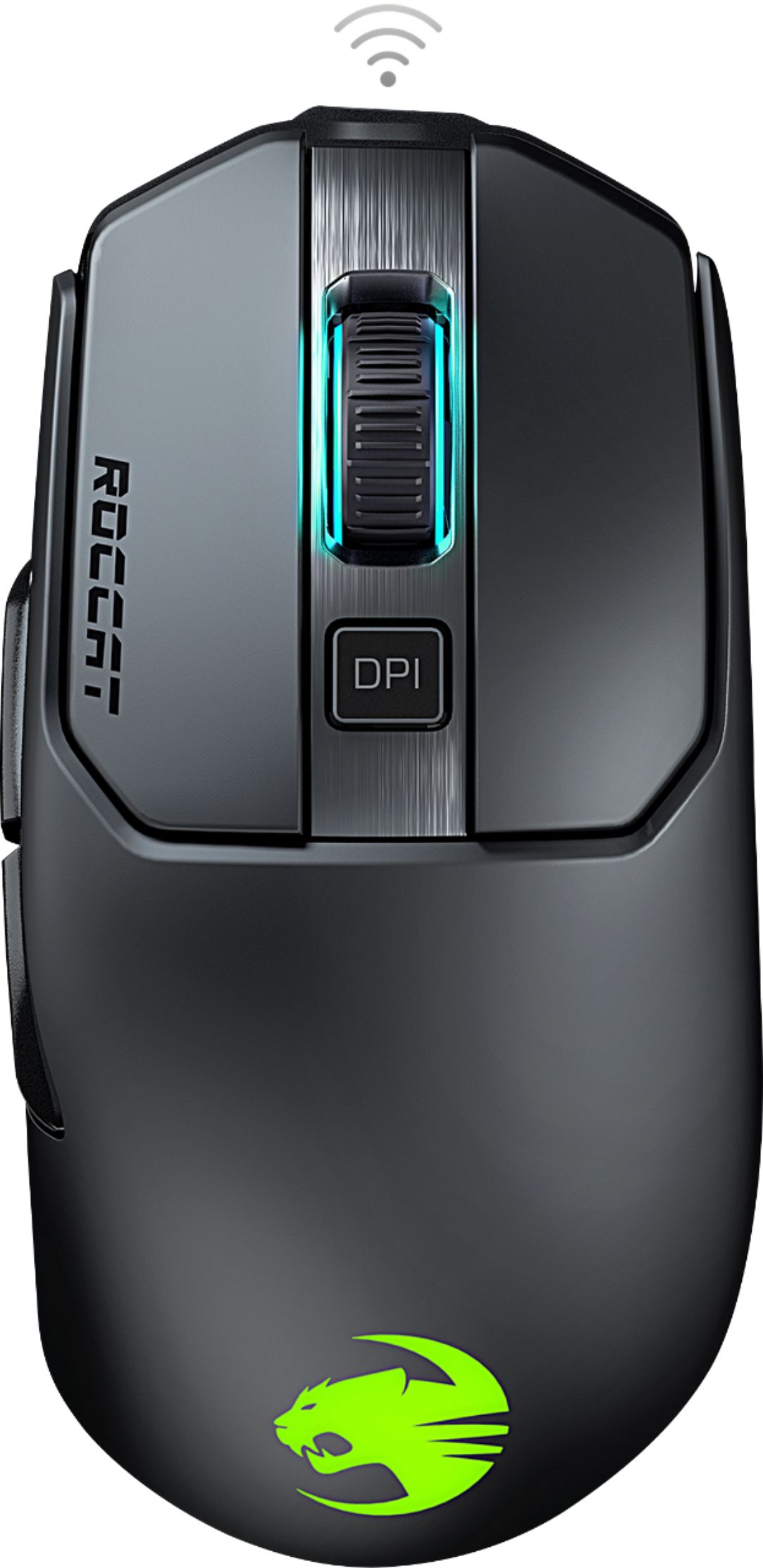
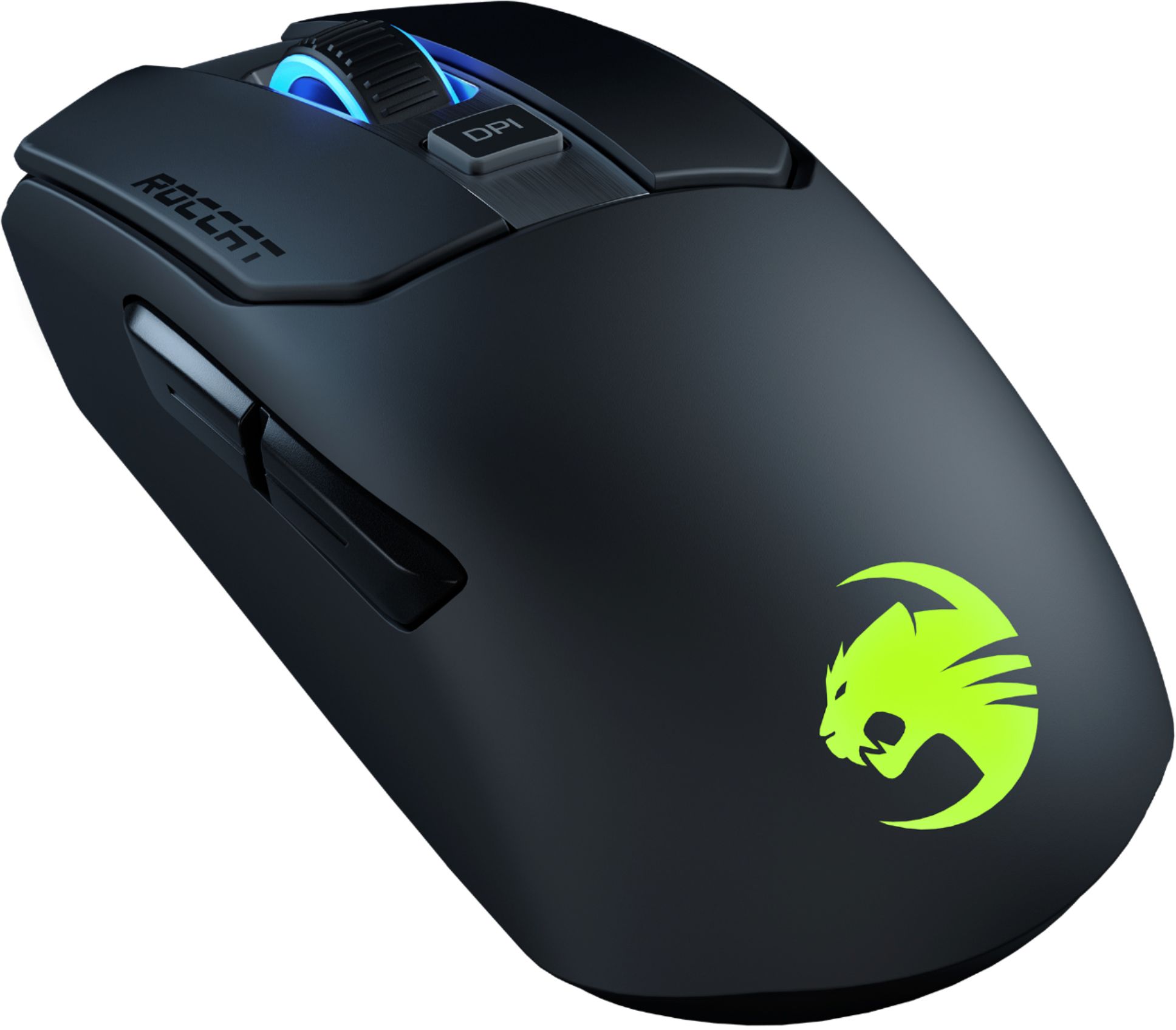
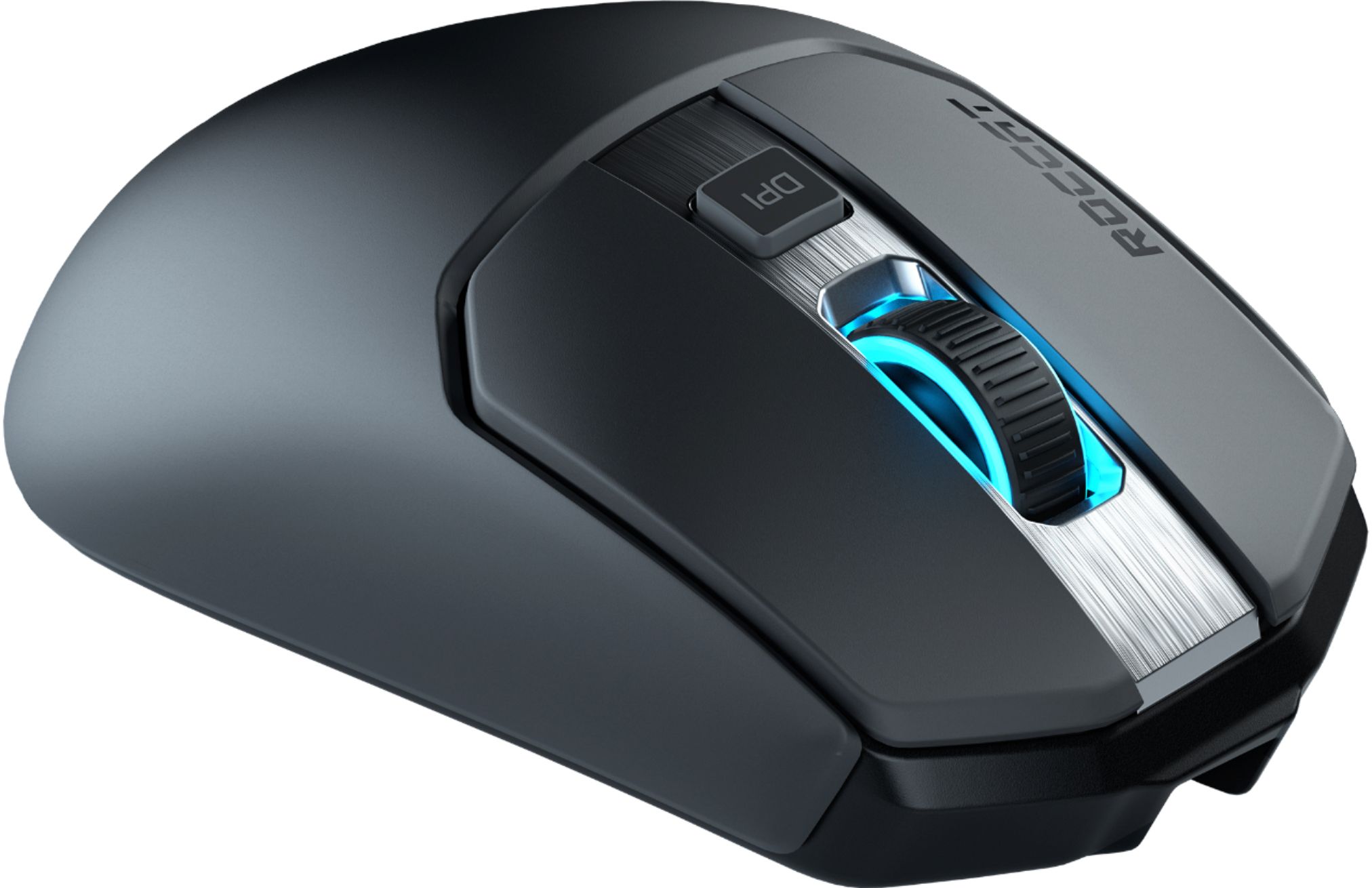
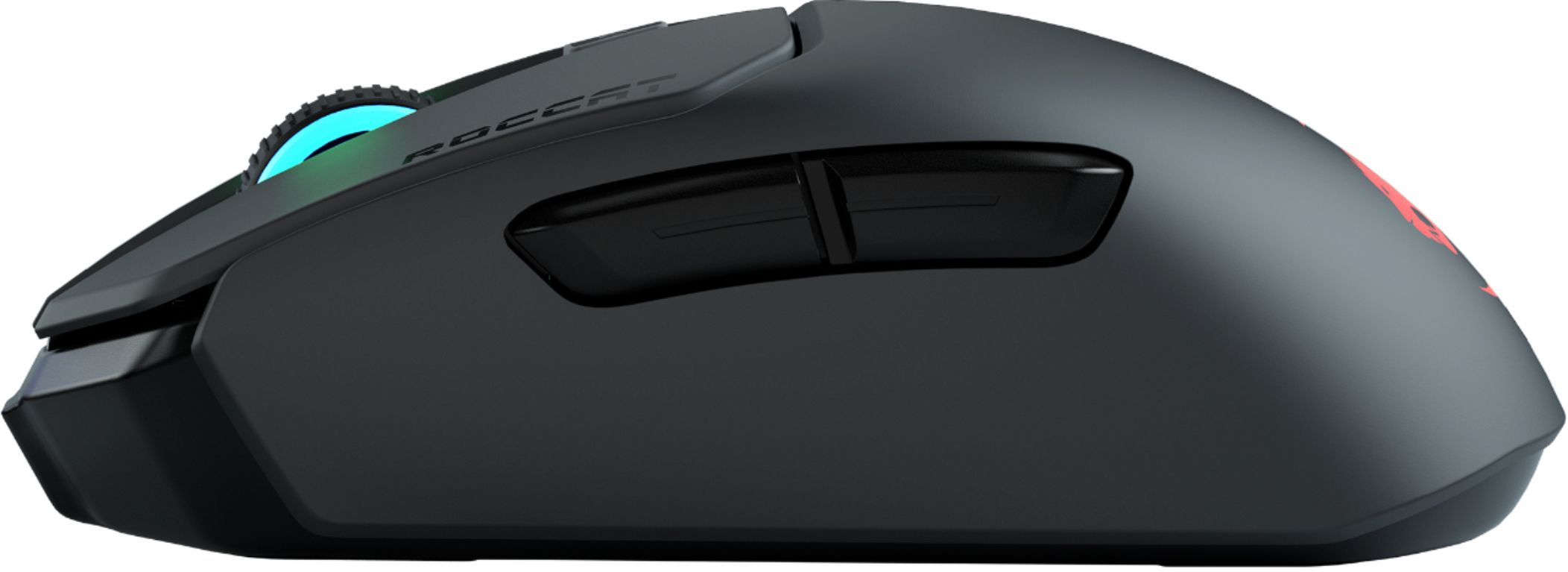
- Model:
- ROC-11-615-BK
- SKU:
- 6374952
Rating by feature
- Value
Rating 4.5 out of 5 stars
- Quality
Rating 4.6 out of 5 stars
- Ease of Use
Rating 4.6 out of 5 stars
Customers are saying
Customers are enthusiastic about the Kain 202 AIMO's lightweight design, comfortable size, and responsive performance, praising its customizable RGB lighting and high DPI range. However, some users reported issues with the scroll wheel and found the software to be less intuitive than competitors. The battery life received mixed reviews, with some describing it as "medium-good" while others found it "superb".
This summary was generated by AI based on customer reviews.
Great Mouse!!
||Posted . Owned for 1 week when reviewed.This reviewer received promo considerations or sweepstakes entry for writing a review.It is a great mouse. It is really well built not rattle and the clicky sound is nice and crisp. It feels perfectly on my hand and I find that it responds faster than my 2 other mice (mm 711 and G305). Because of this mouse i'm considering one their TKL keyboards I got it when it was on sale so it was a must buy and I am glad I did. The only take away I have is the skates. The skates are not as fast as my other mice but can also help with FPS games depending on your game style.
I would recommend this to a friendBeautiful white!
||Posted .This reviewer received promo considerations or sweepstakes entry for writing a review.This mouse with white version is absolutely like a Lamborghini. The most beautiful shape wireless mouse for me. Comfortable to use, fits my hand like a glove. This product is definitely worth the money.
I would recommend this to a friend- Pros mentioned:Dpi, WeightCons mentioned:Software

A gaming mouse that focuses on what's important
|Posted .This reviewer received promo considerations or sweepstakes entry for writing a review.The Kain 200 Aimo is the new wireless optical mouse by Roccat. It’s similar to its little brother, the Kain 120, which isn’t wireless. The Kain 200 comes with a USB Cable and USB Bluetooth receiver, so you can choose whether you prefer a wired or wireless connection. This is a nice looking mouse, with a smooth plastic feel and lights that change color. There are multiple settings for the lights, including a feature that reacts to what’s on the screen. You can adjust the brightness, in case you find it too distracting, or turn it off completely. The buttons are advertised as being up to 16ms faster than its competitors, thanks to its Titan Click technology. This is something that is hard for me to compare, but when playing online games, every millisecond matter so I’d rather have the fastest response possible. My experience so far is that the response time is just perfect. After using the mouse in many different applications, my impression is that this is a very accurate and comfortable mouse that’s not too heavy. There’s a DPI button for quick switching between DPI settings when needed and if you download the Swarm app, you can customize each button and configure the illumination to your preference. My only issue with the Swarm app was that when I was connected through Bluetooth, the app got stuck in an infinite loading loop. I’m sure this will be fixed very soon, as this is a brand new product, but if I’m going to depend on a Bluetooth connection, I need to be able to use the Swarm app. The battery life is advertised as “up to 50 hours of game time,” but even at 100%, the battery life was only 34 - 35 hours. Apparently, with the illumination enabled, you lose about 15 hours, according to their website. The Swarm app confirms this. Compared to other gaming mouses, the Kain 200 puts emphasis on a more simple, traditional design, avoiding a plethora of buttons and strange looking parts. That might make it more appealing to the casual gamer than the professional, but performance wise, this should satisfy both. If you’re looking for a responsive, customizable mouse without a million buttons with a sleek design and illumination, take a look at the Kain 200 by Roccat today. You won’t regret it!
I would recommend this to a friend - Pros mentioned:Battery life, Weight
Good gaming mouse
|Posted .This reviewer received promo considerations or sweepstakes entry for writing a review.The Kain 200 Aimo mouse is an excellent mouse for both gaming and PC use. Aesthetically, it looks clean, comfortable, and easy to use. It is about 125 mm long, 42 mm tall, and grip width is 61 mm. Works well for both claw and palm gripping; I prefer claw grip. I consider this mouse lightweight and ergonomic but not overkill. The grip is comfortable and suitable for long periods of use. The slight curves allow for smooth movement and picking up. I get pretty good performance with the buttons fairly snappy clicks that require a light amount of force to press. Side buttons are large, but it leaves room for thumb gripping. The scroll wheel is effortless to scroll with snappy clicks. The pads under the mouse are large, which I prefer because it reduces scratch on my desk. The charging cable is flexible, skinny, braided, and is about 190 cm long. Fully charged, the mouse works wirelessly for many hours. The mouse feels like good build quality. Overall, it is excellent build quality and which I enjoy using to play games since it performs well.
I would recommend this to a friend - Pros mentioned:Wireless
RBG
||Posted . Owned for 1 week when reviewed.This reviewer received promo considerations or sweepstakes entry for writing a review.One of roccats best wireless gaming mouse and work.
I would recommend this to a friend - Pros mentioned:Battery life, Wireless
World Class Gaming Mouse
|Posted .This reviewer received promo considerations or sweepstakes entry for writing a review.Setup Setup of the ROCCAT Kain was straight forward and simple. I plugged the included USB cable into the back of my PC then plugged the other end into the Kain. Windows 10 immediately recognized the mouse and I could use it with general features. I proceeded to the ROCCAT website to download the most recent version of their SWARM software. SWARM is ROCCAT’s all-in-one driver and features software for all of their peripherals. This is especially nice if you have multiple ROCCAT products and avoids the need to download and install multiple drivers and software packages. This is a single pane of glass. On the first Settings tab I set my scroll speed, tilt speed, double slick speed, and windows pointer speed. There is an option for DPI switcher which has 5 pre-set speeds. Clicking on the DPI button behind the scroll wheel on the mouse cycled through these various setting. This feature is especially nice when playing a game where varying the speed may be necessary depending on the situation, you’re in. The next tab has button assignments. You can set up to 7 different actions. There is left and right click, scroll up or down, scroll click, DPI button, and on the left thumb area (if you are right-handed) has two side buttons. There is an “Easy Shift” feature which allows 8 additional functions to happen on each button as a “alternative” function. The next tab is illumination. You can set scroll wheel color and rear logo color here. It can be static, multi-colored (wave), fade, pulsating (heartbeat or breathing), blinking and supports AIMO intelligent lighting. There is an advanced tab where you can see battery life (when in wireless mode) and change the polling rate, sound feedback, zero debounce, energy saving, and distance control. You can save each set of preferences to a profile. You can also set macros and have them apply to various games or applications. If you choose to go the wireless route instead of hard wiring (hard wiring is ALWAYS better for gaming and I recommend using this mode over wireless at all cost). ROCCAT has included a nice dongle accessory for the wireless USB receiver. You plug the included USB A to Micro USB cable into the dongle and plug the wireless receiver into the USB A female port. The dongle has a rubber bottom which allows you to place the dongle on the top of the desk close to the mouse so you can get the best wireless signal. This help if your computer tower sits on the floor and helps to eliminate wireless lag from further distances. I found the wireless to be rather excellent when comparing to other products I’ve used in the past. The mouse movement was nearly solid, however, as someone who is exceptionally sensitive to mouse and wireless lag, I could still tell a difference between wireless and wired modes when gaming. I would have been happy using this as wireless when navigating Windows or doing more work related or general usage related tasks. Look and Feel The ROCCAT Kain mouse feels extraordinarily comfortable in the palm of my hand. The body of the mouse is extremely smooth, and the shape and location of the buttons all felt extremely natural. I appreciate the mouse is just ever so tilted and generally sits rather “flat”. This was a very natural position for my hand to rest and fatigue never set in while using this for extended periods of time. The mouse movement when setup to your liking was extremely responsive and felt very fluid and natural. There is a bit of tension on the scroll wheel which I found to be very natural as well. Each scroll would “click” and the rubber grip on the wheel itself felt comfortable and made it easy to use. The side buttons are very east to press, and I did not have to move me hand around or shift my grip to press them. The mouse feels very well made and the black and brushed silver finish looks high tech and simplistic. Overall mouse is made of plastic, with the center area where the scroll wheel is located being brushed metal. I like the contrast and feel the plastic material actually aids in the smoothness and overall enjoyable feel of this mouse. Battery Life I have not had to charge the mouse once yet when using it in wireless mode. I spent about 8 hour gaming with the mouse and the battery indicator claimed I had only used about 15% of the battery life. ROCAAT claims up to 50 hours of use before a charge. I have yet to reach the need to charge it yet so I cannot comment on actual mileage. It would seem this mouse will last quite a while before charging though. Final Thoughts Overall, I am very happy and impressed with the ROCCAT Kain. So much so, that I am interested in exploring ROCCAT’s other products. It is nice to see a manufacturer enter a saturating market of gaming peripherals and bring such a nice, outstanding product to the marketplace.
I would recommend this to a friend - Pros mentioned:Battery life, Dpi
Slick
|Posted .This reviewer received promo considerations or sweepstakes entry for writing a review.I love the looks of this gaming mouse. The soft touch coating is too slick for my licking though. I prefer a mouse that has a bit more texture to it. The mouse clicks are extremely smooth, with what Roccat is calling their Titan Click. They've re-built the mechanism from the ground up and you can tell. There are 4 DPI settable levels on the mouse and you can change them via the intuitive software that is required in order to make this mouse perform the way you want. Roccat is using their Owl-Eye optical sensor with 16000dpi. There is so much customization and levels of DPI you can play with. I do wish there was a "sniper" button on the mouse which drops the DPI really low for more precise movements and easier to snipe during the FPS games I play. Its a really smooth gaming mouse, easy to move, the pads are slick and there is no drag. Ive used on a hard mouse pad and a soft mouse pad and it easily moves on both. I have not noticed any mouse latency when playing a game. When I click it shoots, when I move then I move. Roccat claims 50 hours of game time. I have not played that long, maybe 15 hours total with this mouse but its going strong. Included in the box is the mouse its self, a usb A to micro usb for connecting it to the PC for updates (which you will have one when you first download the software). the cable is also used for the adapter, to extend the 2.4ghz dongle closer to you if needed. Otherwise you just plug the dongle straight into your PC and put the adapter and cable away. I think everyone will enjoy and like this mouse very much. My only fault is the extremely smooth/slick matte finish on the mouse. That may be for you though.
I would recommend this to a friend - Pros mentioned:DpiCons mentioned:Grip
Not there yet but not bad
|Posted .This reviewer received promo considerations or sweepstakes entry for writing a review.THE BREAKDOWN: This product was nicely packaged. Upon opening the package I immediately went to find an instruction booklet or a quick start guide. Well, the only thing this had was an instruction booklet that had super small print and really no instructions other than go to the website and download their software. The packaging or instruction did not even give a list of what was included in the package or even an explanation of the parts included. I found that the mouse itself fit my hand very well and I really enjoy the right and left mouse buttons. I felt they had a very sturdy mechanical click. I also thought that the mouse wheel felt solid and worked well. The sides of I found to be smooth and slick. For me I like a little grip on the sides of my mouse. Another odd thing was I did not find a compartment for the rechargeable battery that you can open. I find that this is an important item to have because rechargeable batteries do go bad and it would be nice to be able to replace it rather than having to replace the whole mouse. While using it in photo editing programs and several different video games I felt as it it worked well and as advertised. Other than the few things I mentioned it really did work well. I like the fact that you can use it wirelessly or wired. I like wired mice personally so I like that this one fits that personal preference. PRO’s: -Easy to use -LED Lights -Wireless or Wired -Lithium-ion rechargeable battery -Owl Eye Sensor -16,000 DPI -2 Extra programmable buttons on the side CON’s: -Lack of instructions -side are smooth and slick -No access to rechargeable battery SUMMARY: Overall, I feel that this product worked well and I would recommend this to a friend if they are in the market for an average gaming mouse.
I would recommend this to a friend - Pros mentioned:Battery life, WirelessCons mentioned:Lag
Superb design, Precision, and amazing battery life
||Posted . Owned for 2 weeks when reviewed.This reviewer received promo considerations or sweepstakes entry for writing a review.I have enjoyed Roccat’s gaming items since the Kone XTR laser mouse. The new series with their Kain 200, with their AIMO color scheme is very colorful, the titan clicks are super fast. I compared them to the Razer’s optical switch and I felt the Titan clicks where just a little bit quicker, but it overall design of the Roccat is extremely comfortable. The Kain 200 can be used in wired and wireless mode. The battery life is 50 hours, which means you don’t have to charge that often, but even if you have to charge you can play at the same time. The left/right click buttons are hinged and the owl eye sensor is very precise. I can’t tell any latency issues whether the mouse is wireless or wired. It’s my main mouse for gaming. I have the steelseries sen sei ten, as well as Razer’s Deathadder v.2, and the Logitech G903. The Kain 200 comes with charge cord and a USB adapter that you can connect the wireless dongle so if you need it closer you can. The swarm software is really robust and their are so many options. On top of the Kain 200 right behind the left/right click buttons is an DPI button to quickly adjust to a higher or lower DPI setting, based upon what you set up in the software. I have compared the weight to the Kain 120 and it has the weight of the battery but it is not heavy at all and it glides upon the mouse pad with very little effort...smooth movement. I would highly recommend the Kain 200 AIMO to anyone wanting a fantastic mouse for gaming and every day use. I e we is definitely by again.
I would recommend this to a friend - Pros mentioned:Battery life, Dpi, RgbCons mentioned:Lag
Great mouse for everyday users
||Posted . Owned for 1 month when reviewed.This reviewer received promo considerations or sweepstakes entry for writing a review.Disclaimer: I dont game too much. Great mouse. I have a medium sized hand. This mouse is very comfortable using mostly palm grip. It isn't too big or small. It isn't heavy either. The battery life is good as well. I get close to a week with moderate usage (about 30 hrs). Solid build quality with no rattles. I really love the shape. It's a better fitting g703 for me without the stutters and double clicks. The software is easy to use and customize. DPI steps are in increments of 100. There is a dpi switch to easily cycle through. The rgb lights are customizable. Setting up the buttons was easy. The mouse also has a customizable power saving feature. I've set it up to sleep in 20 mins if untouched. A click will wake it up. Roccat let's you customize a button as an EASY SHIFT. With that, you can customize the buttons twice. For instance, the right mouse button can be programmed twice, 1. Regular right click 2. Macro. To access the 2nd function, you would hold down whatever button designated as easy shift (I used the back button) and then press right mouse button to access the macro. It gives each button a second command for more functionality. It works wonders as a media remote. I have not noticed any lag in either windows 7 or 10. I've only setup the software in windows 10, but the settings carried over into windows 7 without the software. All in all, it's a great mouse. Close to perfect fit for me. I've used a logi g500, g703, corsair m65 pro, razer atheris.
I would recommend this to a friend Excellent gaming mouse!
|Posted .This reviewer received promo considerations or sweepstakes entry for writing a review.Well-crafted mouse. It’s not the utmost lightest on the market but is certainly lightweight. It is a right handed mouse and quite ergonomic with a smooth textureless feel. I like the design of the primary buttons, thin and long, with good separation between the two to prevent accidental clicks. Setup was a breeze, simply install the dongle into an available USB port and give Windows a few seconds to install the drivers. Then go to Roccat's website and download their Swarm software. The options in Swarm can be a little overwhelming at first. You can adjust the DPI settings for the DPI switcher, scrolling speeds, click and double-click speeds, the RGB lighting, and of course reassign the mouse buttons. And you can adjust all of this and save your settings in up to 5 different on-board profiles. To me, battery life is what makes or breaks a wireless mouse. I’ve owned gaming mice that simply do not last and at that point it becomes more convenient to simply leave the USB cable plugged in. So far, the Kain 200 is good in this regard, it is not the very best in the industry but pretty darn close. I can leave it unplugged for several days before having to worry about a recharge. One downside is the port to recharge is very recessed into the mouse so if you lose the original cable it might be difficult to find another that works. Very satisfying clicks. I enjoyed playing some fast-paced shooters on my Razer Blade Stealth GTX1650. I never felt like I was on a wireless mouse, my movement was fluid and I never experienced a dropped signal. The DPI switcher is placed in an easy to use location, although having some kind of indication of what DPI level I’m on would be helpful. There is an advanced “zero debounce” mode that will give you what Roccat claims are the fastest response times. The Swarm app warns that enabling this may result in unwanted clicks but so far I haven’t had any that I’ve noticed. Just smooth gameplay and no problems when using my laptop for work either, so I’ve left it on. I’ve turned on the AIMO RGB lighting but I don’t know if It’s been long enough for it to “learn” anything yet. As far as I can tell it just cycles through colors on the scroll wheel and logo. I don’t really pay much attention to the RGB. It can be changed in the software. There are options other than AIMO including AlienFX if you happen to have an Alienware PC. If there’s one thing I wish this (and my other wireless gaming mice had) was a spot to store the dongle on the mouse itself. I have a different mouse for each of my laptops, and when traveling it’s hard not to have that moment where I thought I lost the dongle only to find it in the bottom of my bag. ===== Pros ===== Wireless Lightweight Long lasting battery RGB Lighting Accurate 16,000 DPI with up to 1000hz polling. Lots of options in Swarm software Includes dongle extension. ===== Cons ===== No storage for dongle Cannot use just any microUSB cable to charge Overall, I really like this mouse and it is priced well versus the wireless competition. You could certainly pay less but miss out on some of the features like the high resolution or long lasting battery. Thumbs up!
I would recommend this to a friend- Pros mentioned:Rgb, Weight, Wireless
Get it while it's on sale for $69!
||Posted . Owned for less than 1 week when reviewed.This reviewer received promo considerations or sweepstakes entry for writing a review.This has to be of the best wireless gaming mice out there. Sure, there are other high-end wireless gaming mice from other brands that cost $100-$150, but this one, especially for the price right now, it’s an absolute steal. I would still buy this at full price. The build quality is excellent. A little bit heavy at 105g, but I prefer it that way. The RGB can get very bright if set at the highest setting. Right/left and side buttons have a satisfying click to them, slightly larger mouse since the hump at the back is pronounced. It is recommended for medium-large hands. Feels comfortable when using a palm grip. Overall, an excellent option if you’re not into the wireless lightweight mouse craze.
I would recommend this to a friend - Pros mentioned:DpiCons mentioned:Scroll wheel
Highly recommended.
||Posted . Owned for 1 month when reviewed.This reviewer received promo considerations or sweepstakes entry for writing a review.I love this mouse. Very responsive, very comfortable yet holds the same shape of a regular mouse. DPI works very good too. But I learned that the scroll wheel sometimes doesn't pick up one scroll, only if you're scrolling slowly.
I would recommend this to a friend - Pros mentioned:Battery life
The LAST mouse you'll ever buy
||Posted . Owned for 3 weeks when reviewed.This reviewer received promo considerations or sweepstakes entry for writing a review.Everything about this mouse, the Kain is just perfect. Everything about it. Ergonomics - It's not one of those crazy looking mice that perfectly fit your hand, but it doesn't have to be. They put in a lot of effort on the design despite the simple look. It feels amazing in your hand. Texture - The material of the mouse is a durable plastic-like material, whatever the description says. Basically its light, not cheap, and won't deteriorate from the oils on your hands like most mice do. Buttons - The buttons, both the top and the side buttons all sound and feel fantastic. Input Lag - None whatsoever. I have a 1ms lag monitor with a 240hz rate, I do not notice any delay whatsoever compared to a wired mouse. Battery Life - I came from using a Steelseries Rival 650 Wireless which NEEDED to be charged once a day. This mouse can last a few days without being charged, which is great when you forget to plug it in. NOTE: There's also a lighting mode that changes its color based on the percentage of battery life you have, so you don't have to pull up the software to see. Mouse Lift Off - One of the things the Steelseries Rival 650 boasted about was barely any change to where your mouse is when lifting up your mouse from your desk. It did well, but there's still a noticeable jitter. The Roccat Kain doesn't really advertise it as much, but this funcion on their mouse works just as fine if not better in my opinion. The Software - Amazing. It tells you the signal quality of the wireless to help you place the dongle. You can program 5 DPI levels to the DPI button to switch through. The software already has a bunch of macros made up for tons of games that you can assign to buttons! You can even change the scroll up and down movements to other functions. 10/10 would recommend this mouse to everyone else.
I would recommend this to a friend - Pros mentioned:Battery lifeCons mentioned:Software
Amazing Product
||Posted . Owned for 1 week when reviewed.This reviewer received promo considerations or sweepstakes entry for writing a review.Battery life with LED's is between 8 & 10 hours, haven't actually tested the time frame, but it's amazing compared to my Corsair Dark Pro wireless mouse that barely lasted 8 hours with LED's. Software seems a bit sluggish but works as it's suppose to, it just semi freezes up when applying setting changes. Price - Amazing after buying it's the best wireless mouse I have owned. Feels great in the hand seems to be perfect or small or large hands.
I would recommend this to a friend - Cons mentioned:Grip
Simple straightforward wireless RGB mouse.
||Posted . Owned for 1 month when reviewed.This reviewer received promo considerations or sweepstakes entry for writing a review.Device seems to be working really good along with various RGB effects. Super smooth pointer, good for gaming. Perfect unisize with great color scheme. Price is fairly high among other wireless gaming mouse in that category. Maybe add some weights or rubber grip to compete with other gaming mouse out there.
I would recommend this to a friend - Pros mentioned:Battery life, Wireless
Best Wireless Mouse out
||Posted . Owned for 1 month when reviewed.This reviewer received promo considerations or sweepstakes entry for writing a review.One of the fastest wireless mouse I ever used. Hold a 40 hour charge time of constant use. Quick charge and the USB extended cable to decrease latency was a solid touch! Titan Click feels alot better compared to Razer and Logitech Pro Mouses! Faster and more responsive.
I would recommend this to a friend - Cons mentioned:Scroll wheel
Perfect gaming mouse!
||Posted . Owned for 3 weeks when reviewed.This reviewer received promo considerations or sweepstakes entry for writing a review.I've had a lot of gaming mice over the years and I can honestly say this is the best one I've ever used. I used to be die hard logitech, but then after purchasing 2 g903's and having the double click issue, I switched over to corsair. Then I had a couple of scroll wheels break and I trashed them. I've been using the Roccat Vulcan 120 AIMO keyboard for about a year, and its very solid. So I decided to try their best mouse. After using the Kain 200 AIMO for about a month I absolutely love it! It fits my hand perfectly, it has great balance, and it's super responsive. If I had to nit-pick anything about it, its that it does not have side scroll built into the wheel. That being said, I cannot recommend this mouse highly enough!
I would recommend this to a friend - Pros mentioned:Battery life, Rgb, Wireless
Great Mouse
||Posted . Owned for 1 month when reviewed.This reviewer received promo considerations or sweepstakes entry for writing a review.I have this mouse in Black but my brother wanted it in white. It is a great mouse with a good battery life. Best of all you can use it wired or wireless. The RGB is a nice touch.
I would recommend this to a friend - Pros mentioned:Battery life
ROCCAT KONE
||Posted . Owned for less than 1 week when reviewed.This reviewer received promo considerations or sweepstakes entry for writing a review.Never tried ROCCAT products but in my recent hunt for a replacement mouse and having bought several and returned and bought different ones over the last few months I think I have found one of my main go to mice. This thing is very well made. Feels great for medium to large hands and very comfortable. Side buttons are in a great position. Excellent Performance Excellent Battery Life. I’ll still have my Model O Wireless ready to go but this ROCCAT is SWEET and the software looks cool and you have setting options other mice don’t have. It’s a keeper for large hands
I would recommend this to a friend