Customer Ratings & Reviews





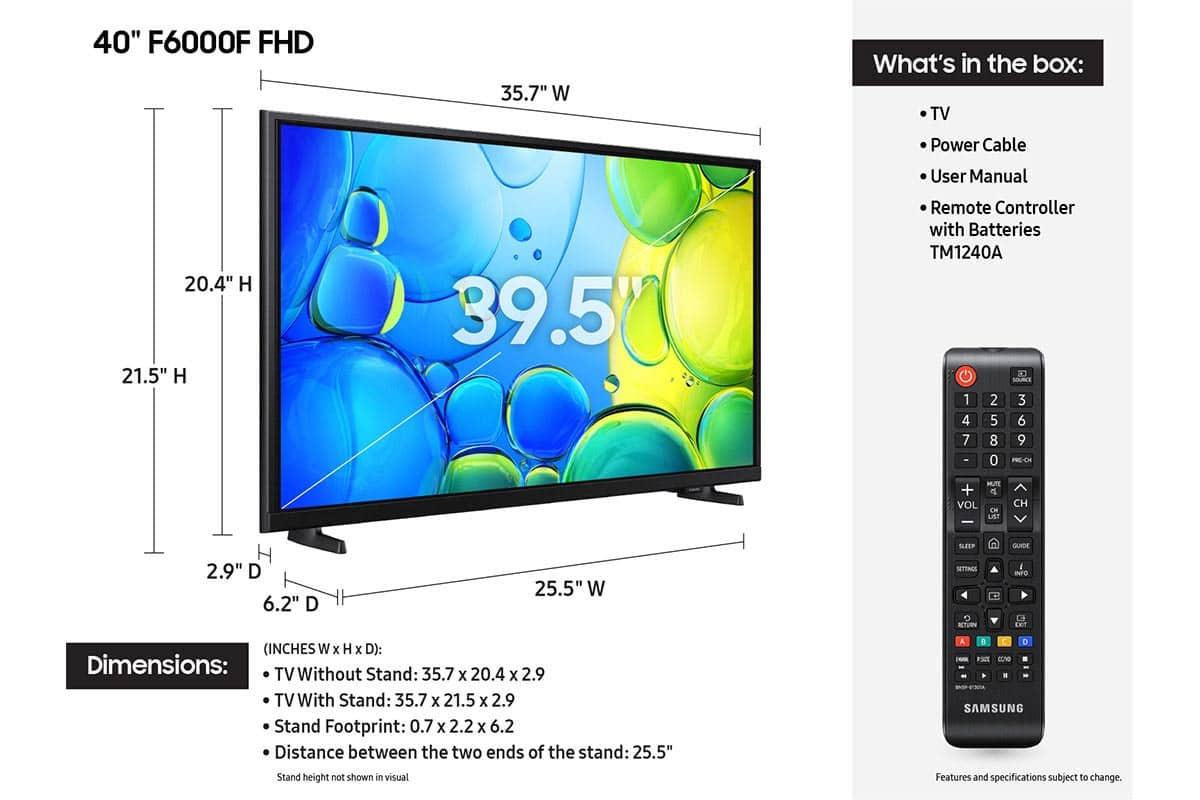






- Model:
- UN40F6000FFXZA
- SKU:
- 10517922
Rating by feature
- Picture Quality
Rating 4.7 out of 5 stars
- Sound Quality
Rating 4.5 out of 5 stars
- Brightness
Rating 4.7 out of 5 stars
Great tv
||Posted . Owned for 5 months when reviewed.This reviewer received promo considerations or sweepstakes entry for writing a review.Love it. Used and had no lag when playing on my game
I would recommend this to a friendSamsung TV
||Posted . Owned for 3 weeks when reviewed.This reviewer received promo considerations or sweepstakes entry for writing a review.The TV seems fine. The only drawback is that the mounting brackets to allow the TV to stand are not easy to install. They could have been much simpler. Dumb design.
I would recommend this to a friendSamsung 40" Review
||Posted . Owned for 3 weeks when reviewed.This reviewer received promo considerations or sweepstakes entry for writing a review.Works as expected, it does not have the YoutubeTV app. I find it surprising.
I would recommend this to a friendBrand response from Samsung
Posted .Hi AlMen,
Thank you for your review. Please know the YouTube TV app is available on your TV. To find the YouTube TV app in the built-in app store:
1. From the Home screen, press left on the remote’s directional pad.
2. Navigate to and select Search.
3. Using the search bar, enter the content or app you’d like to find.
4. Navigate to and select the app you’d like to install, then select Install.
If you need more help with app management, please don’t hesitate to reach Samsung Support at 1-800-SAMSUNG, available from 8AM - 12AM EST, seven days a week. You can also chat with one of our agents by clicking the ‘Support’ link on our website for:
• Live Chat
• Manuals, Software, & Warranty Info
~Samsung Advisor
New tV
||Posted . Owned for 2 weeks when reviewed.This reviewer received promo considerations or sweepstakes entry for writing a review.Sales person was extremely helpful and informative
I would recommend this to a friendTv is okay
||Posted .This reviewer received promo considerations or sweepstakes entry for writing a review.The TV is nice itself, the TV stand legs and screws are horrible. No matter what you do they don't go in all the way.
No, I would not recommend this to a friendBest tv ever!
||Posted . Owned for 4 months when reviewed.This reviewer received promo considerations or sweepstakes entry for writing a review.Better than the insignia 32 inch tv I had before! No problem with overheating.
I would recommend this to a friendSamsung Tv
||Posted .This reviewer received promo considerations or sweepstakes entry for writing a review.Very pleased with my purchase. Will be buying again from Best Buy
I would recommend this to a friendSamsung tv 40'
||Posted . Owned for 3 weeks when reviewed.This reviewer received promo considerations or sweepstakes entry for writing a review.Great price and good tv for the price you pay and easy to connect
I would recommend this to a friendSamsung
||Posted .This reviewer received promo considerations or sweepstakes entry for writing a review.Already have one got this for my daughter, needs sound bar.
I would recommend this to a friendGood buy
||Posted .This reviewer received promo considerations or sweepstakes entry for writing a review.I bought this on a sale at a great price and it has been a great buy.
I would recommend this to a friendPerfect upgrade
||Posted . Owned for 3 weeks when reviewed.This reviewer received promo considerations or sweepstakes entry for writing a review.Exactly what was needed to replace the old broken tv
I would recommend this to a friendGood buy
||Posted . Owned for 2 weeks when reviewed.This reviewer received promo considerations or sweepstakes entry for writing a review.Good value. For use next to Peleton. Vivid picture.
I would recommend this to a friendUse of TV
||Posted . Owned for 1 month when reviewed.This reviewer received promo considerations or sweepstakes entry for writing a review.Buying the TV was easy We needed help getting it to work and understand the startup.
I would recommend this to a friendWelcome to 2025
||Posted . Owned for 3 weeks when reviewed.This reviewer received promo considerations or sweepstakes entry for writing a review.Awesome!!! I love how you just plug the TV in and viola. You have multiple channels without have to pay for cable. A cool feature is it let's you preview each show before hitting enter.
I would recommend this to a friendGreat TV for the average viewer.
||Posted .This reviewer received promo considerations or sweepstakes entry for writing a review.Great TV for the price. A little slow on loading apps, but no buffering after they are loaded. Can play Xbox through the TV as well.
I would recommend this to a friend- Cons mentioned:Responsiveness
samsung T.V.
||Posted . Owned for 3 weeks when reviewed.This reviewer received promo considerations or sweepstakes entry for writing a review.This 40 inch Samsung t.v. takes a few seconds to respond when using the remote on the you tube APP. It's a pain
I would recommend this to a friendBrand response from Samsung
Posted .Hi JeffreyW,
We appreciate your feedback regarding response time. For optimal performance, please ensure your xxx TV is running the latest firmware. You can check this by going to: Home > left directional key > Settings > Support > Software Update
To further optimize performance, try running Device Care, which checks memory, clears unused cached data, and closes background apps: Home > left directional key > Settings > Support > Device Care > Start Device Care
If issues continue, please reach Samsung Support at 1-800-SAMSUNG, available 8AM – 12AM EST, 7 days a week. LiveChat is also available via the ‘Support’ link on our website.
~ Samsung Advisor
Huge Computer Monitor!
||Posted .This reviewer received promo considerations or sweepstakes entry for writing a review.Surprisingly I bought this TV to use as my computer monitor in my home office. 27 inch monitors are upwards of $300, this TV is like 3 screens in one, loving it so far!
I would recommend this to a friendGreat tv
||Posted . Owned for 4 months when reviewed.This reviewer received promo considerations or sweepstakes entry for writing a review.Love samsung tv products great clarity and has all features
I would recommend this to a friendGood tv
||Posted . Owned for 3 months when reviewed.This reviewer received promo considerations or sweepstakes entry for writing a review.Good tv for the price might need to adjust the sound to a better quality.
I would recommend this to a friend- Cons mentioned:Remote control
Cumbersome Remote
||Posted . Owned for 3 weeks when reviewed.This reviewer received promo considerations or sweepstakes entry for writing a review.TV is great. I mostly use for background noise to fall asleep. However. The remote is terrible. Too many buttons, options, steps to turn in timer.
I would recommend this to a friendBrand response from Samsung
Posted .Hi MarkZ,
Thank you for sharing your experience with your F6000F TV. Learn TV Remote is a feature designed to help users become familiar with the layout and function of each button on the Samsung remote. When enabled, pressing any button (except the Power button, which will still turn off the TV) will prompt the TV to announce the button’s name and its purpose, without affecting TV operation.
This teaching mode is especially useful for users who are visually impaired or new to Samsung remotes. To enable this feature, go to: Settings > All Settings > General & Privacy > Accessibility > Learn TV Remote. To exit, simply press the Return key twice.
If you’d like more assistance with this feature, please reach Samsung Support at 1-800-SAMSUNG, available from 8AM - 12AM EST, seven days a week. You can also chat with one of our agents by clicking the ‘Support’ link on our website.
~ Samsung Advisor