Customer Ratings & Reviews
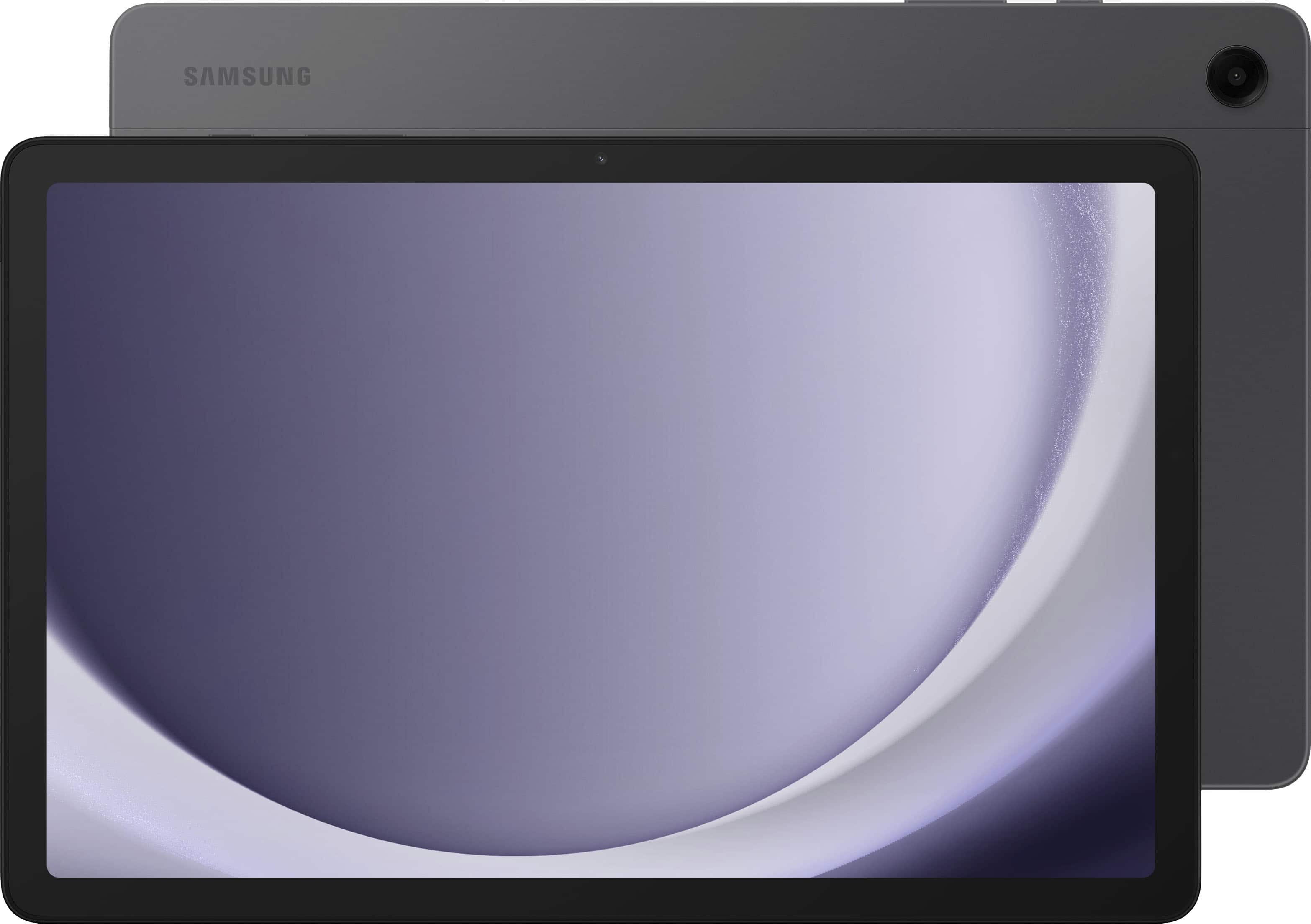






- Model:
- SM-X210NZAAXAR
- SKU:
- 11058711
Rating by feature
- Battery Life
Rating 4.6 out of 5 stars
- Durability
Rating 4.7 out of 5 stars
- Display
Rating 4.8 out of 5 stars
Love it
||Posted . Owned for 2 weeks when reviewed.This reviewer received promo considerations or sweepstakes entry for writing a review.It works good the kids love it and you can watch Netflix on it
I would recommend this to a friendGet something else
||Posted .This reviewer received promo considerations or sweepstakes entry for writing a review.Purchased back in May and it has stopped working, rarely used. Now i have to be dealing with the warranty process. It’s not really fast battery life sucks and now it stopped turning on. Hasn’t been dropped and has been in a case since purchased
No, I would not recommend this to a friendGrandpa
||Posted . Owned for 3 weeks when reviewed.This reviewer received promo considerations or sweepstakes entry for writing a review.I bought 5 Tab for my Grand children, they are so happy and it’s a good product, they love it.
I would recommend this to a friendTablets
||Posted . Owned for 2 weeks when reviewed.This reviewer received promo considerations or sweepstakes entry for writing a review.I love how they help you an explain you and the guaranty for the merchandise
I would recommend this to a friendSamsung tablet
||Posted . Owned for 2 weeks when reviewed.This reviewer received promo considerations or sweepstakes entry for writing a review.Great product! We use it for everything and it is so useful!
I would recommend this to a friendVery nice tablet
||Posted . Owned for 2 weeks when reviewed.This reviewer received promo considerations or sweepstakes entry for writing a review. I have no problem with it work perfect Is only good to watch videos, not games
I would recommend this to a friendUntouchy
||Posted . Owned for 1 month when reviewed.This reviewer received promo considerations or sweepstakes entry for writing a review.Continuously ticking me off! When typing something on the keyboard a letter wont appear on the screen. I have to erase letters to go back and correct missed letter. Just happened ! !
No, I would not recommend this to a friendMy new Amazing Tablet
||Posted . Owned for 1 month when reviewed.This reviewer received promo considerations or sweepstakes entry for writing a review.I really love this tablet. It's really amazing and the camera is really awesome
I would recommend this to a friendBest service
||Posted . Owned for 3 weeks when reviewed.This reviewer received promo considerations or sweepstakes entry for writing a review.Awesome customer service good sales men I will be back for sher
I would recommend this to a friend
Insufficient storage for large apps
|Posted . Owned for less than 1 week when reviewed.This reviewer received promo considerations or sweepstakes entry for writing a review.Samsung apparently doesn't allow apps to be stored or run off of the SD card which means that the internal storage is all you get. This information is not provided in any documentation included with the tablet. As if that wasn't enough, the included Samsung file management app lies about where it's storing the apps. You can set the app to be stored on the SD card and it will go through a process saying that it's moving it, but when it's done the SD card is still empty even though the app is listed as being on the SD card instead of the internal storage. Samsung's support blames Android, but I've never had this issue with any other android device.
No, I would not recommend this to a friendBrand response from Samsung
Posted .Hi Chris, thank you for your feedback on your Samsung Galaxy Tab A9+. We would love nothing more than to help you maximize your experience with your device and help you keep all of your favorite apps that you both need and want to have on a daily basis. Please, reach out to the Samsung Support Team for assistance with the settings of both the SD card you are using and the storage of your device to best align with your needs. Thank you for being a Samsung customer. -Elizabeth

first Samsung lemon?
||Posted . Owned for 1 month when reviewed.This reviewer received promo considerations or sweepstakes entry for writing a review.Looklike I got a lemon. I've had this since the first of December and two days ago the screen went black while showing 100% charge. After leaving it a couple of hours, it came on with a 1% charge. It returned to 100% overnight. Today it did the same thing. I haven't been able to bring it back. I don't know if it is the battery or what. I upgraded the charging cables to accommodate the tablet, so I'm not using outdated hardware. I'm not a happy camper! And, no, I did not buyextended protection. I've had Samsung products for years and never had any issues.
No, I would not recommend this to a friendTablet wont charge.
||Posted . Owned for 1 month when reviewed.This reviewer received promo considerations or sweepstakes entry for writing a review.Very disappointed. Ive only had this tablet for 40 days and its a paper weight now. Bestbuy wont help because they only have a 15 day return policy...Samsung will fix it but will cost me $105.00 out of pocket. Even though its warrantied for 12 months...i guess im just out of luck...be careful you never know what your going to get!
No, I would not recommend this to a friendBrand response from Samsung
Posted .Hi there Edward, thanks for taking the time to review your Samsung Galaxy Tab A9+. We appreciate your honesty as we strive to provide the very best products with superior functionality on the market to our customers while we remain committed to constant innovation. Our goal is for our customers to feel like they are having the most unforgettable experiences while using our products. As you know, Samsung provides a 12-month warranty on our products for manufacturing defects in materials and workmanship. If your Galaxy phone or tablet is draining quickly and doesn't seem to charge at all, doesn't charge past 85%, doesn't charge when connected to a PC, or doesn't charge when connected to Samsung DeX, there are a couple of things that may be causing the problem. For example, you may simply need to replace a worn-out USB cable, or make sure you're using the correct charger. Please take a moment to review, "Galaxy phone or tablet will not charge" to help resolve what you may be experiencing with your device. If you have any questions for us afterward or if you would like any further assistance, feel free to contact Samsung Support. Thank you for being a loyal Samsung customer. - Debra
Delivered to wrong house on Christmas Eve!!
||Posted .This reviewer received promo considerations or sweepstakes entry for writing a review.I bought this for my younger brother and it arrived at a random house. Lost the item and they didn’t refund me or give me a new one picture of my door and door they delivered to
No, I would not recommend this to a frienddisappointment
||Posted . Owned for 4 months when reviewed.This reviewer received promo considerations or sweepstakes entry for writing a review.It was a good item! I used the tablet only a handful of times, the tablet is in mint condition still. I pulled the tablet out today 1/28/25 and nothing, it wouldn't turn on or even charge. So I am very disappointed in my galaxy tablet
No, I would not recommend this to a friendDon't waste your money on this tablet!
||Posted .This reviewer received promo considerations or sweepstakes entry for writing a review.Seems dead after a short time! Was very slow when it was working. Feel like it was a waste of money buying this one!
No, I would not recommend this to a friendProblem with touch on the window
||Posted . Owned for 5 months when reviewed.This reviewer received promo considerations or sweepstakes entry for writing a review.I bought it in October 2024. I haven't used it for a few months. It's still new. I'm not impressed with this new Samsung Galaxy Tab A9; it's slower and seems to freeze when I select a window and touch it again four seconds later to open it, even after touching it multiple times. The rest of the system is great!
No, I would not recommend this to a friendThe screen stopped working 5 minutes after opening
||Posted . Owned for 1 month when reviewed.This reviewer received promo considerations or sweepstakes entry for writing a review.The tablet looks good for the price, it is perfect for a child or teenager, but in my case after 5 minutes of setting it up, the screen stopped working properly, half of the screen started to look blurry and had lines.
No, I would not recommend this to a friendIt came password protected - it's useless
||Posted . Owned for 10 months when reviewed.This reviewer received promo considerations or sweepstakes entry for writing a review.We bought this tablet a year ago and haven't been able to use it because it demands a password for access, which we never set up. We can't even turn it off to do a reset because it demands a password to shut down. Was this really a new item?
No, I would not recommend this to a friendWont carge
||Posted . Owned for 2 months when reviewed.This reviewer received promo considerations or sweepstakes entry for writing a review.Not even 3 months yet from when we bought this tabley & we are taking it to Geek Squad, will not charge.
No, I would not recommend this to a friendWish I didn’t get it
||Posted . Owned for 2 months when reviewed.This reviewer received promo considerations or sweepstakes entry for writing a review.It had given me trouble since the day I got it for my daughter. Parent control wasn’t easy to find or setup. It also doesn’t have a good battery life.
No, I would not recommend this to a friendBrand response from Samsung
Posted .It's great to hear from you and get your feedback, Phyllis. We see that you reached out regarding concerns with your Galaxy Tab A9+ and we're here to help! Parental controls with Google's Family Link app allow you to set rules for how Galaxy phones and tablets are used, allowing you to guide your child while they learn and play online. You can set up parental controls for devices running One UI 2.0 or a later software version. Check out the article, "Parental controls available on your Galaxy phone or tablet" for detailed instructions to help activate parental controls on your tablet. As far as your battery life, we recommend making sure that your device is updated with the latest software version available. If you are looking to extend the battery life of your phone or tablet throughout the day, or if you feel your battery has been draining too quickly, you can optimize the overall usage of your apps. This can be accomplished by restricting app functions or using your device’s power management settings. Before optimizing, make sure all your apps are updated to the latest version. Navigate to Settings, and then tap Device Care. Tap Optimize now. Device care will automatically optimize your apps. If Device Care determines your device is already in great condition, you will not be able to optimize it. If this persists after doing so, please reach out to us at Support for additional assistance. -Kelvin