Customer Ratings & Reviews


- Model:
- MU-PC1T0T/AM
- SKU:
- 11643848
Rating by feature
- Value
Rating 4.7 out of 5 stars
- Quality
Rating 4.9 out of 5 stars
- Ease of Use
Rating 4.9 out of 5 stars
Personal experience from the saleperson.
||Posted . Owned for 1 month when reviewed.This reviewer received promo considerations or sweepstakes entry for writing a review.The young man who helped us with our purchase suggested the item that he used the most. Always good to know what we are purchasing is used by those who know.
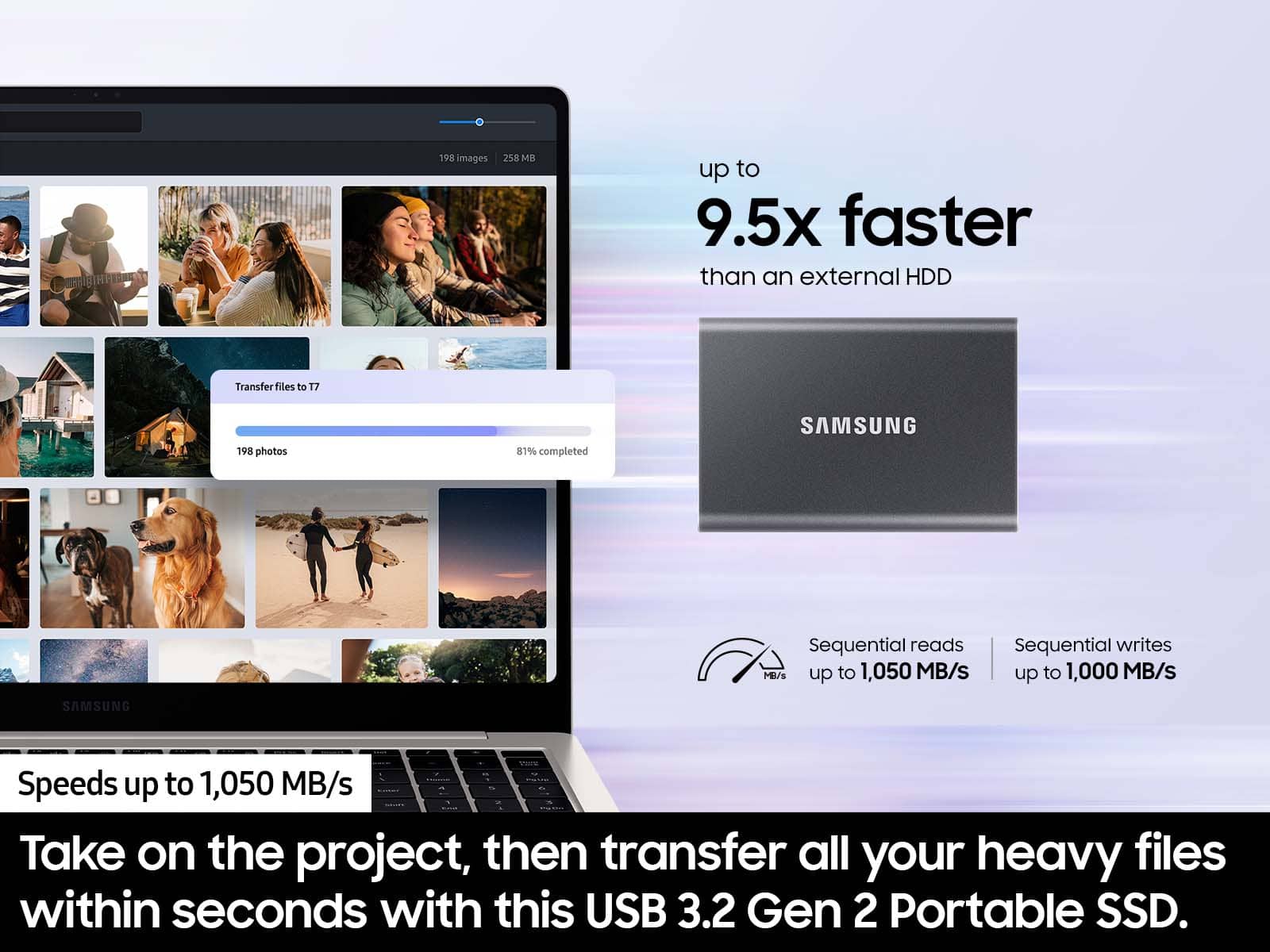
I would recommend this to a friendworks fine, fast , good storage
||Posted . Owned for 1 month when reviewed.This reviewer received promo considerations or sweepstakes entry for writing a review.The product was priced right and has fast response times`
I would recommend this to a friendGreat for photo storage
||Posted .This reviewer received promo considerations or sweepstakes entry for writing a review.Works well for photos. Purchased a second one for backups.
I would recommend this to a friendBest SSD
||Posted . Owned for 1 month when reviewed.This reviewer received promo considerations or sweepstakes entry for writing a review.Great product. Super quiet I use this with my ps5.
I would recommend this to a friendWorks as advertised...
||Posted .This reviewer received promo considerations or sweepstakes entry for writing a review.Not much to say here. The drive is fast and well built.
I would recommend this to a friendGood quality
||Posted .This reviewer received promo considerations or sweepstakes entry for writing a review.Good quality i would definitely recommend this item
I would recommend this to a friendworks great
||Posted . Owned for 1 month when reviewed.This reviewer received promo considerations or sweepstakes entry for writing a review.love the drive! durable enclosure and fast write speed
I would recommend this to a friend- Pros mentioned:Overall performance
Good value for todays computing
||Posted . Owned for 3 weeks when reviewed.This reviewer received promo considerations or sweepstakes entry for writing a review.Great item cheap worls fine would recommend Jfor gaming⁰
I would recommend this to a friend Fast and compact
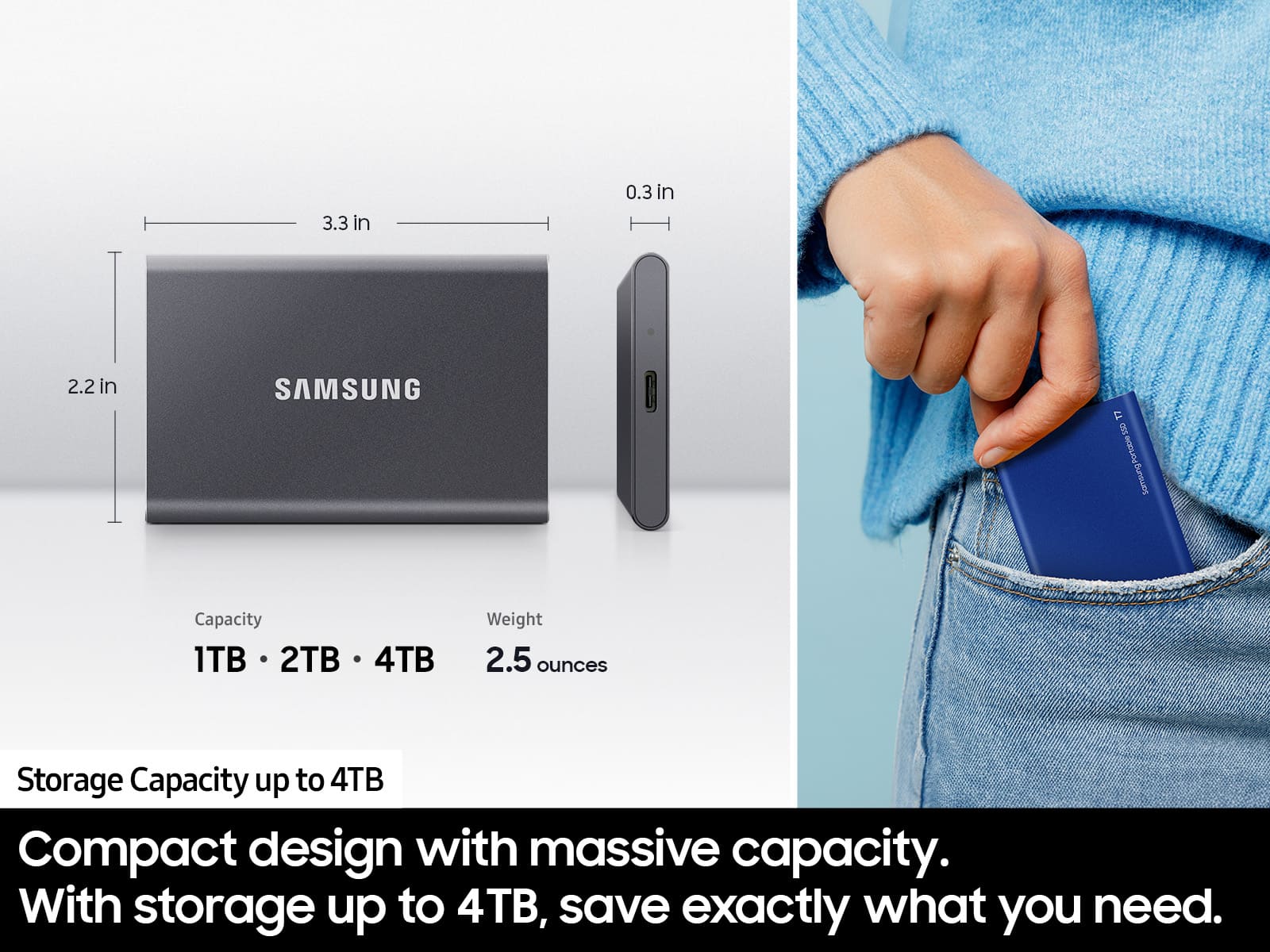
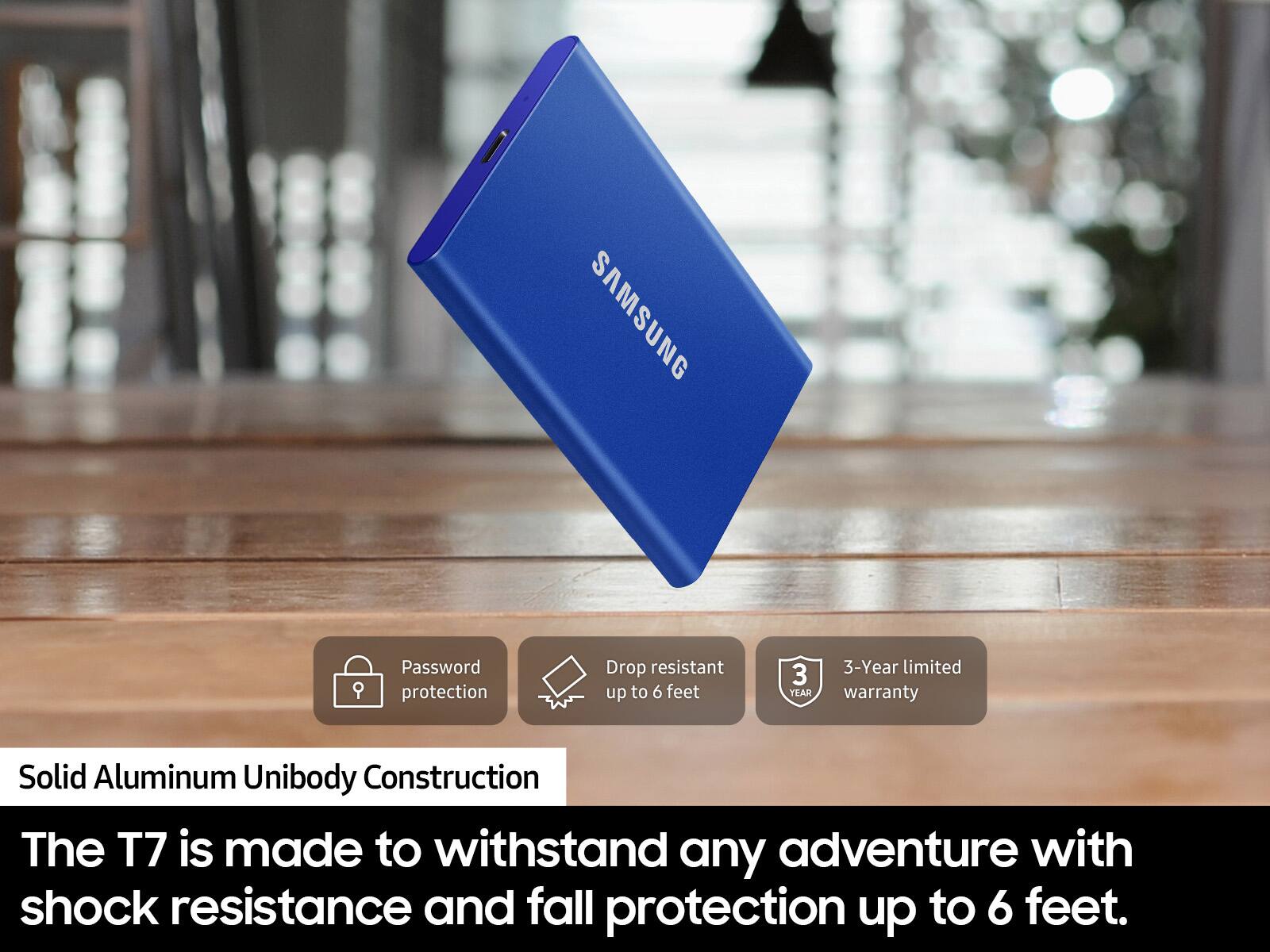
||Posted . Owned for 3 weeks when reviewed.This reviewer received promo considerations or sweepstakes entry for writing a review.Fast, compact and reliable. A little slippery to hold.
I would recommend this to a friendGood item
||Posted . Owned for 2 weeks when reviewed.This reviewer received promo considerations or sweepstakes entry for writing a review.Good quality, would recommend. Good brand and image.
I would recommend this to a friendSamsung
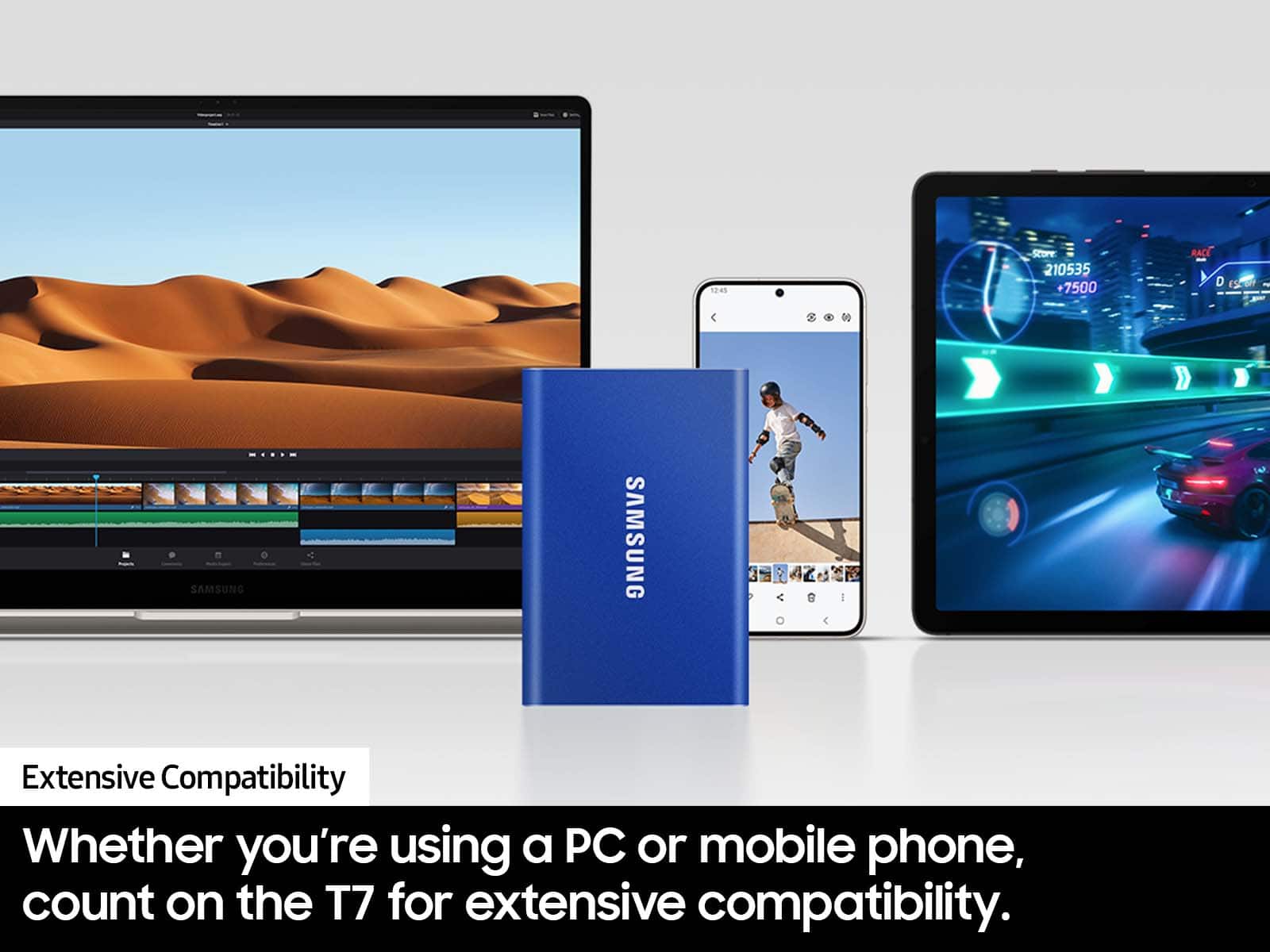
||Posted . Owned for 2 months when reviewed.This reviewer received promo considerations or sweepstakes entry for writing a review.Has great space works with all system. It was cheap and compatible with USB.
I would recommend this to a friend- Cons mentioned:Compatibility
Poor compatibility
||Posted .This reviewer received promo considerations or sweepstakes entry for writing a review.Poorly compatible with the Mac. Buy the sandisk instead.
No, I would not recommend this to a friendBrand response from Samsung
Posted .Jason:
Thank you for purchasing the Samsung T7 SSD and for your feedback regarding your drive and Mac.
The issue may be that you are unable to setup security with the SSD software. Please uninstall the software and download the current version at:
https://www.samsung.com/semiconductor/minisite/ssd/download/tools/
If you need further assistance, please reach out to us at Samsung Memory Support:
1) Call: 1-800-SAMSUNG (ask for Storage Devices). Available 9AM - 12AM EST (Mon-Fri)
2) Email: [email protected]
3) LiveChat 9AM-9PM EST (Mon-Fri) - https://www.livehelpnow.net/lhn/lcv.aspx?d=34834&ms=&zzwindow=0&lhnid=29783
- Samsung Memory
- Pros mentioned:Portability
Best portable SSD
||Posted . Owned for 3 months when reviewed.This reviewer received promo considerations or sweepstakes entry for writing a review.Great portability...very fast with data rates...simple and flexible connectivity between products such as window or apple.
I would recommend this to a friend - Pros mentioned:Speed
Great, Quick, Reliable
||Posted . Owned for 1 month when reviewed.This reviewer received promo considerations or sweepstakes entry for writing a review.I love the download speeds, for a comparison, GTA V and Microsoft Flight Simulator run perfectly withiut loss of files.
I would recommend this to a friend - Cons mentioned:Compatibility
Doesn't play well with Apple Computers
||Posted . Owned for less than 1 week when reviewed.This reviewer received promo considerations or sweepstakes entry for writing a review.If you are buying this for use on a Mac please don't. The T7 doesn't play nice with my iMac or Macbook pro. Once you finally get what think you want loaded on, you are then unable to erase the drive and start over. Using the Utilities on a Mac will not erase the drive. This doesn't happen on the T5 drives. I would return the T9 but can't as I can not erase my data. This is NOT a solution for Apple computers. The T9 is fast which is good.
No, I would not recommend this to a friendBrand response from Samsung
Posted .photograbber:
Thank you for purchasing the Samsung T7 SSD and for your feedback regarding your drive and iMac and MacBook Pro.
The issue may be that you are unable to setup security with the SSD software. Please uninstall the software and download the current version (Portable SSD Software 1.0 for Mac, Version 1.7.4) at:
https://www.samsung.com/semiconductor/minisite/ssd/download/tools/
If the symptom persists, please contact Samsung Customer Support and a rep will be happy to assist you.
1) Call: 1-800-SAMSUNG (ask for Memory or press #, then 6 for Memory products)
Available 9AM – 12AM EST (Mon-Fri)
2) Email: [email protected]
3) Or visit us on the Samsung website and click on the SUPPORT link in the upper right corner of the homepage for:
a) Chat with Us/Product Help: To begin a chat or find solutions, choose ‘Computing – Memory & Storage’ and select your model & topic.
b) Manuals & Software
c) Warranty Info
d) Register a Product: For access to easy warranty support, convenient opt-in to special promos and offers, faster troubleshooting and service, and quick notification of system updates
e) Contact Us
The Samsung Members Community is also a great resource for getting help from Samsung moderators and customers: https://us.community.samsung.com/
Samsung is committed to providing the best possible product experience, quality, and value, and we are always here to help with any of your questions or concerns.
~ Samsung Memory
Solid ssd drive
||Posted . Owned for 1 month when reviewed.This reviewer received promo considerations or sweepstakes entry for writing a review.This is the second ssd dri e i have bought. Love it fast and seamless integration. I only wish the larger ones were in stock more frequently.
I would recommend this to a friendDoes as advertised
||Posted . Owned for 1 month when reviewed.This reviewer received promo considerations or sweepstakes entry for writing a review.For an SSD has solid and compact construction, plug and play.
I would recommend this to a friendgood product
||Posted . Owned for 1 month when reviewed.This reviewer received promo considerations or sweepstakes entry for writing a review.fast enough for the price and samsung makes good ssd for years. definitely i can recommend to my friends who use final cut pro all the time
I would recommend this to a friend- Pros mentioned:Speed
Great portable SSD
||Posted . Owned for 1 month when reviewed.This reviewer received promo considerations or sweepstakes entry for writing a review.Bought it to replace a dated external HD for backup files. Really quick with good hardware protection
I would recommend this to a friend Okay, pretty good but go NVME instead...
||Posted .This reviewer received promo considerations or sweepstakes entry for writing a review.Its good but,., Nothing impressive and not a huge leap from the T5 series as far as performance goes. It stays a little cooler than older models but most likely your device doesn't have usb 3.2 gen 2 ports so you won't see max potential... skip this and go NVME for the same price or cheaper.
I would recommend this to a friendBrand response from Samsung
Posted .Jaff:
Thank you for your review of the Samsung T7 SSD. I hope that your SSD is meeting your expectations.
If there is anything further we can do to help improve your experience, please contact Samsung Customer Support.
1) Call: 1-800-SAMSUNG (ask for Memory) Available 9AM - 12AM EST (Mon-Fri)
2) Email: [email protected]
3) LiveChat: https://www.livehelpnow.net/lhn/lcv.aspx?d=34834&ms=&zzwindow=0&lhnid=29783
Available 12PM-6PM EST (Mon-Fri)
The Samsung Members Community is also a great resource for getting help from Samsung moderators and customers: https://us.community.samsung.com/t5/Get-Help/ct-p/get-help
If you have not already done so, we invite you to register your new Samsung product at: https://www.samsung.com/us/account/signin/?redirect=https%3A%2F%2Fwww.samsung.com%2Fus%2Fsupport%2Fregister%2F
Registering your product gives you access to easy warranty support, convenient opt-in to special promos & offers, faster troubleshooting & service, and quick notification of system updates.
Samsung is committed to providing the best possible product experience, quality, and value, and we are always here to help with any of your questions or concerns.
~ Samsung Memory