Customer Ratings & Reviews
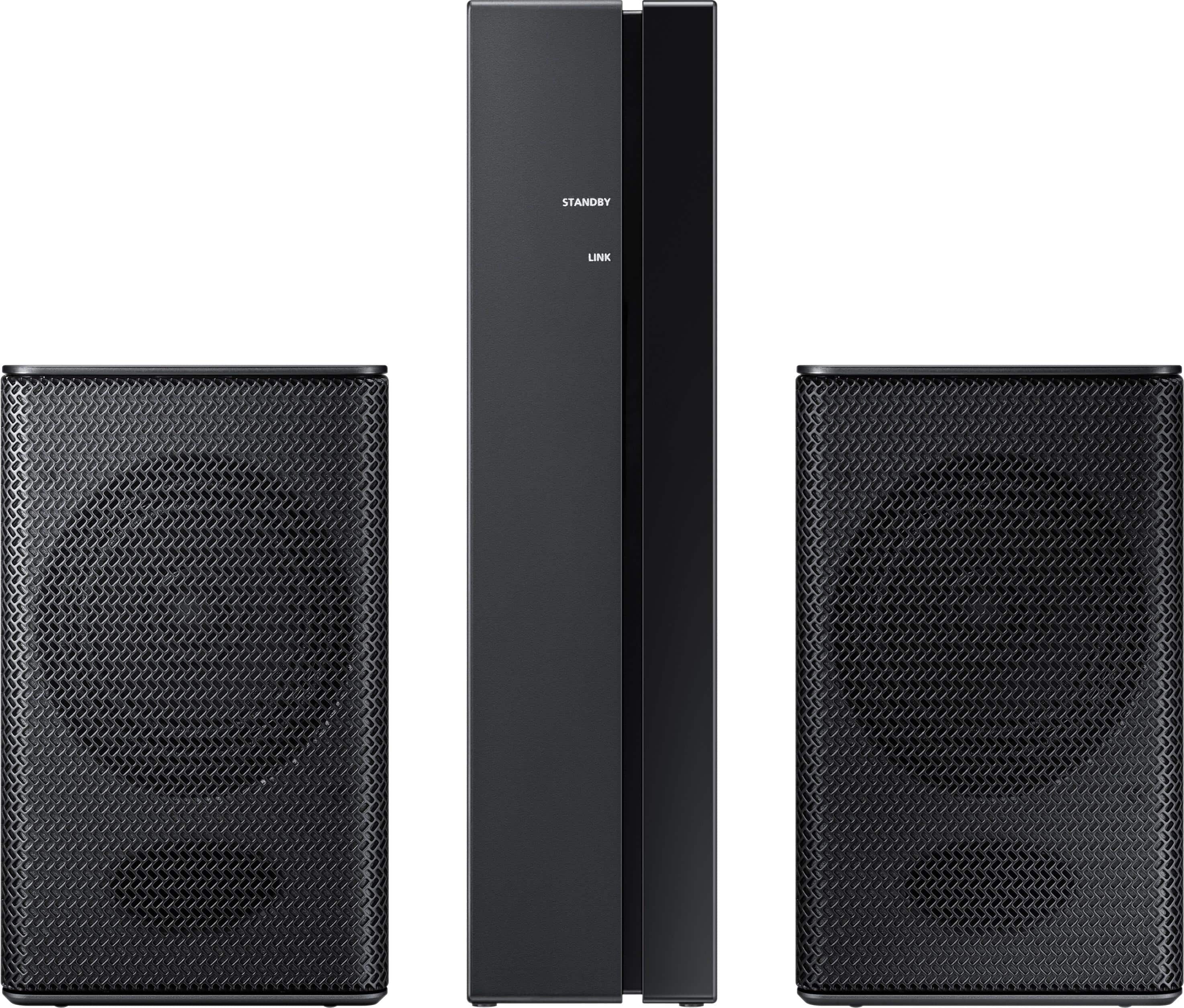
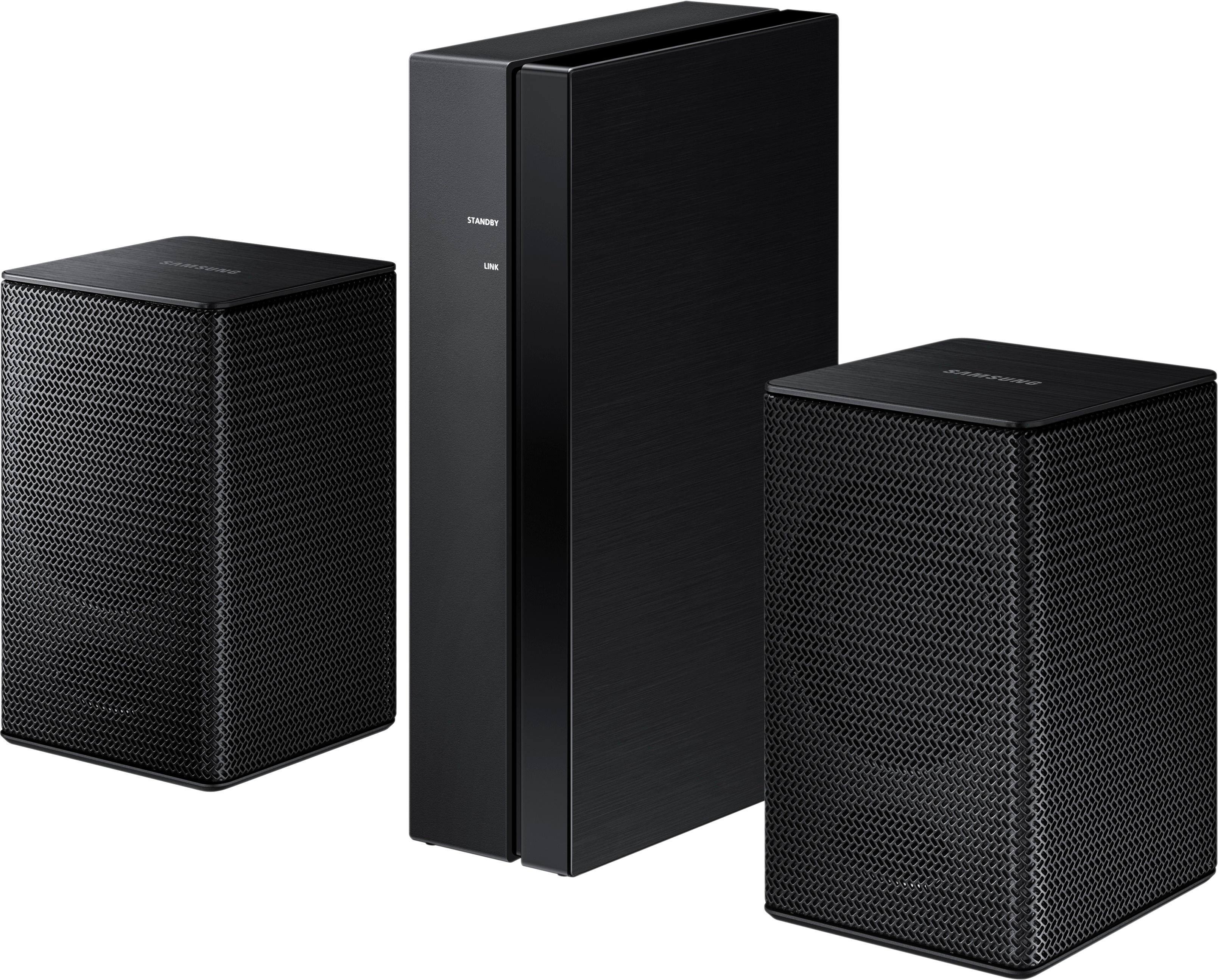
- Model:
- SWA-8500S/ZA
- SKU:
- 5754510
Rating by feature
- Value
Rating 4.2 out of 5 stars
- Quality
Rating 4.2 out of 5 stars
- Ease of Use
Rating 4.3 out of 5 stars
Customers are saying
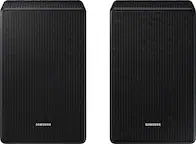
Customers consistently note the exceptional sound quality and easy setup process of the Wireless Rear Speakers. Many users appreciate the convenience of the wireless feature and the reasonable price point compared to similar products. However, some users have expressed concerns about the lack of volume control and compatibility issues with certain TVs.
This summary was generated by AI based on customer reviews.
Look at other brands...
||Posted . Owned for 1 month when reviewed.This reviewer received promo considerations or sweepstakes entry for writing a review.This is the second set that I tried and neither one would link up with my sound bar. Even if they had, each satellite only had one ~4” full range driver with a paper looking cone. I didn’t pay for audiophile quality and these weren’t to be confused with that, but a .05 crossover capacitor and a .35 dome tweeter wouldn’t break the bank and would smooth things out greatly. Side note- these same speakers are used on the next 2 grades up of rear channel sets. “ Buyer Beware “ - and I’m seriously burned on Samsung speakers.
No, I would not recommend this to a friendFair rear speakers
||Posted . Owned for 1 month when reviewed.This reviewer received promo considerations or sweepstakes entry for writing a review.The speakers are fair but lack volume control and bass.
No, I would not recommend this to a friendBrand response from Samsung
Posted .Spanktony:
Thank you for sharing your experience with the Samsung SWA-8500S Rear Speakers. Your feedback regarding the volume control will be shared with our product team.
If you ever have questions or need assistance, please know that Samsung is always here to help. You can reach us via any of the following options:
1) Phone: 1-800-SAMSUNG (ask for Soundbar) Available 8AM - 12AM EST (Mon-Fri) / 9AM - 11PM EST (Sat-Sun)
2) LiveChat or Email: https://www.samsung.com/us/support/#contact_us_for_support
3) Facebook Messenger: https://www.facebook.com/samsungsupport
4) Twitter: https://twitter.com/SamsungSupport
The Samsung Home Theater & Home Audio Community is also a great resource for getting help from Samsung moderators and customers: https://us.community.samsung.com/
Thank you for choosing Samsung!
- Samsung Solutions
no bass
||Posted .This reviewer received promo considerations or sweepstakes entry for writing a review.no bass on any setting out of any speaker , do not like it
No, I would not recommend this to a friendBrand response from Samsung
Posted .dryer:
I am very sorry to see that you are not happy with the bass on these SWA-8500S Wireless Rear Speaker Kit
So that we can better understand your usage scenario and assist you, please contact Samsung Customer Support via any of the following options:
1) Phone: 1-800-SAMSUNG (ask for Soundbars)
Available 8AM - 12AM EST (Mon-Fri) / 9AM - 11PM EST (Sat-Sun)
2) LiveChat or Email: https://www.samsung.com/us/support/#contact_us_for_support
3) Facebook Messenger: https://www.facebook.com/samsungsupport
4) Twitter: https://twitter.com/SamsungSupport
5) The Samsung Home Theater & Home Audio Community is also a great resource for getting help from Samsung moderators and customers: https://us.community.samsung.com/t5/Home-Theater-Home-Audio/bd-p/hometheaterhomeaudio
Again, I am very sorry for the disappointment and hope that we will hear from you soon.
- Samsung Solutions
Budget Quality & Price
||Posted .This reviewer received promo considerations or sweepstakes entry for writing a review.Budget quality & price for those who are on a budget.
I would recommend this to a friendBrand response from Samsung
Posted .BBRom:
Thank you for purchasing these Samsung Wireless Rear Speakers. I am glad that you are happy with the experience.
If you ever have questions or need assistance, please know that Samsung is always here to help.
You can reach us via any of the following options:
1) Phone: 1-800-SAMSUNG (ask for Soundbars)
Available 8AM - 12AM EST (Mon-Fri) / 9AM - 11PM EST (Sat-Sun)
2) LiveChat or Email: https://www.samsung.com/us/support/#contact_us_for_support
3) Facebook Messenger: https://www.facebook.com/samsungsupport
4) Twitter: https://twitter.com/SamsungSupport
The Samsung Home Theater & Home Audio Community is also a great resource for getting help from Samsung moderators and customers: https://us.community.samsung.com/
Thank you for choosing Samsung.
- Samsung Solutions
Rear speaker
||Posted .This reviewer received promo considerations or sweepstakes entry for writing a review.They speakers worked great. I didn’t personally like them
I would recommend this to a friendBrand response from Samsung
Posted .Ramona:
Thank you for purchasing these Samsung Wireless Rear Speakers.
If there is anything we can do to assist you and improve your product experience, please contact Samsung Customer Support via:
1) Phone: 1-800-SAMSUNG
2) LiveChat or Email: https://www.samsung.com/us/support/#contact_us_for_support
3) Facebook Messenger: http://m.me/samsungsupport
4) Twitter: https://twitter.com/messages/compose?recipient_id=18768513
Your thoughts and opinions are very important to Samsung and we hope to hear from you.
- Samsung Solutions
OK
||Posted .This reviewer received promo considerations or sweepstakes entry for writing a review.Not the best sound, but was a good deal. Wouldn't recommend.
No, I would not recommend this to a friendBrand response from Samsung
Posted .MariH,
Thank you for purchasing the Samsung Wireless Rear Loud Speakers. I am very sorry that you are not completely happy with the speakers you received.
Please know that by design, the surround speakers are supposed to simulate sounds happening behind the viewer. Therefore, most of the time the surround channels are only used for ambient sounds, which are naturally lower in volume.
However, there are a few settings you can change to adjust the surround effect to your preference:
1. Make sure that the source (e.g. TV output) is sending surround channels to the Soundbar. If the source is not surround, then set the Surround mode to OFF on the Soundbar by pressing the Surround button on the remote.
2. If the source has surround channels, select the desired Sound Mode from the Soundbar remote. Choices are STANDARD, MUSIC, CLEAR VOICE, SPORTS, or MOVIE.
3. Turn off Dynamic Range Control. This is done by pressing and holing the Sound Mode button while the Soundbar is in standby mode.
4. Increase the volume level of the surround speakers using the Sound Control button on the Soundbar remote control.
I hope these tips help to enhance your audio enjoyment. Should you need further assistance with this issue or other features, please contact Samsung Customer Support via one of the following options:
1) Toll-free calling: 1-800-SAMSUNG
2) LiveChat or Email: https://www.samsung.com/us/support/#contact_us_for_support
3) Facebook Messenger: http://m.me/samsungsupport
4) Twitter: https://twitter.com/messages/compose?recipient_id=18768513
- Samsung Solutions
Good sound
||Posted .This reviewer received promo considerations or sweepstakes entry for writing a review.Really isn’t wireless even though they say it is but ok
No, I would not recommend this to a friendBrand response from Samsung
Posted .Jmitch1:
Thank you for purchasing the Samsung SWA-8500S Wireless Rear Speaker Kit. I am very sorry for any confusion about the wireless description.
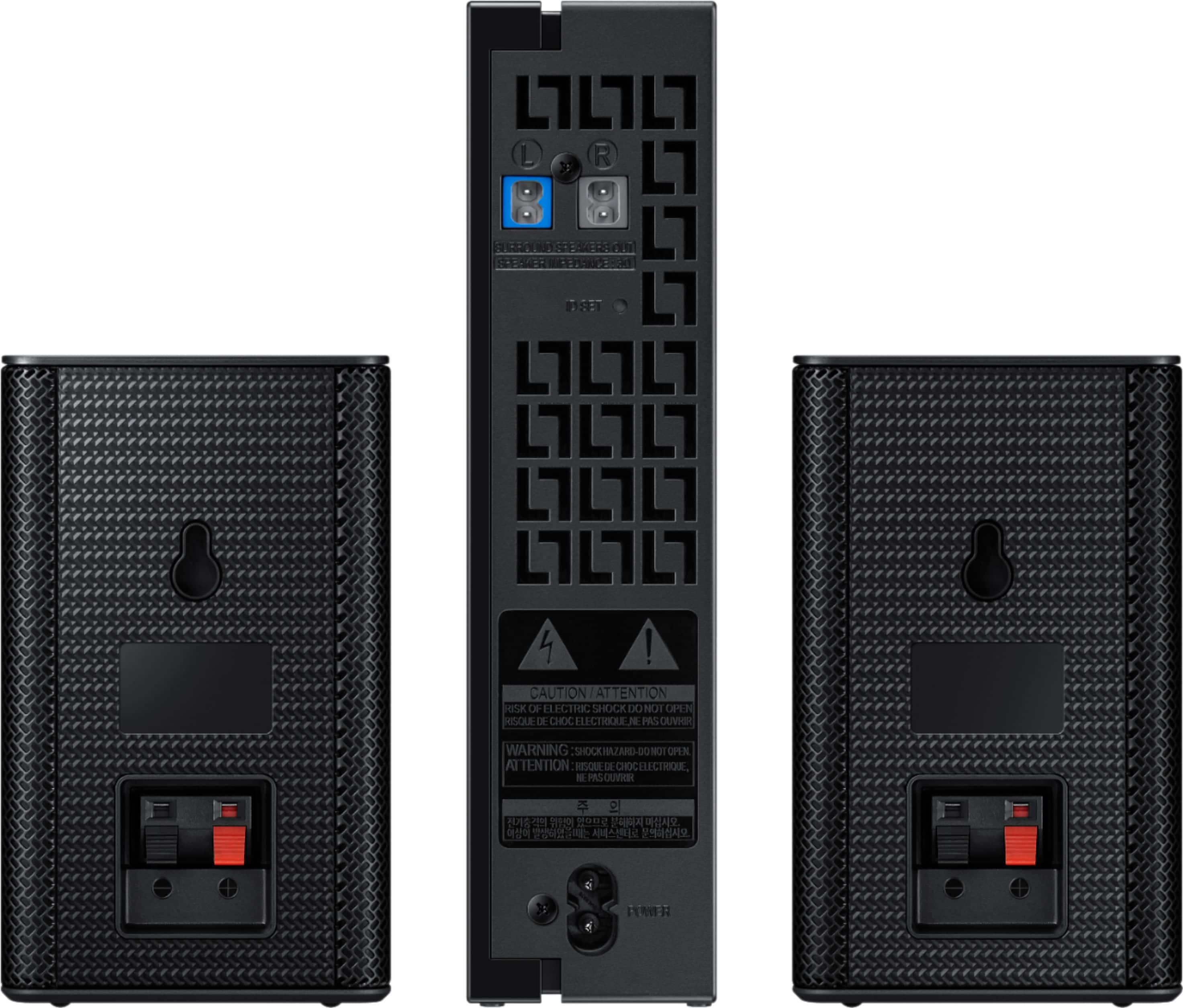
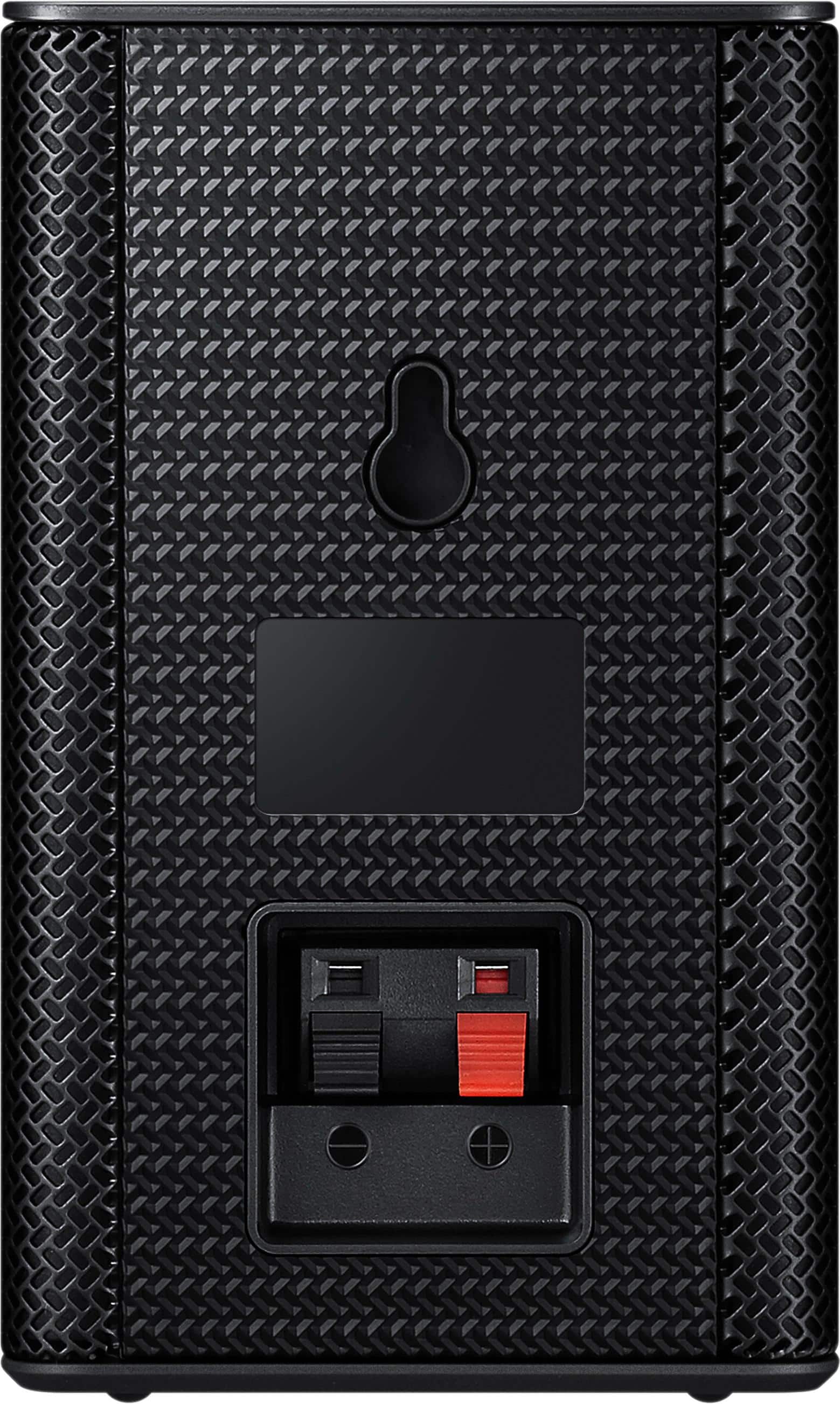
Most consumers have trouble hiding and running speaker wires from the front of the room (where their soundbar is) to the back of their room (where they have their rear speakers). The SWA-8500S Kit eliminates that hassle. Connect the SWA-8500S rear speakers to its wireless module and place these three in the back of your room. One wire is required to connect each rear speaker to the wireless module. Then plug in the power cable to the module. The “wireless” convenience is in connecting your soundbar and any other speakers at the front of the room to the rear speakers – this can now be done via Wi-Fi through the wireless module, eliminating any clutter of long wires running the length of your room.
If you need further assistance or have questions, please feel free to reach Samsung Support via:
1) Phone: 1-800-SAMSUNG (ask for Soundbars)
Available 8AM - 12AM EST (Mon-Fri) / 9AM - 11PM EST (Sat-Sun)
2) LiveChat or Email: https://www.samsung.com/us/support/#contact_us_for_support
3) Facebook Messenger: https://www.facebook.com/samsungsupport
4) Twitter: https://twitter.com/SamsungSupport
5) The Samsung Home Theater & Home Audio Community is also a great resource for getting help from Samsung moderators and customers: https://us.community.samsung.com/t5/Home-Theater-Home-Audio/bd-p/hometheaterhomeaudio
Thanks for choosing Samsung. I hope this reply was helpful.
- Samsung Solutions
Like the small size
||Posted .This reviewer received promo considerations or sweepstakes entry for writing a review.Do the job for the cost really like that inconspicuous
I would recommend this to a friendBrand response from Samsung
Posted .ACE69::
Thank you for purchasing the Samsung Wireless Rear Loud Speakers.
If you ever have questions or need assistance, please know that Samsung is always here to help. You can reach us via one of the below options:
1) Phone: 1-800-SAMSUNG (ask for Soundbars)
Available 8AM - 12AM EST (Mon-Fri) / 9AM - 11PM EST (Sat-Sun)
2) LiveChat or Email: https://www.samsung.com/us/support/#contact_us_for_support
3) Facebook Messenger: https://www.facebook.com/samsungsupport
4) Twitter: https://twitter.com/SamsungSupport
The Samsung Home Theater & Home Audio Community is also a great resource for getting help from Samsung moderators and customers: https://us.community.samsung.com/t5/Home-Theater-Home-Audio/bd-p/hometheaterhomeaudio
Thank you for choosing Samsung!
- Samsung Solutions
Good speakers bad open box experience
||Posted . Owned for 2 weeks when reviewed.This reviewer received promo considerations or sweepstakes entry for writing a review.Speakers were great add on to my soundbar. Took a gamble buying them open box though ended up showing up without a power cord or the factory speaker wires so thats why only 2 stars.
I would recommend this to a friendBe Advised
||Posted .This reviewer received promo considerations or sweepstakes entry for writing a review.Malfunctioning after one month. To be fair I bought open box but with warranty in case. I'm sure best buy will take care of it. Also speakers are indeed wired into their own receiver so there are wired to deal with. Their not great quality but you get what you pay for here.
No, I would not recommend this to a friend- Cons mentioned:Volume
very dissapointed with these speakers
||Posted .This reviewer received promo considerations or sweepstakes entry for writing a review.I am very dissapointed with these speakers. I have to turn the volume up very high on the soundbar to get any volume out of them. I bought speaker stands and mounted them as high as they can be and this did not help either.
No, I would not recommend this to a friendBrand response from MrSamsung
Posted .Carlos,
Thank you for purchasing the Samsung Wireless Rear Loud Speakers. I am sorry to hear that you did not experience the full potential of the surround sound system.
Please know that by design, the surround speakers are supposed to simulate sounds happening behind the viewer. Therefore, most of the time the surround channels are only used for ambient sounds, which are naturally lower in volume.
However, there are a few settings you can change to adjust the surround effect to your preference:
1. Make sure that the source (e.g. TV output) is sending surround channels to the Soundbar. If the source is not surround, then set the Surround mode to OFF on the Soundbar by pressing the Surround button on the remote.
2. If the source has surround channels, select the desired Sound Mode from the Soundbar remote. Choices are STANDARD, MUSIC, CLEAR VOICE, SPORTS, or MOVIE.
3. Turn off Dynamic Range Control. This is done by pressing and holing the Sound Mode button while the Soundbar is in standby mode.
4. Increase the volume level of the surround speakers using the Sound Control button on the Soundbar remote control.
I hope these tips help to enhance your audio enjoyment.
Should you need further assistance with this issue or other features, please contact Samsung Customer Support via one of the following options:
1) Toll-free calling: 1-800-SAMSUNG
2) LiveChat or Email: https://www.samsung.com/us/support/#contact_us_for_support
3) Facebook Messenger: http://m.me/samsungsupport
4) Twitter: https://twitter.com/messages/compose?recipient_id=18768513
-Samsung Ambassador
Whisper Quiet
||Posted . Owned for less than 1 week when reviewed.This reviewer received promo considerations or sweepstakes entry for writing a review.These are really bad. They barely produce any sound, I couldn't even tell they were on until I put my ear right next to it. We increased their volume as much as possible and still nothing. Don't waste your time/money.
No, I would not recommend this to a friend- Cons mentioned:Volume
suck
||Posted .This reviewer received promo considerations or sweepstakes entry for writing a review.not true wireless, speakers are wired to a wireless box that pairs to the sound bar. you still need to plug the box in and wires go out from it. and they werent very loud n we couldnt get the levels to go up on em. i returned em.
No, I would not recommend this to a friend Hate these speakers
||Posted .This reviewer received promo considerations or sweepstakes entry for writing a review.I really hate these speakers. I can't believe these are sold.
No, I would not recommend this to a friendBrand response from MrSamsung
Posted .tion, Thank you for your review of this Samsung Wireless Rear Loud Speakers. . I am sorry to hear that you are experiencing issues. Samsung products are engineered to the highest standards of performance and quality and we back the Samsung TV with a 1-year limited manufacturer's warranty, if purchased brand-new directly from an authorized seller. Please give us the opportunity to assist you with step-by-step troubleshooting by calling Samsung Customer Support toll-free at 1-800-SAMSUNG. You can also contact Samsung via LiveChat or email. Please copy-paste this link into your browser: http://www.samsung.com/us/support/contact Or find us on our Samsung Support Facebook page at: https://www.facebook.com/samsungsupport/app/158125230916392/ Again, thank you for taking the time to share your experience. We hope to hear from you soon. -Samsung Ambassador
Low price but few options
||Posted .This reviewer received promo considerations or sweepstakes entry for writing a review.I actually returned this product after trying it out for a few days. The speakers are NOT wireless, just the receiver is, and there is no separate volume control for the unit (only when main sound bar volume increases will these speakers increase). Pretty weak.
No, I would not recommend this to a friendBrand response from Samsung
Posted .Ginny:
Thank you for your review of this Samsung Rear Speakers. I am sorry to hear that it did not work out for you and have returned it.
I am very sorry for any confusion about the wireless description.
Most consumers have trouble hiding and running speaker wires from the front of the room (where their soundbar is) to the back of their room (where they have their rear speakers). The SWA-8500S Kit eliminates that hassle. Connect the SWA-8500S rear speakers to its wireless module and place these three in the back of your room. One wire is required to connect each rear speaker to the wireless module. Then plug in the power cable to the module. The “wireless” convenience is in connecting your soundbar and any other speakers at the front of the room to the rear speakers – this can now be done via Wi-Fi through the wireless module, eliminating any clutter of long wires running the length of your room.
Should you ever decide to give Samsung audio products another try and have concerns or questions, please know we are always here to help. You can contact Samsung Customer Support by any of the below options:
1) Phone: 1-800-SAMSUNG (ask for Soundbars)
Available 8AM - 12AM EST (Mon-Fri) / 9AM - 11PM EST (Sat-Sun)
2) LiveChat or Email: https://www.samsung.com/us/support/#contact_us_for_support
3) Facebook Messenger: https://www.facebook.com/samsungsupport
4) Twitter: https://twitter.com/SamsungSupport
5) The Samsung Home Theater & Home Audio Community is also a great resource for getting help from Samsung moderators and customers: https://us.community.samsung.com/t5/Home-Theater-Home-Audio/bd-p/hometheaterhomeaudio
Again, thank you for taking the time to share your experience. We hope to regain you as a customer in the near future.
- Samsung Solutions
Counterintuitive setup
||Posted .This reviewer received promo considerations or sweepstakes entry for writing a review.They work but you haveto turnoff the soundbar toset it up
No, I would not recommend this to a friendBrand response from MrSamsung
Posted .Dubya,
Thank you for purchasing this Samsung SW-8500s Speakers. I am sorry to hear that you are experiencing issues.
Please give us the opportunity to assist you by contacting Samsung Customer Support via one of the following options:
1) Toll-free calling: 1-800-SAMSUNG
2) LiveChat or Email: https://www.samsung.com/us/support/#contact_us_for_support
3) Facebook Messenger: http://m.me/samsungsupport
4) Twitter: https://twitter.com/messages/compose?recipient_id=18768513
Again, I am very sorry for the inconveniences you have had, and hope that we will hear from you soon.
~Samsung Solutions
Speakers
||Posted .This reviewer received promo considerations or sweepstakes entry for writing a review.Having trouble keeping them connected when muting tv
I would recommend this to a friendBrand response from Samsung
Posted .Hgar:
Thank you for purchasing these Samsung Wireless Rear Loudspeakers.I am sorry to hear that you are experiencing connection issues when you mute your TV.
Please give us the opportunity to assist you by contacting Samsung Customer Support via any of the below options:
1) Phone: 1-800-SAMSUNG
2) LiveChat or Email: https://www.samsung.com/us/support/#contact_us_for_support
3) Facebook Messenger: http://m.me/samsungsupport
4) Twitter: https://twitter.com/messages/compose?recipient_id=18768513
Again, I am very sorry for the inconveniences you have had, and hope that we will hear from you soon.
- Samsung Solutions
Not impressed!!
||Posted .This reviewer received promo considerations or sweepstakes entry for writing a review.I wasn’t to happy with this purchase. I couldn’t get it to work first of all. After attempting myself several times I finally gave up and contacted my buddy who is a tech guy. He figured it out but now the surround sound isn’t working again. Very disappointed.
No, I would not recommend this to a friendBrand response from Samsung
Posted .Chochi:
Thank you for purchasing these Samsung Rear Speakers. I am sorry to hear that you are experiencing issues with the surround sound.
Please give us the opportunity to assist you by contacting Samsung Customer Support via any of the below options:
1) Phone: 1-800-SAMSUNG (ask for Soundbars)
Available 8AM - 12AM EST (Mon-Fri) / 9AM - 11PM EST (Sat-Sun)
2) LiveChat or Email: https://www.samsung.com/us/support/#contact_us_for_support
3) Facebook Messenger: https://www.facebook.com/samsungsupport
4) Twitter: https://twitter.com/SamsungSupport
5) The Samsung Home Theater & Home Audio Community is also a great resource for getting help from Samsung moderators and customers: https://us.community.samsung.com/t5/Home-Theater-Home-Audio/bd-p/hometheaterhomeaudio
Again, I am very sorry for the inconveniences you have had, and hope that we will hear from you soon.
- Samsung Solutions
Dont Order
||Posted .This reviewer received promo considerations or sweepstakes entry for writing a review.Once again directions suck! I guess my review has to be
No, I would not recommend this to a friendBrand response from MrSamsung
Posted .Justme201,
Thank you for purchasing this Samsung SW-8500s Speakers. I am sorry to hear that you are experiencing issues.
Please give us the opportunity to assist you by contacting Samsung Customer Support via one of the following options:
1) Toll-free calling: 1-800-SAMSUNG
2) LiveChat or Email: https://www.samsung.com/us/support/#contact_us_for_support
3) Facebook Messenger: http://m.me/samsungsupport
4) Twitter: https://twitter.com/messages/compose?recipient_id=18768513
Again, I am very sorry for the inconveniences you have had, and hope that we will hear from you soon.
~Samsung Solutions
- Cons mentioned:Volume
Not loud at all
||Posted . Owned for 3 weeks when reviewed.This reviewer received promo considerations or sweepstakes entry for writing a review.Ughhh! I don’t like these quiet speakers at all! Some stations are loud, some are quiet. TV is upsetting to me because I must use the volume to adjust the sound between stations. I hate this
No, I would not recommend this to a friendBrand response from Samsung
Posted .Davey:
Thank you for purchasing the Samsung Wireless Rear Loud Speakers.
Please know that by design, the surround speakers are supposed to simulate sounds happening behind the viewer. Therefore, most of the time the surround channels are only used for ambient sounds, which are naturally lower in volume.
However, there are a few settings you can change to adjust the surround effect to your preference:
1) Make sure that the source (e.g. TV output) is sending surround channels to the Soundbar. If the source is not capable of surround, then set the Surround mode to OFF on the Soundbar by pressing the Surround button on the remote.
2) If the source has surround channels, select the desired Sound Mode from the Soundbar remote. Choices are STANDARD, MUSIC, CLEAR VOICE, SPORTS, or MOVIE.
3) Turn off Dynamic Range Control. This is done by pressing and holing the Sound Mode button while the Soundbar is in standby mode.
4) Increase the volume level of the surround speakers using the Sound Control button on the Soundbar remote control.
Should you need further assistance with this issue or other features, please contact Samsung Customer Support via any of the below options:
1) Phone: 1-800-SAMSUNG (ask for Soundbars)
Available 8AM - 12AM EST (Mon-Fri) / 9AM - 11PM EST (Sat-Sun)
2) LiveChat or Email: https://www.samsung.com/us/support/#contact_us_for_support
3) Facebook Messenger: https://www.facebook.com/samsungsupport
4) Twitter: https://twitter.com/SamsungSupport
The Samsung Members Community is also a great resource for getting help from Samsung moderators and customers: https://us.community.samsung.com/t5/Get-Help/ct-p/get-help
To optimize your product experience, we encourage you to register your new Samsung Soundbar at: https://www.samsung.com/us/support/register/
…and gain access to easy warranty support, convenient opt-in to special promos & offers, faster troubleshooting & service, and quick notification of system updates.