Customer Ratings & Reviews
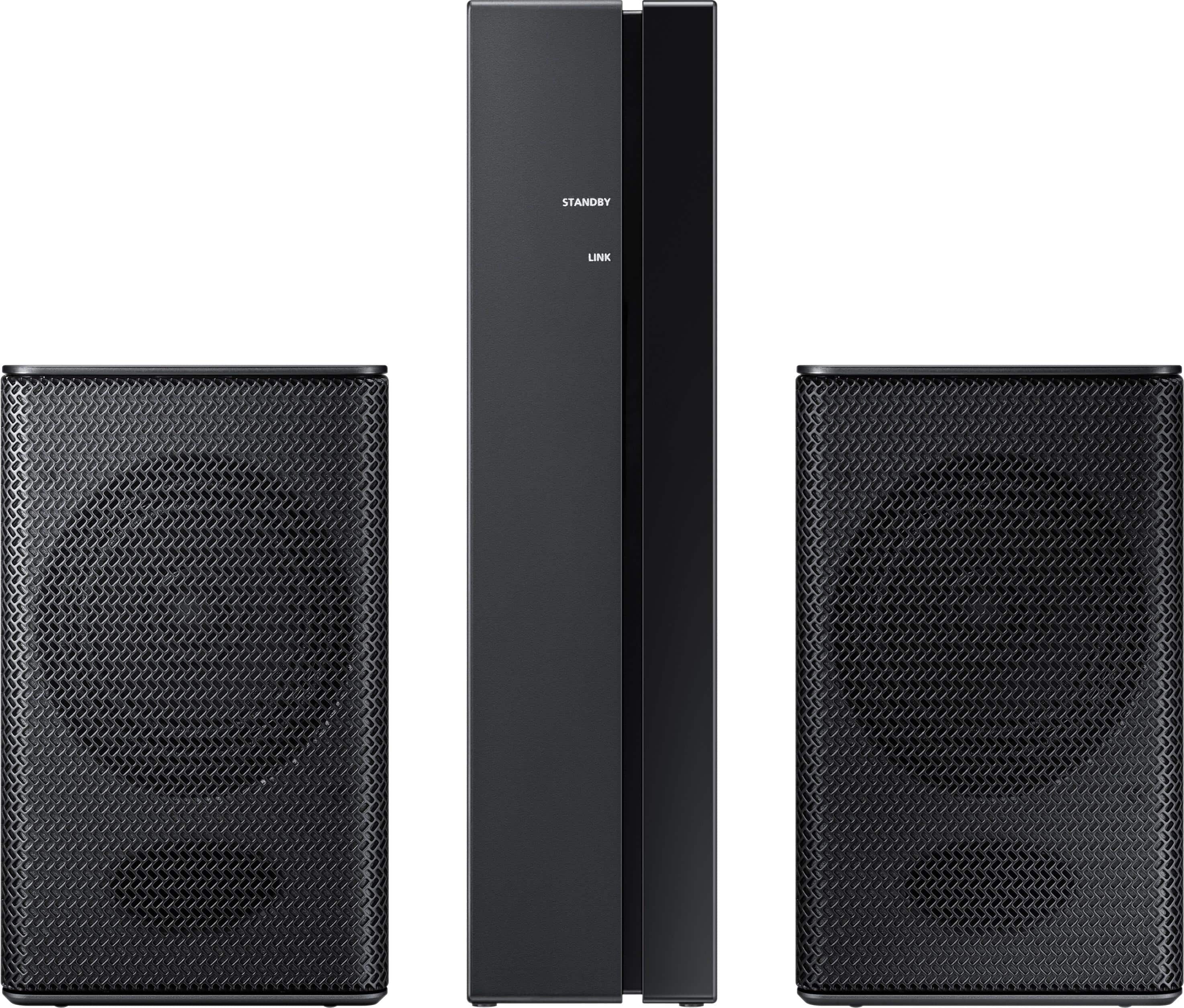
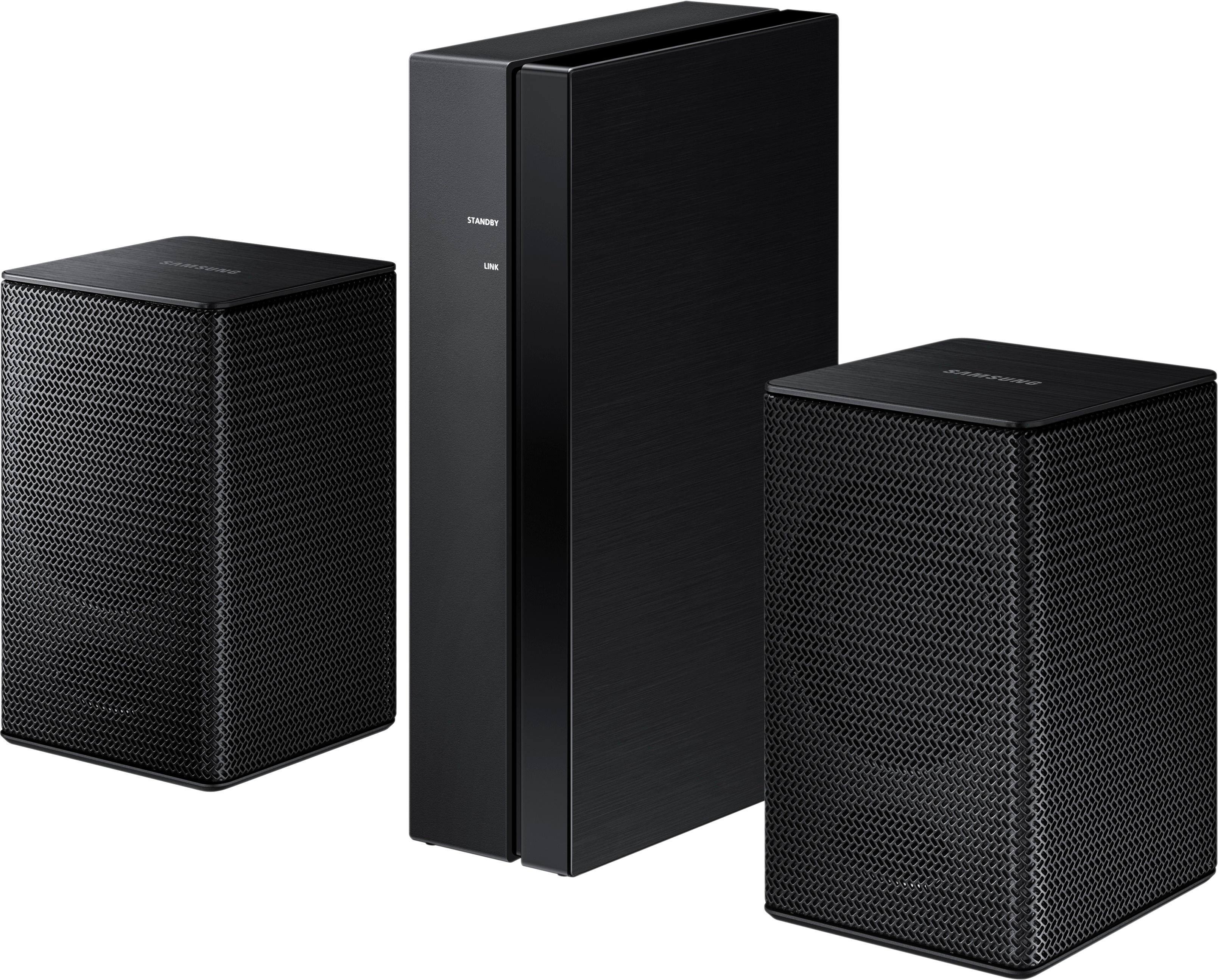
- Model:
- SWA-8500S/ZA
- SKU:
- 5754510
Rating by feature
- Value
Rating 4.2 out of 5 stars
- Quality
Rating 4.2 out of 5 stars
- Ease of Use
Rating 4.3 out of 5 stars
Customers are saying
Customers consistently note the exceptional sound quality and easy setup process of the Wireless Rear Speakers. Many users appreciate the convenience of the wireless feature and the reasonable price point compared to similar products. However, some users have expressed concerns about the lack of volume control and compatibility issues with certain TVs.
This summary was generated by AI based on customer reviews.
Dont like & hard to connect cable not wireless
||Posted .This reviewer received promo considerations or sweepstakes entry for writing a review.First of all not wireless, that have device to make wired for power, unnecessary that device consume power and that pairing with bars not easy to pair with Bar 2.1 channel series M450. also power cord connection is open wired connection, that another issue & difficulties to make sure those small speakers get powered. Oh Samsung why don't you make wireless means wireless independent speakers like sub-woofers do. copy that technology to your wireless speakers simple. If you will do that I will buy wireless speakers.
No, I would not recommend this to a friendBrand response from MrSamsung
Posted .Sony4kUHD,
Thank you for purchasing this Samsung Rear Loudspeakers.
I am sorry to hear that you were not completely satisfied with the user experience.
Your feedback is very important to us and will be shared with our product team.
Should you need assistance with features or usage, please contact Samsung Customer Support toll-free at 1-800-SAMSUNG and a representative will gladly help you.
You can also contact Samsung via LiveChat or email. Please copy-paste this link into your browser: http://www.samsung.com/us/support/contact
We are likewise reachable on our Samsung Support Facebook page at: https://www.facebook.com/samsungsupport/app/158125230916392/
Again, thank you for taking the time to share your experience and provide us with information that helps improve our products and service.
-Samsung Ambassador
- Cons mentioned:Volume
Does not worl
||Posted . Owned for 3 weeks when reviewed.This reviewer received promo considerations or sweepstakes entry for writing a review.I will be returning this item as it does not work. The volume is soooo low you can barely hear them!
No, I would not recommend this to a friendBrand response from Samsung
Posted .Fred:
Thank you for purchasing the Samsung Wireless SWA-8500S Rear Wireless Speaker Kit. I am sorry to hear that you did not experience the full potential of the surround sound system.
By design, the surround speakers are supposed to simulate sounds happening behind the viewer. Therefore, most of the time the surround channels are only used for ambient sounds, which are naturally lower in volume.
However, there are a few settings you can change to adjust the surround effect to your preference:
1) Make sure that the source (e.g. TV output) is sending surround channels to the Soundbar. If the source is not capable of surround, then set the Surround mode to OFF on the Soundbar by pressing the Surround button on the remote.
2) If the source has surround channels, select the desired Sound Mode from the Soundbar remote.
3) Turn off Dynamic Range Control. This is done by pressing and holing the Sound Mode button while the Soundbar is in standby mode. Depending on your soundbar model, you may or may not have DRC.
4) Increase the volume level of the surround speakers using the Sound Control button on the Soundbar remote control.
a. For example, if you are connected to the Samsung Harman Kardon HW-Q70T, you would press the Sound Control button on the remote (looks like a gear), then select REAR LEVEL and use the Up/Down buttons to adjust the volume within a -6 to +6 range.
I hope these tips help to enhance your audio enjoyment.
Should you need further assistance with this issue or have any questions, please contact Samsung Customer Support via any of the below options:
1) Phone: 1-800-SAMSUNG, available 8AM - 9PM EST, Mon - Fri
2) LiveChat: https://www.samsung.com/us/support/#contact_us_for_support
3) Facebook Messenger: https://www.facebook.com/samsungsupport
4) Twitter: https://twitter.com/SamsungSupport
5) The Samsung Members Community is also a great resource for getting help from Samsung moderators and customers: https://us.community.samsung.com
If you have not already done so, we invite you to register your new Samsung product at: https://www.samsung.com/us/account/signin/?redirect=https%3A%2F%2Fwww.samsung.com%2Fus%2Fsupport%2Fregister%2F
Registering your product gives you access to easy warranty support, convenient opt-in to special promos and offers, faster troubleshooting and service, and quick notification of system updates.
~ Samsung Solutions
Worthless
||Posted . Owned for 1 month when reviewed.This reviewer received promo considerations or sweepstakes entry for writing a review.It’s not worth it unless you’re on a budget. Not even a good surround system and it’s really a cheap way of having a surround sound.
No, I would not recommend this to a friendBrand response from Samsung
Posted .Electronicgeek2089:
Thank you for purchasing the Samsung Wireless SWA-8500S Rear Wireless Speaker Kit. I am sorry to hear that you did not experience the full potential of the surround sound system.
By design, the surround speakers are supposed to simulate sounds happening behind the viewer. Therefore, most of the time the surround channels are only used for ambient sounds, which are naturally lower in volume.
However, there are a few settings you can change to adjust the surround effect to your preference:
1) Make sure that the source (e.g. TV output) is sending surround channels to the Soundbar. If the source is not capable of surround, then set the Surround mode to OFF on the Soundbar by pressing the Surround button on the remote.
2) If the source has surround channels, select the desired Sound Mode from the Soundbar remote.
3) Turn off Dynamic Range Control. This is done by pressing and holing the Sound Mode button while the Soundbar is in standby mode. Depending on your soundbar model, you may or may not have DRC.
4) Increase the volume level of the surround speakers using the Sound Control button on the Soundbar remote control. Press the Sound Control button on the soundbar remote (looks like a gear), then select REAR LEVEL and use the Up/Down buttons to adjust the volume within a -6 to +6 range.
I hope these tips help to enhance your audio enjoyment.
Should you need further assistance with this issue or have any questions, please contact Samsung Customer Support.
1) Phone: 1-800-SAMSUNG, (available 8AM to 12AM EST - 7 days a week)
2) LiveChat: https://www.samsung.com/us/support/#contact_us_for_support
3) Facebook Messenger: https://www.facebook.com/samsungsupport
4) Twitter: https://twitter.com/SamsungSupport
5) The Samsung Members Community is also a great resource for getting help from Samsung moderators and customers: https://us.community.samsung.com
If you have not already done so, we invite you to register your new Samsung product at:
https://www.samsung.com/us/account/signin/?redirect=https%3A%2F%2Fwww.samsung.com%2Fus%2Fsupport%2Fregister%2F&user=dsr-registration
Registering your product gives you access to easy warranty support, convenient opt-in to special promos and offers, faster troubleshooting and service, and quick notification of system updates.
~ Samsung Solutions
Not Really Wireless
||Posted . Owned for 3 weeks when reviewed.This reviewer received promo considerations or sweepstakes entry for writing a review.Its not really wireless. The speakers have to be hard wired to the receiver. Never hooked it up, I took it back for a refund
No, I would not recommend this to a friendIt’s ok
||Posted . Owned for 1.5 years when reviewed.This reviewer received promo considerations or sweepstakes entry for writing a review.Not as good as I hoped. I used it in a very long room, 28 ft. The signal barely made it from the soundbar and was not very loud.
No, I would not recommend this to a friendBrand response from Samsung
Posted .Wade:
Thank you for purchasing the Samsung Wireless SWA-8500S Rear Wireless Speaker Kit. I am sorry to hear that you did not experience the full potential of the surround sound system.
By design, the surround speakers are supposed to simulate sounds happening behind the viewer. Therefore, most of the time the surround channels are only used for ambient sounds, which are naturally lower in volume.
However, there are a few settings you can change to adjust the surround effect to your preference:
1) Make sure that the source (e.g. TV output) is sending surround channels to the Soundbar. If the source is not capable of surround, then set the Surround mode to OFF on the Soundbar by pressing the Surround button on the remote.
2) If the source has surround channels, select the desired Sound Mode from the Soundbar remote.
3) Turn off Dynamic Range Control. This is done by pressing and holing the Sound Mode button while the Soundbar is in standby mode. Depending on your soundbar model, you may or may not have DRC.
4) Increase the volume level of the surround speakers using the Sound Control button on the Soundbar remote control. Press the Sound Control button on the soundbar remote (looks like a gear), then select REAR LEVEL and use the Up/Down buttons to adjust the volume within a -6 to +6 range.
I hope these tips help to enhance your audio enjoyment.
Should you need further assistance with this issue or have any questions, please contact Samsung Customer Support.
1) Phone: 1-800-SAMSUNG, (available 8AM to 12AM EST - 7 days a week)
2) LiveChat: https://www.samsung.com/us/support/#contact_us_for_support
3) Facebook Messenger: https://www.facebook.com/samsungsupport
4) Twitter: https://twitter.com/SamsungSupport
5) The Samsung Members Community is also a great resource for getting help from Samsung moderators and customers: https://us.community.samsung.com
If you have not already done so, we invite you to register your new Samsung product at:
https://www.samsung.com/us/account/signin/?redirect=https%3A%2F%2Fwww.samsung.com%2Fus%2Fsupport%2Fregister%2F&user=dsr-registration
Registering your product gives you access to easy warranty support, convenient opt-in to special promos and offers, faster troubleshooting and service, and quick notification of system updates.
~ Samsung Solutions
Too low to hear
||Posted .This reviewer received promo considerations or sweepstakes entry for writing a review.If you have this in your bedroom this may be a good set for you but if anything larger than a normal bedroom these speakers don't put out enough sound for you to hear
No, I would not recommend this to a friendNot Wireless
||Posted . Owned for 11 months when reviewed.This reviewer received promo considerations or sweepstakes entry for writing a review.Speakers leads one to believe it is a complete wireless setup. It is Not a Wireless system
No, I would not recommend this to a friendSpeaker
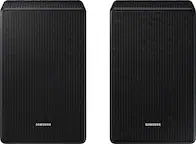
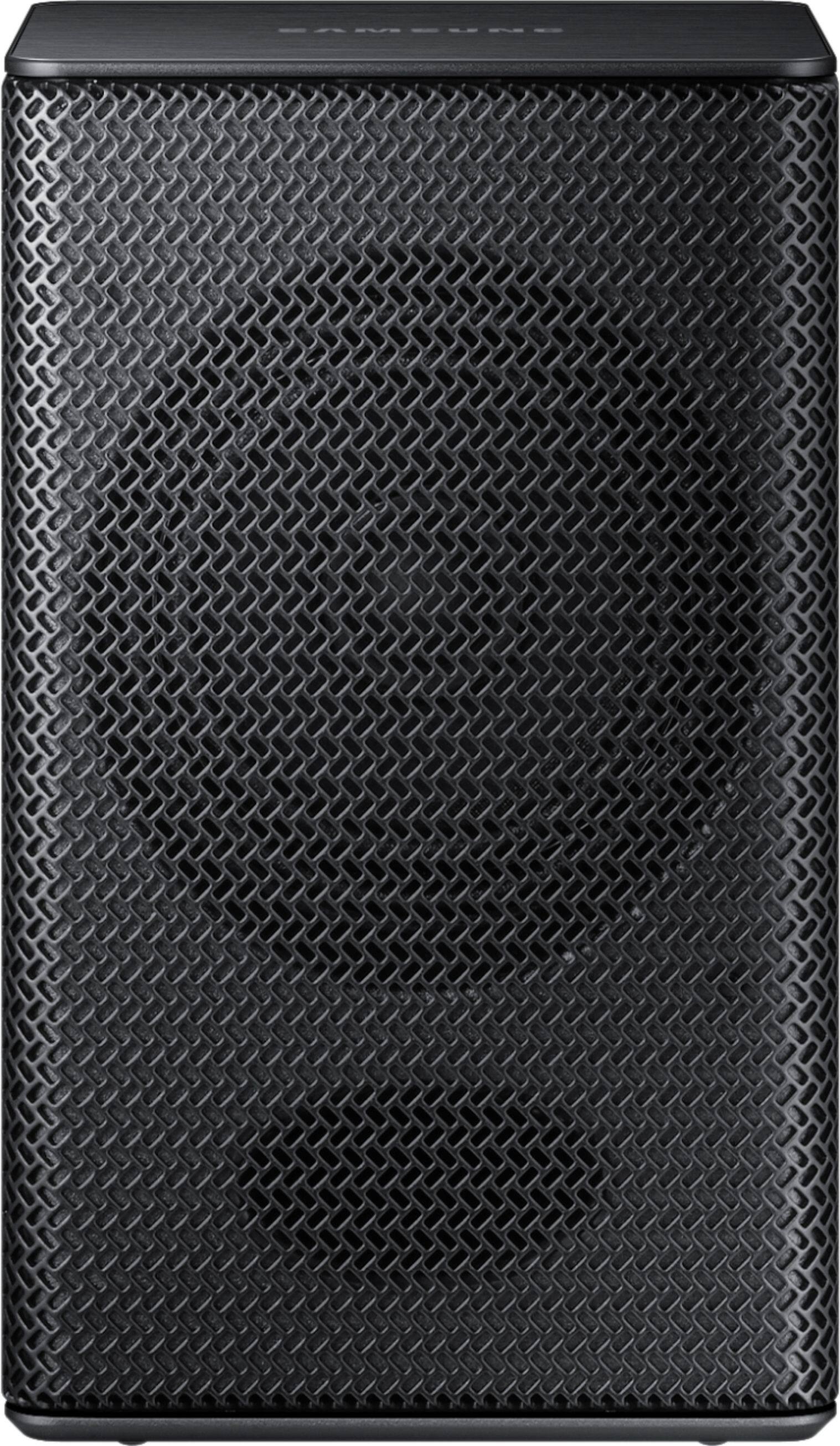
||Posted . Owned for 1 year when reviewed.This reviewer received promo considerations or sweepstakes entry for writing a review.I love Samsung apparel but this one, was not the best or the size expected, very small than the pic
No, I would not recommend this to a friendNot worth the money
||Posted . Owned for 1 month when reviewed.This reviewer received promo considerations or sweepstakes entry for writing a review.The speakers do not put out much sound and owner manual setup instructions are not correct. Had to find a forum to finish setup
No, I would not recommend this to a friendBrand response from Samsung
Posted .Jeff:
Thank you for purchasing the Samsung Wireless Rear Wireless Loudspeakers. I am sorry to hear that you were not completely happy with the surround sound system.
By design, the surround speakers are supposed to simulate sounds happening behind the viewer. Therefore, most of the time the surround channels are only used for ambient sounds, which are naturally lower in volume.
However, there are a few settings you can change to adjust the surround effect to your preference:
1) Make sure that the source (e.g. TV output) is sending surround channels to the Soundbar. If the source is not capable of surround, then set the Surround mode to OFF on the Soundbar by pressing the Surround button on the remote.
2) If the source has surround channels, select the desired Sound Mode from the Soundbar remote.
3) Turn off Dynamic Range Control. This is done by pressing and holing the Sound Mode button while the Soundbar is in standby mode. Depending on your soundbar model, you may or may not have DRC.
4) Increase the volume level of the surround speakers using the Sound Control button on the Soundbar remote control.
a. For example, if you are connected to the Samsung Harman Kardon HW-Q70R, you would press the Sound Control button on the Q70R remote (looks like a gear), then select REAR LEVEL and use the Up/Down buttons to adjust the volume within a -6 to +6 range.
I hope these tips help to enhance your audio enjoyment.
Should you need further assistance with this issue or have any questions, please contact Samsung Customer Support via any of the below options:
1) Phone: 1-800-SAMSUNG
- Available 8AM - 12AM EST (Mon-Fri) / 9AM - 11PM EST (Sat-Sun)
2) LiveChat: https://www.samsung.com/us/support/#contact_us_for_support
3) Facebook Messenger: https://www.facebook.com/samsungsupport
4) Twitter: https://twitter.com/SamsungSupport
5) The Samsung Members Community is also a great resource for getting help from Samsung moderators and customers: https://us.community.samsung.com
If you have not already done so, we invite you to register your new Samsung product at: https://www.samsung.com/us/account/signin/?redirect=https%3A%2F%2Fwww.samsung.com%2Fus%2Fsupport%2Fregister%2F
Registering your product gives you access to easy warranty support, convenient opt-in to special promos and offers, faster troubleshooting and service, and quick notification of system updates.
~ Samsung Solutions
Definitely not wireless
||Posted . Owned for 4 months when reviewed.This reviewer received promo considerations or sweepstakes entry for writing a review.Really echoey, and inferrers with the good sound quality coming from the front. I returned them right away. I had them for about 2 days.
No, I would not recommend this to a friendBrand response from Samsung
Posted .Mydogmalibu:
Thank you for purchasing the Samsung SWA-8500S Wireless Rear Speaker Kit. I am very sorry for any confusion about the wireless description, and for the unsatisfactory performance you experienced.
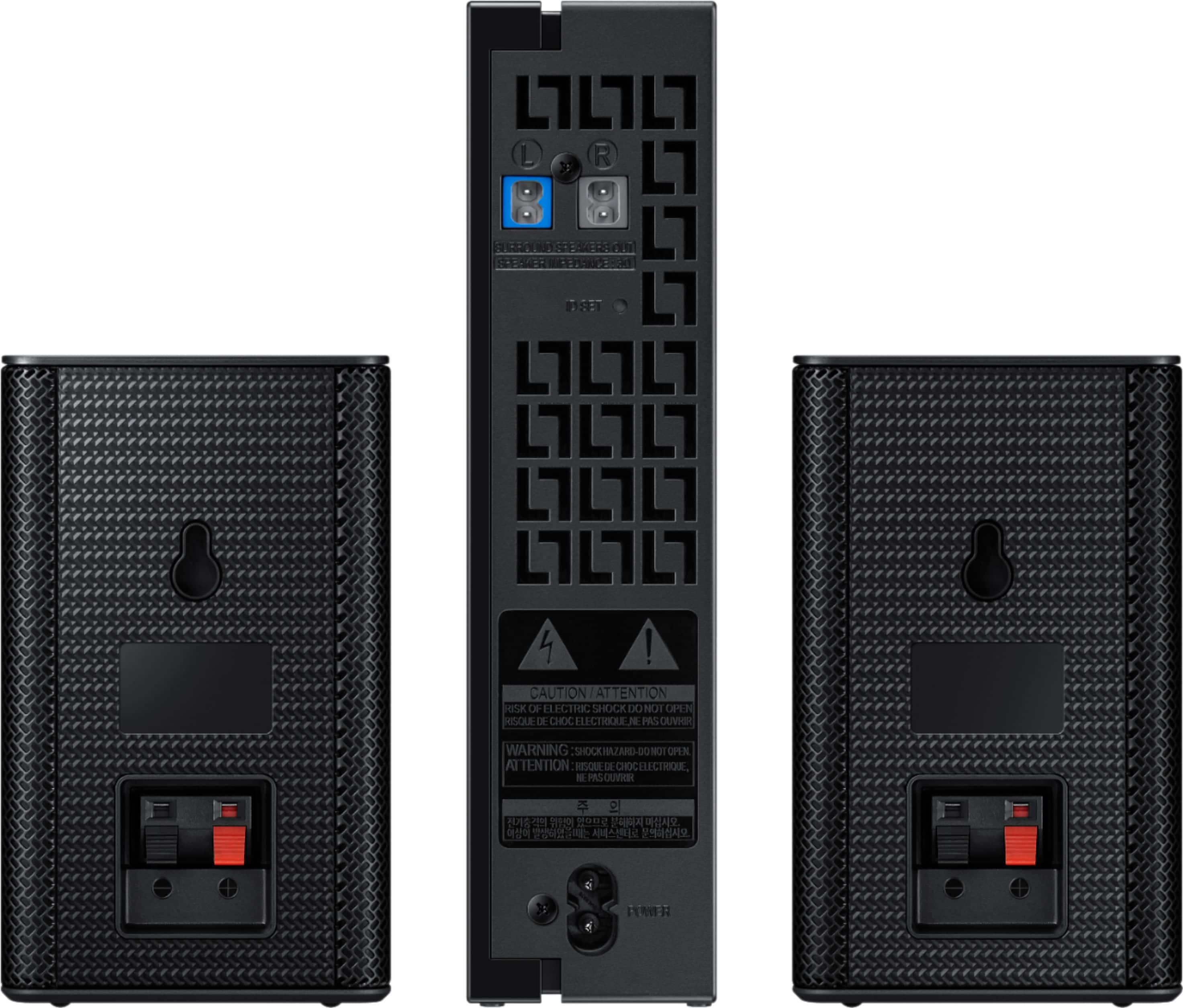
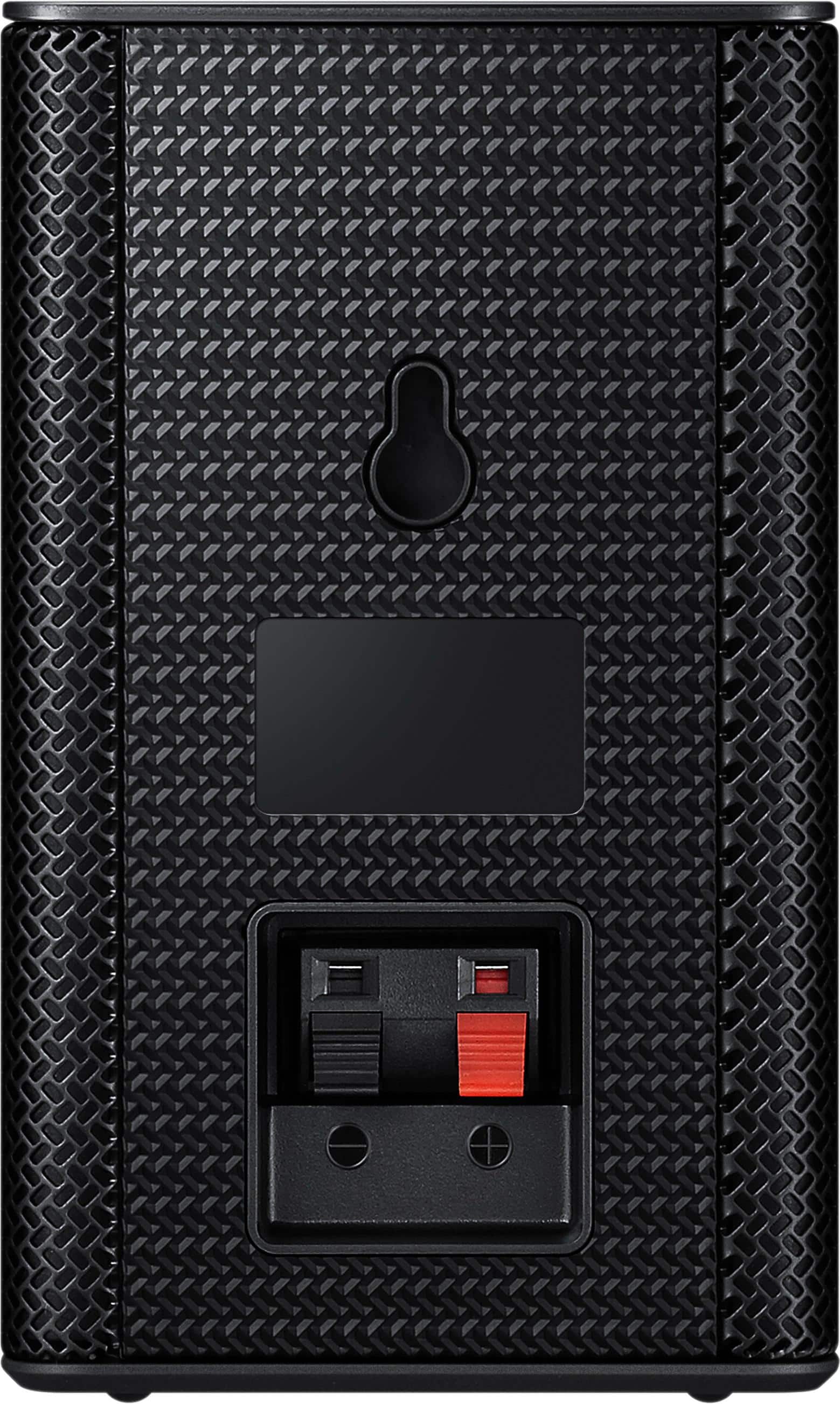
Most consumers have trouble hiding and running speaker wires from the front of the room (where their soundbar is) to the back of their room (where they have their rear speakers). The SWA-8500S Kit eliminates that hassle. Connect the SWA-8500S rear speakers to its wireless module and place these three in the back of your room. One wire is required to connect each rear speaker to the wireless module. Then plug in the power cable to the module. The “wireless” convenience is in connecting your soundbar and any other speakers at the front of the room to the rear speakers – this can now be done via Wi-Fi through the wireless module, eliminating any clutter of long wires running the length of your room.
Should you ever decide to give this model another try, please know that we are here to assist with setup and settings for optimal audio output personalized to your usage scenario. You can reach us at:
1) Phone: 1-800-SAMSUNG (ask for Soundbars)
Available 8AM - 12AM EST (Mon-Fri) / 9AM - 11PM EST (Sat-Sun)
2) LiveChat or Email: https://www.samsung.com/us/support/#contact_us_for_support
3) Facebook Messenger: https://www.facebook.com/samsungsupport
4) Twitter: https://twitter.com/SamsungSupport
We hope to regain you as a customer.
Sadly Disapointed
||Posted .This reviewer received promo considerations or sweepstakes entry for writing a review.This was purchased as an xmas gift, with the sound bar. The sound bar was ok, but we could not get any sound from the back speakers. We called the Geek Squad and Samsung for assistance. Both told us the speakers only output back round sounds programmed in 5.0 Dolby digital sound. We checked with cable company, who told us most TV stations do not broadcasted in 5.0 and only some movies and sports have it. So we returned the speakers and sound bar for a better sound bar.
No, I would not recommend this to a friendBrand response from MrSamsung
Posted .GGmom,
Thank you for your review of this Samsung Soundbar and Rear Speaker System
I am sorry to hear that it did not work out for you.
Your feedback is very important to us and will be shared with our product team.
Should you ever decide to give Samsung audio products another try and have concerns or questions, please know we are always here to help. You can contact Samsung Customer Support toll-free at 1-800-SAMSUNG or via LiveChat or email.
Please copy-paste this link into your browser: http://www.samsung.com/us/support/contact
We are likewise reachable on our Samsung Support Facebook page at: https://www.facebook.com/samsungsupport/app/158125230916392/
Again, thank you for taking the time to share your experience and provide us with information that helps improve our products and service. We hope to regain you as a customer in the near future.
-Samsung Ambassador
Just okay
||Posted .This reviewer received promo considerations or sweepstakes entry for writing a review.Rear speakers added little sound to the sounbar I purchased. Expected better performance based on reviews I read prior to purchase. Have considered returning.
No, I would not recommend this to a friend- Cons mentioned:Volume
Low volume rear speakers
||Posted . Owned for 3 months when reviewed.This reviewer received promo considerations or sweepstakes entry for writing a review.Volume was very low and I returned for a refund. I would not recommend.
No, I would not recommend this to a friend Speakers
||Posted . Owned for 3 weeks when reviewed.This reviewer received promo considerations or sweepstakes entry for writing a review.The sound coming out of the speakers was very tinie. I didn’t feel like the quality was there in the sound
No, I would not recommend this to a friendNon wireless speakers
||Posted . Owned for 3 weeks when reviewed.This reviewer received promo considerations or sweepstakes entry for writing a review.They are not wireless. They require wires to connect to a blue tooth receiver. Nowhere in the box is this illustrated. I wanted to mount wireless speakers on my wall and these would require an unsightly receiver mounted with them and wires stretching across the wall to the speakers. No stars
No, I would not recommend this to a friendBig disappointment
||Posted .This reviewer received promo considerations or sweepstakes entry for writing a review.The sound is too low even after maxing out the volume level. I never received the surround sound effect. In fact, I couldn't hear the speakers unless you're holding them directly up to your ear. No difference in sound with our without them. I have an open living room, which doesn't help with these tiny speakers.
No, I would not recommend this to a friendBrand response from Samsung
Posted .Gbjack:
Thank you for purchasing the Samsung Wireless SWA-8500S Rear Wireless Speaker Kit. I am sorry to hear that you did not experience the full potential of the surround sound system.
By design, the surround speakers are supposed to simulate sounds happening behind the viewer. Therefore, most of the time the surround channels are only used for ambient sounds, which are naturally lower in volume.
However, there are a few settings you can change to adjust the surround effect to your preference:
1) Make sure that the source (e.g. TV output) is sending surround channels to the Soundbar. If the source is not capable of surround, then set the Surround mode to OFF on the Soundbar by pressing the Surround button on the remote.
2) If the source has surround channels, select the desired Sound Mode from the Soundbar remote.
3) Turn off Dynamic Range Control. This is done by pressing and holing the Sound Mode button while the Soundbar is in standby mode. Depending on your soundbar model, you may or may not have DRC.
4) Increase the volume level of the surround speakers using the Sound Control button on the Soundbar remote control. Press the Sound Control button on the soundbar remote (looks like a gear), then select REAR LEVEL and use the Up/Down buttons to adjust the volume within a -6 to +6 range.
I hope these tips help to enhance your audio enjoyment.
Should you need further assistance with this issue or have any questions, please contact Samsung Customer Support via any of the below options:
1) Phone: 1-800-SAMSUNG, Available 8AM -12AM EST (7 Days a Week)
2) LiveChat: https://www.samsung.com/us/support/#contact_us_for_support
3) Facebook Messenger: https://www.facebook.com/samsungsupport
4) Twitter: https://twitter.com/SamsungSupport
5) The Samsung Members Community is also a great resource for getting help from Samsung moderators and customers: https://us.community.samsung.com
If you have not already done so, we invite you to register your new Samsung product at: https://www.samsung.com/us/account/signin/?redirect=https%3A%2F%2Fwww.samsung.com%2Fus%2Fsupport%2Fregister%2F
Registering your product gives you access to easy warranty support, convenient opt-in to special promos and offers, faster troubleshooting and service, and quick notification of system updates.
~ Samsung Solutions
Only connects to certain soundbars
||Posted .This reviewer received promo considerations or sweepstakes entry for writing a review.These speakers I was told would connect to my curved sound bar by the Best Buy service tech. Got them home spent all day trying to figure out why they would not connect. Brought back to store and was told they don’t connect to my sound bar and that the ones I need are discontinued. So now I need to buy a new sound bar. I would not recommend buying Samsung because they keep putting new soundbars and discontinue everything that would go with them within 9 mos.
No, I would not recommend this to a friendBrand response from MrSamsung
Posted .Zoey,
Thank you for your review of this Samsung Soundbar System I am sorry to hear that it did not work out for you. Please know that the SWA-8500S is compatible with the HW-M360/M450/M4500/M550 to create a fuller, surround sound environment .
Should you have questions on which spekaer kit is compatible with your soundbar , please know we are always here to help. You can contact Samsung Customer Support toll-free at 1-800-SAMSUNG or via LiveChat or email. Please copy-paste this link into your browser: http://www.samsung.com/us/support/contact We are likewise reachable on our Samsung Support Facebook page at: https://www.facebook.com/samsungsupport/app/158125230916392/ Again, thank you for taking the time to share your experience and provide us with information that helps improve our products and service. We hope to regain you as a customer in the near future. -Samsung Ambassador
- Cons mentioned:Compatibility
Check Compatability
||Posted .This reviewer received promo considerations or sweepstakes entry for writing a review.Did not work with our soundbar and speakers must connect to to box.
No, I would not recommend this to a friend Surround sound system
||Posted . Owned for 6 months when reviewed.This reviewer received promo considerations or sweepstakes entry for writing a review.Wireless surround system for my living room. Signal was difficult to maintain. Kept dropping
No, I would not recommend this to a friend- Cons mentioned:Volume
Not worth the money.
||Posted . Owned for 1 month when reviewed.This reviewer received promo considerations or sweepstakes entry for writing a review.Not loud at all. Can't here them unless you put your ear up against them.
No, I would not recommend this to a friend