Customer Ratings & Reviews
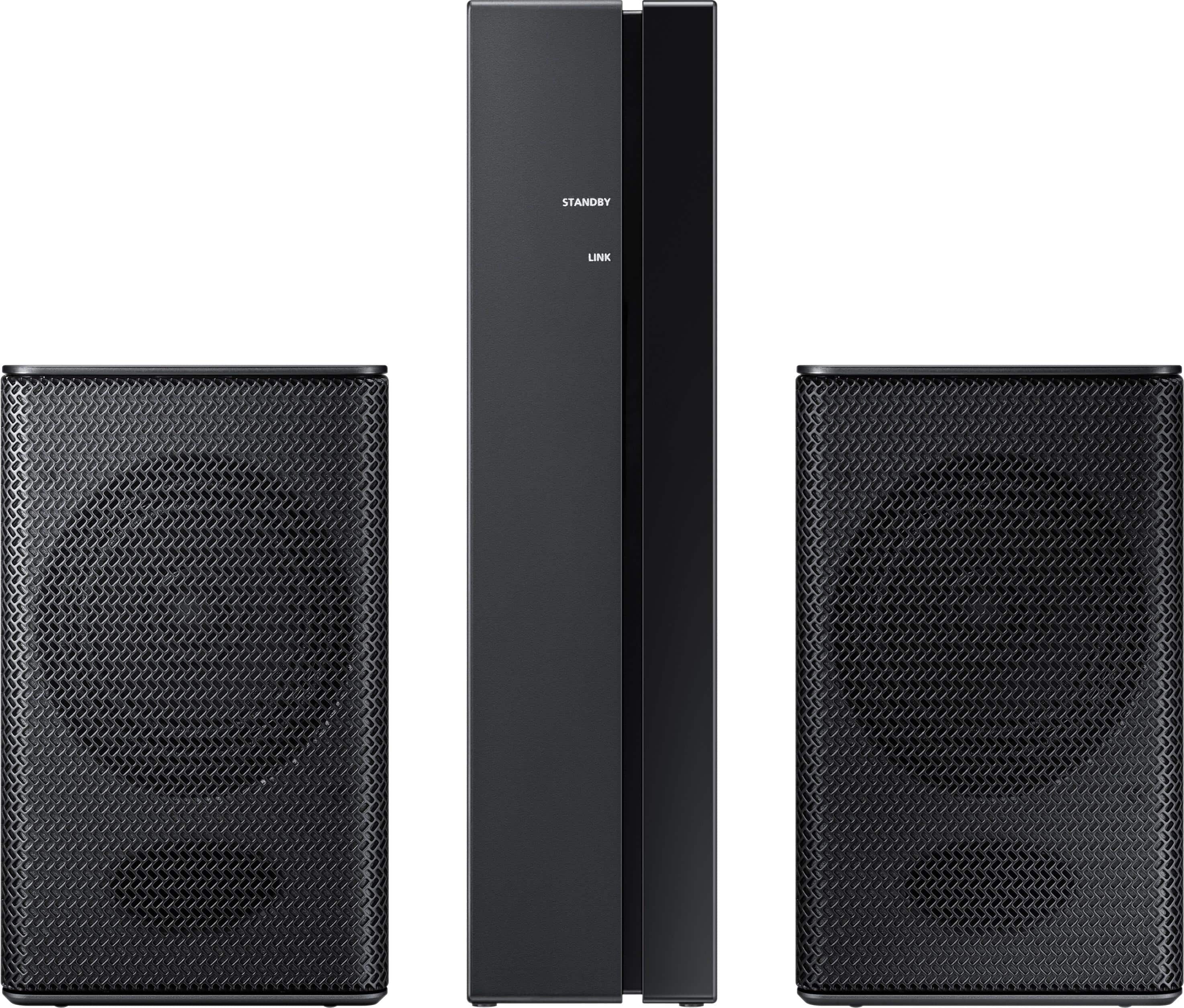
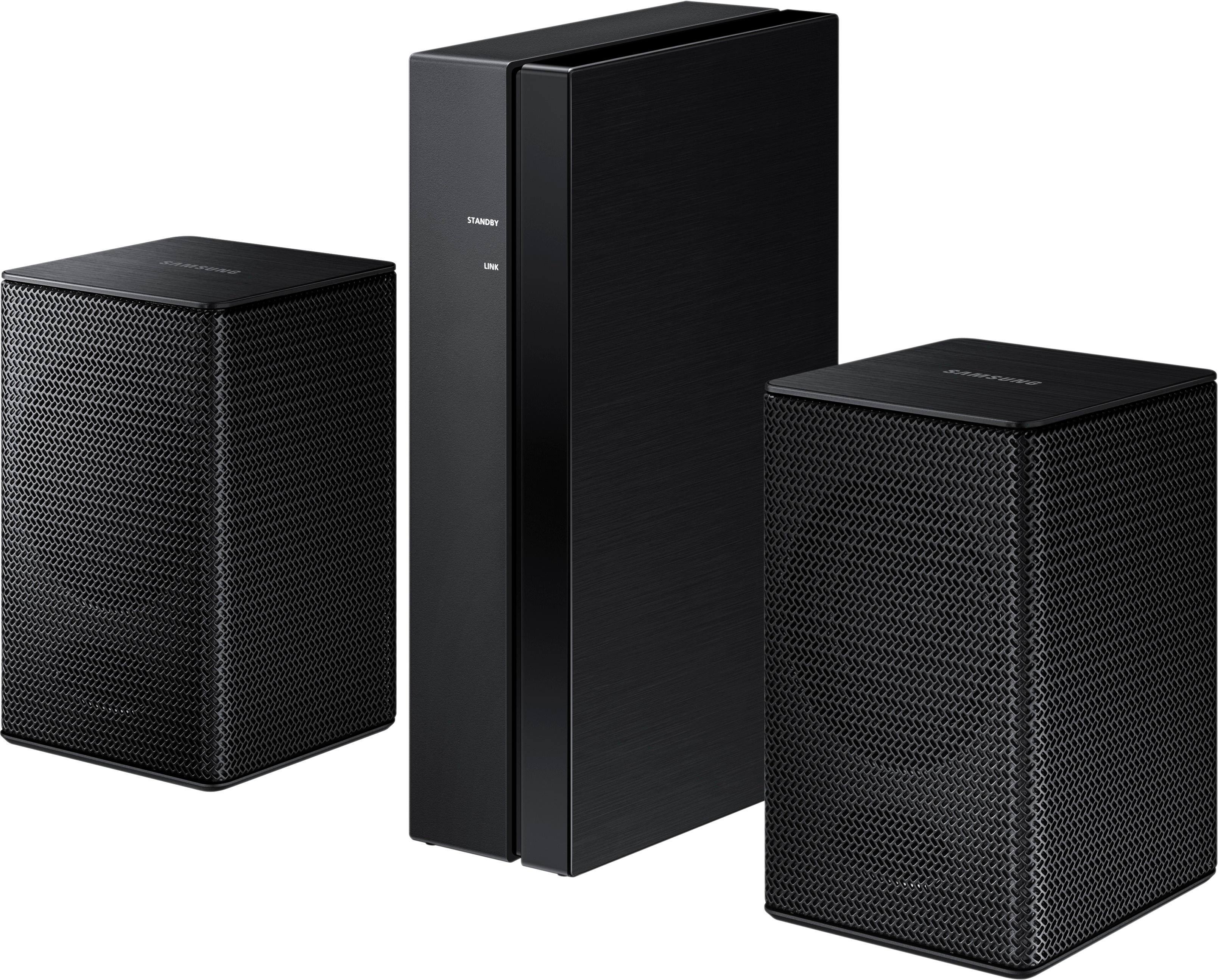
- Model:
- SWA-8500S/ZA
- SKU:
- 5754510
Rating by feature
- Value
Rating 4.2 out of 5 stars
- Quality
Rating 4.2 out of 5 stars
- Ease of Use
Rating 4.3 out of 5 stars
Customers are saying
Customers consistently note the exceptional sound quality and easy setup process of the Wireless Rear Speakers. Many users appreciate the convenience of the wireless feature and the reasonable price point compared to similar products. However, some users have expressed concerns about the lack of volume control and compatibility issues with certain TVs.
This summary was generated by AI based on customer reviews.
worst
||Posted . Owned for 1 month when reviewed.This reviewer received promo considerations or sweepstakes entry for writing a review.Worst item , I cant hear anythıng I didnt have enough tıme to test it there is bo way to return it
No, I would not recommend this to a friendAvoid these. No power.
||Posted . Owned for 3 weeks when reviewed.This reviewer received promo considerations or sweepstakes entry for writing a review.These are totally worthless. Can’t hear them. Samsung failed in the design of this component.
No, I would not recommend this to a friendDont buy
||Posted .This reviewer received promo considerations or sweepstakes entry for writing a review.I bought them when the superbowl started and it used to disconnect alot from the bluetooth and theres a delay in sound
No, I would not recommend this to a friendBrand response from Samsung
Posted .Tommy:
Thank you for your review of these Wireless Rear Speakers. I am sorry to hear that you are experiencing Bluetooth disconnection and sound delay issues.
Samsung products are engineered to the highest standards of performance and quality and we back the rear speakers with a 1-year limited manufacturer's warranty, if purchased brand-new directly from an authorized seller.
Please reach out to us so that we can provide troubleshooting or begin warranty service.
You can call Samsung Customer Support via any of the below options:
1) Phone: 1-800-SAMSUNG (ask for Soundbars)
Available 8AM - 12AM EST (Mon-Fri) / 9AM - 11PM EST (Sat-Sun)
2) LiveChat or Email: https://www.samsung.com/us/support/#contact_us_for_support
3) Facebook Messenger: https://www.facebook.com/samsungsupport
4) Twitter: https://twitter.com/SamsungSupport
The Samsung Home Theater & Home Audio Community is also a great resource for getting help from Samsung moderators and customers: https://us.community.samsung.com/t5/Home-Theater-Home-Audio/bd-p/hometheaterhomeaudio
Again, I am very sorry for the inconveniences you have had and hope that we will hear from you soon.
- Samsung Solutions
Not true 5.1 just delay and level
||Posted .This reviewer received promo considerations or sweepstakes entry for writing a review.Poor instruction manual with tricky setup. Controls available with remote not covered in manual.
No, I would not recommend this to a friendBrand response from Samsung
Posted .Flob:
Thank you for sharing your user experience with this Samsung rear speaker kit. I am very sorry you found setup to be tricky. We appreciate your feedback regarding the manual and will share it with our internal teams.
Please contact Samsung Customer Support if you should need any assistance with setup or troubleshooting.
1) Phone: 1-800-SAMSUNG, (available 8AM to 12AM EST - 7 days a week)
2) LiveChat: https://www.samsung.com/us/support/#contact_us_for_support
3) Facebook Messenger: https://www.facebook.com/samsungsupport
4) Twitter: https://twitter.com/SamsungSupport
5) The Samsung Members Community is also a great resource for getting help from Samsung moderators and customers: https://us.community.samsung.com
If you have not already done so, we invite you to register your new Samsung product at:
https://www.samsung.com/us/account/signin/?redirect=https%3A%2F%2Fwww.samsung.com%2Fus%2Fsupport%2Fregister%2F&user=dsr-registration
Registering your product gives you access to easy warranty support, convenient opt-in to special promos and offers, faster troubleshooting and service, and quick notification of system updates.
~ Samsung Solutions
Hurricane
||Posted . Owned for 1 week when reviewed.This reviewer received promo considerations or sweepstakes entry for writing a review.These speakers are very small. I wouldn't recommend it for a theater room or media room.
No, I would not recommend this to a friendBoring
||Posted .This reviewer received promo considerations or sweepstakes entry for writing a review.Low sound don’t make any difference too small come with long cable
No, I would not recommend this to a friend- Pros mentioned:Sound quality
Great Rear Speakers for Samsung 3.1 Soundbar
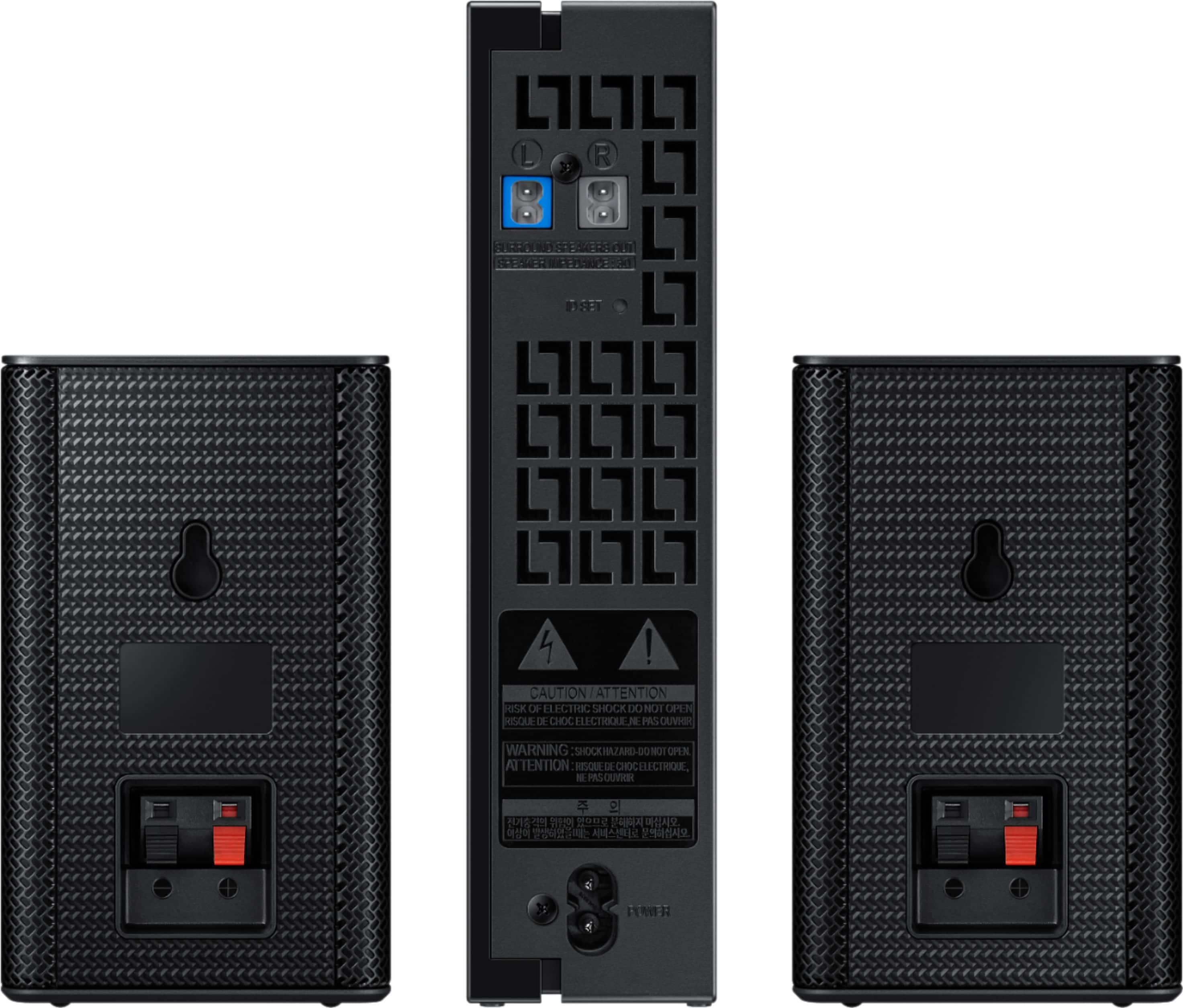
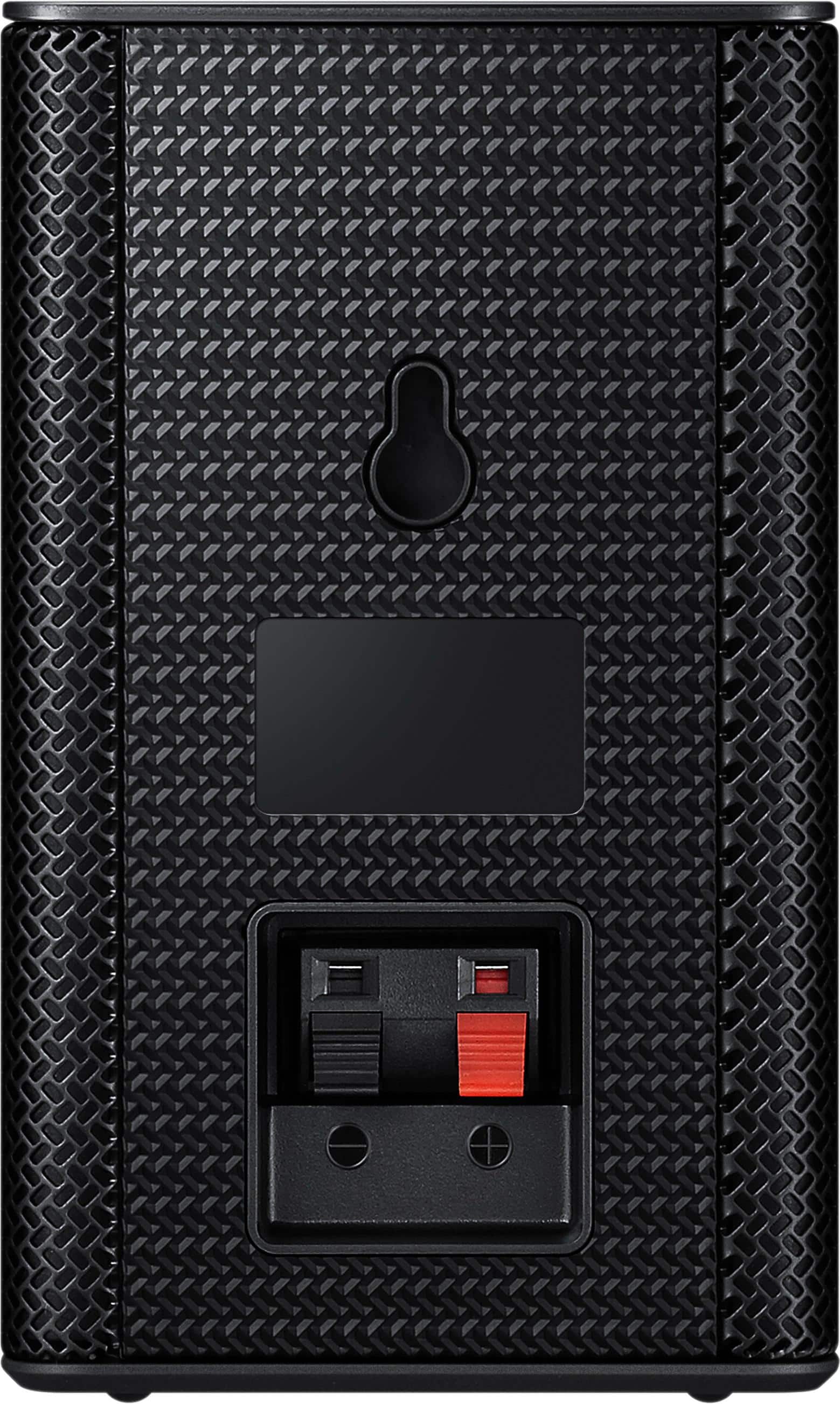
Posted .This reviewer received promo considerations or sweepstakes entry for writing a review.The sound from my HW-N550 3.1 Soundbar was ok but not too impressive. I searched for rear surround speakers that would pair with the soundbar. After reading some of the reviews, I questioned whether the SWA-8500S surround speakers would be a good choice. I talked to a Best Buy representative, and he convinced me to give them a try. I am extremely impressed with these speakers. I knew that they weren't truly wireless. the receiver module is wireless but you have to attach the two surround speakers using speaker wire that is provided. Attaching the speaker wire to the speakers is a bit tricky. If you push the wire in too far, it doesn't make the necessary contact. Also, the wire can pull out which no doubt is one of the reasons causing the often reported malfunction of the speakers after a few weeks of use. Pairing the speakers to the sound bar was difficult because the instructions given in the user manual are not correct. To properly pair, the receiver module is plugged in, and the LINK LED indicator will blink. The soundbar should be turned off. Then, the instructions say to press the VOL button on the remote control to the sound bar for about 5 or 6 seconds until the "ID SET" message appears on the soundbar. This does not work. The button that should be pressed is the Mute button. Once the right button is pushed, the LINK LED button becomes a solid blue. At this point, the receive module is paired with the soundbar. It appears that many customers are having problems with this issue based on the number of failures reported when trying to pair the speakers to the soundbar. Once paired, the rear speakers are controlled using the remote control for the sound bar. The soundbar must be set to Surround Sound using the SOUND MODE button. The Sound Control button adjusts the TREBLE, BASS, AUTO SYNC, REAR SPEAKERS ON, and REAR LEVEL. Changes are made using the UP and DOWN buttons. Many customers are reporting low rear speaker sound level. This is because they aren't adjusting the REAR LEVEL. Also note that the adjustments for the rear speakers are not mentioned in the HW-N550 user manual. Once the sound level of the rear speakers is set, adjustments should be made for TREBLE, BASS, and WOOFER. Several adjustments may be required to get the optimum settings. The sound quality is excellent with true high-quality surround sound. I am extremely pleased with the sound quality for TV, movies, and music.
I would recommend this to a friend Complete the look but lacks quality
||Posted . Owned for 5 months when reviewed.This reviewer received promo considerations or sweepstakes entry for writing a review.If you put your ear directly in front of the speakers you might hear something. A waste of money
No, I would not recommend this to a friendBrand response from Samsung
Posted .Scubasteve:
Thank you for purchasing the Samsung Wireless SWA-8500S Rear Wireless Speaker Kit. I am sorry to hear that you did not experience the full potential of the surround sound system.
By design, the surround speakers are supposed to simulate sounds happening behind the viewer. Therefore, most of the time the surround channels are only used for ambient sounds, which are naturally lower in volume.
However, there are a few settings you can change to adjust the surround effect to your preference:
1) Make sure that the source (e.g. TV output) is sending surround channels to the Soundbar. If the source is not capable of surround, then set the Surround mode to OFF on the Soundbar by pressing the Surround button on the remote.
2) If the source has surround channels, select the desired Sound Mode from the Soundbar remote.
3) Turn off Dynamic Range Control. This is done by pressing and holing the Sound Mode button while the Soundbar is in standby mode. Depending on your soundbar model, you may or may not have DRC.
4) Increase the volume level of the surround speakers using the Sound Control button on the Soundbar remote control.
a. For example, if you are connected to the Samsung Harman Kardon HW-Q70R, you would press the Sound Control button on the Q70R remote (looks like a gear), then select REAR LEVEL and use the Up/Down buttons to adjust the volume within a -6 to +6 range.
I hope these tips help to enhance your audio enjoyment.
Should you need further assistance with this issue or have any questions, please contact Samsung Customer Support via any of the below options:
1) Phone: 1-800-SAMSUNG (ask for Soundbars /or/ option #2), available 8AM - 9PM EST, Mon - Fri
2) LiveChat: https://www.samsung.com/us/support/#contact_us_for_support
3) Facebook Messenger: https://www.facebook.com/samsungsupport
4) Twitter: https://twitter.com/SamsungSupport
5) The Samsung Members Community is also a great resource for getting help from Samsung moderators and customers: https://us.community.samsung.com
If you have not already done so, we invite you to register your new Samsung product at: https://www.samsung.com/us/account/signin/?redirect=https%3A%2F%2Fwww.samsung.com%2Fus%2Fsupport%2Fregister%2F
Registering your product gives you access to easy warranty support, convenient opt-in to special promos and offers, faster troubleshooting and service, and quick notification of system updates.
~ Samsung Solutions
Don’t work
||Posted . Owned for 1 month when reviewed.This reviewer received promo considerations or sweepstakes entry for writing a review.The wireless connector didn’t work so i can’t say if it was good returned it
No, I would not recommend this to a friendHorrible experience
||Posted .This reviewer received promo considerations or sweepstakes entry for writing a review.Item did not come with cables How can I hook up the speakers without the wires.
No, I would not recommend this to a friendNot worth it
||Posted . Owned for 1 month when reviewed.This reviewer received promo considerations or sweepstakes entry for writing a review.Constantly disconnecting from 10 ft away with no obstructions. No controls whatsoever.
No, I would not recommend this to a friendBrand response from Samsung
Posted .Bigbaddad:
Thank you for purchasing the Samsung SWA-8500S Wireless Rear Loudspeaker Kit. Once this kit is connected to a compatible Samsung soundbar, the soundbar remote is then used to control the volume level of the rear kit.
Press the Sound Control button on your Soundbar remote (looks like a gear), then select REAR LEVEL and use the Up/Down buttons to adjust the volume within a -6 to +6 range. I hope these tips help to improve your audio experience with the system. Please feel free to reach out to us for further assistance via any of the below options:
Thank you for purchasing the Samsung SWA-8500S Wireless Rear Loudspeaker Kit. Once this kit is connected to a compatible Samsung soundbar, the soundbar remote is then used to control the volume level of the rear kit.
Press the Sound Control button on your Soundbar remote (looks like a gear), then select REAR LEVEL and use the Up/Down buttons to adjust the volume within a -6 to +6 range. I hope these tips help to improve your audio experience with the system. Please feel free to reach out to us for further assistance via any of the below options:
Please check that you have the most recent firmware update applied to all THREE components: soundbar, rear speakers, and subwoofer.
For further help, please call Samsung Support at
1-800-SAMSUNG, (available 8AM to 12AM EST - 7 days a week)
Or visit us on the Samsung website and click on the ‘Support’ link in the upper right corner of the homepage for:
1) Contact Us Options (LiveChat, Remote Support, Facebook, Twitter)
2) Product Support
3) Manuals and Downloads
4) Warranty Info
5) Product Registration: Registering your product gives you access to easy warranty support, convenient opt-in to special promos and offers, faster troubleshooting and service, and quick notification of system updates
6) Samsung Community: A great resource for getting help from Samsung moderators and customers and more
7) …and more product, repair, order, and care options
~ Samsung Solutions
Not worth the $$$
||Posted .This reviewer received promo considerations or sweepstakes entry for writing a review.Very poor sound, disappointed. I had Sony system that was 7 years old and it kicked this brand new Samsung butt
No, I would not recommend this to a friendBrand response from Samsung
Posted .Jaroslav,
Thank you for purchasing the Samsung Wireless Rear Loud Speakers. I am sorry to hear that you did not experience the full potential of the surround sound system.
Please know that by design, the surround speakers are supposed to simulate sounds happening behind the viewer. Therefore, most of the time the surround channels are only used for ambient sounds, which are naturally lower in volume.
However, there are a few settings you can change to adjust the surround effect to your preference:
1. Make sure that the source (e.g. TV output) is sending surround channels to the Soundbar. If the source is not surround, then set the Surround mode to OFF on the Soundbar by pressing the Surround button on the remote.
2. If the source has surround channels, select the desired Sound Mode from the Soundbar remote. Choices are STANDARD, MUSIC, CLEAR VOICE, SPORTS, or MOVIE.
3. Turn off Dynamic Range Control. This is done by pressing and holing the Sound Mode button while the Soundbar is in standby mode.
4. Increase the volume level of the surround speakers using the Sound Control button on the Soundbar remote control.
I hope these tips help to enhance your audio enjoyment. Should you need further assistance with this issue or other features, please contact Samsung Customer Support via one of the following options:
1) Toll-free calling: 1-800-SAMSUNG
2) LiveChat or Email: https://www.samsung.com/us/support/#contact_us_for_support
3) Facebook Messenger: http://m.me/samsungsupport
4) Twitter: https://twitter.com/messages/compose?recipient_id=18768513
- Samsung Solutions
Rear speakers
||Posted .This reviewer received promo considerations or sweepstakes entry for writing a review.A waste of my money as I could not get the to mate up to what I already have and with no help from Samsung.
No, I would not recommend this to a friendBrand response from Samsung
Posted .rjh2864:
I am very sorry for the issues you have encountered with your Wireless Rear Loudspeakers. I understand the frustrations and the inconveniences this has caused. Please contact Samsung Customer Support so that we can better investigate your issue and assist you towards a resolution.
You can reach us via any of the below options:
1) Phone: 1-800-SAMSUNG
2) LiveChat or Email: https://www.samsung.com/us/support/#contact_us_for_support
3) Facebook Messenger: http://m.me/samsungsupport
4) Twitter: https://twitter.com/messages/compose?recipient_id=18768513
Again, I am very sorry for the inconveniences you have had and hope that we will hear from you soon.
- Samsung Solutions
It is supposed to be surround sound
||Posted . Owned for 1 year when reviewed.This reviewer received promo considerations or sweepstakes entry for writing a review.Can’t tell you it never worked as they said it would (imagine they lied to me again)
No, I would not recommend this to a friendBrand response from Samsung
Posted .Fudd:
Thank you for purchasing the Samsung Wireless SWA-8500S Rear Wireless Speaker Kit. I am sorry to hear that you did not experience the full potential of the surround sound system.
By design, the surround speakers are supposed to simulate sounds happening behind the viewer. Therefore, most of the time the surround channels are only used for ambient sounds, which are naturally lower in volume.
However, there are a few settings you can change to adjust the surround effect to your preference:
1) Make sure that the source (e.g. TV output) is sending surround channels to the Soundbar. If the source is not capable of surround, then set the Surround mode to OFF on the Soundbar by pressing the Surround button on the remote.
2) If the source has surround channels, select the desired Sound Mode from the Soundbar remote.
3) Turn off Dynamic Range Control. This is done by pressing and holing the Sound Mode button while the Soundbar is in standby mode. Depending on your soundbar model, you may or may not have DRC.
4) Increase the volume level of the surround speakers using the Sound Control button on the Soundbar remote control. Press the Sound Control button on the soundbar remote (looks like a gear), then select REAR LEVEL and use the Up/Down buttons to adjust the volume within a -6 to +6 range.
I hope these tips help to enhance your audio enjoyment.
Should you need further assistance with this issue or have any questions, please contact Samsung Customer Support.
1) Phone: 1-800-SAMSUNG, (available 8AM to 12AM EST - 7 days a week)
2) LiveChat: https://www.samsung.com/us/support/#contact_us_for_support
3) Facebook Messenger: https://www.facebook.com/samsungsupport
4) Twitter: https://twitter.com/SamsungSupport
5) The Samsung Members Community is also a great resource for getting help from Samsung moderators and customers: https://us.community.samsung.com
If you have not already done so, we invite you to register your new Samsung product at:
https://www.samsung.com/us/account/signin/?redirect=https%3A%2F%2Fwww.samsung.com%2Fus%2Fsupport%2Fregister%2F&user=dsr-registration
Registering your product gives you access to easy warranty support, convenient opt-in to special promos and offers, faster troubleshooting and service, and quick notification of system updates.
~ Samsung Solutions
Not good.
||Posted . Owned for less than 1 week when reviewed.This reviewer received promo considerations or sweepstakes entry for writing a review.This sucks, better by a 2 channel receiver. I cannot hear the SOB.
No, I would not recommend this to a friendDon't waste your money
||Posted .This reviewer received promo considerations or sweepstakes entry for writing a review.Bought these to go with sound bar. Can't really hear them at all and they are 3 feet from my head. Wouldn't recommend.
No, I would not recommend this to a friendsurround speakers
||Posted . Owned for 5 months when reviewed.This reviewer received promo considerations or sweepstakes entry for writing a review.could not hear speakers, surround sound did not work on my qled 75 samsung tv
No, I would not recommend this to a friendNot worth it
||Posted . Owned for 11 months when reviewed.This reviewer received promo considerations or sweepstakes entry for writing a review.Barely any sound and cut in and out. Overall not worth it.
No, I would not recommend this to a friendMr.Budha
||Posted . Owned for 1 month when reviewed.This reviewer received promo considerations or sweepstakes entry for writing a review.Sound is very poor, not worth the money. Took than back to the store.
No, I would not recommend this to a friendNot good
||Posted .This reviewer received promo considerations or sweepstakes entry for writing a review.Didn’t work as good as we thought it would so we returned the item
No, I would not recommend this to a friend