Customer Ratings & Reviews
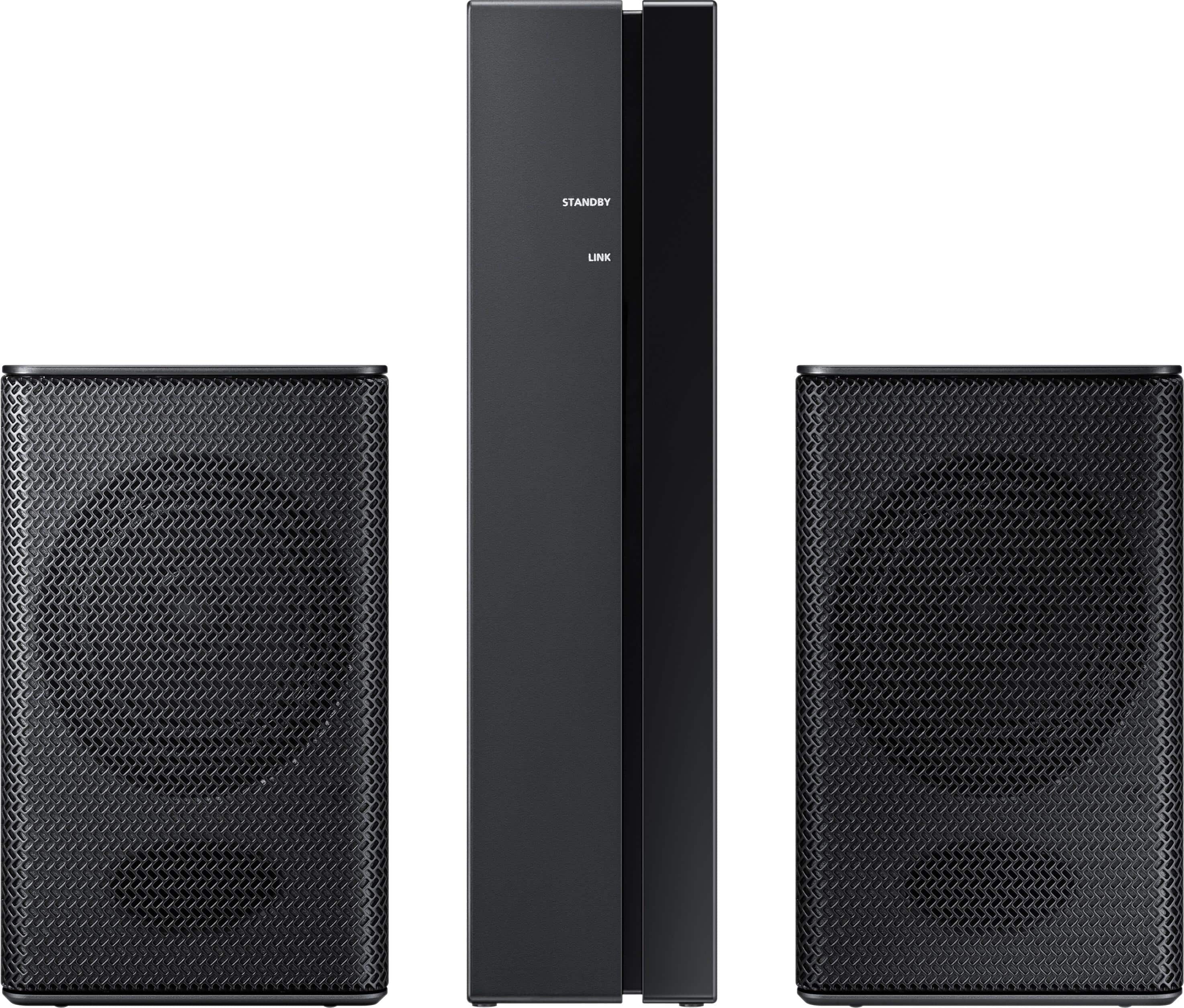
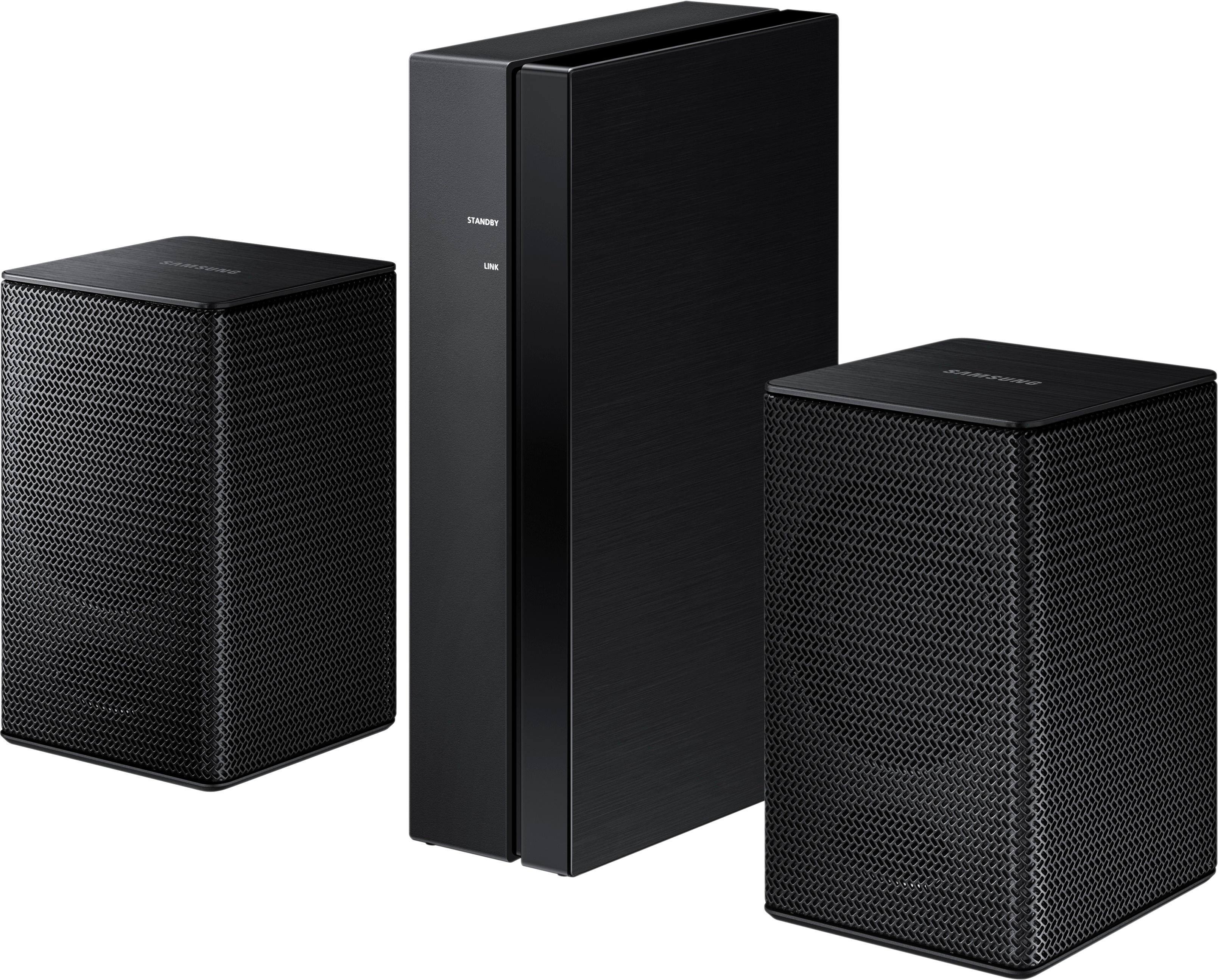
- Model:
- SWA-8500S/ZA
- SKU:
- 5754510
Rating by feature
- Value
Rating 4.2 out of 5 stars
- Quality
Rating 4.2 out of 5 stars
- Ease of Use
Rating 4.3 out of 5 stars
Customers are saying
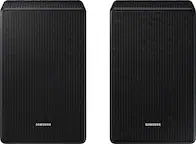
Customers consistently note the exceptional sound quality and easy setup process of the Wireless Rear Speakers. Many users appreciate the convenience of the wireless feature and the reasonable price point compared to similar products. However, some users have expressed concerns about the lack of volume control and compatibility issues with certain TVs.
This summary was generated by AI based on customer reviews.
Don't buy these.
||Posted . Owned for 1 month when reviewed.This reviewer received promo considerations or sweepstakes entry for writing a review.No volume, ugly setup. No connection to sound bsr.
No, I would not recommend this to a friendNot worth the money.
||Posted . Owned for 3 weeks when reviewed.This reviewer received promo considerations or sweepstakes entry for writing a review.Not worth the money. Had them for three days and took them back.
No, I would not recommend this to a friendBrand response from Samsung
Posted .Madd:
Thank you for your review of this Samsung Soundbar System. I am sorry to hear that it did not work out for you and have returned your unit.
Your feedback is very important to us and will be shared with our product team.
Should you ever decide to give Samsung audio products another try and have concerns or questions, please know we are always here to help. You can contact Samsung Customer Support by any of the below options:
1) Phone: 1-800-SAMSUNG (ask for Soundbars)
Available 8AM - 12AM EST (Mon-Fri) / 9AM - 11PM EST (Sat-Sun)
2) LiveChat: https://www.samsung.com/us/support/#contact_us_for_support
3) Facebook Messenger: https://www.facebook.com/samsungsupport
4) Twitter: https://twitter.com/SamsungSupport
The Samsung Members Community is also a great resource for getting help from Samsung moderators and customers: https://us.community.samsung.com/t5/Get-Help/ct-p/get-help
Again, thank you for taking the time to share your experience. We hope to regain you as a customer in the near future.
~ Samsung Solutions
Samsung
||Posted . Owned for less than 1 week when reviewed.This reviewer received promo considerations or sweepstakes entry for writing a review.Not designed to provide rear speaker surround sound
No, I would not recommend this to a friendPoor Volume control
||Posted . Owned for 1 month when reviewed.This reviewer received promo considerations or sweepstakes entry for writing a review.Poor volume control. Received as part of a bundle,
No, I would not recommend this to a friendReturned this item
||Posted . Owned for 1.5 years when reviewed.This reviewer received promo considerations or sweepstakes entry for writing a review.I never got this product so I can’t speak about how it works
No, I would not recommend this to a friendBrand response from Samsung
Posted .Donna:
Should you ever have questions regarding features or usage with any Samsung Audio Product, please know that Samsung Customer Support is here to help.
1) Phone: 1-800-SAMSUNG (ask for Soundbars /or/ option #2), available 8AM - 9PM EST, Mon - Fri
2) LiveChat: https://www.samsung.com/us/support/#contact_us_for_support
3) Facebook Messenger: https://www.facebook.com/samsungsupport
4) Twitter: https://twitter.com/SamsungSupport
5) The Samsung Members Community is also a great resource for getting help from Samsung moderators and customers: https://us.community.samsung.com
~ Samsung Solutions
Didn’t work
||Posted .This reviewer received promo considerations or sweepstakes entry for writing a review.I actually had to return these. I could not get the left speaker to work.
No, I would not recommend this to a friendBrand response from Samsung
Posted .Coolkid:
I am sorry to hear that the left speaker did not work and you have returned these Wireless Rear Loud Speakers.
Your feedback is very important to us and will be shared with our product team.
Should you ever decide to give Samsung audio products another try and have concerns or questions, please know we are always here to help. You can contact Samsung Customer Support by any of the below options:
1) Phone: 1-800-SAMSUNG
2) LiveChat or Email: https://www.samsung.com/us/support/#contact_us_for_support
3) Facebook Messenger: http://m.me/samsungsupport
4) Twitter: https://twitter.com/messages/compose?recipient_id=18768513
We hope to regain you as a customer in the near future.
- Samsung Solutions
Do not get very loud
||Posted .This reviewer received promo considerations or sweepstakes entry for writing a review.Easy to use but the speakers are disappointingly quiet.
No, I would not recommend this to a friendBrand response from Samsung
Posted .Donny:
Thank you for purchasing the Samsung Wireless SWA-8500S Rear Wireless Speaker Kit. I am sorry to hear that you did not experience the full potential of the surround sound system.
By design, the surround speakers are supposed to simulate sounds happening behind the viewer. Therefore, most of the time the surround channels are only used for ambient sounds, which are naturally lower in volume.
However, there are a few settings you can change to adjust the surround effect to your preference:
1) Make sure that the source (e.g. TV output) is sending surround channels to the Soundbar. If the source is not capable of surround, then set the Surround mode to OFF on the Soundbar by pressing the Surround button on the remote.
2) If the source has surround channels, select the desired Sound Mode from the Soundbar remote.
3) Turn off Dynamic Range Control. This is done by pressing and holing the Sound Mode button while the Soundbar is in standby mode. Depending on your soundbar model, you may or may not have DRC.
4) Increase the volume level of the surround speakers using the Sound Control button on the Soundbar remote control.
a. For example, if you are connected to the Samsung Harman Kardon HW-Q70R, you would press the Sound Control button on the Q70R remote (looks like a gear), then select REAR LEVEL and use the Up/Down buttons to adjust the volume within a -6 to +6 range.
I hope these tips help to enhance your audio enjoyment.
Should you need further assistance with this issue or have any questions, please contact Samsung Customer Support via any of the below options:
1) Phone: 1-800-SAMSUNG (ask for Soundbars /or/ option #2), available 8AM - 9PM EST, Mon - Fri
2) LiveChat: https://www.samsung.com/us/support/#contact_us_for_support
3) Facebook Messenger: https://www.facebook.com/samsungsupport
4) Twitter: https://twitter.com/SamsungSupport
5) The Samsung Members Community is also a great resource for getting help from Samsung moderators and customers: https://us.community.samsung.com
If you have not already done so, we invite you to register your new Samsung product at: https://www.samsung.com/us/account/signin/?redirect=https%3A%2F%2Fwww.samsung.com%2Fus%2Fsupport%2Fregister%2F
Registering your product gives you access to easy warranty support, convenient opt-in to special promos and offers, faster troubleshooting and service, and quick notification of system updates.
~ Samsung Solutions
Unable to connect
||Posted .This reviewer received promo considerations or sweepstakes entry for writing a review.The instructions are not clear on how to connect to an existing system
No, I would not recommend this to a friendBrand response from Samsung
Posted .Jason:
Thank you for purchasing these Samsung Rear Speakers. I am sorry to hear that you are experiencing set up issues.
Please give us the opportunity to assist you by contacting Samsung Customer Support via any of the below options:
1) Phone: 1-800-SAMSUNG (ask for Soundbars)
Available 8AM - 12AM EST (Mon-Fri) / 9AM - 11PM EST (Sat-Sun)
2) LiveChat or Email: https://www.samsung.com/us/support/#contact_us_for_support
3) Facebook Messenger: https://www.facebook.com/samsungsupport
4) Twitter: https://twitter.com/SamsungSupport
5) The Samsung Home Theater & Home Audio Community is also a great resource for getting help from Samsung moderators and customers: https://us.community.samsung.com/t5/Home-Theater-Home-Audio/bd-p/hometheaterhomeaudio
and alternatively for Blu-ray…
The Samsung Blu-ray & DVD Players Community is also a great resource for getting help from Samsung moderators and customers: https://us.community.samsung.com/t5/Blu-ray-DVD-Players/bd-p/blueraydvdplayers
Again, I am very sorry for the inconveniences you have had, and hope that we will hear from you soon.
- Samsung Solutions
Very small
||Posted .This reviewer received promo considerations or sweepstakes entry for writing a review.Not At all what I expected. I should have read the specifications more carefully!
No, I would not recommend this to a friendSound not good
||Posted .This reviewer received promo considerations or sweepstakes entry for writing a review.Dialog sound not good and loud enough so we retuned it and exchange for another
No, I would not recommend this to a friendBad!!!!!
||Posted .This reviewer received promo considerations or sweepstakes entry for writing a review.These speakers cut out every 10 seconds and so does the sub woofer
No, I would not recommend this to a friendBrand response from Samsung
Posted .Lopez:
I am very sorry for the speakers cutting out constantly. I understand the frustrations and the inconveniences this has caused. Please contact Samsung Customer Support so that we can better investigate your issue and assist you towards a resolution or replacement.
You can reach us via any of the below options:
1) Phone: 1-800-SAMSUNG
2) LiveChat or Email: https://www.samsung.com/us/support/#contact_us_for_support
3) Facebook Messenger: http://m.me/samsungsupport
4) Twitter: https://twitter.com/messages/compose?recipient_id=18768513
Samsung stands behind the quality and performance of every product we manufacture, and we back Samsung Rear Loud Speakers with a 1-year manufacturer's limited warranty, if purchased brand-new directly from BestBuy.com or any other authorized seller.
Again, I am very sorry for the inconveniences you have had and hope that we will hear from you soon.
- Samsung Solutions
Could of done without
||Posted .This reviewer received promo considerations or sweepstakes entry for writing a review.Clear sound but not that loud , could be my hearing but don't think so
No, I would not recommend this to a friendBrand response from MrSamsung
Posted .Miracle,
Thank you for purchasing the Samsung Wireless Rear Loud Speakers. I am sorry to hear that you are not satisfied with its volume level.
Have you tried these adjustments?
1. Make sure that the source (e.g. TV output) is sending surround channels to the Soundbar. If the source is not surround, then set the Surround mode to OFF on the Soundbar by pressing the Surround button on the remote.
2. If the source has surround channels, select the desired Sound Mode from the Soundbar remote. Choices are STANDARD, MUSIC, CLEAR VOICE, SPORTS, or MOVIE.
3. Turn off Dynamic Range Control. This is done by pressing and holing the Sound Mode button while the Soundbar is in standby mode.
4. Increase the volume level of the surround speakers using the Sound Control button on the Soundbar remote control.
I hope these tips help.
Should you need further assistance with this issue or other features, please contact Samsung Customer Support via one of the following options:
1) Toll-free calling: 1-800-SAMSUNG
2) LiveChat or Email: https://www.samsung.com/us/support/#contact_us_for_support
3) Facebook Messenger: http://m.me/samsungsupport
4) Twitter: https://twitter.com/messages/compose?recipient_id=18768513
-Samsung Ambassador
Not what I expected
||Posted .This reviewer received promo considerations or sweepstakes entry for writing a review.Wires are a pain to setup. Do not need these speakers if using a sound bar
No, I would not recommend this to a friendCan’t hear
||Posted .This reviewer received promo considerations or sweepstakes entry for writing a review.Can’t tell the difference when they are on or off sounds the same
No, I would not recommend this to a friendBrand response from MrSamsung
Posted .EB2018,
Thank you for purchasing the Samsung Wireless Rear Loud Speakers. I am sorry to hear that you did not experience the full potential of the surround sound system.
Please know that by design, the surround speakers are supposed to simulate sounds happening behind the viewer. Therefore, most of the time the surround channels are only used for ambient sounds, which are naturally lower in volume.
However, there are a few settings you can change to adjust the surround effect to your preference:
1. Make sure that the source (e.g. TV output) is sending surround channels to the Soundbar. If the source is not surround, then set the Surround mode to OFF on the Soundbar by pressing the Surround button on the remote.
2. If the source has surround channels, select the desired Sound Mode from the Soundbar remote. Choices are STANDARD, MUSIC, CLEAR VOICE, SPORTS, or MOVIE.
3. Turn off Dynamic Range Control. This is done by pressing and holing the Sound Mode button while the Soundbar is in standby mode.
4. Increase the volume level of the surround speakers using the Sound Control button on the Soundbar remote control.
I hope these tips help to enhance your audio enjoyment.
Should you need further assistance with this issue or other features, please contact Samsung Customer Support via one of the following options:
1) Toll-free calling: 1-800-SAMSUNG
2) LiveChat or Email: https://www.samsung.com/us/support/#contact_us_for_support
3) Facebook Messenger: http://m.me/samsungsupport
4) Twitter: https://twitter.com/messages/compose?recipient_id=18768513
-Samsung Ambassador
- Pros mentioned:Easy setup, Wireless
Solid surround sound for the price.
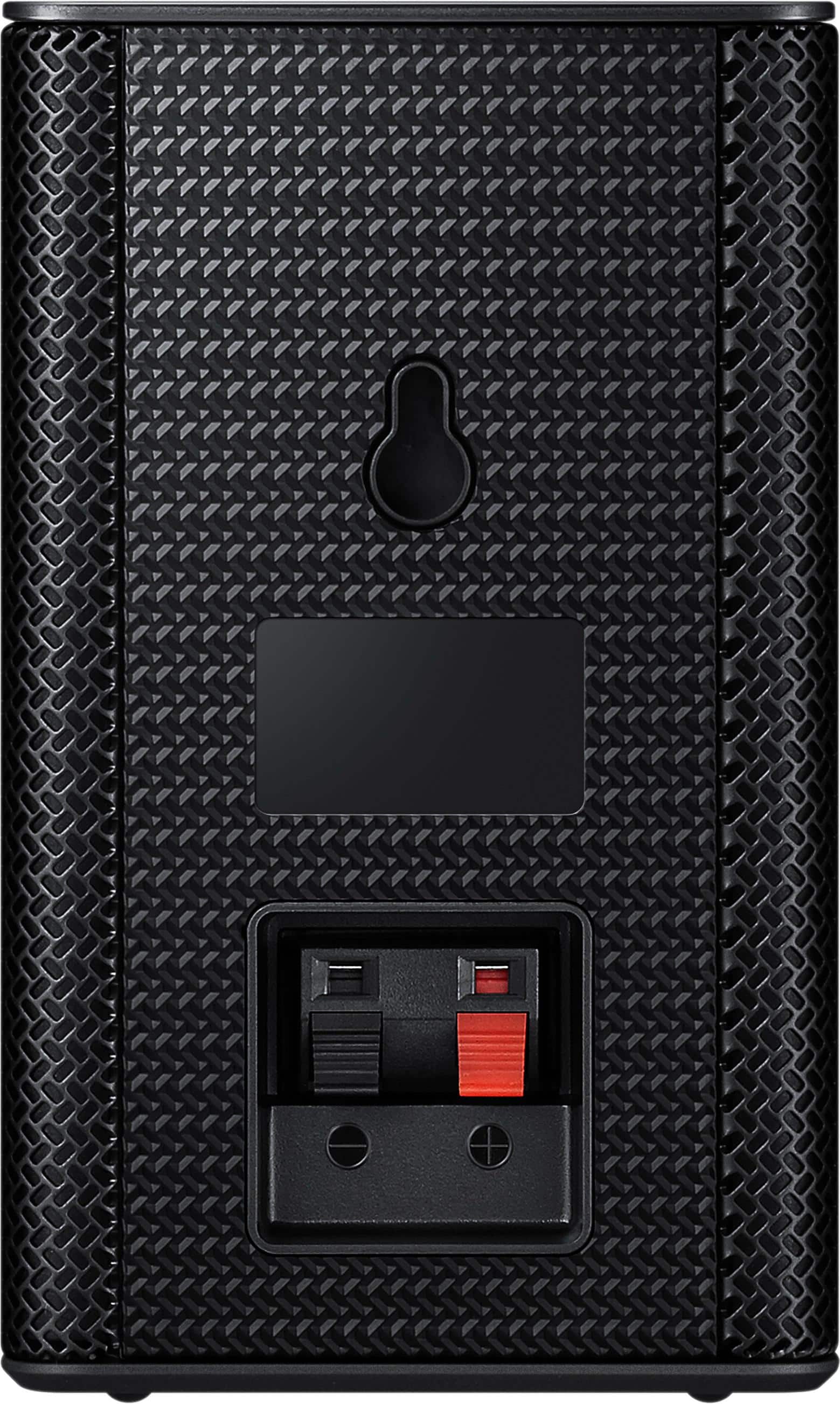
Posted .This reviewer received promo considerations or sweepstakes entry for writing a review.Bought this package at the same time as my Samsung 3.1 soundbar with wireless subwoofer. I had everything unboxed, set up and jamming within 15 minutes. These wireless rear speakers put out respectable volume for my room, which is 12 x 20. They aren't powerful enough to fill an auditorium, but weren't designed to do so, either. The complaints some have made on here about volume are way out of line with the reality of the product. Unless you're trying to cause hearing damage, these are plenty loud. Not having to run wires to the back of the room is a huge benefit. The speakers do connect to the wireless module/amplifier with wired plugs, but these can be hid unobtrusively. In my case, I let them dangle behind a bookcase and the speakers sit on top. All volume adjustments can be made through the Soundbar's remote control. The speakers pair automatically with the soundbar when powered up. No hassles. Recommended.
I would recommend this to a friend This speakers should never be sold. The only way y
||Posted .This reviewer received promo considerations or sweepstakes entry for writing a review.You might as well not have this speakers 1.00 is to much for them
No, I would not recommend this to a friendNo sound
||Posted .This reviewer received promo considerations or sweepstakes entry for writing a review.Could not get to sync with sound bar. Tried multiple times.
No, I would not recommend this to a friend- Pros mentioned:Sound quality
Great, and when paired with HW- MM55C - Perfect!
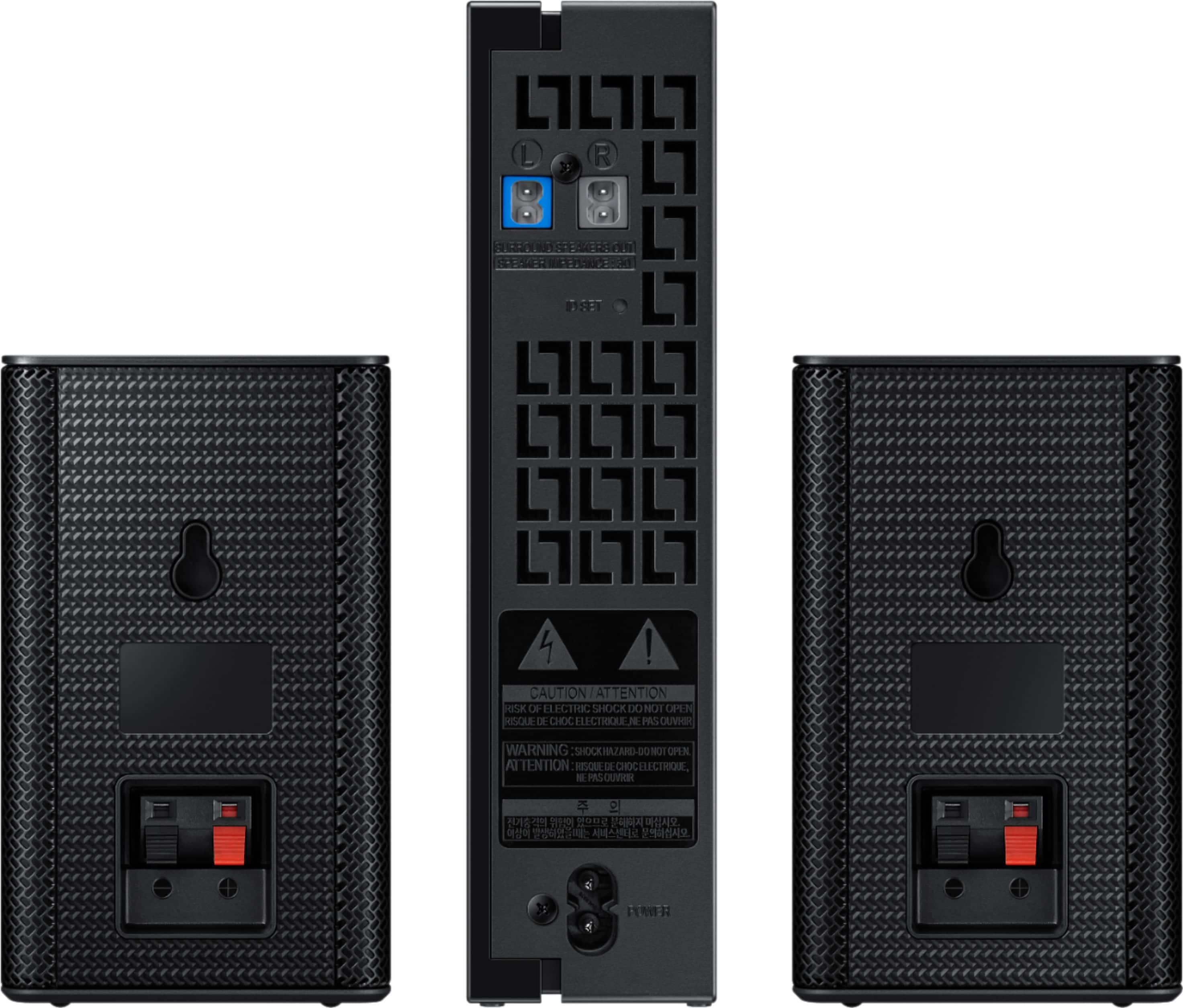
Posted .This reviewer received promo considerations or sweepstakes entry for writing a review.This is a mixed review of these speakers together with Samsung bar HW-MM55C from Costco. I decided to give this soundbar a try despite the bad reviews and because I owned a Samsung tv and also lots of this brand's stuff. I think the bad vibe comes because the soundbar manual can be a bit vague when it comes to setting it up. I must say up front that if you pair this soundbar with the SWA-8500S rear speakers you will have a great surround sound system without the hustle of moving wires around. Yes, the rear speakers are not entirely "wireless" , they are wired to a true wireless receiver where they also get their power from! A lot of people are not happy with that but think if you will have them truly wireless, than you need to charge them since they will need to have a battery to work, right? And if you forget to do it, well you may run out of juice right in the middle of your movie! Now, back to setting the bar: the initial part with the powering off the subwoofer and soundbar connections is easy and straight forward. Adjusting it to get the most of it is the tricky part: I used a HDMI cable to the ARC connection because the tv remote control will work best this way, while with the optical cable will power on but not off somehow!? The best sound for my ears will come out if you setup your TV SOUND on PCM than DTS 2.5, although is a very little difference from the Dolby Sound. Next I worked up my levels of subwoofer to +6 and treble to +5, set the sound mode to STANDARD and went to YouTube to give it a try: "music to my ears"! If you expect the live tv to sound awesome than you can wait for a long time. The greatness of this soundbar will shine on your movies, Netflix, Prime etc or music either streamed or through your bluetooth! But the BEST SETUP is if you add the rear speakers for surround and believe me for just under $350 all together you got yourself a GREAT HOME SOUND SYSTEM!! Since I been writing this long review (my first, that's why :)), I will add here also the QUICK SETUP for the SAMSUNG REAR SPEAKERS SWA-8500S: 1. Power OFF TV 2. Power OFF SOUNDBAR 3. Power ON REAR SPEAKERS with flashing blue light 4. On Soundbar remote control press MUTE ( right in the middle of volume +,- button) for more than 5 seconds until the Soundbar shows the ID SET message. Now take your finger off Mute and Power On the Soundbar and that should be it. 5. Now go to Settings button on Soundbar remote and press until you get to "Rear Speakers" and now press the UP on the Middle Circle to get the level up to +4 or +5, up to +6. Next press Surround on your remote to ON and that should be it! Good luck and hope you will enjoy your sound system as much we have!!
I would recommend this to a friend - Pros mentioned:Easy setup, Sound quality, Wireless
Small package, easy setup, what a difference!
Posted .This reviewer received promo considerations or sweepstakes entry for writing a review.I am very happy with the tonal improvement and the discrete surround difference that this add-on made to my Samsung HW-M550 sound bar. The sound bar input is via HDMI cable from a Tivo Mini. Another HDMI cable takes the picture to the TV. I hear beautiful highs and pure lows from this combination. The wires to the rears go to a wireless receiver behind the couch. The Mrs. doesn't mind the rear speakers addition because they are hard to spot, and no wires between the TV and the couch. If you have a Samsung sound bar, grab this now (it's on sale).
I would recommend this to a friend Surreal Instruction Manual
Posted .This reviewer received promo considerations or sweepstakes entry for writing a review.This is really an addendum to the review someone posted three months ago giving directions for hook up. It is absolutely incredible that Samsung could ship a product with such poor instructions. That previoius review got me started in the right direction, but needed to update some of the instructions that are relevant to the HW-M55 sound bar. First off, upon plugging the rear speaker receiver in the flashing blue light would not stay flashing - the red standby light came on. So (and, remember the soundbar needs to be OFF to start -- so, I used a paper clip and stuck it in the reset button on the back of the rear speaker receiver to get the rapidly flashing blue light. Then, it tells you to push the volume button for 5-6 seconds to get the ID SET message. Well they're not clear, but this means press the Volume button DOWN - do not toggle forward or back - it's the same maneuver for the mute function. The ID SET flashes momentarily and then turn on the soundbar and it should pair and get the solid blue light. Now here's where there's absolutely NO guidance in the manuals. You need to use the GEAR button on the remote. As you press it will cylce until you get to "Rear Speakers ON". If OFF, use the round pad around the =/play button to press up to ON. Then using the GEAR button cycle to Rear Speaker Volume (I think it might just say Rear S 0, then using the round pad and the up/down functions boost that volume up to at least 4, I've got mine at 5. Note that this gear button can be used to adjust treble, bass, etc. but I just left it at defaults. NONE of this is covered in the manual. So after doing all of this, it was late and everyone else in the house is asleep so I really can't check out sound quality yet. Perhaps I'll add to this review once I do.
I would recommend this to a friend