Customer Ratings & Reviews
- Model:
- SWA-8500S/ZA
- SKU:
- 5754510
Rating by feature
- Value
Rating 4.2 out of 5 stars
- Quality
Rating 4.2 out of 5 stars
- Ease of Use
Rating 4.3 out of 5 stars
Customers are saying
Customers consistently note the exceptional sound quality and easy setup process of the Wireless Rear Speakers. Many users appreciate the convenience of the wireless feature and the reasonable price point compared to similar products. However, some users have expressed concerns about the lack of volume control and compatibility issues with certain TVs.
This summary was generated by AI based on customer reviews.
- Pros mentioned:Easy setup
Rear Speaker
Posted .This reviewer received promo considerations or sweepstakes entry for writing a review.Though this rear speaker sold separately it’s pretty easy to install.
I would recommend this to a friend Perfect for the 3.1 Samsung Soundbar
Posted .This reviewer received promo considerations or sweepstakes entry for writing a review.If you have a Samsung TV with a 3.1 Soundbar these rear speakers are a must have for a more immersive sound experience. Turn on DTS 2.5 mode (Do not use PCM) on your TV sound settings, Enable Surround Mode on your Soundbar, adjust Treble and Bass to your ideal settings. Make sure to set the rear speakers to max level +6. Enjoy movies, games, sports with awesome sound!
I would recommend this to a friendIssues with raising volume on rear speakers!
Posted .This reviewer received promo considerations or sweepstakes entry for writing a review.Recently purchased and had problems raising rear speakers! I found the solution if anyone else needs it! To raise your rear speaker volume this what you need to do! Press the settings button til you get to “Rear Speakers” and then hold down the settings button. The screen will now say “Rear Level” and now you can press the up button to increase the volume Enjoy! I’m happy now!
I would recommend this to a friendCaveat Emptor
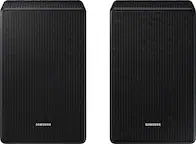
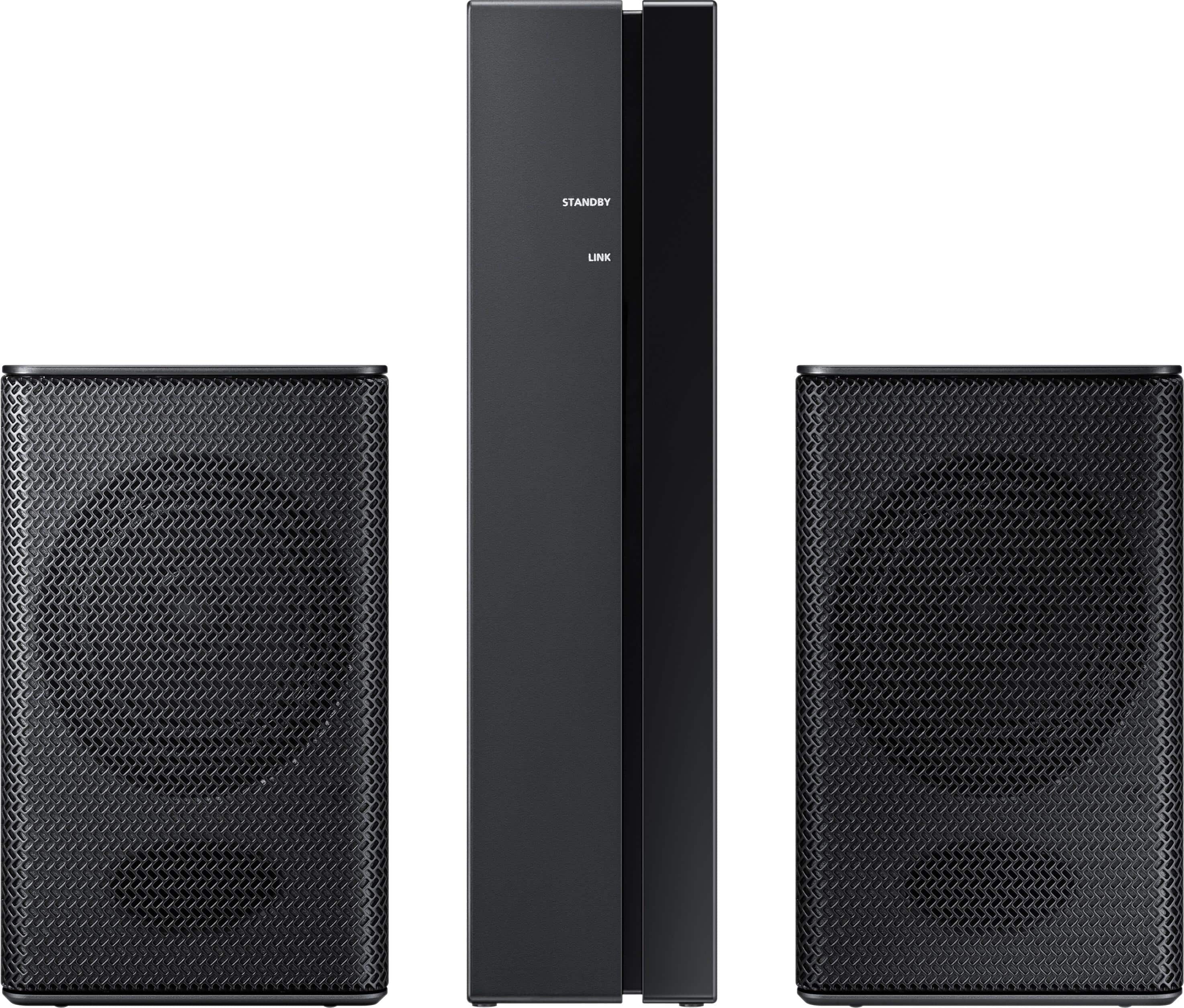
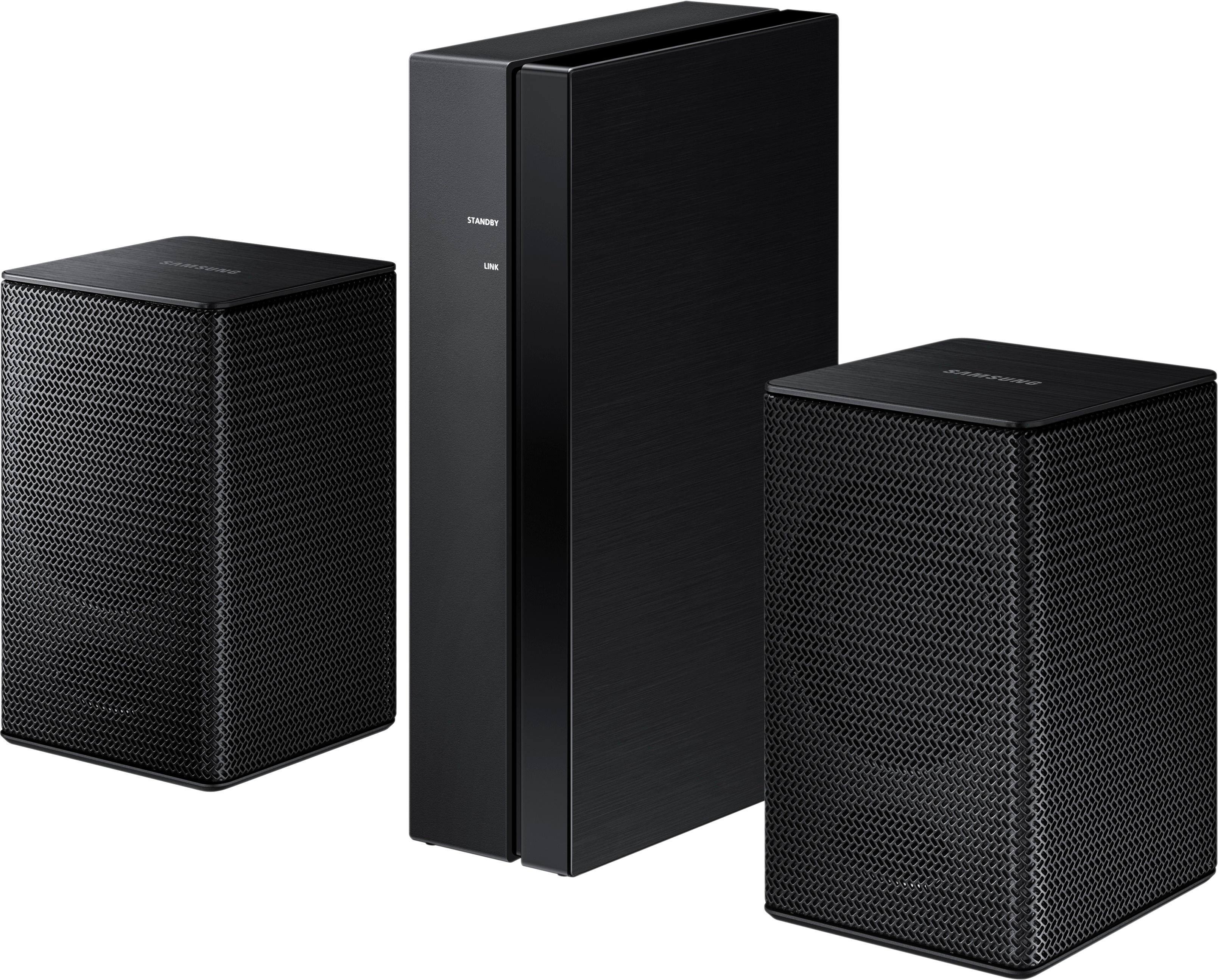
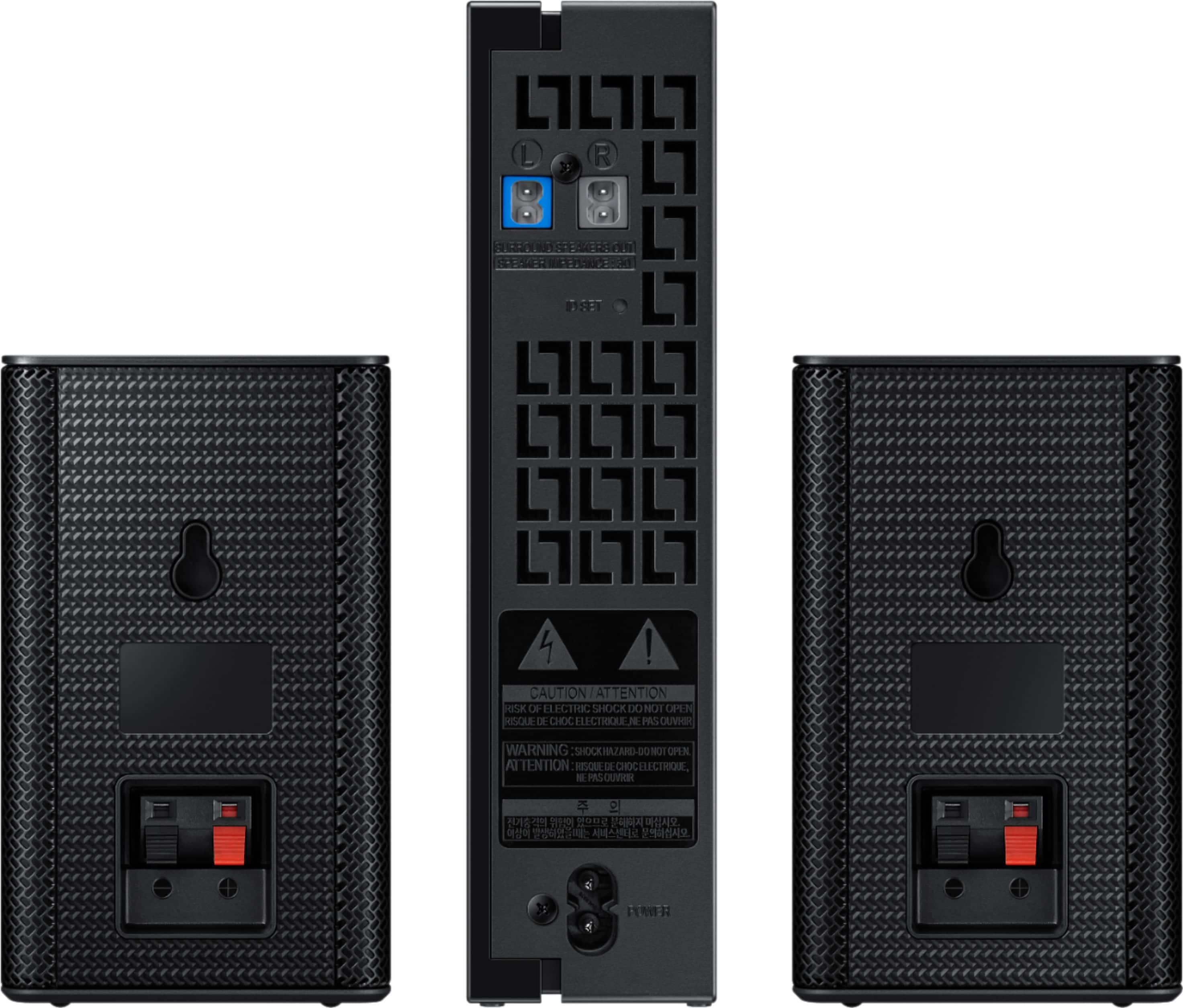
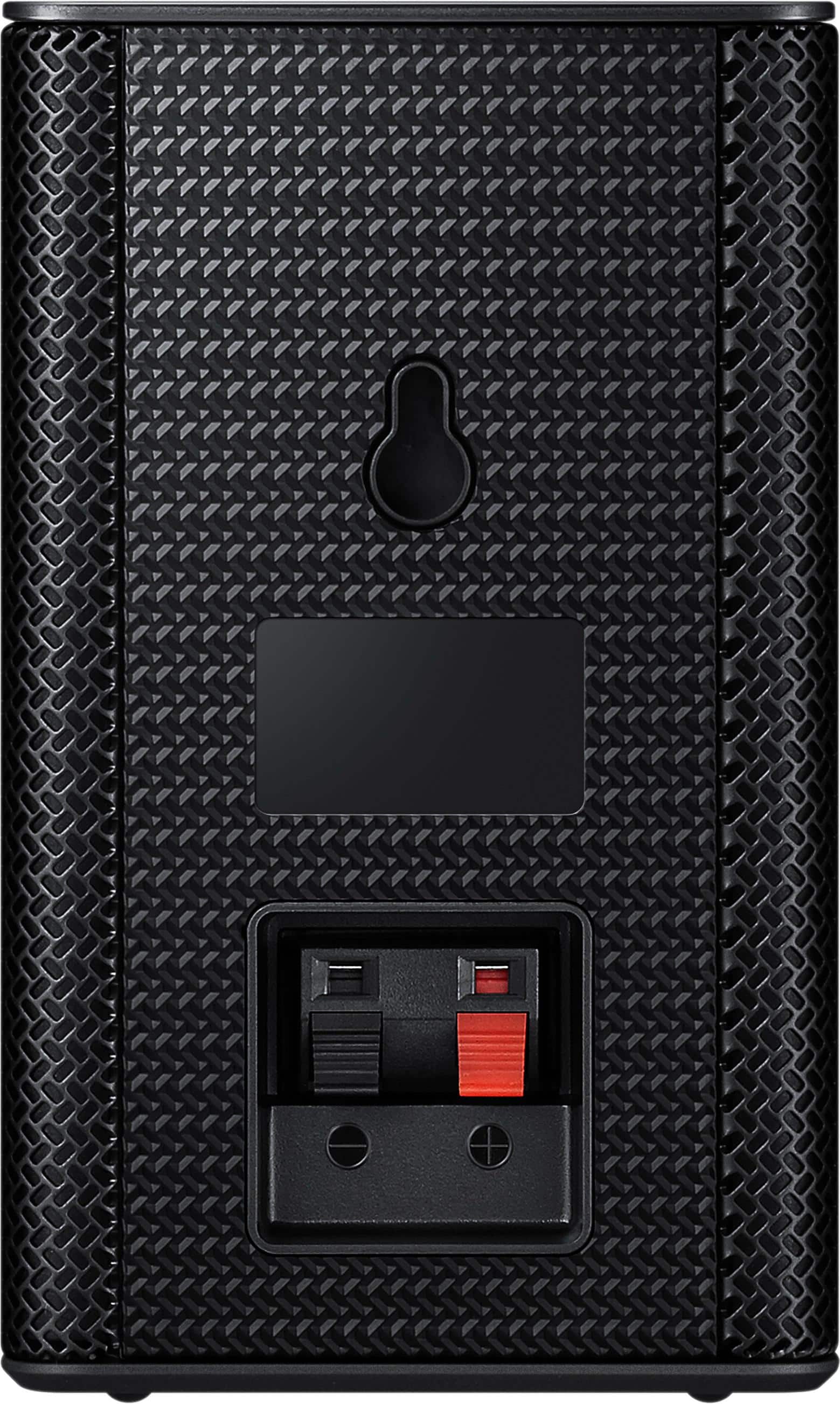
Posted .This reviewer received promo considerations or sweepstakes entry for writing a review.The check out line for Best Buy was short a week before Christmas while the line for returns was a mile long. I can see why. First I bought a set of supposedly compatible Sony speakers displayed under the Samsung Soundbar I purchased from Best Buy on line. They showed TWO rear speakers in the photo on line while only one arrived. They displayed two but the price was for one and you NEED two??? Plus, the speaker/speakers shown might be compatible if you buy a receiver unit and wiring too. (Not mentioned anywhere) So that speaker goes back to Best Buy and I pick up a set of these Samsung "WIRELESS" speakers that surely match my Samsung Soundbar. Only trouble is: "they're not REALLY wireless." The Receiver is wireless but you have about 15' of wire running from that receiver to each rear speaker. Of course no wires to be seen in any advertising or on the box. Again, in my mind a clear case of deceptive advertising, just like showing the two Sony tower speakers when you're pricing is for one and you need two to make a surround sound system. I'll toss in the pictures make you think you're getting a set of speakers about the size of the Woofer and they're actually about the size of a box of baking soda. You can get some impressive sound from small speakers these days, but apparently not from the two I bought. You can barely hear these two speakers. Run the sound all the way up on them and you sense that they're contributing "something" to your listening experience; you just can't place it.
No, I would not recommend this to a friend- Pros mentioned:Price
Great
Posted .This reviewer received promo considerations or sweepstakes entry for writing a review.Good quality good price I would recommend this to others
I would recommend this to a friend Sound
Posted .This reviewer received promo considerations or sweepstakes entry for writing a review.I just bought this set. There is no sound at all. My sound bar is compatible. I have done the ID Set and the little blue lights connect, but no sound.
No, I would not recommend this to a friendBrand response from MrSamsung
Posted .Hi Monica, we understand your concerns with the wireless speakers. Please fill out the form on http://smsn.us/SamsungSupportUSA and our Social Media team will be happy to look into this. ^Rosi

- Cons mentioned:Volume
Rear speakers
Posted .This reviewer received promo considerations or sweepstakes entry for writing a review.The sound bar works good, the rear speakers are junk. You can't get any volume out of them
No, I would not recommend this to a friendBrand response from MrSamsung
Posted .cdjeff,
Thank you for purchasing the Samsung Wireless Rear Loud Speakers. I am sorry to hear that you did not experience the full potential of the surround sound system.
Please know that by design, the SWA-8500S are supposed to simulate sounds happening behind the viewer. Therefore, most of the time the surround channels are only used for ambient sounds, which are naturally lower in volume.
However, there are a few settings you can change to adjust the surround effect to your preference:
1. Make sure that the source (e.g. TV output) is sending surround channels to the Soundbar. If the source is not surround, then set the Surround mode to OFF on the Soundbar by pressing the Surround button on the remote.
2. If the source has surround channels, select the desired Sound Mode from the Soundbar remote. Choices are STANDARD, MUSIC, CLEAR VOICE, SPORTS, or MOVIE.
3. Turn off Dynamic Range Control. This is done by pressing and holing the Sound Mode button while the Soundbar is in standby mode.
4. Increase the volume level of the surround speakers using the Sound Control button on the Soundbar remote control.
As for the random disconnection between Soundbar and subwoofer, placement of the devices is often an important factor. Please try to bring the units closer together, and move large items that are in between the line of sight of each other.
I hope these tips help to solve your issues. For further assistance, please contact our Customer Support at 1-800-SAMSUNG and a representative will gladly help you.
You can also contact Samsung via LiveChat or email. Please copy-paste this link into your browser: http://www.samsung.com/us/support/contact
Or find us on our Samsung Support Facebook page at: https://www.facebook.com/samsungsupport/app/158125230916392/
Again, thank you for taking the time to share your experience and provide us with information that helps improve our products and service.
-Samsung Ambassador
- Cons mentioned:Volume
Very disappointing
Posted .This reviewer received promo considerations or sweepstakes entry for writing a review.Very disappointing performance. The rear receiver would not pass audio at a 25 foot distance even though the receiver indicated a link it would finally pass audio when the rear receiver was about 5 foot away. The volume was so low even at a 6 setting on the sound bar so it was useless unless you ear was in the speaker.I am very sceptical of the 140 watt RMS power spec. The spring clip connectors for the speaker wire on the receiver and speakers are dodgy and it took several attempts to make a good continuity connection. All in all, the main soundbar works fantastic but the rear speakers fail miserably
No, I would not recommend this to a friend - Cons mentioned:Volume
Useless with the HWM360 Sound Bar
Posted .This reviewer received promo considerations or sweepstakes entry for writing a review.We got these speakers because they are supposed to work with our soundbar. However, immediately after plugging them in, we realized this was not the case. First off, the volume is absolutely pitiful. You have to have it right by your ear to hear it (even with turning up their volume to full). The quality of the overall sound comes off as cheap as well. Secondly, it turns out these speakers cannot do surround sound with our soundbar model. You need an HDMI hookup and that model soundbar has NO HDMI hookup. We returned them next day. Not worth it. If I am going to have rear speakers, I want them to actually have true surround sound. I will say I do love our sound bar, the speakers just happen to be useless.
No, I would not recommend this to a friendBrand response from MrSamsung
Posted .MeganLiz,
Thank you for purchasing the Samsung Wireless Rear Loud Speakers.
I am sorry to hear that it did not work out for you.
Please know that the SWA-8500S works with Samsung HW-M360/M450/M4500/M550 soundbar systems.
Our customer care representatives are always here to help you find out which speaker set works with your soundbar.
Simply give us a call at 1-800-SAMSUNG, or reach us via LiveChat or email. Please copy-paste this link into your browser: http://www.samsung.com/us/support/contact
We are likewise reachable on our Samsung Support Facebook page at: https://www.facebook.com/samsungsupport/app/158125230916392/
Again, thank you for taking the time to share your experience. We hope to hear from you soon.
-Samsung Ambassador
- Cons mentioned:Volume
Not loud enough
Posted .This reviewer received promo considerations or sweepstakes entry for writing a review.I had satellite speakers and replaced them with theses Samsung satellite speakers. I was quite disappointed by the sound volume and quality of these speakers. I hope Samsung can somehow increase the volume or else my loyalty to Samsung will diminish.
No, I would not recommend this to a friendBrand response from MrSamsung
Posted .Hi TopShop,
Thank you for purchasing the Samsung Wireless Rear Loud Speakers. I am sorry to hear that you did not experience the full potential of the surround sound system.
Please know that by design, the surround speakers are supposed to simulate sounds happening behind the viewer. Therefore, most of the time the surround channels are only used for ambient sounds, which are naturally lower in volume.
However, there are a few settings you can change to adjust the surround effect to your preference:
1. Make sure that the source (e.g. TV output) is sending surround channels to the Soundbar. If the source is not surround, then set the Surround mode to OFF on the Soundbar by pressing the Surround button on the remote.
2. If the source has surround channels, select the desired Sound Mode from the Soundbar remote. Choices are STANDARD, MUSIC, CLEAR VOICE, SPORTS, or MOVIE.
3. Turn off Dynamic Range Control. This is done by pressing and holing the Sound Mode button while the Soundbar is in standby mode.
4. Increase the volume level of the surround speakers using the Sound Control button on the Soundbar remote control.
As for the random disconnection between Soundbar and subwoofer, placement of the devices is often an important factor. Please try to bring the units closer together, and move large items that are in between the line of sight of each other.
I hope these tips help to solve your issues. For further assistance, please contact our Customer Support at 1-800-SAMSUNG and a representative will gladly help you.
You can also contact Samsung via LiveChat or email. Please copy-paste this link into your browser: http://www.samsung.com/us/support/contact
Or find us on our Samsung Support Facebook page at: https://www.facebook.com/samsungsupport/app/158125230916392/
Again, thank you for taking the time to share your experience and provide us with information that helps improve our products and service.
-Samsung Ambassador
Samsung rear speakers
Posted .This reviewer received promo considerations or sweepstakes entry for writing a review.These speakers pump out massive sound that really makes you feel youre at the movies
I would recommend this to a friendGreat addition
Posted .This reviewer received promo considerations or sweepstakes entry for writing a review.Great addition to my samsung sound bar. Enhances overall sound. Movies are like you are in the theater. Would recommend!!
I would recommend this to a friendUpgrade to 9500s
Posted .This reviewer received promo considerations or sweepstakes entry for writing a review.I liked them in two rooms until the 9500s came out and they are so much better for full room sound. Use in conjunction and the fill a little but they are a bit tinny. 9500s is the way to go !
I would recommend this to a friendMissing Parts
Posted .This reviewer received promo considerations or sweepstakes entry for writing a review.I opened the Samsung rear speaker packaging and discovered that the speaker cables were missing. I contacted Best Buy customer support and they said they can't ship me replacement speaker cables. Quite the inconvenience to say the least...
No, I would not recommend this to a friendBrand response from MrSamsung
Posted .T1000,
Thank you for your review of this Samsung Wireless Rear Loudspeakers.
I apologize for the inconveniences.
Please give us the opportunity to assist you with the missing parts by contacting us via one of the following options:
1) call Samsung Customer Support toll-free at 1-800-SAMSUNG.
2) reach us via LiveChat or email. Please copy-paste this link into your browser: http://www.samsung.com/us/support/contact
3) Connect with us on our Samsung Support Facebook page at: https://www.facebook.com/samsungsupport/app/158125230916392/
Again, I am very sorry for the inconveniences you have had, and hope that we will hear from you soon.
-Samsung Ambassador
Issues connecting
Posted .This reviewer received promo considerations or sweepstakes entry for writing a review.Tried repeatedly, to pair with the soundbar and had no luck. Could never get the ID Set to show on the soundbar. Contacted Samsung and troubleshot it and was finally able to get a solid blue light indicating successful connect but no sound from the rear speakers. The soundbar allows options for HDMI or digital optical and since the digital optical on tv wont stay plugged in we opted for the HDMI. Everything on the soundbar works but no sound from paired rear speakers. Support said that to get it to work you have to use the digital optical. WHY would you not include the fact that if you want to be able to use the rear speakers that you must use digital audio instead of HDMI for the soundbar connection in the instruction manual for the soundbar or rear speaker kit? When asked if there was an adapter such as an HDMI to digital audio or switch, the answer was they did not know if it would work. Extremely disappointed. Also, have no instructions on how you can change the volume of the rear speakers in the instruction manual.
No, I would not recommend this to a friendBrand response from MrSamsung
Posted .klt3505,
Thank you for purchasing the Samsung Wireless Rear Loud Speakers. I am sorry to hear that you did not experience the full potential of the surround sound system.
Please know that by design, the surround speakers are supposed to simulate sounds happening behind the viewer. Therefore, most of the time the surround channels are only used for ambient sounds, which are naturally lower in volume.
However, there are a few settings you can change to adjust the surround effect to your preference:
1. Make sure that the source (e.g. TV output) is sending surround channels to the Soundbar. If the source is not surround, then set the Surround mode to OFF on the Soundbar by pressing the Surround button on the remote.
2. If the source has surround channels, select the desired Sound Mode from the Soundbar remote. Choices are STANDARD, MUSIC, CLEAR VOICE, SPORTS, or MOVIE.
3. Turn off Dynamic Range Control. This is done by pressing and holing the Sound Mode button while the Soundbar is in standby mode.
4. Increase the volume level of the surround speakers using the Sound Control button on the Soundbar remote control.
I hope these tips help to solve your issues. For further assistance, please contact our Customer Support at 1-800-SAMSUNG and a representative will gladly help you.
You can also contact Samsung via LiveChat or email. Please copy-paste this link into your browser: http://www.samsung.com/us/support/contact
Or find us on our Samsung Support Facebook page at: https://www.facebook.com/samsungsupport/app/158125230916392/
Again, thank you for taking the time to share your experience and provide us with information that helps improve our products and service.
-Samsung Ambassador
- Cons mentioned:Compatibility
Check your Model #
Posted .This reviewer received promo considerations or sweepstakes entry for writing a review.Purchased this and came home to set it up. After trying multiple times, the last page states that only 10 sound bars are compatible with these speakers... Extremely disappointed as I was looking forward to hooking these up. There should be somewhere on the outside of the box that specifically states this. Will be returning and not getting another as the speakers that do connect to my sound bar are now discontinued. First time I have ever had an issue with Best Buy and the products they sell and I'm disappointed.
No, I would not recommend this to a friendBrand response from MrSamsung
Posted .John,
Thank you for purchasing the Samsung Wireless Rear Loud Speakers.
I am sorry to hear that it did not work out for you.
Please know that the SWA-8500S works with Samsung HW-M360/M450/M4500/M550 soundbar systems.
Our customer care representatives are always here to help you find out which speaker set works with your soundbar.
Simply give us a call at 1-800-SAMSUNG, or reach us via LiveChat or email. Please copy-paste this link into your browser: http://www.samsung.com/us/support/contact
We are likewise reachable via Facebook Messenger at: http://m.me/samsungsupport, or via Twitter at https://twitter.com/messages/compose?recipient_id=18768513
Again, thank you for taking the time to share your experience. We hope to hear from you soon.
-Samsung Ambassador
Samsung wireless speakers
Posted .This reviewer received promo considerations or sweepstakes entry for writing a review.Great speaker with very very good wireless distance
I would recommend this to a friendRear speakers
Posted .This reviewer received promo considerations or sweepstakes entry for writing a review.I bought these last Saturday and makes my movie experience so much better.
I would recommend this to a friend- Cons mentioned:Volume
Sound levels are poor
Posted .This reviewer received promo considerations or sweepstakes entry for writing a review.Was a pain to get it to pair up to the soundbar. You can adjust the rear speaker levels. However when you have the rear speakers at max level +6 you can barely hear them. I would not recommend buying them. Samsung should fix this issue. I am sure they are aware of it. I'm not the only one who has complained about it.
No, I would not recommend this to a friend Cannot adjust fade/balance at all.
Posted .This reviewer received promo considerations or sweepstakes entry for writing a review.These speakers are *not* adjustable in fade or balance as Samsung may have you believe. I spent half an hour on chat with a Samsung representative according to the Samsung Ambassador who replied above and they were unable to locate any fade or balance settings. Not worth it for the money, pick a different brand that actually implements this incredibly simple option
No, I would not recommend this to a friend