Customer Ratings & Reviews

- Model:
- ST-UCM1HM
- SKU:
- 6481383
Rating by feature
- Value
Rating 3.6 out of 5 stars
- Quality
Rating 4.0 out of 5 stars
- Ease of Use
Rating 4.0 out of 5 stars
Customers are saying
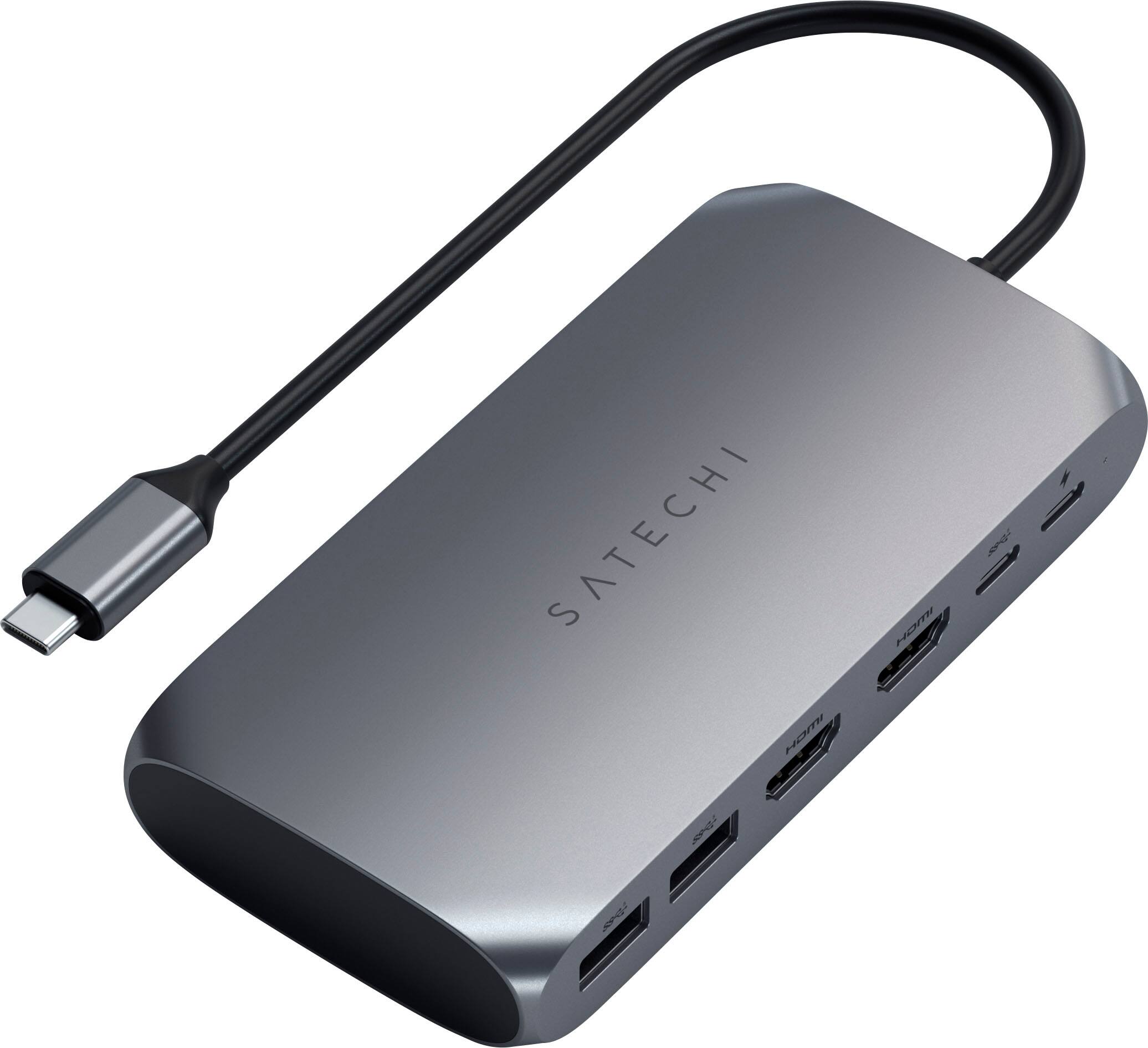
Customers recognize the USB-C Multimedia Adapter's dual 4K HDMI ports as a significant advantage, praising its compatibility with various devices and ease of use. However, some users experienced the adapter running warm, and others found the price to be a drawback. Concerns were also raised regarding the refresh rate limitations on one of the HDMI ports.
This summary was generated by AI based on customer reviews.
- Pros mentioned:Compatibility, Ease of use

It just works
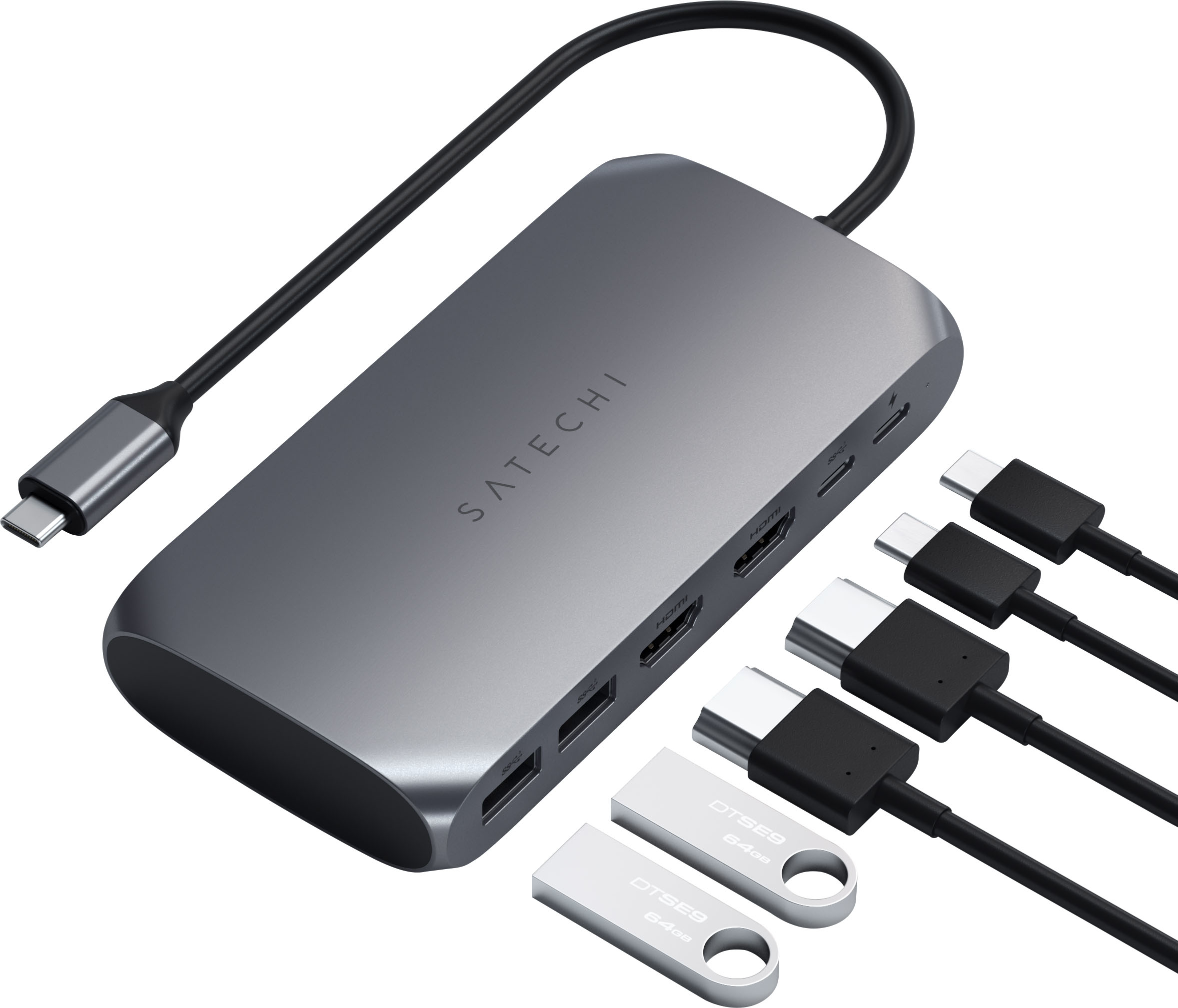
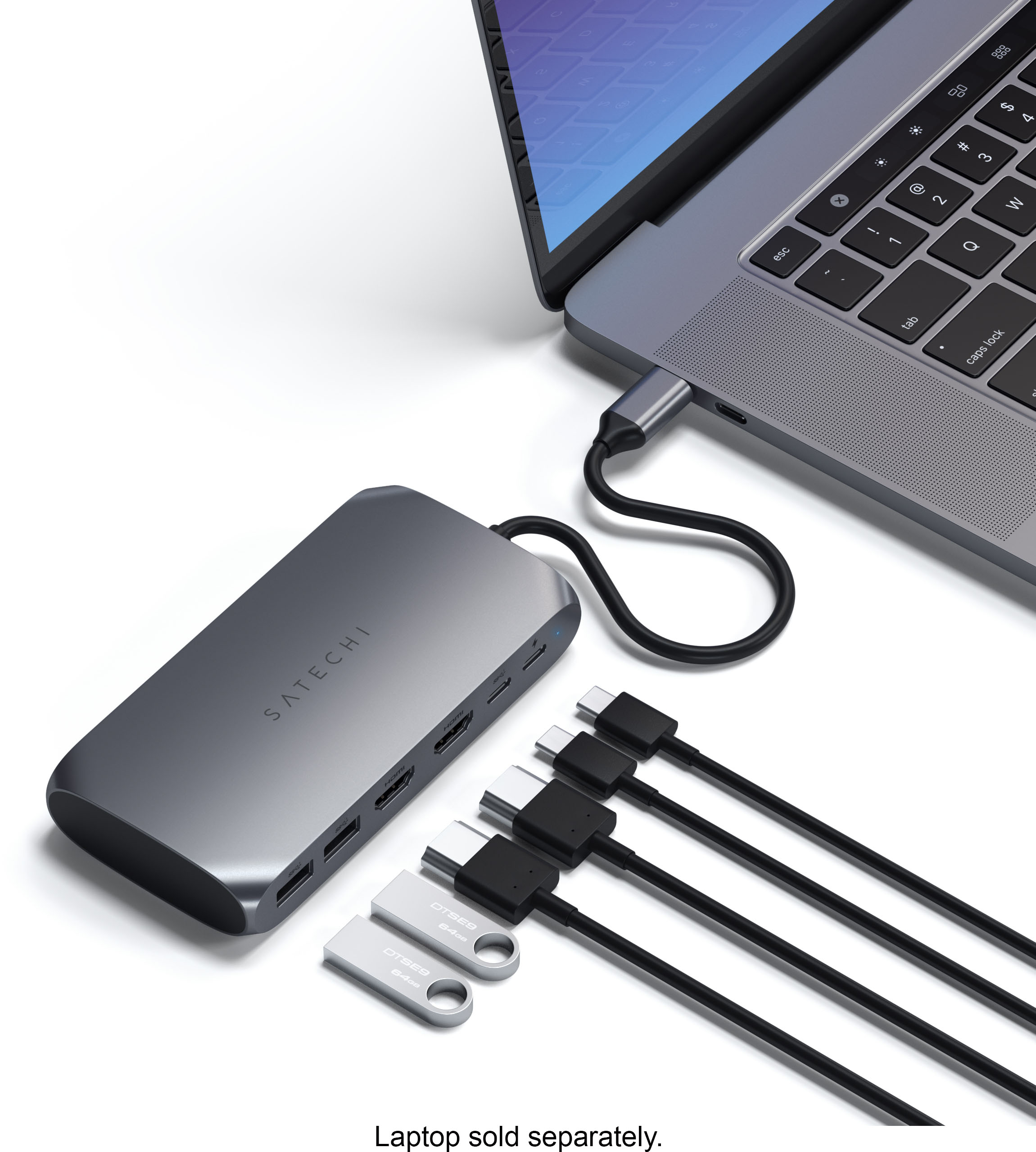
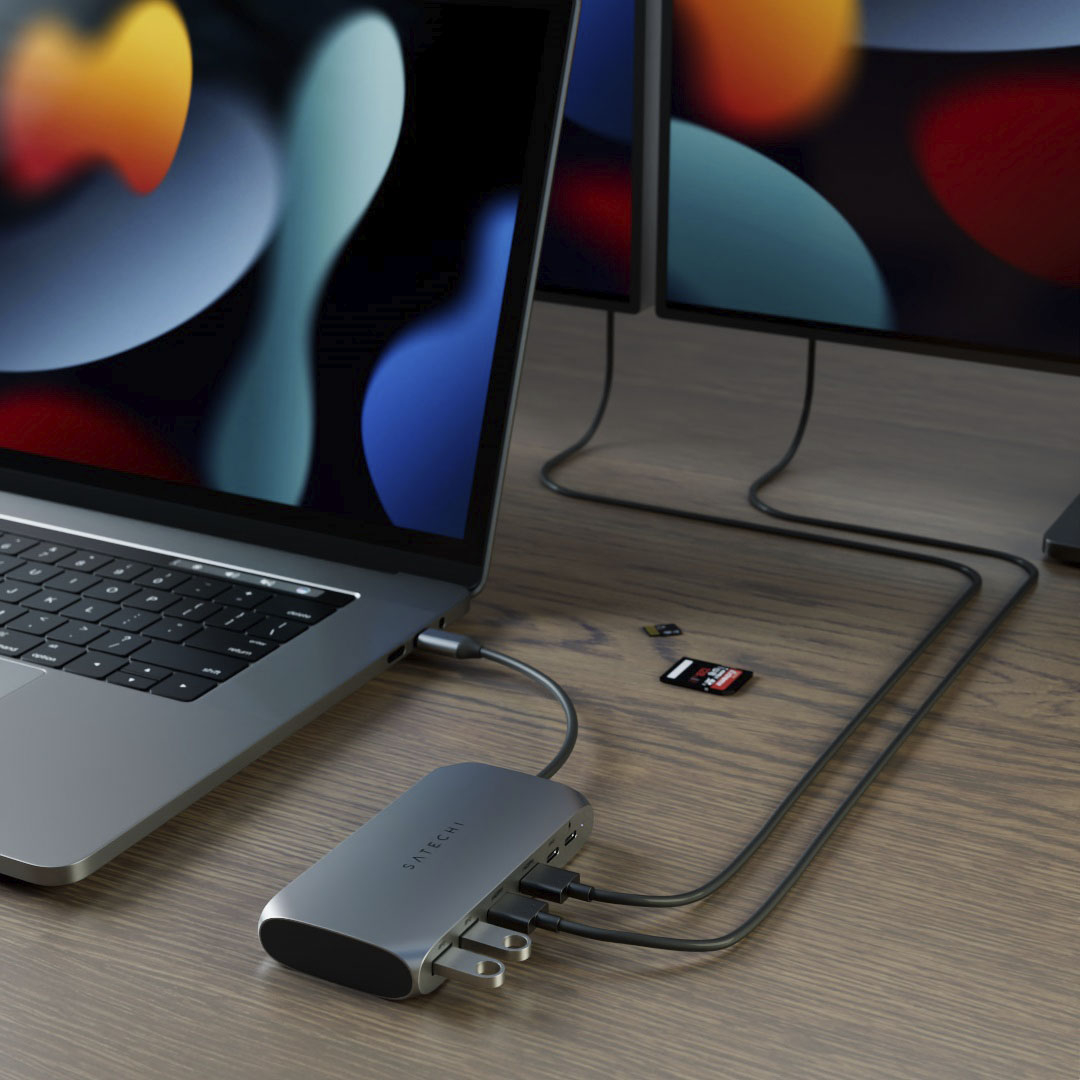
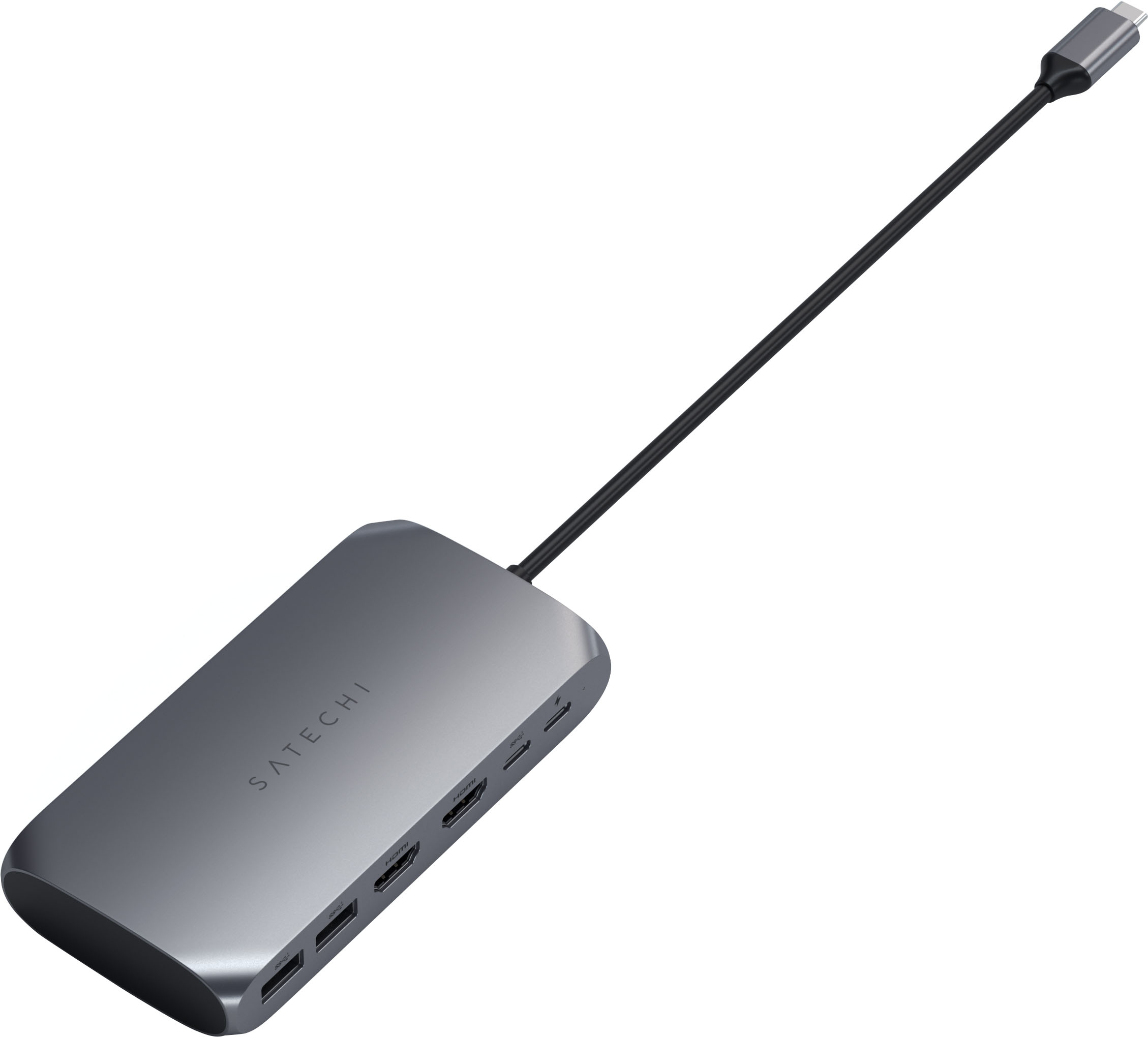
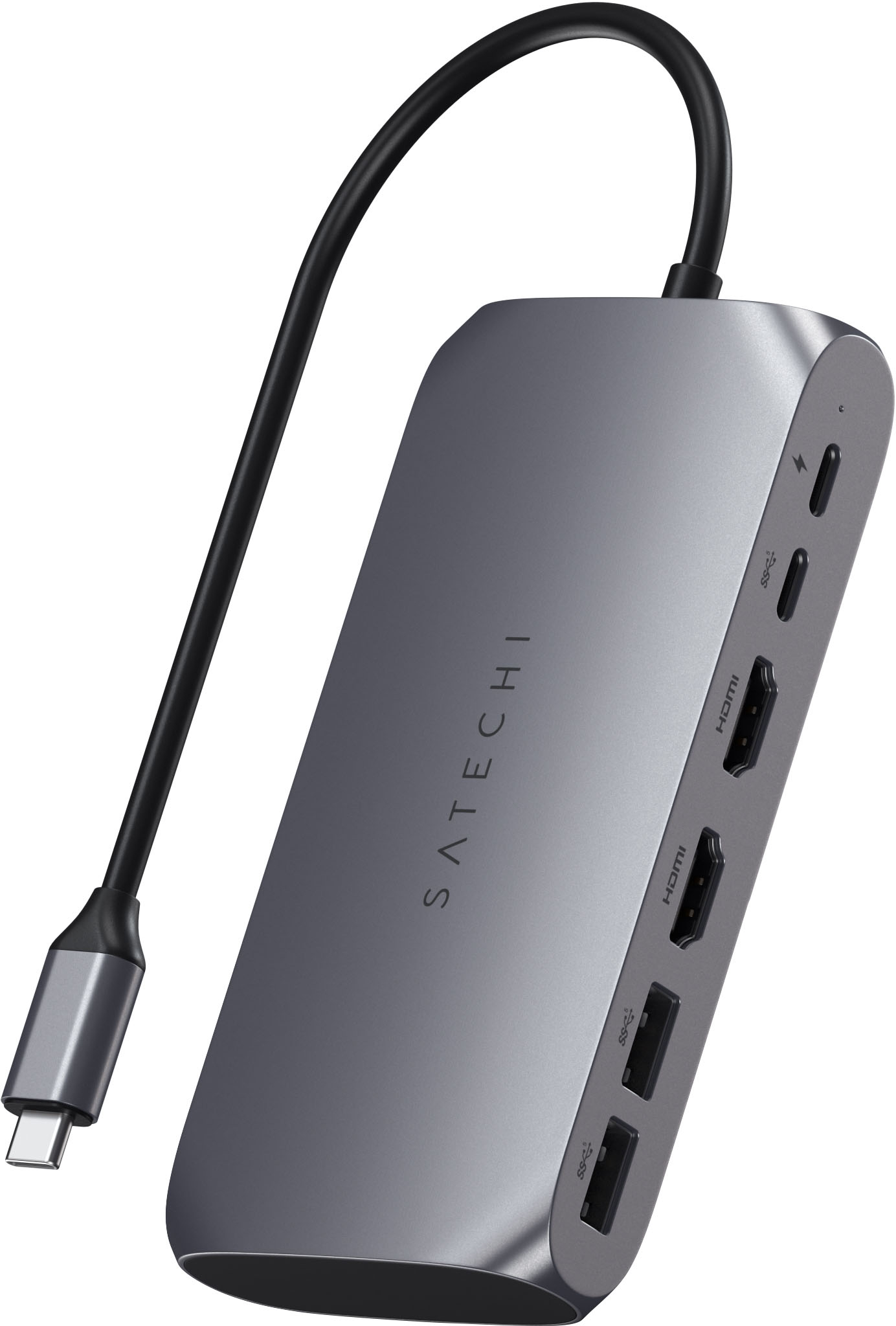
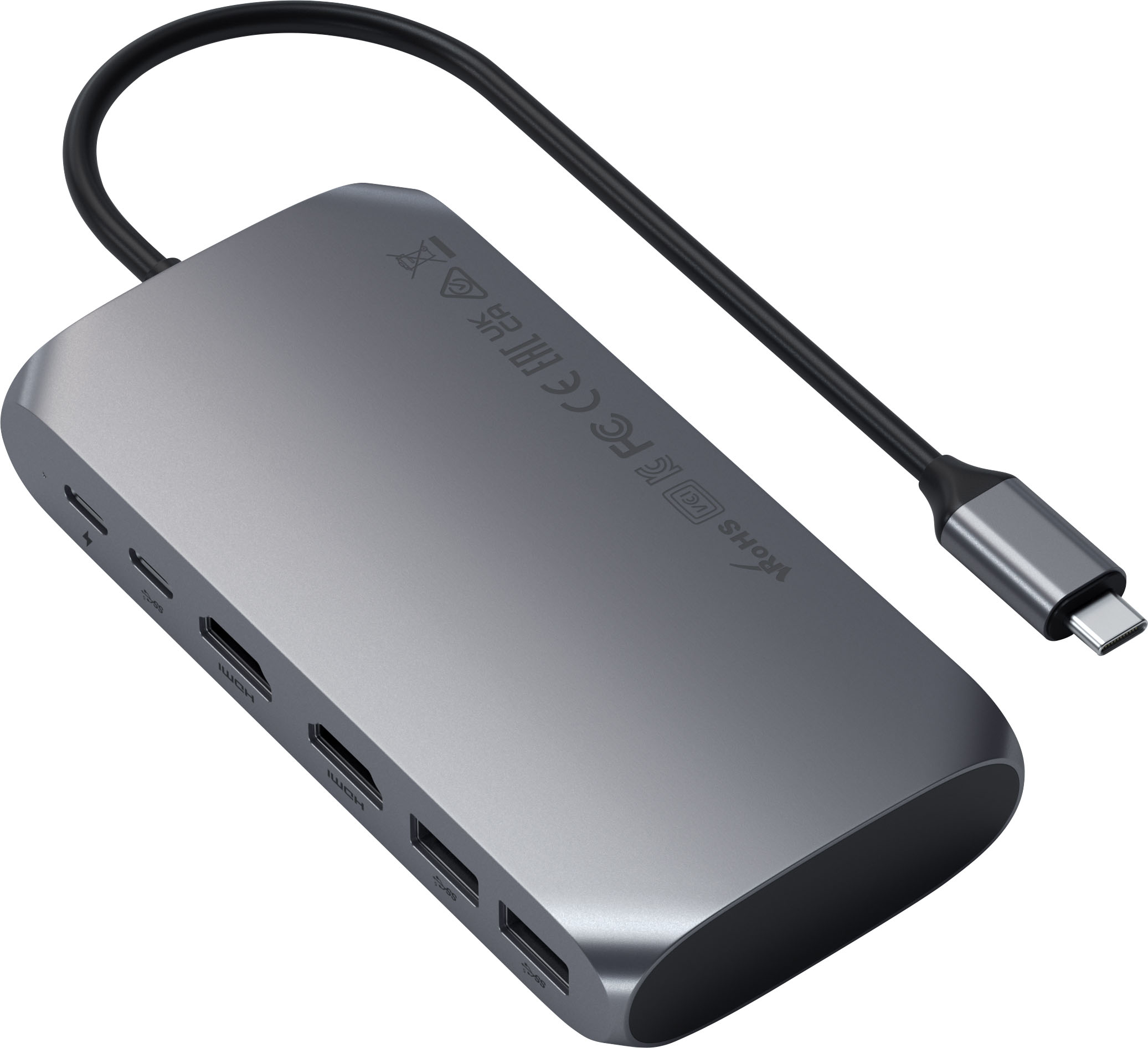
|Posted .This reviewer received promo considerations or sweepstakes entry for writing a review.I needed a solution to use multiple HDMI monitors with my M1 Mac Mini, enter the Satechi USB-C Multimedia M1 Adapter. The only thing that makes this less than plug and play is the fact that I needed to download and install the MacOS instantview program from the Satechi Website. Once the program / app was installed all I had to so was plug the 2 HDMI cables into the Satechi USB-C Multimedia M1 Adapter and voila, both monitors worked! You do need to choose if you want exact screen mirroring or to extend the main monitors screen, but other than that as my summary states..It Just Works! There are also 2 USB-A ports and 2 USB C data ports for further versatility. If you need a dual monitor solution for your M1 Mac, this is a great solution.
I would recommend this to a friend - Pros mentioned:Hdmi
Good, Not Great
|Posted .This reviewer received promo considerations or sweepstakes entry for writing a review.The Satechi Multimedia Adapter is a good product, but I think it's missing a few features that would really make it great. What is availabe is 2 HDMI ports capable of 4K, 60hz, 2 USB C ports, and 2 USB A ports. This is just enough ports to be useful, but I really would love at least one more of each USB type. A card reader would also be a welcome addition. As far as functionality, everything works as well as you would expect. I was able to hook my laptop up to a couple of monitors, and everything worked as expected. I think the colors were just slightly off, but not enough to really bother me. Just something to keep in mind if color accuracy is important to you. I was pleasantly surprised to see that it was actually useful for gaming as well. I wasn't expecting much when I booted up a game, but I was able to hit 120hz at 1080p, with no noticeable lag. Definitely was not expecting to be able to use this for any type of gaming. The biggest missing feature for me is that this cannot charge a laptop. When it comes to these types of docks/hubs, I am really looking for something that cuts down on any excess cables. That means that I want something I can plug into the wall, and then plug one cable into my computer to connect absolutely everything. With this particular hub, I still need to use my own laptop charger, and I think that just really holds back on its usefulness/necessity. I personally would avoid this particular product, and seek out a different model that does offer laptop charging. That is just too big of a feature that I am looking for that I cannot ignore. In conclusion, what is here works well enough, with just slightly inaccurate color production. It even performs well enough to use in a gaming environment, which was a nice discovery. However, it is really held back by a few missing features, mainly, the ability to charge your laptop.
No, I would not recommend this to a friend - Pros mentioned:Hdmi
Useful USB-C adapter for M1 Mac with one big issue
|Posted .This reviewer received promo considerations or sweepstakes entry for writing a review.On the plus side, the Satechi M1 adapter has a generally useful array of ports for expanding your M1 MacBook and everything (mostly) works as advertised. Unfortunately, the big selling point of this adapter is the ability to run two different external displays on an M1 Mac. After initially installing the required software, I was overjoyed: I had three separate, usable screens! With my MacBook display and two separate external monitors giving me three desktops, everything was great! I would have wished for an audio port at a minimum and even an ethernet port that the Satechi doesn't have (even given it's relatively large size) but extra USB-A ports and proper dual monitors were enough. in the end however the dual monitor configuration just didn't work reliably. Frequently, upon waking my MacBook, one or both monitors would be dark. Nothing short of unplugging the Satechi and replugging or a complete restart would resolve the issue. It didn't happen every time I woke my laptop but it would happen several times a day as I was trying to work. It's possible that Satechi will resolve this problem with their adapter in a software update eventually but for right now the Satechi and one of my monitors are in a closet gathering dust.
No, I would not recommend this to a friend - Pros mentioned:Hdmi
Solid Docking Station!!
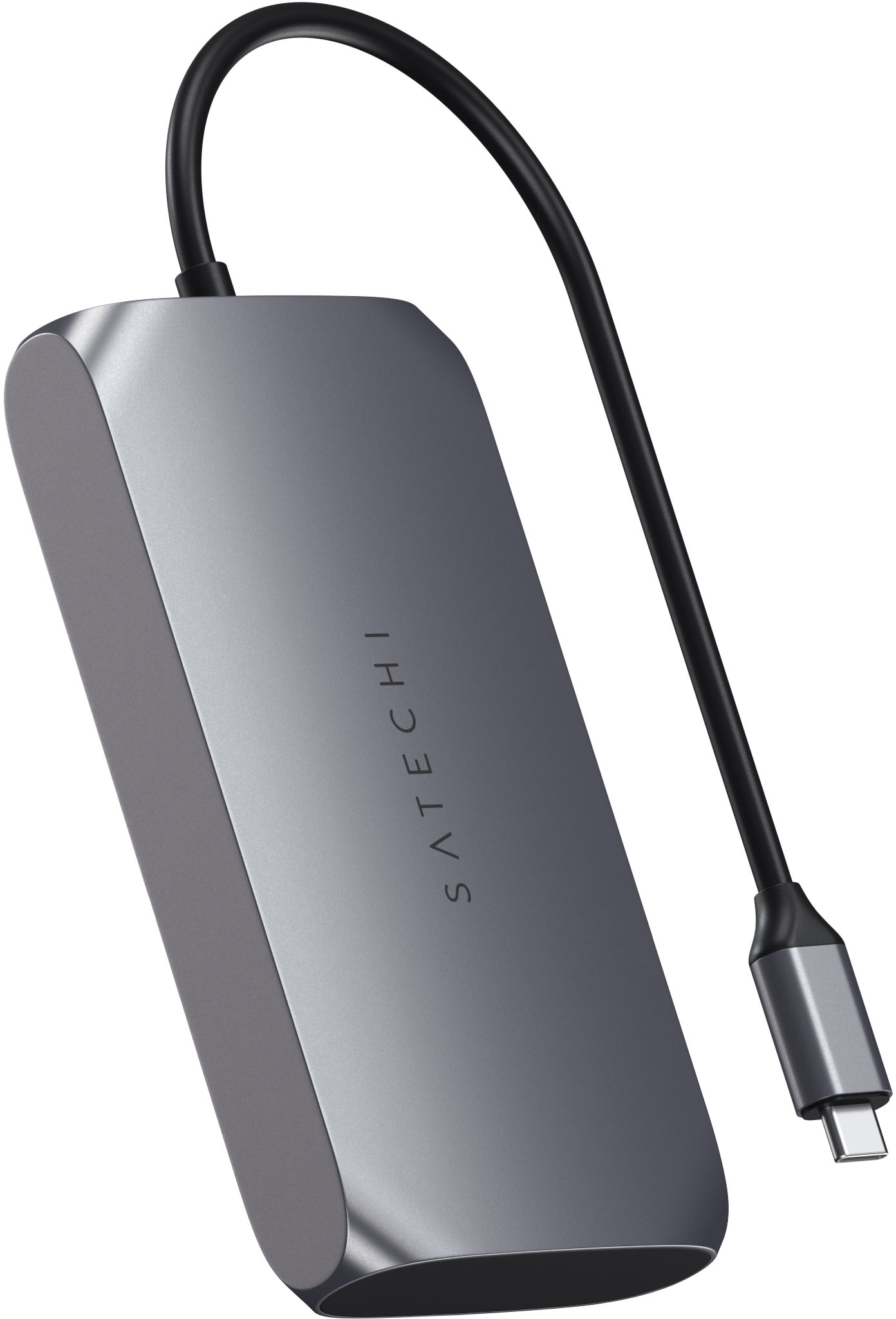
|Posted .This reviewer received promo considerations or sweepstakes entry for writing a review.I wanted a quick way to connect my desktops resources to my laptop and this device did just that! Being able to move the USB-C from one computer to the other made it easy to share resources. I was able to run multiple monitors with no lag, delay or reduction in quality. Connecting multiple hard drives did nothing to the efficiency of this docking station. This device performed admirably through all usage. A few things of note. - The USB-A does not charge, nor can you connect a CD drive. - The USB-C is for charging only. Meaning it won’t work to connect another monitor. - The device will get warm, but even under hard usage, I didn’t see it as a concern. - It would be nice if the connecting wire was a little bit longer. - Devices (other than the pass-through power to your laptop) will not be powered by this device. Even with the limitations listed, this is an awesome, compact and well-built device that I hope will last me for quite some time. I would recommend this to friends and family.
I would recommend this to a friend Makes laptop life easy
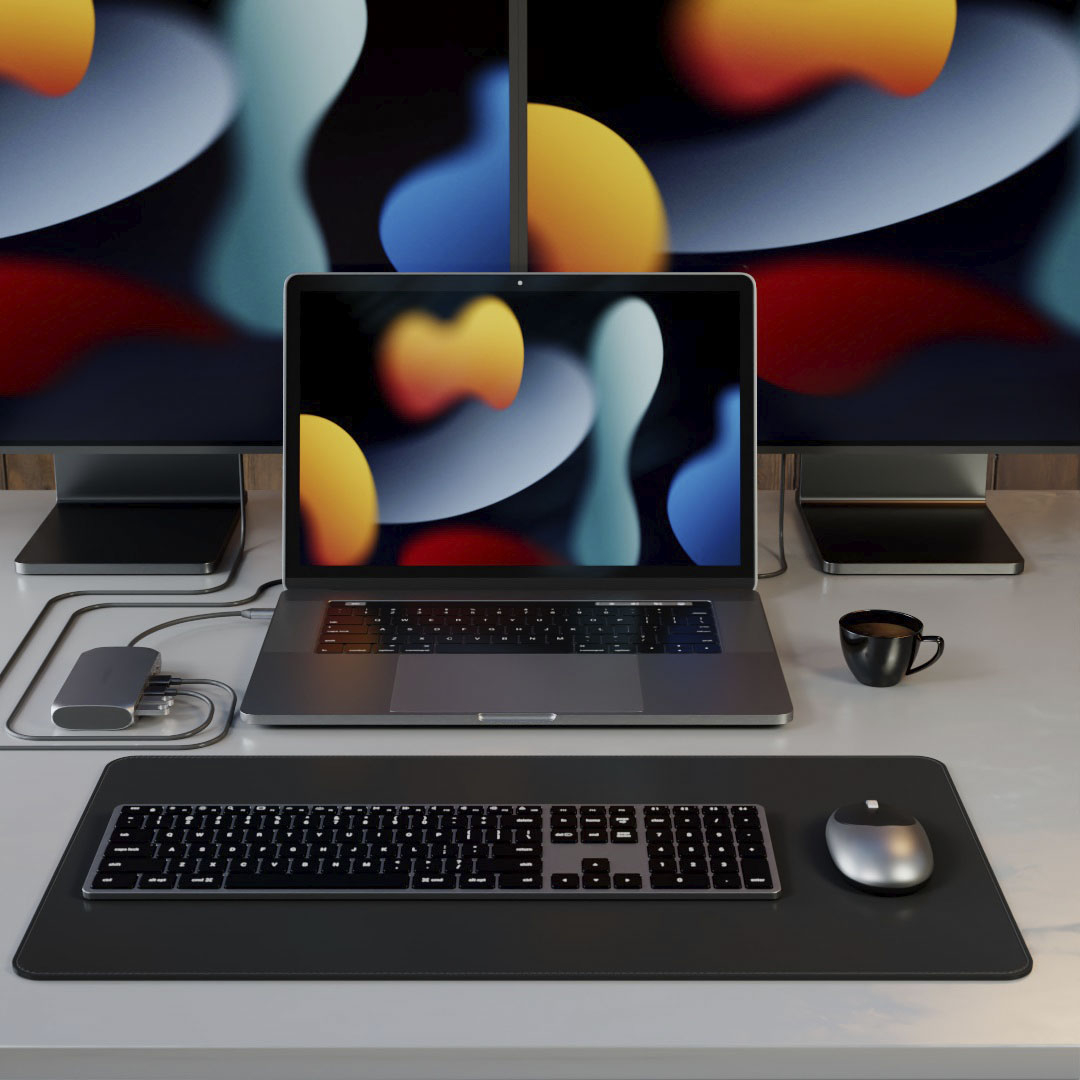
|Posted .This reviewer received promo considerations or sweepstakes entry for writing a review.So I have multiple computers at my desk. So I have a KVM that allows me to connect everything to the same keyboard and mouse. What I really like about this is I can now use one less USB port, due to the pass through of my Mac Book Pro-USB C power source, so I now have all my externals (except one, noted below) going through this dongle... I see no difference in the HDMI display... looks great. I haven't tried adding a 2nd HDMI yet, that is something I look to do in the future. No delay in the USB transfers speed seems to be exactly what was expected. Two downsides: this is a little bulky, not too bad.. but bigger then competitors. My main downside, and I knew this going in... is NO hardline network port. Would really have liked to have that in this one, so I could have one dongle that can do it all. If you are a travel warrior, multi computer user, or just want to use your laptop as a desktop... this is a perfect dongle.
I would recommend this to a friendMeh on Mac Mini
|Posted .This reviewer received promo considerations or sweepstakes entry for writing a review.1st thing, the instructions work about 80% correctly for the Mac Mini, but I did get it up and running. However 2 of the steps called out in the instructions did not work correctly on my M1 Mac Mini. I think this might only be meant for the laptop M1s. It never asked for permissions to access storage media like the instructions said it would, and the right click app to disable pop ups did not work either. 2nd thing: I couldn't get it to work on dual 4k displays at all... when both displays are set to 4k the second screen would flash off and back on again. I tried reversing the screens, I tried multiple HDMI cables, and I tried hooking up the screens both to the adapter, 1 to the adapter and 1 to the Mini Mac, and the same connections just in reverse in reference to the monitors. I was able to get 1 screen at 4k and 1 screen at 1080p, and I was also able to get 1 screen at 4k, and 2 screens at 1080p for a total of 3 screens. 3rd thing: The Silicon Motion Instantview program pop up window has no way to minimize so it is on the desktop at all times. I could drag it around to all 3 monitors and stick it in a corner out of the way, and new windows opened up over it, but it was annoying to not be able to shrink it down to the tool bar like other programs. 4th thing: The USB C cable is super short, and is not detachable which limits where I can have the adapter on my desk, and limits the usefulness of the extra ports etc... it would have been nice if it was replaceable. Cosmetically the corners are very sharp and it scratches whatever you set it down on. I found this out resting it on the top of my brand new Mac Mini... Kinda irritating... I recommend sticking some rubber feet to the bottom of it so it won't scratch your desk or other electronics. Overall it kinda works but not 100% what I expected. I thought I would be able to run 2 4k 60hz monitors at the same time but I wasn't able to. So for me it's basically a USB hub with dual 1080p screen capabilities which is still kinda neat. In closing I'm not sure I could recommend this at this time. Maybe after a couple of firmware updates.
No, I would not recommend this to a friendAn absolute must-have for M1 Mac Users
|Posted .This reviewer received promo considerations or sweepstakes entry for writing a review.If you're like me and you love your M1 Mac despite the lack of adequate ports, the Satechi USB-C Multimedia adapter is for you. This is a must-have for any M1 Mac. I have an M1 Mac mini and an M1 MacBook Pro. For the purposes of this evaluation, I connected the Satechi adapter to my M1 MacBook Pro. The Satechi adapter allows you to connect myriad additional components to your Mac, including external displays. I have two Ultra-Fine 4k 32" displays which natively don't work with your everyday adapter. But with the Satechi adapter and the and super easy to install and easy to use SiliconeMotion software, I was up and running with both displays PLUS the MacBook Pro display. This is a huge leap forward for multitaskers with M1 machines. While I'd still love to have support for 3 displays, this is a giant capability enhancement for M1 users. Aside from the dual-4k displays, there is room for two regular USB-A ports and two USB-C ports, one of which has to be used as power in my case. The great part about this adapter is it isn't one that hogs both of the two native USB-C ports on the MacBook - it only requires one. So, you can actually use multiple adapters and have even more open ports. I would *HIGHLY* recommend Satechi's adapter (along with the SiliconeMotion software) for anyone running an M1 device. It broadens your open ports greatly, gets you outstanding external display capability and clarity, and doesn't plug up both native USB-C ports on (at least on M1 MacBooks). There really isn't a downside to this product - it does get a bit on the warm side as most adapters providing both video and power-through do. (Also to note - I did plug this adapter in to my Mac mini and was able to get the same functionality as with the MacBook Pro. The only difference I noticed was a bit of memory lag on the Mac mini, likely due to the software for the multi-display capability. My Mac mini is the base model with only 8gb of Ram vs. my MacBook Pro with 16gb) ***HIGHLY RECOMMENDED***
I would recommend this to a friendOne of the best!
|Posted .This reviewer received promo considerations or sweepstakes entry for writing a review.This is absolutely one of the best docking stations you can get for your Mac or other USB-C enabled laptops! The setup is very quick and easy, with many warnings that you won't be able to use all of the features if you do not install the proprietary software. After the software is set up, you're good to go! The dual monitor setup is great and re-connects very quickly! Setup and operation was equally great on an M1 Mac (MacBook Pro) and a Windows PCs, but this is designed to match the aesthetic of the M1 Mac. I would definitely recommend this if you're looking for a workhorse laptop dock!
I would recommend this to a friend- Pros mentioned:Hdmi
Two Additional Monitors-Extended!
|Posted .This reviewer received promo considerations or sweepstakes entry for writing a review.One of the biggest headaches with the new M! chip Macs is they would only let you add one monitor. I like to have two monitors extended. This device works perfectly. Just download the driver and it will work. In the directions, there is a “-“ at the end of a line, that is not to be added to the download site. It’s just telling you the address extends to the next line. It’s a must have if you want multiple displays. Extra usb 2, ethernet, VGA, Audio, USB C, (2) HDMI, USB3, SD micro reader.
I would recommend this to a friend Satechi USB-C Multimedia M1 Adapter
|Posted .This reviewer received promo considerations or sweepstakes entry for writing a review.I checked this device for functionality and was mostly pleased with it. I thought it could have used an ethernet port and a headphone jack, but that wasn’t in the specs as advertised so I cannot hold it against it. Every port worked as expected, except it appeared there were two USB-C ports, and one port seems focused on data (with some power) and the other seems like no data, but higher power (wattage) supported. With the laptop used for testing, the higher-powered port did not seem to perform better (at charging) than the data port – that may be a limitation of power provided by this laptop, though. Both HDMI Ports worked, and both USB-type A Super Speed ports worked. A soft, small light gives a power indication if you’re concerned about whether it is getting power from maybe a laptop that is off or in sleep mode. The ‘M1’ in the product name would make it sound like it’s for a Mac with an M1 Processor, but that’s not the case, it works fine on a PC with an Intel Core i9, and any other computer with a compatible USB-C port.
I would recommend this to a friendEasy Dual Display on M1 Macs!
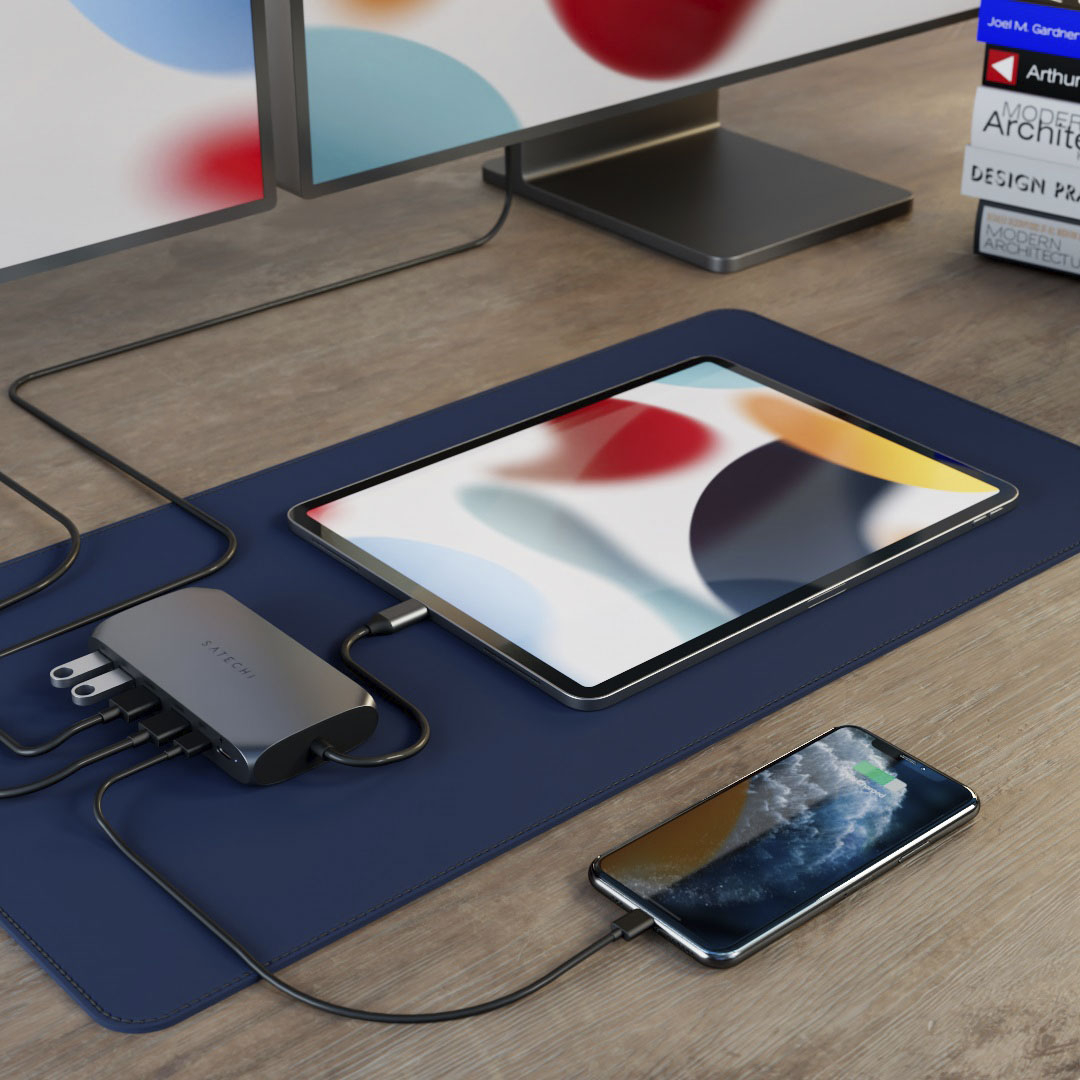
|Posted .This reviewer received promo considerations or sweepstakes entry for writing a review.I have searched for quite awhile for a docking solution for my M1 Mac and this one works amazingly! I also use it on my Windows PC and it works great on that too. I have dual 27” Monitors and tons of accessories hooked up and everything is perfect. It is also portable so I can take it on the go which is even better!!!
I would recommend this to a friendMore USBs
|Posted .This reviewer received promo considerations or sweepstakes entry for writing a review.With computers getting smaller and thinner comes less ports. This is the best for that problem. Gives you 2 more USBs and 2 addional HDMIs.
I would recommend this to a friendUSB-C Adapter
Posted .This reviewer received promo considerations or sweepstakes entry for writing a review.Why do they keep changing the plugs!?!? Here's a very handy solution to plugging in all the components that you used on your old MAC.
I would recommend this to a friend