Customer Ratings & Reviews



- Model:
- TKTC6GB
- SKU:
- 6537925
Rating by feature
- Value
Rating 3.9 out of 5 stars
- Quality
Rating 3.7 out of 5 stars
- Ease of Use
Rating 3.7 out of 5 stars
Customers are saying
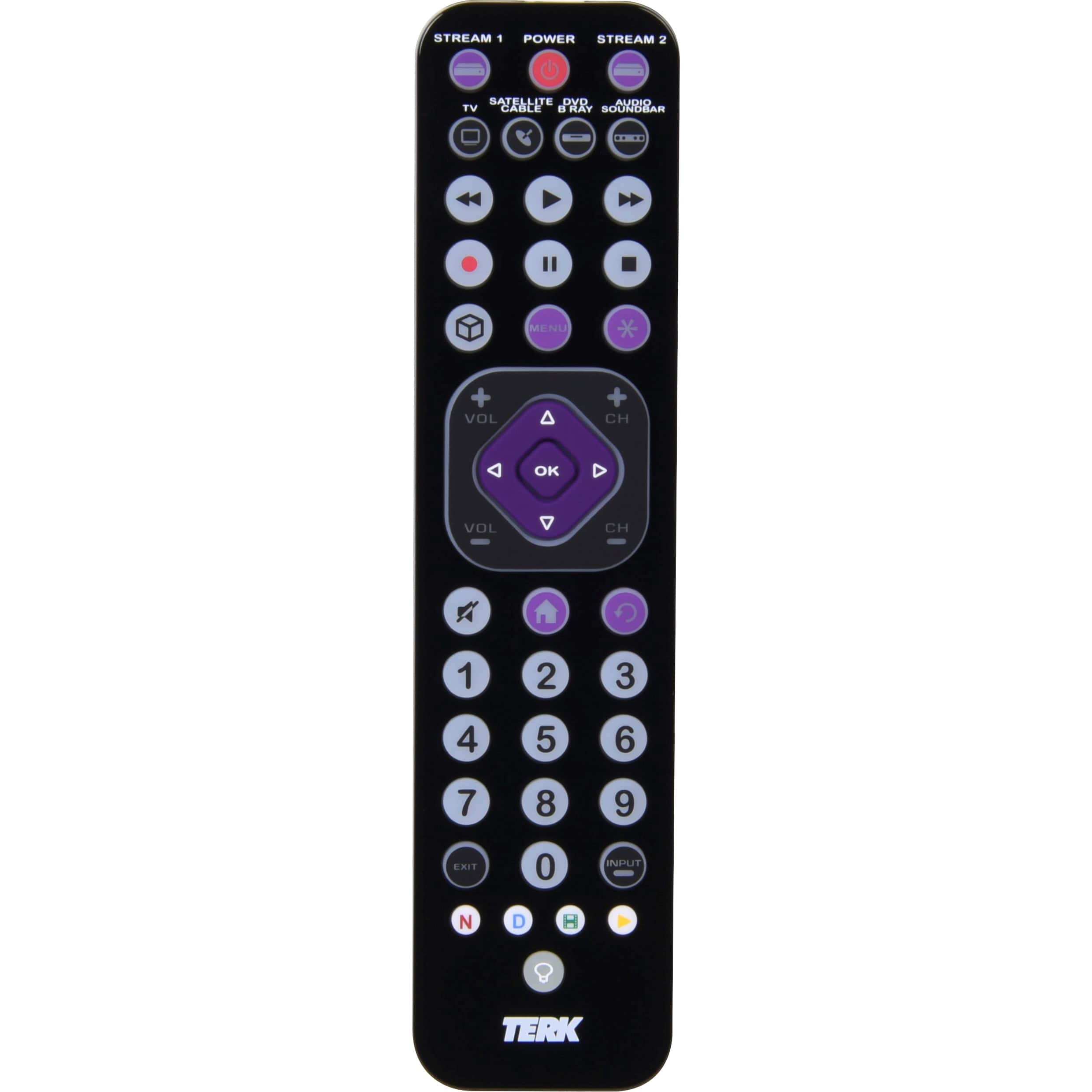
Customers value the Rechargeable 6-Device Backlit Universal Remote for its ease of use, backlight, and rechargeable capabilities. The USB connectivity and size are also appreciated. However, some customers have expressed concerns about the button layout and compatibility. A few customers mentioned issues with the programming and perceived quality of the remote.
This summary was generated by AI based on customer reviews.
- Pros mentioned:Ease of use
Great Universal TV Remote
||Posted . Owned for 2 months when reviewed.This reviewer received promo considerations or sweepstakes entry for writing a review.My daughter broken the original remote that came with Hisense TV. I wasn’t sure which remote to buy. I did some research and needed something inexpensive but still worked as good as the Hisense Remote we had and this one, is amazing. Glad i was able to program it and it works both for my RV and Surround Sound. Perfect remote ✔️
I would recommend this to a friend - Pros mentioned:Backlight, UsbCons mentioned:Button layout, Compatibility, Weight

Simple Remote Design - Some device incompatibilty
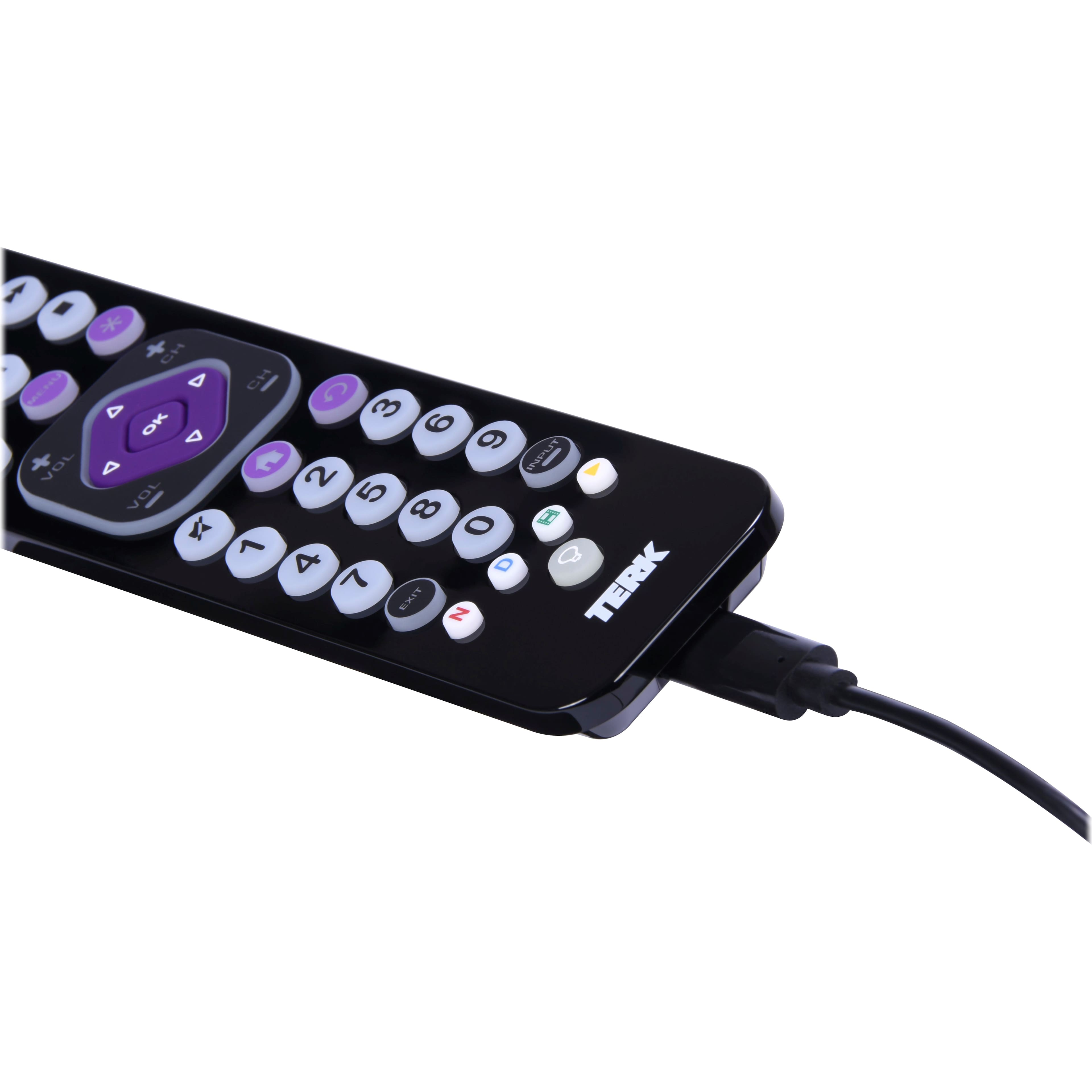
|Posted .This reviewer received promo considerations or sweepstakes entry for writing a review.I setup the Terk 6-Device Universal Remote on my den TV to cleanup the menagerie of remotes and controllers I currently used. With the discontinuation of the Harmony remotes I needed to find a new remote to use for this TV. I currently have a Harmony Elite on my main TV, and I am familiar with the pros and cons of the more elaborate remote setup. The Terk remote, on the other hand is a more simplified remote that is akin to the universal remote that might come with your cable/satellite box. The remote has pretty decent controls and functionality. It can control up to 6 devices, has a rechargeable battery via a USB-C cable (includes cable only), and is backlit. There are also some limited macro functions and a few other simple setup controls like volume locking (setting a device to always be in control of the volume). This is useful if you are using a device that has no volume controls – like a video game system – and want to change the TV volume without having to toggle over to the TV mode on the remote. I set out to configure the remote for my setup. I have a TCL 55” Roku TV, Yamaha RX-V379 receiver, and an Xbox One S. I followed the instructions and looked up my devices in the included code list. TCL Roku TV’s only have 1 code so that was easy. Yamaha Receivers have 6 different codes, and Xbox’s have 2. Well, I ran into problems straight away with the Yamaha – none of the 6 codes really worked. I could control volume and turn off the receiver, but that was the most I could do. I decided to move on and set up the Xbox, which has codes listed under the Video Accessory/Streaming Player section. The 2 codes for it did not work, but I saw Microsoft was listed separately and had 2 codes. The second one – 35233 worked for the Xbox and gave me full control. It’s weird that those were listed under Microsoft. I drifted back to trying to get the Yamaha receiver to work, but I never could get it. I tried the scanning codes, but the most I got was volume control and the ability to turn the receiver off. I went online and found through some forums that the Terk remotes really don’t interface with Yamaha receivers at all. This was very disappointing because I have 3 Yamaha receivers, so there’s no room I could move the Terk remote to and still have full functionality of that system. So if you have a Yamaha receiver, just know that you will have zero control with this remote. Overall, the code entry is pretty straightforward. Its no different than the remote programming I used to do on my cable box remote to use my components. Programming the macros is simplistic, and is limited to one macro command per device. The macro control also has no way (that I have seen) to add time delays to a keypresses, so if your device is sluggish to accept inputs the macro may not work. Design of the remote is OK. It is very lightweight to the point of feeling like its missing something. The polished black top plastic looks nice when clean but quickly shows smudges and oils from your hands. The edge around the remote isn’t great – the plastic is nicely finished without any excess flashing, but the edge is hard enough that you can feel it in your hands. The power button illuminates with every button press. You have to manually illuminate the backlight by pressing the button at the bottom. The backlight will stay on for 5 seconds if no other button presses are detect, but will stay illuminated if you are actively pressing buttons on the remote. The buttons, for the most part feel great to push. All the number, device, and media control buttons feel good. However, I really dislike the center pad and volume/channel control section. Its bad. The D-Pad is somewhat recessed inside the volume/channel section. I found myself searching around with my thumb to find the edges to make sure I was pressing a direction button and not the outer volume/channel pad. The volume/channel pad fully surrounds the D-pad but isn’t pressable in the areas right next to the D-pad directions. The D-pad needs to be raised above – it is without a doubt going to be the most used set of buttons on the remote along with the OK button. I’m also not really happy with the little Netflix/Hulu/D+/YT buttons along the bottom. They are difficult to press single-handed because they are all the way at the bottom of the remote, and they are tiny. Using the remote is pretty easy, and it works great with my TV and Xbox. I have access to the full control list on my TV and Xbox. It is great to be able to control this Xbox without having to bust out a controller. I do have to use HDMI CEC to control the volume on my receiver since the remote doesn’t really care for my Yamaha. I wish I didn’t have to do this because TCL’s CEC handshake is poorly executed and does not interact well with my receiver or the soundbar I had before the receiver. One thing to note – save the instructions and code papers. Put them somewhere safe in case you need them. Terk does not appear to make these documents available online, which is annoying and confusing in today’s digital world. Overall, this is an OK remote. Its does a great job of controlling my TV and Xbox, and I have zero complaints there. The rechargeable battery is nice, and the use of USB-C means I won’t have to pull out outdated cables to charge it. I do have issues with the button layout that are off-putting to say the least, and I don’t care for the “hand feel” of the remote all that much. For me though it is a real dealbreaker to not have any compatibility with my receiver. I wanted avoid using CEC and be able to ditch the Xbox controller, TV, and receiver remotes. Instead I have to use CEC, and keep the receiver remote close by.
I would recommend this to a friend - Pros mentioned:Rechargeable
Rechargeable remote? Nice
||Posted . Owned for 2 weeks when reviewed.This reviewer received promo considerations or sweepstakes entry for writing a review.Bought this because my Tv some how didnt come with a remote, but i love it! Works with a bunch of devices and brands, plus its rechargeable?! No more buying batteries? Yes please
I would recommend this to a friend First purchase at Best Buy
||Posted . Owned for 3 weeks when reviewed.This reviewer received promo considerations or sweepstakes entry for writing a review.First time purchasing something at Best Buy and my experience has been great. Best prices around and there very professional. Purchased a 75 in. TV a game box and head phones and I’m very happy with my equipment. You also get 24 months free interest.
I would recommend this to a friend- Pros mentioned:Backlight, UsbCons mentioned:Button layout, Weight
Decent/basic multi-function remote w/few drawbacks
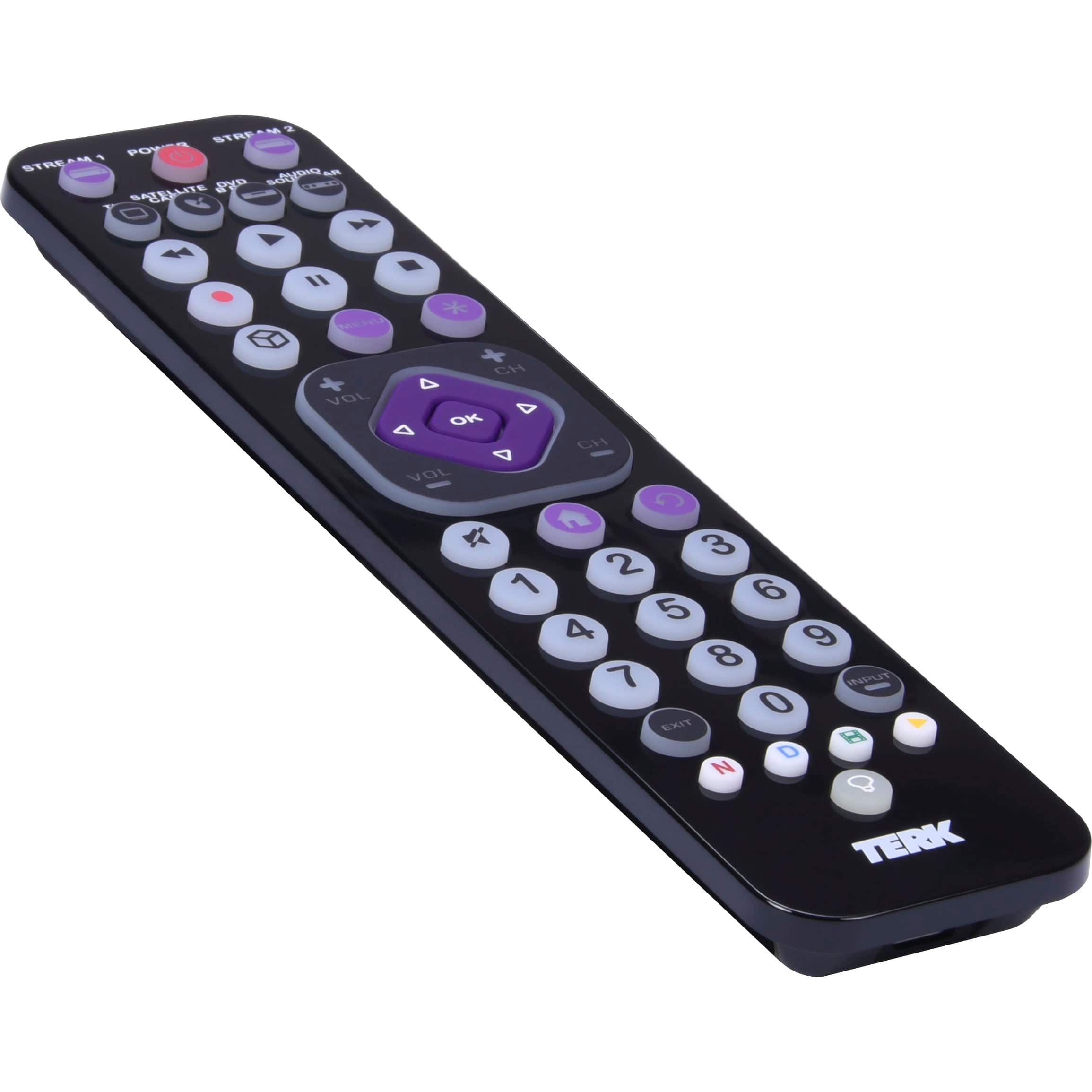
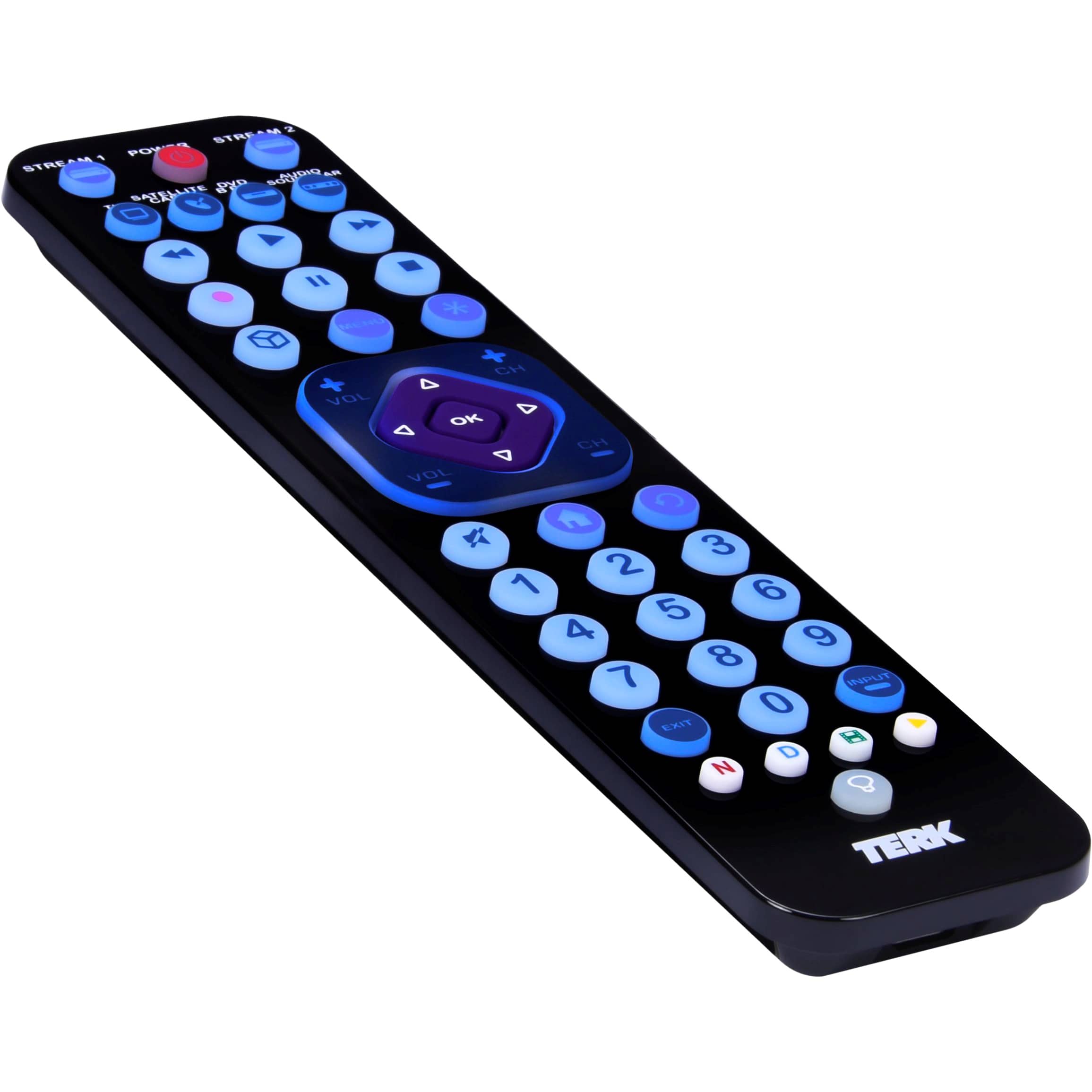
|Posted .This reviewer received promo considerations or sweepstakes entry for writing a review.Whether you've lost your original remote, inherited an old TV, disc player, or receiver that is missing its remote, or just want to de-clutter your living room, the Terk rechargeable 6-device universal remote is a very reasonably priced, though somewhat basic, remote control that does a lot of what it needs to without much in the way of fuss or programming difficulties. There are a few shortcomings you should be aware of, but if you're looking for something to manage most of the basic functions of your audio/visual needs with a few accommodations thrown in for the modern streaming household, this unit should fit the bill. Programming is pretty straightforward for a universal remote; simply hold down the button for the device you want to control and then enter in the code from the extensive code list provided in the box. The remote also has some handy features like auto-code searching if you can't find your device's code in the code list, volume lock (controls TV volume even if the remote is set to operate a disc player or cable box), channel lock ("punch through" of something like a cable or satellite box's channel changer if you don't use your TV to change the channel), and a code retrieval function that allows you to recall and display a programmed code for a particular device in case you forgot to write it down during initial setup or you can't find the original code list. The Terk comes preprogrammed to control a host of Samsung TVs and disc players (there's even a dedicated "cube" button that supposedly works for Samsung Hub functionality on their smart TVs), JBL audio products, Comcast cable boxes, and Roku streamers. Other than our Roku Premier box, we have no such products in our living room stack, but it took me less than 3 minutes to program the remote for nearly complete coverage of our Panasonic flat-screen TV, LG Bluray player, and ZVOX soundbase. I say "nearly complete" because you are limited to the functions on the Terk's remote buttons only; there is no way to add a different/learned command to an unused button. For instance, the cube-shaped Samsung Hub button did work as another home key for our Roku, but it did not activate any smart functions on our Panasonic TV, and there was no other button on the remote that would do so either. Similarly, while I could adjust volume and input selection for our ZVOX soundbase, there were no accommodations on the remote to adjust the ZVOX's bass, tone, surround settings, dialog enhancement, etc., nor was there a button to remotely eject the disc from our LG Bluray player. These are some unfortunate drawbacks because the likelihood that you'll be able to completely replace all your original remotes is probably a bit low, especially for more complex devices that have a multitude of direct-access features from their original remote controls. Whether you regularly use those features or not will dictate just how inconvenient you may find this situation. But those of you who are more in the "plug and play" camp once everything is dialed in to your liking may not notice such omissions at all--key functions like power up, change the channel or volume, select an input, navigate main menus and select onscreen functions, etc...all of these features worked flawlessly for us, and some of those missing features and incomplete function sets were somewhat understandable given the otherwise wallet-friendly price tag of this remote. Those of you who regularly use a Roku or other streaming device to access Netflix, Disney, Hulu and YouTube will appreciate the shortcut buttons at the bottom of the remote; they worked as expected to bring up the corresponding streaming channels on our Roku Premier. Note that your original device remote probably needs to have those same shortcut keys to work as expected...if your smart TV remote didn't have a dedicated Netflix button (for example), it probably won't work here to immediately bring it up. However, pressing the shortcut buttons for 2+ seconds activates a secondary feature that allows you to execute a stored macro of up to 14 steps--so you might be able to set up a macro to bring up that channel anyway. Unfortunately, the macros only work for a single device, so you cannot, for example, power up your TV, switch inputs, and then bring your streaming device to the home screen or power-up your disc player and bring it to the title menu...bummer. The shortcut buttons are also color-coded to match the red, blue, green, and yellow keys on a similarly featured Bluray player or cable box. The Terk is backlit with a nice, bright blue LED you can activate with the dedicated backlight button at the bottom of the remote. Every button except the four shortcuts has backlight illumination, and nearly every button features a lighted icon rather than tiny lettering which makes it pretty easy to see and decipher the controls in the dark. Most of the important AV controls are here...playback/recording, home and menu navigation, volume, channel, star/options, OK/enter, previous/back, exit, input, etc...but where things break down once again is in the size and placement of the directional pad and OK button. These controls are smallish, conjoined, and flush in the middle of a square control set that has volume and channel adjustments at the four corners. This nested button layout was clearly designed to save space and keep the remote small, but in practice, the directional controls and OK button are a little difficult to activate by feel alone simply because all the controls are flush against each other in such a small physical space. The OK button in particular may be difficult to activate if you have a larger thumb because it is so tiny relative to the directional controls immediately encircling it. Separate navigational arrow buttons, raising the directional pad above the level of the corner-mounted volume and channel controls, or at least adding a small, raised nub to the OK button would have made operation by touch in a darkened room much easier. The design of the remote is a bit of a mixed bag. The purported 6-month rechargeable battery is nice and it has a USB-C connection for charging...there is even a stubby USB-C charging cable in the box. The remote feels impossibly light, far lighter than you would expect for something of its size, which seems like it's just BEGGING to be lost in between some couch cushions because it's SO light it's easy to forget to it's there. Fortunately, there is a battery-saving feature where the remote will turn itself off if one of the buttons is depressed for too long--a handy function for those times when the remote inevitably gets lodged in the couch with something pressing against one of the buttons. The shell features a super-shiny black finish that looks great out of the box, but sadly becomes a fingerprint magnet almost immediately...a matte finish would have kept it looking less greasy or aged for the long haul. Bottom line--there's a nice array of universal remote control features here, and the backlit keypad, rechargeable battery, and modern streaming box-friendly control keys make it likely that this remote will be suitable for the vast majority of users with relatively simple or straightforward remote control needs. However, there are some usability challenges associated with the design and button/control layout as well as some understandable, yet still unfortunate, shortcomings in features and functionality that make the Terk more suitable for simple "no-brainer" device navigation and usage scenarios rather than wholesale consolidation of a more complex set of AV and home theater component controls. Still recommended, just know what you're getting ahead of time.
I would recommend this to a friend - Pros mentioned:Backlight, Usb
Functional, but frustrating design
|Posted .This reviewer received promo considerations or sweepstakes entry for writing a review.I miss the days where Logitech was making really good universal and programmable remotes. I had no expectations of something similar with this Terk remote, given it’s considerably cheaper and not intended to replicate something like that, but still. There’s one very basic thing that the Terk gets wrong and it’s the design of the direction pad. The buttons themselves are fine, rubbery and have a satisfying click. But the direction pad sits flush with the volume and channel buttons. What this means in practice is that it’s extremely difficult to distinguish what you’re pressing in this area of the remote just by feel. This wouldn’t be a big deal if it weren’t the one thing you are likely to be doing the most of with this, or any, remote if you have a smart Tv, streaming box, or anything that has a guide, grid, or software that requires navigation. (Which is essentially all TVs!) Perhaps I will get used to it over time, but I can tell you I am still struggling to feel exactly what I’m pressing even after a week plus of use. It’s a shame, too, because otherwise I like the design and button layout. The remote is super light (plastic) and thin. It feels a little cheap, because it is, but so does the remote that came with my TV. Overall, it feels good in the hand, has a backlight button (!!), and covers all the bases of what a good remote needs in terms of buttons to be useful. Additionally, I’m thrilled it’s rechargeable over USB. No more triple A batteries, thank goodness. That alone is a huge benefit. Performance-wise, it’s pretty good. Punching in the codes of your devices is easy, or you can use what amounts to a scan feature and the remote will likely find the right code for you. I’ve had no issues quickly enabling control of a Roku TV, Samsung soundbar, Epson projector, and AppleTV. The Roku in particular works well and the layout seems somewhat tailored for it. But… there’s some weirdness too. You’d think the home button would be the one to take you to the Home Screen of the Roku, but nope it’s the “menu” button. Some similar quirks show up with the Apple TV, but I may need to use an alternate code. I actually think the IR sensor may be better on the Terk than the remote that came with my Roku Tv. I don’t quite have to point it at the exact spot to get a button press to register. Wishes? Yeah. An app and some programming options would be beyond useful. You can plug in some simple macros like opening up Netflix when you turn on your Tv. But my soundbar has a few specific buttons on the remote that came with it, like a surround settings button. While the Terk operates the soundbar with no problems, I have no idea what - if any - button on the Terk mimics the surround settings button. (The epson projector has a ton of proprietary buttons, so the Terk is almost useless for doing anything with that beyond the most basic functions.) I wish I could connect to app to just see what button on the Terk is doing what in these instances. I also wish the overall finish was slightly different. The piano black is a fingerprint magnet. But, really, most of all I wish the d-pad was raised a quarter of an inch. It would make a huge difference in ease of use and make it vastly easier to recommend the remote overall.
No, I would not recommend this to a friend - Pros mentioned:Backlight, Rechargeable, Usb
I am so happy with my new rechargeable remote.
|Posted .This reviewer received promo considerations or sweepstakes entry for writing a review.I usually control my TV with one remote and it controls the sound bar a swell but when I want to only use the sound bar I have to look for my sound bar remote, and also if I want to see anything on a DVD/Blue Ray player I have to look for that remote and with this remote I do not need to look for the others. The Terk rechargeable remote was easy to setup, it comes with good instructions as well as codes but it also has an auto code search option. Once setup it is easy to use and I really like how it has the shortcut buttons for Netflix, Disney, Hulu and YouTube. I like that lights up with the backlight, the button at the bottom once pressed it lights up so I do not need to guess if I am pressing the right button. I really like that it is rechargeable, when it is charging the light in the back is red and once it is fully charged it turns green. And best of all it comes with a USB C input so I do not need to worry if I lose the cable. The remote is easy to carry and it is light in weight and I really like it.
I would recommend this to a friend - Pros mentioned:Backlight, Rechargeable, Size
Did not work for most of my equipment but read on.
|Posted .This reviewer received promo considerations or sweepstakes entry for writing a review.Having so many remotes is always annoying so the novelty of having 1 remote to control it all is a great concept. The remote itself looks nice. It is the right size it is backlit and it is rechargeable so those are pluses to the remote itself. Buttons are nicely spaced so you are not pushing multiple buttons with fat fingers. It is light weight too. All right so.... My setup is as follows: Old plasma Vuzio TV Roku 4k TV stick Old Yamaha 7.2 Amp Newer Marantz 11.2 Amp So keep that in mind that most of my equipment for me to try this remote is really dated. The TV and Amp are at least 10 years old. The new item that I tried it on was my marantz 11.2 amp. So if you have never tried to program a universal remote in the past, you need to be patient and many times it is trial and error and at times it may not work at all. You have to read the instructions and follow it Exactly. Messing up 1 step means you need to start all over again. So make sure you are mentally prepared to do this. The Visio TV was super easy. It hit after the 2nd or 3rd code. The Yamaha amp did not work properly. I even tried the rolling code method in the instructions and it did not work. I can get the amp to turn off after initial programming but it would not power back on after the remote got programmed. I did the same with the Marantz Amp no luck. The Roku stick could not be recognized by my TV because it requires CEC function to be activated and this TV does not have that option. So for me this remote did not work. For others that have different equipment it might work. Unfortunately due to the multiple equipment not responding to this remote for me I cannot recommend this product. But if you are in need of a remote try it. It might work for you. Universal remotes are hard to find these days.
No, I would not recommend this to a friend - Cons mentioned:Compatibility
Honest and Fair Review
||Posted . Owned for 1 month when reviewed.This reviewer received promo considerations or sweepstakes entry for writing a review.For what it’s worth, it’s a great universal remote. I like that it is rechargeable, and the charge holds for a VERY long time depending on usage; I only use the remote to turn on and off my tv and onkyo, since I’ve bought it and charged initially I haven’t had to charge it since. Connects easily to major brands. CONS: Doesn’t do too well with specialty brands or lesser known brands. I initially bought it for my dad, he has a marantz receiver and it didn’t do well with it. Also, with both the marantz and my onkyo, it doesn’t allow me to cycle through inputs, and the marantz only did volume but wouldn’t do on/off even. I guess those are the things you’d get with any universal remote under $150 though so not as much of a complaint as it is me letting you know if you are looking to resolve those issues in your home. Overall, for $30 it works perfect for me, I don’t need to cycle through inputs on my receiver (I only use one), it allows me to consolidate my tv and receiver remotes into one, and everything I NEED to do with it, I am able to for the most part.
I would recommend this to a friend - Pros mentioned:Backlight, Rechargeable
But What if I want to go back?
||Posted . Owned for 1 month when reviewed.This reviewer received promo considerations or sweepstakes entry for writing a review.It's a nice remote, but it needs a back button. Not having one definitely hinders my viewing experience. Aside from that, I have no complaints. I like that it’s rechargeable and that it has a feature to light up the buttons for ease of use at nighttime.
No, I would not recommend this to a friend - Cons mentioned:Weight
Functional and inexpensive
||Posted . Owned for 1 month when reviewed.This reviewer received promo considerations or sweepstakes entry for writing a review.Functional, basic universal remote control. This was an attempt to replace a Logitech universal remote and while affordable, it has several weaknesses. The buttons are all the same size and in basic rows with no thought to ergonomics, which makes using the remote "by feel" challenging. It is back lit, but the lighting only stays on for 2-3 seconds, which is inadequate. It's also very light, which is fine if you like that, but I prefer a remote that is a bit more substantial. It was reasonably easy to program each individual component but I was not able to figure out how to do functions with just one touch, i.e. "all off" or "watch TV," which are standard functions that any universal remote should be able to do easily.
I would recommend this to a friend - Pros mentioned:Backlight, Rechargeable
Good rechargeable universal remote
||Posted . Owned for 3 weeks when reviewed.This reviewer received promo considerations or sweepstakes entry for writing a review.It's a good remote. Lights are night, and the fact it is rechargeable means no issues with batteries. The layout isn't the best, but works for what I need it for.
I would recommend this to a friend - Pros mentioned:Ease of useCons mentioned:Button layout
Decent TV controller
||Posted . Owned for 1 month when reviewed.This reviewer received promo considerations or sweepstakes entry for writing a review.Good replacement controller, buttons can be a little hard to get used to, but overall, easy to connect.
I would recommend this to a friend - Pros mentioned:Backlight
Dependable remote
||Posted . Owned for 3 weeks when reviewed.This reviewer received promo considerations or sweepstakes entry for writing a review.This is the latest version of my previous remote but has gone from battery powered to rechargeable which is a nice upgrade. Buttons are large so easy to change channels. Easy to set up with my tv, cable box and speaker. Backlit button is nice when watching tv in the dark so to see the buttons illuminated. Response from remote to cable box seems better than my previous remote. Overall good product.
I would recommend this to a friend - Pros mentioned:Backlight, Ease of use
Great remote
||Posted . Owned for 1 month when reviewed.This reviewer received promo considerations or sweepstakes entry for writing a review.This remote is wonderful, I’ve never used a universal remote so I was a little nervous about syncing it to the tv. It was super easy and it links up to multiple tvs. The glow button feature I also love
I would recommend this to a friend Remote control
||Posted . Owned for 1 year when reviewed.This reviewer received promo considerations or sweepstakes entry for writing a review.We lost a remote during a move and we needed to buy a new one. Works great
I would recommend this to a friendFail for me
||Posted . Owned for 1 year when reviewed.This reviewer received promo considerations or sweepstakes entry for writing a review.This was a disaapointment as it did not have the capabilities I was led to believe from the BBY clerk. Regret purchase as I really don't have a use for it.
No, I would not recommend this to a friend- Pros mentioned:Ease of use
Best remote i've purchased
||Posted . Owned for 1 week when reviewed.This reviewer received promo considerations or sweepstakes entry for writing a review.There are certainly less expensive options out there, but i liked this one so well I just bought another for my basement. Easiest device setup of any remote i have ever used, and both my Hisense Roku TV and my Samsung TV work flawlessly, as do my blu-ray players, sound bars... in the basement I even have an old VCR hooked up... it took that as well
I would recommend this to a friend - Cons mentioned:Button layout
Universal remote review
||Posted . Owned for 1 month when reviewed.This reviewer received promo considerations or sweepstakes entry for writing a review.It works ok, it is somewhat slow at times. The placement of the buttons are a little awkward
I would recommend this to a friend - Cons mentioned:Button layout
Unfriendly electronics
||Posted . Owned for 3 weeks when reviewed.This reviewer received promo considerations or sweepstakes entry for writing a review.Didn't like this remote, too many buttons and not friendly for my elderly mom whose vision is limited it was recommended, but didn't fit mom's needs. Had asked for a simple friendly remote for my new Insignia tv, but didn't work out. The TV is really nice tho... it's a shame not to hv simple friendly electronic choices for the elderly!!! Technology, too advanced, has left millions behind...
No, I would not recommend this to a friend