Customer Ratings & Reviews





---
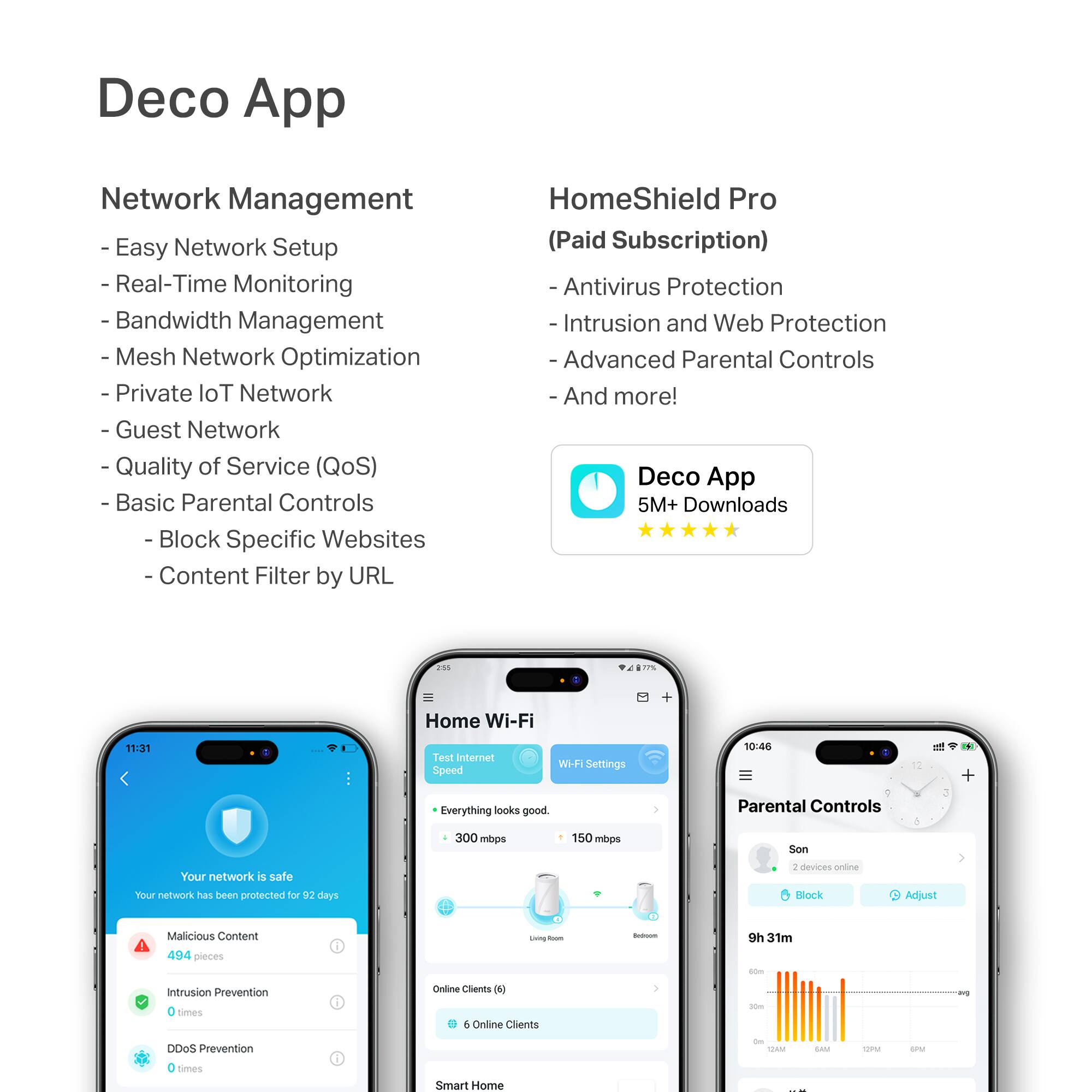
**HomeShield**
HomeShield is a built-in service, available in all HomeShield routers and Deco mesh products.
- Router Security Scan
- Wireless Security Scan
- IoT Device Identification
- Basic Parental Controls
- IoT Protection*
- Web Protection*
- Intrusion Prevention*
- Antivirus Protection*
*Included with HomeShield premium subscription service](https://pisces.bbystatic.com/image2/BestBuy_US/images/products/e694b39c-722e-42d5-85ac-b2246585c272.jpg)






- Model:
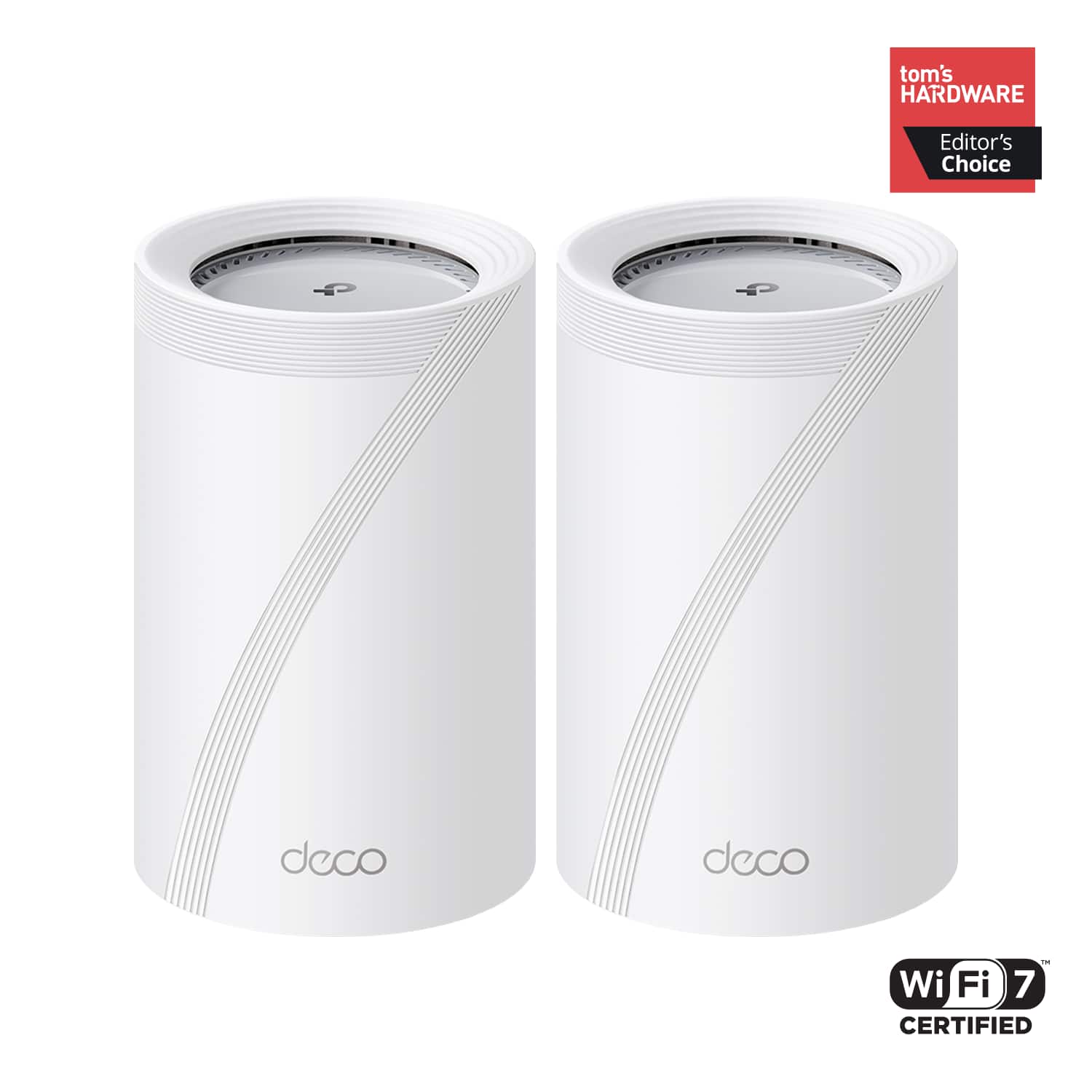
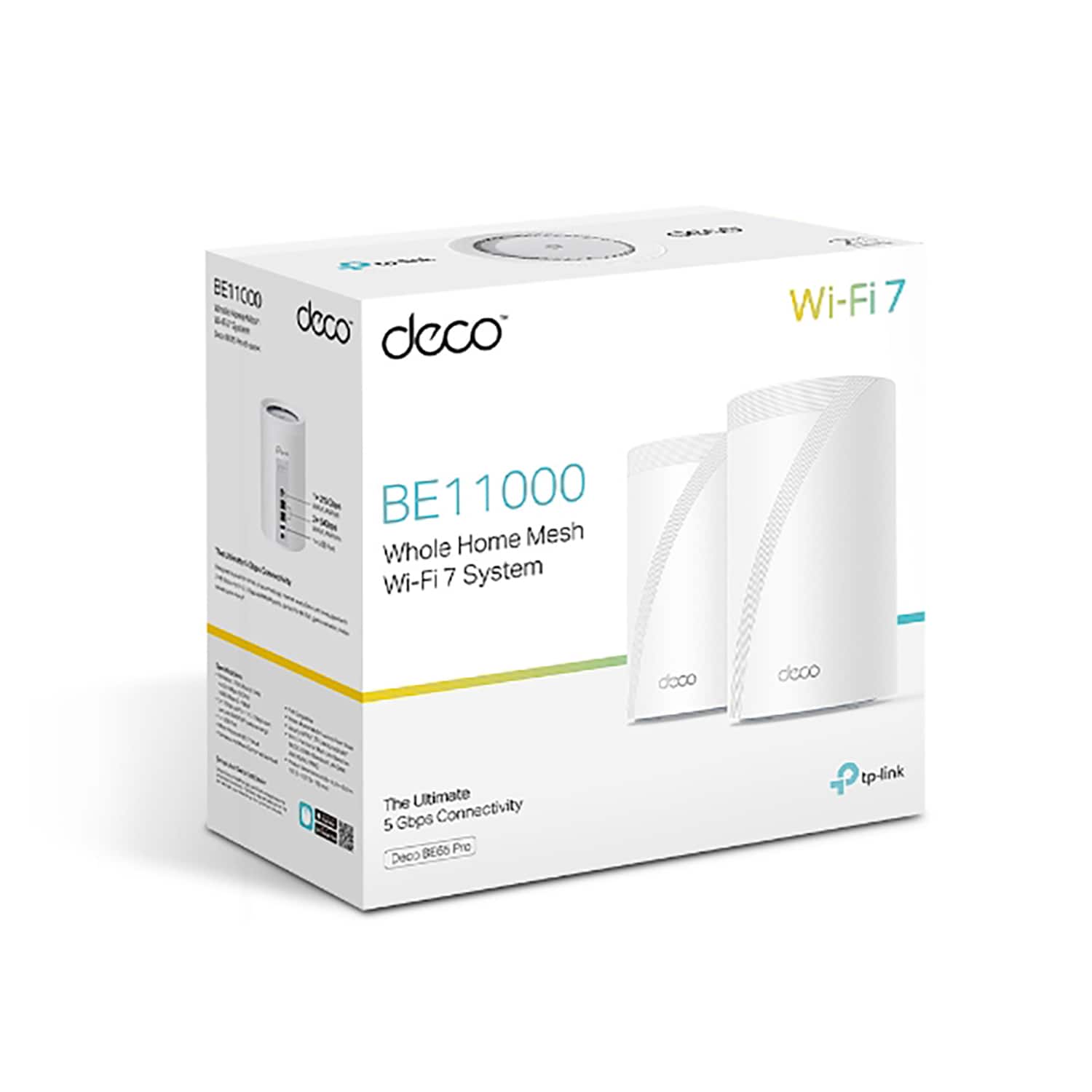
- Deco BE65 Pro(2-pack)
- SKU:
- 6582067
Rating by feature
- Setup
Rating 4.8 out of 5 stars
- Range
Rating 4.8 out of 5 stars
- Signal Strength
Rating 4.8 out of 5 stars
Customers are saying
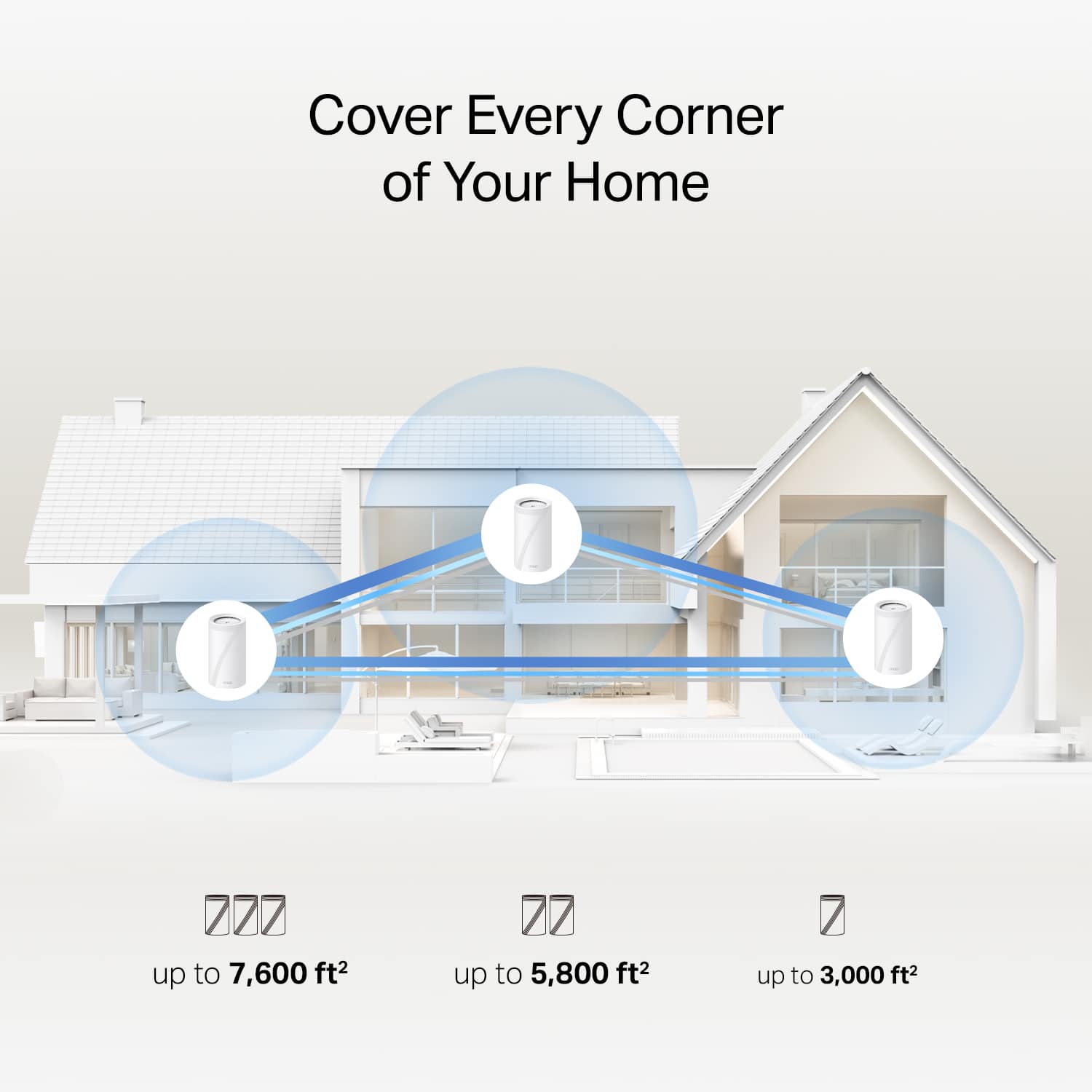
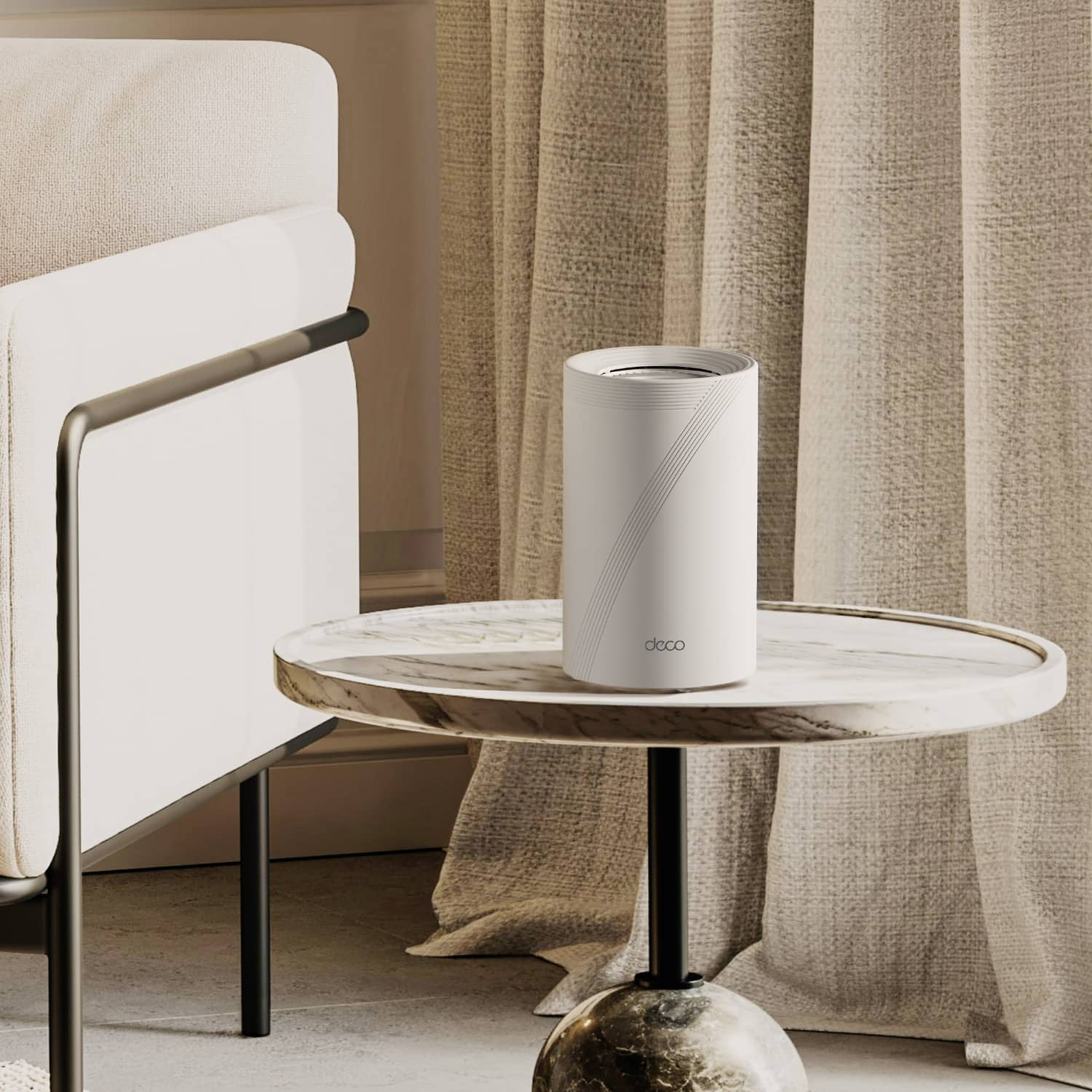
Customers often highlight the Deco BE65 Pro's excellent speed and performance, alongside its easy setup and great coverage. Many appreciate its ease of use and reliable connectivity. While the design is considered sleek, a few customers noted that the units themselves are quite large.
This summary was generated by AI based on customer reviews.
- Pros mentioned:Coverage, Ease of use, Setup
Great and simple mesh system
||Posted . Owned for 2 weeks when reviewed.This reviewer received promo considerations or sweepstakes entry for writing a review.Super easy setup. Great coverage and connection. Definitely worthy.
I would recommend this to a friend - Pros mentioned:Speed
Terrific and super easy setup
||Posted . Owned for 2 weeks when reviewed.This reviewer received promo considerations or sweepstakes entry for writing a review.After a terrible putchase decision of an Orbi mesh system, i was reluctant to try another satellite system- but I have had success with other TP-Link systems in the past so i gave it a try. Night and day vs what we had before. Adding satellites was as easy as connecting then to power. I now have my work computer and one TV hard wired to a fast ethernet connection, as well as an X-Box for gaming in the kid’s room; and in another home office my wife is ethernet connected as well. The wifi speed is more than sufficient - but have enjoyed the stability of a wired connection for zoom calls, etc. The only challenge was i did need to reach our to xfinity to let the agent know we had new equipment. She needed to add it on ber end before we were up and running. This was after we followed the instructions for xfinity, but in the end the few minutes were more than offset by the ease of setting up and placing the system. You wont ce disappointed with this product and theres some level of future proofing as we aren’t using it to its fullest potential.
I would recommend this to a friend - Pros mentioned:Coverage, Setup
Great cover and speed.
||Posted . Owned for 1 month when reviewed.This reviewer received promo considerations or sweepstakes entry for writing a review.I live in a small detached unit away from the main house and the mesh coverage is still good enough. The speed and consistent connectivity is solid. Its also a breeze to setup. Pricey in 2025 but this is an example of you get what you pay for.
I would recommend this to a friend - Pros mentioned:Performance
Glad I purchased
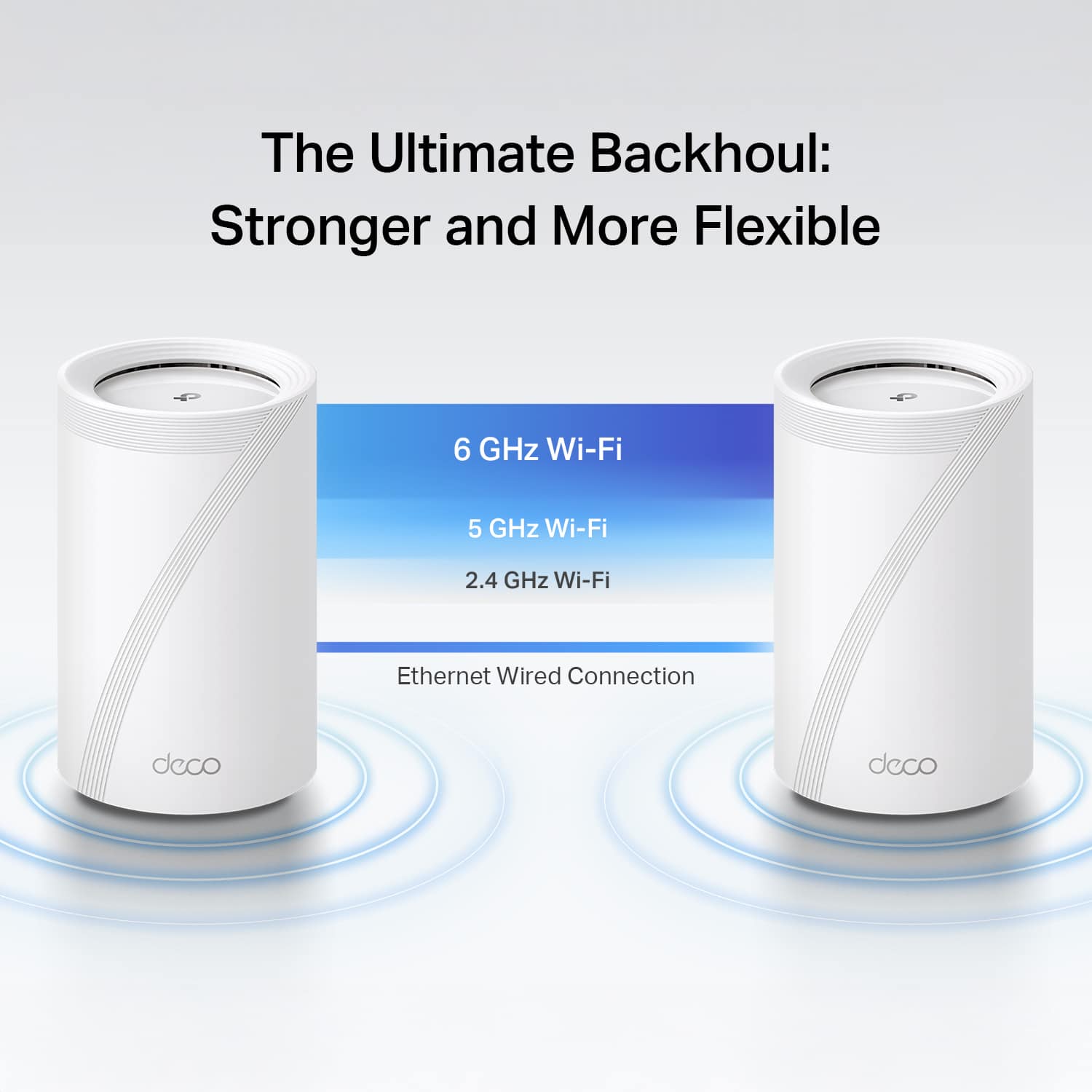
||Posted . Owned for 2 weeks when reviewed.This reviewer received promo considerations or sweepstakes entry for writing a review.I purchased to replace an AX-11000 gaming router. Previous router was trouble free except a poor signal in an extension off the house. The feature that sold me on the Deco was the wired backhaul capability. I ran an ethernet cable from the "main" Deco (connected to the modem) to a Deco module in the extension off the house. I now have two wired connection points with great signals. The system has performed without issue since I installed it a month ago. Very happy with the new setup.
I would recommend this to a friend - Pros mentioned:PerformanceCons mentioned:Size
Get's the job done
||Posted . Owned for 1 week when reviewed.This reviewer received promo considerations or sweepstakes entry for writing a review.We had been using an old Google Wifi mesh system since 2016 and were in the market for a new setup. I was about to pull the trigger on a 6E mesh system that seemed like a god fit. All of the wifi 7 systems were crazy expensive and then this popped up. Wanting to future proof a bit I took the plunge and got this while it was on sale. Pros: - Noticeable improvement in speeds over an older wifi 5 system. - The extra networking ports allowed me to eliminate a network switch and free up some space in the tech cabinet. - Stylish and clean design - Awesome app for complete control of the unit. Cons: - The units themselves are quite large, but I knew that going into it. Was just a bit shocking going from a small puck to a larger tower design. - I expected the range to be better. We have gigabit internet and areas in the house that used to get 50 to 100mbps on wifi 5 now get 75 to 150 on wifi 7. It helps, but I was hoping for a bigger difference in the far reaches of the house, especially since these are much larger towers with higher power antennas. Overall, the system is great and the ease of setup through the app is awesome. Within about an hour I had our whole home swapped over and almost all of our IoT items updated to the new network. I only wish it was slightly
I would recommend this to a friend 
An awesome WiFi 7 mesh sys with backhauling
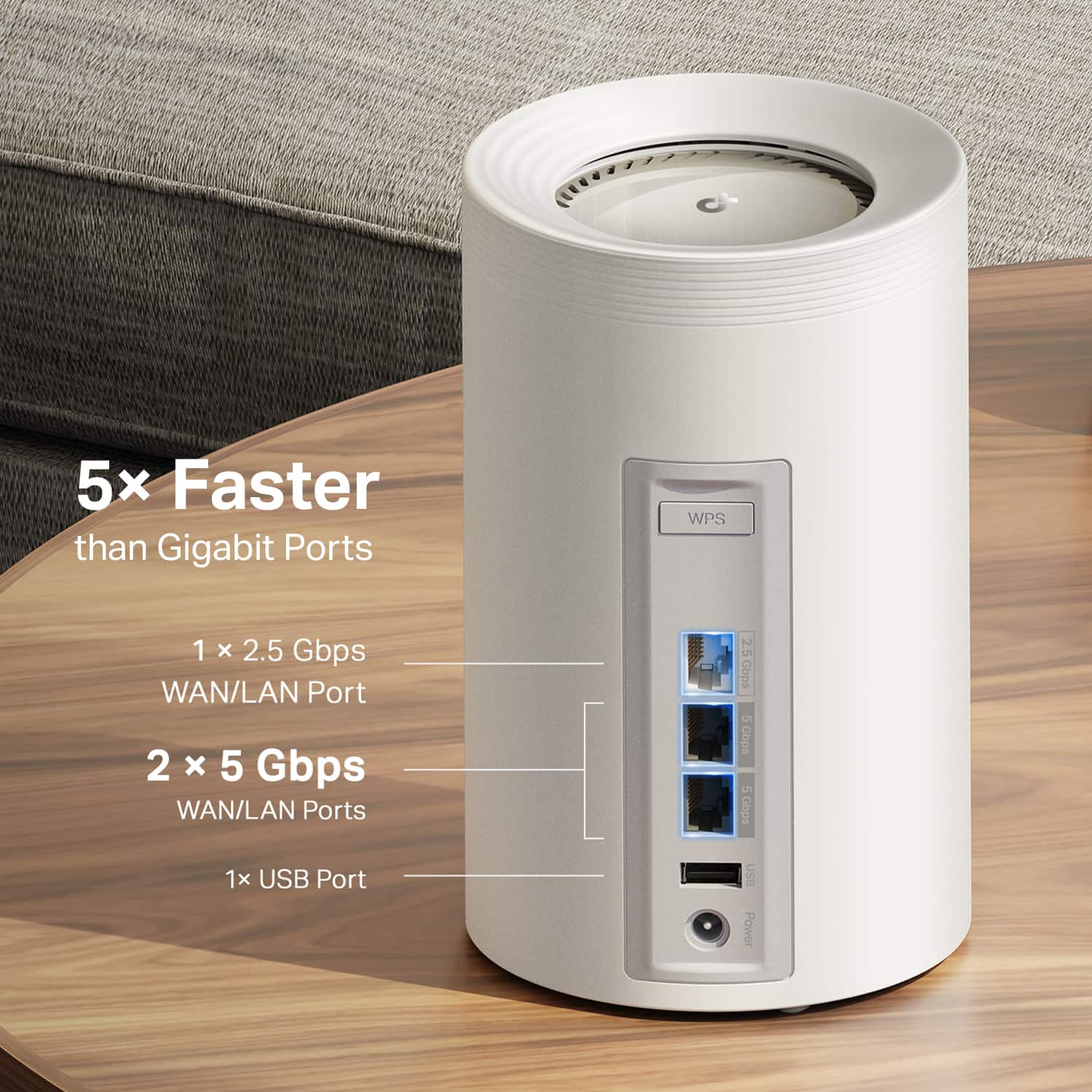
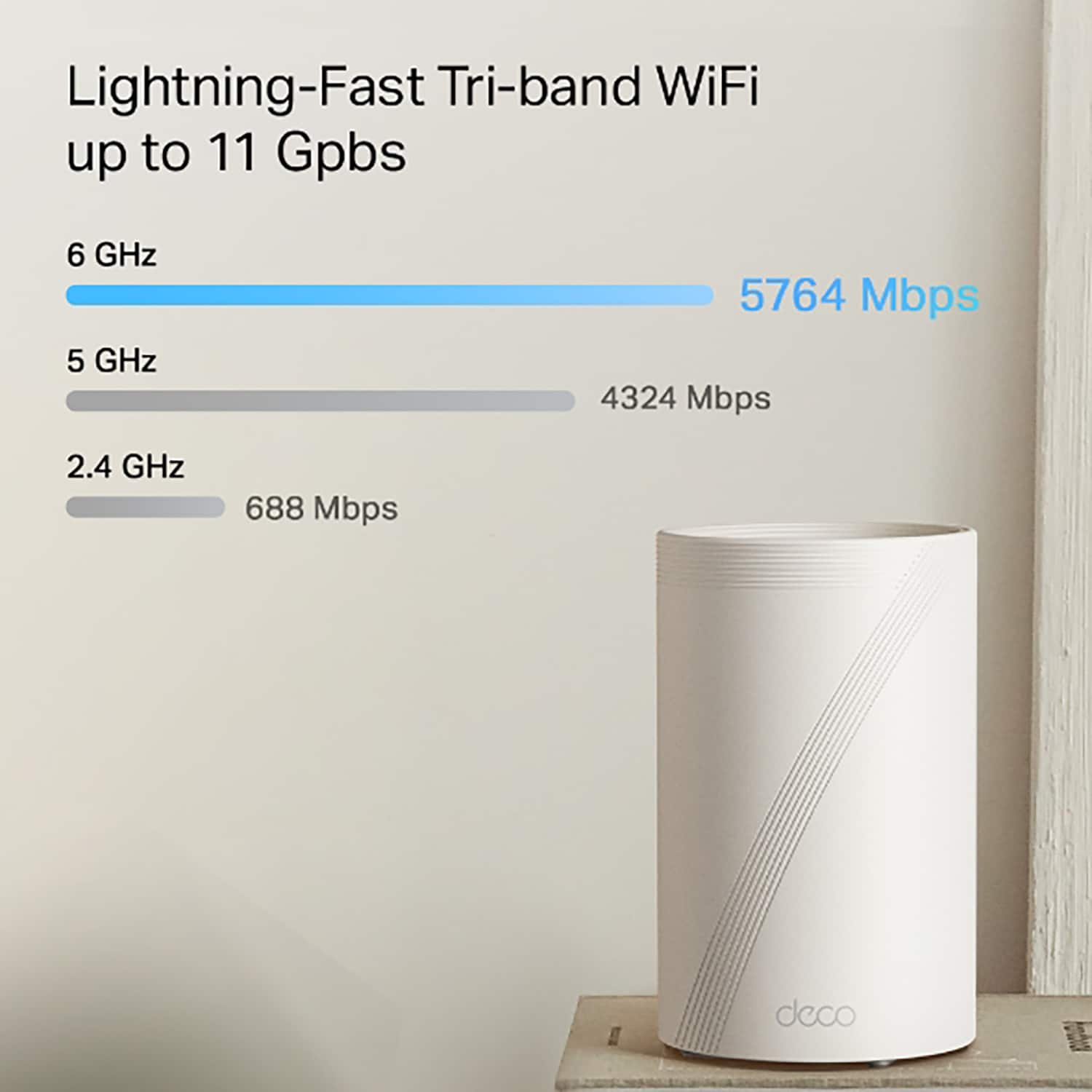
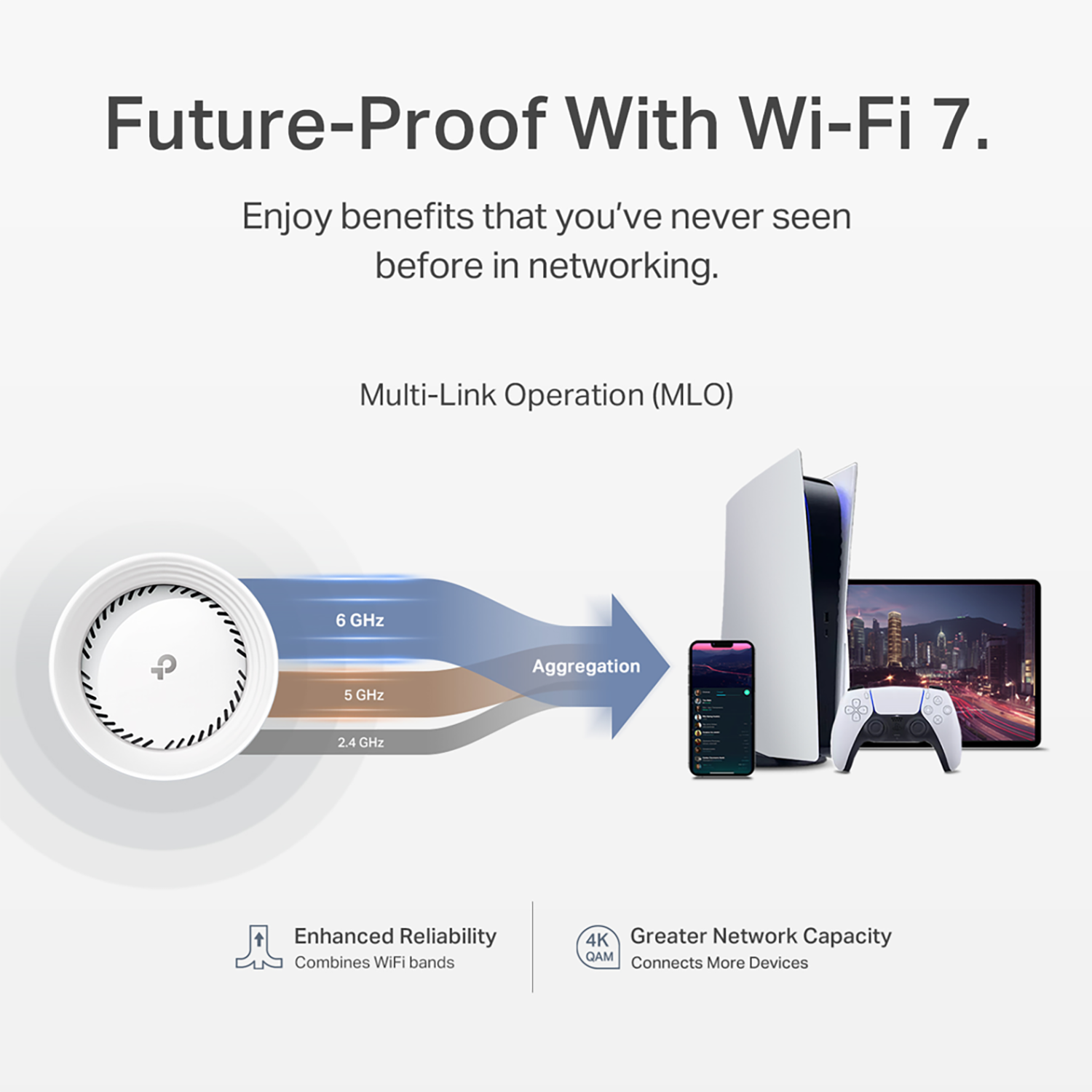
|Posted .This reviewer received promo considerations or sweepstakes entry for writing a review.TP-Link - BE11000 Multi-Gig Whole Home Mesh Wi-Fi 7 System -model Deco BE65 Pro. The TP-Link Deco BE65 Pro /BE11000 Multi-Gig Whole Home Mesh Wi-Fi 7 is pretty amazing. Until now, all Mesh networks have been pretty MEH, with handoff problems, weak signals, poor overlap, and speed degradation and lack of hardwire and Wi-Fi together The BE11000 is impressive and provides a seamless mesh network with excellent performance, even if you aren’t using a Wi-Fi 7 device. What seems to be a little bit confusing is the naming convention. BE11000 Multi-Gig Whole Home Mesh Wi-Fi 7 System (3-Pack) is the product name, and the model is the Deco BE65 Pro. But even on the TP-Link site, knowing which name to look up for information or support can be confusing. The TP-Link Deco BE65 Pro Multi-Gig Whole Home Mesh Wi-Fi 7 System setup process is straightforward. However, the written documentation is somewhat limited. If you download the setup info from the TP-Link website, you might notice that it doesn’t exactly match the instructions in the app. This discrepancy can be a bit confusing, especially for those who prefer to read through the install instructions or do a quick overview before installing tech products. But rest assured, following the app's instructions should still lead to a successful setup. Now, if you are new to network setups, there can be some spots that are not as clear, and you can use some references or explanations. I suggest selecting what you think is right, and even if you make a mistake, you can change things. Also, I would recommend setting up the central unit first and testing it before adding additional nodes. Setting up the additional nodes is easy to do at any point. Another point about the installation I would like to comment on is that TP-Link should make a Windows app instead of, like many companies out there, just making an app that installs on your phone or tablet (Android or IOS). FYI, I use an Android emulator on my Windows 10 and Windows 11 PC, and the BE65 app works fine. Remember, it is not just an installation app but one that helps you manage and monitor your mesh network. I had a couple of hiccups on the install. One of these was recognizing the Wi-Fi on the Deco router on the initial try, even with a manual installation. And there were some other issues on the initial install where the app seemed to get lost. These were rectified by exiting the app and going back in. For some reason, the fingerprint log-in function would not work on my Android tablet. Other than these little glitches, the installation was smooth. I asked a person who wasn’t familiar with doing network installs to try setting up the system, and on a fresh install, the only problem they had was the app did not recognize the Deco router even when their phone was connected to it. After a restart, they were good to go. When adding an additional unit, there was some confusion about the instructions on the app. For the initial hookup of the second device, they were looking for the blue blinking light ( connecting) instead of the steady green light (all things functional), which wasn’t quite as straightforward as it could have been. The Unit is packed exceptionally well, and they are good-looking little towers. I can’t state it any better than this blurb from their website. “It delivers combined speeds of up to 11 Gbps on three bands through 6 steams, thanks to Wi-Fi 7 features such as MLO, 320 MHz channel, and 4K-QAM.1,4 Two 5 Gig ports and one USB 2.0 port allow maximum expandability.” I can’t detect that it uses AI to perform a seamless connection as you roam your home, but I could not detect when the roaming units switched to a different node. Each unit has 2.5 Gbps and two 5 Gbps WAN/LAN ports. The available ports with Backhauling allow you to connect both wired and wireless connections thanks to the Wi-Fi 7 MLO (Multi-Link Operation) technology. There was a minimal drop in internet speed, even in the downstream units. To make things easier to test, I initially hooked the master unit up to just a 1Gbps connection. With “SpeedTest” on the primary device, I could get 988 Mbps connections, and the connected units reported 899 Mbps. The downstream units only did slightly slower, but one has to consider a lot of things in this estimate without using some professional test equipment. Even though the Deco unit is by default set up to check for firmware and software updates ( and you can set it up when it downloads and applies these updates), I suggest doing a manual check at initial setup and following through a couple of days later. One came out within two days of my installation, greatly improving speed and eliminating all stutter. The mesh network units can be used as your complete network ( for up to 200 devices according to the specs), or you can use them to expand your network if that is what you need. The device is pretty smart at dealing with either setup, and the Deco app is easy to reconfigure and fine-tune. There is also Isolation, including a dedicated IoT Network, Wi-Fi Network control, Parental Controls, Guest Networks, WPA3, HomeShield, DoS, SPI Firewall, and QoS traffic Prioritization, and the system can work with Amazon Alexa and Google Assistant. I am still looking into all the possibilities to configure things best for my use. Plus, you can monitor and change your system from anywhere with your phone, tablet, or computer with an emulator. Finally, there is a Wi-Fi 7 mesh system with backhauling that works and works well.
I would recommend this to a friend- Pros mentioned:Ease of use, Performance, Setup
Excellent mesh network
||Posted .This reviewer received promo considerations or sweepstakes entry for writing a review.This is the best mesh network we have used and by far the easiest to set up
I would recommend this to a friend - Pros mentioned:Coverage, Speed
So far, so good!
||Posted . Owned for 2 months when reviewed.This reviewer received promo considerations or sweepstakes entry for writing a review.I've been using the Deco BE65 Pro for over 2 months now. I was coming from a dual band Wi-Fi 6 mesh system and this difference in speed and coverage is substantial. My house is 3000 ft and I get good signal throughout. For the price, this is the best deal out there for Tri-band Wi-Fi 7 mesh systems. My only complaint is that the app is very limited compared to ASUS or Netgear.
I would recommend this to a friend - Pros mentioned:Performance, Speed
You won't be disappointed!
||Posted . Owned for 5 months when reviewed.This reviewer received promo considerations or sweepstakes entry for writing a review.I bought this to replace my failed router. This has performed faster than my others ever have. Works perfect, never a glitch. I bought this system again a month ago, to upgrade my router at another location - works perfectly, there also.
I would recommend this to a friend - Pros mentioned:Ease of use, Performance, Setup
highly recommend
||Posted .This reviewer received promo considerations or sweepstakes entry for writing a review.Easy setup and great performance. 6ghz is ultra fast if your device supports it.
I would recommend this to a friend - Pros mentioned:Setup
Great upgrade to my previous outdated mesh
||Posted .This reviewer received promo considerations or sweepstakes entry for writing a review.Massive upgrade from outdated mesh WiFi. Had a Google Nest OG and upgraded to Deco B65 that I purchased on Black Friday. Went from 50-80 Mb/s on the Nest to 600 Mb/s to 1.0 Gb/s on wireless without back-wiring (or whatever you call it) with good signal strength throughout my home using the 3 nodes included in the purchase. App is intuitive, set up was easy and I honestly have no complaints thus far.
I would recommend this to a friend - Pros mentioned:Ease of use, Setup
Fast and easy upgrade
||Posted .This reviewer received promo considerations or sweepstakes entry for writing a review.Paired this TP-Link BE11000 with my Xfinity gateway, and setup was quick and painless. Coverage and speeds are noticeably better, especially in rooms that had weak signal before. Everything stays stable, even with multiple devices connected. Great option if you want faster, future-proof Wi-Fi without replacing your existing gateway.
I would recommend this to a friend - Pros mentioned:Speed
Very Good Purchase
||Posted . Owned for 2 months when reviewed.This reviewer received promo considerations or sweepstakes entry for writing a review.Definitely the easiest and fastest wifi i’ve ever owned. The price is also a plus. No dropped connections. Just make sure you use good connecting cables.
I would recommend this to a friend - Pros mentioned:Ease of use, Setup
Decco worth a look
||Posted . Owned for 1 month when reviewed.This reviewer received promo considerations or sweepstakes entry for writing a review.I was apprehensive thinking "could this mesh" satisfactorily replace my older Orbi. I wasn't familiar with the brand, and my Orbi setup was great, I tend to be loyal in my purchases. But, the Orbi price point was more than I was willing to spend. This new setup exceeds all of my expectations at a decent price point. Easy setup, and future proof. Extremely pleased with my purchase thus far. Buy confidently
I would recommend this to a friend - Pros mentioned:Performance, Setup
Excellent WiFi 7 Performance with Intuitive Setup
||Posted . Owned for 3 weeks when reviewed.This reviewer received promo considerations or sweepstakes entry for writing a review.The BE65 Pro is an excellent mesh system. I was experiencing issues with one of my Orbi RBR750 satellites and decided to upgrade to take advantage of WiFi 7 – and wow, is it fast! I’m also impressed with the Deco app’s user interface; the setup process is intuitive and straightforward. I do have two suggestions for improvement: the web interface is quite limited in functionality, with the app being the clear primary focus, and I wish at least one unit had an additional Ethernet port for more wired connections. Overall, the performance has been excellent, and I’m very happy with my purchase so far.
I would recommend this to a friend - Pros mentioned:Ease of use, Setup
Great purchase, wish I did it sooner.
||Posted . Owned for 2 weeks when reviewed.This reviewer received promo considerations or sweepstakes entry for writing a review.Had many issues related to poor wifi coverage in my large house that this set fixed. Set up was very easy and service is reliable. Worth the price!
I would recommend this to a friend - Pros mentioned:Ease of use, Performance
Best mesh system
||Posted . Owned for 2 weeks when reviewed.This reviewer received promo considerations or sweepstakes entry for writing a review.Works perfect!! The set up was super easy, most mesh systems require being plugged in next to each other in other to sync. With this system, you can plug them in where you want them throughout the house and they will sync to each other, even right out the box!! Super easy to set up and worth the price. And yes, they are great for gaming! There are two ps5s in the house and a bunch of Apple TVs and pods and things like that and there’s no major problems!
I would recommend this to a friend - Pros mentioned:Speed
Excellent router, great brand, awesome WIFI 7
||Posted . Owned for 1 month when reviewed.This reviewer received promo considerations or sweepstakes entry for writing a review.I did a lot of reviewing..probably too much, but I landed on this router replacement for my Linksys Velop mesh network which was barely WIFI5. Was fairly old, not as functional to use, and it required a lot of restarting. This system has so much potential and functionality and was fairly easy to setup in replacement of the old Velop network. It is very fast, and has more range the the 6 velop nodes I had to use before. I get more range and speed with less nodes! The price for performance, this is an excellent choice, and the Decos have been the only mesh system where you will or may have the option to turn off the wifi radios on schedule which is awesome. At the minimum you should be able to turn down the signal strength. We don't know the affects of wireless on the human body, but some early research suggests it isn't good, so having this option in the future is nice. Overall a great router mesh system, excellent app to manage, and easy to setup and use. I highly recommend if you're in the market for a new mesh network.
I would recommend this to a friend - Pros mentioned:Setup, Speed
Happy
||Posted . Owned for 1 month when reviewed.This reviewer received promo considerations or sweepstakes entry for writing a review.Pleased with my purchase. Installed easily and provides hi speed WiFi throughout my house with easy, simple connectivity. What more can it do?
I would recommend this to a friend Unbelievably Simple, Fast, and Beneficial
||Posted .This reviewer received promo considerations or sweepstakes entry for writing a review.This mesh WiFi system could not have worked better for our needs. We have a 3k+ SqFt home and both work from home. Not only has this product has been an absolute game changer, it has also streamlined our capabilities to add even more devices to our home network. With the ability to create multiple networks specifically to service home security, work computers, television streaming and phone WiFi access, we can lower the pull on a specific network and create an even more seamless and lag free experience. Highly recommend this product for anyone with a larger home, or even those who just want to improve connectivity and security for all devices accessing their network. Amazing product and would purchase a million times over!
I would recommend this to a friend