Customer Ratings & Reviews



---
**HomeShield**
HomeShield is a built-in service, available in all HomeShield routers and Deco mesh products.
- Router Security Scan
- Wireless Security Scan
- IoT Device Identification
- Basic Parental Controls
- IoT Protection*
- Web Protection*
- Intrusion Prevention*
- Antivirus Protection*
*Included with HomeShield premium subscription service](https://pisces.bbystatic.com/image2/BestBuy_US/images/products/e4c46182-c0a5-4cce-a086-5278e983f92e.jpg)

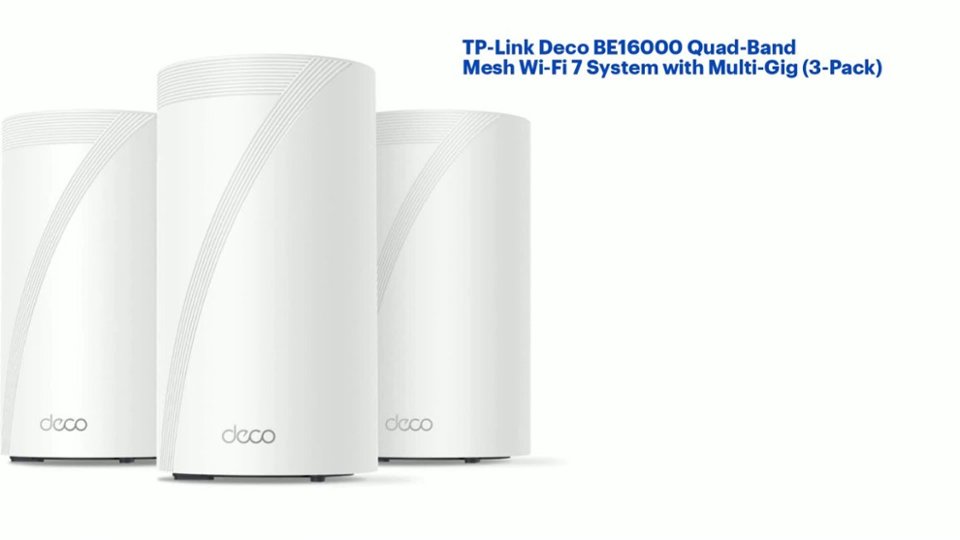
- Model:
- Deco BE16000(3-pack)
- SKU:
- 6566943
Rating by feature
- Setup
Rating 4.7 out of 5 stars
- Range
Rating 4.4 out of 5 stars
- Signal Strength
Rating 4.4 out of 5 stars
Customers are saying
Customers express satisfaction with the Deco BE16000 Wi-Fi 7 Mesh Router System, highlighting its speed, ease of use, and extensive coverage. Users appreciate the simple setup process, strong range, and the inclusion of multiple Ethernet ports. The design and well-designed app are also well-received, though some find the units to be quite large and the price somewhat high.
This summary was generated by AI based on customer reviews.
- Pros mentioned:Coverage, Ease of use

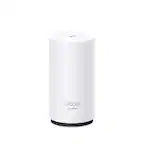
TP-Link Deco BE16000 Quad-Band Mesh Wi-Fi 7 System
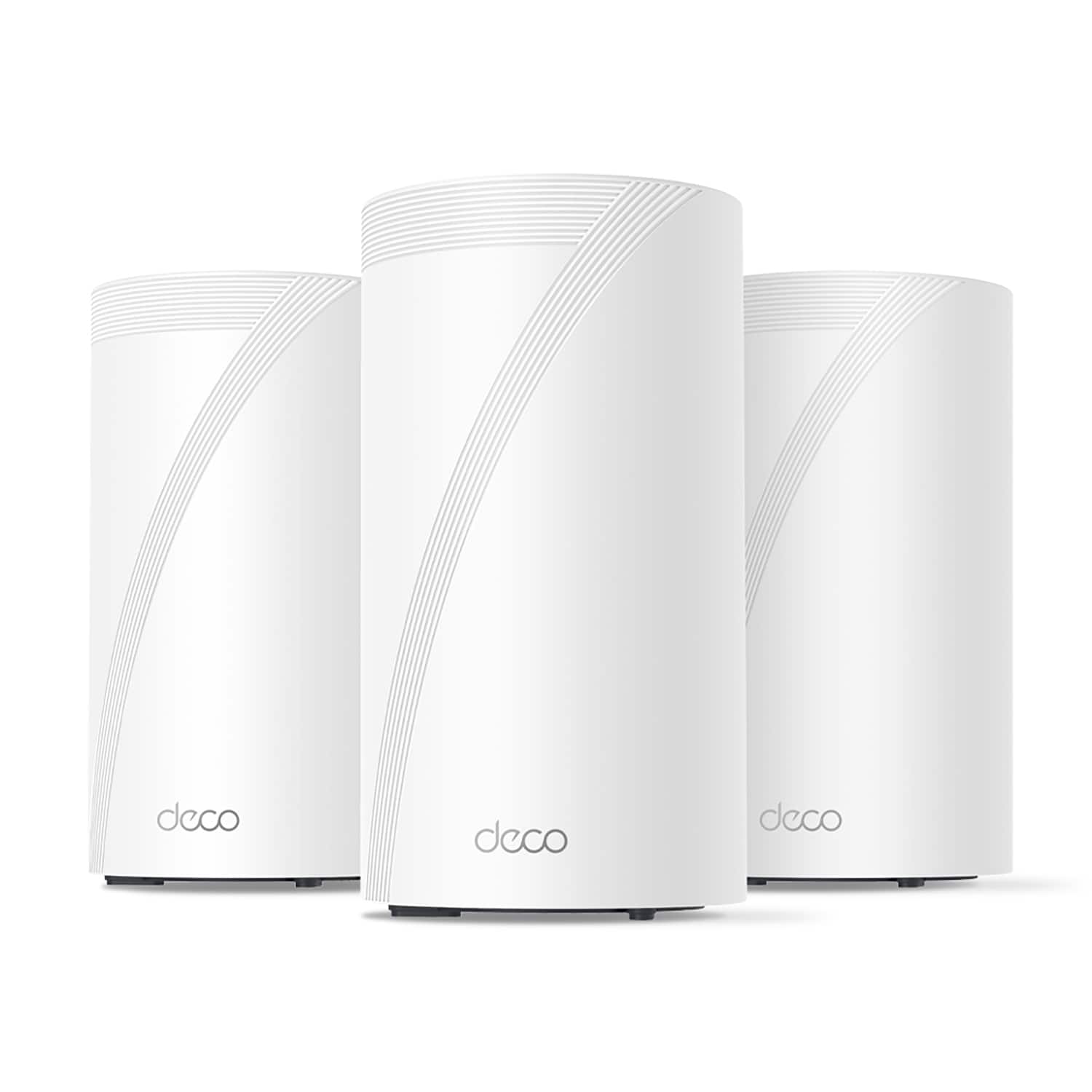
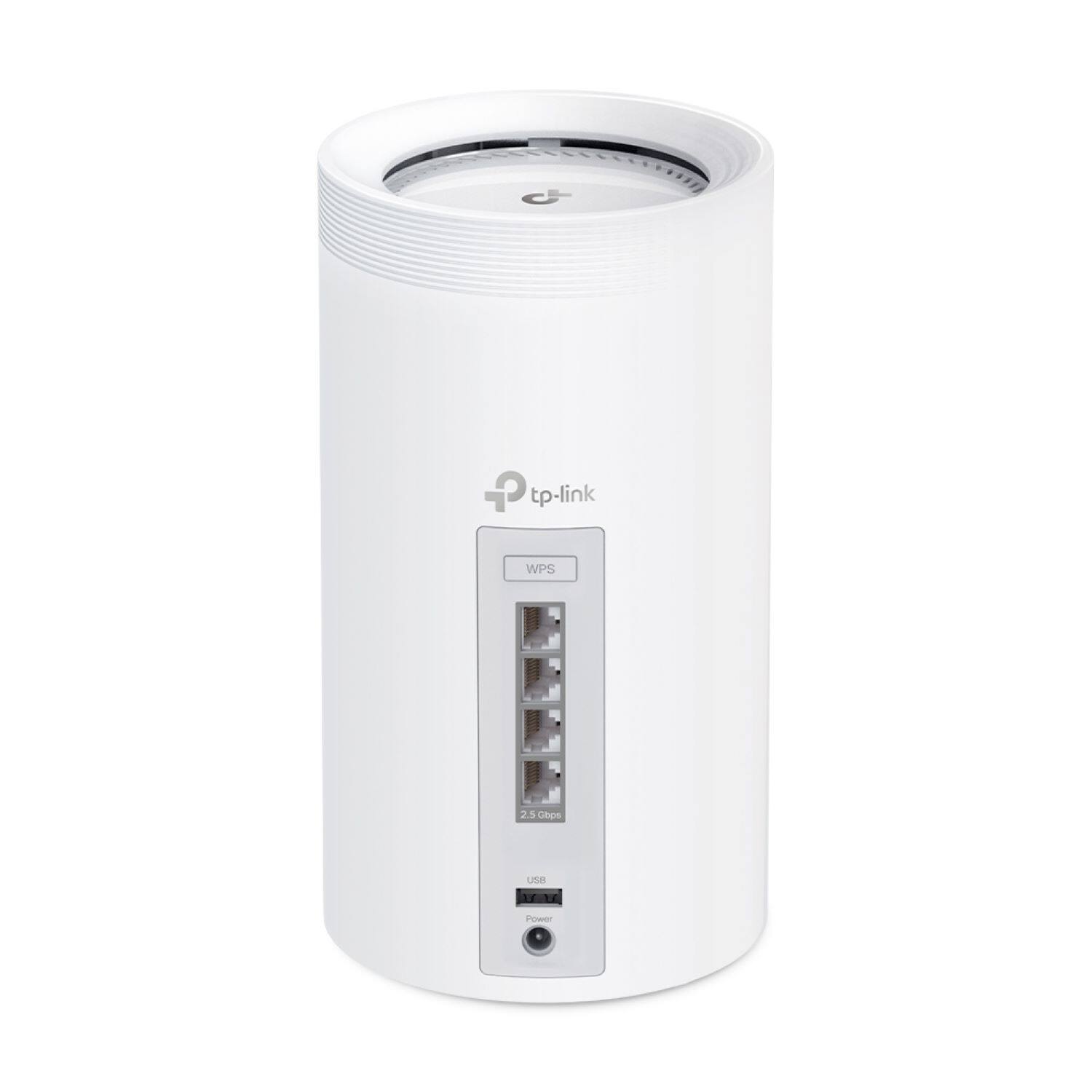
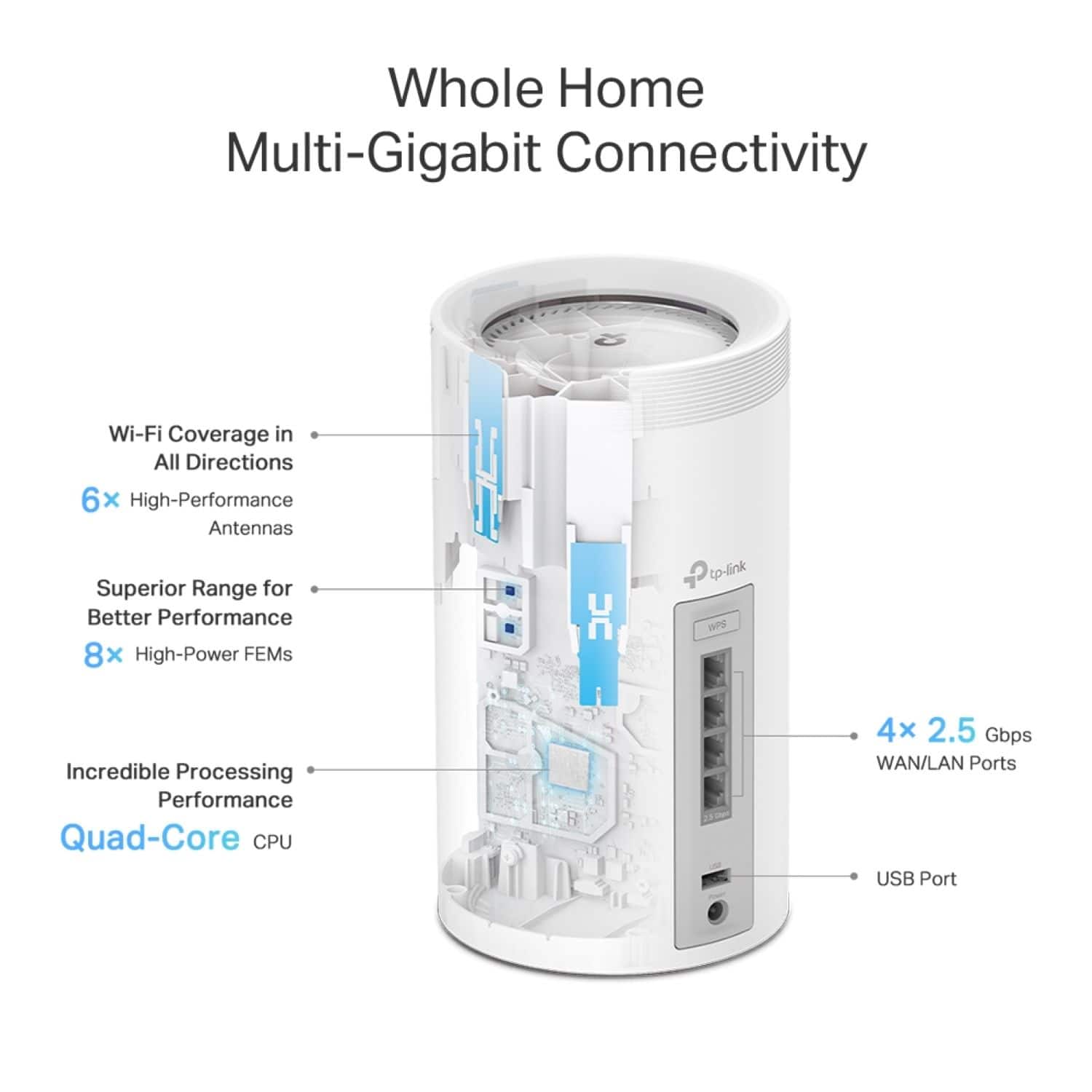
|Posted .This reviewer received promo considerations or sweepstakes entry for writing a review.So I received my TP-Link Deco BE16000 Quad-Band Mesh Wi-Fi 7 System a week or so ago and have been putting it through its paces. First off I must say that the R&D team with TP-Link/Deco did an amazing job with the design and build quality of the Deco BE16000 Units. They're strong and sturdy and will blend in easily with any home decor. Also included in the package along with the 3 units comes, 3 power adapters, 1 ethernet cable, and the Quick Installation Guide. On the back of each unit is the WPS button for easy connection as well as 4 (2.5 Gbps) ports, a USB port, and power adapter port. Following along with the Quick Installation Guide, first off you will need to download the TP-Link Deco app from the App Store for iOS or the Google Play Store for Android and create/login to your account. Once your account is setup, simply follow along with the app to setup each unit across your house. The app was super easy to use and follow along with. It guides you through the step by step process to get you up and running in no time. All together, it took me about 15 minutes to get my system up and running. Simply install each unit and once the green light it on at the bottom of the unit, it's ready. We placed the main one in the living room which is connected to the cable modem, 1 in our bedroom upstairs, and the other in our garage. This was the easiest router/mesh system I've installed without a hitch. Immediately we noticed that we had stronger coverage throughout our entire house as well as even further perimeter around our house. The signal was stronger than our previous router that costed us a pretty penny. This system is on the pricier side, but after using it for a couple weeks we can see why. Coverage, coverage, and coverage, not to mention ease of use in the app. The app allows you to tweak and change the settings to your liking as well as your Wi-Fi settings. I also like that they made it easier to connect older devices with IoT. The only gripe I would have about anything would be the Quick Installation Guide, (not a dealbreaker), but man is the writing very tiny and the color choices of the text kinda off-putting, but thankfully you only need to read the first page to know to download the app and follow along from there.
I would recommend this to a friend - Pros mentioned:Coverage, Range, Speed
Fast, reliable, and powerful mesh Wi-Fi network
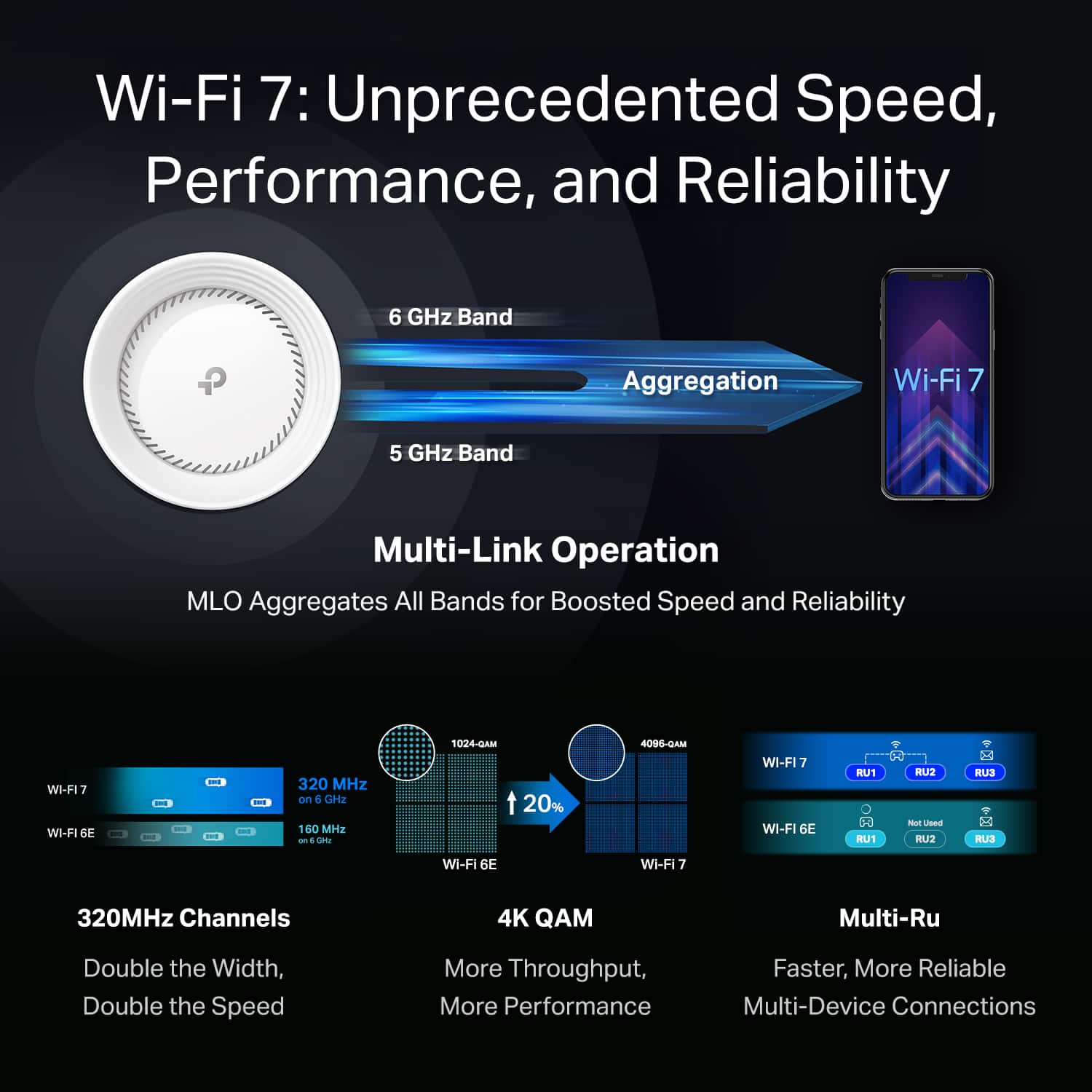
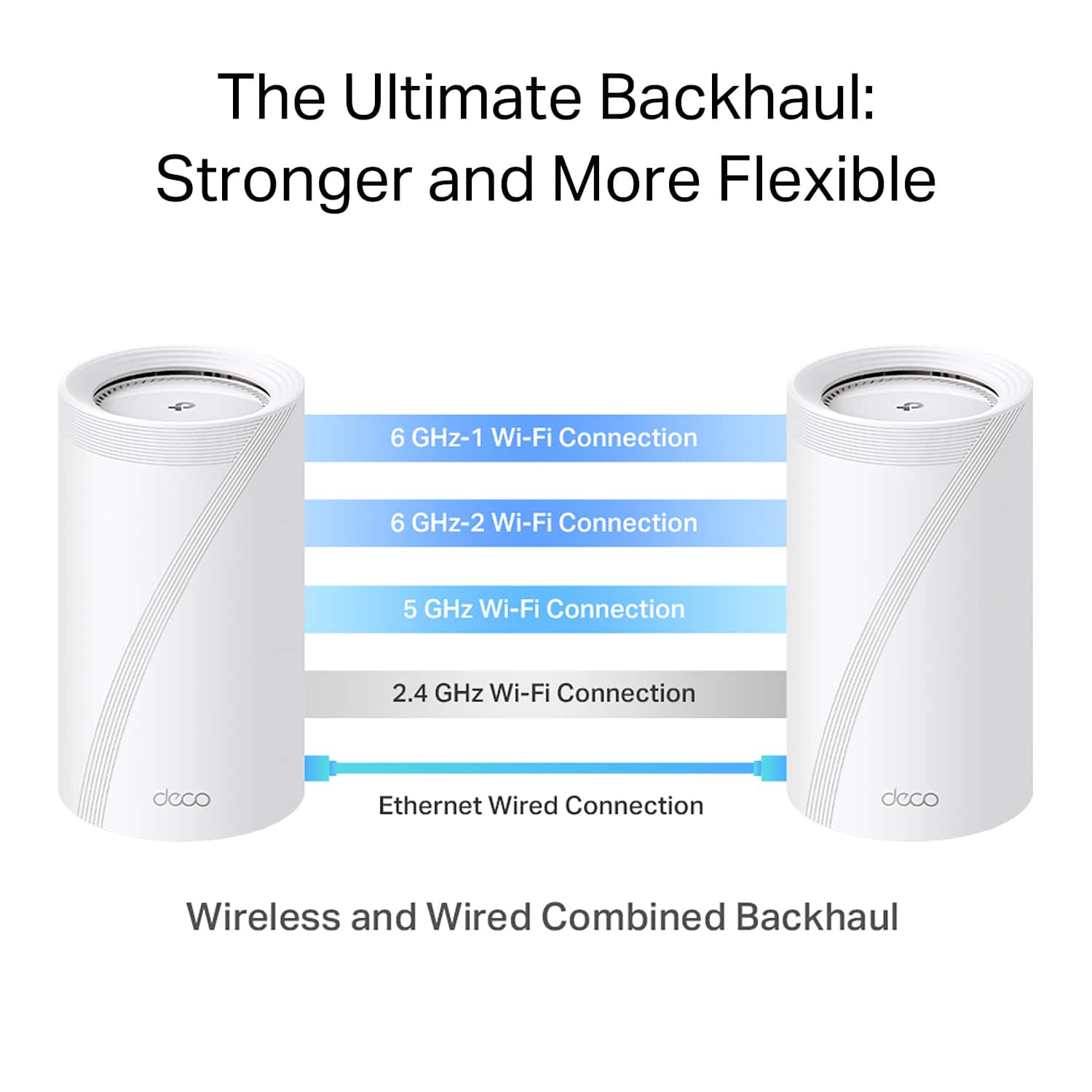
|Posted .This reviewer received promo considerations or sweepstakes entry for writing a review.Serious gamers, home office workers, smart device consumers - TP-Link has got your back. The Deco BE16000 Quad-Band Mesh Wi-Fi 7 System brings whole home Wi-Fi to your door with outstanding range, speed, and security. Powerful and smooth Wi-Fi coverage - what more do you want? Out of box, the three Deco units are big and sturdy devices - much bigger than my previous mesh system devices. Aesthetically, the units look nice, minimal, and modern, and they won't be an eyesore sitting out in the open where it is recommended to get the best Wi-Fi coverage. Each device uses its own power adapter and the main unit will hook up to your modem via a provided Ethernet cable. Each unit has four 2.5 Gbps ports and a USB port and can connect both a wireless and wired backhaul on each unit at the same time. The provided installation guide is kind of useless, but everything you need to do from the jump is provided step-by-step on the TP-Link Deco app. I was connected and running the new network in minutes, and the app allows clear visibility of all devices on your network, with lots of features to view or block any device at any time. Streaming high-res video and wireless gaming is smooth with no noticeable hiccups experienced over several days of continuous, high usage; this is great when considering the high number of devices I have running simultaneously on the network and on different levels of my home. One feature I love is the ability to create a multi-link operation (MLO) network separate from my main network or any guest networks I make. The MLO allows the device to transmit data across the 6 GHz and 5 GHz bands at the same time, thereby allowing faster Wi-Fi speeds and even less chance of dropoffs. We put our home office devices on this network specifically to keep business and personal computing separate and secure. The ease of installation, high speed and low latency, and outstanding end-to-end home networking coverage makes the TP-Link Deco system an easy recommendation. Consumers looking for a fast, reliable network without the fuss need look no further.
I would recommend this to a friend - Pros mentioned:Ease of use, Speed
Finally the entire house has strong reliable Wifi!
|Posted .This reviewer received promo considerations or sweepstakes entry for writing a review.We recently upgraded our house to Gigabit speeds. For a long time the 200 mb/s we were getting was enough. But with more and more devices, and those devices needing more data (larger game downloads, etc.). As well as other devices requiring faster and more reliable connections to work and stream properly I finally upgraded to Gigabit internet. Well I thought that would be all I needed to do. Dont get me wrong there were improvements, but most devices still needed to be fairly close to our new single router then before. So I needed a way to take that new faster connection and get it throughout the house, and even into our garage where I do a lot of projects and often use my phone to get help with them. Enter the TP-Link Deco BE1600 quad mesh system. The install and set up was a breeze. The app was easy to follow and I ran into zero issues while setting it all up. The app is very easy to use if you want a simple set up. But has all of the advanced settings you would ever need if you want to get in and tweak it to your needs. Out of the 2 ways to connect I went wireless. There is a wired ethernet option but running new cables all over was just not feasible. Everything just worked. Thats unfortunately rare with these app set ups, but so nice when it does! Once everything was up and running we not only now had our new Gigabit internet, but basically skipped Wifi 6 and went straight to Wifi 7. So we are pretty much future proofed when new devices come out with the latest and greatest Wifi. No more dead spots, and even the worse area the garage has a nice strong signal so I can use my phone to look up tutorials and help while working on my various projects. And all of our 4 TV's now have a very strong reliable connection to stream with no buffering or degraded resolution. Overall I am loving this new addition to our house. Its vastly improved every devices connections speed and reliability. Well worth it. If you want to fix/ improve your house or offices wireless while at the same time future proofing it with Wifi 7 this is the way to go. Highly recommended!!
I would recommend this to a friend Do not buy!
||Posted . Owned for 1 month when reviewed.This reviewer received promo considerations or sweepstakes entry for writing a review.Worst $800 I've ever spent. Constantly drops wifi but the app will say everything is fine. Constantly needs to be rebooted. No solution or firmware updates.
No, I would not recommend this to a friendBrand response from TPLinkSupport
Posted .Hi,
Thank you for your review. Our Deco Mesh Wi-Fi systems are designed to provide robust, seamless Mesh Wi-Fi for your whole home. In your case, we first recommend ensuring your Deco app and firmware are both fully up to date and your Deco units are optimally positioned within your home and in proximity to each other.
Our support team is always happy to help answer any questions you may have about our products. Please feel free to reach out using any of the resources included with the product, or from our official website, and we'll gladly have a Support Agent follow up with you directly.
Thank you,
TP-Link Support
- Pros mentioned:Range, SetupCons mentioned:Price
Probably the best router I'll ever have
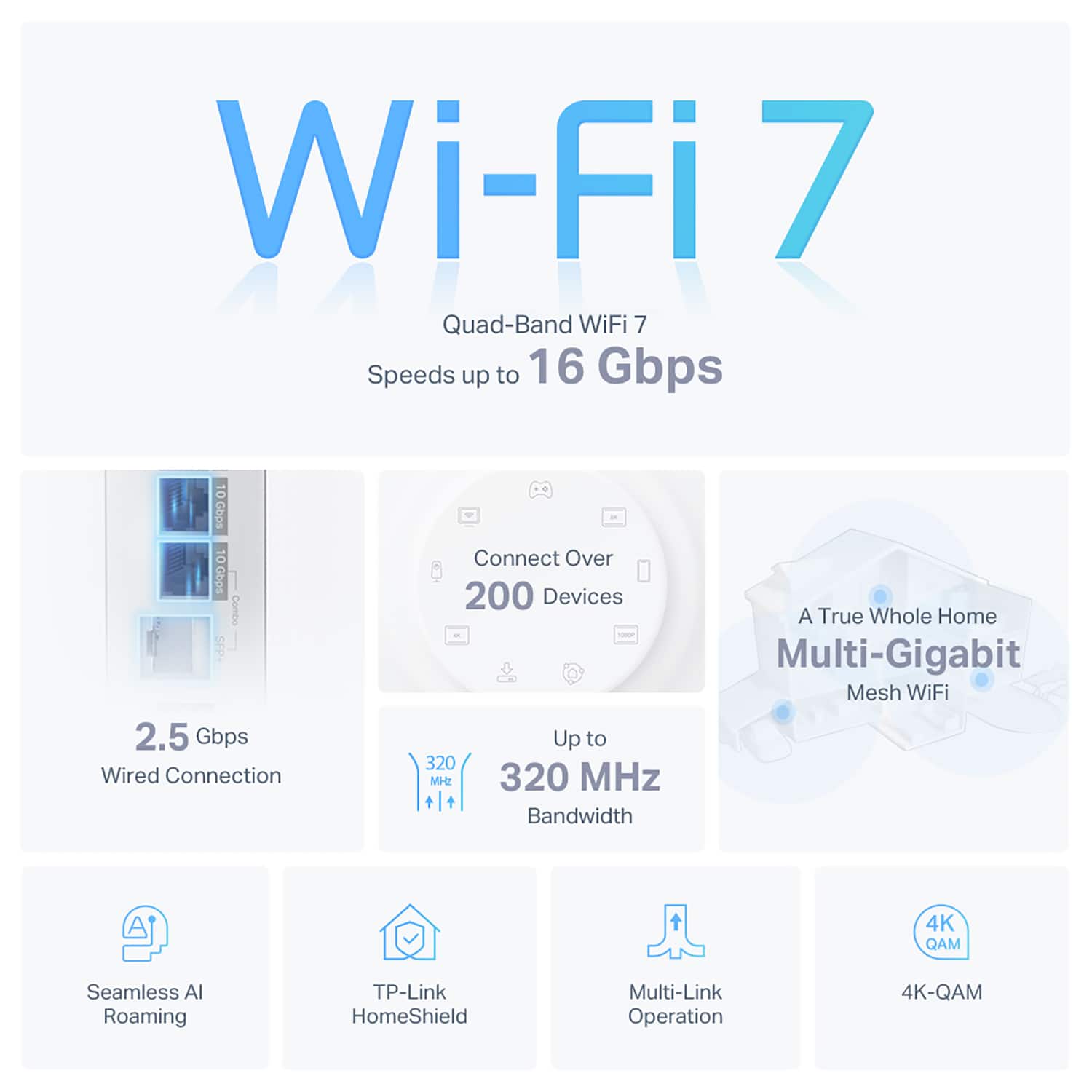
|Posted .This reviewer received promo considerations or sweepstakes entry for writing a review.The TP-Link - Deco BE16000 Quad-Band Mesh Wi-Fi 7 System with Multi-Gig-3-Pack is one impressive piece of networking hardware. Packaging for this product is awesome, came in a heavy box. Set up is very easy on this router. I was little unsure on how having 3 access points. A few other companies have similar technology but this product seems like a pretty big jump. You can have up to 200 devices on a network which kind of makes me wonder if this is best suited for a small business. Either way, this is a terrific piece of hardware backed up by excellent app support/integration. During testing I was able to move throughout my house, switching to different access points based on the location in my home. This was done without any interruption. I was able to confirm/view this via the app. Set up with this router is a breeze, again it all comes down to really good app support/integration. The price point for this router is very steep, however if you have a huge amount of devices this might be the router you need to better facilitate those connected devices. I didn't run into issues setting this up and I haven't had any issues other than the Coronal Mass Ejection this past week (IYKYK).
I would recommend this to a friend - Pros mentioned:CoverageCons mentioned:Size
Fast Mesh Network - Some Features Behind Paywall
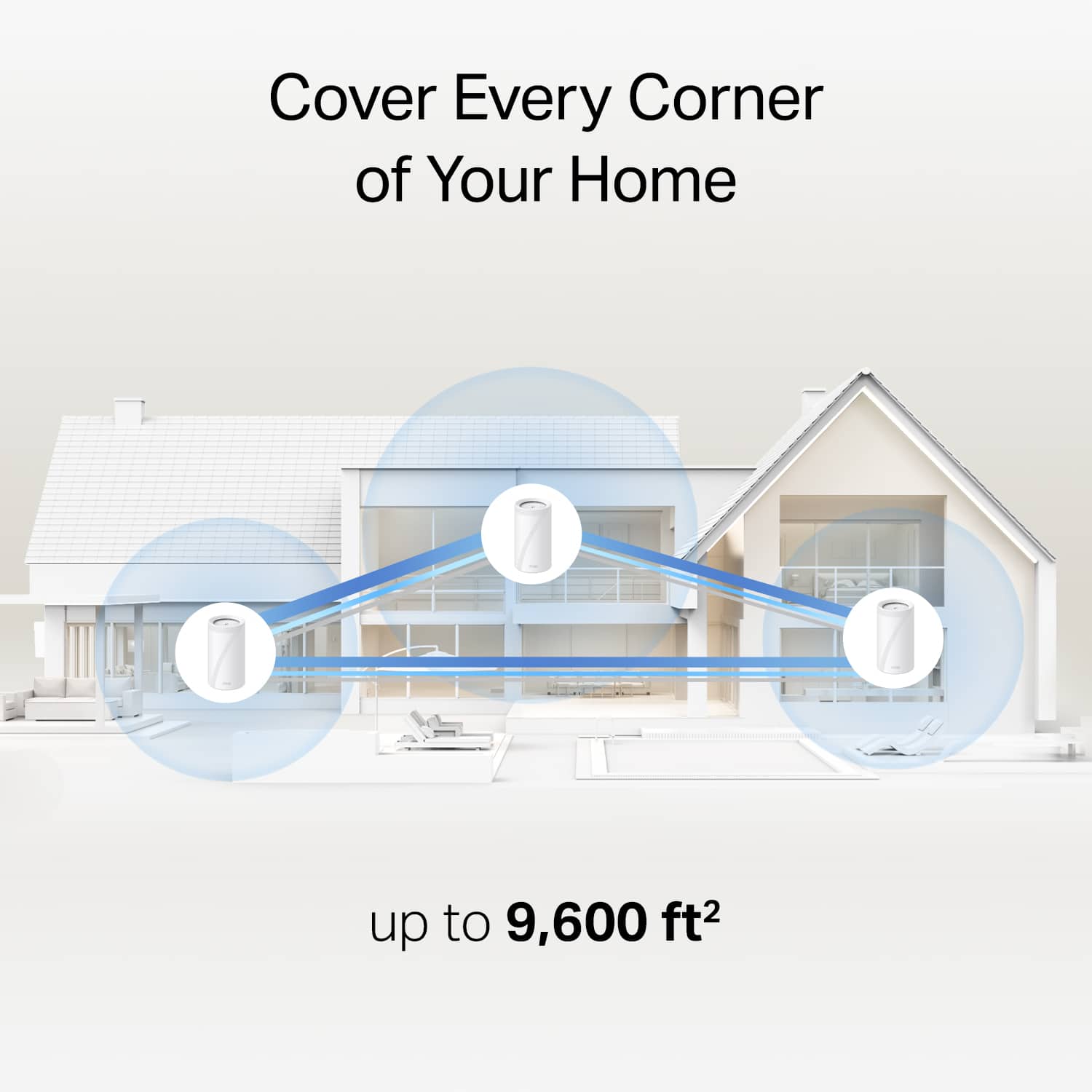
|Posted .This reviewer received promo considerations or sweepstakes entry for writing a review.Upgraded from an older TP-Link AX4300 Wifi 6 mesh system. Swapping out the systems was super easy as the TP-Link app guided me through replacing the Main Router. From there, it was just a simple process to add the two other routers into the system. Pros: * The mesh network on the BE16000 uses the 6 Ghz band and is fast and stable * Setup is simple through the app * Large houses are blanketed in Wifi * Multiple 2.5 Ghz ports on the nodes allowing for several devices to be wired directly * Can support 200 devices * Can assign a device to a specific node to ensure best/strongest connection * Ability to configure VPN at the router level * Wifi 7 is future proof for the next few years Cons: * App is a little clunky - more in-depth settings are hard to find. No ability to see data usage by device * The mesh towers are very tall (likely for the antenna) so placement can be a little difficult * Security+ and Advanced Parental Controls are behind a subscription/paywall. Crazy for such an expensive system * The power brick for the nodes is huge takes up a lot of space - either in a tight location or if using a power strip or UPS. Overall, the TP-Link Deco BE16000 is a fast, stable system. For the price paid, there should not be a paywall to get features other routers provide for free on much less costly systems.
I would recommend this to a friend - Pros mentioned:Ease of useCons mentioned:Size
A Game-Changer for Home Networking!
|Posted .This reviewer received promo considerations or sweepstakes entry for writing a review.The Deco BE16000 Mesh System has not only revolutionized my home network, but it has also set a new standard for user-friendly control with its intuitive yet robust app—making it a five-star choice for tech enthusiasts and novices alike. First and foremost, the setup process is a breeze, thanks to the user-friendly app that guides you through each step effortlessly. Whether you're a seasoned tech pro or a casual user, the Deco app ensures a hassle-free installation experience. Within minutes, I had my entire mesh network up and running, a testament to the thoughtful design that caters to users of all expertise levels. What truly sets the Deco app apart is its balance between simplicity and functionality. For those seeking a quick overview of their network, the main dashboard provides at-a-glance information about connected devices, network status, and internet speed. However, for users demanding more control and customization, the app dives deep into advanced settings, allowing for personalized configurations to meet specific needs. For those needing that next level of speed and connectivity, each hub features (4) 2.5 Gig ports. For someone like me that works in video and constantly transfers large chunks of data to a NAS and regular backups to the cloud, this is a huge time saver. Now we can start exploring some of the higher speeds offered by our ISP! The only knock that I will give this is the physical size of each hub. These are far less likely to get that wife approval that would come with a more subtle solution. For now I have them living in cabinets and don't notice any performance degradation. With all the features packed in these things the footprint is certainly justified. In summary, the TP-Link Deco BE16000 not only delivers top-notch performance with its Quad-Band Mesh Wi-Fi 7 and 2.5 Gig ports but also excels in providing an app that strikes the perfect balance between simplicity and advanced functionality. It's a must-have for anyone seeking a reliable, high-performance mesh Wi-Fi system that puts control at their fingertips. Five stars well-deserved for TP-Link's innovative and user-friendly approach!
I would recommend this to a friend - Pros mentioned:SpeedCons mentioned:Size
WiFi faster than most of your devices can use.
|Posted .This reviewer received promo considerations or sweepstakes entry for writing a review.This review is for the Deco BE16000 Quad-Band Mesh Wi-Fi 7 System with Multi-Gig 3 pack. First off the setup was very easy. And pairing each unit to each other was just as easy. After downloading the deco app it walks you right through the setup process. And with this 3 pack I have great WiFi coverage from my driveway to my pool. I’ve only had it about a week but so far have had no issues. After I had all 3 units up and running I simply renamed the Wi-Fi to the same name and password I previously used and all of my existing devices connected to the new with no issues. And I have quite a few stuff on my network for my smart home stuff. Also this router worked well with my Network-attached storage (NAS). That I have running my Home video surveillance on. And a large movie collection to streamed to different TVs around the house. It was easy in the app for setup the port forwarding that I needed to access this stuff when away from the house. Lets face it this WiFi System is faster than most all my devices I have as of now. Which is great. No one wants their WiFi to be a bottle neck of their network. And with this that is no longer an issue for me. Now the units are some what on the lager side and you will want them out in the open for the best coverage. Just some thing to think about. well, worth it for me.
I would recommend this to a friend - Pros mentioned:Ease of use
Impressive Wi-Fi!
|Posted .This reviewer received promo considerations or sweepstakes entry for writing a review.This review is on a TP-Link - Deco BE16000 Quad-Band Mesh Wi-Fi 7 System with Multi-Gig (3-Pack) - White. If you are questioning whether to buy this system, DO IT. You will have the best Wi-Fi you can get for your home. This is top quality performance! Wi-Fi 7 is the latest tech with an incredible increase in speed. Not only will you get the speed increase but you will also get the coverage you are looking for. This was by far the easiest system I have had to setup. It is also my first mesh system. Each tower has 4 ports. I connected my 1Gbps modem to one Deco. Installed the Deco app on my phone and had the system up exactly how I liked in under 15 minutes. I first connected my phone to the Deco's Wi-Fi. It asked to give it a location or custom name. It asked what type of Internet connection I had with my ISP. I gave it a name and password for my Wi-Fi with the type of security. It checked to see if it had any updates and it had one that took about a minute to complete. Then I just plugged in the other two Deco's and connected them instantly with little configuration to complete. It is set to auto detect the Deco to connect to and no matter where I placed them they both connected to the main Deco. For me to extend my range I had to tell it which Deco I wanted each Deco to connect to. So I had a problem reaching the end of my garage where I wanted to install some security cameras. Couldn't do it with my previous router. I connected the 2nd Deco wirelessly to the main Deco and put it up on the 2nd level. Then I connected the 3rd Deco wirelessly to the 2nd Deco and put it in the room over the garage. Now I have full signal exactly where I need it. Before, on my PC, my Wi-Fi Speedtest was decent but now my Wi-Fi speed matches my wired speed. WOW! The app is pretty good too. It allows you to see all your Deco's and how much data is moving. You can view your devices and give them names. You can hide your SSID's if you want to. You can also turn on a guest network but it will not let you hide the guest network. Once QoS is enabled you can just select which devices you want priority on. It will scan the network environment of your home and auto select the channels that it can use without interference. NAT forwarding, VPN and Firewall rules are also available. It will even alert you when a new device connects to your network. The web interface isn't as good as the app but I still like it. I would like the ability to name or rename my devices in the web interface because using a keyboard is just quicker especially when you have over 100 devices. I would also like to see the ability to hide the guest network. Hopefully this can be added in the next update. Have no fear, greater Wi-Fi is here.
I would recommend this to a friend - Pros mentioned:Ease of use
Reliable and steady
|Posted .This reviewer received promo considerations or sweepstakes entry for writing a review.My home is filled with "smart" products. Google, Alexa, Samsung, Philips Hue, and so on. With this comes a lot of wear and tear on my Wi-Fi network for streaming and device switching. My last mesh system claimed to support 10,000 square feet. This may have been true, but at least once a week, multiple devices were losing connection and/or hanging up. So far, I have experienced none of that with this TP-Link set-up. All devices have been working without a hitch, and with the tools to create split band networks and a dedicated IoT network, I'm easily able to put certain devices on specific networks to maximize efficiency. With my previous set-up, my Pixel tablet and Home Max speakers were losing connection so frequently, I automatically assumed it was a manufacturer bug, but as of writing this, it just may have been my network. We'll see, but so far so good. For the technologically challenged, this was the easiest set-up I have ever gone through. I was up within 5 minutes and all directions were clear and concise. I always, always, have some sort of backend hiccup that turns minutes into hours, but not here. Adding the second and third routers were as simple as plugging up and waiting. TP-Link has minimized user participation and I appreciate the lack of frustration! The app is easy to navigate and read, which makes troubleshooting much easier. It also contains all settings necessary to please novice s to advanced users looking for more customization. Granted I am in the "honeymoon" phase of these routers, so far, all is going better than expected. They work well, are aesthetically pleasing, and give adequate coverage, even in the bathroom. They absolutely live up to the hype.
I would recommend this to a friend - Pros mentioned:Ease of use
Amazing Wi-Fi 7 Mesh System
|Posted .This reviewer received promo considerations or sweepstakes entry for writing a review.I have experience with multiple mesh Wi-Fi systems from many different brands. After using a handful of other brands, I eventually settled on TP-Link. I have always been impressed with their quality, features, ease of use, and their mobile app. When I set up this new BE16000 model, it was just as easy as any previous versions I've had. The app is quick and easy to use. My new network was up in a matter of minutes, and I was able to quickly set my local IP addresses, DNS addresses, passwords, and network settings. While I choose to dig into some of the more advanced features, it is absolutely not necessary to get any TP-Link mesh system up and running. You can simply set up the nodes in the app, choose a network name and password, and be done with it. This new Wi-Fi 7 system has been blazing fast, and I often see close to gigabit speeds on my mobile devices during speed tests. It was a great upgrade for my gigabit fiber connection at home. I have roughly 2 dozen devices connected to my network at any given time. Multiple computers, smart home devices, gaming systems, smart TV's, etc. This BE16000 system has chewed through everything I've thrown at it so far without a hitch. I highly recommend this product if you A) have a larger home with multiple floors and need a large coverage area, B) have a reliable high speed connection of at least 1Gbps, or C) both are true. If you have any less than a gigabit connection, I would invest in a more affordable Wi-Fi 6 system to still get coverage and speed without going overboard on budget.
I would recommend this to a friend Deco review
Posted .This reviewer received promo considerations or sweepstakes entry for writing a review.This product work very well and i like the design of it.
No, I would not recommend this to a friendGetting it to work correctly.
Posted .This reviewer received promo considerations or sweepstakes entry for writing a review.Connecting to my router would cause the mesh network to disconnect for no reason, and had to buy a tcplink router to make it work right. Besides that, It is working great.
I would recommend this to a friendChinese National company owned, replaced immed.
Posted .This reviewer received promo considerations or sweepstakes entry for writing a review.I did not realize that TP Link was a Chinese company and so I returned the equipment after initial set-up. I will say the solution is very easy to set-up, the App is very solid, provides great insights about your network...but from a security standpoint using a Chinese national company's WIFI is a non-starter for me so I returned it and instead Implemented the Linksys Velop7 which has been really outstanding since I deployed it.
No, I would not recommend this to a friend