Customer Ratings & Reviews
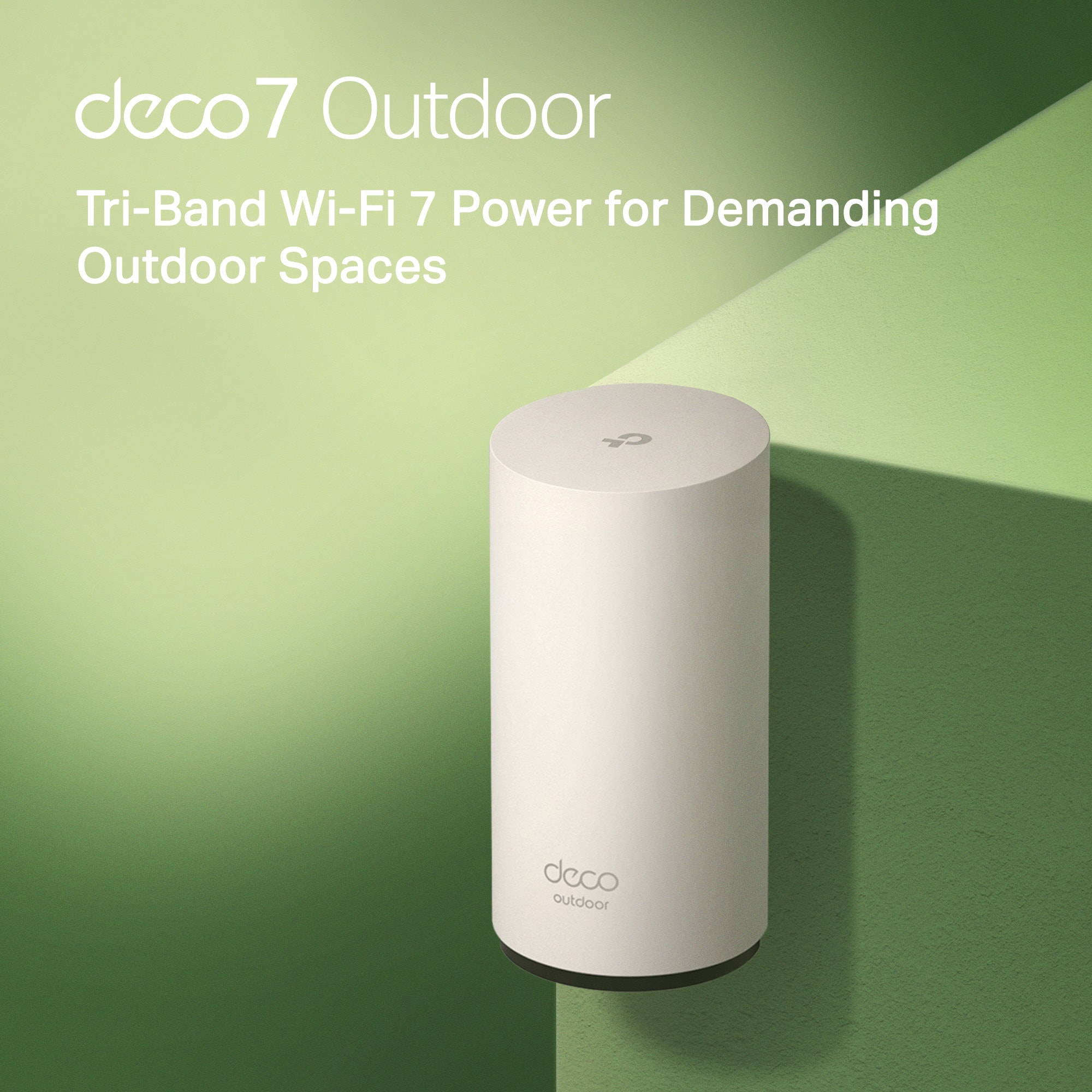

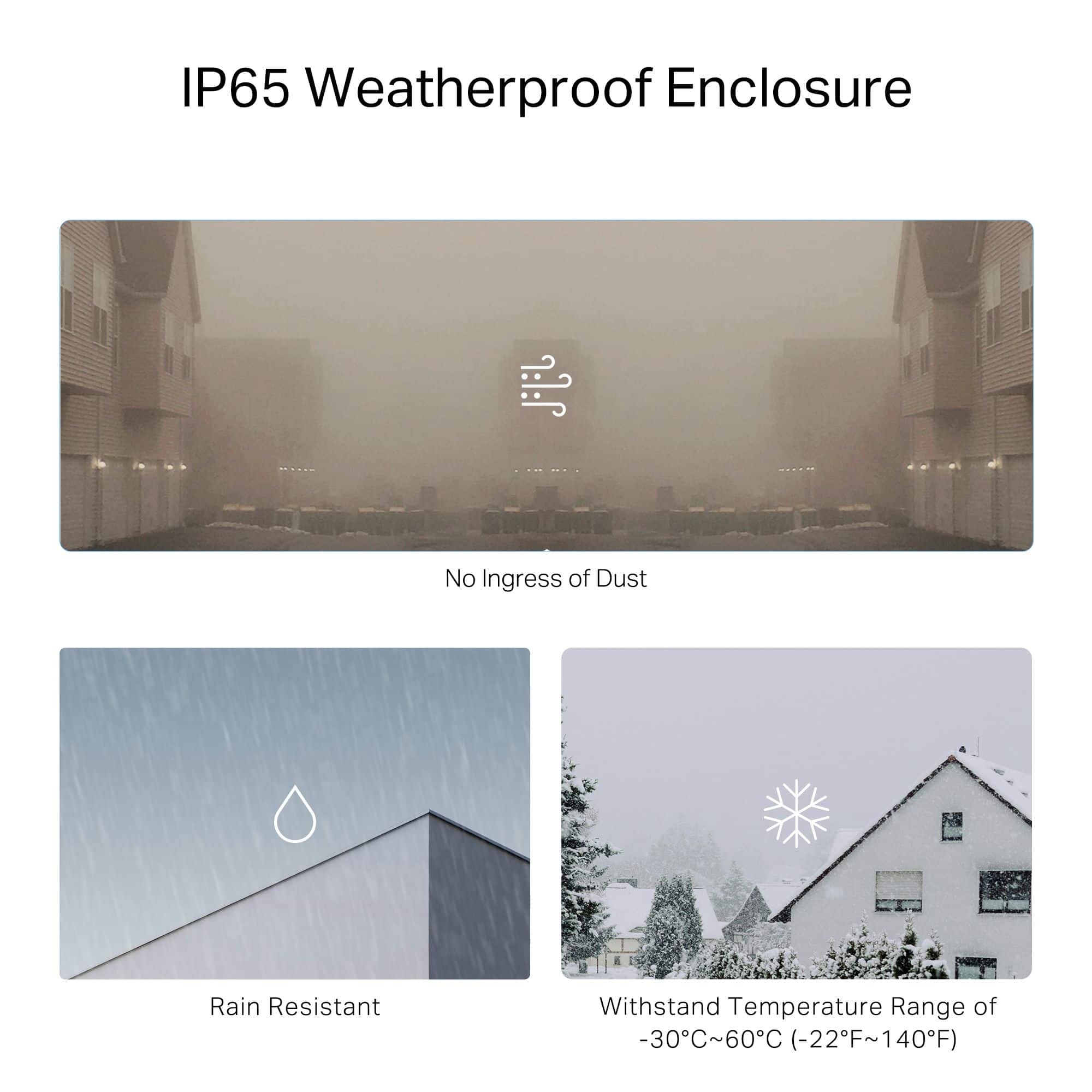
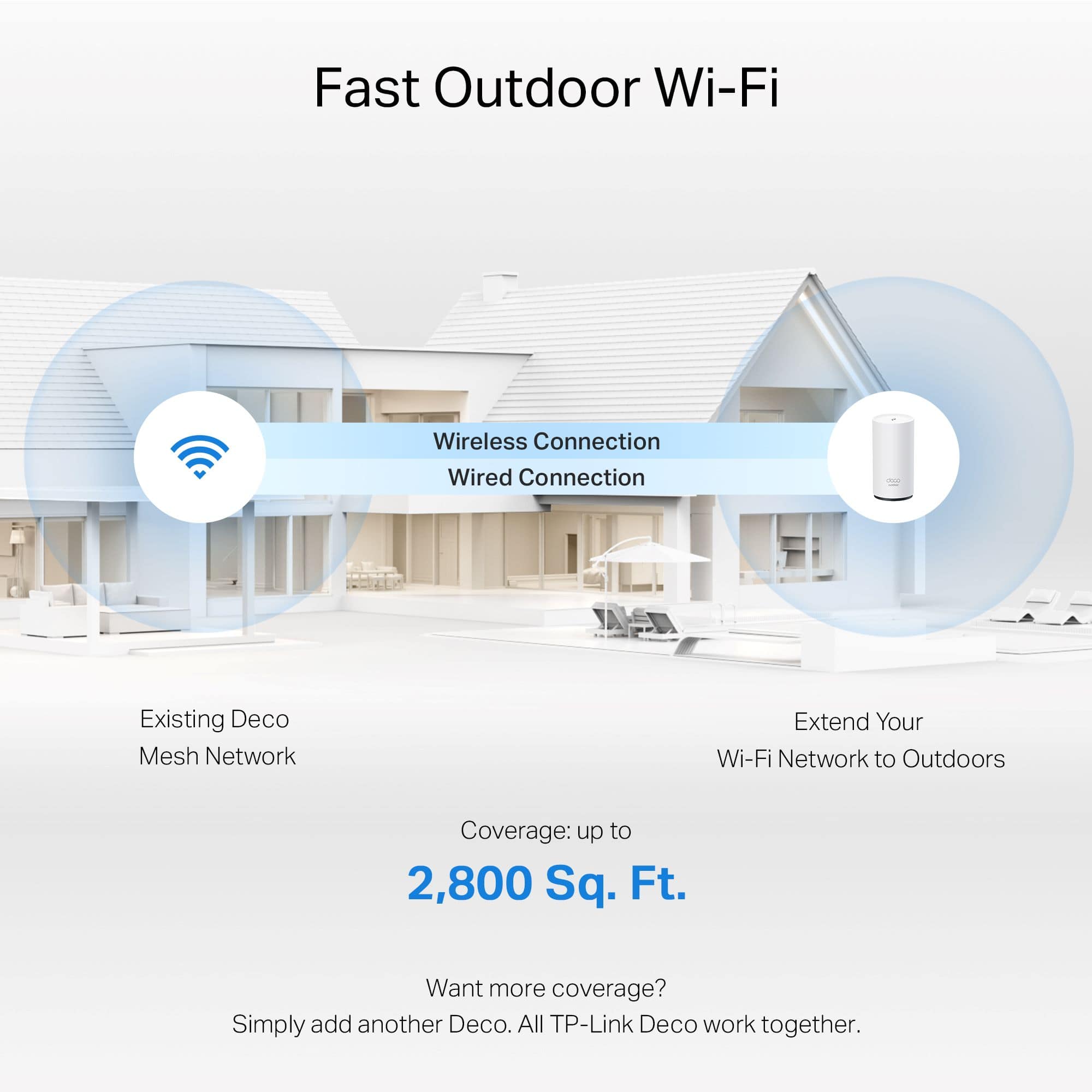
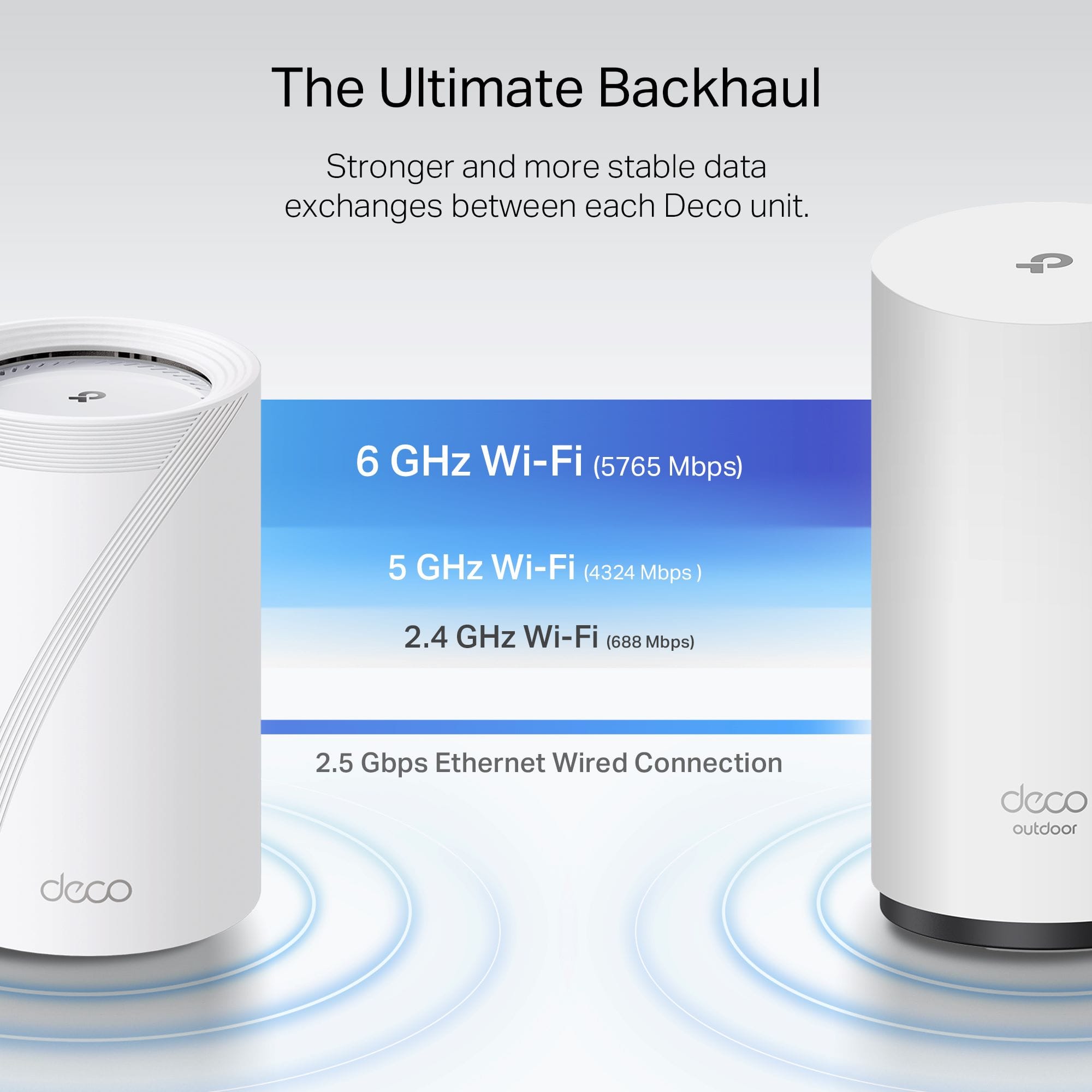

*Included with HomeShield premium subscription service](https://pisces.bbystatic.com/image2/BestBuy_US/images/products/0e214438-35b3-4d77-8e06-50a12a1ca686.jpg)
- Model:
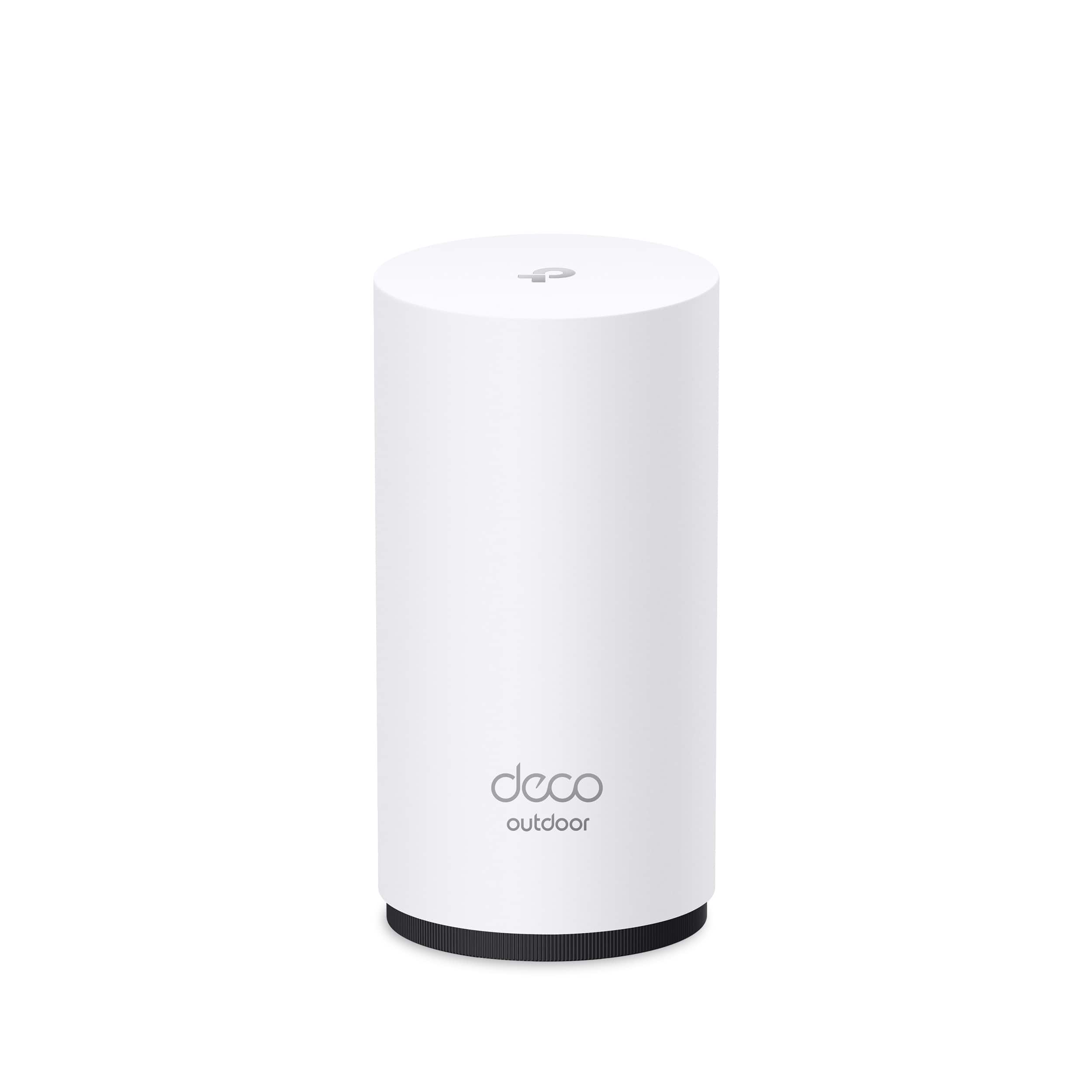
- Deco BE65-Outdoor(1-pack)
- SKU:
- 6623604
Rating by feature
- Setup
Rating 4.7 out of 5 stars
- Range
Rating 4.7 out of 5 stars
- Signal Strength
Rating 4.8 out of 5 stars
Customers are saying
Customers often highlight the Deco BE65 Outdoor router's easy setup and solid build quality. The router's tri-band Wi-Fi 7 connectivity and weather resistance are also frequently praised. Users appreciate the strong signal strength, good coverage, and the usability of the app.
This summary was generated by AI based on customer reviews.
- Pros mentioned:Connectivity, Setup ease

Wi-Fi 7 & 6Ghz band mesh for tough environments
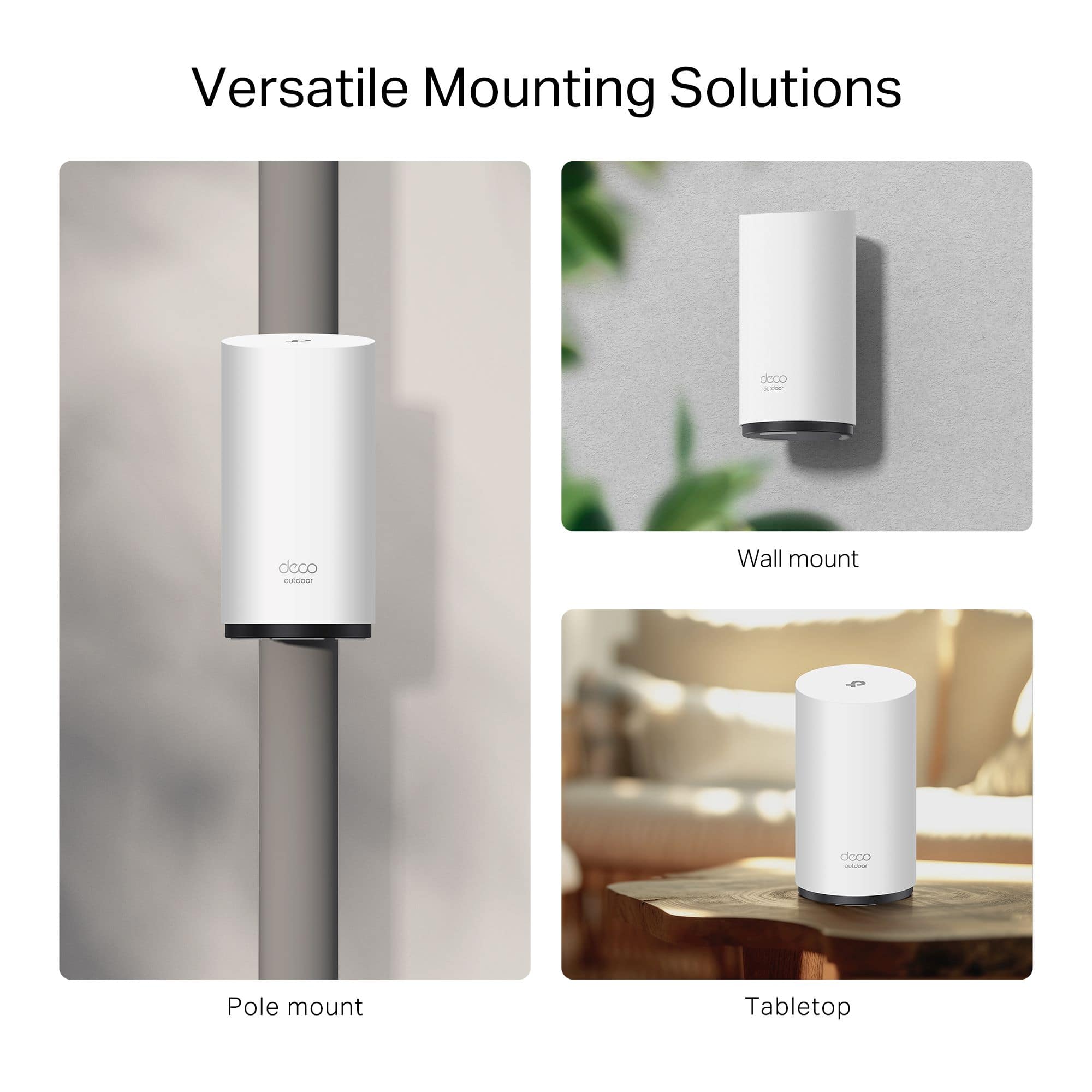
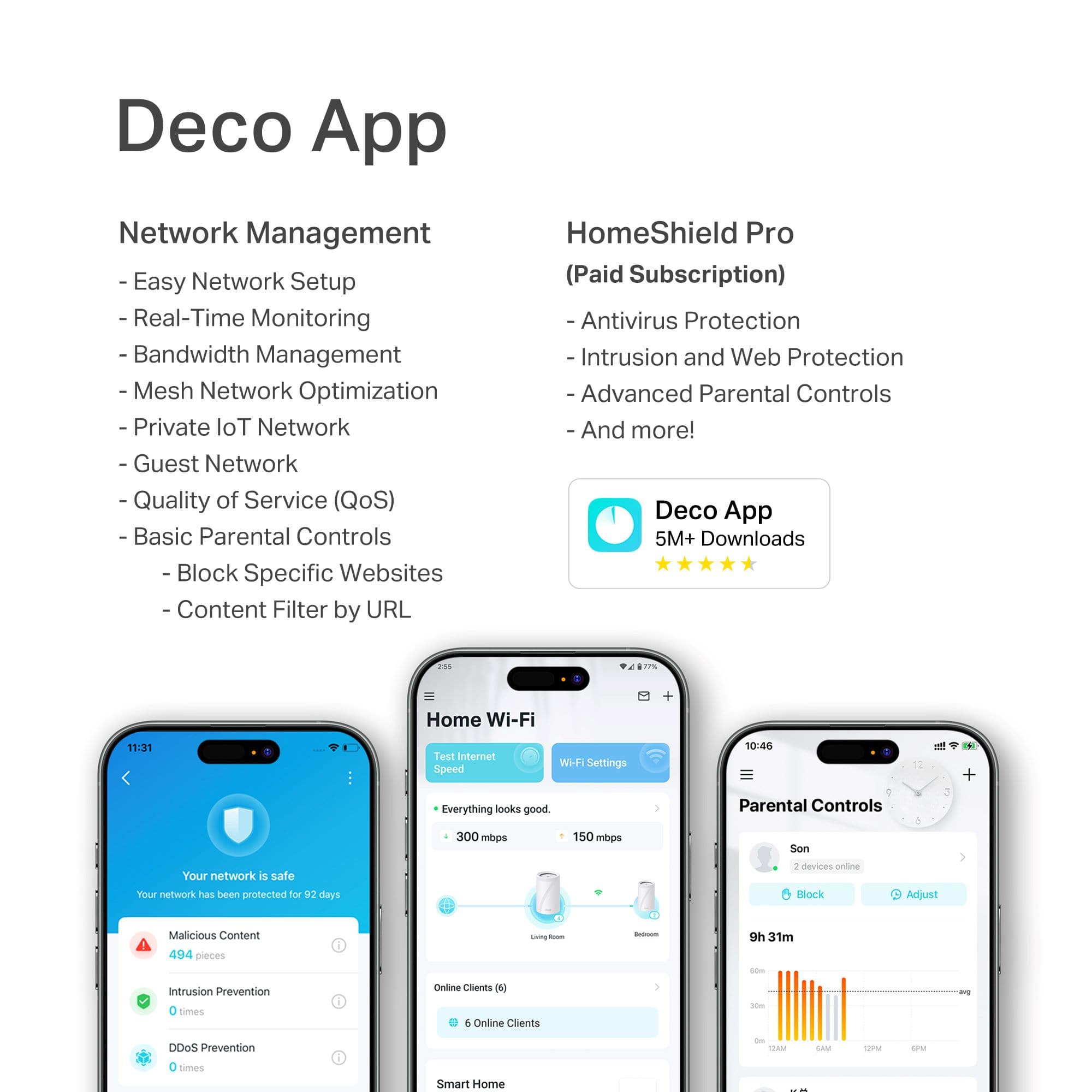
|Posted .This reviewer received promo considerations or sweepstakes entry for writing a review.I am a big fan of Deco systems and the Deco BE65-Outdoor is one of the best options for getting Wi-Fi 7 in tough environments. I had owned an older TP-Link Deco system for years and it was rock solid, but when I got fiber internet I noticed I was not seeing much of an improvement in overall network speed. Stepping up to a newer indoor Deco Wi-Fi 7 system increased overall network speed significantly (4K-QAM and MLO work great), but I still wanted better coverage in my garage and backyard. I love my Deco system (the app is great) and I have waiting for the BE65-Outdoor to come out since it was announced! I consider the older outdoor model, but I really wanted the interference resistance of Wi-Fi 7 in my crowded neighborhood and I am glad I waited. I now have great speeds and perfect connections in my garage and at the very edge of my yard (it eliminated artifacting due to low connection speeds on my Wi-Fi security cameras mounted on the far corner of my garage). --- Pros ---> 1. Easy to install and versatile wall/pole mount bracket. I was able to use the bracket pole mounts slots to mount the router to my garage pegboard using zip ties (very secure and easily moved if needed). Connecting cables thru the weather tight bottom base/cap is very simple (it has a twist lock that requires no tools to remove/re-install). 2. IP65 rated (humidity and dust proof) and an ambient temp rating of -22F to 140F make it perfect for bringing Wi-Fi to my open frame detached garage (no insulation/climate control near Houston, TX). We have already seen temperatures in the mid-90s since installing the unit and it has not had any issues (although it gets pretty warm). I am considering using the supported POE (power over ethernet) feature (over the internal power supply) to see if it helps reduce heat generation. 3. Tri-band Wi-Fi 7 (2.4Ghz, 5Ghz, & 6Ghz). My main Deco node in a newer dual-band (2.4Ghz & 5Ghz) Wi-Fi 7 Deco unit, so I am missing out on some of the advantages of this tri-band router (6ghz), but they still work great together. Even if there aren't many devices that use the 6Ghz band yet, Wi-Fi 7 features like MLO (multi-channel link) and 4K-QAM (which improves bandwidth usage and resist interference) are a big advantage over older Wi-Fi 6E systems that can only use one band at a time. The cost difference between the the new deco outdoor dual and tri-band units is not significant and tri-bands systems like this are less likely to have interference (at least for now) and gain additional bandwidth on the 6Ghz band. The Deco app, has features for minimizing channel interference and managing 6Ghz band competition (AFC). 4. One of the best features of any deco system is the easy to use app. The Deco app has a variety of tools for setting up and monitoring your network via your iPhone or Android (I have both). It makes it very easy to check the signal strength to each Deco (the BE65-Outdoor will even give you an exact signal strength reading in dBm) , check internet speed, set passwords, enable a guest/MLO network (including a separate 6ghz band), set connection preferences between device or nodes, add/update nodes, and get important notifications (like new device connection alerts). Due to concerns related to thieves using Wi-fi jamming, I set Deco to send an alert if any of my Ring security cameras goes offline. I also have all of my kids devices set up in the basic parental controls section, so I can disable them if needed (you can also set content filters, bedtimes to disable devices for one period during the day, and monitor the sites they visit). --- Things to Consider ---> 1. Overall I like the simple look of the Deco unit and I think it should blend into the background in most applications. I like that you can disable the status LED or set time ranges when it is on/off. One thing that I wish it had was some form of cable routing as cables leaving the weather seal are angled down toward the base and hard to hide (not a big deal in my situation, but it detracts from the clean look of the unit). 2. Still a work in progress for me, but Deco recommends and I plan on implementing a wired backhaul for some of my network nodes (my house has an older CAT5 distribution system that needs some work). Wired backhaul is a great feature that Deco supports and can significantly improve network performance (wireless backhaul rarely gets anywhere near quoted speeds in real world conditions).
I would recommend this to a friend - Pros mentioned:Build quality, Setup ease, Weather resistance
Big Speed, Big Coverage, with a Big Price
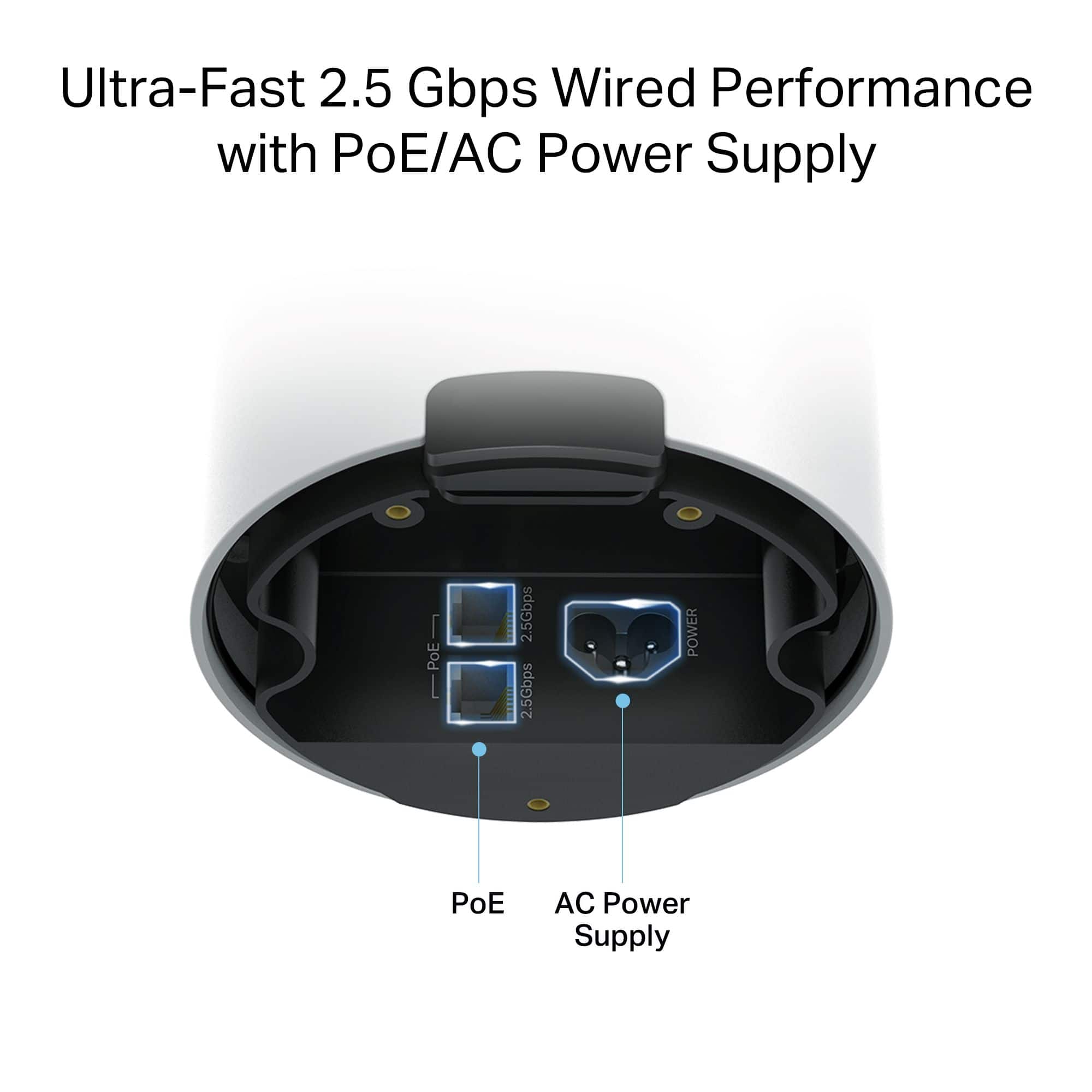
|Posted .This reviewer received promo considerations or sweepstakes entry for writing a review.This Deco mesh router is impressively built, with one of its standout features being its suitability for outdoor use. While the device is quite tall, don’t let its size fool you, it’s surprisingly lightweight. It supports Wi-Fi 7, as well as Wi-Fi 6E, 6, and older standards, and operates across three bands: 2.4GHz, 5GHz, and 6GHz. Setup was quick and straightforward using the TP-Link Deco app, which automatically detects the device. Just follow a few simple steps, and you’re up and running. The app itself is intuitive and user-friendly, yet it offers a wealth of advanced settings for power users. It was a pleasant surprise to find some features typically found in gaming routers. This unit is rated to cover up to 3,000 square feet. My home is around 2,000 square feet, so instead of placing it outdoors, I installed it in my garage mancave, which is located on the far side of the property. Even with the router enclosed in a cabinet, I experienced strong signal strength and fast speeds throughout the house. The only noticeable drop in performance occurred when using the MLO (Multi-Link Operation) network when far away from the router. With my gigabit fiber connection, I was consistently getting around 800 Mbps wirelessly, something I couldn't achieve with my Google Wi-Fi Pro mesh system. Designed for outdoor installation, the router includes a sealed bottom cover that protects the dual 2.5Gbp Ethernet ports and power adapter connection. The rubber gasket ensures weather resistance, and the included approximately 8 foot power cable is durable, though a bit stiff. Mounting hardware is also provided for wall installation. Despite being an outstanding outdoor mesh router with excellent performance and features, the $300 price tag for a single node is difficult to justify. Overall, I’m very pleased with this router not just for its outdoor capability and Wi-Fi 7 support, but for its consistent speed, reliability, and seamless setup. It integrates easily into an existing Deco mesh system. In the box you get the router, power and Ethernet cables, mounting bracket, zip tides and manuals.
I would recommend this to a friend - Pros mentioned:Build quality, Coverage, Setup ease
Simple, Fast, WiFi 7, Outdoor, Mesh AP
|Posted .This reviewer received promo considerations or sweepstakes entry for writing a review.The Deco BE65-Outdoor (part of the BE11000 Whole Home Mesh WiFi 7 System) is a well designed outdoor access point with great performance. Design I like the sleek, white cylindric look. It has some weight to it, making it feel very solid. The sealing of the wires going into the access point and the mounting hardware included are great. I was especially impressed with the seal design for the power cord and one or two Ethernet cords. I'm only using the power cord, connecting it wirelessly to the rest of my Deco 11000 Mesh network. It has two, 2.5 Gbps, Ethernet ports along with the power cord port. They're all accessible through the base. It can also be powered using Power over Ethernet on either of the two Ethernet ports, so you don't need to run power to it separately if you're connecting it to a PoE Ethernet port. Again, I connected via wireless so I used the power cord. See the attached pictures showing the ports, seal, and mounting hardware. Setup The setup of this access point couldn't be easier, since I already had a Deco network. I just connected it to power, opened my the Deco app on my phone, and it asked me if I wanted to add the BE65-Outdoor to my mesh network. Then I named it giving it a name based on where it is on my property. Usage My home network already included three DE65Pro Mesh Access Points, also part of the BE11000 Mesh network, before adding this. That was almost enough to get the garage well. While I had some data coverage in the garage, it was pretty weak unless you were in just the right spot. Now I have the BE65-Outdoor in my shed, and then one of the BE65Pro access points in the garage, and it provides excellent coverage all over the garage, around 100 Mbps up/down or more everywhere, which is excellent with the old, metal, siding it has. One of my garage door openers has a 1080p camera on it. Before it worked but was very slow to load and sometimes had issues connecting. Now it loads quickly and has great signal strength. I'm very happy with the BE11000 Whole Home Mesh WiFi 7 System. The BE65-Outdoor is designed to be compatible with other network devices and WiFi systems as well. Deco App The app makes it easy to manage your network and see devices that are connected to it. It also lets you see which AP is connected to which AP in your Mesh network. By default they are set to select this automatically. You can turn "Auto" off for one or more APs, and select which AP it should connect to, putting you in control. I played with that a bit but found that it worked fine on Auto. Summary If you're looking for an easy to use WiFi Mesh access point to use outside, the BE65-Outdoor is a great solution. It was simple to add to my BE11000 WiFi 7 Mesh network, is easy to manage with the Deco app, and is working great!
I would recommend this to a friend - Pros mentioned:Build quality, Connectivity, Setup ease
The great Outdoors...Wi-Fi router
|Posted .This reviewer received promo considerations or sweepstakes entry for writing a review.I have been using and loving the Deco BE16000 Quad-Band Mesh Wi-Fi 7 System with Multi-Gig (3-Pack) router for about a year now and it’s been a very reliable and powerful system. With this TP-Link Deco Wi-Fi 7 Mesh system I get Wii-Fi downloads/uploads in the low 900 Mbps, pretty much anywhere in the house and around 500 Mbps in the driveway but slower speeds in the backyard and down to one line signal behind the shed and the corners of the property. I was even considering building a weatherproof enclosure and move one of my indoor Deco’s outdoors but luckily I didn’t have to do that and got the new Deco BE65 Outdoor BE11000 Tri-band Wi-Fi 7 router. The setup is as simple as they come, just plug it in, install and run the Deco App for Android or iOS. I already had the App which is very well developed, intuitive, feature rich and offers tons of information such as daily usage and security reports, etc. There are also additional advanced security and parental control features that you can subscribe to at reasonable monthly/yearly rates. The BE65 unit is well designed to withstand the outdoor elements. The bottom rubber seal has a clever upside-down design with tight cutouts for the AC power cord and two Ethernet cables. I only tested it with AC power in the rain, but I plan to use the Power over Ethernet capability when I get a chance to dig a trench for the cable to a tree in my backyard. That would also provide the best performance as wired backhaul is the recommended setup. Either way, I now get around 500 Mbs downloads in the furthest corners of my yard. As about the physical build, it’s a smaller white cylinder than my quad-band BE16000’s but it feels heavier and has a very solid build quality. It’s probably because the power supply is built-in, not external. It also came with multiple mounting options, so you can attach it to a flat wall or a pole, or you could simply just put it on a flat surface, like a shelf in your shed. In conclusion this is exactly what I wanted for outdoors coverage and I would recommend it to anyone who’s looking to expand their Wi-Fi outdoors.
I would recommend this to a friend - Pros mentioned:Coverage, Setup ease
WIFI EVERYWHERE!!!
|Posted .This reviewer received promo considerations or sweepstakes entry for writing a review.Now, when I mean WIFI everywhere, I mean everywhere near your home. No more dead spots and great speeds. I have been using the TP-link Deco BE16000, and it’s been working out great, but I did run into a bit of an issue with the WIFI signal reaching my outdoor cameras. Enter the TP-Link Deco BE65 with WIFI 7. The TP-Link Deco BE65 is an outdoor WIFI 7 mesh extender that can be used with any TP-Link Deco model to provide you with that extra coverage, 3,000 sq. ft to be exact, along with ridiculously fast speed with WIFI 7 speeds up to 11Gbps, depending on your service. This unit is meant to be used outdoors, so yes, it is IP65 water and dust proof, it’s a Tri-band unit,2 multi-gig POE ports, connects to 200 devices and my favorite, comes with a ridiculously long AC power supply cord. The setup process could not be any simpler. Plug the unit in, wait for the blinking light to turn blue. Open the Deco app, click the “+” symbol in the app. The app starts looking for the unit and in about 30 seconds the unit is pretty much ready to use. The app also guides on how and where to place the unit in terms of mounting the unit outdoors. The unit can be placed on the wall or pole with everything provided. I set up the unit in my garage and no longer have an issue with my outdoor camera signals. I will also be getting another unit for my backyard. Overall, I am very pleased with the TP-Link Deco BE65. It’s a super simple solution for better coverage and better WIFI speeds indoors and out.
I would recommend this to a friend - Pros mentioned:Connectivity
Summers Staying Connected with Ease
|Posted .This reviewer received promo considerations or sweepstakes entry for writing a review.It is 2025 so the ability to connect up to 200 devices is great when I recently realized that I alone have about 50 devices that need an internet connection to work properly. Small gaming devices, laptops, tv streaming devices, and more. At any given time 3 guys are in the home with a bunch of gaming devices so this will be helpful during the holidays. My pitfall was getting one Deco device instead of multiple so that I can take advantage of the AI learning mesh network. My understanding is that as I roam through the house that my devices and the Deco device will communicate with each other to optimize the best internet. Since I only have one it probably only detects my device as I approach to device. The install to the post was easy but be sure to invest in a longer ethernet cable so you can take advantage of the reach and capabilities of the router. Overall it is a great compliment to my home network and can't wait to being able to roam around outside without compromising my internet reach.
I would recommend this to a friend - Pros mentioned:Setup ease
Just absolutely love this thing
||Posted . Owned for 8 months when reviewed.This reviewer received promo considerations or sweepstakes entry for writing a review.Just absolutely love this thing. It's fast, it was easy to get setup, and, for the most part, the TP Deco app that you use is pretty easy to navigate and use. The upsell opportunities in the App are a little annoying but they aren't overly obtrusive (yet). I would definitely recommend this unit. I'm going to be adding additional satellite units to this one (including the outdoor module) so we'll see how that goes.
I would recommend this to a friend - Pros mentioned:Connectivity
Difficult setup
|Posted .This reviewer received promo considerations or sweepstakes entry for writing a review.I have to say I've probably had way more than my fair share of wireless routers over the years, that and I am a network engineer by trade of 20 years, so suffice to say I know what I'm doing with these devices. That said, this device was far harder to set up than should have been. This move away from truly configurable devices to these cloud managed things that present very little directly configurable settings to the user is not helping anyone, and this seems to be a trend across the consumer wireless router industry (and across IT as a whole, but I'll leave that alone for now). Packaging: To start, the packaging is actually decent, it's nestled in a recycled cardboard package inside the telltale Deco blue box, comes with a 3 prong cord (outdoors after all, needs to be grounded), a network cable, and a few different methods to mount it to things (pole, wall, etc). All in all it's reasonable for what the device is. Setup: Here's where things get interesting. I've owned 3 different Deco systems in the past and at least 6 different TPLink WIFI routers of various kinds and this is really the first to cause me any real trouble. When adding it to my existing BE16000 network, it would not be seen, not for any reason. I tried manually connecting to it during the detection portion, I rebooted my phone, my existing deco network, reset it with the pinhole on the bottom (which by the way if you "long hold" on that, the light just eventually turns red and the device is unresponsive until you power cycle it, it does not complete a true reboot on a long hold of the reset button) nothing worked. If I was connected to it and went to the web page prior to completing setup it just referred me back to the deco app to complete setup (see earlier comments about cloud managed being useless). I opened a case with TPLink and they gave me a canned response that was literally word for word the exact thing the App told me when I couldn't add it to the network and was complete irrelevant to the issue at hand. I responded to them and have yet to hear back. So eventually I had the bright idea to plug it in as a separate and 'new' network, set it up as a standalone network, figuring that once it had internet access maybe it would download a firmware update and it would start working as a mesh unit to my existing setup. Well... that's partially true. It did complete the setup process as a standalone device, but after that it appeared to lose internet connectivity (despite having it during setup, explain that), and never regained it, even after multiple reboots. So I reset the device (again) with a paperclip and put it back into setup mode. I then returned to my original network and attempted to add it, which strangely enough worked. I think during the standalone setup it must have downloaded an update which corrected the issues. Use: I mean, it extends my Deco network outside, I'm pretty happy with that as my house has thick walls and I have very poor network reception outside, so this is a huge help. In general I have not been thrilled with the stability of the BE16000 series and considering this is just an additional node on my existing network, I guess we'll see if it is any more or less stable than my already existing units, but at least at first blush it appears fine, now that it is set up. Last words: Cloud related stuff is not the life saver that all these companies broadcast that it is. This device was difficult to set up for someone with decades of experience, so I can only imagine that a novice who expects a plug and play experience and does not receive one will just return it to the store and pick a different vendor or let their ISP supply the device so they dont have to set it up themselves. Recommended? At this stage, I cant really, setup difficulties, jumping through hoops, etc just to get it working... I guess if you're already running a Deco set and NEED an outdoor unit then it is probably worth it, just expect it not to be the plug and play experience they want you to think it will be.
No, I would not recommend this to a friendBrand response from TPLinkSupport
Posted .Hi Beradon,
Thank you for your review. Our Deco Mesh Wi-Fi Systems are designed for intuitive and easy setup - even across Deco models, including our Outdoor variety. We regret to hear your setup and support experience was out of the ordinary. You should be able to plug it in to a power source, wait for it to reach steady state, and use the Deco app to quickly and effortlessly add it to your existing Deco network - as long as it is within range of the nearest Deco node.
If you have any remaining questions or concerns, our support team would appreciate another opportunity to help. Feel free to reach out using our support portal, and a support agent will gladly follow up.
Best Regards,
TP-Link Systems Support
- Pros mentioned:Coverage
Added more coverage to my rear deck, patio, and ya
||Posted . Owned for 2 weeks when reviewed.This reviewer received promo considerations or sweepstakes entry for writing a review.Great item. Had a few issues during the first week of it going offline several times but it recently stopped doing it after rebooting. I currently have it set to wireless backhaul but when the weather gets nicer I will change to a wired backhaul and that should completely eliminate any dropouts. It works really well and has added coverage to my yard. I will add another to the front of the house as I notice I have dead spots there as well.
I would recommend this to a friend - Pros mentioned:Coverage, Setup ease
Outdoor router
||Posted .This reviewer received promo considerations or sweepstakes entry for writing a review.Worked awesome with my other Deco routers very easy to set up. Provides awesome coverage for my outdoor wifi products.
I would recommend this to a friend Excellent solution for wifi 7 outdoors!
||Posted . Owned for less than 1 week when reviewed.This reviewer received promo considerations or sweepstakes entry for writing a review.I’ve been running the TP‑Link Deco BE65 Outdoor BE11000 Tri‑Band Mesh Wi‑Fi 7 Router on my patio and garage for a couple months now and it’s been solid for outdoor Wi-Fi. Setup was pretty painless through the app and once active the speeds are noticeably better than what I was getting from my older Wi-Fi 6 access point, even at a decent distance. The tri-band Wi-Fi 7 with that wider 6 GHz channel makes streaming and video calls outside way more reliable, and it’s nice being able to expand coverage from an existing Deco mesh system. What holds it back a bit is that if you’re not actually using lots of Wi-Fi 7 devices yet, you won’t see the full potential, and it’s more expensive than older outdoor nodes — but for future-proof outdoor coverage, it’s a big step up. 
I would recommend this to a friend- Pros mentioned:Connectivity, Setup ease
Outside mesh is seamless
||Posted .This reviewer received promo considerations or sweepstakes entry for writing a review.Wireless mesh inside and out!!! Easy to setup. Added to the main system with no issues
I would recommend this to a friend WifiExtender
||Posted . Owned for 3 weeks when reviewed.This reviewer received promo considerations or sweepstakes entry for writing a review.I have property that I like to monitor with wireless cameras. The camera router does not have a strong enough signal to cover necessary outside distances. This router has extended my signal on my property so that I can utilize several cameras. It was easy to install, and I have a very strong signal to the outdoor cameras that are several feet away.
I would recommend this to a friend- Pros mentioned:Setup ease
Great outdoor
||Posted . Owned for 1 month when reviewed.This reviewer received promo considerations or sweepstakes entry for writing a review.Works great exactly as is says and setup was very easy to add to my indoor mesh.
I would recommend this to a friend - Pros mentioned:Weather resistance
Linda j d
||Posted . Owned for 2 weeks when reviewed.This reviewer received promo considerations or sweepstakes entry for writing a review.Really works great in out building and in extreme winter weather. Easy to install
I would recommend this to a friend - Pros mentioned:Setup ease
TP-Link Mesh Router addition
||Posted . Owned for 1 week when reviewed.This reviewer received promo considerations or sweepstakes entry for writing a review.Setup easily with the app and connected right off with my existing TP-link Mesh system......
I would recommend this to a friend - Pros mentioned:Weather resistance
Would buy another
||Posted .This reviewer received promo considerations or sweepstakes entry for writing a review.An excellent unit. The backhaul is fast. It integrated nicely with my other Deco APs. The weatherproofing is solid.
I would recommend this to a friend Great mesh wifi option
||Posted . Owned for 1 month when reviewed.This reviewer received promo considerations or sweepstakes entry for writing a review.It works great and go great with my other to link mesh WiFi and completes my WiFi network. I would recommend and the help Best Buy gives me every time with correct information to help me make an good decision is priceless
I would recommend this to a friendDeco BE65
||Posted . Owned for 3 weeks when reviewed.This reviewer received promo considerations or sweepstakes entry for writing a review.Works great and has great range. Easy to set up and get started.
I would recommend this to a friendBought for a client
||Posted . Owned for 1 month when reviewed.This reviewer received promo considerations or sweepstakes entry for writing a review.Works amazing, client had issues getting Internet outside through the hurricane safe doors. This product has made for them to be fully functional outside.
I would recommend this to a friend