Customer Ratings & Reviews
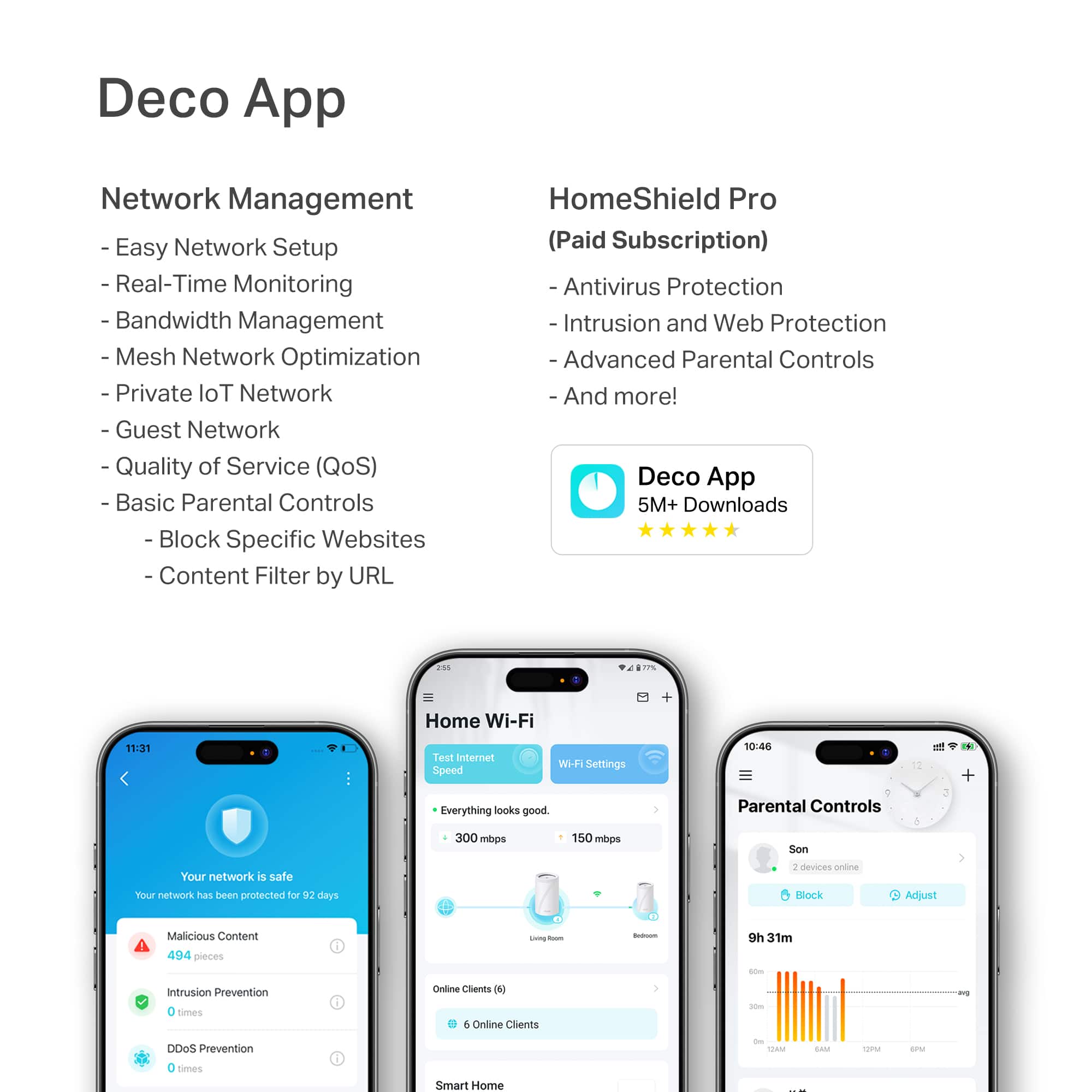

---
**HomeShield**
HomeShield is a built-in service, available in all HomeShield routers and Deco mesh products.
- Router Security Scan
- Wireless Security Scan
- IoT Device Identification
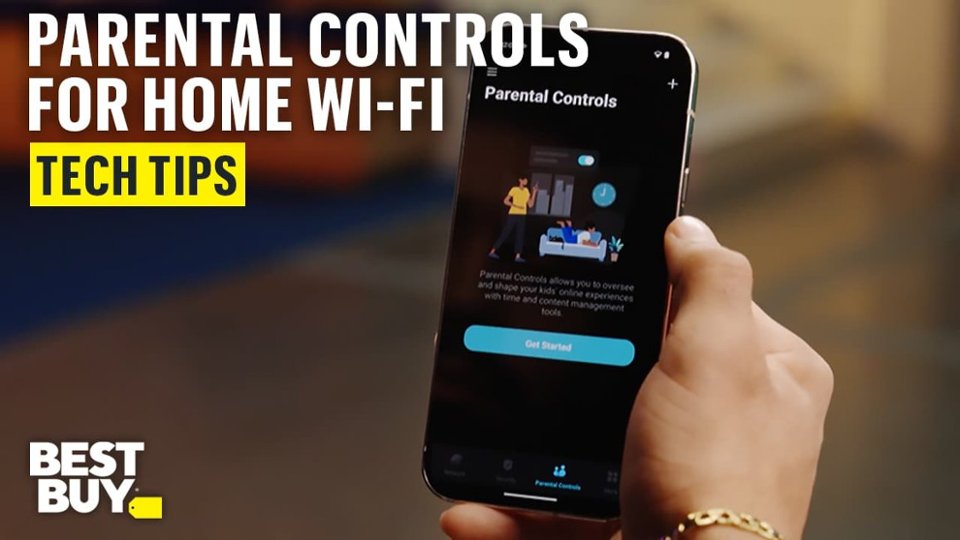
- Basic Parental Controls
- IoT Protection*
- Web Protection*
- Intrusion Prevention*
- Antivirus Protection*
*Included with HomeShield premium subscription service](https://pisces.bbystatic.com/image2/BestBuy_US/images/products/29e59d96-9e3f-47a7-92bb-86d133c84d45.jpg)

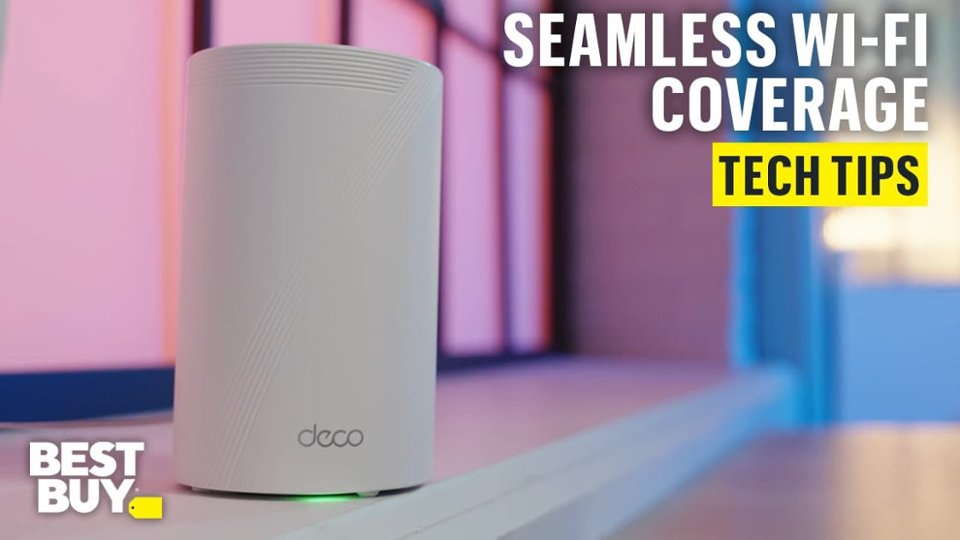
- Model:
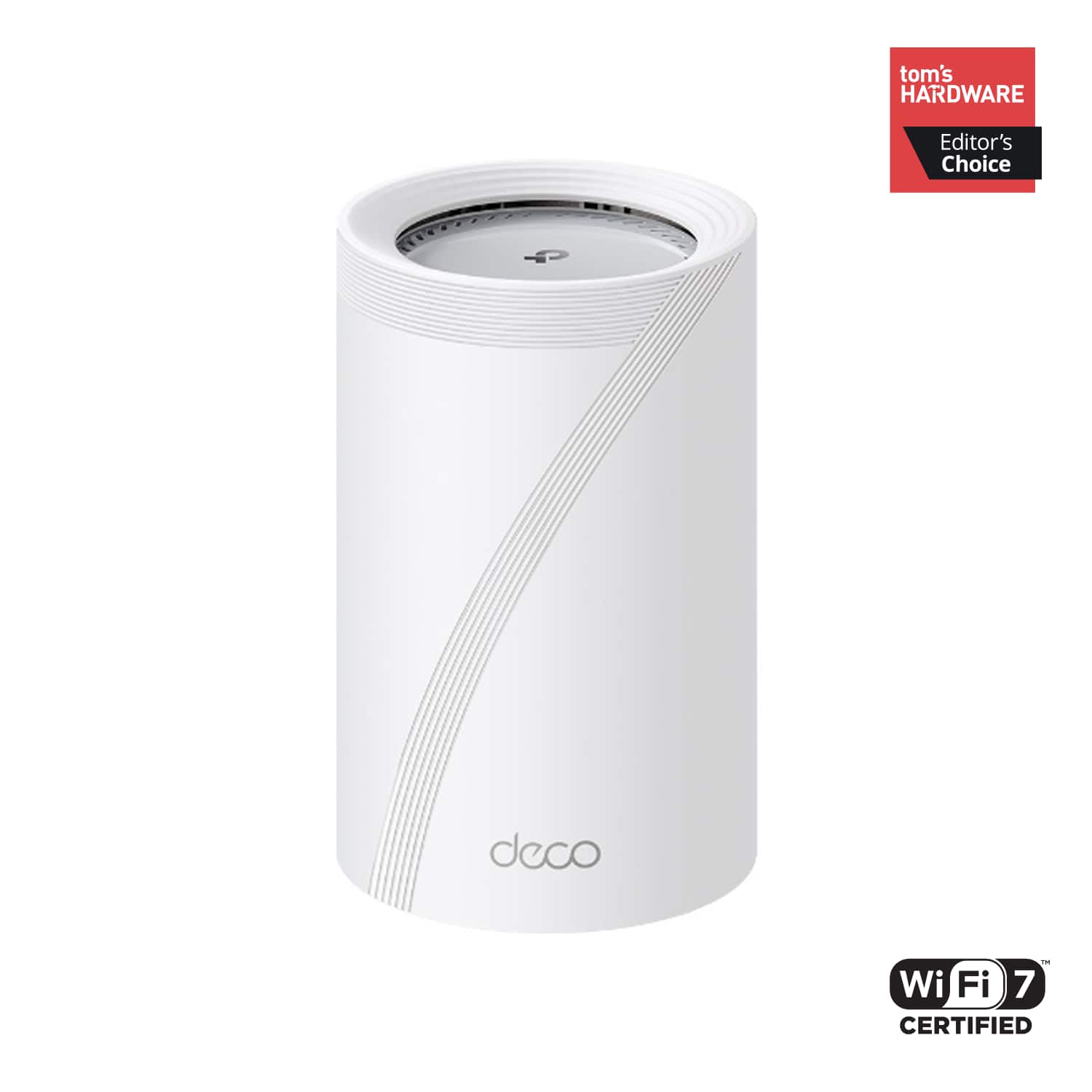
- Deco BE65 Pro(1-pack)
- SKU:
- 6582070
Rating by feature
- Setup
Rating 4.8 out of 5 stars
- Range
Rating 4.8 out of 5 stars
- Signal Strength
Rating 4.8 out of 5 stars
Customers are saying
Customers often highlight the Deco BE65 Pro's excellent speed and performance, alongside its easy setup and great coverage. Many appreciate its ease of use and reliable connectivity. While the design is considered sleek, a few customers noted that the units themselves are quite large.
This summary was generated by AI based on customer reviews.
Excellent Purchase
||Posted .This reviewer received promo considerations or sweepstakes entry for writing a review.great product, Best buy was awesome price matched!!1
I would recommend this to a friend- Pros mentioned:Signal strength
Deco Wifi Mesh System
||Posted . Owned for 2 weeks when reviewed.This reviewer received promo considerations or sweepstakes entry for writing a review.Very fast and reliable, and no dead zones for the Wi-Fi signals
I would recommend this to a friend Great
||Posted .This reviewer received promo considerations or sweepstakes entry for writing a review.I love it. I like all of the things it has on it, the parent thing control, everything is so good. So easy to use and manage.
I would recommend this to a friendAwesome
||Posted .This reviewer received promo considerations or sweepstakes entry for writing a review.Very nice, has a VERY strong WiFi signal! I highly recommend it!
I would recommend this to a friendDisappointing Firmware Limits Performance
||Posted .This reviewer received promo considerations or sweepstakes entry for writing a review.I really wanted to like this system, but the firmware has been holding it back in a big way. I’m on a 5 gigabit internet plan, and no matter what I try—different devices, different cables, direct modem connection, rebooting, resets—the download speed refuses to go past ~900 Mbps. The strange part is the upload speed is consistently much faster. For a mesh system marketed as “multi-gig,” this feels like a product stuck in traffic on the slow lane. At this price point, I expected less troubleshooting and more actual performance. Hopefully a future firmware update unlocks the speed the hardware is clearly capable of, but as of today, it’s not delivering what’s promised. Bottom line: great potential, but the firmware bottleneck makes it impossible to take full advantage of high-speed internet plans.
No, I would not recommend this to a friendBrand response from TPLinkSupport
Posted .Hi Dugnsons,
Thank you for your review. In your case, we first recommend ensuring the Ethernet cable between your Internet source device (e.g., ONT, modem, etc.) and your device is rated for 5 Gbps or higher (e.g., CAT6 or higher). If you have tried CAT6 or higher cables, even directly connected to your modem, and you are still unable to achieve speeds greater than 900 Mbps, we suggest contacting your ISP to verify whether your modem or ONT is provisioned for or compatible with 5 Gbps speeds.
Our support team is always available and happy to assist with any questions you may have about our products. Feel free to contact us through any of the resources provided with the product or on our official website, and a Support Agent will follow up with you directly.
Thank you,
TP-Link Systems Support
The best mesh system
||Posted . Owned for 1 week when reviewed.This reviewer received promo considerations or sweepstakes entry for writing a review.This is one of the best mesh system I have since it was installed automatically improve the Wi-Fi speed, it's really amazing.
I would recommend this to a friendGreat pickup for mesh wifi
||Posted . Owned for less than 1 week when reviewed.This reviewer received promo considerations or sweepstakes entry for writing a review.I pay for 2 gb up and 2 gb down and i get those same speeds i paid for this upgrade on the tp link deco be11000 mesh wifi.
I would recommend this to a friend- Pros mentioned:Coverage, Setup easeCons mentioned:Web interface

Great Wi-Fi 7 Mesh Router And Satellite Devices
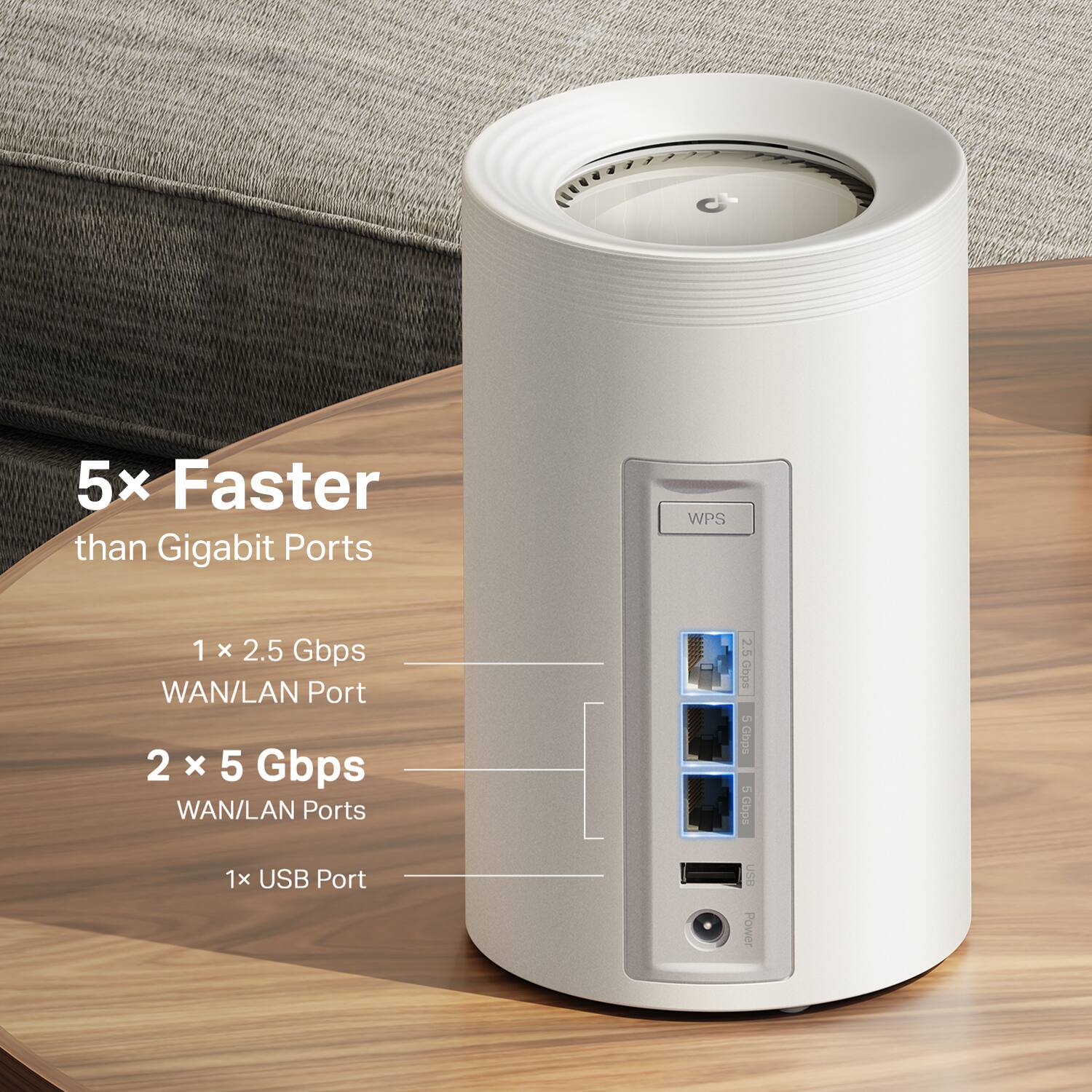
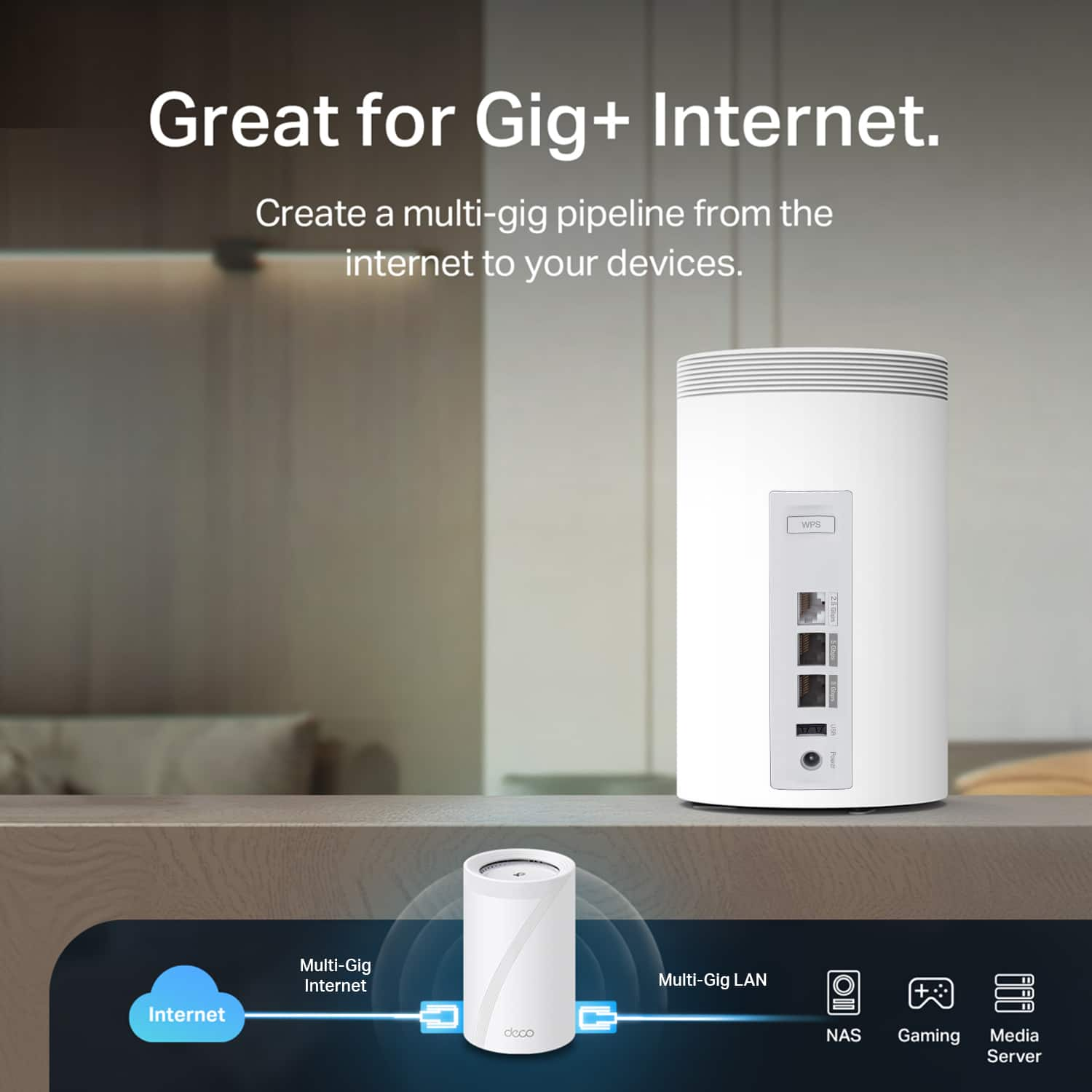
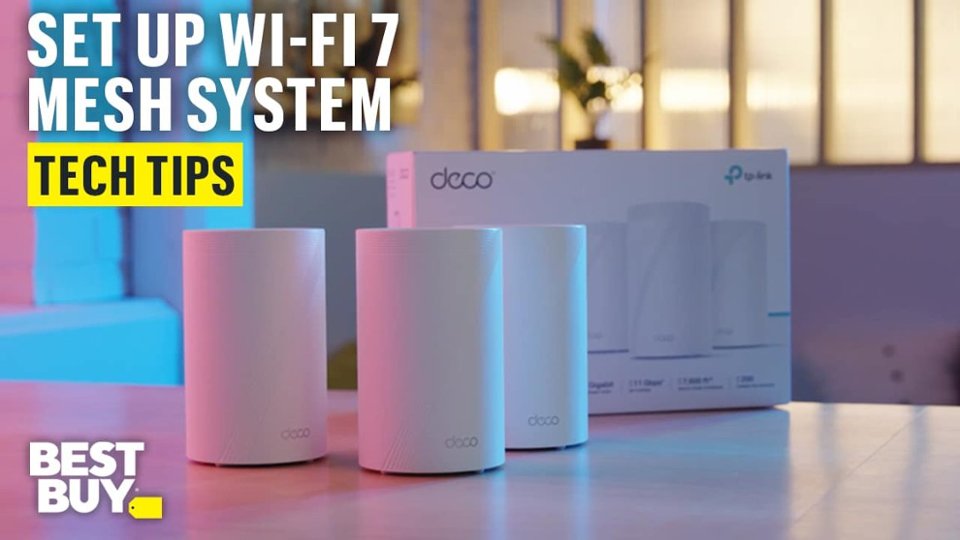
|Posted .This reviewer received promo considerations or sweepstakes entry for writing a review.I was looking forward to using the TP-Link Deco BE65 Pro as I hoped it would help me to get better WiFi coverage in my home. The room where I work and also have my gaming PC and Xbox One X has bad coverage due to distance from my existing WiFi router and two walls. I would get about 50% signal strength to my previous router where those systems sit. I received the Deco BE11000 3-pack in a timely manner and the shipping box arrived undamaged. The packaging used by TP-Link is thick and well done. The package contained 3 BE65 Pro's and 3 power cables. Initial Setup I was able to quickly get each setup. I configured/setup one at a time using TP-Links Deco app for iOS. The setup was very simple and fast. TP-Link has done a good job with the app and the setup process. I didn't have to manually configure the port to my internet gateway. This was done automatically by the Deco app. I just plugged in the cable from the AT&T 1Gb Fiber gateway to my main BE65 Pro and setup auto detected it and configured it correctly. I've previously had issues with a BE800 connecting directly to my gateway, but I didn't have that problem with the BE65 Pro. Connecting the two satellite BE65's was straight forward through the Deco app. After setup, I logged into the web interface to see about additional configuration options. Unfortunately, there wasn't a way for me to make changes through the web interface. I had to go through the Deco app to turn on additional features that I wanted. If you are familiar with the TP-Link wireless router web interface, then the BE65 Pro's web interface will look familiar. It's just unfortunate that you can make changes through the web interface. I was able to turn on all the additional features that I wanted by using the Deco app. I would like to see a firmware update in the future from TP-Link that changes the web interface so that you can choose to configure the BE65 Pro through the web interface or the app. Firmware The firmware update process is simple. In the Deco app, you can check for updates. If one is available, you can just select update and it will download and apply the firmware update. You can also turn on auto update if you wanted to. I performed a firmware update which only too a few minutes. After the update, I was able to see the app re-connect to the main BE65 Pro without problems and everything was working fine. IoT and MLO The BE65 Pro's already have the options to turn on a WiFi network specifically for IoT devices and also for an MLO network. I connected all of my IoT devices to the IoT network. I didn't have any problems connecting to and managing them using my iPhone on my main BE65 network while the IoT devices were connected to the IoT network. I have a couple of laptops that support MLO so I enabled that network and connected those systems to it. Each connected to it without a problem and I tested the bandwidth. They were getting download speeds that were just a little bit higher than they were before switching them over to the MLO network. If you have MLO capable systems/devices, the BE65 Pro's will support that. The BE65 Pro's Audio calls and video conferencing My work laptop was connected to a satellite BE65 Pro in my office. That's one of the furthest points away from the main BE65 Pro's location in my home. I experienced excellent audio and video calls when using Microsoft Teams and also when using Zoom. I was able to connect to my work VPN without a problem and network connectivity was uninterrupted throughout the work day. Ports There is a power connection port, one 2.5Gb port, and two 5Gb ports on the back of each BE65 Pro. If you have a 2.5Gb or 5Gb internet connection it will be supported by the BE65 Pro's. Performance of the port I used to connect to my gateway allowed me to get over 900Mbps when testing the speed. Since I have a 1Gbps internet connection, this is good performance of the BE65 Pro and my internet gateway. Performance Internet connection speeds were good whether I was testing it connected to the main BE65 Pro or one of the satellites, the speeds were maxing out my fiber internet connection. My Xbox One X, which is connected to a satellite BE65 Pro, was reaching good speeds when downloading updates for games and also maintained a stable low latency connection while playing Diablo IV. The same for my PC when playing Battlefield 2042. I was seeing 32ms latency in BF2042 and I was able to reach 696Mbps when downloading an update for Battlefield 2042 (from a satellite BE65 Pro). Conclusion I'm impressed with the simplicity of the physical design and the feature rich options available with the BE65 Pro. The mesh network now allows my desktop, laptops, and Xbox to get much better wireless connections to a satellite BE65 Pro while being able to get up to the max speeds of my internet connection as well as still being able to get very low latency to gaming servers. I'm happy with the BE65 Pro's and they are performing better than my previous WiFi router. The BE65 Pro will help those who are having low signal issues in remote rooms in your home. They support up to 200 devices so if a home has a lot of IoT devices such as lights, security cameras, etc., you have room to grow your IoT network with the BE65 Pro. It supports WiFi 7 so it will support the new WiFi devices coming out, so it will also cover you there. I'm happy with what TP-Link has done with the BE65 Pro. The only thing I would like to see is a firmware update so I can also configure the BE65 Pro through the web interface.
I would recommend this to a friend - Pros mentioned:Range, Setup ease, Signal strength
Perfect whole house mesh wifi 7.
|Posted .This reviewer received promo considerations or sweepstakes entry for writing a review.This is my first ever TP-Link wifi router of any kind and I absolutely like it's reliable signal throughout my home and yard. This TP-Link wifi-7 3 piece mesh system is awesome, so far after a week of use my speed and wifi distances have increased. I've had less disconnects from my routers after signals as well as better throughout coverage of all wifi signals. I have around 51 total wired and wifi devices in and out of my home. Ranging from wifi door locks, doorbell camera, security cameras, multiple outdoor lights, tablets phones, tvs, and AV gear alike. I have all my locks and cameras on they're own signal, then my AV gear and tablets and phones are on other networks. I wasn't aware how far TP-Link has come with they're newest wifi gear, I'm happily surprised. Setting up my mesh system was a breeze, took me around 45-60 minutes. All of my wifi devices connected to the mesh system with ease, no issues grabbing on to the signal and keeping it. I'm only using 2 of the nodes in my 1500 sp ft home, these 2 nodes give me plenty of wifi coverage. After setup there was already a firmware update that took around 5 minutes to complete. My 300mb fiber Internet runs around 370 up and 370 down. The footprint of these nodes are reasonable, around 9 inches tall by 5 inches round. I only wish they had more Ethernet outputs instead of only 2. Thankfully I have multiple 16 port switches in my home for hardwired connections. I highly recommend this wifi-7 mesh system by TP-link, im blown away by its performance and security.
I would recommend this to a friend - Pros mentioned:Connectivity, Coverage, Setup ease
What an upgrade!! Excellent Mesh Router System!!!
||Posted . Owned for 1 week when reviewed.This reviewer received promo considerations or sweepstakes entry for writing a review.Excellent product that I highly recommend!! My previous ISP network router had dual wifi bands and I was having issues with connecting to 2nd floor of my home. I called my ISP to turn off the dual bands so that there would be no interference with the NEW triple wifi bands (2.5 Ghz, 5.0 Ghz, 6.0 Ghz). With this set up there are no more issues. Has enough coverage to reach the whole house and my detached garage with security camera on it. A great upgrade for future proofing as my family and I don't quite have the WiFi 7 capable devices. Using the Deco app for setup was easy and the features are great. Lastly, The TP-Link Support Team is also a great plus (shout out to Renz). He was able to answer all my questions I had on the product regarding setup/connection.
I would recommend this to a friend - Pros mentioned:Connectivity, Coverage, Setup ease
Bad WiFi signal in the other room? Say no more
||Posted . Owned for 3 weeks when reviewed.This reviewer received promo considerations or sweepstakes entry for writing a review.Simple and to the point.. the setup took 15 minutes at most! Packaging is great, setup is easy, and I would highly recommend this product to anyone whom is trying to upgrade their WiFi in the home. We have a smaller home and this was a bit overkill but you can’t ever have too much coverage. Seamless, fast and efficient WiFi speeds and connection. We had bad connection in the front room, our security system and other devices in our home as our router was in the living room, this product helped bridge the gap and make it so fast and smooth. Highly recommend 10\10
I would recommend this to a friend - Pros mentioned:Connectivity, Range, Setup ease
Works great in our 2 story house.
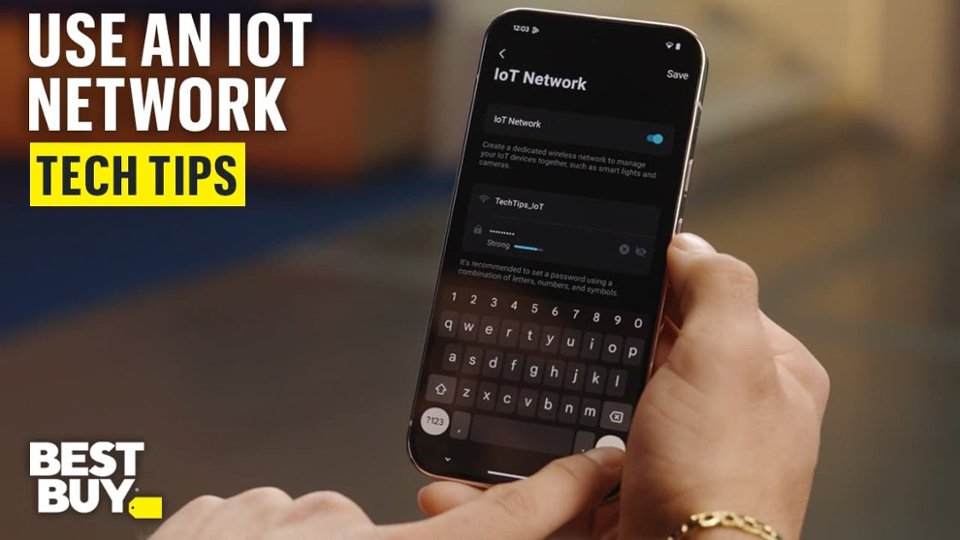
||Posted . Owned for 3 weeks when reviewed.This reviewer received promo considerations or sweepstakes entry for writing a review.The TP- Link mesh router 3pack set up was easy. Getting some devices (Amazon blink and echos) to connect was a problem, hence a loss of one star. Had to wait online for 20 minutes to chat with a TP rep to find a solution. The trick is to go to More at the bottom of the Deco app screen and choose loT Network to set up a dedicated 2.4 GHz connection. Once we did that we could get everything linked and functional. Our outside blink cameras don’t need wifi extenders anymore!
I would recommend this to a friend - Pros mentioned:Coverage, Signal strength
Perfect Wifi
||Posted . Owned for 2 weeks when reviewed.This reviewer received promo considerations or sweepstakes entry for writing a review.This mesh router system has been one of the best upgrades I’ve made for my home. The coverage is outstanding. It completely got rid of the dead spots and now I have strong, reliable WiFi on every level of the house. Streaming, gaming, working from home, and the kids all being online at the same time runs smoothly with no buffering or random disconnects. The setup process was simple and straightforward. The app guided me through everything step by step and I had the whole system running quickly without any frustration. The signal strength and stability are noticeably better than my old router, especially in areas like the basement and bedrooms where we used to struggle. Speeds stay fast even with multiple devices connected. It has been consistent and dependable since day one. If you are dealing with weak WiFi or dead zones, this is absolutely worth it. It made a huge difference in our home.
I would recommend this to a friend - Pros mentioned:Coverage
Great Mesh System with a great App for management
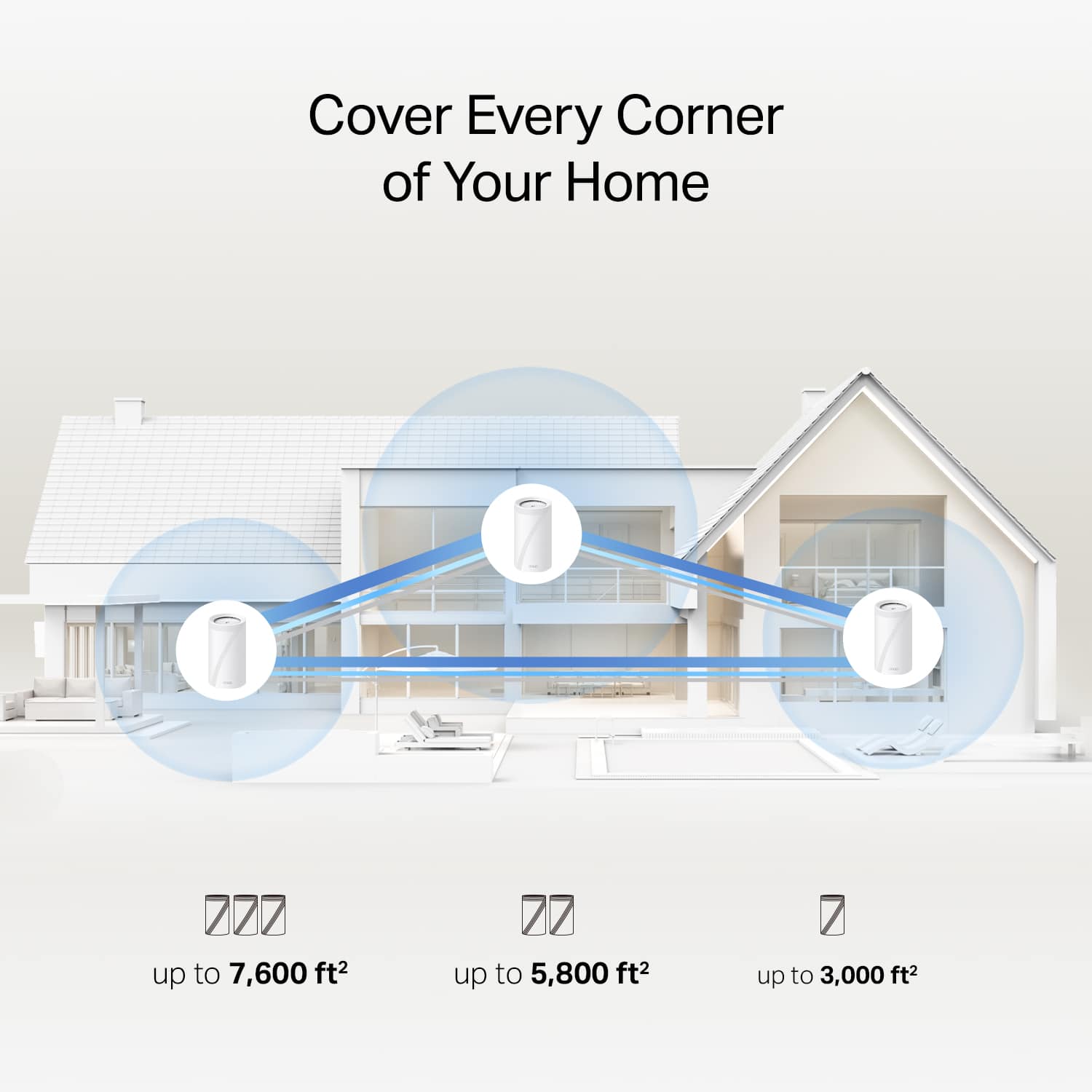
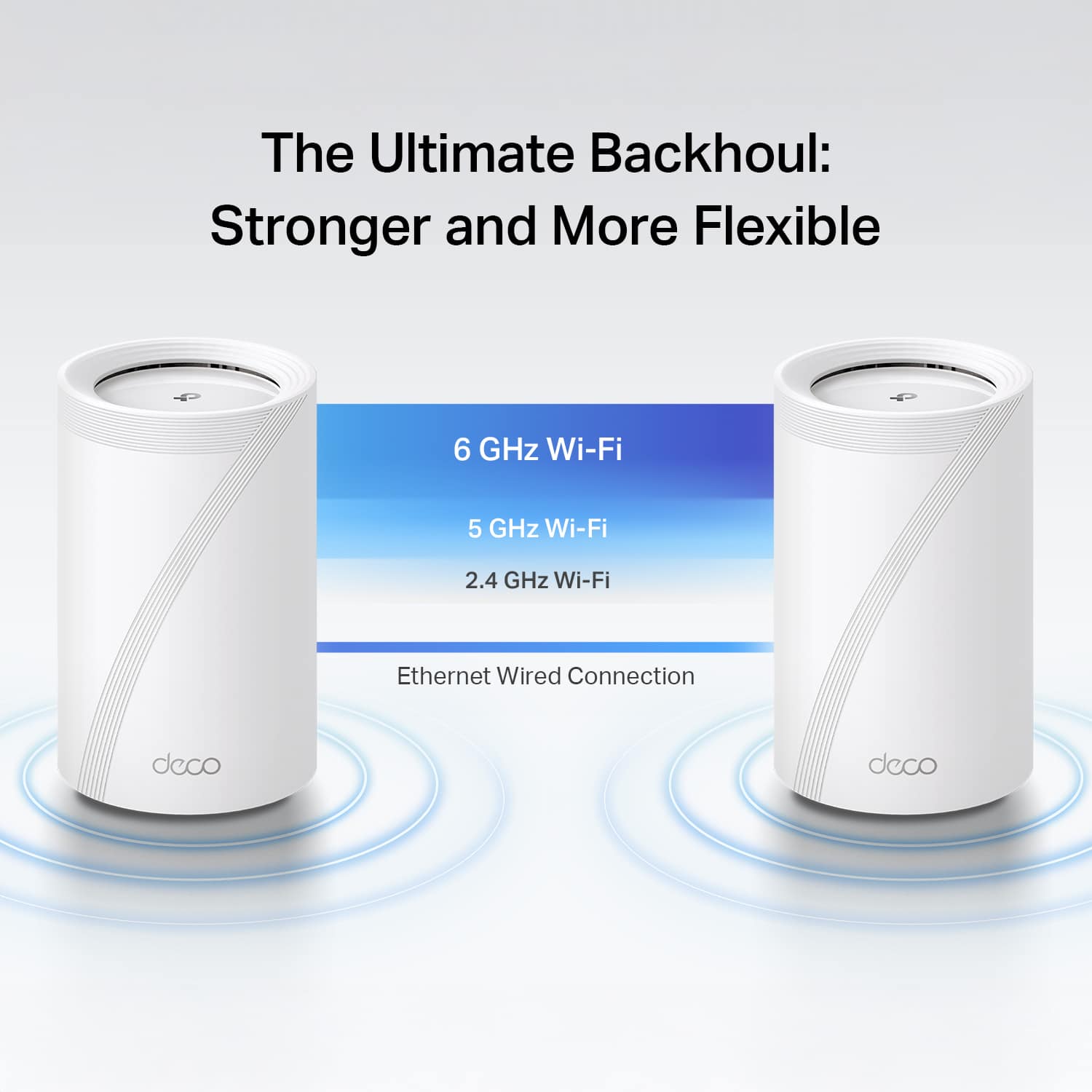
|Posted .This reviewer received promo considerations or sweepstakes entry for writing a review.I have used WiFi mesh systems before across a number of vendors and prior to getting this TP Link BE11000 “Deco,” I was using a mesh system with a 2.5G dedicated wired backhaul so I was very excited to give this one a shot at being my WiFi provider at home. TL;DR for my frequent readers, followed by the more detailed review and photos. Good: 2.5 & 5GB ports - internet or backhaul App interaction (both Apple & Android) Form factor Network Optimization tool Real-time speed stats per device Coverage Speeds Bad: Only 3 ports per unit No cumulative stats per device Meh: Wireless backhaul speeds (environmental challenges) No advanced Web Interface All devices have the same amount of ports (no router vs satellite only) While doing the setup, there’s no way to set Access Point mode, so you have to start with Router mode - but no big deal, I just let it get an IP from my router & use its own IP scheme temporarily while it ran through its updates. Once all the pieces were updated, I changed from Router to Access Point mode and it was as simple as clicking a button in the App and I was back using my normal IP address range. I bounced between the iPad and Android App for all of my usage and each has worked wonderfully. A smaller form factor is nice, especially when I need to keep it out in the open but not be an eyesore. I have a router that I really like - so I kept this TP Link Deco system in Access Point (AP) Mode (just as the mesh system that I was planning on replacing), which allowed me to test this alongside my existing WiFi and not disturb the house; I ran like this for about a day and it worked out well. I tried to use the Web Interface - where with other vendors it exposes more advanced techie menus and options, but I didn’t find that here. It’s not a big deal, but something I was expecting to be there that wasn’t. Side note, I also ran a Wireless Backhaul on Day 1 so I didn’t disturb the current house network (as there’s only a single jack where I keep the satellite). I definitely saw a speed decrease while being attached to the satellite that was using the wireless backhaul. Wireless backhaul is good if you have no other option and need extra range, but if you can - use the wired option. I attached a photo showing how wireless & wired backhaul are represented in the App. I used the Network Optimization tool to see if it would change channels as it was running alongside my other mesh system and it did, as I was expecting / hoping. On day 2, I renamed the system to my existing WiFi SSID, turned the old one off and we were running on the new TP Link system; I cut over to the wired backhaul via the 5GB/s ports on each unit as. There’s no configuration needed when going from wireless –> wired backhaul; just plug it in and go. I went from 0 connections, to around 30+ almost instantly while everyone lost connection to the old APs and reconnected up (see images). From the Washer & Dryer to the Nest Hub Max and WiFi lights, I didn’t run into any issues but then again, I don’t have much “old” wireless tech and everything I had made the cutover seamlessly. With my old system, the doorbell would attach to the furthest AP and all I could do was hope it moved over time to the closer one, but with this TP Link system, you can set a “preferred” Deco to have that device connect to, knowing that if it falls offline it’ll go to whichever one is left closest (see images). I did have to put a small 5-port switch near my Deco as my last device had 4 ports + the Internet port and here, there are 3 total (Internet + backhaul take up two). I like that there are real-time stats so if someone is slowing down the Internet for everyone, I can see which device it is (I’ve named each one so I know what everything is on the network). I’m a bit disappointed that I can’t see cumulative stats – I’d like to know if my Washer or Dryer is sending GBs of data per night while I’m sleeping but I’ll only know if I’m looking at that moment. Fast forward to day 4. No hiccups and no complaints. Outside of me saying - I need to disconnect us from the Internet for a few minutes (to move cables around), nobody has mentioned anything and that’s a huge win. Now when it comes to coverage - the Deco is great. I can easily cover the entire house with two units and that extends out another 100 feet past the lanai to my WiFi bird feeder that tells me the signal strength is “Strong.” I also get wire speed over wireless via two different speed test websites. As of right now, this is a 5-star WiFi system. I hope it stays this reliable and if it does, kudos to TP Link on a great mesh system.
I would recommend this to a friend - Pros mentioned:Signal strength
Undoubtedly One of the Best Mesh Systems
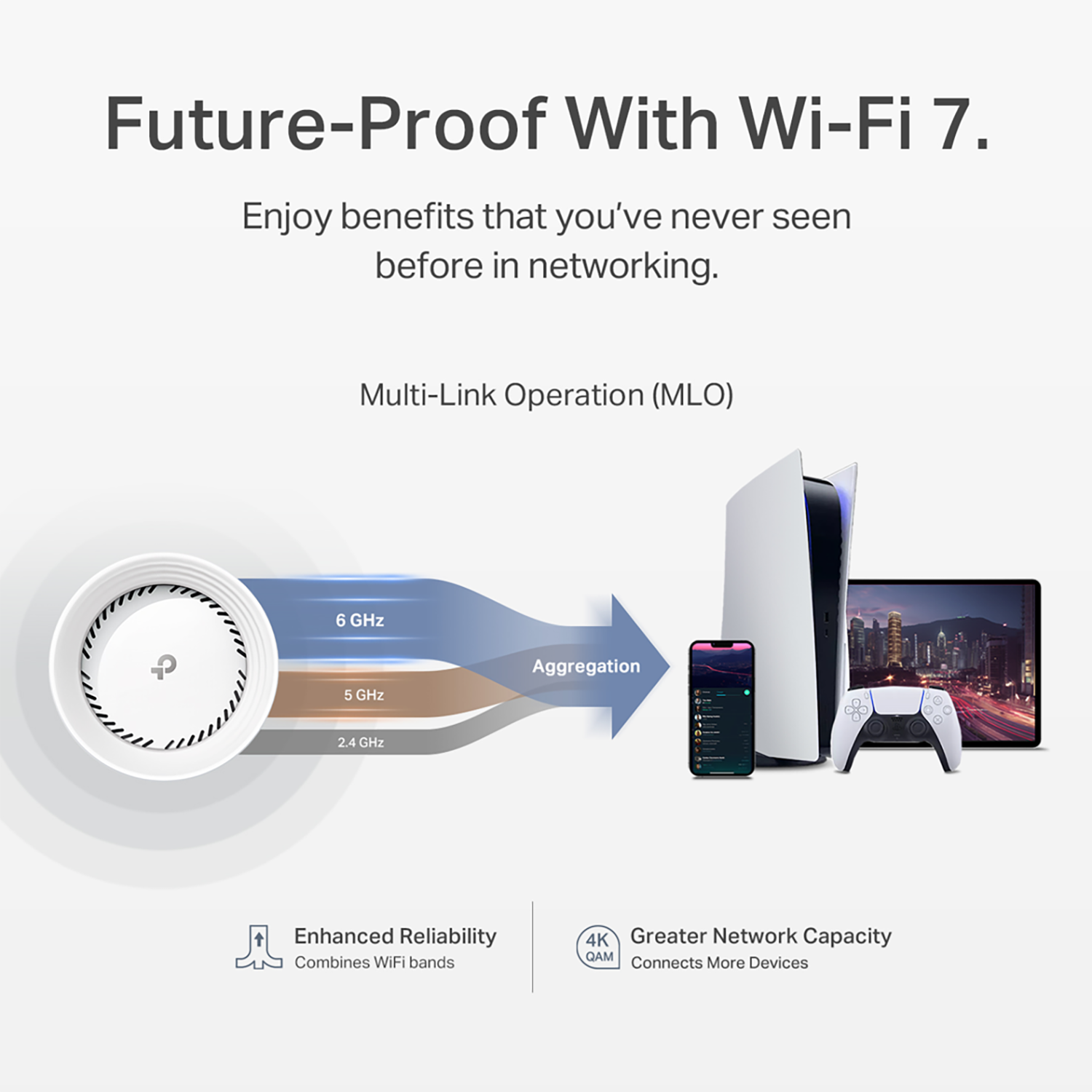
|Posted .This reviewer received promo considerations or sweepstakes entry for writing a review.I had set up a TP-Link Deco system for my parents a few years ago and was a fan at how easily it allowed for a wired backhaul connection which was important for their house. It's worked flawlessly ever since so when it was time to upgrade my own system (we've had our current tri-band mesh system for over 5 years so it was time), I had the Deco system at the top of my list. We have 500/500 Fiber Internet and frequently watch 4K HDR shows via streaming so we demand the best of the best from our routers. I knew I wanted a three unit mesh system that included the latest WiFi Standard 7 as well as all currently available transmissions (2.4, 5, & 6 ghz). This system had all of that and has been excellent. Overview Setup was overall a breeze, though I did have a hiccup with initially connecting my phone to the "main" Deco unit inside the Deco app. It kept saying it couldn't connect to the Deco's Wifi even though I had manually gone in and connected it and my phone was definitely connected. It just took some persistence and trying it over and over a few times. It was annoying, but a small inconvenience and it must've just been a glitch because eventually it did connect properly and after that setting up everything else including the two satellites was a breeze inside the app. (Keep in mind there are NO instructions for setting these up because you have to use the Deco app and the Deco app will step you through everything.) Once set up, these have worked great. I have all three frequencies setup with the same name/SSID and devices are correctly connecting to the best one for them. My iPhone 15 Pro Max generally connects to the 6ghz for the fastest speed which is awesome. My entire house and yard is now covered with super strong signals and fast Wifi. Our house is only 1400 sq ft so I have two routers in there - the third is in our garage which is next to our pool and helps cover the backyard pool area. We have just under 100 devices connected as we use a lot of smart devices that are always connected and everything connected fine and haven't had any issues. I couldn't be more pleased with how these are working. It's really taken our WiFi system to the next level. PROS - Fairly Affordable for the Quality/Specs (when compared to the other top brands of equal specs/ratings I would consider) - Excellent WiFi on all 3 bands - 2.4, 5, & 6 Ghz - Supports the latest WiFi 7 protocol - Brilliant App with easy to use User Interface that makes setting things up and monitoring everything simple - Tri-Band Connection between main router and satellites works great to ensure fast WiFi everywhere in our house/yard - Routers are small and look nice - Everything connects and stays connected and gets great speeds CONS - Bit of glitch in initial setup where the app couldn't recognize that my phone was connected to the Router - Main router will only have 2 available ethernet connections for hardlining (but easily & inexpensively fixed by connecting a switch). Satellites will have 3 available. If you're looking for one of the best systems you can get, that is fairly easy to set up with all the options you could want in a mesh router system, a great app with intuitive user interface, and excellent functionality, then I would definitely recommend this TP-Link Deco system!
I would recommend this to a friend - Pros mentioned:Setup ease
Exceptional Wi-Fi Package
|Posted .This reviewer received promo considerations or sweepstakes entry for writing a review.Verdict: The TP-Link Deco Wi-Fi 7 BE11000 is a powerful mesh system that offers an easy setup, blazing speed, convenient network management from the TP-Link app, and a stylish look that blends in a classy décor. In short... It's amazing! Initial impressions. The satellites are smaller than expected, and much smaller than my current Wi-Fi 6 mesh network (also with three satellites) from another brand. The units are fairly light and look nice. Frankly, the satellites we are replacing now low ridiculously big compared to the TP-Link, but we never noticed that before. We are very happy with the small size of the three units. The included “quick start” guide didn’t really include anything except directions to download the app and a color legend for the lights on the units. Setup. I initially opened the Tether app because this is how I setup the last TP-Link unit I had, but realized that I was wrong when I couldn’t find the new system. Once I downloaded the TP-Link Deco app for iPhone, setup is fairly easy and starts by taking a picture of the label at the bottom of one of the satellites. From there, the app guides the process. Of note, the first two times I tried to connect, the setup failed. I continued to click “Try Again” and then on the third (or fourth?) time it worked. No big deal. I had already plugged-in the other satellites so once the initial unit was installed, the other two units were pulled in right away. This part was very smooth. I am currently running completely wireless, but plan to setup a wired backhaul to improve connection to one side of the house that is behind a series of walls. This will allow Wi-Fi signal to push out at max speeds to the Wi-Fi cameras on that side of the house. App. The TP-Link app is good for both basic users and more technically-savvy users who want to customize their network. I really appreciate the network management options on the app, specifically the ability to name devices and understand how much data they use. I also LOVE the ability to assign a device to a specific satellite because we have three outdoor cameras that are some distance from the house, and regularly lose connection. Now, each camera is locked to the optimal satellite and connection has been much better. While I am not sure if there are performance benefits from consolidating IoT devices on the IoT network offered by the TP-Link Deco, I really like the ability to separate those devices from the others for ease of identification and management. Speed & range. Currently, the primary satellite is located in the middle of the ground floor of the house where the FIOS 1 Gbps data connection comes in. Another satellite is located on the second floor on one side of the house, and another satellite on the ground floor and the other end of the house, where I had very little signal and where I had connection problems with my floodlight camera. On a wireless only setup, I could get 400 Mbps in the rooms with the satellites, 300 Mbps in most other parts of the house, and going down to 200 Mbps 100 feet into the yard and on the side of the house with the bad connection. While I am very happy with these speeds, I will use a wired backhaul to get me to 400 Mbps everywhere in/near the house. Wired connection to the router gave me over 900 Mbps. Things I like: - Wi-Fi 7 speed, lower latency, and better security - Super fast 6-stream tri-band Wi-Fi - Simultaneous wireless and wired backhaul capability - Dedicated IoT network - Ability to run a VPN server so all devices are protected - Connect up to 200 devices - Two 5 Gbps port for hard-wire max speed for gaming and 8K viewing - Mesh capable so you can add to the included three satellites to expand your network and get seamless service from room to room - Fast connection, even 100 feet outside the house, line of sight to an area with a satellite - The app contributes to the strengths of this system - Small footprint and elegant design - Backwards compatible (no issues encountered with any of our devices at home) Things I don’t like: - Only three wired connections on the back of each unit. When adding a wired backhaul, you lose one or two more ports, plus the connection to the modem, on the primary satellite. This is only a minor inconvenience for us because we exceeded the capacity of routers long ago and have everything coming off a 10-port switch (security system, camera base station, VOIP phone, other wired connections), but could be a factor for others - The font in the “quick start” guide is too small. And the quick start guide is only mildly useful with the legend for the light colors, otherwise not helpful Overall, this is a fantastic Wi-Fi system that provides speed, range, and a boatload of features. I most highly recommend the TP-Link Deco.
I would recommend this to a friend - Pros mentioned:Range
Whole home WiFi coverage at it's finest
|Posted .This reviewer received promo considerations or sweepstakes entry for writing a review.This is my first ever setup of a mesh network. I've been wanting to get one for years now because of the benefits they bring versus a single router or hard to setup extenders. This system is awesome! The only documentation that came with the setup is a small Quick Installation Guide that is basically a QR code to download the app that will then walk you through setting up the system. The setup was fairly straight-forward, but I did find myself a little overwhelmed in a couple spots. There are some questions about your ISP that I wasn't sure about and never had to worry about with previous routers, but thankfully the defaults worked! After getting through the initial setup of the primary unit to my internet connection, it could not find the internet. I went into the app and rebooted the router and was very pleasantly surprised that it then was able to connect to the internet. It's possible it just needed a little more time to pickup the information it needed from the ISP. Once the main unit is setup, then it walks you through placing the other 2 satellite stations. I was pleasantly surprised when they automatically connected to the mesh by just plugging them in. I didn't need to do any additional setup. They appeared in the app with a nice diagram of the network. I had a fairly nice Linksys single router previously and it definitely struggled to cover my entire house and my house isn't huge. Having the mesh network removes all the dead / low signal spots I had previously which I'm loving! My streaming devices and TV's have great signal now in every room. The app that installs on the phone is very feature rich and lets you do all sorts of things with your new equipment! One thing that was SUPER nice is the network optimizer. It analyzes interference from outside WiFi networks or appliances and finds the best channels for all your networks. 2.4 Ghz, 5Ghz, 6Ghz and shows you what channel it was before optimizing and what channel it picked afterwards. Definitely keeps things running as smooth as possible when you have neighbors! There is a convenient Speed Test function that uses speedtest.com, how many devices are connected and to which satellite, how much data and speed is being transferred in real-time. You can setup a special IoT network for keeping all your internet of things devices on to keep them off your primary network which is REALLY nice. I've been looking for a way to better protect my network from those sometimes insecure devices and now I have it! It supports a Guest network and sets up a 6Ghz network during setup. You can also run a VPN Server through the software for remoting into your home network or a VPN client to protect you on remote networks. There are advanced settings that are over my head that one can play with as well like Fast Roaming, Beamforming, and NAT forwarding. Beyond my needs, but the advanced features are there if you do need these! You can setup notifications when either new or existing devices connect to your network which is nice. The alerts can be Push Notifications or Email alerts. The application also has Parental Controls for the kiddos. I don't have children myself so I do not have much need for this, but it's there if you need it! It also comes with a 1 month trial of HomeSheild premium that adds extra layers of protection from outside threats, statistic reports, VPN, antivirus, IoT Protection, Intrusion Prevention and Web Protection. You have Basic which is free, then yearly or monthly rates for either Security+ or Total packages and the rates are really reasonable. Just a few dollars a month for either plan. Definitely helpful in keeping your network safe from hackers! The system automatically keeps the hardware running the latest firmware updates which is really nice as every other router I've ever owned has made this a manual and somewhat cumbersome process. This is set it and forget it! The 3 units themselves seem well constructed and solid. Each having 3 network jacks and a USB port for USB sharing. Each one has a little status LED at the base which is pretty minimal, but if lights bother you the app lets you turn off the lights or schedule times when they are off. These mesh network setups are a bit on the pricey side compared to your normal router setups obviously, but if you want a network that is without signal problem areas around your house and has great features in an easy to use app on your phone, then it's definitely worth the extra cost! I am loving this setup so far and would definitely recommend it to a friend looking for a better wireless network setup!
I would recommend this to a friend - Pros mentioned:Setup ease
Covers My Dead Zone Areas
|Posted .This reviewer received promo considerations or sweepstakes entry for writing a review.This is my first mesh set! I have been wanting to have a mesh unit for a very long time; as I have heard that it benefits all the dead zones in the home. As I received my TP Link BE11000, I thought that the setup process would be complicated and difficult. However, I was surprised to see that the setup instructions were simply enough to understand. One thing I will say, definitely take your time during the setup and do not try to rush through it. Rushing through will have you thinking that the TP Link BE11000 unit are not working properly. To properly install the units you have to download the app for the mesh unit; it guides you through the process. The deco app is great! Once I fully installed all of my deco units; the app allows me to be able to have full control of all the units. I can see if each unit is working properly, if they are all online or offline. I can install software updates for my units; see what devices are connected to deco mesh units. I can block any unknown devices that try to connect to my deco system. I love how secure my deco mesh unit is! I have great internet however, with there being 20 or more devices at home; the connectivity tends to be not so great. The kitchen, living room, and bathroom; with our devices connected only to the router, it limits us in those dead zone areas! Now, with the TP Link BE11000 deco mesh unit; we can freely walk all over our home from room to room and have high speed connection. I no longer have to worry about getting constantly booted out of the wifi. So far, having the deco unit have proven to be beneficial to have in our home. With what we pay for the internet even if we were to upgrade it, the dead zones would not be covered. We would end up paying much more per month only to be left disappointed; still not having good connectivity in the dead zone areas in my home. Overall, I am super satisfied with my TP Link BE11000 deco unit; it has exceeded my expectations. It is truly worth having in any home, that has a lot of devices and dead zone areas. I can honestly say, I have experienced such a difference in the connectivity at home no matter what area of the home I am in! To me that alleviates so much, I utilize my devices for everything. I'm happy with my mesh system; I would recommend it to anyone that experienced the issues of connectivity that I had! As well as anyone wanting to experience high speed connection at it's finest in their home.
I would recommend this to a friend - Pros mentioned:Connectivity, Setup ease
High Performance WiFi Plus Easy Setup
||Posted . Owned for 2 weeks when reviewed.This reviewer received promo considerations or sweepstakes entry for writing a review.I needed to replace an older Lynksys mesh system and after reading all of the reviews, this product was the logical choice. I was very impressed with the ease of setup using my iPhone. I was even more impressed when all I had to do was plug the other two devices into power and they auto-joined the network. I was able to replace my router + 3 satellite mesh system with just this 3 satellite system without a need for a router with multiple antennas. I couldn't believe that the WiFi performance increased dramatically with this system. I wished I had installed this system sooner.
I would recommend this to a friend - Pros mentioned:Connectivity, Setup ease
Best Router I've Ever Used
||Posted .This reviewer received promo considerations or sweepstakes entry for writing a review.The setup was simple using an iPhone app (much simpler than the Linksys Router I replaced). I was up and running in less than five minutes without any hiccups. I reused the same network name and password and all my devices connected automatically. I like the IoT feature that allows me to use 2.4ghz to connect my water heater and garage door opener on a separate network. I also like the camera safety feature that blocks it from using the internet when I am home. My garage used to be a dead zone so that updating my Tesla software was always hit or miss. No more. The built in feature to use a VPN uses only one of the six slots that go with my account while protecting every device on the network. The price is a bit steep, but the range of features, performance and security make it a bargain.
I would recommend this to a friend