Customer Ratings & Reviews

---
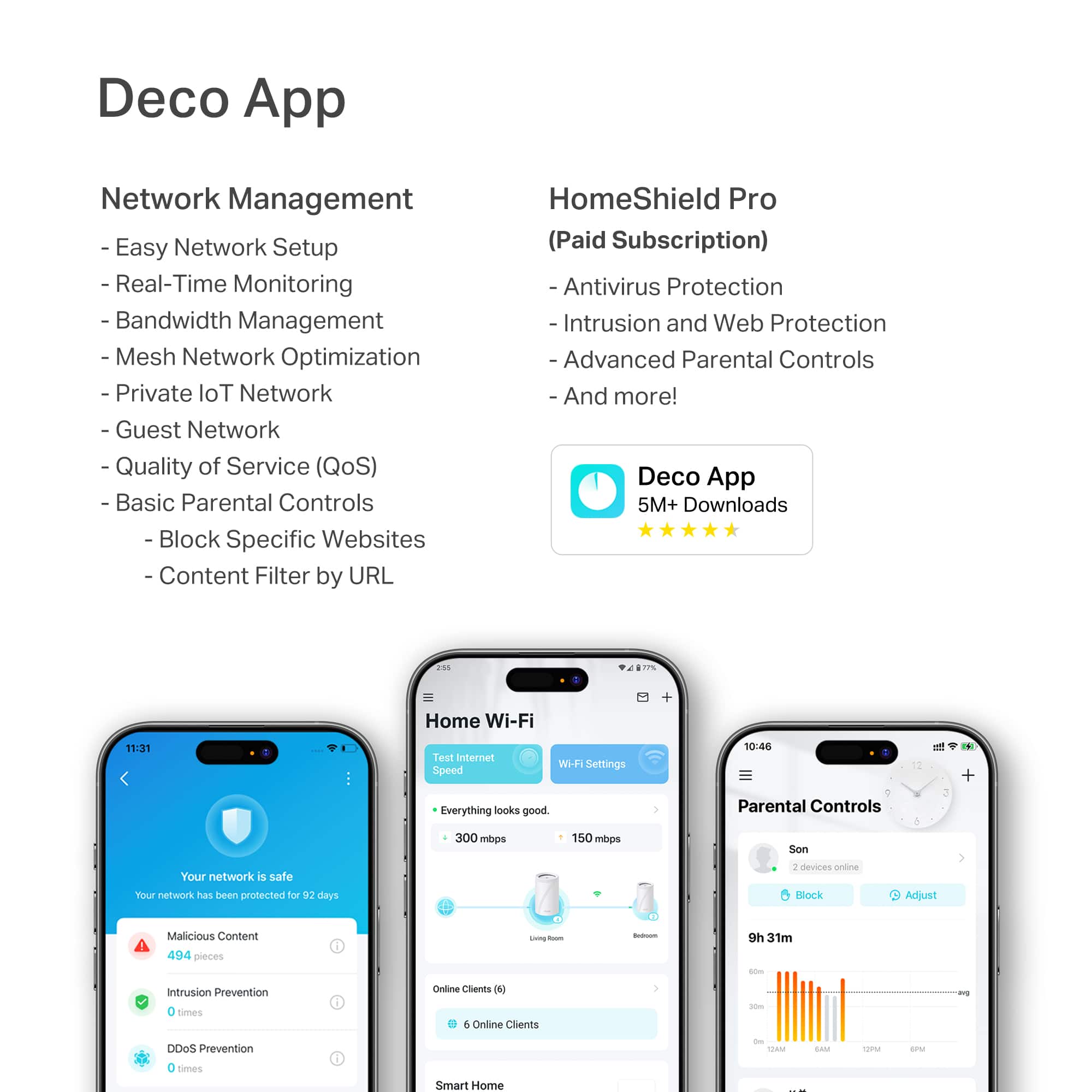
**HomeShield**
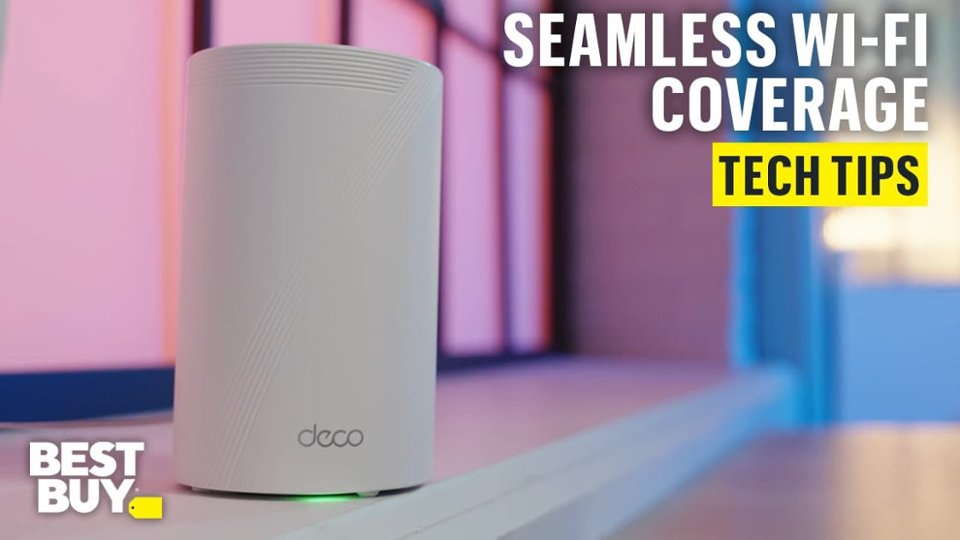
HomeShield is a built-in service, available in all HomeShield routers and Deco mesh products.
- Router Security Scan
- Wireless Security Scan
- IoT Device Identification
- Basic Parental Controls
- IoT Protection*
- Web Protection*
- Intrusion Prevention*
- Antivirus Protection*
*Included with HomeShield premium subscription service](https://pisces.bbystatic.com/image2/BestBuy_US/images/products/29e59d96-9e3f-47a7-92bb-86d133c84d45.jpg)

- Model:
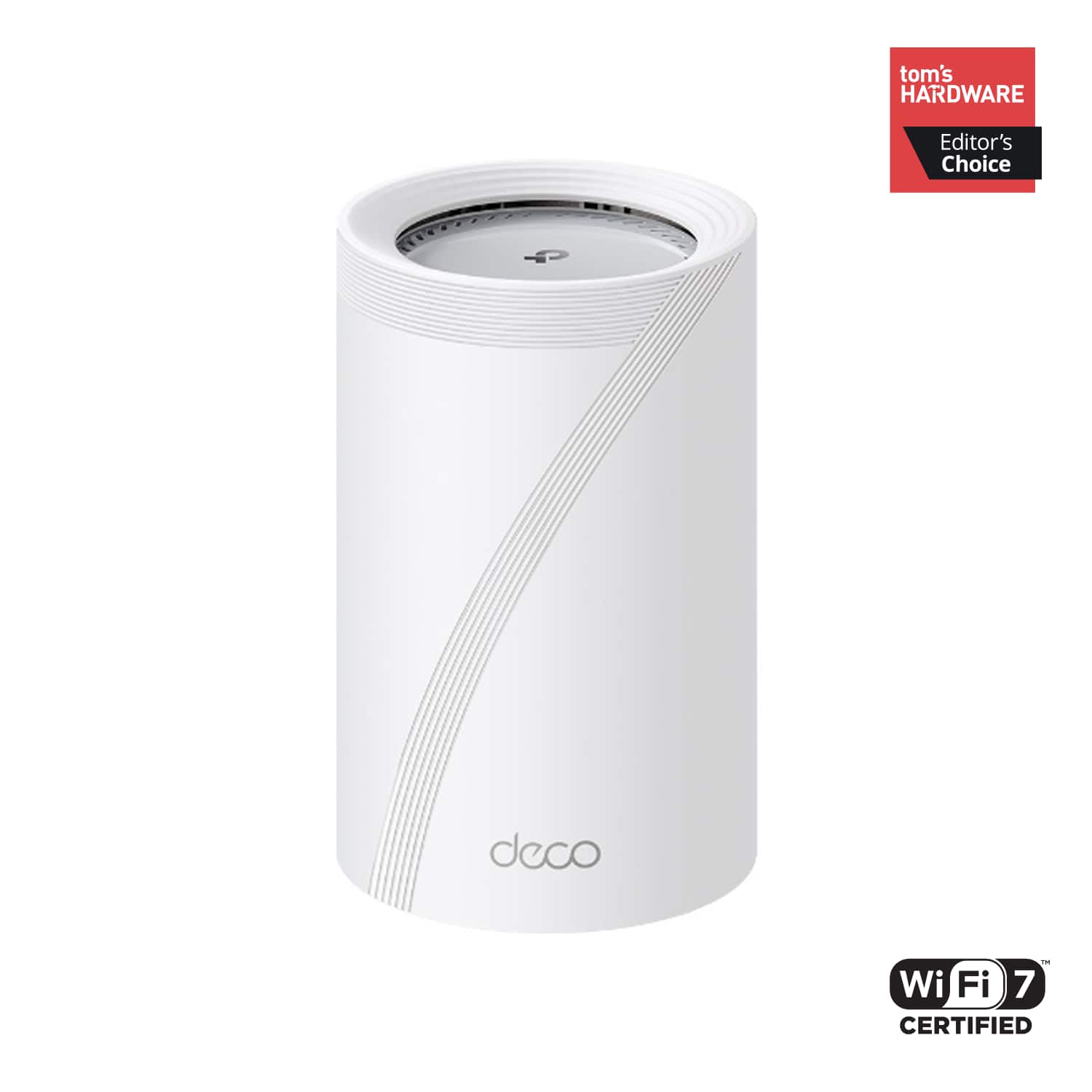
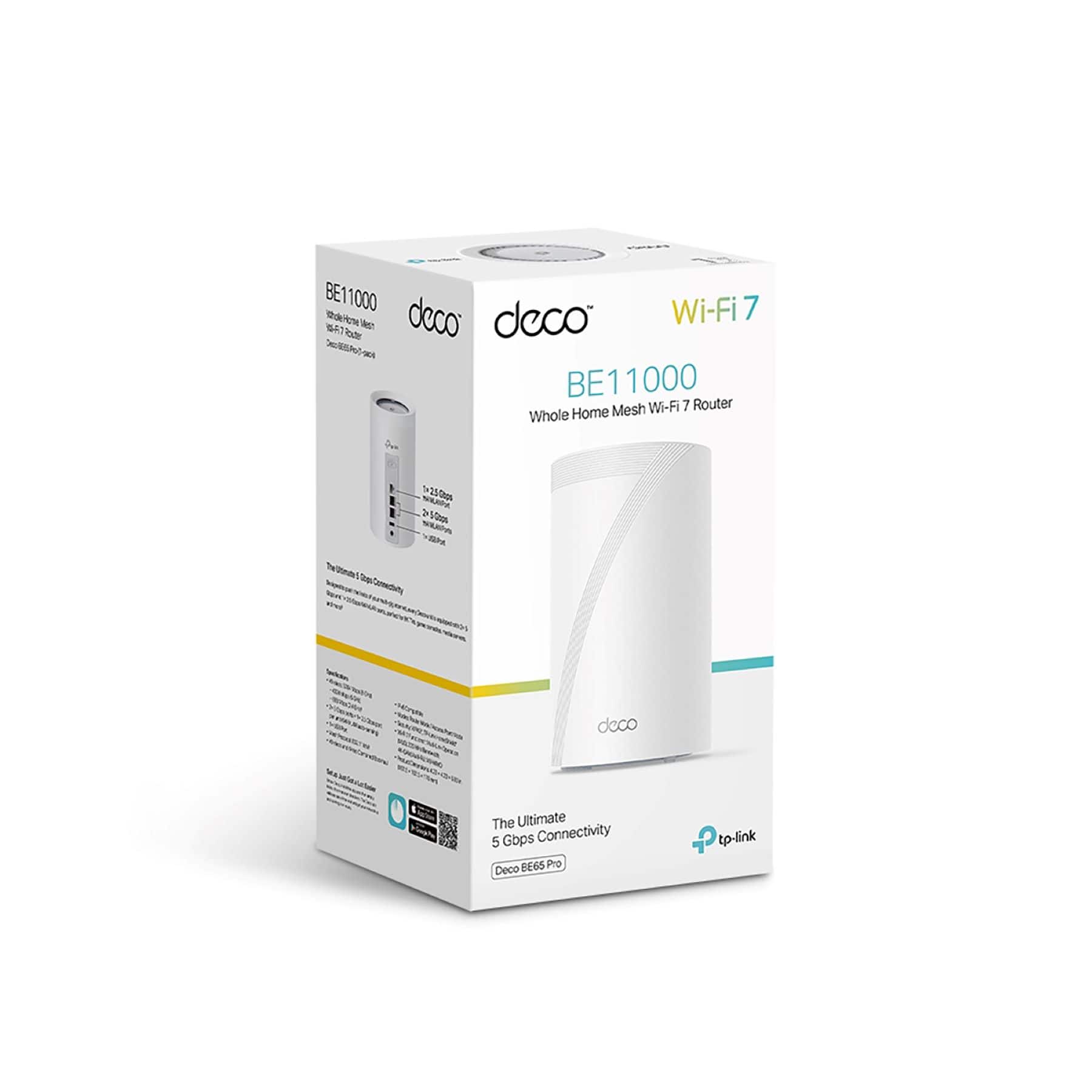
- Deco BE65 Pro(1-pack)
- SKU:
- 6582070
Rating by feature
- Setup
Rating 4.8 out of 5 stars
- Range
Rating 4.8 out of 5 stars
- Signal Strength
Rating 4.8 out of 5 stars
Customers are saying
Customers often highlight the Deco BE65 Pro's excellent speed and performance, alongside its easy setup and great coverage. Many appreciate its ease of use and reliable connectivity. While the design is considered sleek, a few customers noted that the units themselves are quite large.
This summary was generated by AI based on customer reviews.
- Pros mentioned:Setup ease

Super Easy Setup - Fast Speeds!
|Posted .This reviewer received promo considerations or sweepstakes entry for writing a review.Although Wi-Fi 7 devices are not yet readily available, TP-Link has positioned themselves as an early-adopter of Wi-Fi 7 devices for both home and office. So the logical question here is: Do I need Wi-Fi 7? The easy answer is - if you like speed - Yes you need Wi-Fi 7. I use an Apple iPhone for my personal device. I have an iPhone 14 Pro. However, it does not support Wi-Fi 7 or even W-Fi 6E for that matter. Most device including the iPhone 11 and newer only support Wi-Fi 6 - not 6E or 7. It is rumored that the iPhone 16 Pro will have Wi-Fi 7 capabilities - and you'll notice the difference. Moving from Wi-Fi 5 to 6 only provided incremental benefits. OK - enough on Wi-Fi. Know that version 7 is better and faster, yet currently not many devices is support it. So if you want to be future-proofed, get Wi-Fi 7 now. The biggest gains are for gamers at home - with a substantial boost for in-home networking speeds. I saw it personally on my device as well. So if faster speeds are what you're after - maybe its better security? In this upgrade TP-Link has enhanced their security software HomeShield to version 3.0, adding more features and 2 exclusive apps for comprehensive protection. Protect Comprehensively - HomeShield provides comprehensive advanced security features. Advertisement blocker blocks annoying ads and pop-ups and prevents data tracking. Intrusion protection protects your home network and applications against external attacks and eliminates vulnerabilities. For those with higher security requirements, HomeShield provides VPN Client. Protect All Devices - HomeShield protects all kinds of home network devices, including phones, computers, TVs, game consoles, and other IoT devices. Protection starts instantly once they connect to the gateway. Simply configure the gateway and achieve whole-home network security. Protect Everywhere - Unlike most network security services that only work at home, HomeShield maintains its safeguards away from home. With pre-installed apps, your kids' mobile devices remain secure and under parental control on the go. Parents are able to monitor apps on their kids' phones, further manage payment methods, and monitor their screen time for a safer and better online experience. Overall - I'm really liking this Wi-Fi mesh solution and have been totally impressed with the ease of setup and speed while using. I'm looking to supplement it with some TP-Link cameras now too!
I would recommend this to a friend - Pros mentioned:Connectivity, Setup ease
So worth it!!
||Posted .This reviewer received promo considerations or sweepstakes entry for writing a review.Flawless mesh system so far. Bought it to use with Spectrum and have had super quick internet no issues ever (no slow buffering or downloads) even living out in the middle of nowhere basically and with a ton of devices connected and running. Have over 1 gbps download speed everywhere in my 2900 sqft home at any given moment. A super cost-effective alternative with equal performance to the top brands that run $1500 for such a system as this approximately $400 one. App is very user friendly and setup is a piece of cake. Totally worth it!!
I would recommend this to a friend - Pros mentioned:Coverage
Setup was rough on Android!
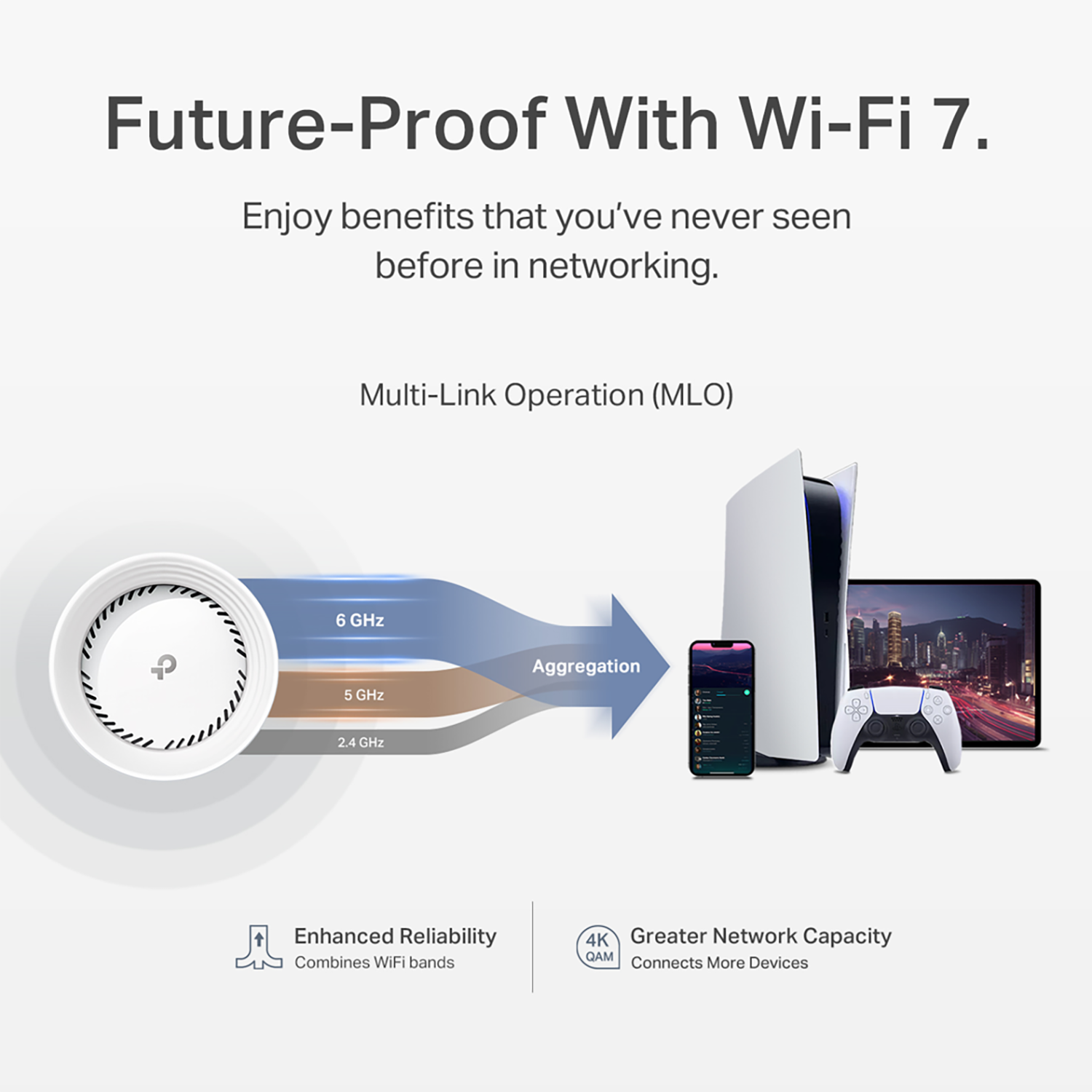
|Posted .This reviewer received promo considerations or sweepstakes entry for writing a review.TL:DR – I powered through some connectivity issues. I am using the wired backhaul method and my coverage is without a doubt 100% better, but the stability of the WiFi was not good with the settings out of the box! It kept randomly dropping gaming connections, and picking that same connection back up within a second. This is NOT a problem for most things like streaming TV shows, movies, music, browsing the web, and VPN connections for work (at least mine was fine), but for GAMING it was a problem! I highly recommend this for most people since it does indeed make life better for 90% of the use cases out there, but if you’re a gamer just know that you’ll have to make some network changes! Regular Review I’ll start with the setup process! I struggled with it! For some reason, I couldn’t connect the Deco units with my Samsung S24 Ultra for the initial setup! I tried multiple different reboots of each Deco unit, rebooted my phone, and the router, in different orders, but it just wouldn’t work! I ultimately ended up getting it setup with my wife’s iPhone 15 instead and doing a factory reset to get it working with my S24 Ultra after doing a firmware update on all the units. Kind of a weird start, but once it was set up the rest was pretty easy! I don’t know if this was a coincidence or if the firmware update addressed Android connectivity issues! Either way, the struggle was real! Thankfully, if you have a Kasa Smart, or any TP-Link product, your TP-Link account will work for the Deco app! I’m glad I didn’t have to create a new account to remember and manage! I opted to use the wired backhaul connection type for all three Deco units. Once I got past the initial setup and it was pretty much plug and play! Once it got online, it just added itself to the network as a node. Very basic and automated which was nice! As soon as that was done, I went to every corner of my house that normally struggled with WiFi and long story short, I had a grin from ear to ear. My 1.2 Gbps connection was was all over the house, with some areas getting as low as 600-700 Mbps. This was HUGE for me considering I would get under 10 Mbps in those areas! My gaming devices were showing great speeds as well for the speed test! The smiles ended pretty quickly after that, when I attempted to game! I kept getting packet bursts, lag, and things that affected my life as a gamer too much! It was almost a deal breaker for me. I did some research and noticed a bunch of things that were turned off like 6 Ghz and MLO. I enabled those options and made the SSID the same as the main network so things can hop between MLO and WiFi 7 at 6 Ghz. I also enabled Fast Switching. BeamForming was already enabled! Once I did that my gaming experience seemed to have been improved! Game streaming through GeForce Now using a Linux laptop, and multiplayer games, did feel great! Overall, I think the setup process could be better, and I think a better tutorial on what each thing does would be handy. Once the hurdle of hooking it up has passed, the rest of what it does is simply great!
I would recommend this to a friend An awesome WiFi 7 mesh sys with backhauling
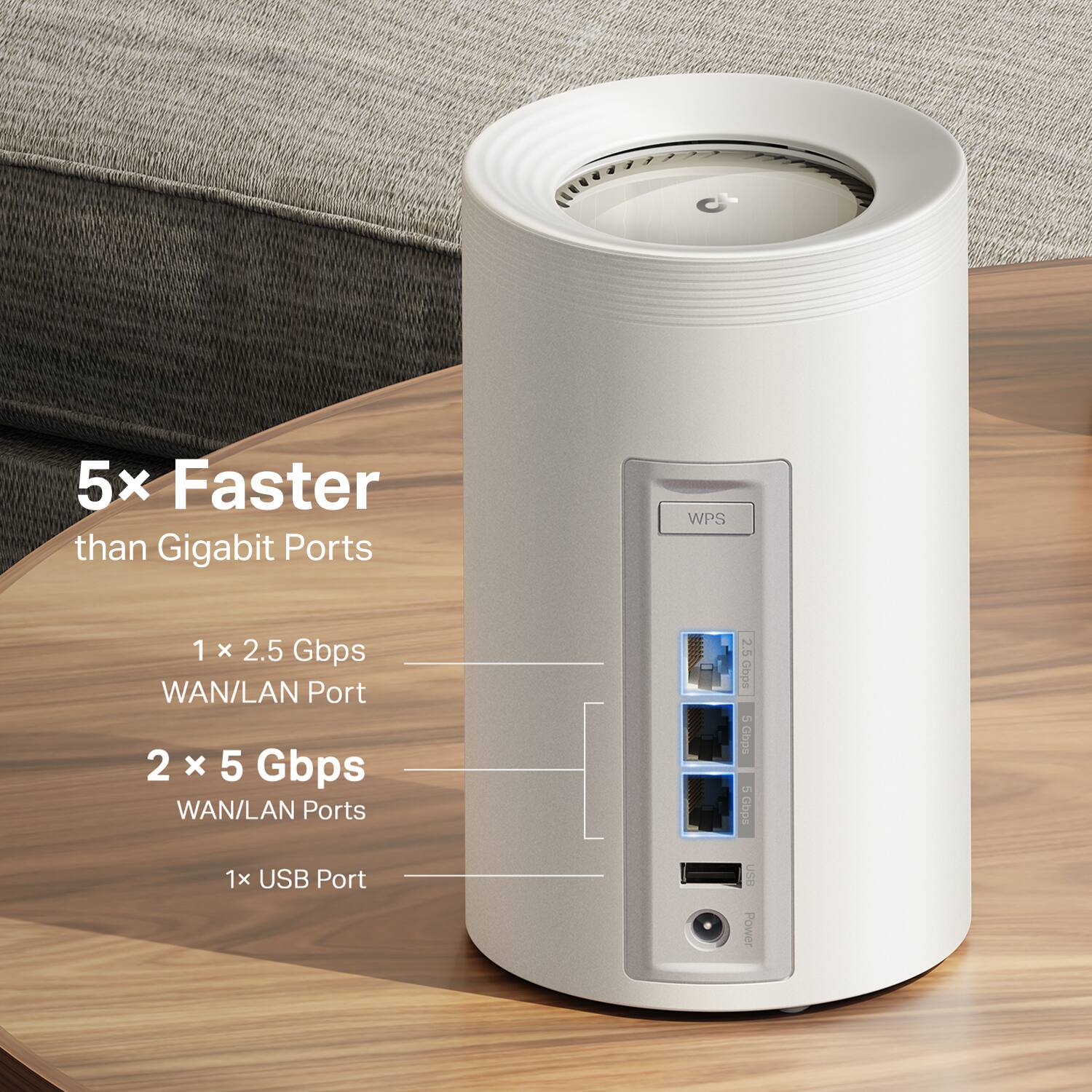
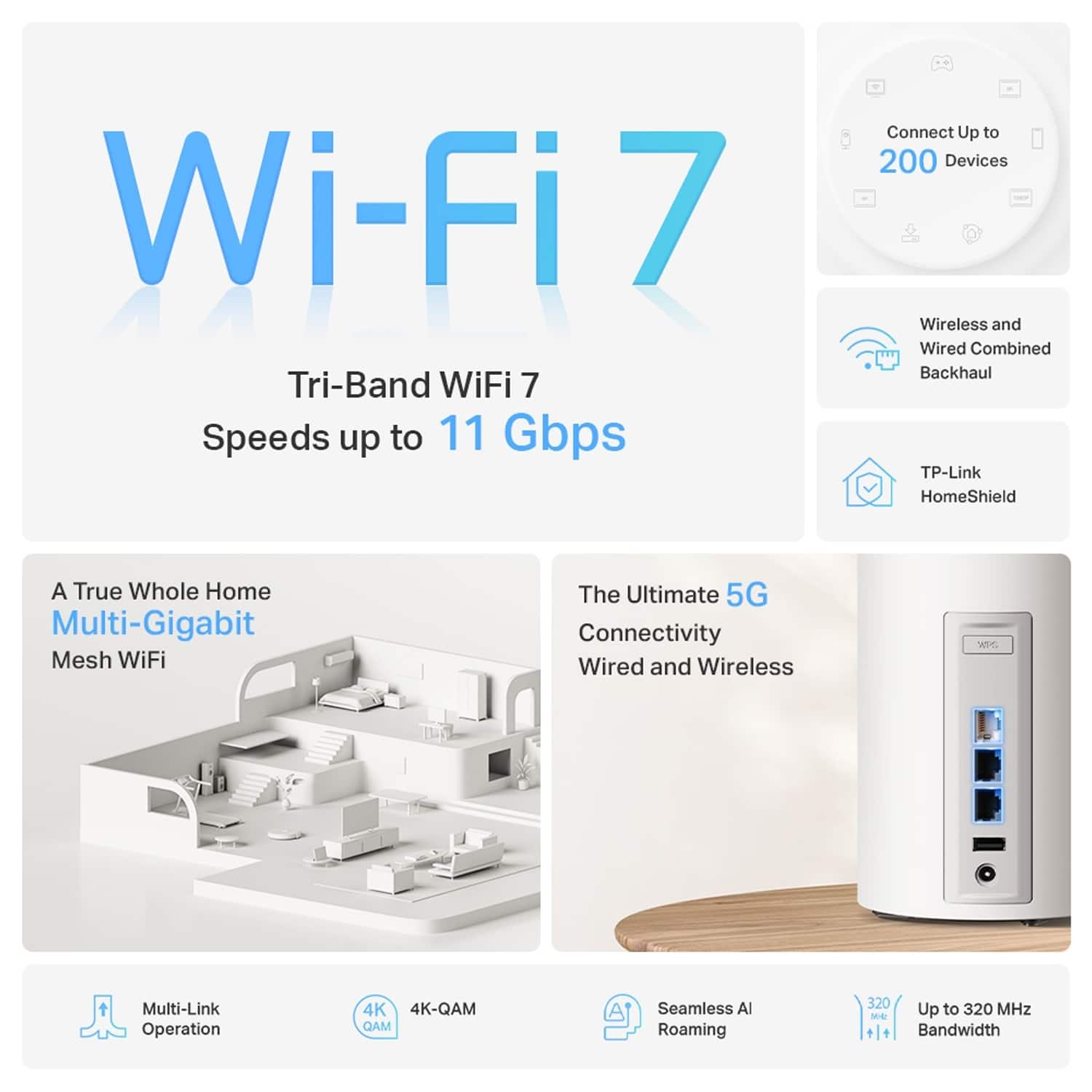
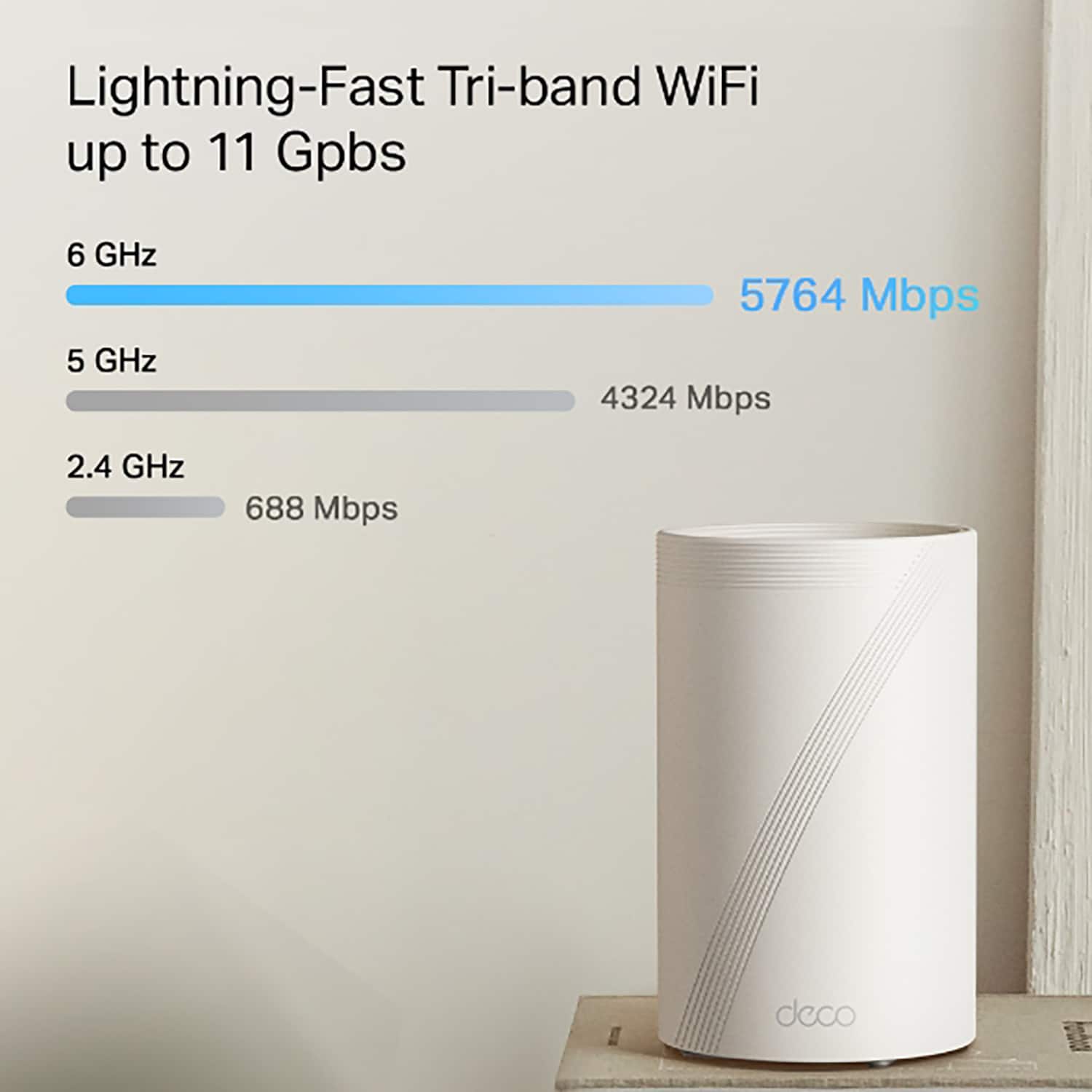
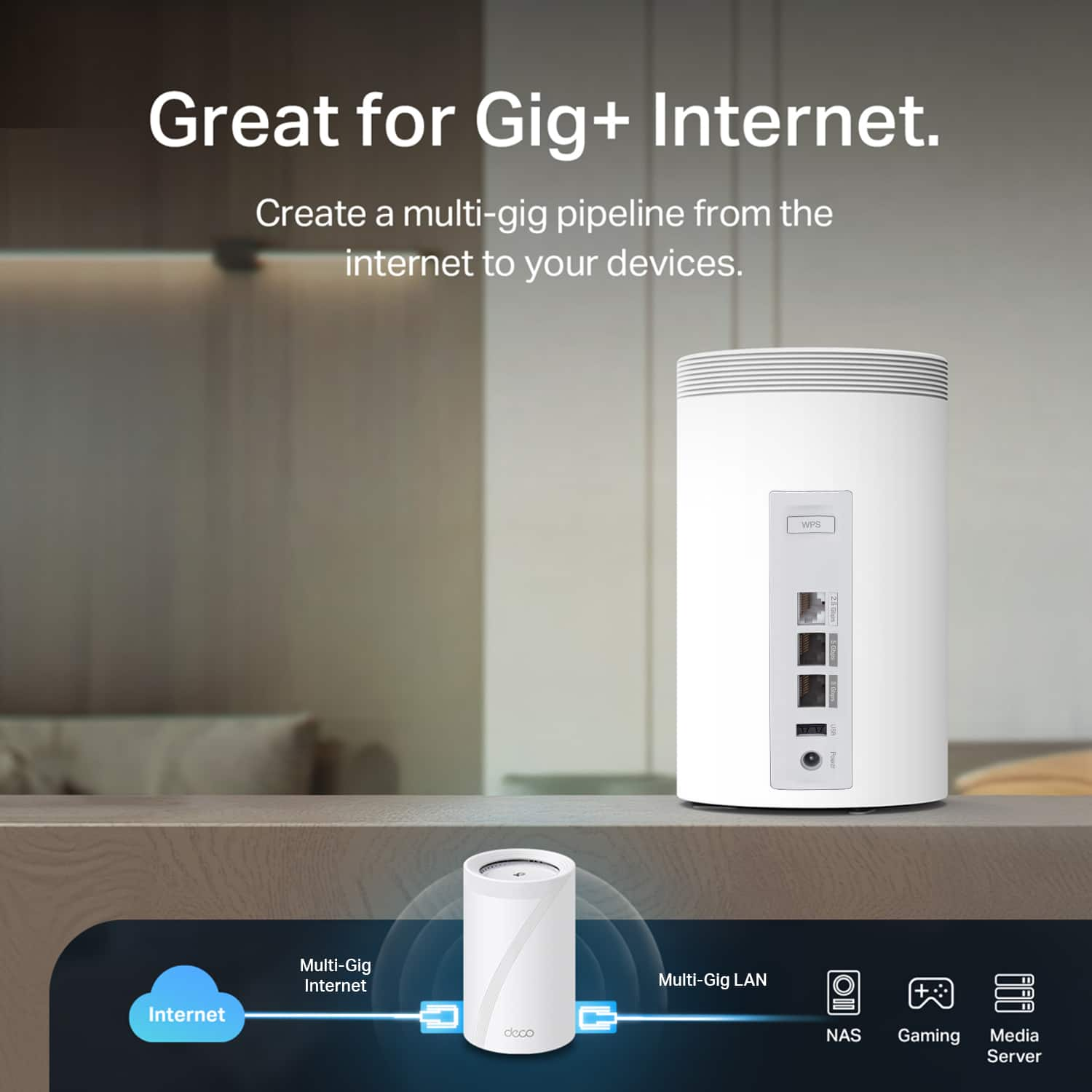
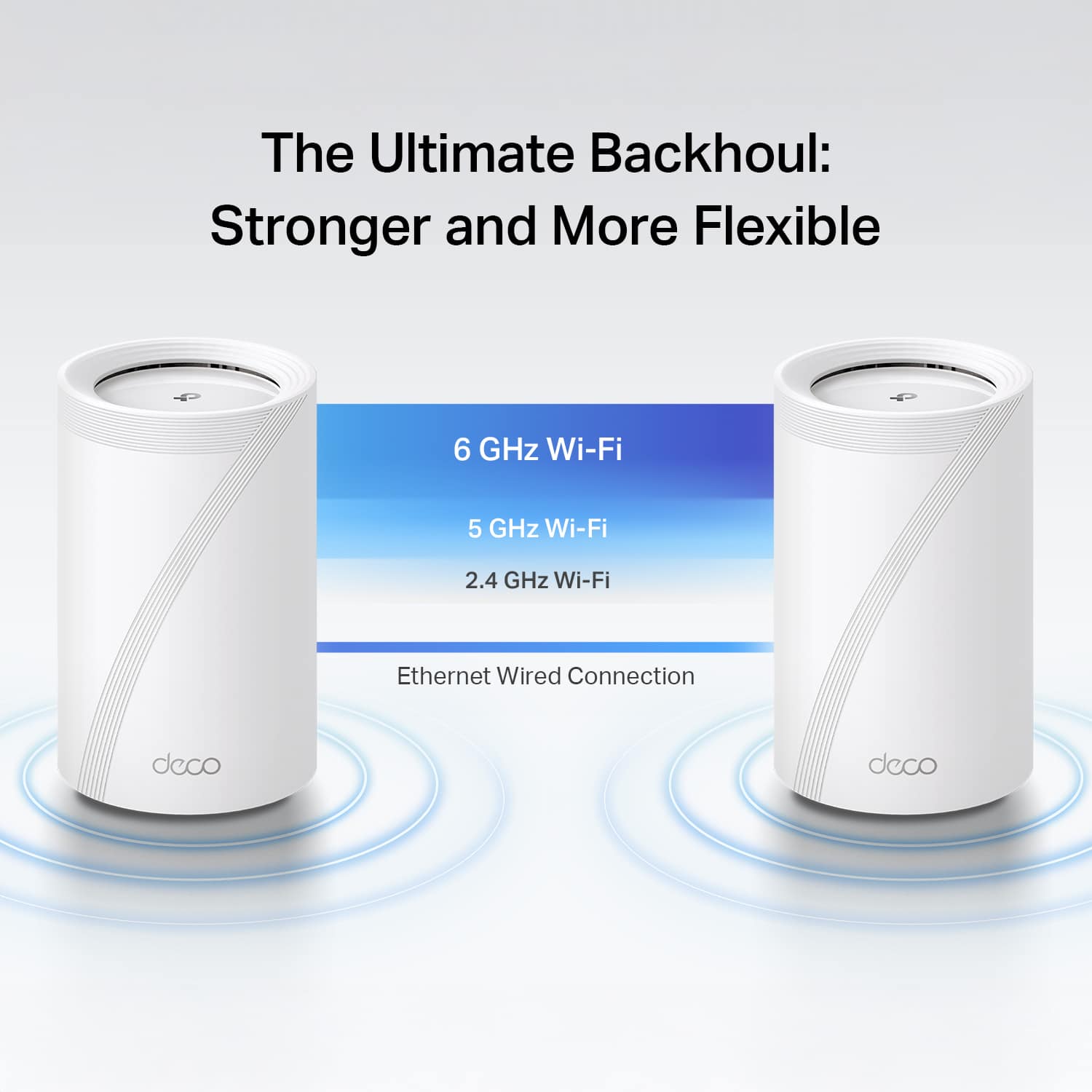
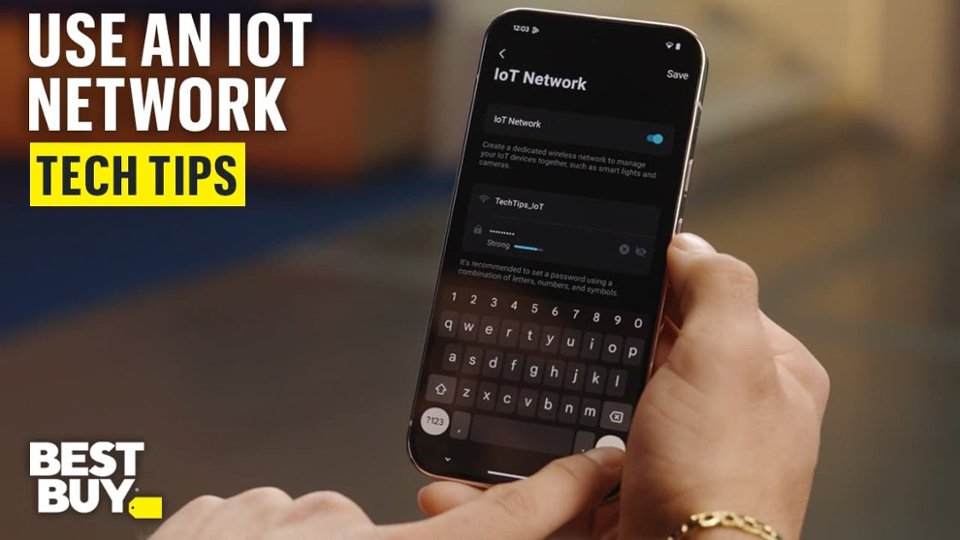
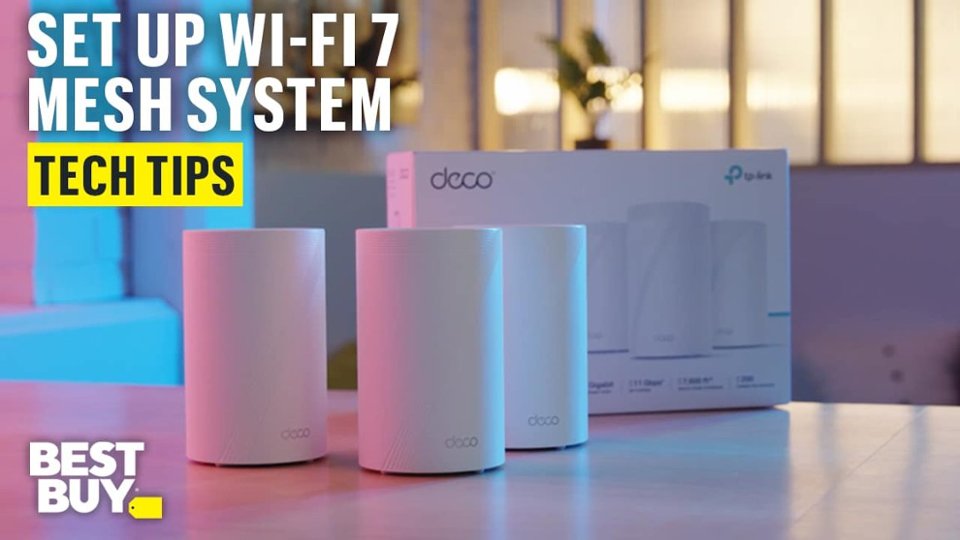
|Posted .This reviewer received promo considerations or sweepstakes entry for writing a review.TP-Link - BE11000 Multi-Gig Whole Home Mesh Wi-Fi 7 System -model Deco BE65 Pro. The TP-Link Deco BE65 Pro /BE11000 Multi-Gig Whole Home Mesh Wi-Fi 7 is pretty amazing. Until now, all Mesh networks have been pretty MEH, with handoff problems, weak signals, poor overlap, and speed degradation and lack of hardwire and Wi-Fi together The BE11000 is impressive and provides a seamless mesh network with excellent performance, even if you aren’t using a Wi-Fi 7 device. What seems to be a little bit confusing is the naming convention. BE11000 Multi-Gig Whole Home Mesh Wi-Fi 7 System (3-Pack) is the product name, and the model is the Deco BE65 Pro. But even on the TP-Link site, knowing which name to look up for information or support can be confusing. The TP-Link Deco BE65 Pro Multi-Gig Whole Home Mesh Wi-Fi 7 System setup process is straightforward. However, the written documentation is somewhat limited. If you download the setup info from the TP-Link website, you might notice that it doesn’t exactly match the instructions in the app. This discrepancy can be a bit confusing, especially for those who prefer to read through the install instructions or do a quick overview before installing tech products. But rest assured, following the app's instructions should still lead to a successful setup. Now, if you are new to network setups, there can be some spots that are not as clear, and you can use some references or explanations. I suggest selecting what you think is right, and even if you make a mistake, you can change things. Also, I would recommend setting up the central unit first and testing it before adding additional nodes. Setting up the additional nodes is easy to do at any point. Another point about the installation I would like to comment on is that TP-Link should make a Windows app instead of, like many companies out there, just making an app that installs on your phone or tablet (Android or IOS). FYI, I use an Android emulator on my Windows 10 and Windows 11 PC, and the BE65 app works fine. Remember, it is not just an installation app but one that helps you manage and monitor your mesh network. I had a couple of hiccups on the install. One of these was recognizing the Wi-Fi on the Deco router on the initial try, even with a manual installation. And there were some other issues on the initial install where the app seemed to get lost. These were rectified by exiting the app and going back in. For some reason, the fingerprint log-in function would not work on my Android tablet. Other than these little glitches, the installation was smooth. I asked a person who wasn’t familiar with doing network installs to try setting up the system, and on a fresh install, the only problem they had was the app did not recognize the Deco router even when their phone was connected to it. After a restart, they were good to go. When adding an additional unit, there was some confusion about the instructions on the app. For the initial hookup of the second device, they were looking for the blue blinking light ( connecting) instead of the steady green light (all things functional), which wasn’t quite as straightforward as it could have been. The Unit is packed exceptionally well, and they are good-looking little towers. I can’t state it any better than this blurb from their website. “It delivers combined speeds of up to 11 Gbps on three bands through 6 steams, thanks to Wi-Fi 7 features such as MLO, 320 MHz channel, and 4K-QAM.1,4 Two 5 Gig ports and one USB 2.0 port allow maximum expandability.” I can’t detect that it uses AI to perform a seamless connection as you roam your home, but I could not detect when the roaming units switched to a different node. Each unit has 2.5 Gbps and two 5 Gbps WAN/LAN ports. The available ports with Backhauling allow you to connect both wired and wireless connections thanks to the Wi-Fi 7 MLO (Multi-Link Operation) technology. There was a minimal drop in internet speed, even in the downstream units. To make things easier to test, I initially hooked the master unit up to just a 1Gbps connection. With “SpeedTest” on the primary device, I could get 988 Mbps connections, and the connected units reported 899 Mbps. The downstream units only did slightly slower, but one has to consider a lot of things in this estimate without using some professional test equipment. Even though the Deco unit is by default set up to check for firmware and software updates ( and you can set it up when it downloads and applies these updates), I suggest doing a manual check at initial setup and following through a couple of days later. One came out within two days of my installation, greatly improving speed and eliminating all stutter. The mesh network units can be used as your complete network ( for up to 200 devices according to the specs), or you can use them to expand your network if that is what you need. The device is pretty smart at dealing with either setup, and the Deco app is easy to reconfigure and fine-tune. There is also Isolation, including a dedicated IoT Network, Wi-Fi Network control, Parental Controls, Guest Networks, WPA3, HomeShield, DoS, SPI Firewall, and QoS traffic Prioritization, and the system can work with Amazon Alexa and Google Assistant. I am still looking into all the possibilities to configure things best for my use. Plus, you can monitor and change your system from anywhere with your phone, tablet, or computer with an emulator. Finally, there is a Wi-Fi 7 mesh system with backhauling that works and works well.
I would recommend this to a friend- Pros mentioned:Connectivity, Coverage, Setup ease
Great cover and speed.
||Posted . Owned for 1 month when reviewed.This reviewer received promo considerations or sweepstakes entry for writing a review.I live in a small detached unit away from the main house and the mesh coverage is still good enough. The speed and consistent connectivity is solid. Its also a breeze to setup. Pricey in 2025 but this is an example of you get what you pay for.
I would recommend this to a friend - Pros mentioned:Connectivity, Setup ease, Signal strength
TP Link BE65
||Posted . Owned for 2 weeks when reviewed.This reviewer received promo considerations or sweepstakes entry for writing a review.Great connectivity with very simple and easy portal to set up. This system was up and running with less than 10 minutes of setup. So far the signal is running really well
I would recommend this to a friend - Pros mentioned:Coverage, Setup ease
Solid wifi 7 upgrade
||Posted . Owned for 1 week when reviewed.This reviewer received promo considerations or sweepstakes entry for writing a review.We've been using it for about a week now and it seems fine. It's a bit faster than my nest and the coverage is good. Easy setup and I like the options in the app. Time will tell if it's going to be a long term system, but the 2 year warranty gives me some peace of mind.
I would recommend this to a friend - Pros mentioned:ConnectivityCons mentioned:Web interface
Love it and HIGHLY recommend!
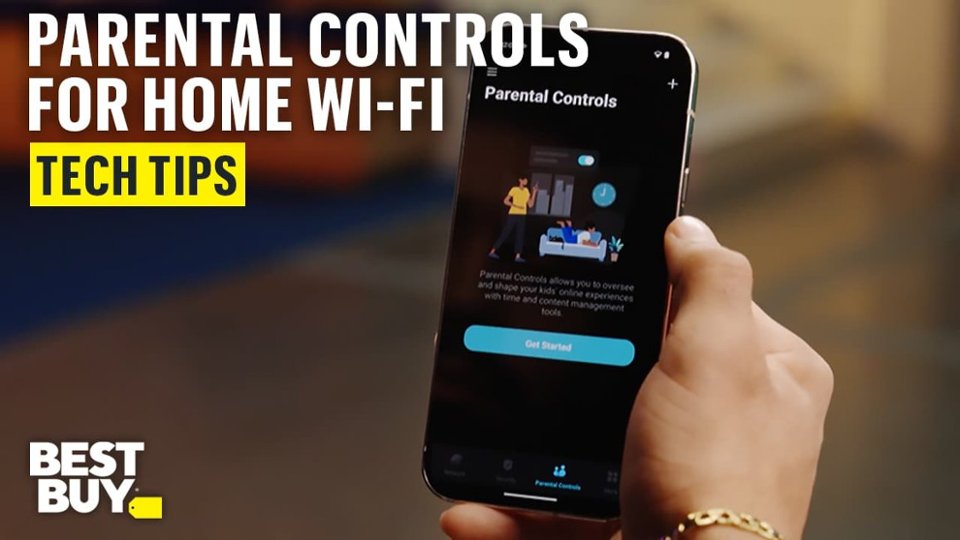
||Posted .This reviewer received promo considerations or sweepstakes entry for writing a review.Set up in minutes, stable, fast and reliable! I wish I could do more administration from the web interface instead of the phone, but that's the world we live in now. I feel the parental controls are a good buy if you want to do any filtering or blocking. There is like a 32 url limit on the domains or urls to block, so I also run OpenDNS to add additional blocking. No ads on devices in my house! The USB sharing is easy to set up and compatible with Apple TimeMachine for backups. I used to run MOCA to get Ethernet in my home office but running the Deco Mesh system, I get the same speeds running Ethernet to the Deco connected via WiFi in Mesh mode. TP-Link converted me from a long-time Nighthawk user. I highly recommended this!
I would recommend this to a friend - Pros mentioned:Connectivity, Signal strength
Great upgrade to my previous outdated mesh
||Posted .This reviewer received promo considerations or sweepstakes entry for writing a review.Massive upgrade from outdated mesh WiFi. Had a Google Nest OG and upgraded to Deco B65 that I purchased on Black Friday. Went from 50-80 Mb/s on the Nest to 600 Mb/s to 1.0 Gb/s on wireless without back-wiring (or whatever you call it) with good signal strength throughout my home using the 3 nodes included in the purchase. App is intuitive, set up was easy and I honestly have no complaints thus far.
I would recommend this to a friend - Pros mentioned:Coverage, Setup ease
Fast and easy upgrade
||Posted .This reviewer received promo considerations or sweepstakes entry for writing a review.Paired this TP-Link BE11000 with my Xfinity gateway, and setup was quick and painless. Coverage and speeds are noticeably better, especially in rooms that had weak signal before. Everything stays stable, even with multiple devices connected. Great option if you want faster, future-proof Wi-Fi without replacing your existing gateway.
I would recommend this to a friend - Pros mentioned:Connectivity, Range
Much better then eero pro 7
||Posted . Owned for 2 weeks when reviewed.This reviewer received promo considerations or sweepstakes entry for writing a review.This replaced the eero pro 7 that gave me nothing but problems. Lot better app and better range. Setup went easy, and you can get a lot more control with this over the eero. No disconnects like I had before and at the time of this review not one problem, it just works. I’m very happy with the looks of the units and how they blend in compared to my last mesh system.
I would recommend this to a friend - Pros mentioned:Connectivity, Coverage
Finally have internet throughout the house
||Posted .This reviewer received promo considerations or sweepstakes entry for writing a review.This is my first time using a mesh router. Since installing the Deco router, my internet speeds have almost doubled around my house. In one part of the house where I didn’t have good WiFi, I now have very good speeds. I am very happy with the results.
I would recommend this to a friend - Pros mentioned:Connectivity, Signal strength
Would buy again
||Posted . Owned for 1 month when reviewed.This reviewer received promo considerations or sweepstakes entry for writing a review.Would buy again…I had WiFi issues from my house that the strength of the signal was weak.when I bought this set up…my WiFi issues is resolved and now I can reach my WiFi outside my house…I currently now have 6 cameras set up without any issues
I would recommend this to a friend - Pros mentioned:Coverage
From Netgear Nighthawk to TP Link Deco - WIN!
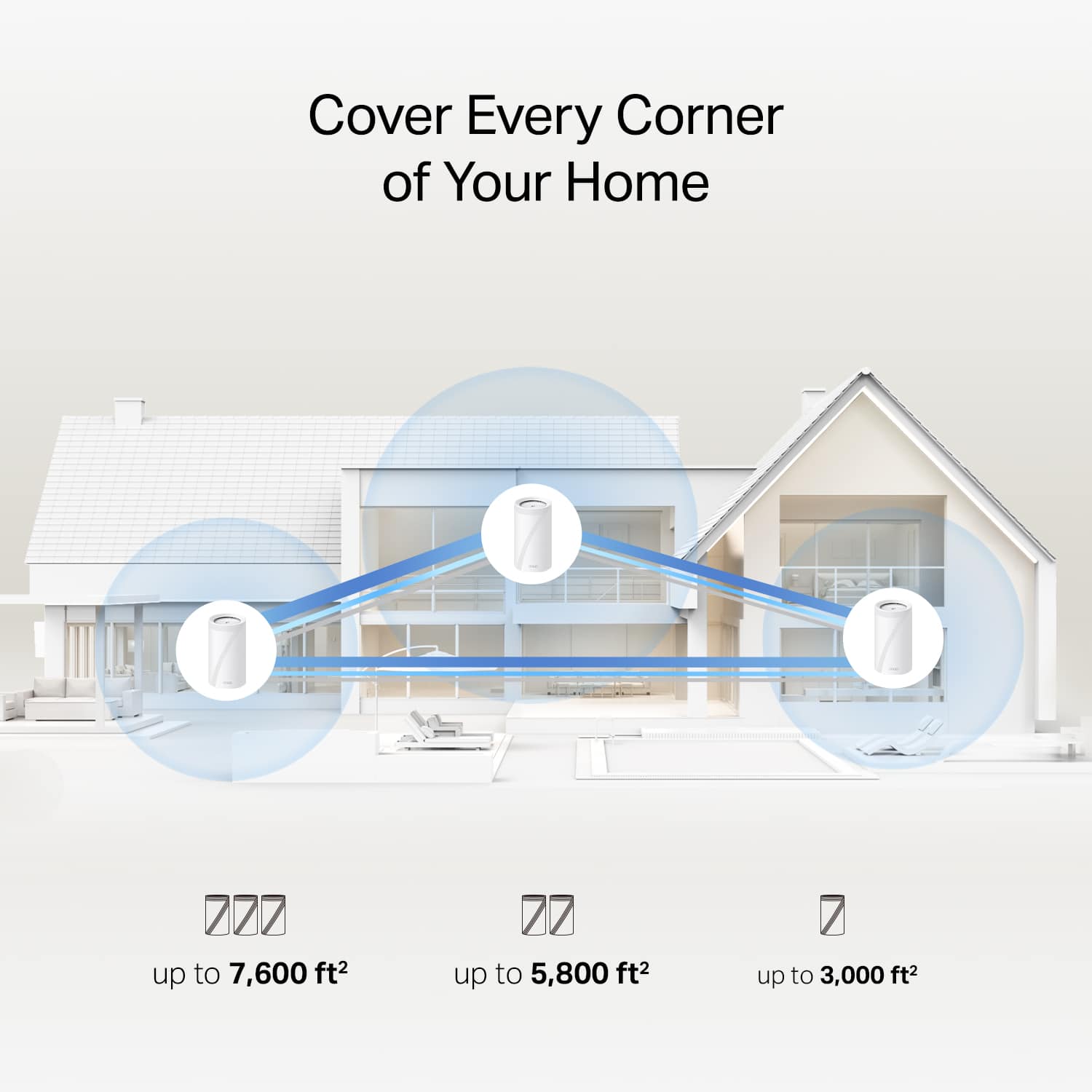
||Posted . Owned for 2 weeks when reviewed.This reviewer received promo considerations or sweepstakes entry for writing a review.After years running Netgear Nighthawk gear, I recently switched to the TP-Link Deco BE65 Pro in hopes of finally getting reliable, full-house coverage in my 3-story, ~4,800 sq ft home. I’m happy to say: mission accomplished. Seamless Setup The setup process was incredibly smooth. I downloaded the Deco app, followed a few guided steps, and within minutes the primary unit was online and broadcasting. Adding the additional nodes was just as painless — the app walked me through placement and linking, with almost zero fumbling or downtime. Coming from Nighthawk, where I often had to fuss with DHCP or manual bridging, this felt refreshingly hassle-free. App & UI Experience The Deco app’s UI is clean, intuitive, and responsive. It doesn’t feel bloated or cluttered — just the right balance of power and simplicity. I appreciated how easy it was to see which devices were connected, their link speeds, and which node they were using. Network settings, parental controls, guest network toggles all of it is logically organized and easy to access. One thing to note (also mentioned in reviews): the app is the primary interface. The web dashboard exists, but it's quite limited compared to the app. Coverage & Performance In my house, the Deco BE65 Pro system actually covers all three floors. No more dead zones in far rooms or upstairs corners. Speeds are consistently strong: even in parts of the house that used to be marginal, I now get solid throughput and low latency. The tri-band architecture, including the 6 GHz band, helps reduce congestion. Combined with TP-Link’s mesh intelligence (adaptive path selection, seamless roaming), devices automatically latch to the best node/band without me having to micromanage. The range claims (up to 7,600 ft² in TP-Link’s spec sheet) gave me confidence this would work for a large home. Great system, you won't regret upgrading!
I would recommend this to a friend - Pros mentioned:Coverage, Setup ease
Great purchase, wish I did it sooner.
||Posted . Owned for 2 weeks when reviewed.This reviewer received promo considerations or sweepstakes entry for writing a review.Had many issues related to poor wifi coverage in my large house that this set fixed. Set up was very easy and service is reliable. Worth the price!
I would recommend this to a friend - Pros mentioned:Coverage, Setup ease
Review for DECO BE65 PRO (3-Pack)
||Posted .This reviewer received promo considerations or sweepstakes entry for writing a review.I am very impressed with the DECO BE65 PRO system. The three units significantly improved my internet connection throughout the house, providing excellent speed, strong coverage, and a stable signal in every room. Setup was simple, and the performance has been outstanding. Highly recommended for anyone looking to boost their home WiFi.
I would recommend this to a friend - Pros mentioned:Connectivity, Range, Setup ease
Mesh network
||Posted .This reviewer received promo considerations or sweepstakes entry for writing a review.Easy to setup and works great. Excellent connectivity and great range.
I would recommend this to a friend - Pros mentioned:Connectivity
Unbelievably Simple, Fast, and Beneficial
||Posted .This reviewer received promo considerations or sweepstakes entry for writing a review.This mesh WiFi system could not have worked better for our needs. We have a 3k+ SqFt home and both work from home. Not only has this product has been an absolute game changer, it has also streamlined our capabilities to add even more devices to our home network. With the ability to create multiple networks specifically to service home security, work computers, television streaming and phone WiFi access, we can lower the pull on a specific network and create an even more seamless and lag free experience. Highly recommend this product for anyone with a larger home, or even those who just want to improve connectivity and security for all devices accessing their network. Amazing product and would purchase a million times over!
I would recommend this to a friend - Pros mentioned:Connectivity, Coverage
Word like a charm
||Posted . Owned for 1 month when reviewed.This reviewer received promo considerations or sweepstakes entry for writing a review.Covers all the areas in my house and allows me to hardline into my pc. Whole system works as if it was one
I would recommend this to a friend - Pros mentioned:Coverage, Setup ease
Great Coverage Without Sacrificing Speed
||Posted .This reviewer received promo considerations or sweepstakes entry for writing a review.After suffering through the Nest Wifi Pro I needed something that would provide great coverage without losing significant speed. This was the answer. Easy to set up and it's been a solid performer.
I would recommend this to a friend