Customer Ratings & Reviews



![WIRELESS & WIRED CONNECTION
Designed for both home & tournament play. PC - P4 PSS [] - 5](https://pisces.bbystatic.com/image2/BestBuy_US/images/products/c409bcd2-ea8c-478b-8ba5-e6c39ed43b3a.jpg)

- Model:
- TBC-3101-05
- SKU:
- 10968578
Rating by feature
- Value
Rating 4.4 out of 5 stars
- Quality
Rating 4.6 out of 5 stars
- Ease of Use
Rating 4.6 out of 5 stars
- Pros mentioned:Ergonomics

Turtle Beach - Victrix Pro BFG Reloaded
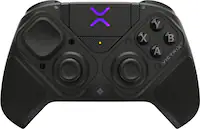
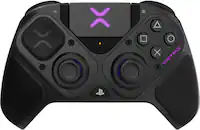
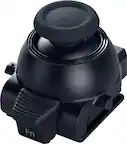
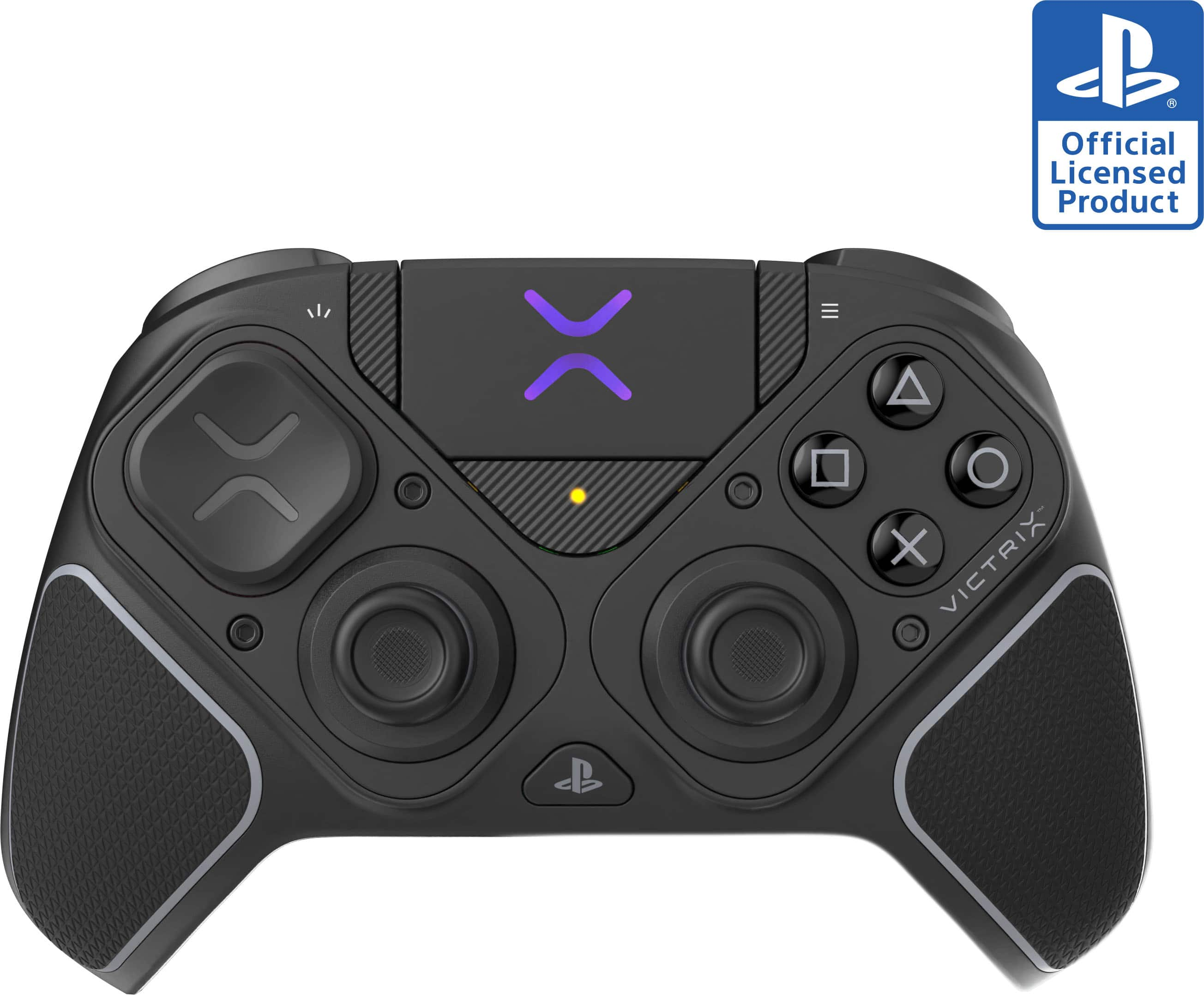
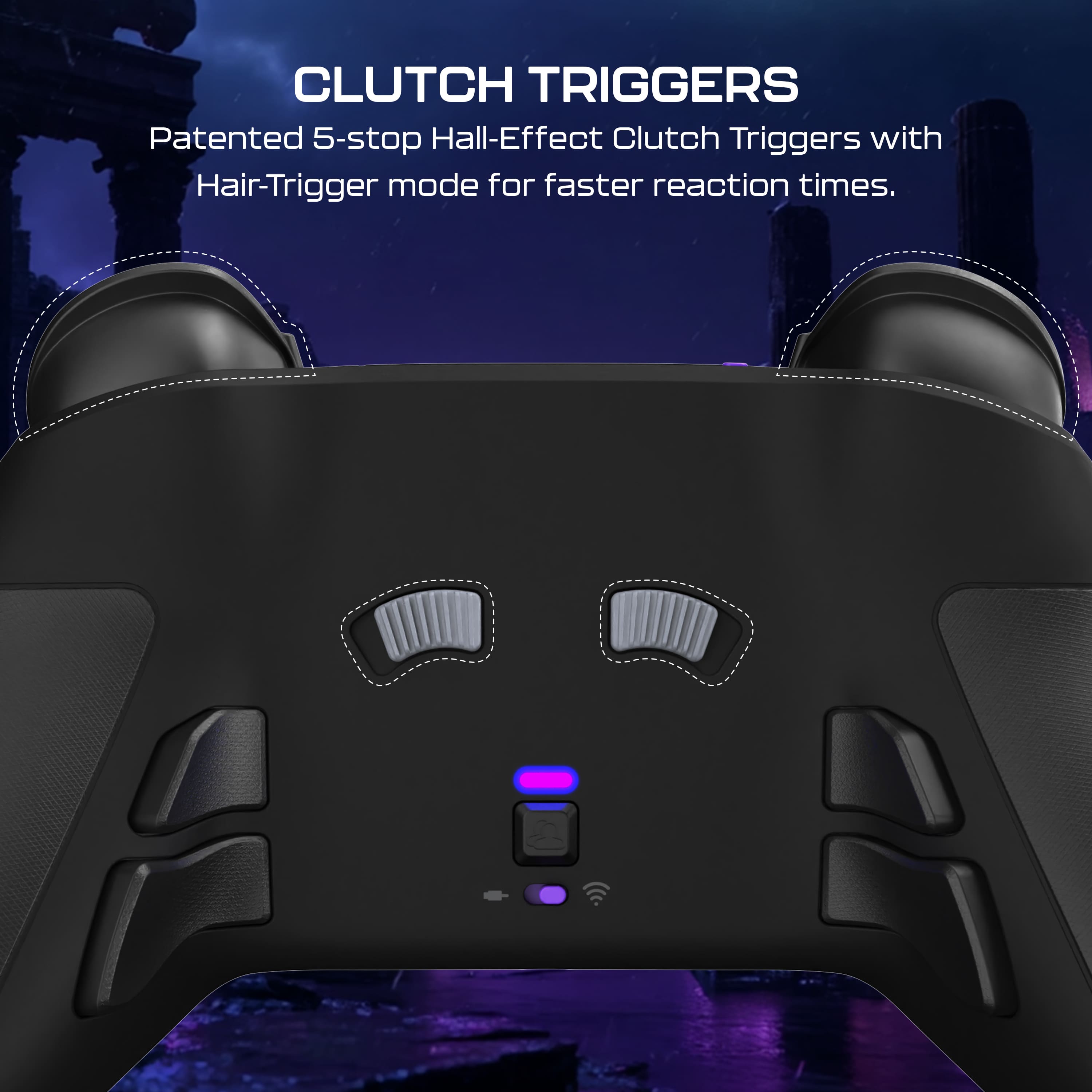
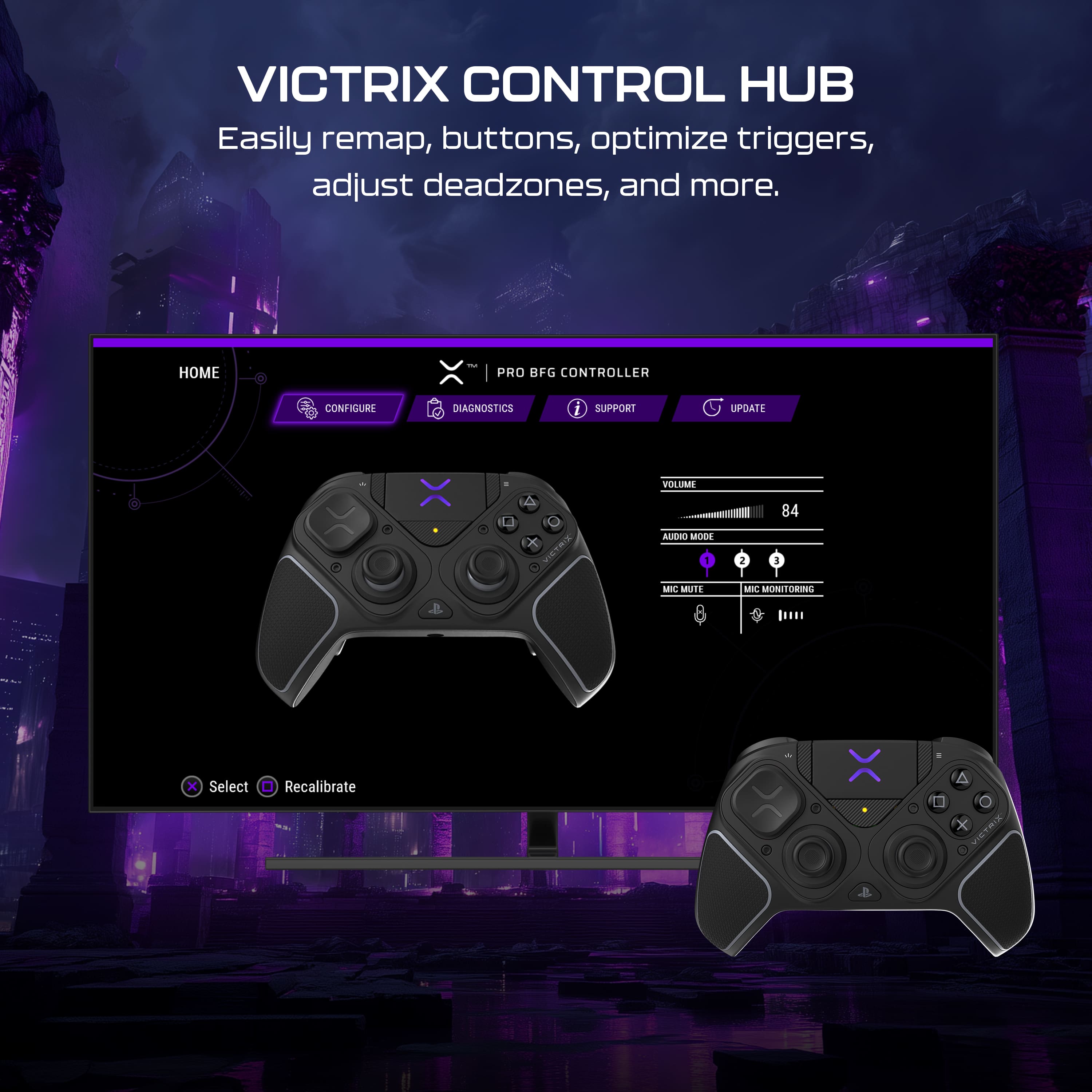
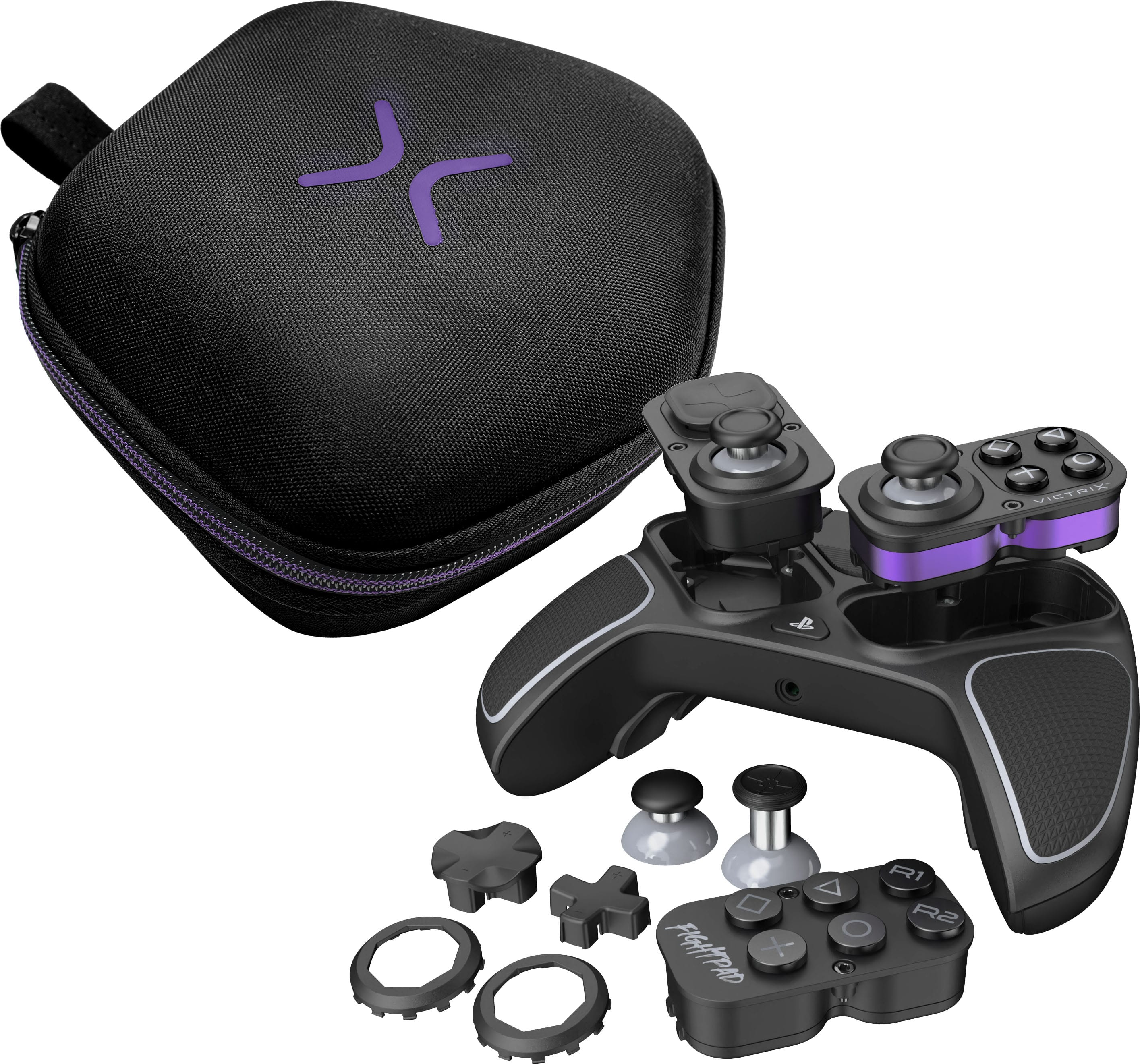
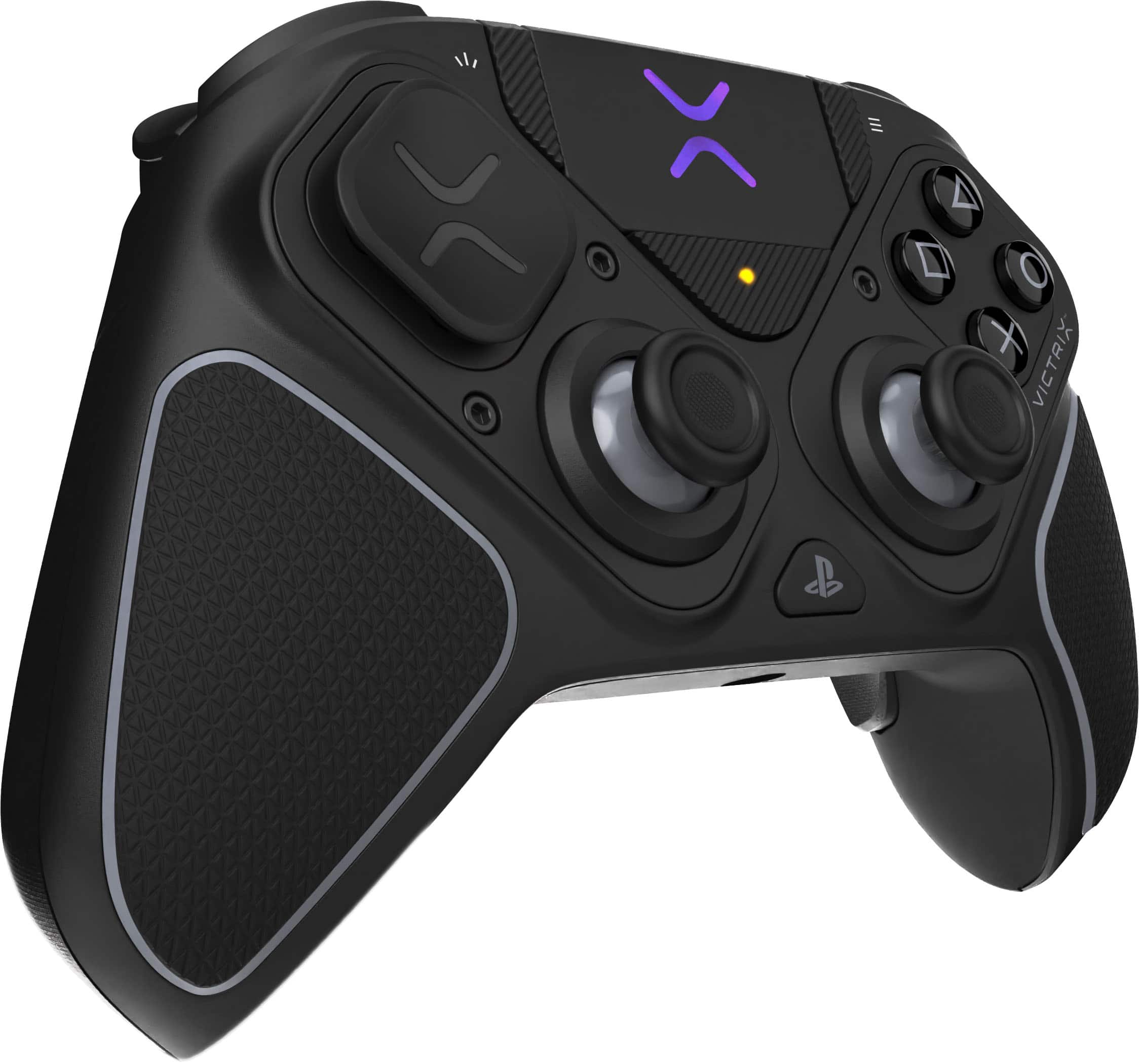
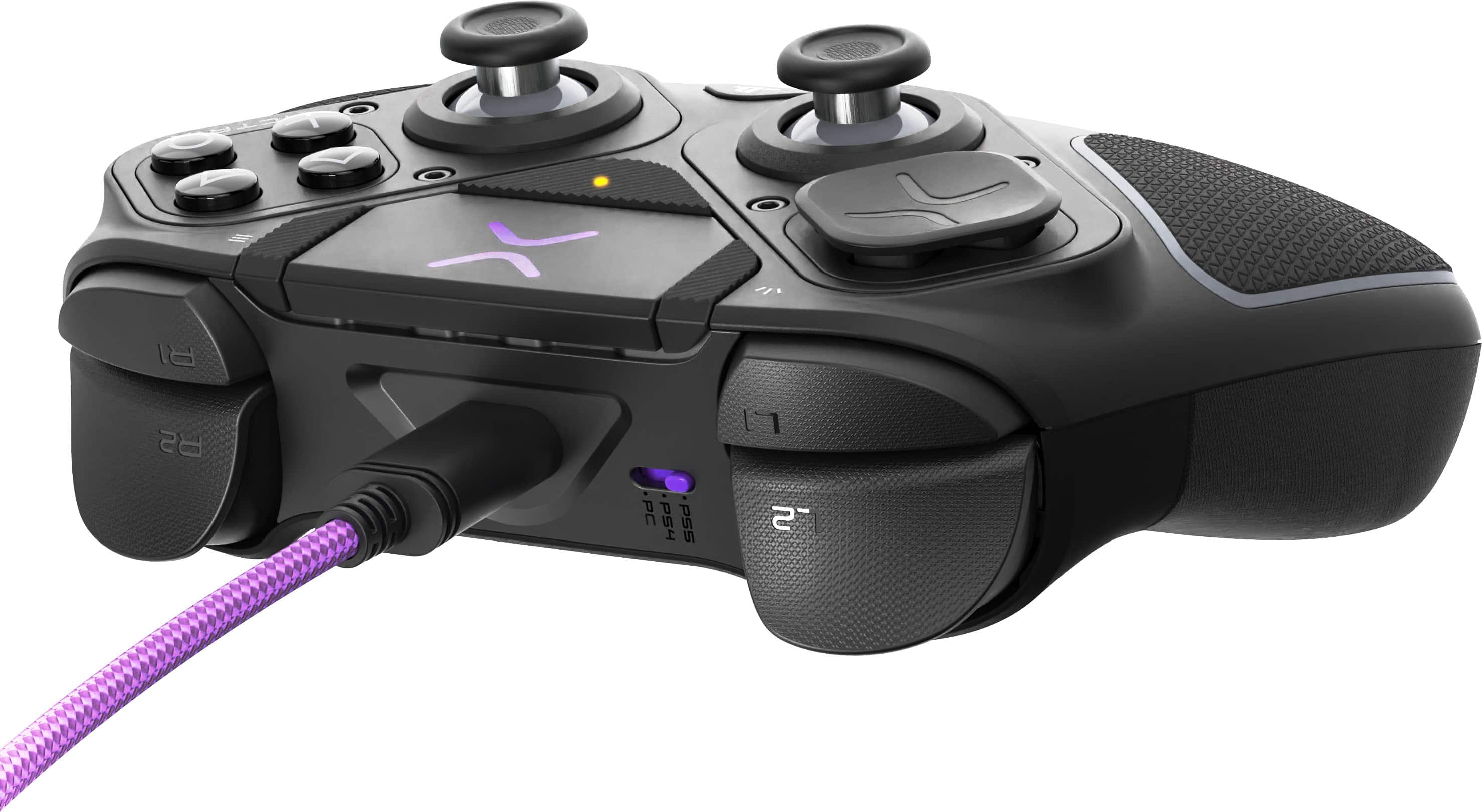
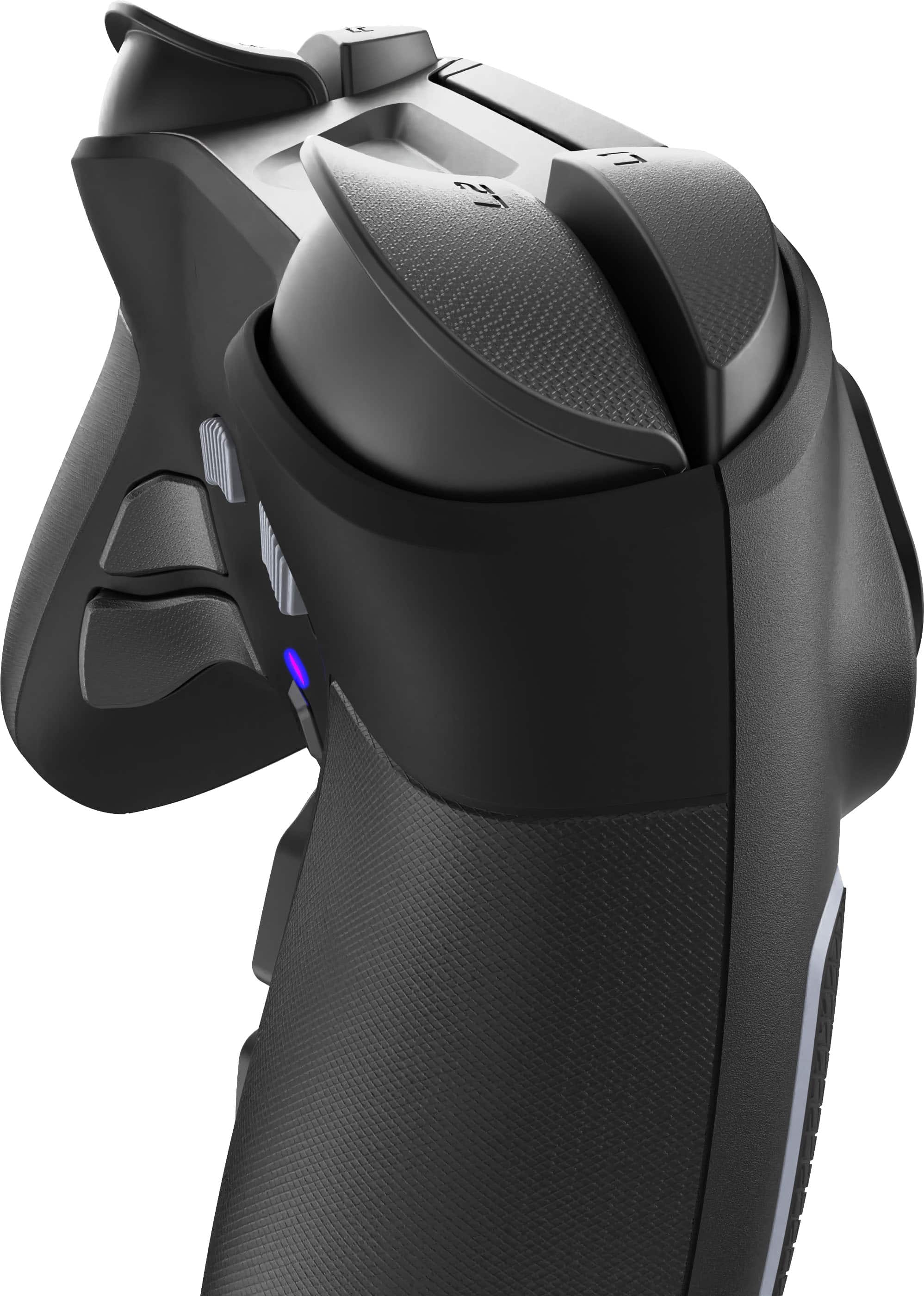
|Posted .This reviewer received promo considerations or sweepstakes entry for writing a review.Upon opening the box, this is a good looking controller! Packed in a tightly fitted carry case, it comes with a slew of customizable accessories which includes a short domed stick, a tall “sniper stick”, several different shaped Dpad caps, a pair of hexagonal gates, a fightpad to replace the right side stick and buttons, a 3 meter braided USB A to C cable, and a driver tool to change out the stick modules. For reference, I play with an unmodded DualSense controller, a Nacon Revolution 5 controller, and another DualSense controller I modded with ExtremeRate mouse switch triggers and metal back buttons. I never really got comfortable with the XBox stick layout of the Nacon so my youngest son has pretty much taken that one over. This Victrix controller is able to be configured either in a PS style or an XBox style stick layout which is nice. I will say that in my opinion the mouse switch triggers on my modded controller are best for FPS games but the adjustable triggers on the Victrix are a close second. As delivered, the triggers are extremely sensitive to even resting your fingers on them and I found myself accidentally zooming the map, ADS-ing the weapon, or having NDs due to the sensitivity. I used the Victrix Control Hub app to add a small dead zone to the triggers and I’m much happier now. I also used the PC app to disable the lower two back buttons for now, I feel like they are too low and are right where I want to grip the controller. The two upper ones are in a pretty good location and I was able to map them to X and □ fairly easily. I say fairly easily because the PC app uses O as the Back button in the menu so every time I tried to disable O on a back button it took me to the previous page. Kind of annoying. I found that I could remap what was the O back button to a different button like UP on the Dpad and then I was able to disable it without having to press the O button on the face of the controller. Easy workaround at least! I like the feel of the Hall Effect sticks and took to them right away. I haven’t had any issue with stick drift on a PS5 controller unlike the DS4 controllers but I like how these react in game and I didn’t need to adjust anything from default. There is a recalibrate button in the app which I understand can remove stick drift should it occur later on. This controller does connect wirelessly to a PS5 but requires the use of a dongle which is included. I added a powered USB hub to my consoles years ago so I have plenty of open USB ports so that’s not an issue. You can’t turn on the console by the controller alone but I have my console connected to an ARC compatible HDMI port on the television so the console turns on when I select the PS5 as the input on the television’s remote control so that’s not an issue for me either. Once the console powers up, the USB hub turns on and the dongle is powered so I can connect the controller. The controller body has a thin, grippy skin on the back and a much more heavily textured insert on the front so it’s easy to hold. I wouldn’t mind having the heavier texture added to the back and sides, with the position of the lower back buttons being where they are a little more texture on the sides would have been welcome. I feel like I need to squeeze the controller from the sides to keep from activating the lower buttons with my grip. I don’t feel like I can make full use of the lower buttons as it is. The L2 and R2 triggers are 5 position adjustable including a Hair Trigger mode. I’d like to run them in the minimal travel position but I can’t seem to add any dead zone in that position. I’m used to my mouse click modded buttons, these hair triggers are super touchy in the minimal travel position in my opinion. But I can adjust them to the next position out where they have only slightly more travel and then I found a spot using the dead zone adjustment on the PC app where I could rest my fingers on the triggers lightly and not empty a mag into the dirt or accidentally apply the brakes when driving a vehicle in game. Having very adjustable triggers is nice if you have only one controller, my mouse click modded controller is great for FPS games but pretty much useless for games that require a throttle since it’s only idle or full throttle, there’s no modulation possible. The adjustable triggers on the Victrix can do both by just sliding the button on the back to adjust the travel so you can go from a FPS title to a racing sim to a flight sim and back easily. The controller has no vibration or adaptive/haptic triggers like the DualSense does if that matters to you. There is a 3.5mm port onboard for a headphone plug if you use that, it has Sony 3D audio enabled for an immersive experience.
I would recommend this to a friend - Pros mentioned:Ergonomics
Ultimate In Controller Customization
|Posted .This reviewer received promo considerations or sweepstakes entry for writing a review.Some people play games casually, other people play them as a hobby, and some people own a Victrix Pro BFG Reloaded and play games as if that’s what keeps their heart beating every moment of their day! I always considered myself a serious gamer but when I opened the box and found what was inside I realized I’m just a casual by comparison to the target demographic here. Once you open the box (due to the tight slip style it may take upwards of 30-60 seconds) inside you find a molded plastic cradle for a firm zipper case with the bold large purple Victrix logo glaring out at you, daring you to pick it up and open the treasure trove of gaming deliciousness inside. Once you call that dare and remove the case, unzipping it you discover the top half has a mesh pocket and velcro strap to restrain a bold purple USB-A to USB-C cable and the bottom half has…well, everything else but the kitchen sink. The controller itself sits proudly in its form fitting bed with a USB dongle pressed into a removable foam “tray” which also holds two analog stick rings and a “FightPad” module. If you lift the controller out a bright purple mini screw driver is revealed which is how I found out the foam “tray” could lift out and reveal a tall “sniper” analog stick, a shorter convex (round top instead of bowl top) analog stick, and two swappable D-pads. I knew this was a pro controller but I didn’t realize how customizable it was. And I was just scratching the surface, this was just the cosmetic features! That screw driver is used to swap modules, which is the two functional halves of the controller: a left module with your D-Pad and left analog stick across from the right module which holes the right analog stick and your game play buttons (I have the Playstation so X, O, Triangle, and Square). Each module is held into the controller with two screws and you can replace your right module with that FightPad which puts your four face buttons as well as the R1 and L1 onto the controller face, kind of like an arcade cabinets button layout. Very cool! The rest of the controller looks like a futuristic version of your Sony Duelshock with the touch pad and the Option and Share buttons but there’s also a “Function” triangle under the touch pad which lets you program the controller. We’ll get back to that. Flip the controller over and on the back is a switch from wireless to wired mode, FOUR(!!!) more buttons on the back of the controller’s grips, and two sliding toggles above center kind of behind the touchpad. Those four extra buttons are kind of like extra R1, L1, L2, and R2 buttons in one is larger than the other but all four can be programmed to be whichever button you wish to have available to those fingers gripping the controller. You can set three profiles each indicated by a colored LED on the back Profile button, push the profile button then the back button you wish to program and then whatever button you wish that back button to emulate. If you’re like me though and your hands are big enough they push those by mistake just holding the controller comfortably you can press the function button, then double tap the button you want to DISABLE and now you can push those buttons all day long without issue. But there’s still MORE you can program! The R2 and L2 buttons can be locked to whatever depth you wish them to squeeze down to. Hold the slide button for the left or right side and then press in the shoulder button to however far you wish the end to be then release the slide and that’s how far your L2 or R2 button goes. This can be as squishy as fully depressed or as shallow as no movement beyond what your face buttons do. Of course you can also use this controller on your PC and there’s an app to program all of the buttons via the app as well. I played with the different thumb sticks and D-Pads, they just pop off and on with firm but minimal effort (the D-Pad was slightly more concerning for me but it was done with less force than I was concerned would break it). In the end does the endless customization matter if the controller doesn’t PLAY games? That’s a matter of personal preference obviously. There’s almost nothing wrong with how a Duelshock controller FEELS in the hand and it will certainly feel different holding the Pro BFG Reloaded but its not offensive to the hand. I spent most of my time with the controller trying not to press the back buttons before I dug through the instructions and finally turned off those back buttons and was able to hold it firmly without worry. To my hand it feels a little smaller than I’d prefer but it's completely satisfactory once you play with it a bit. The battery life is on par or better than Sony’s out of the box standard controller, I played for a few days 3 or 4 hours each and didn’t see a low battery warning pop up. On a whole the package is beautifully presented, the case holds everything securely, organized, and protects it with a very high class style. Anything you could want from this controller it will do for you other than bells and whistles like changing colored LEDs or replacing the shell of the controller, but that’s all pretty and this is a MACHINE that you turn it on and you just win! If you want a high end gaming accessory this is what you want!
I would recommend this to a friend - Pros mentioned:Ergonomics
My new favorite controller
|Posted .This reviewer received promo considerations or sweepstakes entry for writing a review.Despite being a PC gamer, I still use controllers to play. Was previously a Playstation user but have upgraded to the master race. As such, I need a controller similar to the Playstation ones which are sort of hard to come by. Since it's PC, most of the controller outs there are XBOX format where the left joystick is in the upper left hand side of the controller. Being so used to the thumbsticks being in the middle, I find it difficult to play using XBOX style controllers. Previously, I had been using Thrustmaster eSwap controllers since you're able to move the thumbsticks where you want them. They've worked well for me however they seem to have stick drift quite a bit after some gameplay which is annoying. With this Turtle Beach controller, I get the same layout I'm accustomed to but with that custom controller feel to it. Big thing for me are the paddles on the back. They're sized/placed perfectly for me to use which is a nice bonus. My older controller had these however they were kind of small and awkward to use. These paddles work/feel great. You get some additional pads/thumbsticks with the kit as well as a carrying case which is kind of cool. This is everything you need to get up and gaming ASAP.
- Pros mentioned:Customization
Up your game!
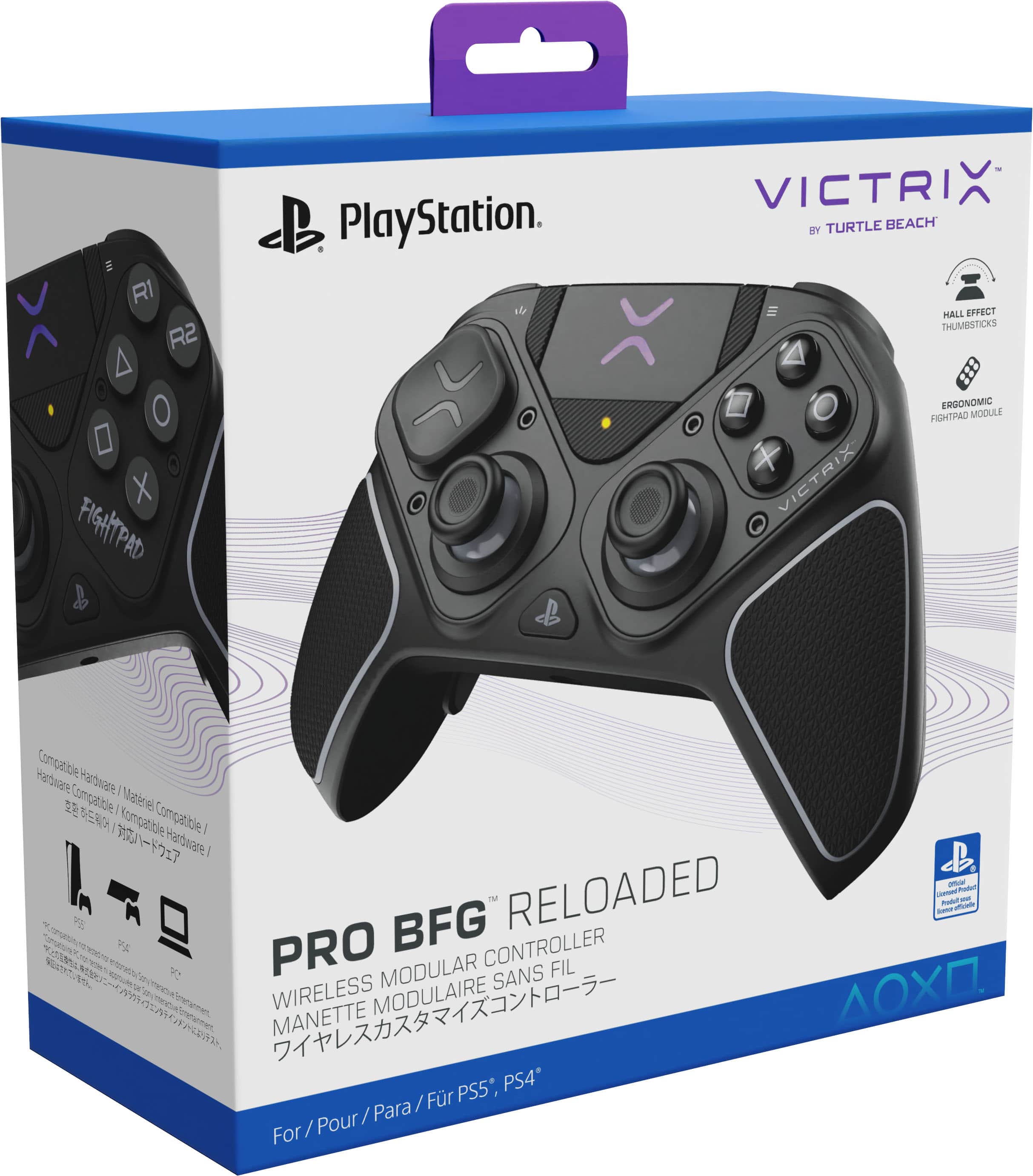
|Posted .This reviewer received promo considerations or sweepstakes entry for writing a review.The Turtle Beach Victrix Pro gives you tons of customization to up your game! I’ve owned both the Xbox elite controller and the PlayStation edge controller and the Turtle Beach Victrix takes everything from them and adds even more customization. The biggest thing is being able to completely swap the modules so the thumb sticks can be in the complete opposite position. So, if you’re like me and own a PS5 but prefer the position of Xbox sticks, you can make your PlayStation controller just like that. The controller connects with a usb dongle or can be used wired and can be used with PS4, PS5 and PC. Uboxing the controller you get three different d pad designs, two extra thumb sticks, one tall and one short, a module for fight games, tool, usb cable and a nice carrying case. The two things you don’t get with this controller is the haptic feedback for the triggers and the ability to cut the PlayStation on with the controller. The triggers have 5 different settings and the controller gives you ability to lock the settings to prevent accidental changes. The Victrix control hub app on pc makes changing settings easy but is only available for pc so if using it with PlayStation you either connect first to your pc to customize or do it manually. The Victrix is a highly customizable controller that is a nice alternative to the Edge controller.
I would recommend this to a friend - Pros mentioned:Battery life, Ergonomics
Great!
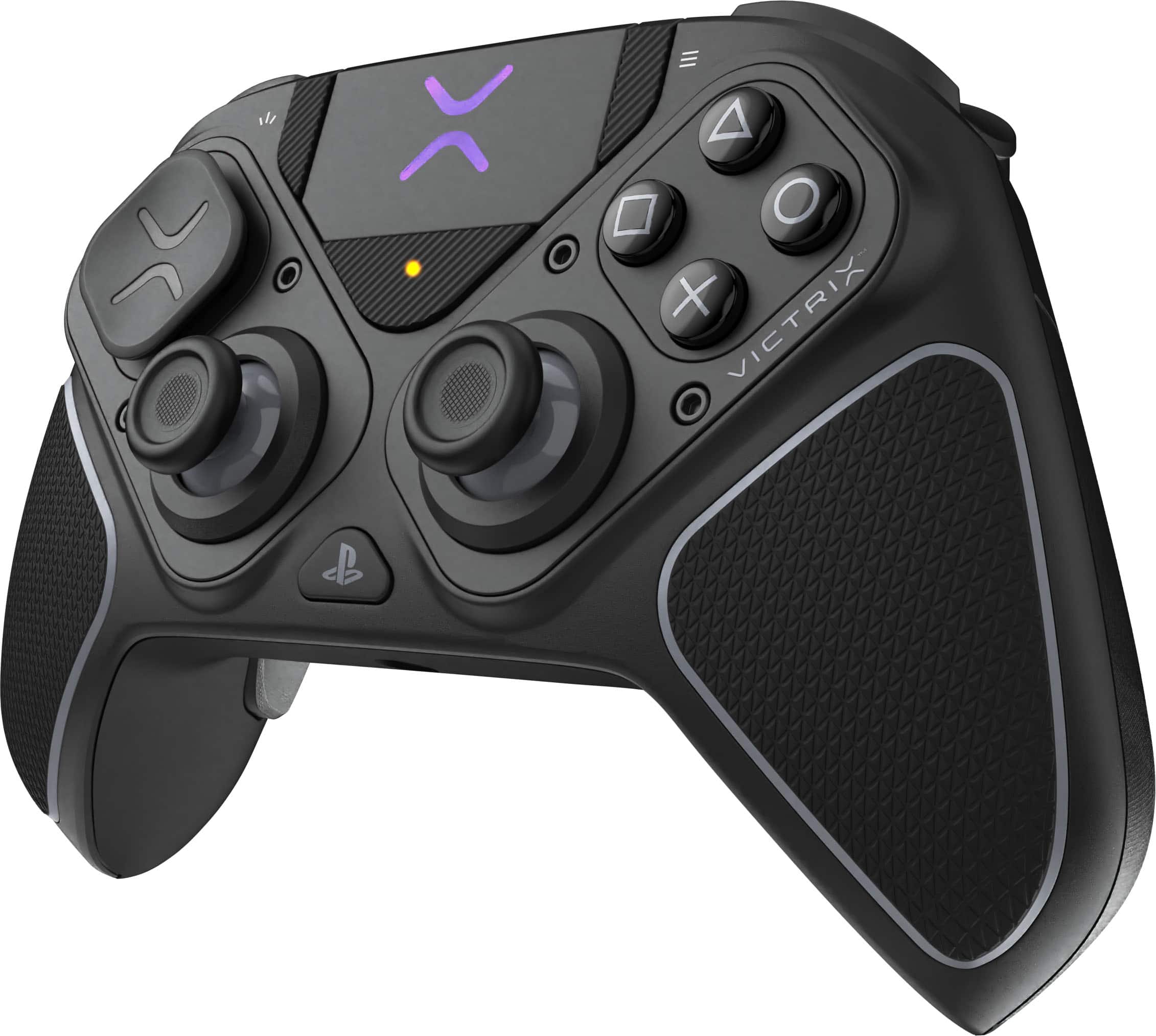
||Posted . Owned for 1 month when reviewed.This reviewer received promo considerations or sweepstakes entry for writing a review.The Turtle Beach Victrix Pro BFG Reloaded works well as a PS5 controller if you’re looking for more customization than the standard DualSense. It feels solid and comfortable in hand, with textured grips and responsive buttons and triggers. The modular design lets you swap stick layouts and adjust the setup to your preference, which is helpful if you like a specific configuration. Wireless performance on PS5 has been stable, and battery life holds up through longer sessions. Overall, it’s a reliable alternative to the stock PS5 controller, especially if customization matters to you.
I would recommend this to a friend - Pros mentioned:Ergonomics
Awesome!
||Posted . Owned for 3 weeks when reviewed.This reviewer received promo considerations or sweepstakes entry for writing a review.Got this on discount for my husband and after seeing how easy cleaning and repair is I am sold! He loves using the different set ups and uses the controller wired for games that demand quick response times. Ladies this is an investment-save some $$$ down the line on drifting controllers and get this one
I would recommend this to a friend - Pros mentioned:Customization
Great controller
||Posted . Owned for 1 month when reviewed.This reviewer received promo considerations or sweepstakes entry for writing a review.It’s a great controller with lots of features and customization but has one flaw and that is that you can’t update the controller on your ps5 or Mac so you loose some customization
I would recommend this to a friend Love it
||Posted . Owned for 1 week when reviewed.This reviewer received promo considerations or sweepstakes entry for writing a review.This ps5,4& PC controller works great . So far im loving the feel n lightness
I would recommend this to a friend- Pros mentioned:Ergonomics
Game controller
||Posted . Owned for 3 weeks when reviewed.This reviewer received promo considerations or sweepstakes entry for writing a review.Good controller, i mostly play on xbox but being able to move the thumb sticks to the same position as an xbox controller is beyond awesome
I would recommend this to a friend - Pros mentioned:Ergonomics
Ps5 controller
||Posted .This reviewer received promo considerations or sweepstakes entry for writing a review.Brought for Christmas our son started using it right away he said works better then his regular ps5 controller and he’s love the fact that he can change parts out
I would recommend this to a friend - Pros mentioned:Ergonomics
Victrix gaming controller
||Posted . Owned for 1 month when reviewed.This reviewer received promo considerations or sweepstakes entry for writing a review.Very good controller, very customizable. Good more competitive games, and has an amazing feel.
I would recommend this to a friend Awesome Controller
||Posted .This reviewer received promo considerations or sweepstakes entry for writing a review.The Controller is light and versatile joysticks are great along with the adjustable triggers
I would recommend this to a friend- Pros mentioned:Battery life
Lots of features, good for FPS type games
||Posted . Owned for 2 months when reviewed.This reviewer received promo considerations or sweepstakes entry for writing a review.I like the long battery life and how short the distance on the triggers can be!
I would recommend this to a friend - Pros mentioned:Battery life
Great controller!
||Posted . Owned for 3 weeks when reviewed.This reviewer received promo considerations or sweepstakes entry for writing a review.Love the customization options and hard shell case. Battery life is great, as well.
I would recommend this to a friend Great Pad*
||Posted .This reviewer received promo considerations or sweepstakes entry for writing a review.Great Controller. With the added Hall Effect sticks this becomes the best controller. One star less due to no vibration.
I would recommend this to a friend- Pros mentioned:Ergonomics
New controller to try, more paddles
||Posted . Owned for 2 months when reviewed.This reviewer received promo considerations or sweepstakes entry for writing a review.I loved how different it was, takes getting used to but has 4 mappable paddles on the back.
I would recommend this to a friend - Pros mentioned:Customization
Great pro controller
||Posted .This reviewer received promo considerations or sweepstakes entry for writing a review.Great quality product for the price. Love the customization.
I would recommend this to a friend Phenomenal
||Posted . Owned for 2 weeks when reviewed.This reviewer received promo considerations or sweepstakes entry for writing a review.Its an excellent controller. I bought this open boxed floor model. BE SURE TO CHECK RECEIPTS! Cuz in small print mine said that anyone can request under the year warranty a free manufacturers replacement and that's precisely what I did
I would recommend this to a friendGreat buy
||Posted . Owned for 3 weeks when reviewed.This reviewer received promo considerations or sweepstakes entry for writing a review.Best pa5 controller. Doesn’t break like Sonys dual sense and it isn’t garbage like all Sony first party ps5 controllers. They had such a monopoly on the controller market till ps5 I never had to replace a controller since ps1 launch but sure enough the ps5 controllers last a month tops.
I would recommend this to a friendgreat product
||Posted . Owned for 1 month when reviewed.This reviewer received promo considerations or sweepstakes entry for writing a review.I love how it handles; the grips are firm; I can hold it comfortably and not drop it. For a wireless controller I would highly recommend it, works great and I can control my movements.
I would recommend this to a friend