Customer Ratings & Reviews
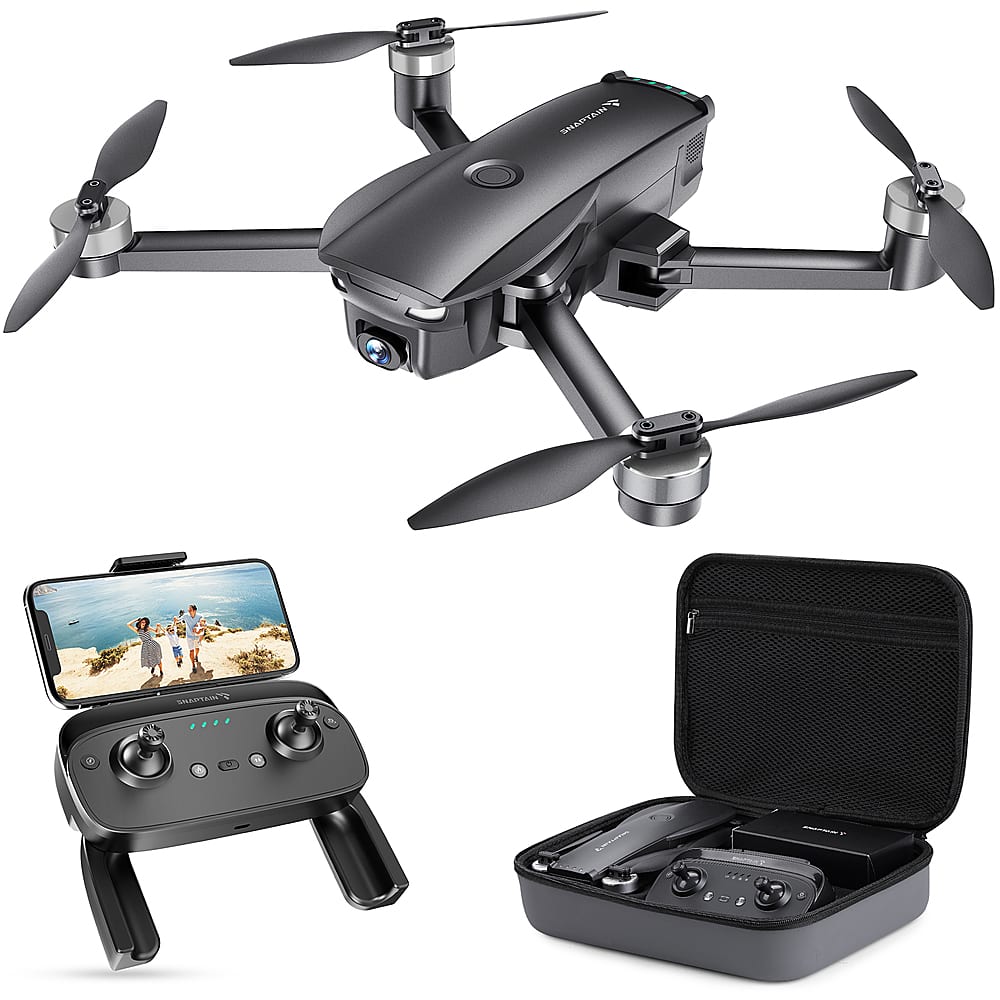
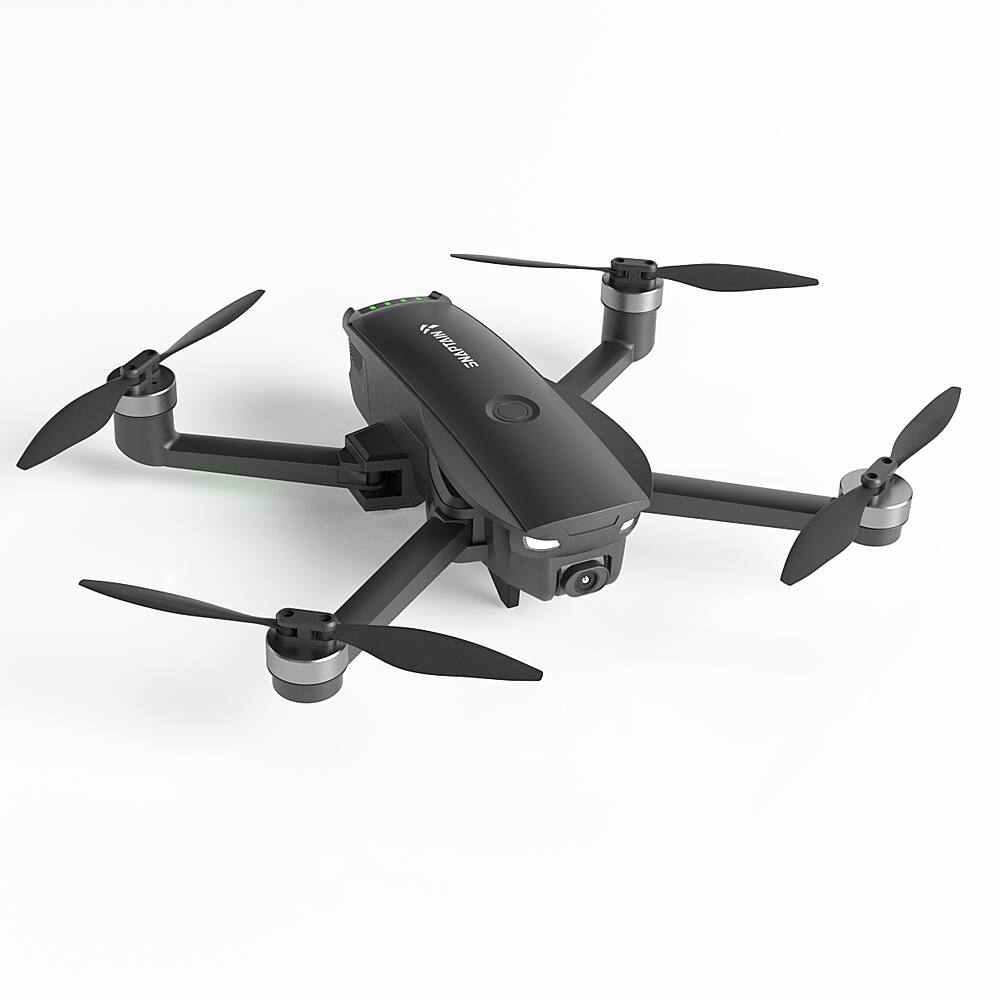
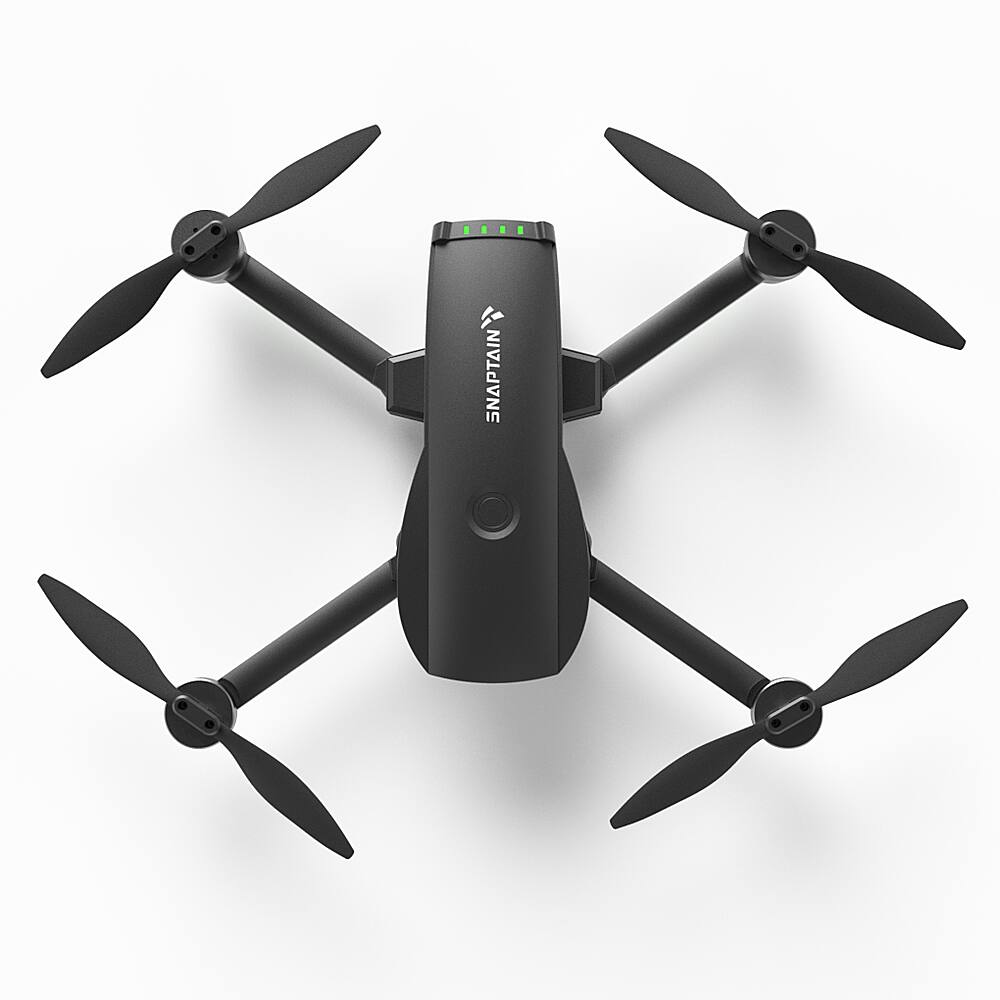
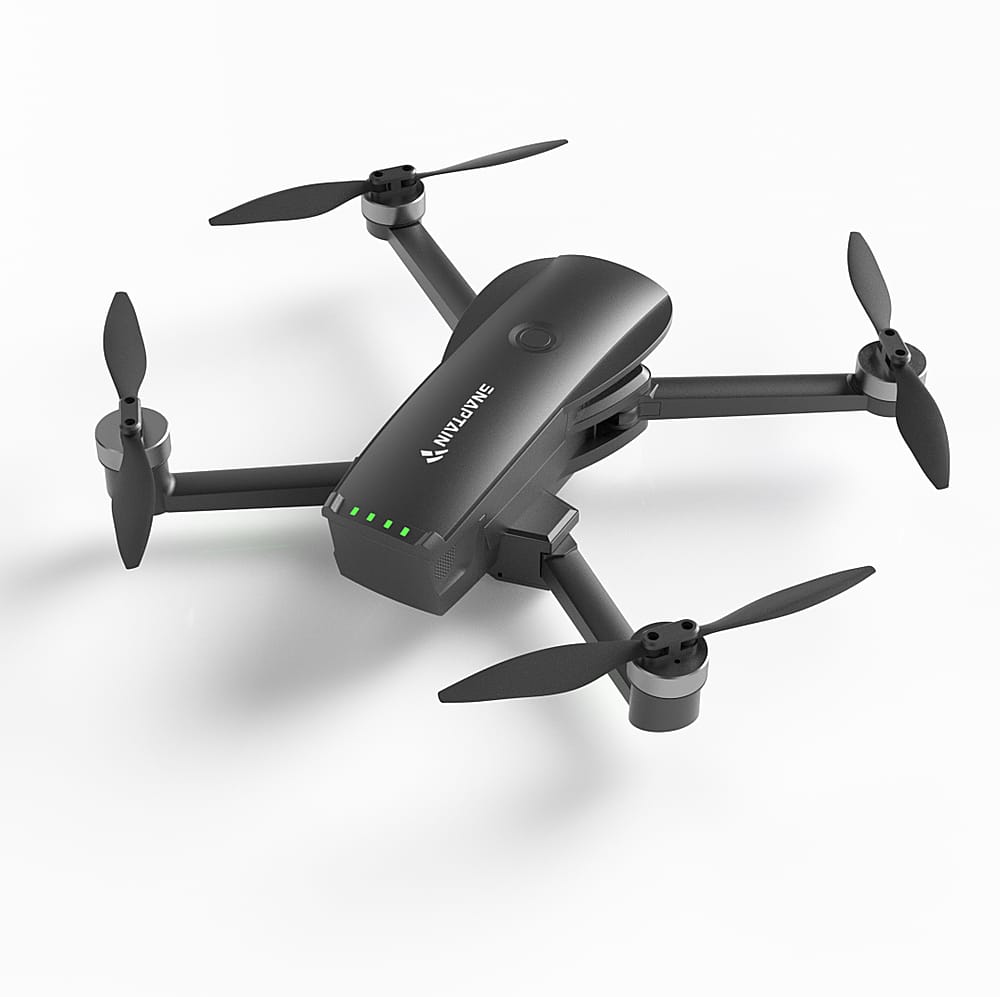
- Model:
- SP7100S
- SKU:
- 6522052
Rating by feature
- Battery Life
Rating 3.6 out of 5 stars
- Range
Rating 3.9 out of 5 stars
- Camera Quality
Rating 4.2 out of 5 stars
Customers are saying
Customers admire the Snaptain SP7100S Drone's camera quality and ease of use, frequently praising its intuitive controls and impressive features like GPS and Return to Home functionality. However, some users express concerns regarding battery life and occasional difficulties with the remote control. The carrying case and overall value for the price are also frequently highlighted as positive aspects.
This summary was generated by AI based on customer reviews.
- Pros mentioned:Camera qualityCons mentioned:Battery life
Nice for the price.
||Posted . Owned for 9 months when reviewed.This reviewer received promo considerations or sweepstakes entry for writing a review.Bought for husband for Christmas. He loved it. Loves the picture quality. Only down fall. After a year we had to buy another battery due to the original battery not keeping a charge.
I would recommend this to a friend - Pros mentioned:Camera qualityCons mentioned:Battery life
Way Better Than I Expected!
||Posted . Owned for 1 month when reviewed.This reviewer received promo considerations or sweepstakes entry for writing a review.After reading reviews - mostly of DJI models as they seem to have +90% of the market - and trying to educate myself, I saw the Snaptain SP7100S advertised by Best Buy. From the description, it seemed almost too good for the price, but I went ahead and purchased it as my very first drone. I have to say, I'm immensely impressed! The feature set is so much better than I would expect at that price, and importantly, they didn't add features at the expense of the drone itself. The build quality is very high. Overall, I'm thrilled with my purchase, and would recommend it to anyone on a budget or just beginning in the drone world. NOTE: Although I gave 4 stars for battery life, range, and camera - after all, this isn't a $3000 drone - I give it 5 stars overall: battery, camera, range, build, etc., are so much better than should be expected for a $200 drone!
I would recommend this to a friend - Pros mentioned:Camera quality, Carrying case, Flight stabilityCons mentioned:Battery life

Nice mid-level drone, okay for even total novices
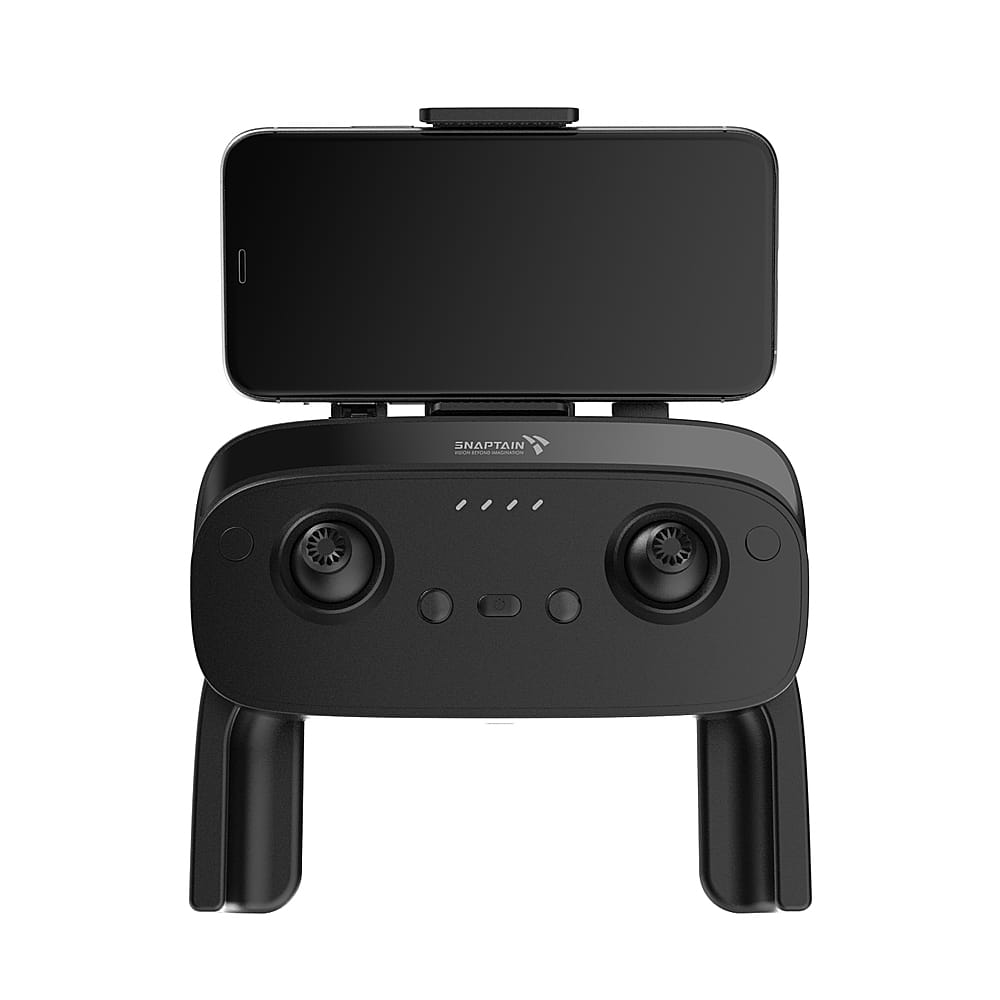
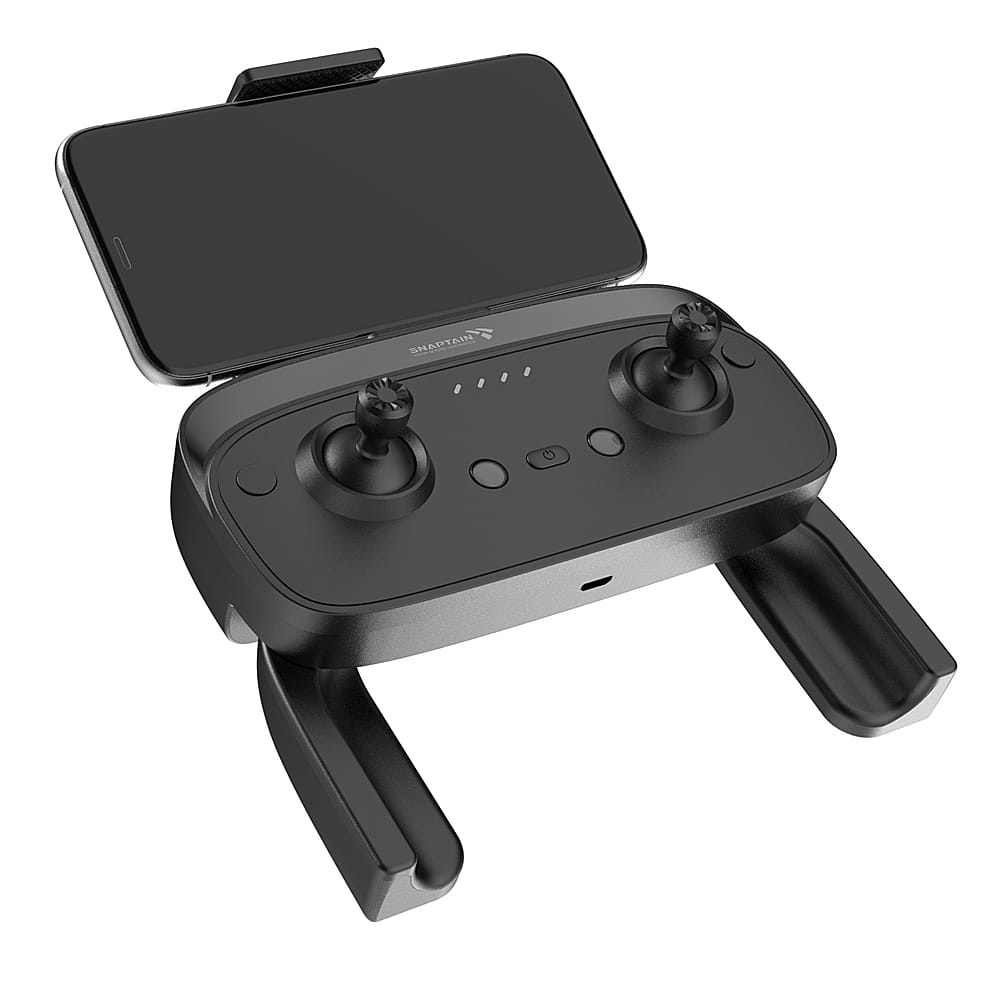
|Posted .This reviewer received promo considerations or sweepstakes entry for writing a review.Having never piloted a drone before, the opportunity to trial the Snaptain SP7100S was approached with beginner’s mind, and no preconceived expectations. As I received my drone late November, the lack of warm, clear, calm weather proved to be somewhat of a limitation. Additionally, since I live midway between my town’s municipal airstrip, and the heliport of the local hospital, all the legal flying terrain is a bit of a drive for me. I had anticipated learning to fly at the local park’s ball field, but my preparation education steered me to the app B4UFly (which I highly recommend) and I quickly learned that the FAA had other ideas from my novice ignorance. Basically our small city is completely off limits for recreational airspace flying. The Snaptain 7100S is a weight of drone that requires it to be registered with the FAA, which is easy to do online. There is a short educational treatise to read and a few question exam to take online, to be granted a license (which costs $5 for a 3 year certificate). Also the drone needs to be marked with your license number, which can be just with a Sharpie on the body of the drone, or online sites will make you a sticker with your contact number and license number. Since the body of the drone was black, a Sharpie would not show up too well, so I sent off for the $3 stickers. All these details are outlined at the online "FAA DroneZone" (just do a web search, and it will be easily located) and they walk you through everything you need. The 7100S comes in a very nicely constructed, durable carrying case, with custom molded cradles for the drone, the hand controller, and areas for the manual, extra propellors, and the charging bricks (USB powered) for the drone and the controller. The camera takes a microSD card (not included in the package, but under $10), which is pretty much the standard for amateur drones. In my reading, a 32 Gb card was plenty large for most of the photography/videography you might do. The card needs to be initialized to a Windows format, from what I read, and since I only have Macintosh computer, I found an app that would do the formatting for that requirement. Snaptain has an app for you to download to your cellphone, which will be instrumental in monitoring the camera's field of view, and direction you are aiming the drone’s camera. This is available in both the Apple app store and Google Play, for both iPhone and Android phones. There were several Snaptain drone apps to pick from, but I downloaded “Epic” as the instruction manual directed for the SP7100S. Also note in the app, there is a “beginner” slider switch, which I chose as appropriate for my skill level; it is not clear to me what this changes, and not stated in the manual, but I didn’t want to risk my drone to my inexperience). The hand controller has a spring loaded cradle to keep the cell phone at your fingertips while working the joysticks that control the drone while aloft. Having no prior drone flying experience, getting the hang of which joystick to use and push in which direction was a definite learning curve. Certainly the choice of a $250 drone over a $750 drone was ideal for a beginner. The Snaptain was quite forgiving in my simple demands. Powering up the drone and the controller are separate steps but well outlined in the instruction manual. You connect your phone to the drone via WiFi, so if you are close to your home in flight, you might want to set your phone to Airplane mode, so it won’t try to link to your home WiFi, leaving your drone an orphan. You need to go to your settings app on your phone and connect to the Snaptain signal. Personally I had a bit of trouble with the calibration steps – to calibrate the compass and the gyro. After a few false tries, powering down, starting over, it finally connected both, and subsequent start-ups were much quicker. The controller will connect to the GPS satellites to help guide the drone, especially important for the “return to home” function. Your # of satellites will vary, or course, with your location, and on the cloud cover/overcast status of your weather. Apparently, you can even trace out a flight path on a map, and have the drone fly the route chosen, but I did not get to that task. All of these steps are repeated at the startup for every flight. I have no prior drone experience, but assume this is true for all makes and models of drones. I’m sure it becomes automatic once you get the hang of it, but I still keep my instruction book open when taking off. My initial flight was in a wide open field adjacent to a soccer field (vacant of all people and dogs) in the next town north of us. The manipulation of the two joysticks control everything: starting up the rotors, then push up on the left stick for take off to your desired altitude. There is a button on the remote to engage an automatic takeoff or landing, but I stayed with manual flying to try to gain more experience with how the drone responds, while I was in open airspace and no obstructions, trees, power lines, etc. This 20-25 minute flight time: up and down and some easy circles took about 75% of my battery. My second flight, a few days later, was spent starting to learn the control and use of the on-board camera. Again, being a new pilot, I did not have any comparison to other drone images, other than having seen footage by professionals on movies and television commercials. So rather than rock stable panoramas, my footage was recognizable, but not pristine. When changing speed or direction, there was certainly some “wobble”, but that is as much a function of my tremor on the joysticks as the drone’s fault. Using the camera for stills and video does eat up battery life, and I was cautious to stay close and land early. I did not want to drain the battery and have it fall from the sky and risk damage to the drone. My final flight of this introduction was spent trying out the features like headless mode,”follow me”, and point of interest. Headless mode made the controls easier as a neophyte pilot. While in the headless mode, you only need the right stick to fly. I’m not quite sure why it is called “headless”, maybe just that you don’t need to think as much to fly. You switch into headless with a short push on the marked button outboard of the left joystick, and again to exit that mode. A long push, however, will initiate an Emergency Stop, which I assume causes the drone to drop to the ground, like a wounded bird, to the peril of the drone. The follow me mode is supposed to track the drone to follow the lock on the controller, but it did not seem to track me that closely or accurately. There was a moderate wind (6-8 mph gusts) that day, which could have been an additional challenge for the drone. The point of interest mode, which I did not test out, apparently lets you choose an item to focus on, and it will circle that set location and altitude, shooting in this area. You can obtain multiple photos and video, and then later edit and choose the ones that suit your purpose. The pictures the 7100S takes are certainly adequate for home/amateur use. The camera works better if it is a well-lit day. Videos would be improved with image stabilization, which I have come to appreciate with my iPhone. This actually was my second SP7100S– the first one came with one of the 4 rotor motors not working, which was obvious fairly early on, before any flights were attempted. I did not even try a lift off with only 3 motors. I contacted Snaptain customer support, and they shipped me a new one, along with a post paid label to return the defective one. It was a very satisfactory customer service interaction, and they were courteous and prompt in making things right. Overall, this was an excellent drone for a new drone pilot. I didn’t have a crash landing or drone stuck up in the upper branches of a maple tree, so consider it a successful introduction. I could have eased my experience by starting out with a “toy” model, of which there are countless options. Having the ability to have GPS return to home, and shooting hi-resolution photos and videos were crucial for my interests, so a lesser model would have been quickly relegated to the garage, and a wasted $100.
I would recommend this to a friend - Pros mentioned:Camera qualityCons mentioned:Battery life, Remote control
A fun drone with a lot of features
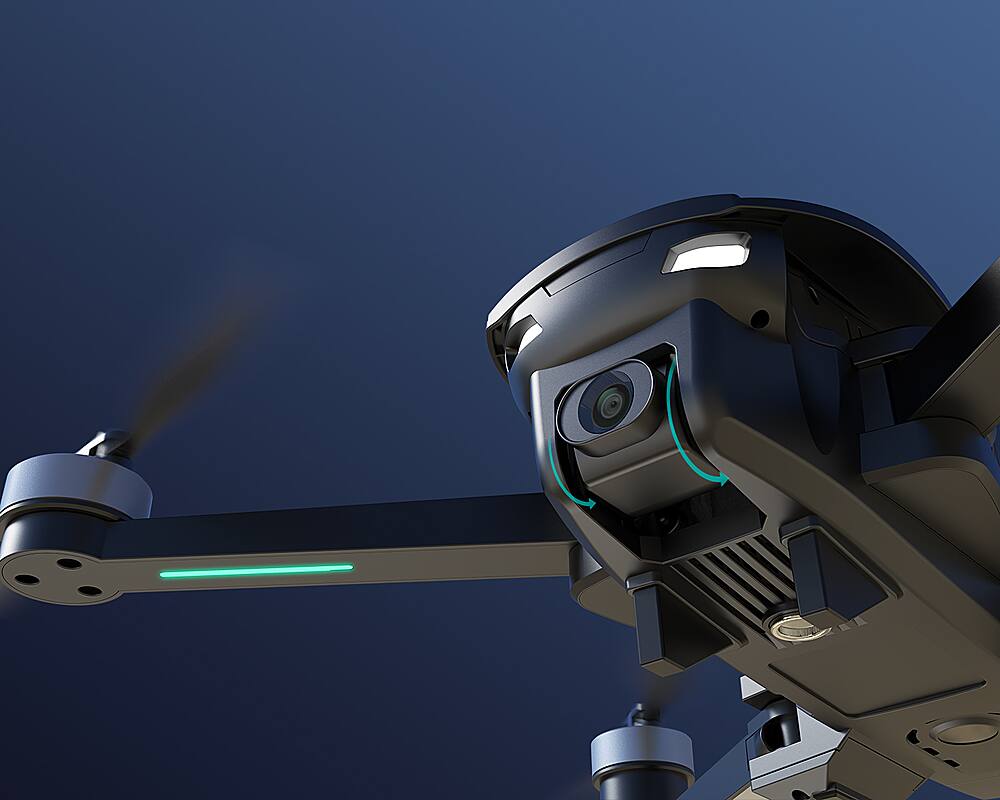
|Posted .This reviewer received promo considerations or sweepstakes entry for writing a review.This is a nice drone package. Everything you need to get up and running quickly. And everything fits in the included case so that you can keep it all together. The drone is bigger than the case would allow you to believe. The arms unfold from the body so that it becomes a respectable size. The lights on it are really cool. Each arm has an LED strip on the under side, blue in front and green in the rear. This allows you to always know which direction it's pointed in. There are also two headlights. These are white LEDs and pretty bright. Actually they look like eyes and give it an insect-like look. The drone comes with a specialized cable and connector to charge the removable battery. The battery is fully charged when the LED in the charger turns green. There's also an internal (not removable) battery in the remote control. They give you a cable for this but you'll need to use your own USB charger (PC charging is not recommended). The remote is charged when the battery LED is solid green. The remote itself folds up into a compact size as well. To use it you need to unfold the two antennas, unfold the handles and pull out the phone clamp. The labeling on the remote is tiny and is difficult to read so you'll need to familiarize yourself with it before you take it out for a flight. The joysticks have no labels at all, so I actually made my own in case I needed them for reference. The phone clip you'll either love or hate depending on how your phone sits in it. I have a Samsung S10+ in a Spigen case, and I was able to open the holder enough so that I didn't need to take the case off my phone. It was a tight fit, but I think that helped the phone stay in place. You need to start by calibrating the drone to make sure it knows where it is. You can do this by reading through the manual and following the steps in there, or you can connect your phones WiFi to the drone and open the app. It will guide you through the calibration process and gets everything ready to go so you don't have to remember the steps. You need to do this process every time you power up the drone but it goes really quickly and it's not a big deal. After that, you're all set to fly. There's a button on the remote that will auto launch or land the drone. All you need to do is press the button and the drone launches about three feet in the air. Alternatively you can use the sticks on the remote. I should say, all the buttons on the remote are mimicked on the app (excluding the sticks), so you can use either one to control the ancillary features. The app has a lot of good information on it besides showing you the view from the camera. It will tell you details like how high the drone is and how far away it is from it's last home position. The drone can climb to an altitude of 120 meters and it can travel up to 500 meters (½ kilometer) away. The app will also show you the rate of ascent and descent, and the speed of the drone. It displays a count of the number of satellites it's found, shows you the WiFi strength, and shows the battery life of both the drone and the remote. I used both the app and the remote buttons, and it really just comes down to personal preference which you use. I will say that on bright sunny days it was nice to be able to use the buttons on the remote because trying to look at your phone in bright sunlight can be challenging at times. I found the drone to be very responsive. There was never a time that it didn't move when I sent it a command. I had it out several times and even though one of the days was pretty breezy, it kept it's position really well when I let off the sticks and allowed it to hover. I was pleasantly surprised by the low noise level. I've heard a lot of other drones that were really obnoxiously loud and whiny. The SP7100S is not one of those. The drone packs in a lot of features and some of them are only available through the app, like follow me mode and POI mode. I didn't have any luck with the follow me mode even though the drone showed that it found 16 satellites. What worked great was the return to home feature. I tried that a bunch of times and it always worked well. It set down within about a foot of where it took off from every time. Once it went into return to home automatically when the drones battery got low. The POI mode worked well and it was easy to use. Headless mode worked as expected. When in this mode, it doesn't matter what direction the front of it is facing, you control the direction it flies with the right stick only. It's good for getting the drone where you want it and then you can fine tune what it's pointed at. As far as the camera goes, I got some really clear UHD photos, and the videos I shot were just as clear. This is a really bonus feature. After all, most of the fun of a drone is getting good and imaginative photos and videos, and that seems very possible with the SP7100. At higher altitude, with breezy conditions, the videos were somewhat shaky, and I actually noticed this to a lesser degree no matter what altitude I was. It would really help if it also had image stabilization. The photos I took didn't suffer at all from that. Crystal clear. The camera itself is very competent. You just need to plan your videos a little bit more without the image stabilization. Another good feature is the onboard micro SD card slot. It will take up to a 64Gb memory card. You can view your photos and videos while the drone is flying, to see if you got the shot you were looking for. After the flight you can pop out the card and view it in your machine of choice. The photos are in jpg format, and the file details are 3840 x 2160, 2 MB, 96dpi and 24 bit. The videos are in MP4 format, the details of the files are 3840 x 2160 resolution, 15fps. You can transfer them anywhere you want from there. One thing that was somewhat annoying was the fact that the front propellers are visible in some of the photos. This happens when the camera is pointed forward. If the camera is pointed downward, you won't see the propellers. As you might expect with something like this, you don't get hours of battery time. I got over 20 minutes each time I took it out though and it was in the 40s outside, so that may reduce the battery life somewhat. The remote keeps almost all of it's charge during the same 20+ minutes of flight time. This is a fun drone to fly and perfect for someone wanting to learn how to fly them. The lower price is very reasonable for all that you get. I would say it's a much better photo drone than a video drone because of the lack of any image stabilization. The drone hovers nicely, however at times I did notice that it would dip on it's own. It wasn't a huge deal but it's something to be aware of. I think for the price and the features, the SP7100 is a good bargain and offers a lot of the options that more expensive drones give you.
I would recommend this to a friend - Pros mentioned:Camera quality, Flight stability, Gps
Compact Foldable GPS Drone with many Features
|Posted .This reviewer received promo considerations or sweepstakes entry for writing a review.This little foldable GPS drone is pretty impressive for the retail cost in comparison to some with a lot higher price tag. My weather has not been conducive at all for flying drones since I have been trying to try this one out and use it to photograph some of the area. Freezing and below temperatures, rain, and wind are the perfect weather conditions to NOT subject your drone to or fly it in. The weather seemed to break one afternoon, and I did get her up for a brief time, which was enough to see that it is a solid drone that seemed to fly fairly stable. The clarity of photographs taken were pretty clear and they can be seen instantly on the mobile device used in conjunction with the app and remote control. I was able to land the drone without any breakage, etc. I tried to find a break in the weather the last 3 days, but the wind and rain seemed to interfere with the satellites connecting to the GPS. The Vantop Snaptain SP7100S has many features, and the controls can be accessed either on the app or the remote. The remote’s internal batteries must be charged and the battery pack for the drone is removable for charging. Charging cables are included for both. The first total charge took close to 5 hours. With that, the drone flew for a little over 25 minutes before charging was needed again which seemed to charge much faster with each subsequent time. In addition to the drone, remote, and charging cables, the drone also comes with 4 additional spare propellers and a screw set for repairing any propellers that may become broken should the drone crash or land in a tree, etc. It has a slot for a memory card of Fat32/exFat format that can be any capacity up to 64 GB. All of this is very neatly packed in a hard carrying case which makes it very easy to store and to safely transport. After the batteries for both entities are charged, the battery pack should be inserted into the drone. The front and rear propellers should be extended, and the drone placed on a flat surface. The remote also folds for storage and both the handles and the antennas should be folded out. The remote needs to be place to the rear of the drone. Before every flight, the drone must be calibrated. The app is not always efficient in showing these steps, but I have had times that it did. The app should be loaded onto your mobile device and the directions are not clear at all that the mobile device should be connected through the wi-fi setting to the snaptrain wi-fi. To do this you might need to put your mobile device in airplane mode to stop other interferences that you might have set up if you are close to your home, office, or vehicle. After these initial steps are completed, and to get ready for takeoff, the drone should then be turned on by pressing and holding the button on top for a few seconds until all the green lights on the tail are lite. Then press the on button of the remote and when a beep is heard, the two should have paired. At this point the compass and gyro of the drone must be calibrated each time it is flown. Turning it horizontally until a beep is heard and then holding it nose up vertically and turning it 2-3 times until a beep is heard is the way to calibrate. By reading the manual one can quickly learn which lights on the drone are to be blinking fast, slow, and stable during this process. The drone needs to sit for a minute to connect to satellites and there is a place on the app that will tell how many satellites it has connected to. After this is done, which with routine becomes a quick procedure, the drone is ready to fly. Some of the features include a RTH button or Return to Home where the Drone (if not out of its transmitter’s range) will return to the starting point. It will also return when the battery is getting low. Other commands include an emergency stop, POI, or Point of Interest where the radius of this point can be set and the drone will circle an area, Follow me Home where the drone should follow behind on a trail of hike, etc. The app can show the altitude and the distance traveled of the drone and control the camera, the video, and many other things about the flight. I am looking forward to warmer and calmer weather to really make use of this drone for various architectural reasons. I definitely do recommend it. It’s a great drone for the money and is packed with a lot of different commands and maneuvering options. Reading the manual before starting is crucial to a successful flight.
I would recommend this to a friendBrand response from Snaptain Team
Posted .Thank you for your support. We are super excited to provide something that betters your life. We promise to continue striving to exceed your expectations! Remember your device comes with an 12-month warranty, and anytime you need help just let us know. Email:support@snaptain.com

- Pros mentioned:Camera quality, Carrying case
Feature Rich Mid-Tier Drone - Beginner Friendly
|Posted .This reviewer received promo considerations or sweepstakes entry for writing a review.The Vantop Snaptain SP7100S is a smaller hobby drone aimed at those just entering the drone hobby world as well as more experienced pilots. I had literally zero drone experience prior to piloting the 7100S, so my perspective is that of a beginner. The hardest part of trying out the 7100S was getting good weather, and low/no wind. Starting off the 7100S comes nicely packaged in a carrying case. The drone, remote, charging cables, replacement blades, and hardware are all contained within the padded carrying case. Initial setup required charging the battery and remote to full – this only took an hour or 2. A charger brick is not supplied, so you will need to use one of your one. You can charge off a PC port (if desired) for the controller, but the drone battery uses up to a 5V@2.5A supply. The controller uses microUSB, while the drone battery had a proprietary connector with an inline charge status detection circuit (LED is red for charging and green for fully charged). I also installed the Snaptain Epic app on my phone (LG V40), which syncs with the drone and gives you a video feed. The supplied documentation is decent (thorough in some areas and little explanation in others), and it is absolutely worth the read through (several times in my case) before setting off. I also checked all of the blade screws and made sure they were tight – they were, so no spontaneous disassembly on my maiden voyage. Setup for the drone involves unfolding the arms – you must unfold the bottom arms first before unfolding the top arms. You also have to unfold the handles and antennae on the remote, and pop up the phone holder. You power on the drone by pressing and holding the power button on top of the drone until the 4 green lights on the top-rear are all illuminated. Once the drone is powered you turn on the remote – again you have to hold it for a few seconds for all the lights to turn on. Once the lights are solid (not flashing) you can connect your phone to the drone. Your phone connects via WiFi so you have to go into your settings and connect to the Snaptain signal. I set my phone into airplane mode before turning my WiFi on as I had seen suggested. Since I was flying near my home I turned off the auto-connection to my home WiFi just in case my phone decided to connect to it instead of the drone. With that all done the app walks you through the calibration steps – spin the drone flat a couple times until it beeps, and the spin it vertically a couple of times until it beeps. Once done the compass should be calibrated. You then have to calibrate the gyro by holding both sticks on the remote 45° down-left until it beeps. You can then check to see if you have connection to enough GPS satellites – the light on the controller will turn solid once you have enough. The app also shows a counter for how many satellites it has acquired. Flying on very overcast days I was still able to acquire 8-12 satellites. Once all those steps were done I popped my phone into the holder on the remote and I was ready for flight. All of these steps have to be taken every time you power on the drone for a flight. It’s a lot to remember, but after only a few flights I had it down and it only takes 3-4 minutes. My initial flight I set the drone into beginner mode, like the orange startup guide sheet recommends. There are no details in the manual as to what this mode does, but I think it limits flight altitude and distance. Regardless, I got a decent feel for the controls after a little bit so I took it off beginner mode. Initial takeoff is simple. You have to hold the sticks down and outward until the rotors unlock and then you can either hit the takeoff/landing button on the remote or you can push the left stick up until you reach the desired altitude. I let the drone hover for a minute and fly close by just in case anything went wrong. After that I started flying around – I flew around my neighborhood park/common ground which had no trees or utility lines to contend with. I spent my time getting familiar with the controls, aiming the camera, and testing some of the range. I flew for about 15 minutes without filming, and only drained the battery a little over halfway. My next flight I tried out some of the features like headless mode, point of interest, and follow me. Headless mode made the controls so much easier as a new drone pilot. I was able to navigate around without having to think as much since it only needed the right stick to fly. Switching between headless and normal modes happens with a single, quick button push on the only button left of the left joystick. A word of caution for this button – it is also the Emergency Stop button which is triggered by a long press of the button. Point of interest worked well for me – I set the range/radius in the app and the drone circled around me without any issue. The Follow Me mode was a little temperamental. I found that it had a difficulty this flight, but it worked decently the next flight. The only difference was very overcast vs. clear skies. On this flight it fell behind and just didn’t track me all that great after about a 15-20seconds. I flew for about 20 minutes, and the battery was down to 25%. My third flight I made with the intent of recording video and taking pictures. My flight time was another 15min and the battery was down to 25%, so the recording took out a chunk of flight time (5min). I took the drone way up (40m) and snapped pictures, I flew all around my house, and over to the next street behind my property. It was a little windier this flight (5+ mph) so I did have to battle some drift when I went up higher. The day was overcast again, but that didn’t seem to affect the GPS signal nor the return home function. The pictures the 7100S takes are decent. The image sensor needs a decently well-lit day to cut down on the image noise. Taking pictures on the overcast days revealed that shortcoming, and the clear day I flew was unfortunately towards sunset so I don’t have a great side by side comparison. Otherwise the photo mode works well enough for my liking. The video mode, works fine enough for me as well. The only downside I saw was the shakiness of the video feed while making any flight adjustments. There’s no image stabilization on the 7100S, so that is to be expected. I really didn’t run into any issues with the 7100S once it got it all setup. However, this drone is my second 7100S – the first one was inoperable. Out of the box my first 7100S would not pair the remote with the drone at all no matter how I tried. It seems as though the remote is specifically tied to the drone, and there’s nothing you can do to mend a broken link between them. I reached out to support and they were pretty helpful, and sent me a replacement without any hassle. It was a good customer service experience. The second drone has worked flawlessly, so I just chalked it up to bad luck. Overall, this was a fun drone to fly around. I am a complete novice when it comes to drone piloting, so the fact that I could zoom around and try out the features over 3 flights, and still have an intact drone should say something. I am looking forward to getting some better weather so I can take it out for more flights, but for now I am grounded by wind/rain.
I would recommend this to a friendBrand response from Snaptain Team
Posted .Thank you for your support. We are super excited to provide something that betters your life. We promise to continue striving to exceed your expectations! Remember your device comes with an 12-month warranty, and anytime you need help just let us know. Email:support@snaptain.com
- Pros mentioned:Camera quality, Flight stabilityCons mentioned:Battery life
Great update to the sp7100 but poor battery life
|Posted .This reviewer received promo considerations or sweepstakes entry for writing a review.So this is the 7100S which is essentially the same old 7100 but with new software to prevent all the issues everyone was having with flight generally speaking. Charger woes: I have a few negatives to me right off the bat that cause great concern for safety given the older hardware design. First major one being micro USB going in to 2023. With charging these so often micro USB ports get tiered quicker and eventually will fail unlike over double the life span a type C would have on here. Since were talking chargers, like the other this comes with a proprietary charger for the battery and another for controller. When i say charger i mean the cord there is no base for these which is another problem. All my tech is USB C at this point i do not have a type A charger and the manual says do not use a computer to charge this (if you have a mac or chromebook or something you still don't have a type A port anyway). So i had to use my bluetooth adapter in my car for the first charge. The notes also indicate that this is not a smart charging device and that you need to unplug the battery as soon as its full charge because it can and will start on fire if you don't as it doesn't stop charging... Now call me crazy but i dont have the time or patience to sit around watching to make sure im not going to burn my house down like that. The charger itself gets HOT to the touch when in use. All the charging cables and components feel extremely cheap like something you'd get in a $40 tablet box. Granted a lot of drones these days are in the same boat i just don't like the fact that something you need to use so often is so poor quality with inferior parts. Ok so once you get past the whole charging and battery situation the drone itself is an excellent unit and design. the motors feel quality and great. The entire case that it comes in is super high quality which feels excellent. The app i used was on iphone just to note that. I really disliked the usability of the app. It sometimes lagged and did not allow button presses at times i was trying. During initial setup i got stuck on place the drone on a level surface for a bit but got through it. Overall i feel like functionality was a bit sketchy on this but it did the job. Flight: ok so heres where there is a massive improvement. You no longer get the toilet bowl issue that these used to have where it went out of control. This and the responsiveness from the controller seems to feel much better. I wish it flew longer but its the nature of the beast here. The follow mode finally works correctly and home always worked for me which on the last software was a dice roll it seemed. Battery: This is a real downer. I could only get around 15 mins of flight per charge so if this is unacceptable to you I suggest you purchase spare batteries as there is only one. WIFI connection: this was a bit spotty but i also fly in a populated area so its to be expected for me. I did not test it out in country areas yet to get the best experience. Camera and video quality: This is 4k resolution and i have to say it is fairly good for the money. The videos come out crisp and sharp and the detail is good even on photos. Everything looks a bit oversharpened and i havent found a real setting specifically for that part of it so i don't think you can control it. Overall though its very good. Overall I think for the money on this you find yourself in an interesting place as there are many options to be had. Previously I discounted the snaptain 7100 because of the toilet bowl issues. Since this is fixed in this update I feel like it's truly a great player again. Now I personally would much prefer it had a USB C everywhere and included a charging brick but such is life in technology and that wouldn't hold me back from a great deal especially when this is on sale.
I would recommend this to a friend Caught on fire
||Posted . Owned for 1.5 years when reviewed.This reviewer received promo considerations or sweepstakes entry for writing a review.Drone has been flown twice. Total flight time less than 30 minutes. Then it caught on fire and crashed.
No, I would not recommend this to a friend- Pros mentioned:Camera quality
Sleek looking, but not a polished product.
|Posted .This reviewer received promo considerations or sweepstakes entry for writing a review.The Snaptain SP7100 Drone is a compact drone that handles well and maneuvers easily. Unfortunately, I found the drone and its app to be quite “buggy.” Operating it proved to be an exercise in frustration. This is the second drone I’ve ever owned and the first “camera drone” I’ve ever owned. The drone is compact, and the “arms” fold in to give it a smaller profile for storage. The drone comes with a very nice molded case that holds the drone, the controller, the charging cables, and a spare set of propellers. Attempting to fly the drone is quite frustrating. First, connecting the drone to the app requires a Wi-Fi direct connection. You have to disconnect your phone from any existing Wi-Fi connection and then connect to the signal that the Snaptain drone is broadcasting. After getting the drone connected, you have to go through a vigorous calibration process that has you rotate the drone every which way. The app claims that you only need to do 2-3 rotations for each step, but I was doing as many as 5 or 6 without it letting me continue to the next screens. Finally, you can start up the drone by angling the sticks on the controller at a specific set of angles. At this point, the drone may (or may not) choose to spin up its propellers. I found this last bit to be extremely hit or miss. The drone would actually startup once every four attempts or so (an attempt being a full restart of both the drone and the controller and redoing the whole recalibration process). The controls for maneuvering the drone are intuitive, and once you get the drone up in the air, it is quite responsive. I was particularly impressed by how well the drone hovered while I was testing it outside. I was able to maneuver the drone easily, and I entertained myself by flying circles around various obstacles. Flying Indoors was another matter entirely though. When attempting to fly the drone inside, it started to gently drift sideways while set to hover in place. After a few seconds of hovering, it suddenly surged across the room of its own volition. To be fair, I don’t believe that this was necessarily the fault of the drone. I think that this may have been due to RF interference from all of the various devices that I have scattered throughout my house. As I mentioned earlier, my experience outside was excellent from a flight standpoint. Despite going out of control and crashing, the drone looks to be completely unscathed. Again, I have to give this drone credit for durability if nothing else. Based on my personal experience, I would advise against attempting to fly this drone indoors. Camera quality is excellent with the drone sending a nice, clean image to the app. The app allows you to take still photos or videos. A memory card is needed for this though as the drone doesn't have built-in storage. The app itself isn’t very good. There are a few menu options which aren’t in English, and there are several misspelled words scattered throughout the app as well. The options and layout aren’t terribly intuitive, and I found it to be a bad experience overall. Given the sheer number of issues that I encountered with this drone, and the inconsistency of its operation, I can’t recommend this product. Given my experiences while flying the drone outdoors, I think they’re on the right track to make a great product. That being said, I don’t think that their quality control process is quite there yet; and they should have held off a bit longer before releasing this.
No, I would not recommend this to a friendBrand response from Snaptain Team
Posted .Brand response from Snaptain Team
Thank you so much for sharing your experience. We are sorry to hear you are not satisfied with this item. We really appreciate your feedback to make this item better. I would like to present our deepest apologies for all the inconvenience.
We are dedicated to ensuring your 100% satisfaction. Please reach out to us via support@snaptain.com. We are more than happy to assist you further.
We offer a 12-month warranty for this product, plus lifetime technical support. Our standard for responding to email quests is less than 24 hours, and we look forward to hearing from you!
- Pros mentioned:Camera qualityCons mentioned:Battery life
Great drone for a beginner with lots of features
|Posted .This reviewer received promo considerations or sweepstakes entry for writing a review.I have to say this is one the coolest adult toys you can get at this price range. This is my first drone to ever use, and first type of RC gadget in a long time. I’m very surprised there is so much of a technical side to this, and yet so easy to use. Since this is my first drone, I was worried it was going to take awhile to learn how to use and it would be more of a learning curve the first few hours than it would be to actually enjoy using, but that was far from the truth. Within 5 minutes I was already feeling like a pro at using this. The buttons, knobs, and turn dials seem like a lot to try and learn while reading the instructions, but once you take off you learn quickly how everything works. The device is quite responsive and works well. I had one mishap where I went to go test the automatic return-to-home function and it went through some tree branches, luckily the drone was fine. When it hit a branch it managed to recover quickly so that it wouldn’t crash to the ground. It did this twice thankfully (same event) until I was able to take control of the drone again. Definitely stay away from tree’s and obstacles your first few times using this to be safe. The drone lasted a decent amount of time. Its advertised to last up to 26 minutes, but using it my first couple of times it seemed like plenty for as much flying as I was doing, my expectations were low for battery life to begin with. I do have to say charging the battery can take awhile, a few hours at minimum so I would recommend a second battery if you really want to turn it into a more active hobby. I was surprised the remote seemed to use a good bit of battery too, but this charges faster than the drone battery. Camera footage (photos and video) was pretty good, I’d say impressive for such a small drone. I used an iphone to monitor and view the drones progress which worked well. I really enjoy being able to change the direction of the camera and picked up on how to use the other options quickly, I think maybe having a video game background helped me learn to manage the device so quickly, but its really not hard. I live very close to a lake, so one of the benefits is being able to go scan the lake for traffic and see how choppy the water is without actually having to go back and forth in a vehicle to check. You can see some shots I took with the attached pictures. There was one point where I did lose connection with drone, the remote started beeping, but luckily the drone did its automatic return function to the last position where it took off. Once it got close, I was able to take over. Very happy for this because it lost signal in an area I would not have been able to retrieve the drone. The remote does beep quite annoyingly at you when the drone battery is low. I wish there was a way to mute it since you have at least a few minutes left, but I can see how its safer this way. I had to reach out to support regarding a pairing issue and they responded within a day and were helpful, did not make me run through automated systems and through hoops. Overall, I think this is a great drone for beginners and is easy to learn. I’m hoping this will be a stepping stone to bigger and better toys down the road, but this will be more than enough for some time. For many this can be more than a toy, I could see how this would benefit surveyors, roofing companies, realtors, and many other types of professions.
I would recommend this to a friend - Pros mentioned:Flight stability, Gps
Everything that the $$ drones have...with a catch.
|Posted .This reviewer received promo considerations or sweepstakes entry for writing a review.On paper this is one impressive drone. 4k camera. Remote. GPS capable. Return to home. Way pointing. Point of interest following. And a fully capable app. Stuff that the $$ drones have for a fraction of the price. So what's the catch? Turns out everything. I have an expensive professional drone so I figured the experience would be fairly similar. Pairing with the app to remote is done over wifi unlike a physical connector through the charging port. Where the phone fits to the remote is a precarious spring out camera holder. I had my phone drop out several times because it's not secure at all. Once everything was turned on and ready to fly I crashed it in seconds. What? I've been flying my drone for years without a crash. The major issue here is that this drone has a pretty significant CONSTANT random drift in one direction or another. The main experience here is basically to try to keep from crashing. This makes doing ANYTHING in the app itself precarious unless you fly it way up and let it drift while you do what you need to do. Trying to fly reverse becomes a serious challenge when you fly with reversed perspective while correcting for this drift. I crashed it again while it seemed to want to drift off in the opposite direction I was trying to make it move. Lets move on to the camera. It's ok. However, anytime you move, you notice the camera isn't actually on a real gimbal so your camera suffers from any pan / tilt action your drone is taking. This making getting smooth video exceptionally difficult. It 30 minutes of flight time, I crashed it three times. To it's credit there was no real damage. I tried its RETURN to Home as well. It worked, but was off about 20 feet and needed guidance to not land somewhere it shouldn't. In conclusion this is a very hard drone to operate and wouldn't recommend it for beginners unless they start out in wide open spaces. Professionals would be better suited by sticking to fully featured drones as well even if they cost quadruple the price.
No, I would not recommend this to a friendBrand response from Snaptain Team
Posted .Brand response from Snaptain Team
Thank you so much for sharing your experience. We are sorry to hear you are not satisfied with this item. We really appreciate your feedback to make this item better. I would like to present our deepest apologies for all the inconvenience.
We are dedicated to ensuring your 100% satisfaction. Please reach out to us via support@snaptain.com. We are more than happy to assist you further.
We offer a 12-month warranty for this product, plus lifetime technical support. Our standard for responding to email quests is less than 24 hours, and we look forward to hearing from you!
- Pros mentioned:Camera quality, Gps
Rough start for a novice
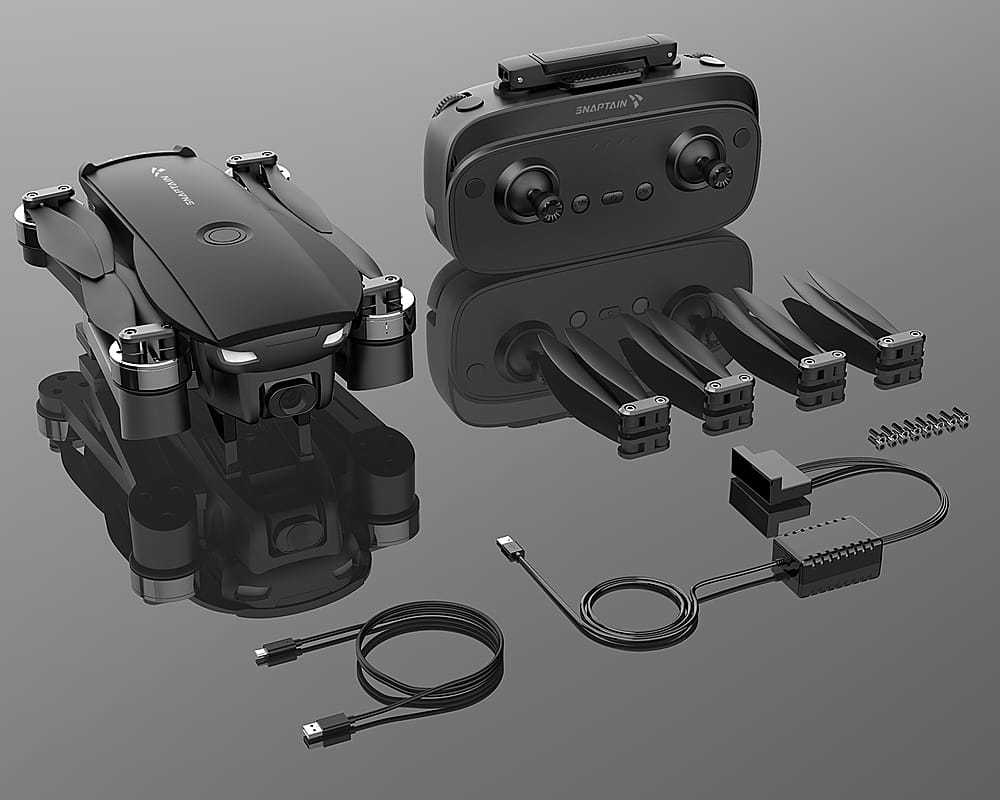
|Posted .This reviewer received promo considerations or sweepstakes entry for writing a review.THE BREAKDOWN: The SP7100S drone is a mid-tier beginner drone. My daughter had a small drone a few years ago that we loved to fly. I have always wanted the next step drone with a camera but was always worried about spending a ton of money and crashing it or breaking it. This mid-tier drone seems like a good choice and includes a 4k camera and the ability to use your smart phone and has GPS. What’s included: • Snaptain SP7100 GPS Drone • Remote (built in battery) • 1 3600mAh Battery • 4 Spare propellers • USB Charging Cable (For remote control) The SP7100S comes packaged in a nice case. The remote is a good size and has foldable parts to include a cell-phone holder attachment that pulls out of the center of the remote. In order to use my remote, I had to take the case off. The remote itself has 5 buttons on the front. The button that looks like a compass on the left side is for headless mode (short press) or emergency stop (long press). The button to the left of the power button (located in the center) is to Return to home or Smart RTH button. The button to the right of the power button is the one key take off/landing. The button to the far right is the GPS Mode on/off. The 4 controls on the top of the remote are: the left wheel is to tilt the camera angle, the right wheel is to control speed, the left button is to take a photo and the right button is to take video. The drone has pivoting or swivel arms that extend out to make it compact. Just a note when unfolding the drone arms, unfold the bottom arms first or you will not be able to open both arms on each side. For the batteries, the remote uses a rechargeable battery that is charged with a standard micro-USB charger. The drone battery is a proprietary battery that uses a special charger. From a fully charged battery I got about 15-16 minutes of flight time with video going. Getting it to fly. The fist time you use the drone there is lengthy startup calibration process. There is a QR code in the startup manual that you can use to get to a video. The basic is that you must power on the drone first then the remote. Then you have turn the drone while holding it horizontal approximately 2 times then the remote will beep and the lights on the drone blink slower. Next, you must point the nose of the drone up and turn again 360 degrees 2 times and the remote blinks and the light on the drones stop blinking. When you notice the last led on the remote is blinking that means it has found enough satellites to use GPS. I found that the return home using the GPS work great. It came back to the same spot within a foot every time. Overall, this drone was fun to play with. It had enough novice features to keep me from crashing and ruining it but I also had some advanced features for more advanced drone users. PRO’s: -4K camera -Return to home feature -Great storage case CON’s: -A lot of steps to get started for a novice user SUMMARY: Overall, this product worked as intended, and I would recommend this to a friend if they were in the market for device like this.
I would recommend this to a friend - Pros mentioned:Carrying case, Flight stability
You get a lot for very small here. A+
|Posted .This reviewer received promo considerations or sweepstakes entry for writing a review.This review is for the Vantop Snaptain SP100S drone with remote controller. This is a great budget drone packed with loads of features. Comes with a very nice carrying case that’s fits everything. The remote (it has a rechargeable battery), the drone it self (also with rechargeable battery), extra blades, and a charging cable for both units. Once paired with your phone through the app and you can watch a live feed from the drone. Which does have its limits of how far you can watch it. The drone can fly way beyond its Wi-Fi connection. So it best to use in an open area where you can keep eye contact. But no worries if you lose sight of it, one of the features is returned home. When using this, it’s always came back and landed within two or 3 feet of where it took off. Very neat. I was impressed of how high and far away I could control this drone makes for some very good aerial photos. I took some bows at night and during the daylight. Both came out very well. You can also record video. But I mostly just took photos so far. My first flight was a little nerve-racking, but after that, I’ve learned that it’s very easy to control. And now I feel very comfortable taking off in even tight spaces. On your phone in the app you can see loads of information like battery life, speed, & altitude. I have gotten about 20 minutes each flight. And the remote has lasted 4 flights before I changed it again. The carrying case is so convenient I just keep it with me in my truck because you never know when you’re going to have the perfect opportunity to use it.
I would recommend this to a friend Crappie service sending open package on brand new
||Posted . Owned for 1 month when reviewed.This reviewer received promo considerations or sweepstakes entry for writing a review.I purchased a brand new in the box. Not a unit that has already been shipped out and returned. Absolutely ridiculous. If i wanted a open box i wouldve order a open box
I would recommend this to a friendBrand response from Snaptain Team
Posted .Brand response from Snaptain Team
Thank you so much for sharing your experience. We are sorry to hear you are not satisfied with this item. We really appreciate your feedback to make this item better. I would like to present our deepest apologies for all the inconvenience.
We are dedicated to ensuring your 100% satisfaction. Please reach out to us via support@snaptain.com. We are more than happy to assist you further.
We offer a 12-month warranty for this product, plus lifetime technical support. Our standard for responding to email quests is less than 24 hours, and we look forward to hearing from you!
- Pros mentioned:Camera qualityCons mentioned:Battery life
Absolutely Brilliant
|Posted .This reviewer received promo considerations or sweepstakes entry for writing a review.This drone is so much fun to play with! We have had drones in the past, but none were quite the professional level that the Vantop – Snaptain SP7100S drone with the remote controller is. The SP7100S surpassed any preconceived notions I had. That said, we learned much about higher-end drones during our testing week. The bad part was that it was raining most days, so our experience has been limited but we have played with the drone enough to make some educated acknowledgments. Again, the first of those is that this is a solid drone. The setup process is quick and painless, and the skill gap is quickly overcome with regard to the flying and mechanics thereof. The brushless motors are powerful and easily lift the 3.5 lbs. unit, but as mentioned above we were testing the drone in less than ideal conditions. We raised the drone as high as it would go, the website claims 120 meters or about 131 yards up. The cross draft started to carry the drone and so we lowered it until it could hover on its own accord. The controls are simple, but the drone is zippy and with the camera tilt it is like playing a video game. I highly recommend a massive amount of open flat land to free fly it on. We had a good amount of open land but not enough to max out the control range of fewer than 800 meters or almost nine football fields, also must factor in geometry for height to see if it would return home. Otherwise, I would suggest that you use one of the cool app features like plotting, points of interest, or follow me. To be honest, the follow me was a challenge to make work, it was as if the drone would lose the target and just stop and hover. However, the plot your path and points of interest are fun ways to explore. The piece de resistance really is the video and picture quality at this price point. I have watched a tone of beautifully amazing drone fly throughs on YouTube and now I can make some to share. While operating at a good range from the ground operator to the drone the feedback can be on a slight delay. The quality of each one video or still is impeccable and looks professional grade. The hands down coolest part of the drone is flying it as the sun goes down because of the LEDs underneath. Reminds me of the movie Batteries Not Included. I would not advise flying it at night even though it will. My only con currently, is the battery life. I own a truck that has an AC plug-in so we would play and then charge enough to play again while we are out. The charging is fairly quick, but it does need a full charge to have the full twenty or so minutes of flight time. I downloaded the B4UFLY app from the play store as well to help ensure that we could fly it near the lake and would recommend you do the same. Our take is that this is a solid drone that delivers a professional feel.
I would recommend this to a friendBrand response from Snaptain Team
Posted .Thank you for your support. We are super excited to provide something that betters your life. We promise to continue striving to exceed your expectations! Remember your device comes with an 12-month warranty, and anytime you need help just let us know. Email:support@snaptain.com
- Cons mentioned:Battery life
Mid-tier beginner+ drone that's rough around edges
|Posted .This reviewer received promo considerations or sweepstakes entry for writing a review.I've had one "toy" drone before...it was a low-cost model with a 720P camera and I put it in a tree on its maiden voyage—since then, I’ve been a bit gun-shy about investing in a pricier drone for fear I would crash it, sink it, or lose it on someone’s roof. But along came the SP7100…it’s got a GPS mode to help keep it steadier in flight as well as some more advanced automatic functions like setting up orbits around points of interest on a map, smart return-to-home, gesture recognition to activate recording, and automatic “follow-me” functions. The 4K camera sounded appealing and the drone’s form-factor mirrors some of the competition’s pricier fold-up offerings but without the wallet-busting price to go along with it. All in all, it seemed like the Snaptain SP7100S would be a great practice drone and prove to be a gateway experience to working up to a more advanced and capable drone down the road. In the end, I think this drone sort of hit that mark, but a few issues really hold it back from being a truly stellar option all on its own. The SP7100S comes with a small fold-up remote with a cell-phone clamp between the antennas to act as the viewscreen and provide supplemental controls. The remote is tiny and the four buttons on the face are quite sensitive; more than once I accidentally activated the return to home or headless mode. The cell phone clamp unfolds from within the shell of the remote itself, but the open area of the clamp is set a few millimeters back from the base of the antennas. I never really felt like the phone was sitting completely secure in the clamp because the base of the antenna assemblies themselves were pushing the bottom of my phone forward just a bit. The drone itself features a svelte fold-up profile though tolerances are tight—if you unfold the top arm first, there isn’t really enough clearance to unfold the bottom; this is outlined in the manual, but it does mean you have to remember the unfolding order every time you want to fly (which, for some reason, I just couldn’t seem to commit to memory). The drone itself is a little unwieldy to hold because it’s so small; there’s not a very convenient way to hold it and move it around with one hand without putting your fingers on the front camera lens or the bottom proximity sensor. Both the remote and the removable battery come with separate charging cables. Although the remote uses a standard micro-USB connection, the battery’s charger is proprietary so you’d better hope you don’t lose it—another micro-USB connection on the battery would have been MUCH more appreciated. From a fully charged drone battery, I got just about 14 minutes of flight time which included WiFi streaming of video to my phone and some basic maneuvers around our pool and shoreline of the pond behind our house. Unfortunately, charge time seems rather lengthy—like a few hours or more for a completely depleted battery to show up green on the charger again, so keep that limitation in mind unless you plan to invest in another battery. The drone features a pair of blue and a pair of green LED strips on the bottom of each sets of arms, and a pair of bright headlamp LEDs to help you keep track of the drone's orientation in flight, however, the green and blue colors in particular are not necessarily very high contrast against the sky or other natural backdrops so you likely need to use the live video feed to ensure proper orientation once the drone gets a bit far from home. Initial flight setup is easy enough…if slightly involved. The documentation includes a QR-code to a quick-start video that does a decent job of allowing you to see what is involved, but it is not a professionally produced video by the drone’s manufacturer. Instead, it’s a YouTube reviewer’s take on the SP7100S, complete with all the trials and tribulations of his initial operation. When you’re a complete novice like me, watching someone on the setup video and putting the drone through its early paces exclaim multiple times “I don’t know why it’s doing that” or “I can’t get this to work properly,” it doesn’t necessarily inspire a lot of confidence. But basically, once you turn on the drone, then you have to turn on the remote and wait for the two to pair—yes, every single time. Then you have to calibrate the drone’s compass, first spinning the drone horizontally a few times until the remote beeps, then hold the drone vertically and spin it around a few more times until the remote beeps again—yes, you also have to do this every single time you want to fly. You can fly the drone with just the handheld remote if you want—you can change the flight mode between manual and GPS-assisted, activate automatic vertical takeoff and landing, activate the smart return to home function, and change to headless mode. There are also controls on the shoulders for snapping a photo or starting a video, rotating the camera gimble up and down, and adjusting the speed of the drone in flight—though obviously only the speed setting is of much value if you aren’t monitoring the video feed from the drone’s front-mounted camera. GPS assisted flight was a bit of a mixed bag for me. In theory, GPS helps keep the drone steady in flight even in light wind; but even on a totally windless afternoon, my drone drifted—a lot. It certainly wasn’t as bad as fully manual operation—that was a constant battle on the remote to keep the drone steady--as I’m sure most experienced drone pilots would know when using smaller craft like this. But even using the automatic flight functions, the drone tended to drift around (admittedly slowly) several dozen yards at a time, and the GPS-assisted return to home almost landed the drone on our roof even though we were several dozen yards from the house when it took off. If you have illusions of using this small drone for a budding drone photo or video hobby, be aware that still video especially could be slightly challenging. Once the drone is operational, you can connect to its onboard WiFi and use the Snaptain app to monitor the video feed. The two manual buttons on the remote to start video recording or snap a photo are definitely appreciated, though those controls are also mirrored in the Snaptain app. Sadly, vertical adjustments of the camera using the remote are not very precise; even slight changes on the shoulder dial sent the camera’s view careening downward or back upward…your better bet is to get your angle lined up as best you can and then adjust the height or attitude of the drone itself to get your ideal shot. Once you start taking pictures or shooting video, the app will store the results to your phone, or you can add in a 64GB micro-SD card to store the files locally while the drone is in flight. The Snaptain documentation claims the drone will only accept up a 64GB card…this feels just a tad small for a 4K-capable drone, but as flight time is so limited, this may not ultimately prove to be as big a deal as it appears on paper. I tried some of the more advanced features resident in the app like follow-me and gesture control. Follow-me sort of worked though it seemed to lose tracking of me fairly easily once I started moving around. I never could get the gesture control of the camera/video to function properly—maybe I was too far away, again, I am definitely a novice at this. However, I am glad to report that I didn’t crash my drone even once and despite my misgivings about the drone’s drift even in GPS mode, that assisted flight mode did manage to keep the drone steady enough for me to take a few snapshots and shoot some videos. So how did those files look in all their 4K glory? Sadly, just okay. Colors are definitely bright and well-saturated, but detail, fine detail especially, was smeary and seemed highly digitized/patchy. If you were hoping to take a high-rez photo and then zoom in on a point of interest because the camera itself offers no digital or optical zoom, my results suggest you’re probably going to be a bit disappointed. Despite the bright white headlights at the front, the camera simply does not do well in low light conditions. That said, I still had a blast with this new drone—there are enough novice-friendly features to help a budding drone pilot get his/her feet wet in the hobby, and there are enough advanced features in the app suggestive of what is possible for this drone (or a more advanced one down the road once you work up to it) that someone who is not very demanding will probably enjoy the experience. Sadly, optical performance in particular keeps this drone from being a value-leader amongst other beginner+/mid-tier fold-up drones. Recommended for those looking to trade up after they know what they’re doing, but probably not a keeper in and of itself if high quality photos and videos are your ultimate goal.
I would recommend this to a friend - Cons mentioned:Battery life
Fun, but short, times
|Posted .This reviewer received promo considerations or sweepstakes entry for writing a review.After over a week of non-stop rain I finally got a break to toss the Snaptain SP7100s into flight. Setting everything up was pretty straightforward. The one thing that was kinda weird was the fact that you have to use ad-hoc wifi in order to receive images from the camera to your phone. So while the drone has a theoretical 2600ft range, 2.4ghz wifi doesn't. You'll be lucky to get 300ft or you'll be flying blind. Within range the photos and video were pretty good, not great however. The images come out with a heavy finger paint feel. While you can make out what's going on you just don't get fine details. Video were very jittery. It's a pretty calm day today but there's very little, if any image stabilization. I didn't play with the angle feature on the remote because of battery life when I remembered the knob, so my videos and photos contain the propellers in the footage. I didn't test the range of the SP7100s because the wifi was lost just a dash away so I didn't receive any video. Flying a drone without a pilot's view isn't very fun. So my flight was limited to wifi range of around 200-300ft. Well within eyesight of the drone. I do wish there were an option to get more batteries. At 25 min flight time (mine only lasted 20min) and a 5 hour charge you're not looking at have a long session unless you pump a lot of money into batteries - which aren't cheap. If they had incorporated fast charging it wouldn't be such a let down when you're on "E". Even though I whined a bit about the shortcomings the price range makes you overlook a bit of them. It's great for learning to fly a drone. For the price it's also an invaluable tool to keep around for scanning property, examining areas of your house, or any out of reach area that you need to take a peak at. So it's not just made for fun, the SP7100s can be used for work. A couple more hours and my battery will be ready for another flight. Only problem is that it'll be dusk and too dark for flight so I'm hoping for a dry day tomorrow to fly some more. 85% chance of rain doesn't seem like I'll be able to.
I would recommend this to a friendBrand response from Snaptain Team
Posted .Thank you for your support. We are super excited to provide something that betters your life. We promise to continue striving to exceed your expectations! Remember your device comes with an 12-month warranty, and anytime you need help just let us know. Email:support@snaptain.com
- Pros mentioned:Camera qualityCons mentioned:Battery life
Great little drone with a nice carrying case.
|Posted .This reviewer received promo considerations or sweepstakes entry for writing a review.I was very pleasantly surprised at the quality of this drone for the price. Quick setup was a breeze with my Android phone (one omission on the instructions was to manually connect to the drone WiFi for control after installing the app, but that was fairly obvious). The kit includes the drone and controller in a very nice case, one battery for the drone and charging cables for everything as well as a complete set of extra props and an Allen wrench and extra screws for replacement. Once I had the drone up in the air, controls were responsive and the connection back to my phone for visuals was strong, even quite some distance in the air. I was also able to do a fly-around the house to check the gutters. In a moderate breeze, the drone was able to keep station easily and I never felt in danger of losing control. I still haven't had the chance to test all the different flight modes available in the app (like follow-me or GPS navigation) but basic controls were a breeze. The only hard part is waiting for the battery to recharge. I expect this in a drone (especially at this price point) so there are no stars deducted, but you should expect to spend ~6-7 hours charging the battery for about 30-40 minutes of flight time. That's the state of drone tech right now, as far as I know. Spare parts seem standard and easy to source right now, so I'll probably pick up a few more batteries and props just to buy myself more flight time and quick repairability. Image and video quality is good. You won't be filming any Hollywood blockbusters with this drone, but you'll get crisp video and stills for fun or aerial inspection. There is a lot to love about this little drone, particularly the fact that you don't have to feel like you have to take out a second mortgage to get a quality drone that, let's be honest, is always in danger of crashing or getting lost - especially with a new pilot at the controls. I planned to practice flying with this drone until I felt more comfortable moving up to something more expensive, but I'm thinking I might not really need to upgrade for awhile now.
I would recommend this to a friend - Pros mentioned:Ease of use, Gps
Great Drone for the Price
|Posted .This reviewer received promo considerations or sweepstakes entry for writing a review.What an absolutely awesome compact drone. It’s one of the simplest drones I’ve ever used. It comes out of the box in its own well constructed carrying case that has a place for everything. The drone comes pre-assembled with propellers. All I had to do was pull the battery out of the drone (and remove the foam spacer), and plug it and the remote in to the supplied charging cords. While the batteries were charging, I downloaded the companion app. Once the batteries were charged, getting up in the air was pretty straightforward. I unfolded the arms of the drone, turned it on, and then turned on the remote, the remote beeps to signify. It is connected to the drone. A simple procedure is then required to orient the drone to your location in sync it up to GPS satellites. I slipped my phone into the holder on the remote and connected to the drone, Wi-Fi net work and voilà. I had a video feed right there on my phone on the remote. The left joystick is used to raise and lower the altitude of the drone and turn the drone from side to side. The right joystick is used to fly the drone backwards forwards left and right. The drone is super easy to operate and fly, and also has a variety of features, including follow me, a three dimensional view, and a single push button return to home.
I would recommend this to a friend - Pros mentioned:Camera quality
Fun, and capable
|Posted .This reviewer received promo considerations or sweepstakes entry for writing a review.Arrived in a real nice carry case, with booklets, extra blades, charging cables etc. Charged batteries, followed quick start, and ready to try. However, needed to reference the full manual, as there were a couple things not mentioned in quick start. This drone is a lot of fun, but I would think will take some practice. Very maneuverable, so takes constant attention. Although, it seemed to hover fairly steady with no input from the sticks. Wi-Fi connection from phone to drone was straightforward, and using the app, offered drone controls and camera viewing. I flew it around, and the camera offered a nice view of the scenery. The camera can also tilt to change view. There are many good points of this drone. The motors are brushless - should run a long time without replacement. The build quality of the drone is excellent - however, the remote seemed a little more cheaply made. The blades pivot, so may save them - and motors - if hitting some obstacle. The arms fold out with a nice firm "click" into position. And, the drone, remote and parts fit snugly in the case. The one flaw I found, is the phone mount. The antennas when folded out, tend to interfere with the pull up phone holder - making for an unsecure holder. I found the phone would easily "pop out" from the holder. All in all, a lot of fun, and seasonably easy to fly. Be sure to follow all safety precautions!
I would recommend this to a friend