Customer Ratings & Reviews











- Model:
- WDBDNH0010BBK-WRSN
- SKU:
- 6551145
Rating by feature
- Value
Rating 4.7 out of 5 stars
- Quality
Rating 4.9 out of 5 stars
- Ease of Use
Rating 4.8 out of 5 stars
Customers are saying
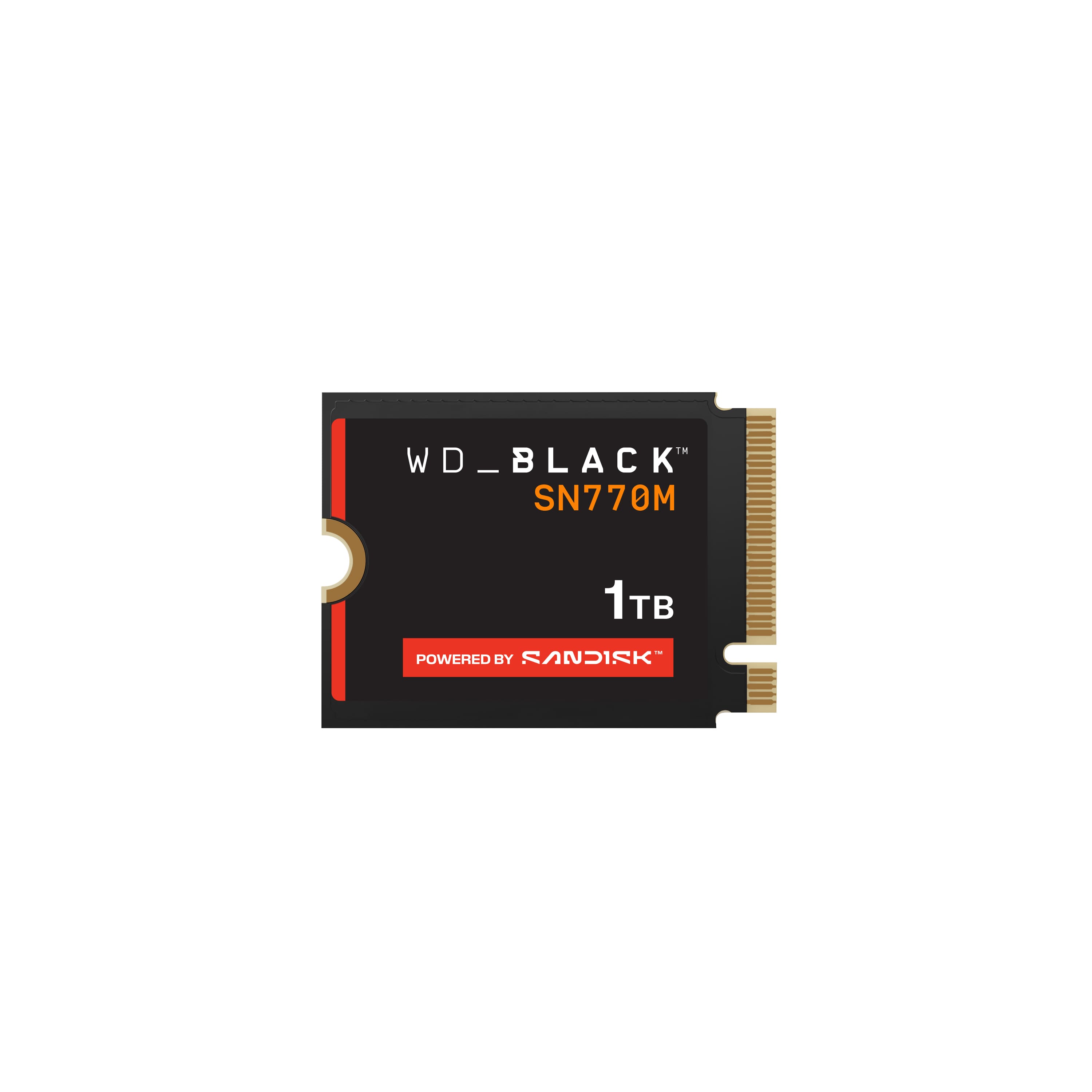
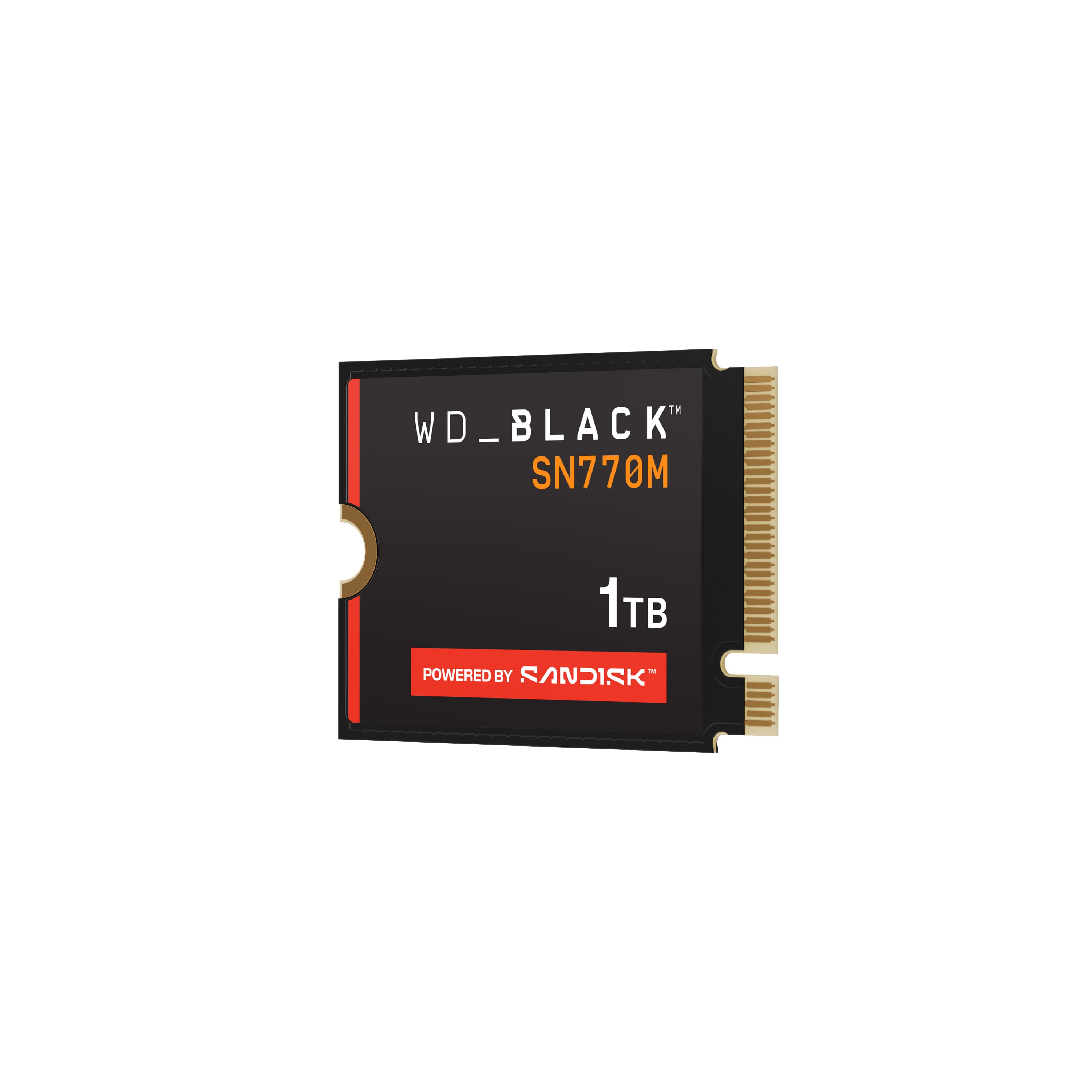
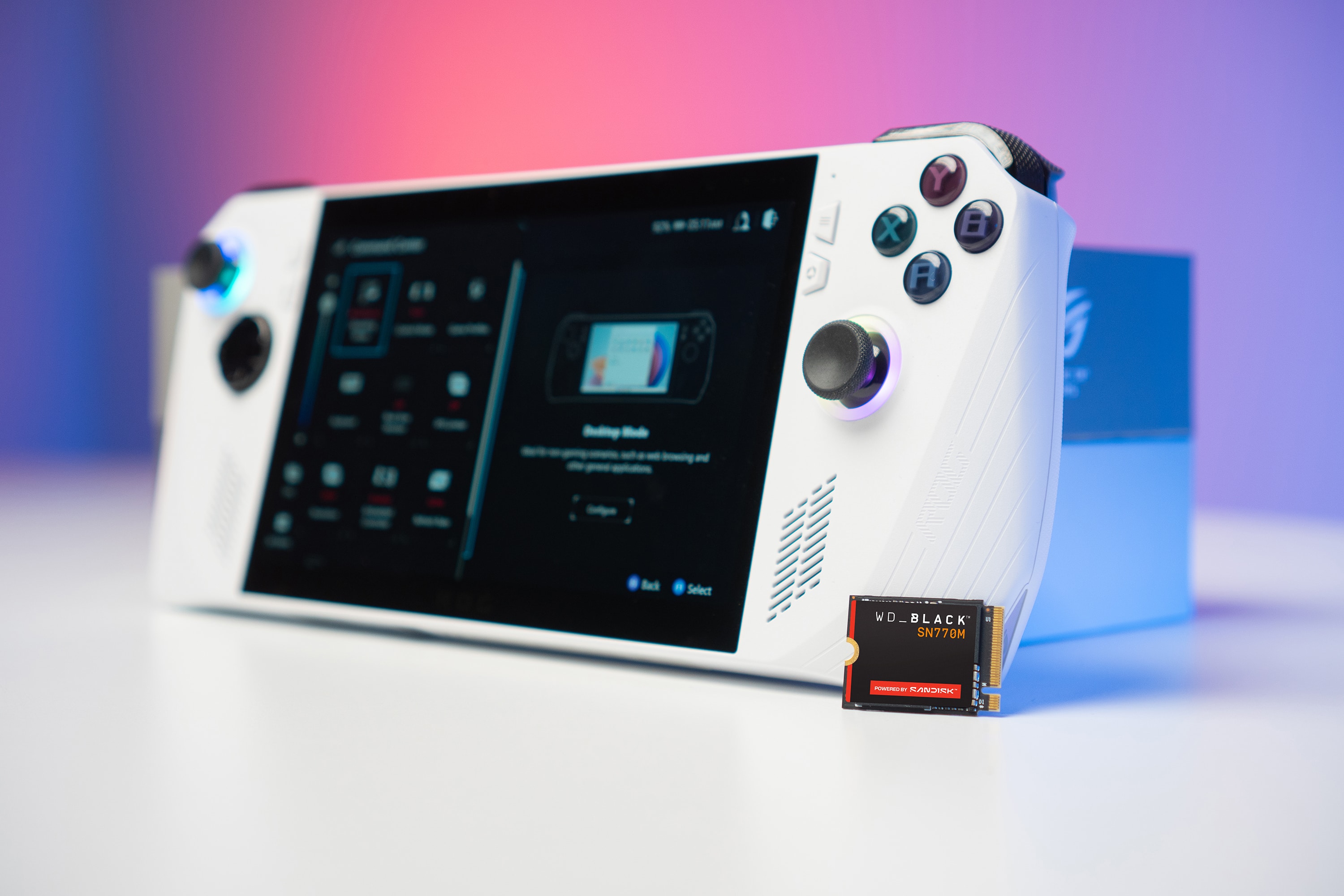
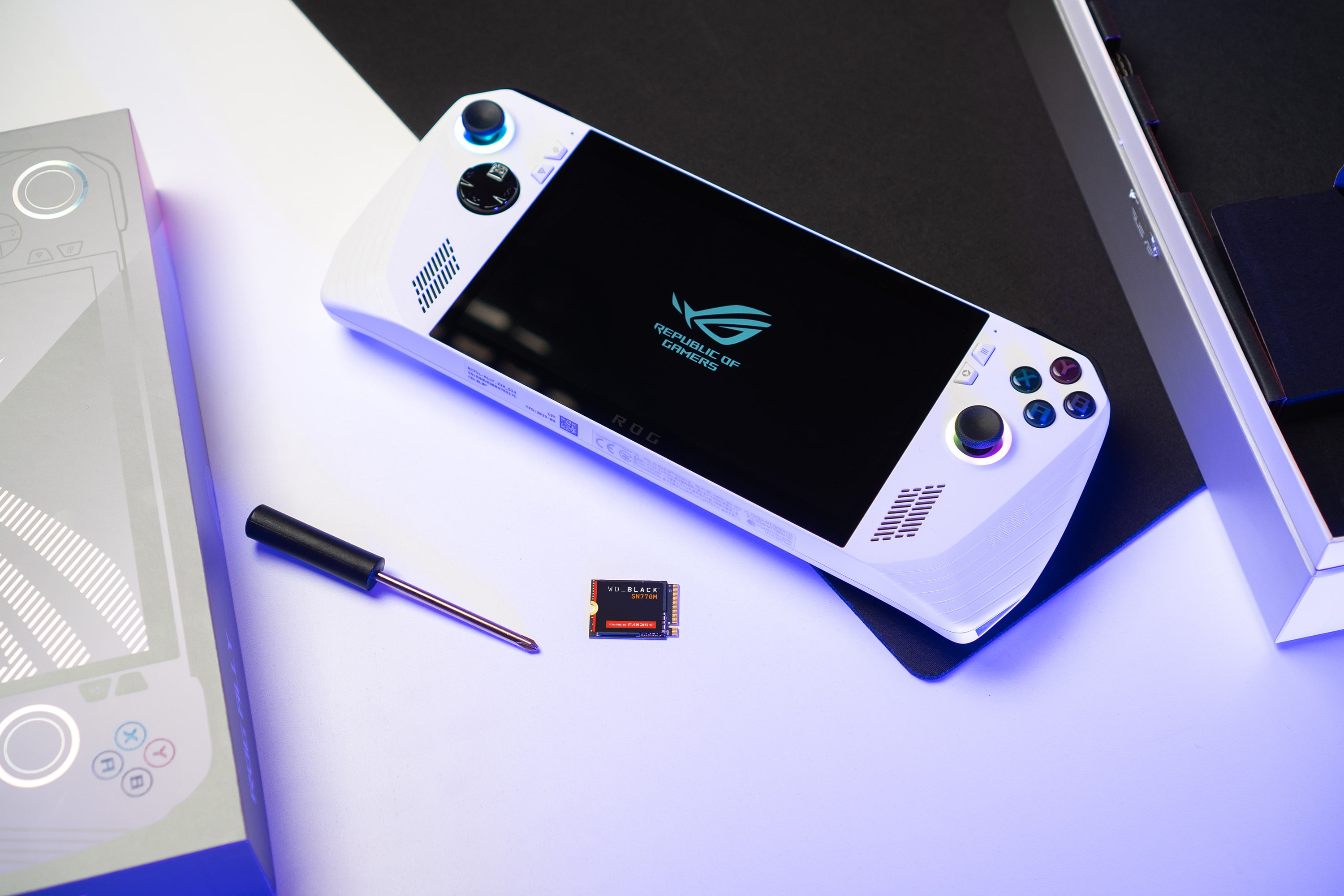
Customers have good things to say about the BLACK SN770M 1TB Internal SSD, particularly its speed and storage capacity, which contribute to great load times. Users also appreciate the drive's performance and how easy it is to install, especially in devices like the ROG Ally. Compatibility and the compact size of the SSD are additional benefits that customers find valuable.
This summary was generated by AI based on customer reviews.
- Pros mentioned:Installation, Performance
Easy Install
||Posted . Owned for less than 1 week when reviewed.This reviewer received promo considerations or sweepstakes entry for writing a review.Bought this to upgrade storage on my Asus ROG Ally. Was a quick and easy installation process. And is working just fine.
I would recommend this to a friend - Pros mentioned:Speed, Storage
MAJOR UPGRADE!!
||Posted . Owned for 1 month when reviewed.This reviewer received promo considerations or sweepstakes entry for writing a review.This product not only doubled my storage it also increased the speeds of my device . Complete difference and well worth it
I would recommend this to a friend BestBuy SSD - The best one for all gadgests
||Posted . Owned for 2 weeks when reviewed.This reviewer received promo considerations or sweepstakes entry for writing a review.Got SSD drive on best buy. Even that variant was out of stock in the SanDisk store. But best buy has the expected version and variant.
I would recommend this to a friend- Pros mentioned:Speed
A small and quick drive.
||Posted . Owned for 1 week when reviewed.This reviewer received promo considerations or sweepstakes entry for writing a review.My Dell G3 15 3590 Needed a replacement drive. I replaced it with this WD Black SN770M drive. Immediately I noticed a increased in booting and overall speeds than the previously.
I would recommend this to a friend - Pros mentioned:Speed
Fast External
||Posted . Owned for 1 month when reviewed.This reviewer received promo considerations or sweepstakes entry for writing a review.I put it in an external USB-C case and formatted 750 for APFS and 250 for NTFS, for uded with my MacBook & Surface Pro. Im getting wonderful speeds on both.
I would recommend this to a friend - Pros mentioned:Ease of use
Rog Ally M.2 memory storage
||Posted . Owned for 2 weeks when reviewed.This reviewer received promo considerations or sweepstakes entry for writing a review.Easy and simple to install, after cloud bios update my device is up and running with all my favorites games and extra memory in case any new updates require a lot of gigs!
I would recommend this to a friend - Pros mentioned:Installation
More storage
||Posted . Owned for 3 weeks when reviewed.This reviewer received promo considerations or sweepstakes entry for writing a review.Fun and easy install. Works as it should. A little pricey
I would recommend this to a friend - Pros mentioned:Performance
Absolutemust
||Posted . Owned for 1 month when reviewed.This reviewer received promo considerations or sweepstakes entry for writing a review.Works amazing, makes a huge difference on steamdeck
I would recommend this to a friend - Pros mentioned:Speed
Amazing
||Posted . Owned for 1 week when reviewed.This reviewer received promo considerations or sweepstakes entry for writing a review.Amazing fastttttttttttttttttttttttttttttttttttttttt
I would recommend this to a friend Love this drive
||Posted . Owned for 2 months when reviewed.This reviewer received promo considerations or sweepstakes entry for writing a review.This is everything i need for my YouTube videos. It is really sturdy and i need that since i drop things a lot.
I would recommend this to a friend- Pros mentioned:Ease of use, Speed, Storage

Must-have upgrade for your Ally
|Posted .This reviewer received promo considerations or sweepstakes entry for writing a review.The Asus Ally is amazing as a portable handheld PC Gaming system, but the main drawback out of the gate is the relatively low capacity onboard storage without an option to buy a configuration with more SSD space. Luckily, Asus understood heavy users would want to upgrade their storage and made it relatively easy to access the inside of the Ally to upgrade the storage. No major surprise here, as Asus became a household name in the PC industry on the strength of their PC mainboards and later, expanded across virtually every component you'd want in a high-end PC. Only a few minor complaints here, which are both understandable due to size constraints within the chassis of the very compact Ally. 1. There isn't a 2nd m.2 SSD 2230 slot. If you're familiar with PCs, the 2280 form factor (the last two digit stand for mm) is probably what you are used to, so from 80mm to 30mm, you can see that's less than half the size. Still, even with it being so small, everything is so tight inside they couldn't fit a 2nd m.2 slot like you would find on a laptop. 2. Compared to 2280 drives, the 2230 slot m.2 drive options are more expensive, have inferior cooling and are generally slower too. Enter WD and their excellent Black drives to help address these problems. While the SN770M (they have a SN770 2280 too) isn't as fast and impressive as their SN850 or updated SN850X, this was most likely due to thermal constraints in that chassis. Still, the performance on the SN770M is a big improvement from the included SSD and even more impressively, they've managed to get 1TB and even 2TB capacities on a much smaller m.2 SSD. I have multiple 2280 drives but didn't have any loose and not installed to show in a picture comparison, but the SN770M looks and feels more like a laptop WiFi card than an SSD, its that small. You can see the difference in speeds is significant, especially the Write speeds which are more than double. R/W on OEM drive is 4261/1818 MB/s compared to the SN770M which is 5275/4964 MB/s. In terms of installing the SN770M, it was very easy especially if you have any experience working with laptops and that kind of thing. Unscrew the screws, doing the bottom screws last. Use a spudger (plastic pry tool) to work between the front and back of the chassi and work your way around the edges gently. Unplug the battery cable from the mainboard to avoid any electrical issues while swapping the drive. Remove the screw, remove the old drive, replace with new drive. Do the steps in reverse and power the Ally back on. I used the Cloud Recovery method just to see if it worked but had a usb-c to m.2 external adapter ready with a backup image of my original drive just in case. One key thing to note about Cloud recovery, make SURE to set the date/time correctly in the BIOS after reconnecting the battery and powering on, if you don't, the Cloud Recovery won't work due to system time mismatch. I also had to connect to WiFi 2x and overall the recover failed a few times but finally worked after that. Pretty cool that it worked, but I would definitely make a backup image of the original image and also be ready to clone with software like Macrium Reflect, Acronis True Image, Partition Magic. Also you may need to disable Bitlocker if you go this route within Windows OS, so keep that in mind as well before you remove the drive. Price on these is also very reasonable but as I mentioned, they are more expensive than 2280 drives, probably because they don't produce as many, and the SSD chip densities are much higher since they have to fit 1 and 2TB on 1 chip instead of 2. If you are a HEAVY user and rotate multiple games on your Ally, say 15 or so new AAA games, I'd say get the 2TB drive. If you are OK with rotating 5-8 games at a time, then 1TB should be enough. I personally think 2TB would be amazing especially if you are going somewhere you won't have high speed internet to download new games, but you will have internet to just play online games. This also assumes each game is roughly 100GB in size, some newer games can be larger but older ones are typically in the 50-80GB range (1-2 Blu-Ray discs). Definitely a great upgrade to the Ally and one I would highly recommend!
I would recommend this to a friend - Pros mentioned:Installation, Speed, Storage
Upgrade Your ROG Ally With More Space and Speed!
|Posted .This reviewer received promo considerations or sweepstakes entry for writing a review.This tiny solid-state drive is a perfect upgrade from the default 512BG SSD that comes with the ASUS ROG Ally. The SSD is 1TB, which gives you roughly 930GB of functional user space for apps and games. Whether 1TB is enough storage space for you is a relatively personal decision. If you’re only all about the latest and graphically greatest AAA games, you may find it’s not quite enough. However, for me, it’s plenty of space for my combination of some AAA games, like Baldur’s Gate, and then a lot of my favorite, smaller indie games. The actual drive is physically very small – specifically a form factor called M.2 2230. This is exactly the size of the one pre-installed on the ASUS ROG Ally, so you don’t need to worry about checking the fit at all. Installation is very simple. You will need a small screwdriver to remove screws back on the case, along with a credit card, guitar pick, or other tiny plastic tool to snap the back of the Ally case off after removing the screws. From there, you unplug the battery for safety, unscrew the single screw holding the existing SSD, place in the new SSD, replace the screw, connect the battery again, snap the back of the case on, replace the screws, and turn it on. At this point you’ll be presented with the option for cloud recovery, which does take some time, and then you’re left at a fresh installation of Windows, as if you’ve turned on the ASUS ROG Ally for the first time. This whole process is very user friendly, even if you’re not super techy. The ASUS website even provides instructions with photographs of the entire process I described above. Alternatively, if you’re feeling a bit more technically inclined, you can do what I did and clone your current SSD to the new one and then after installation you boot right into windows exactly where you left off. There’s a few more steps to this, and it does require you purchase some sort of external SSD enclosure, but there are plenty of YouTube tutorials and with that SSD enclosure you can continue to use the stock SSD as secondary USB storage. The WD_BLACK line of storage drives are specifically designed with gaming in mind. I’ve used some of their external drives on my consoles and in my PCs and I’ve always been very satisfied with them. I do not have specific benchmarks, but I feel confident in saying this feels speedier at loading bigger games, such as Baldur’s Gate III, than the stock ROG Ally SSD. The bottom line is that if you own a ROG Ally or other similar device that fits a M.2 2230 SSD, you can’t go wrong with the WD_BLACK SSD – a solid choice from a known and trusted name in storage technology. In just a few hours after getting the SSD, I had it installed and was back to playing Baldur’s Gate III, with my bard singing songs of larger gaming capacity. After all, Starfield needs another 140GB and that’s comin’ up next!
I would recommend this to a friend - Pros mentioned:Speed, Storage
5 year warranty by reputable company
|Posted .This reviewer received promo considerations or sweepstakes entry for writing a review.To start off, it will be much easier if you clone your existing ROG Ally with an external USB SSD enclosure. This is what I did, otherwise you will have to start from scratch with the ROG ally setup reinstalling the OS to the new SSD, and this will take you much longer. I wish the SSD would have included an external enclosure with the SSD. I am however glad that WD includes their own software to clone directly inside of Windows, and it is pretty easy to do so once you install it from the WD website. If you just swap out the SSDs, when you first start the ROG Ally, it will dump you into the ROG Ally BIOS and do an Asus Cloud Recovery on the OS, but you will have to reinstall all of your games and any other apps you may have previously installed. I highly recommend just cloning the original SSD, it is much easier and faster if you have already customized your ROG ally with Steam games. SSD enclosures are not very expensive, and after the cloning, you can always keep the original ROG Ally SSD inside the enclosure and use it as a portable external drive. It is very easy to upgrade any ROG Ally - Make sure the console is actually turned totally off, not just asleep. There are 6 screws on the back of the ROG ALly, the bottom middle screw doesn’t actually fully come out - it just screws out but stays in place to the housing, carefully removing the back housing. Now, you just need to pull out the battery connector you will now see exposed. This is to prevent it from frying the parts inside while performing the upgrade. Now, there is a black plastic cover / sticker that you can pull up, and it will expose the SSD card. There is a single m.2 SSD screw holding the SSD in place, remove it, and you will see a shiny black thing to help lift the SSD out of the socket, and slide it towards you and out. Make sure to not lose the m.2 screw you just pulled out that held the existing SSD in place. Next, pull out the existing SSD, insert your new one, use that m.2 screw to hold down the SSD, and make sure to reinsert the battery cable back like it was, and finally put back the cover and close up with those screws again. That is essentially it. Just replace everything in reverse, close it up, and you are good to go. In my testing, the 1tb SSD seems to be a bit faster than the original Asus ROG Ally SSD. In my opinion upgrading the internal SSD with this WD model is much better than using micro SD cards in the ROG Ally. There are currently many issues causing microSD cards to be damaged in the ROG Ally. While there have been firmware updates, they have not fixed the issues damaging microSD cards. The internal SSD storage will also always be much faster than microSD cards. One thing about this SSD card vs other m2 2230 cards you can buy is that this one is made from a very trusted company, and isn’t a used device just pulled out of old laptops. WD also backs this up with a 5 year warranty. This card will also work on other handheld gaming devices, and not just the ROG Ally. As long as that device uses a m2 2230 sized SSD you can use it. Overall, this is a great card, and I highly recommend anyone with a ROG Ally to get this over using microSD cards to install games to.
I would recommend this to a friend - Pros mentioned:Ease of use, Speed
Easy Upgrade for ROG Ally
|Posted .This reviewer received promo considerations or sweepstakes entry for writing a review.I love my ROG Ally, but one of my biggest gripes is the measly 512 GB drive that it ships with. You can always add a microSD card for more storage space, but microSD cards are notoriously slow, and there have been some reports of them not working properly with the ROG Ally. That's where the WD SN770M comes in - it's a direct replacement for the internal ROG Ally drive, though you will need to be comfortable opening up your ROG Ally and starting from scratch with a fresh Windows installation. ===PROS=== - The SN770M is available in sizes up to 2 TB, which is huge upgrade over the stock 512 GB of the ROG Ally. - This drive is extremely fast - much faster than a microSD drive could ever get. With CrystalDiskMark tests, I clocked sequential read speeds as fast as 5121 MB/s and sequential write speeds up to 4814 MB/s. - Installing this drive in the ROG Ally is pretty easy, but might seem complicated for beginners. You will need a small Philips head screwdriver to remove the screws on the back of the device. I would recommend using a pry tool to gently pull the back casing off. Then disconnect the battery cable and remove the large black sticker to reveal the stock M.2 drive. Remove the M.2 screw, pop out the drive, then install the SN770. Replace the M.2 screw, put the black sticker back in place, and pop on the back cover. Once you put all the screws back in place, you're ready to boot up. When you first boot up with the new drive installed, it will load into the BIOS. You will need to format the drive and install Windows. To do this, go to Advanced Mode > Advanced > ASUS Cloud Recovery. Wait for the download/installation to complete, and you're good to go. - The drive has a fairly high endurance of 600 TBW, meaning that it is rated for up to 600 TB of data written to the drive during its lifespan. ===CONS=== - The drive I received did not come with any type of retail packaging or documentation - it was just the drive inside an anti-static bag. Hopefully WD will ship later units inside of an actual retail box. - Likewise, there were no installation instructions included with the drive. Nor are there any instructions or installation manuals on the WD webpage for this drive. I had to go to the WD_BLACK YouTube page to find an installation video. Many users likely won't know that this video exists. Again, I really hope WD includes installation instructions in later shipments of this drive, or at least a link/QR code to the YouTube installation video. ===OVERALL=== If you want to upgrade the internal storage space of your ROG Ally and not deal with microSD cards, the WD SN770M is one of the best options out there. It is easy to install and is a very fast drive. I just wish WD had actually developed retail packaging for this drive and included installation instructions (or a link to the installation video). Those things aside, this is an easy recommendation for all ROG Ally users.
I would recommend this to a friend - Pros mentioned:Performance, Storage
Powerful Gen4x4 w/TLC NAND & excellent SW/warranty
|Posted .This reviewer received promo considerations or sweepstakes entry for writing a review.We’re a two-Ally family. I bought mine at launch while my daughter got hers a few weeks later after coveting dad’s shiny new toy. I had already upgraded my Ally with a 2TB Western Digital SN740 2230 SSD, but it took a while before my daughter started bumping up against the limits of the stock 512GB SSD. However, her Steam library is nowhere near as extensive as mine so 2TB seemed a bit overkill for her. Enter the 1TB WD Black SN770M, Western Digital’s gamer-oriented “Black” series of 2230 M.2 NVMe drives specifically aimed serving at the tiny-footprint, lower-temperatures, less-battery draining, but still high-speed-demanding gaming market that is clamoring for more storage on the go thanks to recent successes of handhelds like the ROG Ally and Steam Deck. I admit I was already pretty happy with the SN740’s performance in my own rig, but I was curious to see what WD could do to improve on performance commensurate with their vaunted Black line of high-speed, high-endurance SSDs while still fitting into a postage stamp-sized form factor. For starters, the SN770M is another in WD’s line of DRAM-less SSDs designed to bring down cost as well as reduce power/battery consumption. Basically, the SN770M uses a bit of the onboard system RAM (or host memory buffer - HMB) to act as a cache while writing data to the disk. That sounds onerous for something like the ROG Ally which already has to split its limited RAM between system memory and video memory, but the SN770M doesn’t use a lot of memory for these purposes anyway (only up to ~64MB), so it’s not really taxing system RAM in terms of overall capacity. On paper, this kind of architecture isn’t supposed to be *quite* as fast as an SSD with dedicated DRAM because the available disk cache isn’t directly connected to the SSD’s controller, and the data being written has to move across all the various silicon associated with the PCIe bus as well. However, in practice, most newer DRAM-less drives like this one are approaching speeds and performance so near to that of drives with dedicated DRAM that there’s virtually no way you’re ever going to notice the difference in real-world use. This is especially true for something like the ROG Ally where the use case is primary gaming (which is a read-heavy rather than write-heavy activity). Now, if you plan to render massive video files or copy 20GB ISO images to the drive, sure, things will slow down on long sustained writes once you chew through the cache; but using something like the ROG Ally or Steam Deck primarily as a gaming device (imagine that!), you get all the speedy goodness that WD Black SSDs are known for. The SN770M also offers Microsoft DirectStorage Support for new/forthcoming game titles that will make use of it. In addition to WD’s generous 5-year warranty, the SN770M also gives you the added benefit of using TLC 3D NAND over the more cost-effective but less durable and slightly lower-performing QLC variety that tends to be common in a lot of mid-tier and budget-oriented drives like these. And because it’s a WD Black drive, you also get the full benefit of the WD Digital Dashboard designed to support OCD-levels of performance status-seeking and drive feature-tweaking. Along with keeping you apprised of firmware updates (mine did not require one), WD Digital Dashboard gives you a one-stop shop to monitor drive health, temperature, capacity, performance, S.M.A.R.T. diagnostics, TRIM settings and scheduling, write-cache settings, app background behavior, and more. Sure, most of these features, readings, and settings are available elsewhere throughout Windows, but WD Dashboard puts it all in a user-friendly and clearly gamer-oriented location. As an added bonus, you also get access to the WD edition of Acronis True Image. Along with providing advanced backup, recovery, and system protection functions, another Acronis feature is "Clone Disk." Although I used the ASUS Cloud Recovery option in BIOS to start my daughter’s Ally off fresh, I did use Clone Disk a few months ago to move my gaming rig’s Windows installation to another high-performance WD Black NVMe—this is the same route you can take if you don’t want to reinstall any of your apps and games once you upgrade your Ally’s SSD. Using an NVMe enclosure for the SN770M attached to the Ally’s USB-C port (or hub), Acronis Clone Disk will intelligently copy and resize your partitions (including hidden and recovery partitions) to move the Ally’s existing OS and SSD contents to the new SN770M and make it ready to replace the stock SSD. I also found that you can use Clone Disk to clone any drive to any other drive, even if the source/destination isn’t the SN770M, so long as your WD drive is detected on your system at all. The review drive I was sent didn’t come with a M.2 screw; if that is true of the retail boxed drives as well, be careful that you don’t strip the M.2 screw in your Ally changing out SSDs as I have read this is a common problem. The drive itself is single-sided so it will easily work in the Ally, Steam Deck, or any of a number of ultra-portables using a 2230 sized SSD. The heat-spreader is a nice-shiny WD Black label, but other than that, there isn’t much more you’re going to get in the package. Bottom line, then…how does it perform? In a word, AMAZING! Like I mentioned at the start, I already had a 2TB WD SN740 in my own ROG Ally; and while this new 1TB SN770M also exceeded WD’s published read speeds of 5,150 MB/s in the same way the SN740 did, the SN770M trounced the SN740’s sequential 1MB and 128K write speeds by about 800MB/s. I have included CrystalDiskMark results for both drives with this review. WD Black has earned a well-deserved reputation as a top-notch, high-performance option for gaming-oriented NVMe SSDs. Although the small form factor and lower-power requirements of something like a ROG Ally or Steam Deck won’t yield quite the same eye-watering speeds as WD’s larger and more power-hungry 2280-sized cousins, you’re going to be VERY hard-pressed to find a better-performing 2230 drive that includes such a stellar warranty with actually quite useful software accompaniments…HIGHLY RECOMMENDED!
I would recommend this to a friend - Pros mentioned:Performance, Storage
Great Way to Upgrade Storage on ROG Ally
|Posted .This reviewer received promo considerations or sweepstakes entry for writing a review.I got this for my ROG Ally handheld. With the SD card issues the ROG Ally currently has (that I have unfortunately experienced), upgrading the SSD is the only viable way to increase storage right now. I’ve used a fair amount of Western Digital SSD’s over the years including the larger SN770 version of this hard drive, as well as the SN850x. I’ve generally been very happy with their performance and the SN770M delivers on that again with improved performance on top of the additional storage. It’s not top of the line performance for a PCIe 4.0 drive, but it is much better than what comes installed in the Ally and in this form factor I’m not even sure it’s possible to get better performance. The SN770M is an M.2230 SSD, meaning it’s about half the length of a normal M.2280 and made to fit in smaller devices like the Steam Deck, ROG Ally, and Microsoft Surface, among others. Getting it installed in the ROG Ally was the normal process and I followed along with ASUS’ guide for installation, though handling the smaller drive in that smaller space makes installation a little more challenging than standard M.2280 SSD’s. I opted not to clone my existing drive as I didn’t have ability to do it and ended up doing a clean install of Windows via the Ally’s Cloud Recovery. That process took a little while and I ended up leaving it for a couple of hours and coming back. Once the OS and all the latest Windows/ASUS updates installed I was left with about 864GB of open space. My before and after tests on the old drive vs. the 770M showed about a 22.5% improvement in read speeds and a 3x improvement on write speeds. I wasn’t sure how this would play out in terms of what I noticed in gaming, but only using Forza as a point of reference I noticed that the initial game load is consistently A LOT faster than before. I did not time the loading on the previous SSD, but it’s maybe twice as fast if not more using the new SN770M. Now, this could be down to other factors as well; maybe there was something wrong with my previous install that was holding it back or the fact that I don’t have as much stuff loaded up on my new install yet. My main takeaway is that the extra storage is nice and the performance is excellent. Overall I’m glad I went with the SSD upgrade over microSD. Even if the Ally didn’t have any problems with its microSD reader, upgrading to this SSD drive isn’t too much more costly than one of the better microSD cards you can buy in the same size and the performance is a lot better. 512GB for a handheld sounds like a lot, but when games are regularly well over 100GB (Forza Horizon 5 is 168GB) that gets eaten up pretty quickly if you aren’t constantly managing your installs.
I would recommend this to a friend - Pros mentioned:Speed, Storage
Expands Storage on Rog Ally with a Speed Boost!
|Posted .This reviewer received promo considerations or sweepstakes entry for writing a review.The day I got my Rog Ally was the day I filled up the drive with games. The Western Digital SN770M is designed for the Rog Ally offering double the storage and an improvement in read and write speeds. Upgrading my Ally was simple. If you follow the guide Asus has posted online, they have you reinstalling Windows through their cloud service and having to download all of your games again. I didn’t want to go this route, so I used drive copying software and a fast external enclosure to clone and extend the original drive’s filesystem onto the new Western Digital one. Because the PCIe Gen4 drives are so fast it only takes a few minutes to clone the drive. I then followed the instructions provided by Asus to open the case and swap the drives out. When I turned on my Rog Ally system everything was as I left it, but I now had double the storage. The read speeds after upgrading were greatly improved over the stock drive at 5246Mb/s sequential read and 4852 sequential write. That’s about a 20% increase in read speeds and well over double the increase in write. In my opinion this is the only way to go to expand the storage space on the Ally as the microSD card reader is going to be extremely slow for reads, causing noticeable differences in loading times of AAA games. Pros: Supports Rog Ally 1TB PCIe Gen4 5150MB/s Read Speed 4900MB/s Write Speed 5Yr Limited Warranty DirectStorage Ready Cons: None! Overall – this is a great choice for your Rog Ally, Steam Deck, or any laptop or console that has a PCIe Gen4 M2 2230 slot.
I would recommend this to a friend - Pros mentioned:Ease of use, Speed
Excellent Performance Upgrade for ROG Ally & Steam
||Posted . Owned for 7 months when reviewed.This reviewer received promo considerations or sweepstakes entry for writing a review.I recently upgraded my handheld gaming device with the WD Black SN770M 1TB SSD, and I couldn't be more impressed. If you're looking for a reliable, high-performance M.2 2230 PCIe Gen 4 SSD, this is easily one of the best choices on the market. Performance & Speed: This SSD significantly improves load times and overall system responsiveness. Games that once had noticeable load screens now boot up almost instantly. With PCIe Gen 4 x4 speeds, it delivers fast read/write speeds that keep up with even the most demanding games and applications. Compatibility & Installation: The 2230 form factor is perfect for devices like the ROG Ally, Steam Deck, and Surface laptops. Installation was seamless—just swap out the old drive, install the OS, and you're good to go. No additional firmware updates were needed, making the process smooth. Storage Capacity: 1TB is a massive upgrade from the stock storage on most handhelds. Now, I can install more AAA games without constantly managing storage space. Build Quality & Reliability: Western Digital is a trusted brand, and this SSD lives up to its reputation. No overheating, no performance drops, and rock-solid stability. Even under heavy loads, it maintains excellent efficiency. Value for Money: For $99.99, this SSD is a steal. Comparable drives can cost much more, making this an excellent investment for gamers and professionals alike. Final Verdict: If you own a ROG Ally, Steam Deck, or any other device that supports 2230 SSDs, this is a MUST-BUY. It offers top-tier performance, easy installation, and great value for the price. Highly recommended!
I would recommend this to a friend - Pros mentioned:Performance, Speed, Storage
This thing is fast!!!!
||Posted . Owned for less than 1 week when reviewed.This reviewer received promo considerations or sweepstakes entry for writing a review.I just upgraded my Surface Pro from the 256GB storage to this 1TB WD Black SN770M internal SSD. The upgrade to the 512GB SSD from Microsoft is a whopping $200. I was able to upgrade to the 1TB SSD for less than $100 with some rewards. The performance of this SSD is off the charts; This thing is blazing fast. I am getting the 5GB/s + read/write speeds just the pictures from the other users benchmarks show. And the storage space is more than I need. I'm stoked with this purchase.
I would recommend this to a friend - Pros mentioned:Storage
Good upgrade for the Asus ROG Ally
|Posted .This reviewer received promo considerations or sweepstakes entry for writing a review.I installed this in my Asus ROG Ally. The hardest part was finding a reliable way to back up and running after swapping the drive. I ended up putting the original drive back in the Ally and installing Macrium Reflect, and then using an m2 USB enclosure for this drive, and then copying to it. It took about 3 hours for the copy. But then I was able to swap the drive and it worked perfect. Honestly, I haven't noticed a huge boost in performance; though I ran crystal disk mark, I forgot to run it before I swapped, so I couldn't compare performance... and I didn't feel like swapping back. I also installed WD Dashboard hoping to find Gaming Mode settings, but it doesn't appear that is available. I suspect it's just a matter of firmware/software update for that to become available. The dashboard does have other tools and insights available, so it's still a worthwhile install. With the Ally, if you hold the Volume Down button while starting up, you can enter the BIOS, which lets you start system recovery, which will download Windows and all the Asus software so you can start fresh. This is the other way to get started with this drive, but when I tried I kept having issues with it getting stuck at various steps. Overall, I'm happy with the drive, performance is at least on par with what it was, and the extra space is very much welcomed.
I would recommend this to a friend