Customer Ratings & Reviews


- Model:
- BBXP60R
- SKU:
- 6433901
Rating by feature
- Value
Rating 3.8 out of 5 stars
- Quality
Rating 3.9 out of 5 stars
- Ease of Use
Rating 3.9 out of 5 stars
Customers are saying
Customers are impressed with the PureTV Pro 60's signal strength, channel count, and picture quality, frequently citing its ability to receive numerous channels with clear, crisp images. Many found the antenna easy to install and use, praising the user-friendly app for optimizing reception. However, some users noted that the app could be improved, and a few expressed concerns about the price and the length of the coaxial cable. The antenna's range also received mixed reviews, with some users finding it met their expectations while others did not.
This summary was generated by AI based on customer reviews.
Winegard vs. The Competition
||Posted . Owned for 1 week when reviewed.This reviewer received promo considerations or sweepstakes entry for writing a review.This Winegard Pure TV Pro Antenna was purchased on a Deal of the Day special as an experiment to see if I could get a few extra channels vs. my current antennas. I tested it in a few different locations around my living room, guest bedroom, at my parents' house, and also at work. It was unable to receive any additional channels over the Phillips Bar and Mohu Arc Pro antennas. Those antennas are able to stand on a shelf where the Winegard has to be stuck to a wall or window. I also like the fact that the cables on both of them are black and the Winegard is white. One other comment is that the Winegard is fairly thin and flimsy. The phone app was fairly accurate as I am within 15 miles from the local transmitters. Overall I would rate it as a good antenna but not worth it unless you can buy it on sale for around $50.00.
No, I would not recommend this to a friend- Pros mentioned:Channel count, Signal strengthCons mentioned:Cable length

POWERFUL INDOOR SMART HDTV ANTENNA
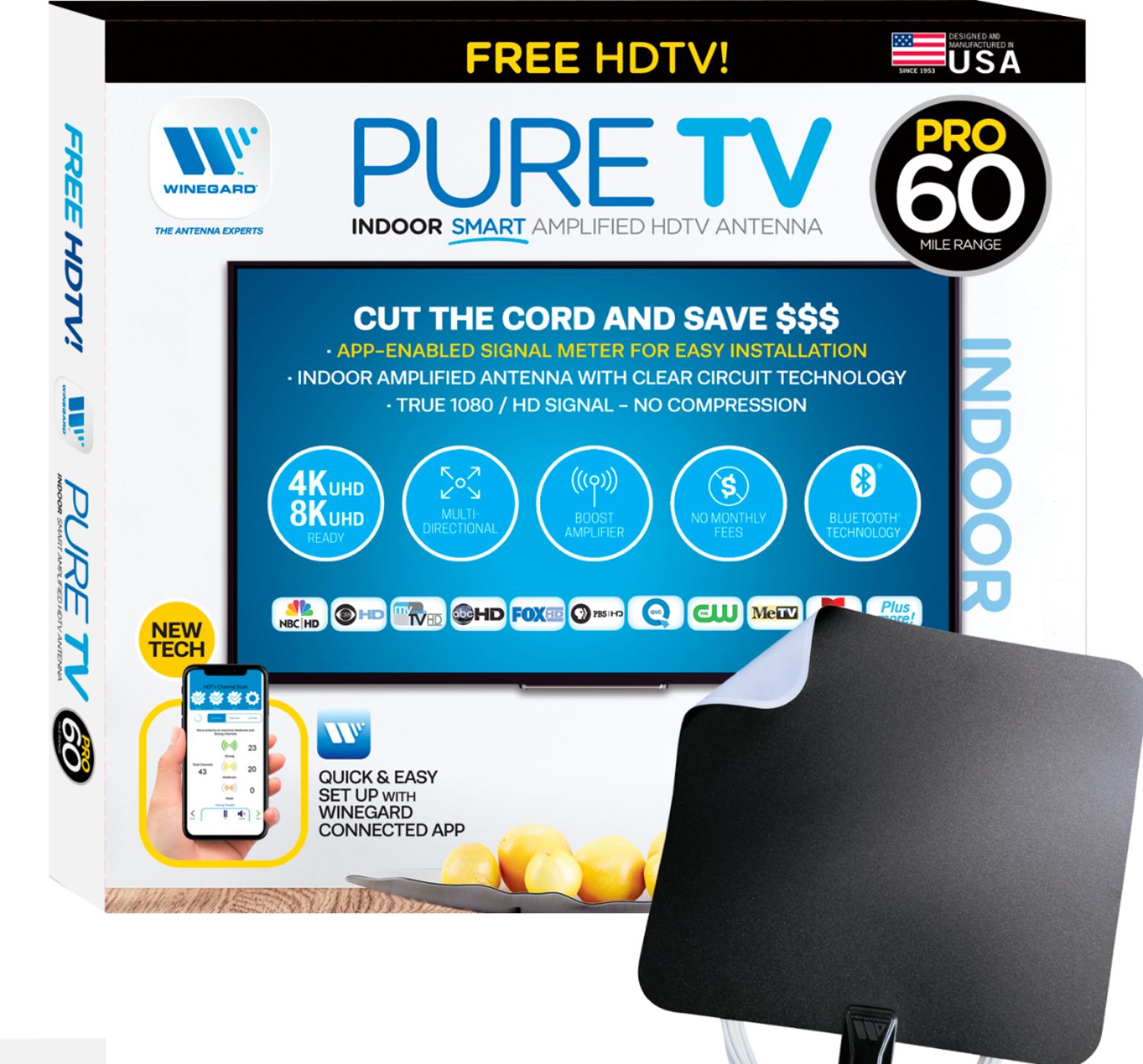
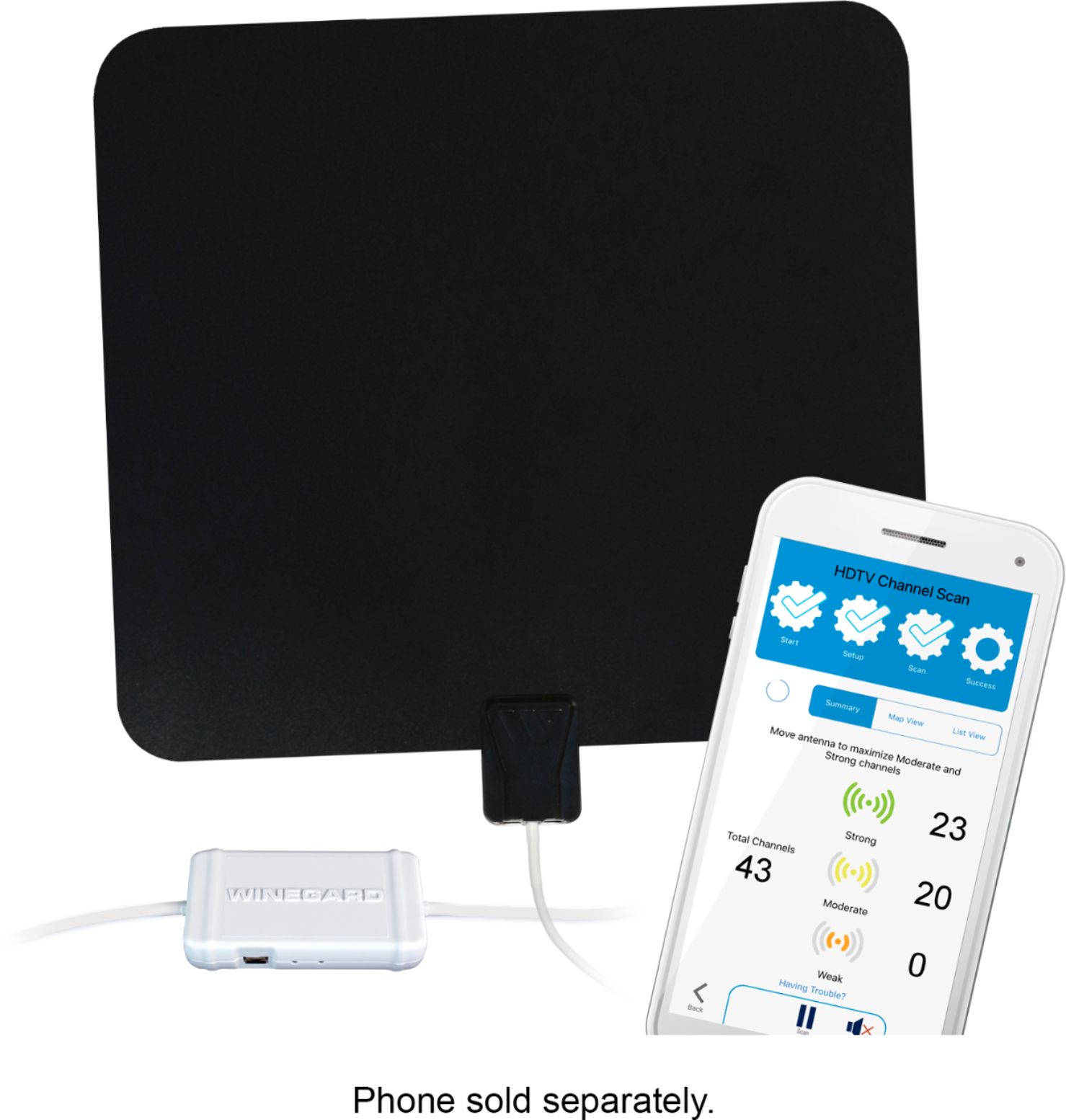
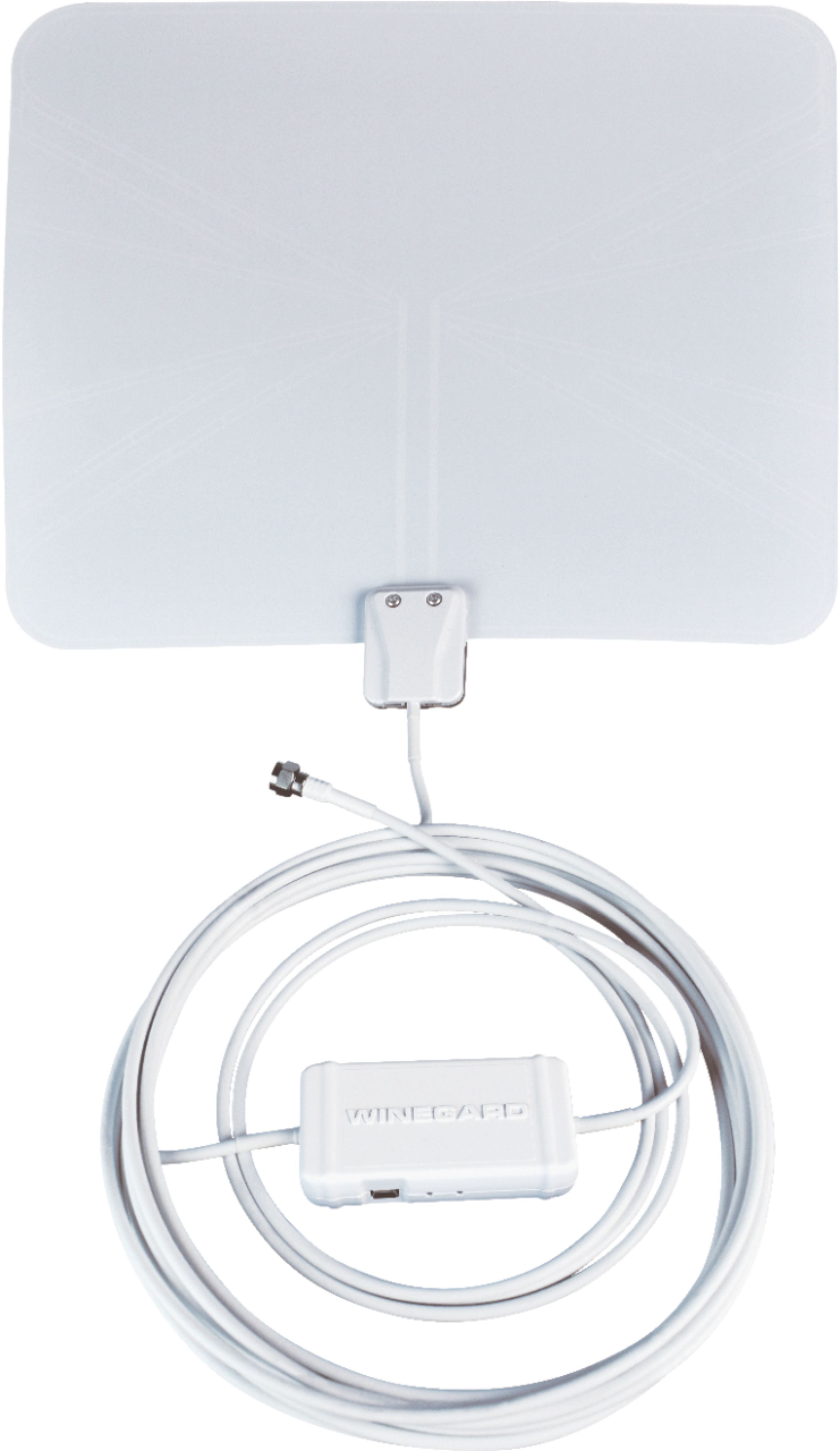
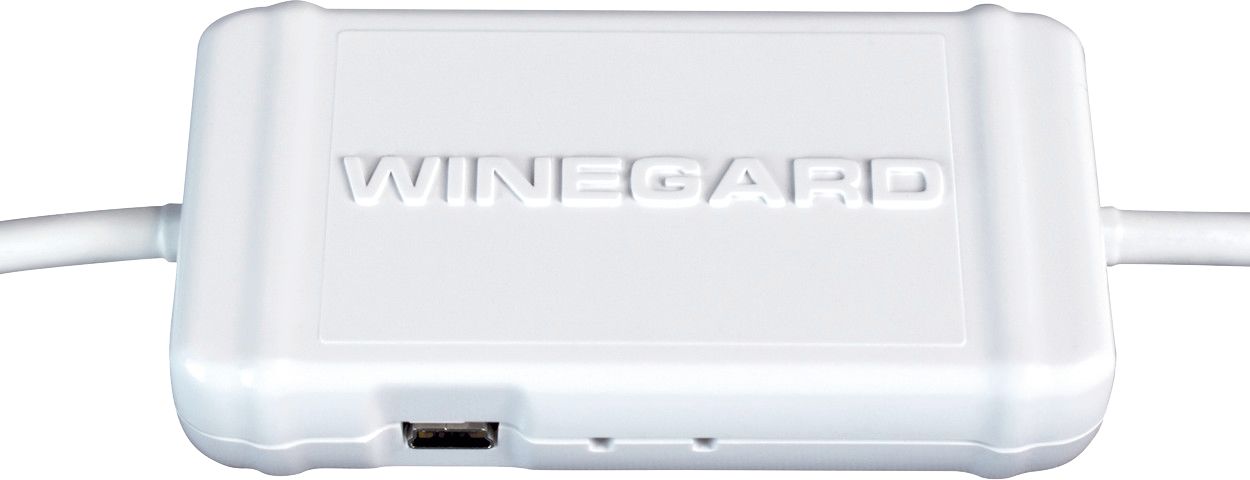
|Posted .This reviewer received promo considerations or sweepstakes entry for writing a review.The Winegard PureTV Pro 60 - Indoor Smart Amplified HDTV Antenna With Bluetooth Technology Signal Meter will certainly appeal to “cord-cutters” who desire to reduce or eliminate their cable TV or streaming subscription TV expenses by watching HD broadcast television, including the major networks, without charge. However, an HDTV antenna also has potential for people with unreliable cable or satellite TV services and for people who do not have cable TV available to them. Prior to 2009, broadcast television was analog. Obtaining an acceptable television signal was accomplished by repositioning the antenna while watching the TV reception until the optimum viewing image was obtained. A weak signal degraded TV image quality, resulting in “snow” or “ghosting”, however it might still be adequate for viewing. On June12, 2009 the FCC mandated the transition from analog to digital television broadcasting. Digital television allowed for greater spectrum efficiency, and the FCC was able to recover a significant amount of Radio Frequency (RF) spectrum, the majority of which was auctioned to cellular providers, with a small portion of spectrum reserved for public safety. The consequences of digital television frequently include lower range for TV signals, as well as reduced in-building penetration. Wherein a weak analog television signal degraded picture quality, but might still be viewable, a weak digital television signal results in no useable picture at all. Outdoor antennas elevated on masts or roof mounts will almost always outperform indoor antennas, but installing one is not always practical. Watching digital broadcast television with an indoor antenna can be challenging. The number of viewable television stations will be limited to those with sufficient signal strength to reach the building, and to penetrate the walls and roof of the structure. With conventional digital television antennas, time and effort is needed to repeatedly reposition the antenna and perform the slow process of rescanning the channels on the television in an effort to find the best antenna position. The Winegard PureTV Pro 60 Antenna accelerates, refines and improves this optimization process and rapidly and efficiently facilitates mounting the antenna in the best location and orientation to receive the greatest number of television channels. The Winegard PureTV Pro 60 accomplishes this by including an inline receiver, which acts as an RF signal strength meter, to scan the television frequencies and transmit the acquired channel and signal strength data via Bluetooth to your smartphone. The Winegard PureTV Pro 60 also includes an integral signal amplifier, which improves the signal strength from the antenna elements to the television. The Winegard PureTV Pro 60 is comprised of a thin 12”x13” flexible vinyl panel, within which antenna elements for reception of both VHF and UHF frequencies are embedded. The vinyl is white on one side and black on the other. A 1 dB gain signal amplifier is attached to the antenna panel and a 15’coaxial cable is permanently connected to the amplifier and then routes to the RF receiver unit, which requires USB power. A 120 volt A/C power supply is included, with a 35” long USB –A to micro USB cable. The receiver can also be powered from a USB port on the television. The mini RG59 coaxial cable exiting the receiver unit is 41” in length, and is terminated with an “F” connector for connecting to the RF port on the television. The overall length of the coaxial cable between the antenna and the television is 18.5’. Inasmuch as the cable distance between the TV and the inline receiver unit is 41”, and the USB power cable is 35” in length, it may be challenging to access a 120 VAC power outlet within 35” of the receiver. I found it necessary to power the receiver from a USB port on the television. The coaxial cable connections to the antenna panel and the receiver unit are all captive, permanent attachments. The Winegard Connected app (Android and iOS versions– I used Android) is employed to optimize the antenna installation location and orientation. In order to use the Winegard Connected app, it is required that a Winegard website account be created. The login credentials (email and password) are the same for the website and app. I do not believe that an online account with a manufacturer should be a prerequisite to using their smartphone app and television antenna. As part of the setup process, the Winegard Connected app requires scanning the QR code on the antenna’s receiver unit and pairing via Bluetooth. I received repeated error messages in the app that the receiver could not be accessed or successfully paired. Those error messages were erroneous. In fact, the receiver had successfully paired with the smart phone, and ignoring the error messages and proceeding with scanning for channels worked fine. The app uses the phone’s GPS location, or a manually entered address in order to ascertain the broadcast tower location and channel data. Following the instructions for experimentally positioning and repositioning the antenna and determining the best mounting location was easily facilitated by the antenna’s receiver unit. The channel scanning process is rapid, therefore repositioning the antenna until the app reports the maximum number of channels is quick and easy. Final mounting of the antenna is accomplished with the two included 3M Command strips. The Winegard antenna is directional, as are most TV antennas. Winegard instructs to allow 6 – 12 seconds between each antenna repositioning and channel rescan, to allow the electronics and the app to update the data. However, I observed that the channel quantity, particularly of moderate and weak channels reported by the app, fluctuated while the antenna panel remained in a fixed, stationary position. I do not know if the fluctuations are attributable to hardware or software. Nevertheless, the app was consistent in reporting the best channel scan results when the antenna was positioned in the same, optimal location. I installed the Winegard Connected app on two Android phones with different versions of Android. The issues with pairing (erroneous error messages) and channel data fluctuations were consistent. An additional issue was that the app failed to close upon exit. Resultantly, it was necessary to force close the app. Since all RF including television signals are attenuated by physical barriers, including walls, roofs, trees and other buildings in the RF signal path, and signal strength is further attenuated by the density of those obstructions, it may be necessary to relocate the antenna several times in order to find the best mounting location. In general, a window may provide better received signal strength, while a concrete wall or metal house siding may attenuate the RF signal significantly. The Summary View in the app presents each channel scan result in the form of Total Available Channels, as well as quantifying the Strong, Moderate and Weak Channels. The List View depicts the channels being received, including Channel Number, Network and Signal Strength. The List View facilitates ensuring that the most desired, “must see” channels are available with sufficient signal strength. The Map View graphically depicts the television broadcast towers in the area, and the relative signal strength from each. The installation process is completed by scanning channels on the connected television after mounting the antenna. Once I had accomplished the antenna optimization process, I elected to compare the effectiveness of the Winegard PureTV Pro 60 antenna, which includes a signal amplifier and boasts a 60 mile range, to an inexpensive, non-amplified HDTV antenna, which costs about $15.00 and claims a 30 mile range. Additional online resources which provide channel availability and RF signal sufficiency information for a particular geographic location are antennaweb.org and tvfool.com. By entering an address at these sites the user may determine which stations have the best relative signal strength and thus the best potential for viewing, even with an indoor antenna. The websites advised that 21 - 23 high-power TV channels were within approximately 40 miles. The Winegard PureTV Pro 60 antenna found a total ranging from 42 - 65 channels, 20 - 23 of which were classified as having a “strong” signal. The television received 33 watchable channels. The inexpensive, non-amplified antenna, received only 19 channels. Winegard manufactures numerous HDTV antennas. Among the indoor models is the Flatwave Amped Pro – Model TH3000. I have confirmed that the Winegard PureTV Pro 60 – Model BBXP60R and the Winegard Flatwave Amped Pro – Model TH3000, are the same, identical antennas. In fact, the bag containing the USB cable and power block is labeled “TH3000”. The only difference between those models is the list price, with the TH3000 being 10% more expensive. Overall, the Winegard PureTV Pro 60 exceeded expectations. It received 14 more channels than a standard indoor antenna. Thanks to the built-in receiver paired to a smartphone app, the channel scanning process and identification of the optimal mounting location was accomplished in just minutes. The Winegard app clearly needs improvement, but it still served its primary function and made the process of finding the best antenna mounting location very quick and easy. The Winegard Pure TV Pro 60 is an excellent indoor HDTV antenna.
I would recommend this to a friend - Pros mentioned:Channel count, Picture quality, Signal strength
One feature to stand out above the rest...
|Posted .This reviewer received promo considerations or sweepstakes entry for writing a review.It seems like every day, the cable or satellite companies lose channels due to financial disputes with the owners. More people are using services to stream shows now as a result. But not all of those offer local channels, or they charge extra for them, or maybe your Wifi isn’t the best and streaming is still a pain in buffering. In comes a TV antenna. There are literally tons of antennas for sale right now. You can still get the larger, bulkier, outdoor ones, but newer generations offer much smaller devices you can put inside your home on the wall or window and get a respectable amount of channels for free. The Winegard Pure TV Pro-60 antenna (made in the USA!) is one such device, with one feature that separates it from the others, which I’ll talk about in a moment. When you take the Winegard out of the box, it looks exactly like many others – It’s a nearly paper thin, floppy square material that’s roughly 12 by 13 inches in size, that you stick on a wall or window using tape or the included 3m sticky stuff. It’s white on one side and black on the other to help match walls and décor. On the bottom of this “pad”, is a thin, white, coax cable that’s just over 18 feet in length; this also plugs into the back of your TV in the antenna port. A small white box is attached to this cable, and it’s a power booster (which helps boost the signal pick up to around 60 miles in some locations) and Bluetooth connect for that extra feature I mentioned. You use an included USB-to-mini USB cable (yes, I said mini-USB, as in, from like over a decade ago!) to connect to that power box, and you either plug the USB side into your TV if it has a powered USB port, or use the included A/C adapter to plug it into a wall outlet. Use some house tape at first to tape the pad to a wall or window temporarily, and you’re ready to start. Next, you download the Winegard app from the Apple or Android store, create an account, and grant access to certain location services. You can a QR code on the antenna’s power box to register the device, and once finished and confirmed, it will have connected the app to your phone via Bluetooth (make sure it’s on!). It will then tell you the signal strength of where you placed your antenna, and how many channels you should get at that location with a strong, medium, or poor connection. It keeps renewing this scan every minute so you can move the antenna around to see how the numbers change. Even a few inches can make a difference. Initially, it said I had 48 “good” signal channels, but just moving it a few inches toward the door increased the number to 57 channels and an additional 34 in a moderate signal range. Keep in mind, I’m roughly 25 miles outside of Atlanta – the number of channels you will or will not be able to get will vary on where you live, the geography, miles to TV towers, etc. From there, you go into your TV’s menu, let it do a channel scan for the antenna (varies per TV model) and you should be ready to go. I did indeed get around 57 good channels – most came in very good, even the lower resolution broadcast ones. A few came in very good at a sharp 1080p, and a handful actually came in at or near 4K quality. The moderate signal ones varied from ok to so-so. It’s possible for a few to actually look BETTER than they do on satellite or cable, because there is no middle man to compress them when sent to your home – you’re getting direct signals from the towers. Now, I get all of my local channels, and a few others of interest – old movie channels, free movie channels, etc. There’s a lot of religious channels and a few Latino channels as well. If you want to record these, there are over-the-air recording devices you can buy that will let you do this. Otherwise, you watch live. So, the Winegard Pure TV Pro-60 antenna does cost a little more than other very similar antennas at around $90, but, you do get that extra Bluetooth app placement feature that to my knowledge, few if any have right now. I do think the app helps you find the best place to put this and saves you a TON of time not having to scan, re-scan, and re-scan channels again each time you move it around on your own. As always, look for it to go on sale, too. I’ve giving it 5 stars because it really does pull in some channels at 1080p to 4k that other antennas haven’t been able to do, due to this extra app/feature. So, there’s a ton of decisions to make if you really want to “cut the cord” and ditch your satellite or cable company, and you have to make some smart decisions regarding which streaming devices you’ll use, how much data your home internet service gives you per month to do it, if your wifi is fast enough, etc. But at least with the Winegard, you can hopefully in your area, stream local stations and perhaps more, clearly, and without having to even worry about wifi or data use for those channels at least. Worth a try!
I would recommend this to a friend Purchased a $99.00+ USED item passed off as “NEW”!
||Posted .This reviewer received promo considerations or sweepstakes entry for writing a review.I purchased the PureTV Pro60 Antenna yesterday (9/13/2021) from the Cedar Park Best Buy store for $99.00 + Tax. When I got home and opened the box I was immediately disgusted by what I saw on the inside of the box & attached to the tape on the box. There was disgusting hair everywhere attached to it that just made me absolutely sick. Apparently, the PureTV Pro60 Antenna that I purchased had been previously purchased, repackaged and sold as “brand new” to ME! The box & package that was inside the filthy outer box had both been opened as well and attempted to be taped together to resell as “NEW”. I drove from Round Rock to the Cedar Park Best Buy because that was the only store that had it in stock. For as much as I paid for this antenna, I expect to get what I paid for….a Brand New Antenna!! Not a used, filthy repackaged item trying to be sold as “NEW”, when clearly it is not. I’m not even sure if everything is here that I will need, let alone if it will even work properly. I am so disappointed that Best Buy didn’t do a better job on such a higher priced ($99+) return item. I definitely deserve better than this and expect more for my money!!
No, I would not recommend this to a friend- Pros mentioned:Reception, Signal strength
GAMECHANGER - Indoor Smart Amplified BT Antenna
|Posted .This reviewer received promo considerations or sweepstakes entry for writing a review.Winegard has been designing OTA antennas since its founding in 1953 when John Winegard invented the first multi-channel, reception antenna. Winegard is acknowledged as the foremost industry and world leader in TV signal reception. So, when I had an opportunity to review this PureTV Pro 60 - Indoor Smart Amplified HDTV Antenna – With Bluetooth Technology Signal Meter in exchange for the product I was excited to experience this new antenna technology. WoW! As a 'cord-cutter' I was absolutely amazed at how accurately this indoor, amplified antenna actually worked. First, I went from 22 OTA channels, which were a combination of good and weak signals, to 25 Strong signals and 4 Moderate for HDTV reception in less then 30 minutes. I picked up seven new stations. WooHoo! Using the Winegard Connected App I was able to locate the placement of this Winegard antenna to receive my optimum TV signal reception, and, fine tune a hard-to-get station using this on-board, Bluetooth Signal Meter. Indoor antenna placement has always been a mysterious and tedious 'trial-and-error' challenge for me. However, Winegard has hit a home run with this PureTV Pro 60 - Indoor Smart Amplified HDTV Antenna. Out of the box it only took me about ten minutes to set-up the included hardware. After downloading the FREE Winegard Connected App I just followed the simple on-screen instructions to successfully install my antenna. This FREE App is available for downloading from the Google Play Store and, or, at the Apple App Store. The App-integrated signal meter is a 'Gamechanger' for accurate, easy, indoor antenna installations. Advantages of the Winegard PureTV Pro 60 - Indoor Smart Amplified HDTV Antenna – With Bluetooth Technology Signal Meter: ** UNCOMPLICATED INSTALLATION – The included 'Quick Start Guide' details the steps for setting up the antenna hardware and downloading the Winegard App. The Power Amplifier unit requires a 120V power source, or, it can be plugged into the TV through the included USB cable. It easily paired with my cell after I downloaded the Winegard Connected App and established a FREE Winegard account. I then scanned the QR Code on my Power Amplifier to activate the on screen instructions for antenna set up. There is a flashing Blue LED on the amplifier unit for BT pairing. You can use your GPS location by default to find all the broadcast antennas in your area. You can also enter your street address if you choose. I used my GPS location for greater accuracy. While moving my antenna around for the best signal strength location I used Masking and Painters' tape to temporarily hold the antenna in place (see pics). This flat, two-sided antenna only weighs 7 ounces so, any kind of light-duty tape will hold the antenna in place. I was able to move this antenna around temporarily and also check my cell for the signal strength. This is easily a 'one-man' operation, but two people would probably make the whole process go even faster. The Signal Meter uses both visual and audio indicators. The built-in App-enabled Signal Meter gives me three on-screen views of signal strength; Summary, Map View, and List View (see pics). I used the Summary View indicating signal strength to initially locate my antenna for optimum channel reception. However, I kept the Masking tape on the antenna in case I had to further tweak the antenna placement. I wanted to Fine-Tune a station, which has always been pixelated and hard to receive, but still one of my favorites. ** FINE TUNE HDTV SIGNALS – Once I had my antenna placement optimized for most of my TV stations using the 'Summary View' I began the Fine-Tuning process for one of my preferred, hard-to-receive, stations. This App uses four colors for signal strength; Green for Strong signal, Yellow for Moderate, Orange for Weak, and Red for No signal. I went to the on-screen 'List View', which displays the Network, Signal Strength, Channel, Call Sign, and most importantly, the Fine Tuning Icon (see pics). I located that particular channel in the list and 'clicked' on its Fine Tuning Icon. The information displayed on the next screen was the channel, band, call sign and distance (from the broadcast antenna (see pics). The built-in Signal Meter displayed the Signal-To-Noise-Ratio (SNR) signal value in 'Real Time', which is the actual received signal strength. At first I received a very low number,10 (Red) reception range. I then started to move the antenna around in each direction ever so slowly. After several minutes I found the optimal signal for my station by moving my antenna approximately 12 inches to the right of its original, temporary placement. The real-time SNR on my cell now read 21dBm (see pics) and the signal was in the 'Moderate' (Yellow) reception range. The higher the SNR number the better the reception. I then ran a channel scan on my Smart TV and was super-delighted with the results. The Winegard Fine-Tuning Signal Meter allowed me to finally receive this hard-to-get station, and, without pixelation. YooHoo! ** WINEGARD CONNECTED APP - The on-screen instructions are so helpful, and include suggestions if I need help. Fine-Tuning hard to receive channels in real-time is the most amazing feature of this Winegard App. The App-integrated signal meter is a 'Gamechanger' for accurate, easy, indoor antenna installations. ** INCLUDED IN THE BOX – Winegard Power Amplifier with a USB port for connection to TV for power and, or, a 120V power plug-in adapter. There is a separate USB cable and 18.5 foot mini coaxial cable from the power amplifier to the antenna. The 12 inch by 13 inch flat, multi-directional antenna is two sided. One side is colored white and the other is black to match the painted finishes. Two 3-M Command Adhesive strips are also included for final antenna placement. ** TIPS FOR ANTENNA PLACEMENT – High as possible. Temporarily mount antenna for optimum reception using cellophane tape, painter's tape, or any kind of masking tape. These tapes will NOT harm your wall finishes when removed. Place the antenna in or near a window if possible. I highly recommend this Winegard PureTV Pro 60 - Indoor Smart Amplified HDTV Antenna – With Bluetooth Technology Signal Meter. It is so user-friendly to set up and gives outstanding results for indoor HDTV reception. This unit is in my Living Room, and I am purchasing another for my Master Bedroom. This Winegard OTA antenna technology will make 'cord-cutting' so easy and practical. Winegard' competition has a lot of catching up to do.
I would recommend this to a friend - Cons mentioned:App functionality
GOOD ANTENNA / NOT MAGIC – APP HELPFUL / IMPERFECT
|Posted .This reviewer received promo considerations or sweepstakes entry for writing a review.REVIEW: WINEGARD - PURETV PRO 60 - INDOOR SMART AMPLIFIED HDTV ANTENNA – WITH BLUETOOTH TECHNOLOGY SIGNAL METER - BLACK AND WHITE Best Buy Tech Insider Network GOOD ANTENNA / NOT MAGIC – APP HELPFUL / IMPERFECT I am an Antenna fan. I have used and deployed antennas of all sorts and usually we always use an antenna for TV unless there was a “free” bundle from the cable company. As soon as they increase the rates we cancel and go back to antenna for a few years. I have used this style of amplified flat antenna before from other makers with mixed results. The problem is that HD Broadcast frequencies are directional. This is what was interesting about this antenna is that it has a built in signal meter monitored via Bluetooth app on your phone to help you find the perfect location. Generally, what you need is an unobstructed view (window) facing the direction of your stations. If you have this, then this antenna (WINEGARD PURETV PRO 60) should work well for you. However, if as in my case the stations are “due south” and all your windows are East / West, then you are probably out of luck (in my case South is a brick wall followed by a neighbor’s house and mature trees). For me the WINEGARD - PURETV PRO 60 antenna itself could not change the laws of physics and bring in stations it could not “see”. The main advantage was I could use the meter to help get some clues where to at least bring in a few stations, just not enough stations. In my case, the only thing that will work is an outdoor antenna. I was hoping to avoid running more cable to get a signal in my home office room. No points off for not being magic. It worked well for the few stations I could bring in. It is not the antenna's fault I have no south facing windows. I tried the antenna outdoors, pointing the correct direction and it instantly brought in a ton of stations. I’m not suggesting to use it outdoors, just because of my lack of south windows that was the only way to test it. BEST FEATURES - App for Optimizing placement - Long Cable - Included Charger - Sturdy Construction much more durable than others I’ve used SETUP / UNBOXING / ETC Everything you need is included, and there is a nice long cable (about 15-20ft) to let you try all sorts of locations for optimal signal. Unfortunately, the included manual (1 page) does nothing to help you learn the fundamentals of where / how to place an antenna or explain the app. Or even simple questions. The APP is OK, but it could use some improvement. It took a few tries to get the phone paired to the antenna. Also, make sure you SCAN THE ANTENNA CODE ON THE AMPLIFIER, NOT THE MANUAL CODE. I’ve seen reviews where users were trying to scan the code on the instruction page, but you need to use the sticker on the amp unit. At one point the app stopped communicating with the antenna, I kept getting a message about device failure and to reboot. In the end I had to delete the antenna from the app, reboot everything and start over. I had this happen a few times over the course of my testing. Again, the App was helpful, but there are some little things that you should be aware of. First it seems to be detecting the more powerful ATSC 3.0 antennas that are not fully operational. When I look at a list of stations most of the ones that are green are in the format wxyz-NG. I assume NG stands for Next Generation (the generic name for 4K broadcast slowly rolling out in the USA), but there no help for what this means, whereas wxyz-DT1 (I assume Digital 1), is RED. For example, on the summary screen it might show 14 Green Stations, all but a few are nnnn-NG. Thus, my first attempt to place the antenna was flawed due to this and only using the summary page. It would be nice if you could “filter out” ATSC 3.0 signals from the summary page and related counts. Next, the summary screen is overstating the signal strength by about 20%. It will show 20 green stations and 30 yellow stations. Every green station is still pixelated and Yellows don’t come in at all. If you go to the detailed list and click on that one station for detailed fine tuning. You will find all the “green stations” are now yellow and all the yellow stations are now orange or red. I assume the intent here it to make it look better on the summary page to claim it pulls in more stations than it really does. This is still helpful, but just keep in mind just because you show 20 green stations you still not might have any that are usable. SUMMARY / RECOMMENDATION The app is a nice gimmick. It is somewhat functional, and somewhat helpful. This is all much better than yelling to (or at) your spouse to hold it higher or move to the left or whatever. Even so, it is hard to stand on a couch, hold the antenna with one hand, look at the phone on the other hand, then try to glance at the TV once in a while. I ended up taping the antenna to the wall, stepping back taking readings then repeating until I got as much green as I could on the summary page. I would only recommend this if you already know that you have a clear view to the stations you want to pull in. The WINEGARD - PURETV PRO 60 seems to be a little above others that I have tried and it does bring in a few more stations than I could get with other indoor antennas. Maybe when ATSC 3.0 rolls out, I’ll have better luck with it.
I would recommend this to a friend - Pros mentioned:Channel count, Picture quality, Reception
Only receives 20 out of 34 local channels.
|Posted .This reviewer received promo considerations or sweepstakes entry for writing a review.First the phone app will show local channels and signal but you don't need or have to use the app my opinion is the app only tries to get you to purchase subscriptions. Just plug and play and do an auto scan on your tv and all available OTA channels should come in. My outside OTA HD DIGITAL RECEIVES 34 OTA CHANNELS WHERE AS THE WINEGARD ONLY RECEIVES 20 CHANNELS. The Winegard does receive the channels in good clear resolution. I have several high end 4k tv's in house and tried the Winegard on all off them sticking antenna in all positions north south east and west in my home the best I can get is 20 out of 34 channels. It is a fair product and the channels it picks up are clear but my opinion okay to buy if it were around $25 for inside use and you also need the USB AMPLIFIER plugged in for good reception don't forget you have mount it inside some people my not like the appearance on walls or windows. Auto scan pictures of 20 channels received Winegard and 34 Channels received on my outside antenna included.
No, I would not recommend this to a friend - Pros mentioned:Channel count, Signal strength
Amazing quality antenna!
|Posted .This reviewer received promo considerations or sweepstakes entry for writing a review.First of all, I have been using a different name brand antenna for my over-the-air (OTA) TV watching for several years now and the difference is night and day! The antenna is packaged in fully recyclable materials, kudos for that! The exterior of the packaging claims installation is as easy as 1-2-3. Well, let me tell you, it actually is. I downloaded the app, connected the coaxial cable to my TV and even before I ran the channel scan, I started getting TV channels! After connecting the antenna to the TV, I used the app to determine the best position (I used a piece of tape for temporary hold) and after running the channel scan, I found I could receive 200+ channels! I love the signal meter! It makes it easy to determine optimal antenna placement. Some channels that were more distant ( I assume) pixelated a bit at times, but the rest came in strong and clear. Everything I needed was included in the box, even the coaxial cable, power adapter and 3M(TM) Command brand strips to fix it to the wall. The antenna is 2-sided, one black, one white to match most decors. It even receives 4K transmissions that look amazing in my 4K TV. I couldn't be happier with the quality of the video. I had thought it was impossible in my area and I have been paying satellite and cable companies forever since I wasn't satisfied with the quality of any of my prior attempts to get OTA TV. Highly recommended!
I would recommend this to a friend - Pros mentioned:Picture quality
Not great results for us
|Posted .This reviewer received promo considerations or sweepstakes entry for writing a review.I was hoping we’d get good results with this antenna since Directv is not showing NBC right now during their cost battle with the channel provider. The concept is great that one can use the Winegard app to help determine the ideal location for the antenna placement. We had no issues downloading the Winegard Connected app. We connected the antenna to the tv via coax cable and then plugged into a USB port on the tv to provide power to the antenna. The app easily paired with the antenna. The app will take the user through a HDTV channel scan to see the total channels and how many have a strong, moderate and weak signal. As one moves the antenna to different locations and the app re-scans the results will change based on the location and antenna reception. Results can be viewed in summary, map view and list view. I’d say the results in list view which show red, yellow and green based on the reception quality were accurate for some of the channels that our tv actually picked up, yet you’d think when it shows 59 channels with a strong reception that you’d get all those, but that never happened. The problem for us is that out of the network channels, ABC, CBS, NBC and FOX, we were really only able to get two of them. This result was after trying the antenna in three different rooms with three different televisions. It’s disappointing because the picture quality when one does get a strong signal for an HD channel is quite good. We live in a large metro area in a single-family residence so I would think our results should be better, but given our attempts to use the antenna in a variety of locations within our house I’d just have to conclude it is not a good option for us. In looking at some other reviews it appears that others have had good results so perhaps for some this antenna is worth the attempt. The app is a positive that it gives the user specific information on what each channels reception quality is, but if you’re like us and you have to hang it in a window to get two network channels to show up, then the results are quite mediocre. For the price, we’d be returning the antenna, but as other reviewers have indicated maybe your location will have better results.
No, I would not recommend this to a friend Powerful, Bluetooth-Enabled HD Reception Aid!
|Posted .This reviewer received promo considerations or sweepstakes entry for writing a review.The Winegard Pure TV smart amplified HDTV antenna is a very effective way to obtain free, high quality over-the-air HD signals to your digital television. Winegard, a privately-owned firm, was incorporated in Burlington, Iowa in 1954. Its founder, John Winegard, developed the first antenna capable of receiving more than one television channel. The company expanded its product line to include AM/FM, cellular, WiFi, satellite internet and internet-of-things antenna, amplifier and related reception equipment. Most consumers are unaware that you do not need to subscribe to a cable or satellite television providers to watch all of the major networks and many of the secondary television channels. Since June 2019 all over-the-air television broadcasting in the United States has been digital. This has greatly improved signal reception (compared to the old analog transmissions) and all televisions built in the past ten years include the ability to receive these digital signals. Access to a wide variety of free programming just requires the use of an appropriate HDTV antenna. The Winegard Pure TV indoor smart amplified HDTV antenna will provide excellent reception of these digital broadcasts even if you are distant from the transmitting antenna sources. Besides access to free over-the-air television stations, this antenna can serve as an invaluable game-saver if your cable ever goes out during a major network event (such as the SuperBowl) which you planned to watch. And since the signal is not compressed (as nearly all cable signals are) the picture quality will actually exceed that of a cable provider. Here are its key features: • Winegard Pure TV Pro 60 Indoor Smart Amplified HDTV Antenna: Model BBXP60R • Integrated two stage amplifier boosts weak signals • Built-in signal strength meter (via app) • Includes Winegard Connected directional signal finding app • Ultrathin flat antenna, white on one side, black on other • Substantial surface area: 13” Wide x 11.8” Tall • 226” integrated coax connection cable (42” to inline amplifier, 181” to antenna) • 36” USB mini-B power cord for amplifier • 5 volt, 600mAmp power source adaptor • Two-sided mounting tape pads included • Full easy to follow illustrated instructions • One year limited warranty Setup is easy. First, download the Winegard Connected app. This app connects to the antenna amplifier via Bluetooth and utilizes your phone’s GPS to locate broadcast antennas. The app gives three views to help you position the antenna. The first is a summary of total channels available in three categories (strong, moderate and weak signal strength). Next is a map view which shows the location of all broadcast antennas. Finally, there is a channel listing which allows you to fine tune the antenna position to maximize reception for a specific channel. In just a couple of minutes, you should have access to a wide variety of HD stations! But a word of caution – follow the instructions and you will get much better results! I live in a high rise on the lakefront in Downtown Chicago, near the buildings which house the broadcast antennas for all local channels. I have to confess that the first time I tried the antenna I did not bother to use the Connected app. I thought I could just attach the antenna to a window with some painter’s tape and that would be sufficient. I ran a channel scan and it showed 36 channels being received. I was impressed, but when I tried to watch the channels some were pixelated and some important local stations were not even on the list. I was frustrated, so I did what I should have done in the first place – I read the instructions and downloaded the Winegard Connected app to my phone. I did that simple process and repositioned the Winegard Pure TV Pro 60 HDTV antenna in the indicated direction, then ran the channel scan again. Boom! 82 channels showed up this time, including every station that had been missing! I was very impressed. The Winegard antenna is very well built. It is light in weight and very easy to position. I used some blue painter’s tape (which won’t harm surfaces) to hold the antenna in various locations until I was satisfied with the reception. To permanently mount it you can use the two-sided mounting pads included or just continue to use tape. The connecting cable is very generous – more than 18 feet long – so you have a lot of maneuvering room for locating the antenna. The power cable to the inline amplifier is long enough to reach the outlet to which the TV is plugged, or you can attach the USB connection on the power cord to a USB outlet on the TV itself. When you do determine the best location for the antenna be sure to place it as high in the room as possible. This will improve signal reception since the furniture, appliances and power cords (all of which may impair signal conductivity) in your home will all be located below four feet in height. Overall, I have to say that Winegard has added another fine product to its outstanding collection of antennas. I am happy to give this great device a strong recommendation! Buy it and you will be very happy with its ease of installation and outstanding performance.
I would recommend this to a friend- Pros mentioned:Signal strength
Nice antennae, useful app
|Posted .This reviewer received promo considerations or sweepstakes entry for writing a review.This smart antennae works quite well, but the app sometimes experiences trouble connecting to it. Overall, the antennae is simple to hook up, and the coax cable was more than long enough for me to test signal reception at various places around the room. As far as size goes, the antennae is a bit thicker than high quality printer paper, and it's footprint is about 50% larger than the same printer paper, so it's not overly noticeable. Installing the app was simple, but I have had some trouble connecting the app to the antennae. I originally tried to power the antennae using the USB port on my TV, but when I tired this, the connection process on the app always failed. Using the USB wall power adapter fixed this problem for the most part, but I still have to occasionally cut the power to the antennae and then reconnect it if I want to get the app to connect. Once connected, the app does a good job of showing signal strengths of the various stations it finds, as well as showing the mapped location of each station along with a listing of station info (network, call sign, and channel), so it's fairly easy to find a location for the antennae that will give you the best reception. One additional feature of the app that I found useful was the ability to fine tune a single station. Overall, I think this antennae is a winner; it allows me to watch 23 stations, most of which are around 50 miles away, and I'm in a fairly rural mountainous area.
I would recommend this to a friend - Pros mentioned:Channel count
Looks cool
|Posted .This reviewer received promo considerations or sweepstakes entry for writing a review.And it works. Simple plug and play after adding the app. Instructions are clear. TV got around 50 channels but only a handful are worth watching. Lots a local and Spanish Channels. If you don’t watch a lot of TV or care what you’re watching this is a good option.
I would recommend this to a friend Great antenna, horrible app
|Posted .This reviewer received promo considerations or sweepstakes entry for writing a review.If I were only rating the antenna, it would easily be four, maybe even five stars. The antenna works amazingly, I've gone from getting about half a dozen channels to getting 48. The design is very unobtrusive and is easy to position without drawing attention to itself. And, it does deliver the promised HD quality. Where this product falls short is the "easy to use app". It took several attempts to get the app to connect to the antenna and the app really did nothing to help after it was connected. No matter how I moved the antenna, it told me the exact same strength on all channels. When I tried doing it the "old fashioned way" of traying a position and running a channel scan on the TV, I was able to get another nearly 10 channels over what I got from the app. Yes, it took a lot longer, but the results speak for themselves. Ultimately, I would recommend it to someone looking for a good quality antenna, but be ready to have to position the antenna the old fashioned way without the help of the app.
I would recommend this to a friend- Pros mentioned:Channel count, Reception
Best Antenna I have tried so far.
||Posted . Owned for 1 month when reviewed.This reviewer received promo considerations or sweepstakes entry for writing a review.This actually got the most channels out of trying several indoor Antenna’s. This company has been in business forever, I had there outside metal Antenna on my house for years with a rotor to turn it from the inside of my house. Then technology took over and went Digital. Now we are having to get this piece of plastic hanging on the wall next to the window. But this one is amazing. It evens picks up the Canadian stations. And no buffering like the other Antennas. I get all the local stations and the Spanish station with QVC and HSN to. Saving a ton of money now that I cut the cable tv cord.
I would recommend this to a friend - Pros mentioned:Channel count, Reception
Hands down, the best tv antenna, at any price
||Posted . Owned for 2 weeks when reviewed.This reviewer received promo considerations or sweepstakes entry for writing a review.I have had maybe 6 or 7 tv antennas, all from different manufacturers, some worked better then others, this one? Is hands down the very best, and worth every penny of its cost, with the others, I was able to get anywhere from 30 to 45 channels, this one? 72 channels, all for free, it probably paid for itself, the first month, so if you are tired of paying a monthly bill to get basic tv, purchase this amazing antenna, and start watching over 70 channels of tv, for free
I would recommend this to a friend - Pros mentioned:Channel count
Fussy little thing
||Posted . Owned for 3 weeks when reviewed.This reviewer received promo considerations or sweepstakes entry for writing a review.This antenna is fussy! I mean that in a good way...... The T.V. it was hooked up to only received 19 channels with a different model HDTV antenna. After the setup of this antenna, the first scan got me 34 channels. Some of the channels were badly pixelated. This is where the fussy part comes in. 1/4' adjustments in the window would yield anywhere from 10 channels to 60+ channels. I ended up settling on 48 channels that were all crystal clear. However, the antenna was virtually upside down in the window. Each 1/4" change requires a new channel scan that takes about 5 minutes.
I would recommend this to a friend OK
||Posted . Owned for 1 year when reviewed.This reviewer received promo considerations or sweepstakes entry for writing a review.Cant seem to keep a channel locked on for an extended period of time. Even in the clear weather, no clouds or winds. But I dont use it very often only got it to watch games.
I would recommend this to a friend- Pros mentioned:Ease of use, Picture quality
Very Pleased with the Pro 60
||Posted . Owned for 1 month when reviewed.This reviewer received promo considerations or sweepstakes entry for writing a review.The Winegard Pro 60 is an excellent indoor antenna. It is easy to install and delivers HD service. I "lost" my favorite local channel on my first indoor antenna that I used for a couple of years. I caught a deal on the Pro 60 and an happy to say my favorite is back. As a result of that success, I bought a second one for another TV.
I would recommend this to a friend - Pros mentioned:Signal strength
Good Antenna poor support
||Posted . Owned for 1 month when reviewed.This reviewer received promo considerations or sweepstakes entry for writing a review.I purchased this version because it offered assistance in locating the best location to pick up the max number of channels. I run into a few problems using the bluetooth and the company's software. I communicated a request to the company via their software for assistance and they have yet to respond to my email request. I have found a good location through trial & error (the old fashion way). The antenna itself works well, but disappointed in the lack of response to my communication.
No, I would not recommend this to a friend - Pros mentioned:Reception
My whole house antenna
||Posted . Owned for 1 month when reviewed.This reviewer received promo considerations or sweepstakes entry for writing a review.This is good indoor antenna. I have to move it about five inches to receive some channels. I'm using it as a whole house antenna and it works very well. I have three televison connected to it. Sometime the weather may interfere with the reception. It's a good buy.
I would recommend this to a friend