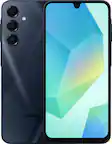
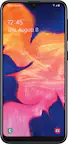
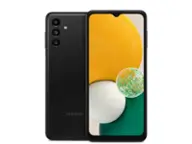
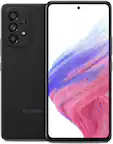
Samsung - Pre-Owned Galaxy A50 64GB (Unlocked) - Black
- Key Specs
- Screen Size: 6.4 inches (Size of the screen, measured diagonally from corner to corner.)
- Built-in Storage: 64 gigabytes
- General
- Brand: Samsung
- Model Number: A505U
- Product Name: Pre-Owned Galaxy A50 64GB (Unlocked)
- Color: Black
- Display
- Screen Size: 6.4 inches (Size of the screen, measured diagonally from corner to corner.)
- Network
- Carrier: Unlocked
- Network Connectivity: 4G (The manner in which a device sends data to another device over a long distance using a cellular network.)
- Connectivity
- Wireless Connectivity: Bluetooth (The manner in which a device sends data to another device over a short distance without the use of wires or cables.)
- Compatibility
- Charging Interface(s): USB-C (The connection for transmitting power to charge the device.)
- Features
- Model Family: Samsung Galaxy A50
- Built-in Storage: 64 gigabytes
- Performance
- Operating System: Android 9.0 Pie (The operating system manages all software and hardware, including files, memory and connected devices. Most importantly, it lets you interact with your device and your programs in a visual way; otherwise, you'd be typing computer code to get anything done.)
- Dimensions
- Product Height: 6.24 inches (The out of box height of the item. Height is measured as the vertical distance from the bottom of the item to the top as it would be primarily used or placed.)
- Product Width: 2.94 inches (The out of box width of the item. Width is measured as the horizontal distance from one side of the item to the other as it would be primarily used or placed.)
- Product Depth: 0.3 inches (The out of box depth of the item. Depth is measured as the distance from the front of the item to the back as it would be primarily used or placed.)
- Product Weight: 5.86 ounces (The out of box weight of the item.)
- Certifications Listings & Approvals
- EPEAT Qualified: false (The Electronic Product Environmental Assessment Tool (EPEAT) was designed to provide an environmental assessment tool for purchasers. In order to qualify for EPEAT, a product must meet all 23 required criteria.)
- Warranty
- Warranty - Parts: 90 days
- Warranty - Labor: 90 days
- Other
- UPC: 683346558017
When you have a million things to do, charging won’t be one of them. Whether it’s a busy day or a big event, the Galaxy A50 all-day battery lasts up to 35 hours and if you need a boost, get up and running quickly with Fast Charge. 64GB of built-in memory means there's room for all your stuff, from contacts to apps and up to 100,000 photos. Even expand your memory up to 512GB with a microSD card. Get the perfect shot every time with the Ultra Wide Camera and three specialized lenses that let you capture wider photos, shoot in low-light and take share-worthy selfies. Now you can be sure to get the shareworthy photo every time. Flaw Detection intuitively detects when the photo you just took is blurry or if someone’s eyes were closed and then lets you know so you can reshoot while the moment's still right. With a camera that automatically adjusts in low light, your images turn out sharp day or night. Whether you’re at a late-night concert or spending an afternoon at the park, you can capture the moments as you remember them.Featuring a sleek, 6.4" Super AMOLED edge-to-edge screen, the slimly designed Galaxy A50 fits easily into your pocket. Unlock your Galaxy A50 with a simple touch and the in-display fingerprint scanner will recognize you with just one finger.
- Display: 6.4 inches Super AMOLED capacitive touchscreen, 16M colors w/ Corning Gorilla Glass 3
- Memory: Internal Memory: 64GB, 4GB RAM; microSD, up to 1 TB
- Operating System: OS: Android 9.0 (Pie), Chipset: Exynos 9610 Octa (10nm), CPU: Octa-core (4x2.3 GHz Cortex-A73 & 4x1.6 GHz Cortex-A53), GPU: Mali-G72 MP3
- Camera: Triple Rear Camera: 25 MP, f/1.7, PDAF; 8 MP, f/2.2, (ultrawide); 5 MP, f/2.2, depth sensor. Front Camera: 25 MP, f/2.0
- Dimensions: 6.24 x 2.94 x 0.30 in, Weight: 5.86 oz
- Display: 6.4 inches Super AMOLED capacitive touchscreen, 16M colors w/ Corning Gorilla Glass 3
- Memory: Internal Memory: 64GB, 4GB RAM; microSD, up to 1 TB
- Operating System: OS: Android 9.0 (Pie), Chipset: Exynos 9610 Octa (10nm), CPU: Octa-core (4x2.3 GHz Cortex-A73 & 4x1.6 GHz Cortex-A53), GPU: Mali-G72 MP3
- Camera: Triple Rear Camera: 25 MP, f/1.7, PDAF; 8 MP, f/2.2, (ultrawide); 5 MP, f/2.2, depth sensor. Front Camera: 25 MP, f/2.0
- Dimensions: 6.24 x 2.94 x 0.30 in, Weight: 5.86 oz
Whats Included
- Pre-Owned Galaxy A50 64GB (Unlocked)
- Pre-Owned Galaxy A50 64GB (Unlocked)
Q: What is the operating system of this Samsung phone?
A: This Samsung phone uses the Android 9.0 (Pie) operating system.
Q: How much internal storage does this Samsung phone have?
A: This phone comes with 64GB of internal storage.
Q: What type of charging interface does this Samsung phone use?
A: This phone uses a USB-C charging interface.
Q: Does this Samsung phone have a touch screen?
A: Yes, this phone has a 6.4 inches Super AMOLED capacitive touchscreen.
Q: How long is the warranty on this Samsung phone?
A: This phone comes with a 90 day warranty for both parts and labor.
Q: Is there anything wrong with the phone and is it factory unlocked
A: My phone won't print documents after it converts them to pdf. They dont show up in the download list of documents
Q: is this phone compateble with volte att.
A: Hi Bill. Thank you for bringing this to our attention. I appreciate your taking the time to raise this inquiry regarding the Samsung - Galaxy A50. Here are the steps to turn on VoLTE in the device. Voice Over LTE (VoLTE) uses the LTE network (SIM cards need to be LTE capable) to make higher-quality voice calls. The phone you are calling also needs to work with VoLTE 1. Swipe down from the top of the screen with one finger 2. Tap the Settings icon 3. Tap Connections 4. Tap Mobile Networks 5. Tap the status switch beside VoLTE Calls to toggle it on and off Should you need more assistance, please feel free to get back to us via the following options: 1. Facebook Messenger: http://m.me/samsungsupport 2. Twitter: https://twitter.com/messages/compose?recipient_id=18768513 3. Samsung Community: https://us.community.samsung.com/t5/Samsung-Community/ct-p/us Reference Number: 1144296578 Have a great day. ^Charles
Q: Does this phone work on Total Wireless network?
A: This new