HP Monitors
Hmmm, we didn’t find anything for “HP Monitors”
Try a different search term or check out some of our suggestions below.
Featured products (10 items)
SimpliSafe - 9pc Outdoor Home Security System - WhiteUltimate Deal$224.99$224.99
Google - Pixel 10 256B (Unlocked) - FrostUltimate Deal$649.00$649.00
Types of HP PC monitors
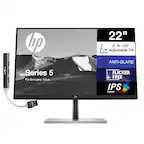
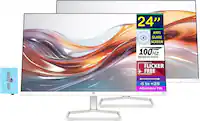
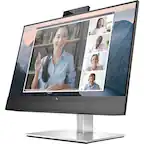
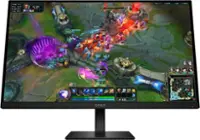
HP makes monitors for just about every computer activity. Do you need a high-end gaming monitor? HP OMEN monitors offer you some of the best specs and visuals on the market. Want a monitor for editing video or professional photo editing? Consider an HP 4K monitor for the best resolution. Choosing a new computer monitor for your home office? Save on your energy bill with an ENERGY STAR-certified HP monitor for your desktop.
HP monitors come in widescreen and ultra-widescreen. If you’re going with ultra-wide, consider a curved monitor. Curved HP monitors help to keep everything on the screen within view at the same time.
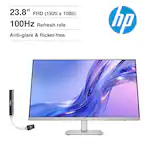
In general, the basics to consider when choosing a computer screen are size, resolution, refresh rate (measured in Hz) and display type. LED monitors are most common, but an OLED monitor will produce some of the richest visuals, with true blacks and vibrant colors. If you are into PC gaming, you might appreciate the monitor’s adaptive sync technology, which matches the refresh rate to the output of your game.
Setting up your HP screen monitor
Ready to use your new HP screen monitor with your HP desktop tower or other desktop computer? Simply connect your screen to the computer via the compatible port. HP monitors with HDMI connections may be able to connect to gaming consoles in addition to desktop computers. You can even connect a monitor to a laptop computer to enjoy larger visuals.
Once you have your HP PC monitor connected, check to see if it has the settings you want. For energy-use reasons, the default factory settings of monitors are not always the highest available resolution and refresh rate. Some HP screens also offer a low blue light mode, which shifts colors to a warmer spectrum that puts less strain on your eyes.
To reduce both eye and neck strain, set your HP computer screen at eye level and at a comfortable distance from you on your computer desk. You may want to use a monitor mount or stand to achieve the perfect height and distance for your HP computer monitor.
Popular HP monitors
- $124.99$124.99The price was $189.99
- $119.99$119.99The price was $149.99
- $194.39$194.39The price was $229.99
- $269.99$269.99The price was $319.99
- $209.99$209.99The price was $369.99
- Clearance$596.99$596.99The price was $839.99
- $157.99$157.99The price was $164.99
Explore related products Sponsored
- $2,999.00$2,999.00The price was $3,599.00