Active 3D TV
Compare active 3D TV options by screen size, resolution, and supported 3D formats. Active 3D viewing requires powered shutter glasses, so check each model’s glasses compatibility and whether they’re included or sold separately. You’ll also need a compatible video source and 3D content to complete your setup.

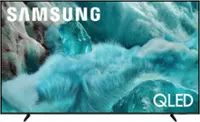
Active 3D TV
FAQs
An active 3D TV displays alternating images for the left and right eyes. Battery-powered active shutter glasses synchronize with the TV, opening and closing each lens in time with those images to create a stereoscopic picture.
Active 3D TVs require active shutter glasses that support the television’s synchronization system, such as infrared or radio frequency. Compatibility varies by TV model, so check the manufacturer’s specifications before choosing glasses. Passive 3D glasses are not interchangeable with active shutter glasses.
Content options may include Blu-ray 3D movies, stereoscopic video files and games with supported 3D output. The TV and playback device must support the content’s 3D format. A standard movie or game does not contain native 3D imagery simply because it plays on a 3D TV.
A typical setup includes an active 3D TV, compatible active shutter glasses, a Blu-ray 3D disc, a Blu-ray 3D-compatible player and a High Speed HDMI cable. If the connection passes through an AV receiver or sound bar, that device must also support the 3D video signal.
These terms describe how left-eye and right-eye images are arranged within a video frame. Side-by-side places them next to each other, while top-and-bottom stacks them vertically. When supported, the TV’s corresponding 3D setting tells it how to separate those images for playback with compatible glasses.