Flight Simulator Yokes and Yoke Systems
Shop flight simulator yokes and yoke systems to build or upgrade your flight simulation setup. When comparing flight controls, check platform and simulator software compatibility, control layouts, and mounting requirements to find an option that fits your space and the way you fly.



-
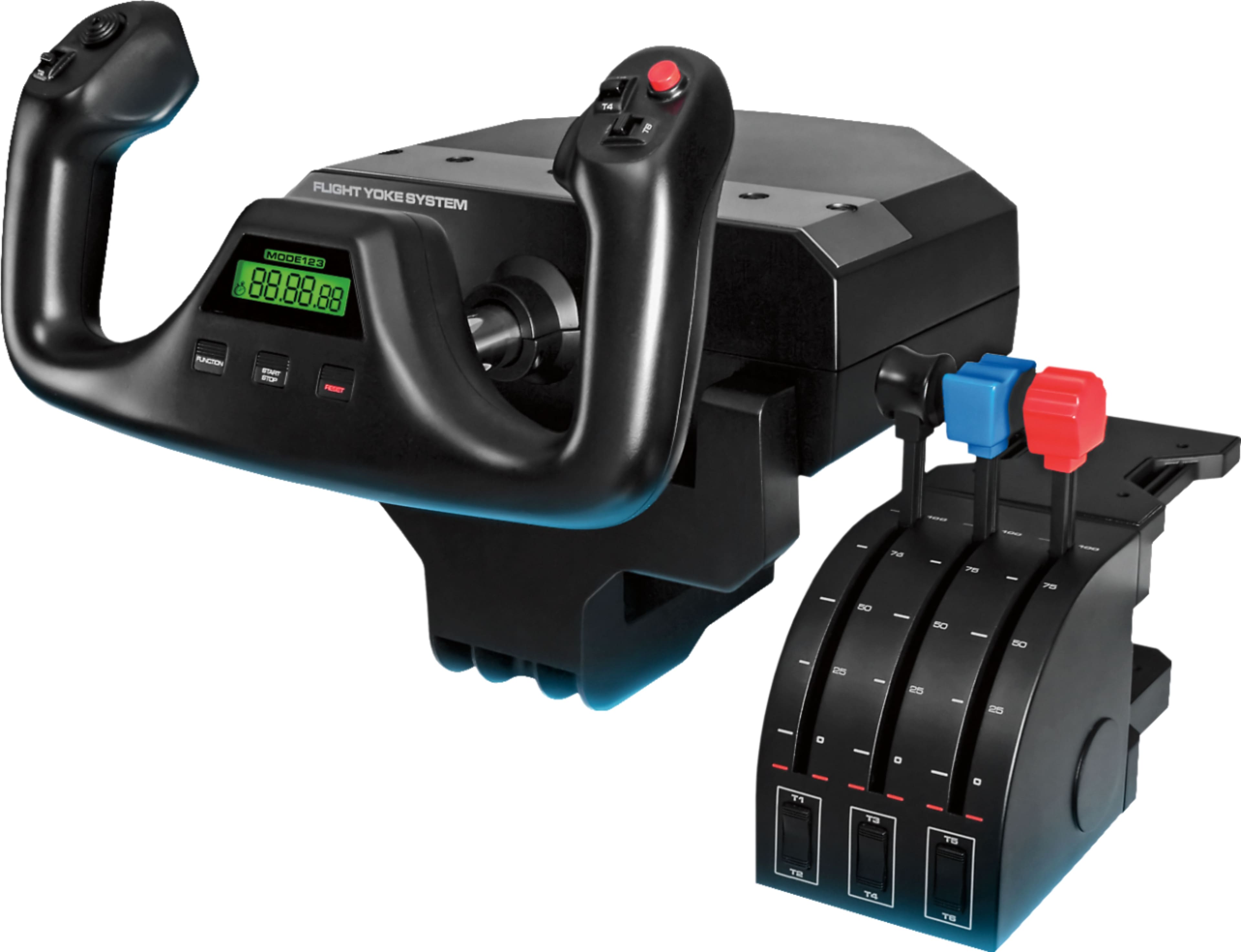
Logitech - Pro Flight Yoke System Gaming Controller for PC - Black
SKU: J7H7ZY2XQYSee all Gaming ControllersProduct Description
A black stainless steel yoke system with programmable levers and LCD chronograph for realistic flight simulation.Your price for this item is $186.47 -
Flight - Stick - Thrustmaster TCA Yoke - Boeing Edition - Multicolor
SKU: JXLH464JFTSee all Gaming ControllersProduct Description
A multicolor, metal yoke controller replicating Boeing 787 controls with smooth motion and universal compatibility.Your price for this item is $393.07Save $6The previous price was $399.95 -
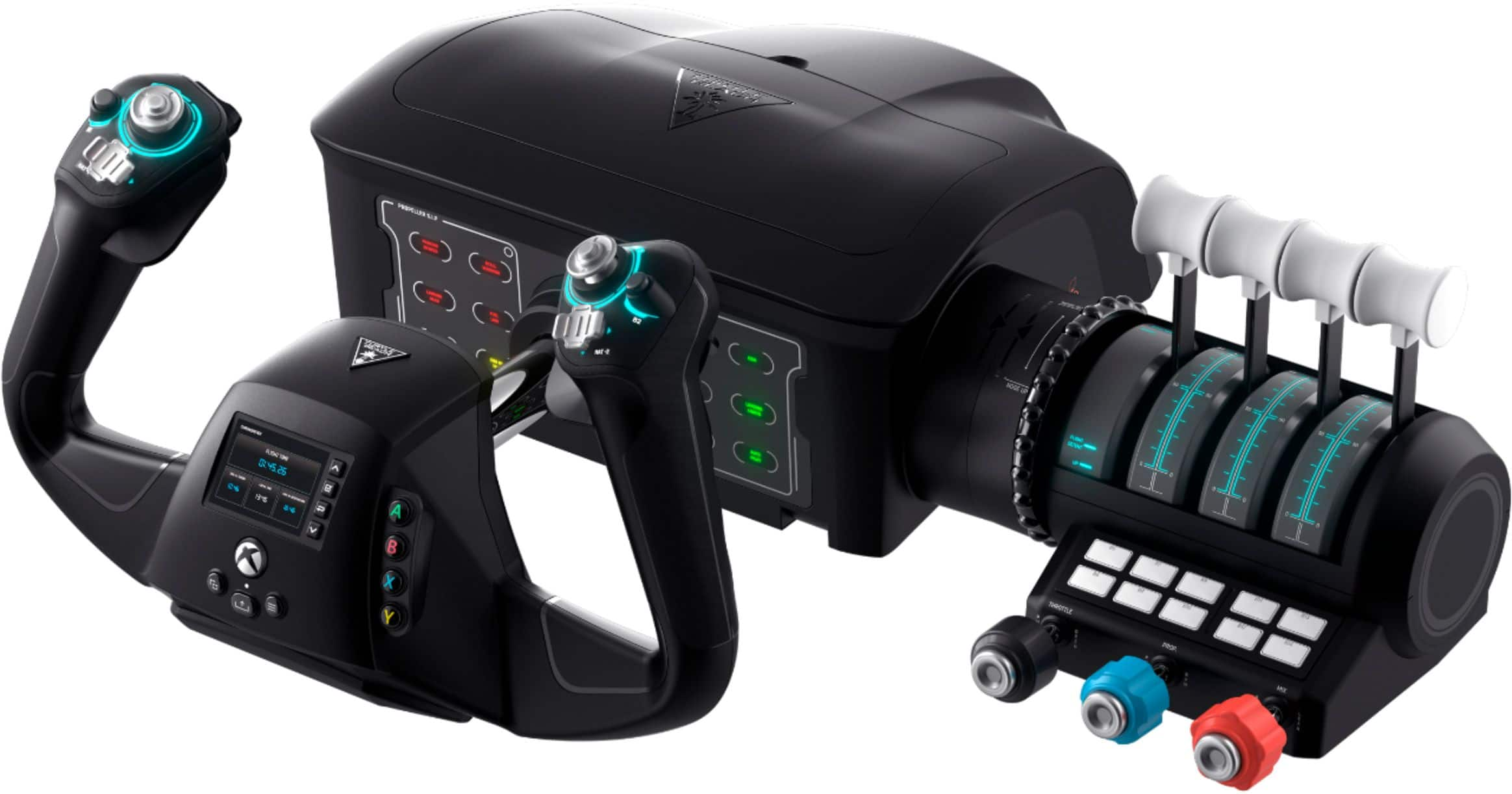
Turtle Beach - VelocityOne Flight Universal Control System for Flight Simulation on XBOX Series X | S, XBOX One and Windows PCs - Black
SKU: JXK5HFZSSQflight control...Excellent flight yoke and use it with MS flight simulator on a pc....Good flight yoke system...Very good flight yoke system. Highly customizable.
See all Gaming ControllersProduct Description
A realistic black flight control system with modular throttle, customizable levers, and real-time flight management display.Your price for this item is $399.99 -
Honeycomb Aeronautical - Alpha Flight Simulation Controls - Black
SKU: CJS4GXKXZSAmazing yoke!...Defiantly one of the best flight sim yokes on the market! Smooth feel and looks amazing!...Great yoke for Microsoft Flight Simulator...But if you can afford it this is an awesome yoke....
See all Gaming ControllersProduct Description
A black flight simulation controller featuring a solid-steel shaft, 180° yoke rotation, and dual-mounting system.Your price for this item is $299.99


Flight Simulator Yokes and Yoke Systems
FAQs
A flight simulator yoke system is a set of physical controls used with flight simulation software. The yoke controls pitch and roll, while additional components may handle throttle, propeller settings, or fuel mixture. The term can refer to a standalone yoke or a package with other flight controls.
A yoke typically turns left and right for roll and moves forward and backward for pitch. A joystick tilts along those axes instead. Yokes resemble the controls found in many general aviation aircraft and some airliners, while joysticks resemble the stick controls used in other aircraft.
Flight simulator yokes may include programmable buttons, switches, hat switches for changing views, and levers for engine controls. Some yoke systems include a separate throttle quadrant. Control layouts and included components vary, so review the product description to understand what comes with a system.
Check the yoke's supported platforms, operating systems, connection requirements, and flight simulation software. Computer compatibility does not automatically mean console compatibility. Also review the simulator's controller documentation to see whether it provides a preset control profile or requires manual button and axis assignments.
Yes, compatible rudder pedals and throttle quadrants can be used alongside a yoke. Pedals typically control rudder input and may include toe brakes, while a throttle quadrant provides engine-control levers. Check connection requirements and software support, since accessories may connect independently or through a compatible yoke.