Outlet EventEnds Jan. 19. Limited quantities. No rainchecks.Shop now

Main Content

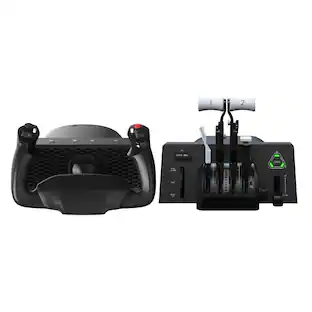
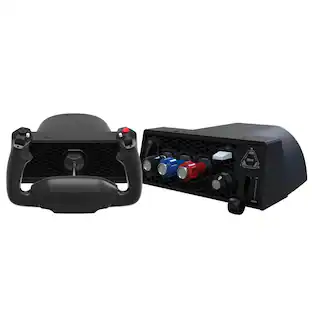
Honeycomb Aeronautical - Alpha Flight Simulation Controls - Black

Model: SB003011
SKU: 6400893
$299.99
or
$25.00/mo.
suggested payments with12-Month Financing
Show me how
Finance OptionsView your offers
Accidental Geek Squad Protection
Availability
Fulfillment Options
Order now for pickup on Fri, Jan 16 at
Sold by Best Buy

More Buying Options

Specifications
  • Wireless
    No
    Compatible Platform(s)
    Mac/Windows
  • Key Specs
    • Wireless: false
    • Compatible Platform(s): Mac/Windows
  • General
    • Brand: Honeycomb Aeronautical
    • Model Number: SB003011
    • Product Name: Alpha Flight Simulation Controls
    • Color: Black
  • Features
    • Product Type: Controller
  • Connectivity
    • Wireless: false
  • Dimensions
    • Product Height: 7.5 inches (The out of box height of the item. Height is measured as the vertical distance from the bottom of the item to the top as it would be primarily used or placed.)
    • Product Width: 16.5 inches (The out of box width of the item. Width is measured as the horizontal distance from one side of the item to the other as it would be primarily used or placed.)
    • Product Length: 11.2 inches (The out of box length of the item. Length is measured as the longest dimension of the item.)
    • Product Weight: 7.5 pounds (The out of box weight of the item.)
  • Compatibility
    • Compatible Platform(s): Mac/Windows
  • Warranty
    • Warranty - Parts: 2 years
    • Warranty - Labor: 2 years
  • Other
    • UPC: 4039621003011

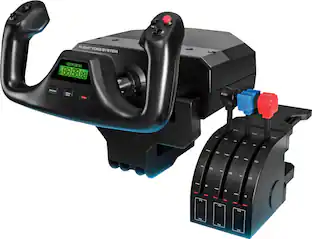
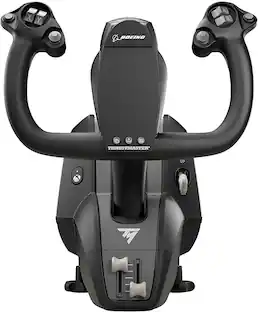
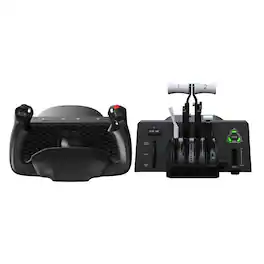
Dominate the competition using these Honeycomb Alpha flight controls. The solid-steel shaft provides stable control, while 180-degree yoke rotation and self-centering mechanism eliminate dead zones, providing a true-to-life flight experience. Dual linear ball bearings deliver fluid handling. These Honeycomb Alpha flight controls feature a dual-mounting system for secure attachment on your tabletop.

Video Game Hardware and Accessory Buying Guide

    Whats Included
    • Honeycomb Aeronautical Flight Simulation System
    • Mounting plate with 3M micro-suction pad
    • Owner's manual
    • Rubber screw caps
    • Two clamps
    • USB-C cable
    • Yoke connector cable
    • Honeycomb Aeronautical Flight Simulation System
    • Mounting plate with 3M micro-suction pad
    • Owner's manual
    • Rubber screw caps
    • Two clamps
    • USB-C cable
    • Yoke connector cable

    Q: How long is the manufacturer's warranty on these flight controls?

    A: The manufacturer's warranty for both parts and labor is 2 years.

    Q: Are these flight controls wireless?

    A: No, these flight controls are not wireless.

    Q: Do these flight controls have illumination?

    A: Yes, the Honeycomb Alpha flight controls have illumination.

    Q: How long are these flight controls?

    A: These flight controls are 11.2 inches long.

    Q: What is the weight of these flight controls?

    A: These Honeycomb Alpha flight controls weigh 7.5 pounds.

    Q: So is this all I need to use to fly MS Flight Sim 2020? Will this do the job? Thanks!

    A: I use this yoke for FS2020 and it works great. Flight Sim detects it and assigns all the buttons/switches to the correct function. Flight Sim even shows you a diagram of it in the controls menu!

    Q: When will this be back in stock. Wanting to purchase one asap!!

    A: I have seen it go in and out of stock over the last few days, just keep checking is my advice. Everyone is buying for Microsoft Flight Simulator 2020 haha

    Q: Does the body have screw holes on the bottom to mount it to something like a wheelstand pro? Currently have a Saitek mounted to one along with rudder pedals and a throttle quad...and I just want to just replace the yoke.

    A: This yoke is much better than the Saitek. A must upgrade. This yoke comes with a double plated horizontal mount (uses both mounts unlike the Saitek single vertical mount with two holes) that should work with the wheel stand pro. The yoke can also attach with an adhesive pad that locks onto the yoke and surface.

    Sponsored

    Compare similar products

    Honeycomb Aeronautical - Alpha Flight Simulation Controls - Black
    Honeycomb Aeronautical - Alpha Flight Simulation Controls - Black
    4.8(33)

    Dominate the competition using these Honeycomb Alpha flight controls. The solid-steel shaft provides stable control, while 180-degree yoke rotation and self-centering mechanism eliminate dead zones, providing a true-to-life flight experience. Dual linear ball bearings deliver fluid handling. These Honeycomb Alpha flight controls feature a dual-mounting system for secure attachment on your tabletop.

    Turtle Beach - VelocityOne Flightdeck Universal HOTAS Simulation System Joystick & Throttle for Windows 10 & 11 PCs - Black
    4.1(44)

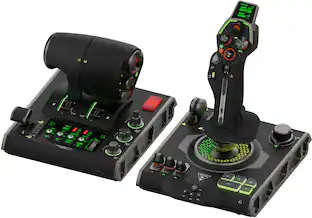
    The Turtle Beach VelocityOne Flightdeck is a premium simulation HOTAS system for Windows 10 & 11 PCs, designed for enthusiasts who demand the best. Inspired by advanced spacecraft and state of the art jet fighters to provide the ultimate HOTAS experience for all major combat simulation titles with the future in mind. Comprehensive controls including 15 axes and 139 programmable functions keep you immersed in the action, with your hands on the controls. World’s first Flight Touch Display, and an OLED Head Up Display deliver unprecedented levels of performance optimization, and product customization. Plus, the Flight Hangar app for desktop provides even more product customization and RGB lighting adjustment.

    Turtle Beach - VelocityOne Flight Universal Control System for Flight Simulation on Xbox Series X | S, Xbox One and Windows PCs - Black

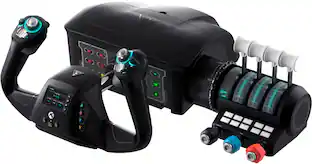
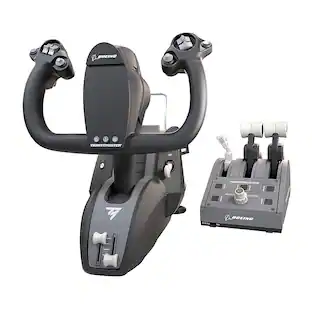
    Developed by world-class aeronautical engineers and pilots, the Turtle Beach VelocityOne Flight Universal Control System offers the most immersive, authentic flying experience on the market. A true-to-life 180 yoke handle with built-in rudder controls provide precise, long-lasting control of any aircraft. The modular throttle quadrant with integrated trim wheel and included custom lever handles offers at-home aviators enhanced customization for both light and heavy aircrafts. The Flight Management Display and an authentic status indicator panel offers real-time alerts and critical flight details. Setup is easy with a simple USB connection for Xbox Series X|S & Xbox One or Windows 10 PCs.

    Honeycomb Aeronautical - Bravo Throttle Quadrant for Flight Simulation - Black
    4.4(20)

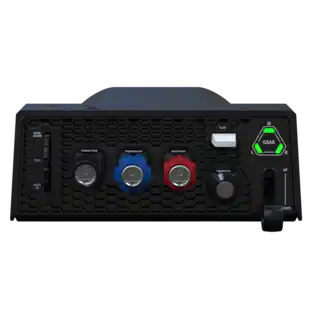
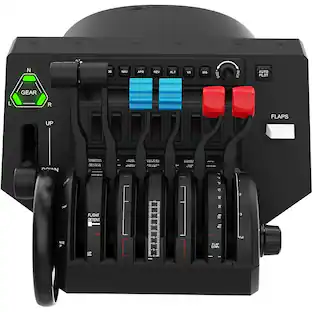
    Bring realistic flight control to your flight simulation with the Bravo Throttle Quadrant from Honeycomb Aeronautical. Six commercial or general aviation levers give you realistic control. In addition to flaps, spoilers, and thrust reversers, this throttle also utilizes an annunciator panel and TOGA button for multiple configurations. Seven two-way programmable switches and 14 warning lights allow for craft-specific performance. Along with autopilot and backlit buttons, the Bravo Throttle Quadrant also features adjustable lever tension and a trim wheel. This flight control is compatible with MAC and Windows PCs and with X-Plane 11, Prepar3D, and Microsoft Flight Simulator.
    Pros for Honeycomb Aeronautical - Alpha Flight Simulation Controls - Black
    Build Quality, Feel, Setup Ease, PerformanceBuild Quality, Customization, OLED Display, Setup, ErgonomicsCustomization, Ease of use, Quality, Buttons, RealismBuild Quality
    Cons for Honeycomb Aeronautical - Alpha Flight Simulation Controls - Black
    There were no cons for this productThere were no cons for this productYoke, Throttle, SetupThere were no cons for this product

    Specs

    Reviews

    Customers are saying

    Customers have good things to say about the Alpha Flight Simulation Controls, frequently praising the high-quality materials and construction. Many appreciate the comfortable and smooth feel of the yoke, along with the ease of setup and use with flight simulator software. There were no negative comments reported.

    This summary was generated by AI based on customer reviews.

    Customer Images

    The vast majority of our reviews come from verified purchases. Reviews from customers may include My Best Buy members, employees, and Tech Insider Network members (as tagged). Select reviewers may receive discounted products, promotional considerations or entries into drawings for honest, helpful reviews.

    • Rated 5 out of 5 stars

      Purchased for MSFS 2020 and it is perfect

      Purchased this to fly GA in MSFS 2020 and it is perfect. At this price point the quality is really good. The top of the unit provides a nice base to place a keyboard or other control panel on top.

      Posted by Mike

    • Rated 5 out of 5 stars

      Best of the best

      Awesome yoke, very configurable and very well put together. If you are into Sim flying this is the yoke for you.

      Posted by BruceLV

    • Rated 5 out of 5 stars

      BIG upgrade from my CH Products yoke.

      On the CH products one, the was a ton of stiction* in the pitch direction. The roll axis was fine. There was a centering control for pitch that also had a ton of stiction, and giant movement once you got it to move. (it mechanically centered the pitch axis.) The pitch centering is non-resistant on the Honeycomb, but I use one of the two thumb switches for yaw trim (or 7 and 1 on the keypad). The pitch motion of the yoke is totally smooth. The centering spring is probably heavier than I would have chosen, but at least it moves smoothly. Front to back, it takes a LOT more space, so be sure you have room to mount it. I had to remove some stuff from my desk to make room for it. The mounting knobs below the desk also take up a lot of knee room. I finally got it positions so that my knee isn't constantly hit it as I move my rudder pedals. I guess the screws are extra long to accommodate both normal and extra thick desks. Too bad they don't have one for normal desks and one for thicker mounting needs. The panel switches work well. The software doesn't know whether they are on or off. Only when they change position, up or down. One has to remember to turn them off before stopping (in my case) P3D. Perhaps FS 2020 when it comes out will work better in this regard. The leftmost thumb switch I use for xxx the next on I use for pitch trim. The upper right thumb switch I use for roll trim and the lower one for yaw trim. The documentation that comes with it is pretty poor and doesn't mention the pretty nice software it comes with for mapping the switches to actions in P3D (the have another one for X-Plane). That works quite well once you know about it. Unless you want to make changes you only have to run it once. I do it before I start P3D.

      Posted by ElVolador

    No content
    Sponsored

    Similar products from outside of Best Buy

    sponsored

    Finance Options

    My Best Buy® Credit Card
    Choose a benefit:
    $25.00/mo.suggested payments with 12-Month Financing
    Or
    10% back in rewardson your first day of purchases when approved for the My Best Buy® Credit Card.
    Buy Now, Pay Later
    4 payments starting at $75.00
    Lease to own
    Apply today with no credit needed and enjoy flexible payment options.