Deals for every list.Start early, save early.Shop now

Main Content
Skip to contentGo to Product Search

Deals for every list.Start early, save early.Shop now

Main Content

Nano Security Keys

Shop nano security keys for a compact way to add hardware-based authentication to compatible online accounts. These low-profile authentication keys can help keep your sign-in setup streamlined. Compare connector types, device compatibility, and supported sign-in methods to choose a key that works with your computer and the services you use.

Read More
Results
Main Results
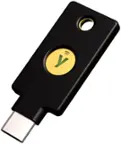
  1. Yubico - YubiKey 5C Nano - Two-Factor authentication (2FA) Security Key, Connect via USB-C, Compact Size, FIDO Certified - Black

    SKU: CLXCPZH6PW

    This is a great product to protect a different variety of information, including, financial transactions...I love the low profile and will recommend to family, friends and colleagues...I love knowing...

    Product Description

    A compact black USB-C security key providing phishing-resistant two-factor authentication and FIDO certification.
    See all Multi-Factor Authentication (MFA)
    Your price for this item is $68.00
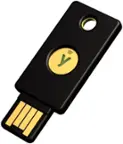
  2. THETIS - Nano-C FIDO2 Key - USB-C, Passwordless, FIDO Certified 2FA, 200 Passkey Slots, PC/Mac/Android/iOS - Black

    SKU: J3R84WY6SR

    Product Description

    A compact black USB-C security key offering password-free logins and multi-factor protection across major platforms.
    See all Multi-Factor Authentication (MFA)
    Your price for this item is $24.99
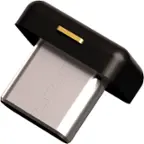
  3. THETIS - Nano-A FIDO2 Key - Ultra-Compact USB-A, Passwordless Login, FIDO Certified 2FA, 200 Passkey Slots, PC/Mac/Android - Black

    SKU: J3R84WY66H

    Product Description

    A compact black USB-A security key offering FIDO2-certified, password-free logins and advanced multi-factor protection.
    See all Multi-Factor Authentication (MFA)
    Your price for this item is $24.99

Nano security keys add a compact layer of account protection to compatible laptops and desktop computers. These low-profile hardware security keys fit close to a USB port, making them a practical option for shoppers who want a physical authentication device without a larger accessory protruding from their computer. A nano security key can serve as a second factor alongside a password, while models that support the necessary standards may also enable passwordless sign-in with compatible services. FIDO-based authentication uses cryptographic credentials to verify access, rather than asking you to enter a reusable security code. Because those credentials are tied to the legitimate service, supported sign-ins help protect against phishing attempts that try to capture passwords or authentication codes on fraudulent websites. For personal email, supported financial accounts, work applications and other sensitive services, a USB security key can strengthen account security while keeping everyday authentication convenient. The compact design is especially useful for a dedicated computer setup, although leaving a key connected means keeping the computer itself physically secure remains important. Choosing a nano security key starts with checking both the USB connection and the authentication requirements of the accounts you want to protect. USB-A and USB-C security keys accommodate different ports, so confirm the connector type before choosing a hardware authenticator. Compatibility also depends on your operating system, browser, apps and account provider—not just whether the key fits your computer. Look for support for relevant authentication standards, such as FIDO2 and WebAuthn for compatible modern sign-ins, or FIDO U2F for services that use that standard for two-factor authentication. Passwordless capabilities, PIN requirements and physical confirmation steps vary by key and service, so review those details against your intended use. During setup, register the key with each supported account and establish a recovery method, such as a separately stored backup security key or recovery codes where available. A nano USB security key can be easy to keep connected, but a backup helps prevent lockouts if your computer or authenticator is lost or damaged. Pair hardware-based authentication with software updates, secure device access and strong, unique passwords wherever passwords are still required.

FAQ

A nano security key is a USB hardware authentication device used to sign in to compatible accounts. Depending on the key and service, it can serve as a second authentication factor or support passwordless sign-in.

Compatibility depends on the account provider, browser, operating system, and authentication standards supported by the key. Look for account sign-in options that support hardware security keys through standards such as FIDO2, WebAuthn, or FIDO U2F.

Nano security keys may use USB-A or USB-C connections, depending on the model. Match the connector to your device’s USB port, and check operating system and browser requirements before choosing a key.

Sign in to your account and open its authentication or sign-in settings. Choose the option to add a hardware security key, connect the key, and follow the registration prompts. Setup may include creating a PIN or touching the key. Repeat the process for each account you want to use.

With two-factor authentication, you typically enter your password and then use the key as an additional sign-in step. With passwordless sign-in, a compatible key can replace the account password, though you may still need to enter the key’s PIN or complete another verification step. Available sign-in methods depend on both the key and the account provider.