USB-C Security Keys
Shop USB-C security keys for hardware-based authentication on compatible devices and online accounts. These physical keys connect through a USB-C port and can help verify your identity when signing in. Compare device compatibility, supported services, and authentication requirements to find a key that fits your account security setup.
Shop 12 Collections



-
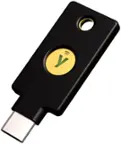
Yubico - YubiKey 5C NFC - Two-Factor authentication (2FA) Security Key, Connect via USB-C or NFC, FIDO Certified OnePack - Black
SKU: CLXCPZHZHVGreat security key...The USB-C and NFC options make it easy to use on my phone and computer....Definitely worth it if you want stronger security...Ultimate Peace of Mind for Online Security!...I bought...
See all Multi-Factor Authentication (MFA)Product Description
A compact black security key offering strong, fast multi-factor authentication with effortless tap-to-login protection.Your price for this item is $58.00 -
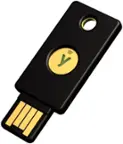
Yubico - Security Key C NFC - Two-Factor Authentication Security Key, Connect via USB-C or NFC, FIDO U2F/FIDO2 Certified - Black
SKU: CLXCPZHK9JYubico Security Key USB-C is perfect for online security without sacrificing convenience at a low cost...Yubico Security Key C NFC – Review...The Yubico Security Key C NFC is a dependable and user-friendly...
See all Multi-Factor Authentication (MFA)Product Description
A black hardware security key offering FIDO U2F/FIDO2 certified two-factor authentication via USB-C or NFC.Your price for this item is $29.00 -
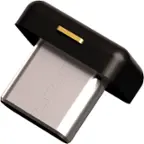
Yubico - YubiKey 5C Nano - Two-Factor authentication (2FA) Security Key, Connect via USB-C, Compact Size, FIDO Certified - Black
SKU: CLXCPZH6PWMake Sure You Have At Least Two USB-C Ports...The only issue I have with it is that my laptop has one USB-C port....Do not purchase this product unless you have at least two USB-C ports....Con: I have...
See all Multi-Factor Authentication (MFA)Product Description
A compact black USB-C security key providing phishing-resistant two-factor authentication and FIDO certification.Your price for this item is $68.00 -
Yubico - YubiKey 5C NFC - Two-Factor authentication (2FA) Security Key, Connect via USB-C or NFC, FIDO Certified TwoPack - Black
SKU: CLXCPZHZT8Great security...Two-Factor authentication Security Key, Connect via USB-C,...Very durable security key!...With NFC and USB C compatibility is high, so you can use it with a lot of devices.
See all Multi-Factor Authentication (MFA)Product Description
A pair of black security keys offering fast, strong multi-factor authentication with NFC and USB-C support.Your price for this item is $105.00 -
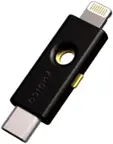
Yubico - YubiKey 5Ci - Two-Factor Authentication Security Key, Dual Connectors for Lightning/USB-C - FIDO Certified - Black
SKU: CLXCPZHR2KGreat Security Key!...Great Security Key!Setup and configuration is easy....The security key is the size of a USB flash drive and makes it easy to use....It has both USB-C and Lightning ports, which provides...
See all Multi-Factor Authentication (MFA)Product Description
A black hardware security key offering dual Lightning and USB-C connectors for robust, phishing-resistant authentication.Your price for this item is $85.00 -
THETIS - Pro FIDO2 Security Key -10 Pack - Black
SKU: J3R84WY6R4See all Multi-Factor Authentication (MFA)Product Description
A black multi-factor authentication key offering passwordless protection, NFC compatibility, and dual USB Type-A/Type-C ports.Your price for this item is $299.99 -
THETIS - Nano-C FIDO2 Key - USB-C, Passwordless, FIDO Certified 2FA, 200 Passkey Slots, PC/Mac/Android/iOS - Black
SKU: J3R84WY6SRSee all Multi-Factor Authentication (MFA)Product Description
A compact black USB-C security key offering password-free logins and multi-factor protection across major platforms.Your price for this item is $24.99 -
THETIS - Pro FIDO2 Key with PinPlex – Dual USB-A/C, Passwordless, PIV & TOTP/HOTP, Multi-Layer 2FA for PC/Mac/Android/iOS - Black
SKU: J3R84WY6P5See all Multi-Factor Authentication (MFA)Product Description
A black security key featuring dual USB ports, NFC, PinPlex, and FIDO2-certified multi-factor authentication.Your price for this item is $39.99 -
THETIS - Pro FIDO2 Security Key -2 Pack - Black
SKU: J3R84WY6RRSee all Multi-Factor Authentication (MFA)Product Description
A durable black security key offering passwordless protection, NFC compatibility, and dual USB Type-A and Type-C ports.Your price for this item is $59.99 -
THETIS - Pro FIDO2 Security Key - Dual USB-A/C + NFC, Passwordless 2FA/U2F, Durable Rotating Metal Cover, No Battery - Black
SKU: JJG8GTFZ7LSee all Multi-Factor Authentication (MFA)Product Description
A black multi-factor authentication key offering passwordless protection, NFC compatibility, and dual USB Type-A/C ports.Your price for this item is $32.99


USB-C Security Keys
FAQs
A USB-C security key is a physical device used to sign in to compatible online accounts through a USB-C connection. Depending on the key and service, it can serve as a second sign-in step or store passkeys for passwordless access.
USB-C security keys can work with supported computers, tablets, and smartphones that have USB-C ports. Compatibility also depends on the operating system, browser, app, and online service, so a USB-C port alone does not establish support.
Open the account’s sign-in settings and look for an option to add a security key or passkey. Follow the service’s prompts to connect and register the key, which may include touching the key or creating a PIN. Setup steps vary by service.
Yes, a USB-C security key can generally be registered with multiple compatible accounts and services. Each account requires its own registration. Capacity for stored passkeys varies by key, and some account types use credentials that do not occupy a stored passkey slot.
FIDO U2F is commonly used to add a physical key as a second sign-in step alongside a password. FIDO2 supports additional sign-in options, including passkeys and passwordless access with compatible services. Check which standards your accounts support when choosing a USB-C security key.