Deals for every list.Start early, save early.Shop now

Main Content
Skip to contentGo to Product Search

Deals for every list.Start early, save early.Shop now

Main Content

Security Keys With FIDO2, OTP, And PIV Support

Find security keys with FIDO2, OTP, and PIV support for passwordless sign-ins, one-time passwords, and smart card authentication on compatible systems. Compare connection types, device compatibility, and authentication requirements to choose a hardware security key that fits your personal or workplace sign-in setup.

Read More
Results
Main Results
  1. THETIS - Pro FIDO2 Key with PinPlex – Dual USB-A/C, Passwordless, PIV & TOTP/HOTP, Multi-Layer 2FA for PC/Mac/Android/iOS - Black

    SKU: J3R84WY6P5

    Product Description

    A black security key featuring dual USB ports, NFC, PinPlex, and FIDO2-certified multi-factor authentication.
    See all Multi-Factor Authentication (MFA)
    Your price for this item is $39.99
  2. Yubico - YubiKey 5C NFC - Two-Factor authentication (2FA) Security Key, Connect via USB-C or NFC, FIDO Certified OnePack - Black

    SKU: CLXCPZHZHV

    I also love the fact that it can be used for more accounts than I’ll ever have....Well built, nice design and works great....Best yubikey for work and personal use...Works great!

    Product Description

    A compact black security key offering strong, fast multi-factor authentication with effortless tap-to-login protection.
    See all Multi-Factor Authentication (MFA)
    Your price for this item is $58.00
  3. Yubico - YubiKey 5 NFC - Two-Factor authentication (2FA) Security Key, Connect via USB-A or NFC, FIDO Certified One Pack - Black

    SKU: CLXCPZHZH7

    Followed advice of Best Buy staff who recommended it, as well as engineer friends....Works great

    Product Description

    A compact black security key offering strong, fast multi-factor authentication with effortless tap-to-login protection.
    See all Multi-Factor Authentication (MFA)
    Your price for this item is $58.00
  4. Yubico - YubiKey 5C Nano - Two-Factor authentication (2FA) Security Key, Connect via USB-C, Compact Size, FIDO Certified - Black

    SKU: CLXCPZH6PW

    Great Security Device...This is a great product to protect a different variety of information, including, financial transactions...I love the low profile and will recommend to family, friends and colleagues......

    Product Description

    A compact black USB-C security key providing phishing-resistant two-factor authentication and FIDO certification.
    See all Multi-Factor Authentication (MFA)
    Your price for this item is $68.00
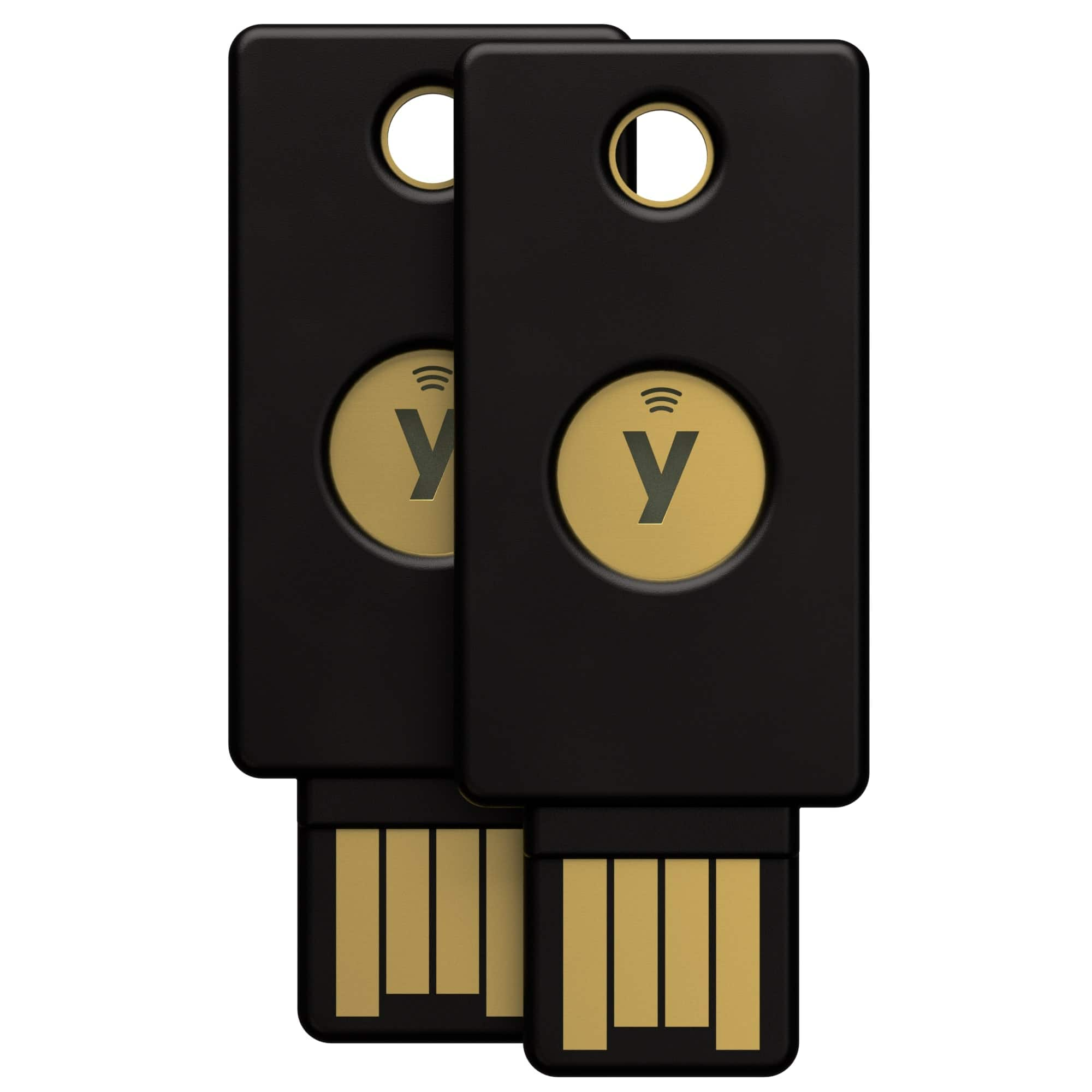
  5. Yubico - YubiKey 5C NFC - Two-Factor authentication (2FA) Security Key, Connect via USB-C or NFC, FIDO Certified TwoPack - Black

    SKU: CLXCPZHZT8

    Best tool...Works great and great toood for keeping the accounts secure...Great Device! Love it!...It is small but works great!

    Product Description

    A pair of black security keys offering fast, strong multi-factor authentication with NFC and USB-C support.
    See all Multi-Factor Authentication (MFA)
    Your price for this item is $105.00
  6. Yubico - YubiKey 5Ci - Two-Factor Authentication Security Key, Dual Connectors for Lightning/USB-C - FIDO Certified - Black

    SKU: CLXCPZHR2K

    I using few diferent Keys but this one is the best pro...Best security key!

    Product Description

    A black hardware security key offering dual Lightning and USB-C connectors for robust, phishing-resistant authentication.
    See all Multi-Factor Authentication (MFA)
    Your price for this item is $85.00
  7. Yubico - YubiKey 5 NFC - Two-Factor authentication (2FA) Security Key, Connect via USB-A or NFC, FIDO Certified Two Pack - Black

    SKU: CLXCPZHZHG

    Great...Great product

    Product Description

    A pair of black security keys offering fast, strong, and effortless multi-factor authentication for digital protection.
    See all Multi-Factor Authentication (MFA)
    Your price for this item is $105.00

Security keys with FIDO2, OTP, and PIV support bring several authentication methods into a compact physical device, making them useful for people whose digital lives span personal accounts, workplace systems, and specialized applications. Rather than relying on a password alone, a compatible account can require possession of the key before allowing access. FIDO2 supports public-key authentication, including passwordless sign-ins and hardware-bound passkeys where the service allows them. The private credential stays on the authenticator, while the service holds the corresponding public information. Because FIDO2 authentication is tied to the legitimate website or service, it can help resist phishing attempts that imitate a familiar login page. A touch, PIN, or supported biometric check may be part of the experience, depending on the key and the account’s requirements; a touch alone generally confirms physical presence rather than identifying the person holding the device. OTP, short for one-time password, serves a different purpose. It supplies changing codes for compatible systems, with time-based or event-based behavior depending on the implementation. Those codes can support accounts that do not accept FIDO2, although they do not provide the same phishing resistance because a code can still be entered into a fraudulent page. PIV, or Personal Identity Verification, adds smart card functionality for certificate-based authentication and other supported certificate operations. It is particularly relevant to managed workplaces, where access may depend on certificates issued through an organization’s identity infrastructure. Together, these capabilities can reduce the need to carry separate authenticators for different environments. The benefit is flexibility, not universal compatibility: each website, application, operating system, or employer must support the intended method. A key that handles all three protocols does not automatically activate them for every account, and support for one protocol does not establish support for every feature within it. For someone moving between a personal email account and a certificate-based work login, that distinction matters more than the number of features printed on the packaging.

Physical design has a direct effect on how comfortably a security key fits into everyday routines. USB-A and USB-C connectors suit different computers and mobile devices, and matching the connector to the ports used most often can reduce dependence on adapters. Connector fit also includes the space around the port: a thick phone case, a recessed connection, or a neighboring cable can interfere with a key that appears compatible on paper. A low-profile body can protrude less from a laptop, while a larger body may be easier to grasp and move between machines. Neither shape is automatically better. A key intended to remain near a desktop has different handling needs from one carried between an office computer, a home laptop, and a phone. For mobile authentication, NFC Security Keys For Compatible Phones offer a tap-based option when the phone, operating system, application, and account support that interaction. NFC does not mean every authentication feature works wirelessly, so the supported protocol over each connection remains an important consideration. Many compact USB and NFC designs receive power from the connected device or NFC field, avoiding a separate charging routine, though power requirements depend on the design. Materials and construction matter as well. Polymer housings can keep weight down, while metal components may provide rigidity; neither material alone proves resistance to drops, bending, or moisture. Documented durability ratings are more useful than appearance when a key will share a pocket with house keys or ride in a crowded bag. A secure key-ring attachment, protected contacts, and a body that is comfortable to handle can make frequent use less awkward. Care generally centers on keeping connectors clean and dry, avoiding unnecessary force at the port, and following the manufacturer’s cleaning recommendations. A protective cap or sleeve may help limit debris, but it should not be treated as evidence that a key is waterproof or safe from crushing.

The strongest match depends on the accounts and responsibilities behind the login screen. Someone protecting personal email and financial accounts may mainly need supported FIDO2 authentication, while a developer, system administrator, or employee using managed applications may also have a practical reason for OTP or PIV functionality. A multi-protocol key can be particularly convenient when a workplace combines newer web authentication with established smart card systems, but organizational requirements may include specific certifications, approved cryptographic capabilities, management tools, or certificate policies. PIV support by itself does not mean a device meets every government or employer requirement. Capacity also deserves attention: limits for stored discoverable FIDO2 credentials, OTP configurations, and certificate slots vary, and those differences can matter when one key serves several roles. Daily usability extends beyond the first successful sign-in. A clearly accessible touch surface, manageable PIN entry, and reliable compatibility with the devices used for work can help authentication feel like a routine action rather than an interruption. Recovery planning is equally important because a small physical key can be misplaced, damaged, or left behind. Where supported, a separately registered backup key and the service’s recovery options can provide another path to an account; hardware-bound FIDO2 credentials generally are not simply copied from one key to another. Workplace certificates and OTP credentials may need their own replacement or revocation procedures, and resetting a key can erase credentials rather than restore access. These considerations also make security keys a thoughtful but compatibility-dependent gift for a student, remote worker, frequent traveler, or relative who wants stronger account protection. The recipient’s devices, supported accounts, and comfort with managing a physical authenticator matter more than an impressive feature list. Security keys protect supported authentication workflows, not every activity on a computer, and they do not replace software updates, careful account management, or sensible recovery arrangements. The most useful design is one that fits the person’s actual devices and sign-in habits closely enough to be carried, recognized, and used consistently.

FAQ

These are different authentication methods. FIDO2 supports passkeys and security-key sign-ins on compatible websites and apps. OTP stands for one-time password and uses codes during sign-in. PIV, or Personal Identity Verification, enables smart-card functions that use digital certificates. Each method requires support from the service or system you use.

Compatibility depends on the key’s connection options, your device, and the authentication method. Security keys may connect through USB-A, USB-C, or NFC. Check your operating system, browser, and app requirements, since a connection that supports one authentication method may not support every feature.

Open a supported account’s sign-in settings and look for an option to add a passkey or security key. Connect or tap the key when prompted, then follow the instructions to register it. You may also be asked to create or enter the key’s PIN. Setup steps vary by service, browser, and operating system.

First, enroll the key’s OTP feature with a compatible account. Depending on the key and OTP format, you may retrieve a code through a companion app or touch the key to enter a code into a sign-in field. The account must accept the specific OTP format your key provides.

PIV typically requires a digital certificate, a PIN, and software that recognizes the key as a smart card. Organizations may use it for certificate-based computer sign-in, application access, or digital signing. Setup depends on the operating system and certificate requirements, so workplace users should follow their IT team’s enrollment process.