Early Black Friday Deals & DoorbustersEnds Nov. 15.Shop now

Main Content
Skip to contentGo to Product Search

Early Black Friday Deals & DoorbustersEnds Nov. 15.Shop now

Main Content

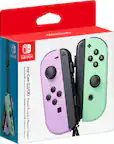
Nintendo Switch Joycon

Shop Nintendo Switch Joy-Con controllers to replace a controller or get ready for compatible multiplayer games. Compare available options and check each listing for console compatibility and the number of controllers included to find what fits your gaming setup.

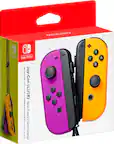
Nintendo Switch Joycon

Nintendo Switch Joycon controllers offer a flexible way to play, with left and right controllers that can work together or serve as separate controls in supported games. Their compact design suits the Nintendo Switch system’s adaptable play styles, whether you prefer playing with controllers attached to a compatible console or using them wirelessly while the screen sits on a table or connects to a TV. For households that share a system, additional controllers can make it easier to bring another player into a compatible local multiplayer game. They can also be a practical choice when replacing a controller or putting together a dedicated set for shared play. The right configuration depends on how you use your system: some games require both a left and a right controller for each player, while others support a single controller held horizontally. That distinction matters when comparing an individual controller with a pair, especially if your goal is to accommodate more players rather than replace an existing setup.

Compatibility, controller orientation, and supported features are important considerations when comparing Nintendo Switch Joycon options. Left and right controllers have different button layouts and attachment positions, so choosing the correct side matters when replacing just one part of a pair. Compatibility with your particular console is equally important, since similar names or appearances do not necessarily mean controllers work across hardware generations. Game support also shapes the experience. Motion controls and vibration can make compatible games feel more interactive, but the features a game uses—and the controller configuration it requires—vary by title. For multiplayer use, the game’s supported player count and number of controllers required per person help determine how many controllers your household needs. Comfort is another useful point of comparison, particularly for longer sessions or games that use a single controller sideways. A compatible grip can bring a left and right controller together into a more traditional layout, while compatible wrist straps can provide added security during motion-based play.

Everyday convenience can be just as important as the controller configuration itself. Battery life and charging arrangements affect how easily wireless controllers fit into your routine, especially when several people use the same console. Charging compatibility is worth checking alongside console compatibility, including whether your setup supports charging through attachment to the system or requires a compatible charging accessory. Color can also play a practical role: coordinating controllers can create a cohesive look, while contrasting colors can help distinguish sets in a shared household. For a gift, a replacement controller is most useful when it matches the recipient’s system and the side they need; an additional pair may be a better fit for someone interested in supported multiplayer games. Considering the controllers already on hand, the games played most often, and preferred play styles helps narrow the choices to an option that adds something useful to an existing Nintendo Switch setup.

FAQs