PC Laptops Reviews
-
HP - 17.3" Full HD Laptop - Intel Core i7 1355U 2023 - 16GB Memory - 1TB SSD - Natural Silver
SKU: JJGH2YK4ZPLove my new laptop ! Best Buy made the purchase easy and I got a great deal on it !...Great decision...glad i puchased this at best buy amherst...great service.....Love my new laptop !
See all Windows LaptopsProduct Description
A powerful silver laptop featuring Intel Core i7, 16GB memory, 1TB SSD, and Full HD display.Your price for this item is $854.99Save $55The previous price was $909.99 -
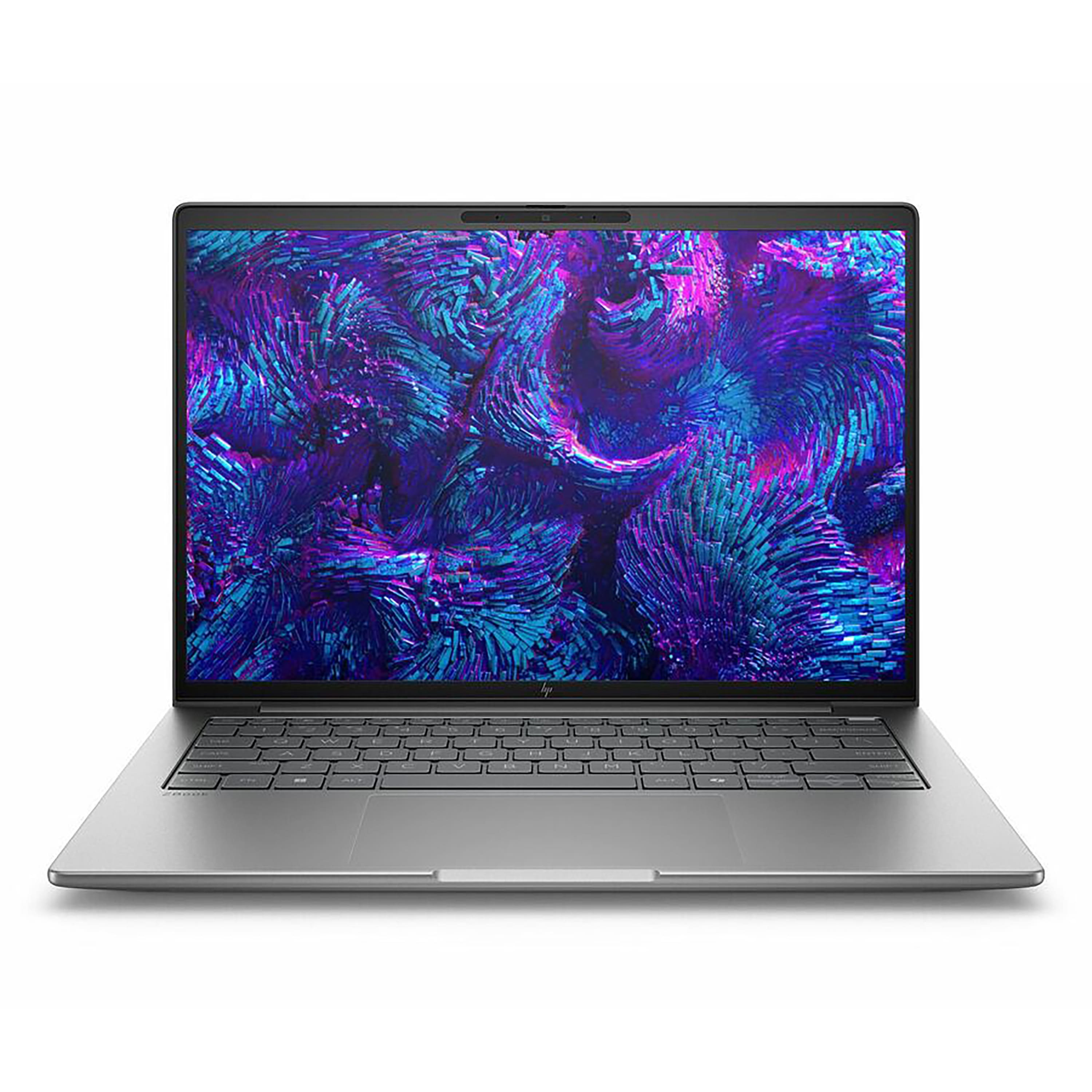
HP - ZBook 14" Laptop - Intel Core Ultra 7 255H with 16GB Memory - 512GB SSD - Meteor Silver
SKU: JJGH2LRQKLSee all Windows LaptopsProduct Description
A sleek Meteor Silver laptop featuring Intel Core Ultra 7, 16GB memory, 512GB SSD, and Windows 11 Pro.Your price for this item is $2,339.99 -
HP - ZBook 16" Laptop - Intel Core Ultra 9 285H with 64GB Memory - 1TB SSD - Meteor Silver
SKU: JJGH2LRZ8XSee all Windows LaptopsProduct Description
A sleek silver laptop featuring Intel Core Ultra 9, 64GB memory, and 1TB SSD for pro-level multitasking.Your price for this item is $5,261.95

Best Sellers




Related Pages






FAQ
When choosing a PC laptop, consider factors such as processor speed, RAM size, storage type (SSD or HDD), display quality, battery life, and the availability of ports. Think about your primary use—whether it's gaming, business, or everyday tasks—to determine which features are most important for your needs.
PC laptops typically run on Windows or Linux operating systems, offering a wide range of hardware options and customization. Mac laptops use macOS and are known for their seamless integration with other Apple products. PC laptops generally provide more variety in design, price points, and compatibility with software and peripherals.
Yes, gaming laptops can be used for everyday tasks such as web browsing, streaming, and office work. They usually feature powerful processors and graphics cards, making them capable for multitasking and demanding applications. However, they may be heavier and have shorter battery life compared to standard laptops.
A solid-state drive (SSD) offers faster boot times, quicker file access, and improved overall system responsiveness compared to a traditional hard disk drive (HDD). SSDs are also more durable and energy-efficient, making them a popular choice for modern laptops.
Many PC laptops allow upgrades to certain components such as RAM and storage drives. However, upgrade options depend on the specific model and manufacturer. It's recommended to check the laptop’s user manual or manufacturer’s website for compatibility and instructions before attempting any upgrades.