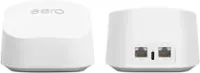
TP-Link - Deco XE75 Pro AXE5400 Tri-Band Wi-Fi 6E Whole Home Mesh System (3-Pack) - White
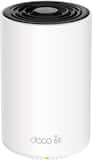 TP-Link - Deco XE75 Pro AXE5400 Tri-Band Mesh Wi-Fi 6E System (1-Pack) - White$99.99$179.99
Related Item

Highlights
- Key Specs
- Wi-Fi Range: 7200 square feet (The device will provide a Wi-Fi connection to this approximate area.)
- Wi-Fi Mesh System: true (A single wireless network consisting of a main router (connected directly to a modem) that connects to a series of satellite modules or nodes placed around the home. Routers with this capability promote stronger, faster wireless signals as well as increase Wi-Fi coverage by reducing interference and eliminating dead zones.)
- Number of Wi-Fi Satellites Included: 3 (Quantity of Wi-Fi satellite modules/nodes for a Wi-Fi Mesh System that come with the product.)
- Number Of LAN Ports: 2 (Number of devices able to be connected to the Local Area Network (LAN). LAN ports allow wired connections to other networking devices (wireless access points, range extenders, etc.) in order to share the internet connection received through a WAN port.)
- Wi-Fi Speed: 5.4 gigabits per second (The maximum rate at which data is transferred between a network device and wireless router.)
- Works With: Amazon Alexa, Google Home (Compatible with or able to be connected to other smart devices or applications.)
- General
- Brand: TP-Link
- Model Number: Deco XE75 Pro (3-Pack)
- Product Name: Deco XE75 Pro AXE5400 Tri-Band Wi-Fi 6E Whole Home Mesh System (3-Pack)
- Color: White
- Security
- Firewall Type: SPI (The method the firewall uses to filter and process data to increase network security, primarily by blocking malicious traffic requests while allowing legitimate traffic through.)
- Security Features: Parental Controls, Guest Network, WPA3, HomeShield
- Parental Controls: true (Allows user to block unwanted content, signals, channels, networks, etc. from being received or accessed.)
- Network
- Quality Of Service (QoS) Traffic Prioritization: true (Allows a user to manage a device's network performance by configuring the types of traffic that receive top priority for transmission. High priority functions and applications receive maximum network performance, while low priority traffic receives minimum performance.)
- Band Technology: Tri (Refers to the number of frequency bands used to wirelessly transmit an internet signal. For example, dual-band devices may use one 2.4 and one 5 GHz band, while tri-band devices may use one 2.4 and two 5 GHz bands. Multiple bands also provide more flexibility for designating connected devices to specific band use.)
- Ethernet Standard: 10/100/1000/2500 (Each standard is a variation of the IEEE 802.3 set of computer networking technologies known as Ethernet. New versions evolved to include higher bandwidth, different physical media, and other new and improved features. Standards are often denoted by speeds (in Megabits per second). For example, a 10/100/1000 Ethernet port transmits at 10 Mbps, 100 Mbps, and 1000 Mbps (1 Gbps).)
- Number Of Connected Devices: 200
- Frequency Band: 6.0 GHz, 5.0 GHz, 2.4 GHz (Bands may be grouped into categories such as low- and high-band VHF (Very High Frequency), low- and high-band UHF (Ultra High Frequency), or certain frequency channels (measured in MHz or GHz). Generally, higher frequencies transmit information faster but have shorter range than lower frequencies.)
- Wireless Networking Standard: Wi-Fi 6E (The wireless networking standard used by the device. Each iteration of the standard developed by the Wi-Fi Alliance corresponds to an existing IEEE 802.11 protocol; for example, standard 802.11ac (or AC) is termed Wi-Fi 5. Refers specifically to the standard the device is designed to use, but ultimately determines product interoperability and backward compatibility including previous versions.)
- Wireless Standard: AX, AC, N (The wireless networking protocol used by the device. Each iteration of the protocol is based on the 802.11 standard developed by the Institute of Electrical and Electronics Engineers (IEEE) Standards Association. Denoted by letters following 802.11 (802.11a, 802.11ac, etc.), each version, published in alphabetical order, encompasses all previous versions.)
- Wi-Fi Range: 7200 square feet (The device will provide a Wi-Fi connection to this approximate area.)
- Wi-Fi Mesh System: true (A single wireless network consisting of a main router (connected directly to a modem) that connects to a series of satellite modules or nodes placed around the home. Routers with this capability promote stronger, faster wireless signals as well as increase Wi-Fi coverage by reducing interference and eliminating dead zones.)
- Number of Wi-Fi Satellites Included: 3 (Quantity of Wi-Fi satellite modules/nodes for a Wi-Fi Mesh System that come with the product.)
- Number of Wi-Fi Satellites Supported: 3 (Maximum quantity of Wi-Fi satellite modules/nodes that are able to be connected to the main router in a Wi-Fi Mesh System.)
- Certifications Listings & Approvals
- ENERGY STAR Certified: false (Devices carrying the ENERGY STAR service mark, such as computer products and peripherals, kitchen appliances, and other products, generally use 20% to 30% less energy than required by federal standards.)
- Features
- App Compatible: true (The product can be connected to a program or software application on a mobile device, which then receives collected data from the product.)
- App Name: TP-Link Deco
- Beamforming: true (A signal processing technique that enables a router to focus a Wi-Fi signal in a specific direction. The router determines where a connected device in the network is located and projects a stronger signal in that specific direction. This can result in faster and higher quality data transfer as well as reduced signal interference.)
- Integrated Modem: false
- Wireless: true
- Ports
- Number Of WAN Ports: 1 (Number of devices able to be connected to the Wide Area Network (WAN). This type of port may simply be labeled "Internet," and it allows the device to share its internet connection with all devices connected to it via LAN ports.)
- Port Type(s): USB (USB 2.0 connects external drives, gaming controllers, smartphones, MP3 players and other accessories.USB 3.0 transfers data faster than USB 2.0, but only when used with USB 3.0 devices.USB Type-C provides fast speeds and versatile power, featuring connectors with identical ends that plug in upside down or right side up. Adapters allow for video as well as backward compatibility.Thunderbolt provides ultra-high bandwidth for fast data transfer between devices featuring a Thunderbolt or MiniDisplayPort connection.HDMI allows you to connect a projector or display HD media on your HDTV or monitor.Media card slots allow you to transfer photos from your digital camera or camcorder.)
- Number Of LAN Ports: 2 (Number of devices able to be connected to the Local Area Network (LAN). LAN ports allow wired connections to other networking devices (wireless access points, range extenders, etc.) in order to share the internet connection received through a WAN port.)
- Speed
- Wi-Fi Speed: 5.4 gigabits per second (The maximum rate at which data is transferred between a network device and wireless router.)
- Compatibility
- System Requirements: Microsoft Windows 98SE, NT, 2000, XP, Vista™ or Windows 7, Windows 8/8.1/10, MAC OS, NetWare, UNIX or Linux (The software that a product must have for it to be able to integrate with another product.)
- Works With: Amazon Alexa, Google Home (Compatible with or able to be connected to other smart devices or applications.)
- Dimensions
- Product Height: 6.7 inches (The out of box height of the item. Height is measured as the vertical distance from the bottom of the item to the top as it would be primarily used or placed.)
- Product Length: 4.1 inches (The out of box length of the item. Length is measured as the longest dimension of the item.)
- Product Width: 4.1 inches (The out of box width of the item. Width is measured as the horizontal distance from one side of the item to the other as it would be primarily used or placed.)
- Product Weight: 1.39 pounds (The out of box weight of the item.)
- Warranty
- Warranty - Parts: 2-Years
- Warranty - Labor: 2-Years
- Other
- UPC: 840030704994
Experience uninterrupted streaming, video calls, gaming and more with Wi-Fi 6E whole home tri-band mesh system. Routers previously operated on 2.4 GHz and 5 GHz bands, with Wi-Fi 6E, connected devices can now operate on the 6 GHz band resulting in faster speeds, greater capacity and expanded coverage throughout your home. Take full advantage of internet plans up to 2.5 Gbps using one 2.5 Gbps WAN/LAN port. Three Deco units work together to provide speeds up to 5400 Mbps and coverage up to 7,200 sq. ft. reaching every corner of your home.
- Wi-Fi 6E Tri-Band Mesh Wi-Fi: Cover up to 7,200 Sq. Ft. with next-gen seamless Wi-Fi and make dead zones and buffering a thing of the past.
- Beyond the speed of Gigabit: A 2.5 Gbps port and two Gigabit ports per unit allow you to take full advantage of your broadband speed (ideal for gigabit+ internet plans up to 2.5 Gbps). Plug your PCs, smart TVs, or game consoles into the ports for blazing-fast wired connections.
- Brand-new 6 GHz band: 6 GHz Wi-Fi band provides open and clear signal, eliminating interference from older devices.
- True Tri-Band speed: All three Wi-Fi bands work together to unleash your network’s total speeds up to 5,400 Mbps for 200 devices (6 GHz: 2402 Mbps (HE160); 5 GHz: 2402 Mbps (HE160); 2.4 GHz: 574 Mbps)
- AI-Driven mesh: Deco intelligently customizes an ideal mesh Wi-Fi solution unique to your home by automatically learning the network environment and user behaviors.
- Easy setup and management: The Deco app helps you set up your network in minutes with clear visual guidance and keeps you in control even when you are not home.
- Connect more devices: Communicate with up to 200 devices simultaneously without slowing down.
- Works with all Deco models: All Deco products work together, add another Deco to expand your network.
- Seamless roaming: Create a single network name and password for all your Decos and receive the best possible connection as you walk from room to room.
- Total security: Protect your network and data with TP-Link HomeShield featuring IoT protection, cyber threat prevention, robust parental controls, and comprehensive reports.
- Works with Alexa and Google Assistant: Control your network with your voice. Turn on or off Guest Wi-Fi by simple voice commands and automatically trigger actions between smart home devices and applications.
- Warranty and support: 2-year warranty, 24/7 unlimited technical support by phone and email.
- Wi-Fi 6E Tri-Band Mesh Wi-Fi: Cover up to 7,200 Sq. Ft. with next-gen seamless Wi-Fi and make dead zones and buffering a thing of the past.
- Beyond the speed of Gigabit: A 2.5 Gbps port and two Gigabit ports per unit allow you to take full advantage of your broadband speed (ideal for gigabit+ internet plans up to 2.5 Gbps). Plug your PCs, smart TVs, or game consoles into the ports for blazing-fast wired connections.
- Brand-new 6 GHz band: 6 GHz Wi-Fi band provides open and clear signal, eliminating interference from older devices.
- True Tri-Band speed: All three Wi-Fi bands work together to unleash your network’s total speeds up to 5,400 Mbps for 200 devices (6 GHz: 2402 Mbps (HE160); 5 GHz: 2402 Mbps (HE160); 2.4 GHz: 574 Mbps)
- AI-Driven mesh: Deco intelligently customizes an ideal mesh Wi-Fi solution unique to your home by automatically learning the network environment and user behaviors.
- Easy setup and management: The Deco app helps you set up your network in minutes with clear visual guidance and keeps you in control even when you are not home.
- Connect more devices: Communicate with up to 200 devices simultaneously without slowing down.
- Works with all Deco models: All Deco products work together, add another Deco to expand your network.
- Seamless roaming: Create a single network name and password for all your Decos and receive the best possible connection as you walk from room to room.
- Total security: Protect your network and data with TP-Link HomeShield featuring IoT protection, cyber threat prevention, robust parental controls, and comprehensive reports.
- Works with Alexa and Google Assistant: Control your network with your voice. Turn on or off Guest Wi-Fi by simple voice commands and automatically trigger actions between smart home devices and applications.
- Warranty and support: 2-year warranty, 24/7 unlimited technical support by phone and email.
Whats Included
- 3 x Deco XE75 Pro Units
- 3 x Power adapters
- 1 x Ethernet Cable
- 1 x Quick Installation Guide
- 3 x Deco XE75 Pro Units
- 3 x Power adapters
- 1 x Ethernet Cable
- 1 x Quick Installation Guide
A: Both are the same 6E wireless protocol and speeds. The 5300 model has three 1-giga ports, while the 5400 model has two 1-giga port and one 2.5 giga port. If you are setting up a full wireless mesh, then really no difference. However, if you plan to link each mesh unit with ethernet wiring, the 2.5 giga port can give better speeds as the backhauling will be done on a 2.5 giga port vs 1 giga port connection.
Q: Will this system do my 2 story 1200 square house and my outside metal barn?
A: Your metal barn will kill all wireless signals going inside most likely think of it like talking on a cell phone when you get on a elevator. The call will probably drop once the doors close. As somebody had already mentioned running a cat6a Ethernet underground cable to your barn would be best and hooking one of the units into that cable for a Ethernet back haul would be best. There are still other factors that you need to consider before attempting. For instance If the cat6a cable length exceeds 100 meters it will not work. Your best bet is to YouTube what others have done to bring wifi service into a barn from their home as distance is going to play a huge factor into the equation. Best of luck.
Q: Can I add more APs to this? Where do I buy single unit?
A: Hi! Yes, you can expand your existing Deco Mesh Wi-Fi System conveniently by introducing additional Deco nodes. All of our Deco Mesh models are compatible with each other; however, to retain the Wi-Fi 6E and 2.5Gbps port (1x per node) features of the Deco XE75 Pro, we recommend building out your Deco XE75 Pro network with the same model.
Q: Can you use the ethernet wired connection on the satellite unit?
A: YES! And it does it automatically. Set all of them up with wireless first. Then simply connect whichever one is near an ethernet jack by wire and within a few moments it will automatically reconfigure to using that as the backchannel. You can mix and match (I have one with ethernet backchannel and one on the 6 GHz backchannel)
Q: Would anyone know if this TP-Link Deco XE75 will work with Spectrum modem?
A: Hi! Yes, simply connect the primary Deco node to the modem via Ethernet.
A: Hi! That depends on whether your Internet plan and modem support more than 1 Gbps. If your Internet speed is 1 Gbps or less, then you can use any of the 1 Gbps WAN/LAN ports for Internet input, and the 2.5 Gbps port for another device. However, if your Internet speed is greater than 1 Gbps, we recommend using the 2.5 Gbps port for Internet input to better utilize the bandwidth available from your ISP.
A: Yes. I have it set up with the T-Mobile home Internet now and it works fantastic!
A: The power brick is a hard wired connection. See attached imaged.
Compare similar products

Experience uninterrupted streaming, video calls, gaming and more with Wi-Fi 6E whole home tri-band mesh system. Routers previously operated on 2.4 GHz and 5 GHz bands, with Wi-Fi 6E, connected devices can now operate on the 6 GHz band resulting in faster speeds, greater capacity and expanded coverage throughout your home. Take full advantage of internet plans up to 2.5 Gbps using one 2.5 Gbps WAN/LAN port. Three Deco units work together to provide speeds up to 5400 Mbps and coverage up to 7,200 sq. ft. reaching every corner of your home.

Supercharged by the latest Wi-Fi 7 technology, the Deco BE65 Pro mesh system takes the power and efficiency of your Wi-Fi network to new heights. Delivering combined speeds of up to 11 Gbps on three bands, this powerhouse is an ideal solution for future-proofing your home network, all thanks to Wi-Fi 7 features such as MLO, 320 MHz channel, and 4K-QAM.1,4 Two 5 Gig ports and one USB 2.0 port allow for maximum expandability. With built-in AI-Roaming technology, it creates the ideal Wi-Fi solution with its advanced algorithms and self-learning. Walk through your home and enjoy seamless streaming at the fastest possible speeds‡. TP-Link HomeShield keeps your home network safe with cutting-edge network and IoT protection.5
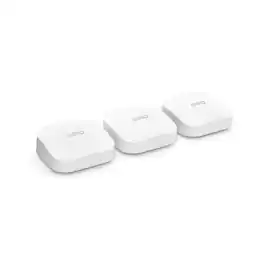
Experience more bandwidth and gigabit+ speeds. eero Pro 6E supports gigabit+ speeds for more of your wifi needs—from VR/AR and 8K streaming to using the latest Wi-Fi 6E devices. Tap into the power of Wi-Fi 6E for more capacity and lower latency than Wi-Fi 6.

Experience uninterrupted streaming, video calls, gaming and more with Wi-Fi 6E whole home tri-band mesh system. Routers previously operated on 2.4 GHz and 5 GHz bands, with Wi-Fi 6E, connected devices can now operate on the 6 GHz band resulting in faster speeds, greater capacity and expanded coverage throughout your home. Take full advantage of internet plans up to 2.5 Gbps using one 2.5 Gbps WAN/LAN port. The mesh router provides speeds up to 5400 Mbps and coverage up to 2,900 sq. ft..
| Pros for TP-Link - Deco XE75 Pro AXE5400 Tri-Band Wi-Fi 6E Whole Home Mesh System (3-Pack) - White | |||
|---|---|---|---|
| Speed, Ease of use, Coverage, Range, Setup | Speed, Performance, Setup, Coverage, Connectivity | Ease of use, Speed, Performance, Setup, Wi-Fi Coverage | Speed, Ease of use, Coverage, Range, Setup |
| Cons for TP-Link - Deco XE75 Pro AXE5400 Tri-Band Wi-Fi 6E Whole Home Mesh System (3-Pack) - White | |||
| Connection, Lag, Parental Controls | Size | Lag, Price, Features | Connection, Lag, Parental Controls |
Specs



Reviews
Customers are saying
Customers find value in the Deco XE75 Pro's ease of use, extensive coverage, and strong signal, with many praising the straightforward setup and excellent performance. The system's range is also frequently highlighted as a significant benefit. While some users experienced connection issues and found the parental controls limited, the positive feedback on performance and ease of use outweighs these concerns for most. The app is also appreciated for its user-friendly design.
Customer Images
The vast majority of our reviews come from verified purchases. Reviews from customers may include My Best Buy members, employees, and Tech Insider Network members (as tagged). Select reviewers may receive discounted products, promotional considerations or entries into drawings for honest, helpful reviews.
- Rated 5 out of 5 stars
Best speed and signals I've ever had.
We used to have a Orbi tri band system with 1 router, 2 satellites and it was slightly older from around 2018. It worked fine for a connection under 800mbps but our house is around 4,800sq ft if you count our garage, basement and other areas. Unfortunatly the way our home is, the router is on the left side, we have one satellite upstairs and one on the other end of the house in the garage. Our router speed test was around 800x400, 300x200 upstairs 2 rooms away and 150x100 in the garage on the other side of the house. So i tried the Wyze Router pro and it wasn't great, it just overall doesnt have many features and couldnt carry a good signal to each satellite and wifi handoff was TERRIBLE. So i got this system, placed them in the same spot. We pay for 1,100 by 600 mbps. Now by the router we get that FULL speed wirelessly, upstairs 2 rooms away we get 800 by 600, and in the garage we get around 780 by 500. Sp overall, the signal is extreme, it works anywhere in our yard and any part of our house gets amazing signal, speed, and wifi handoff between them is amazing. We used the 6ghz band as a backhaul instead of using it as a seperate network & backhauk and it makes it faster. Overall this system range might be overkill but it ensures everywhere in the house we're at least getting 85% of our total speed. Havent had issues with any devices connecting. Setup is super fast and easy, and app doesnt have too many crazy features but it has everything you need and its super quick and doesnt lag.
Posted by Ethan6552
- Rated 5 out of 5 stars
WiFi So Strong It Reaches the Fridge Before I Do
This mesh system finally fixed all the WiFi drama in my house. No more buffering wheels, no more standing in weird corners like I’m summoning a signal from the heavens. Coverage is smooth everywhere — living room, garage, backyard, even the bathroom (don’t judge). Setup was easy enough that I didn’t even have to pretend to read the manual. The app basically babysits you through the whole process. Once it was up, the speed stayed consistent across every device — streaming, Zoom calls, smart gadgets — all of it just works without hiccups. Bonus: the units actually look modern instead of “ugly black box with antennas.” They blend right in. Only downside is they run a little warm, but hey, so do I when I’m working. Bottom line: this thing turned my house into a WiFi fortress. Worth every penny
Posted by Divorceswagcom
- Rated 5 out of 5 stars
Deco Wifi Mesh System
Really solid devices. I am using them at home to provide coverage upstairs, downstairs and even in the front and back of my house (for cameras and music by the pool). Coverage is great using these and they were super easy to setup and use. I would highly recommend these if you have a large house and need coverage everywhere. The connection is solid and performance is great as well. We stream from multiple TV's (Apple TV and Amazon Fire Sticks) and devices like Xbox, PS4, tablets and of course my Ring Alarm and Camera system. So coverage and performance were very important to us. Very solid product, would highly recommend.
Posted by LarryC