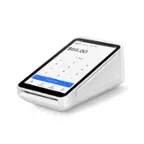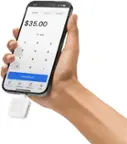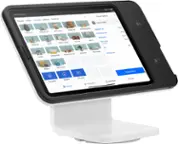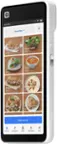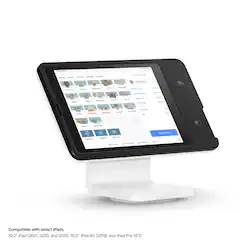
Square - POS Stand for iPad (2nd generation, Lightning) - Black
- Key Specs
- Model Compatibility: Apple iPad (7th Generation) 10.2" 2019, Apple iPad (8th Generation) 10.2" 2020, Apple iPad (9th Generation) 10.2" 2021, Apple iPad Air (3rd Generation) 10.5" 2019, Apple iPad Pro 10.5"
- General
- Brand: Square
- Model Number: A-SKU-0719
- Product Name: POS Stand for iPad (2nd generation, Lightning)
- Color: Black
- Compatibility
- Brand Compatibility: Apple
- Model Compatibility: Apple iPad (7th Generation) 10.2" 2019, Apple iPad (8th Generation) 10.2" 2020, Apple iPad (9th Generation) 10.2" 2021, Apple iPad Air (3rd Generation) 10.5" 2019, Apple iPad Pro 10.5"
- Other
- UPC: 817044022222
Easily turn an iPad into a powerful and professional point of sale with built-in payments, without all the clutter of extra cables and card readers. Get started in minutes with a POS that’s as easy to set up as it is to use — no manuals or training required. Then, keep your lines moving with an intuitive checkout that guides customers through order confirmation and payment. Pay just 2.6% + 10 cents per tap or dip, with no hidden fees or long-term contracts, and free POS software included. Compatible with: IPad (9th generation 2021), iPad (8th generation 2020), iPad (7th generation 2019),iPad Air (3rd generation 2019),iPad Pro 10.5",iPad sold separately
- Powerful iPad point of sale:: Turn your iPad into a complete point of sale with payments built right in — all with one simple, yet powerful device.
- Easy for you and your team to use:: Get up and running in minutes with a device that's as simple to set up as it is to use — no manuals or training required.
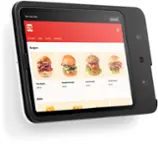
- Make checkouts smoother:: Swivels so you can run your POS as usual, then keep your line moving with an intuitive buyer-facing checkout screen that guides customers through order confirmation, tipping, and payment.
- Save money and skip the stress:: Pay one flat transaction rate for every tap or dip, with no hidden fees or long-term contracts, and free point-of-sale software included.
- Compatible with select iPads:: 10.2" iPad (2021, 2020, and 2019), 10.5" iPad Air (2019), and iPad Pro 10.5"
- Powerful iPad point of sale:: Turn your iPad into a complete point of sale with payments built right in — all with one simple, yet powerful device.
- Easy for you and your team to use:: Get up and running in minutes with a device that's as simple to set up as it is to use — no manuals or training required.
- Make checkouts smoother:: Swivels so you can run your POS as usual, then keep your line moving with an intuitive buyer-facing checkout screen that guides customers through order confirmation, tipping, and payment.
- Save money and skip the stress:: Pay one flat transaction rate for every tap or dip, with no hidden fees or long-term contracts, and free point-of-sale software included.
- Compatible with select iPads:: 10.2" iPad (2021, 2020, and 2019), 10.5" iPad Air (2019), and iPad Pro 10.5"
Q: Does this stand need to be connected to a power source to take payment?
A: Yes, the power cord has to be plugged into a wall or the whole thing won't work even if your tablet is at 100%. We purchased this primarily to take to festivals where sometimes power is sketchy. We even have back up batteries to plug into and they don't work it either. A little frustrating to say the least.
Q: Can A Ipda6th generation fit this model?
A: undefined
Q: Can a 10th generation iPad fit in the second generation
A: undefined
Q: ? cAN THIS SYSTEM Be Used In ANOTHER COUNTRY
A: undefined
A: The option to add the tip feature is easy to add through the square app.
Q: What is the warranty for this product? Will Square honor their warranty if I purchase from Best Buy
A: Apparently the warranty is only 1 year and no they won’t. My stand connects but the tap to pay and chip reader just stopped working and they told me since the warranty was over, there was nothing they could do.
Q: Are you able to swipe cards without a chip?
A: No, you tap the card, dip the chip, or manually enter.