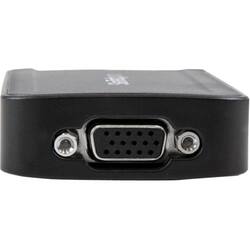
StarTech.com - External Video Adapter - Gray
Model: USB2VGAE3
SKU: 4324429
This item is no longer available in new condition. See similar items below
- Key Specs
- Connector Type (End 1): USB
- Gender (End 1): Male
- Connector Type (End 2): DVI
- Gender (End 2): Female
- General
- Product Name: External Video Adapter
- Brand: StarTech.com
- Quantity: 1
- Compatibility: Compatibile with Microsoft Windows Vista (32/64 bits), Microsoft Windows 7 (32/64 bits)
- Model Number: USB2VGAE3
- Color: Gray
- Connectivity
- Cable Type: DVI, USB
- Product Type: Adapter
- Connector Type (End 1): USB
- Gender (End 1): Male
- Connector Type (End 2): DVI
- Gender (End 2): Female
- Other
- UPC: 065030844178
Mirror your display for customers on the other side of the desk with help from this StarTech external video card. The USB connection works with any USB 2.0 port, letting you add a second VGA monitor to your computer. This compact StarTech external video card is portable and adds extra functionality to computers wherever you work.
- Compatible with PC: For use with your existing computer.
- Secure connection: Offers reliable signal transfer.
Whats Included
- StarTech.com USB to VGA External Video Card Multi Monitor Adapter 1920x1200
- USB cable - 50 cm
- Drivers & Utilities


















