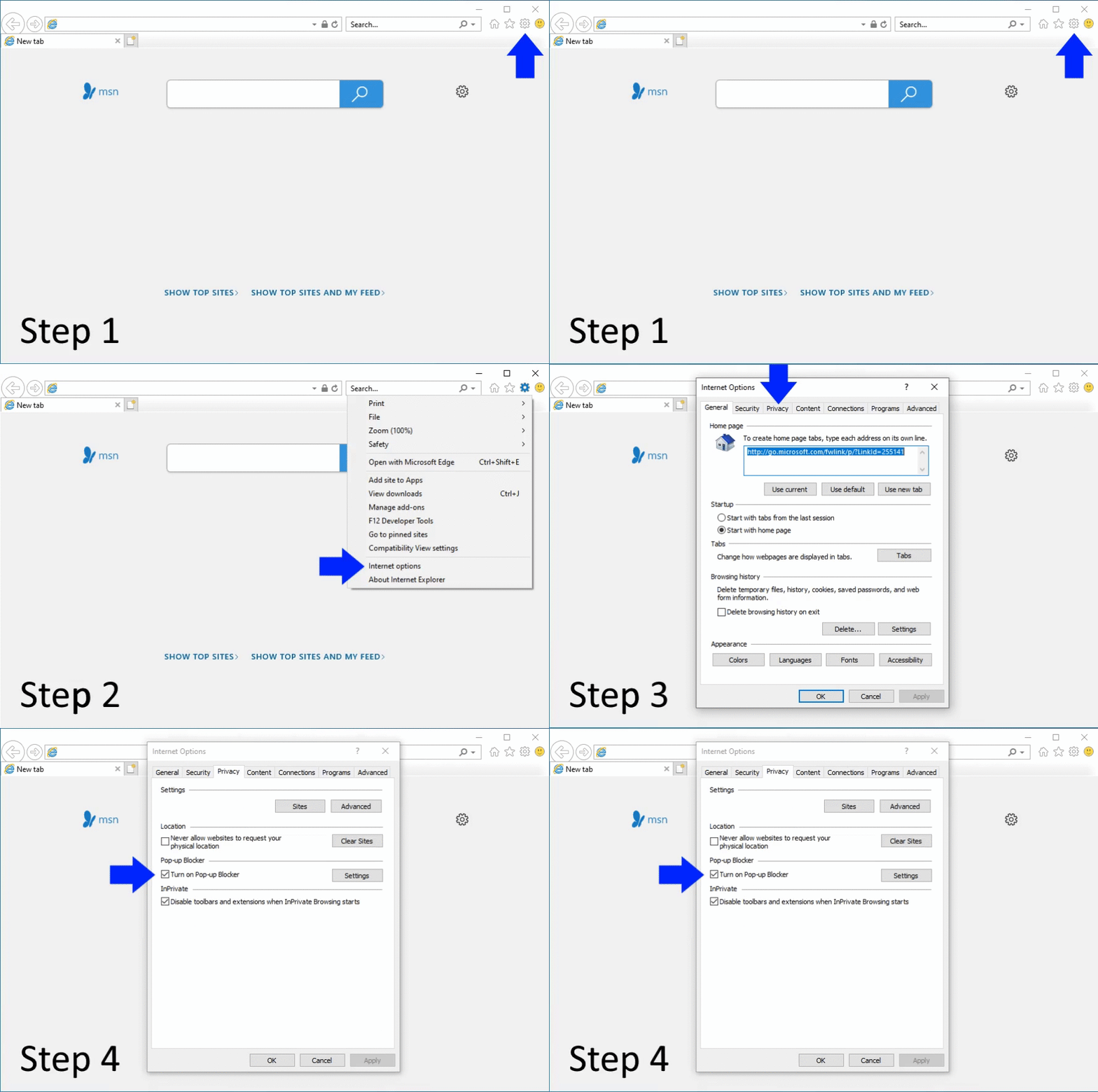
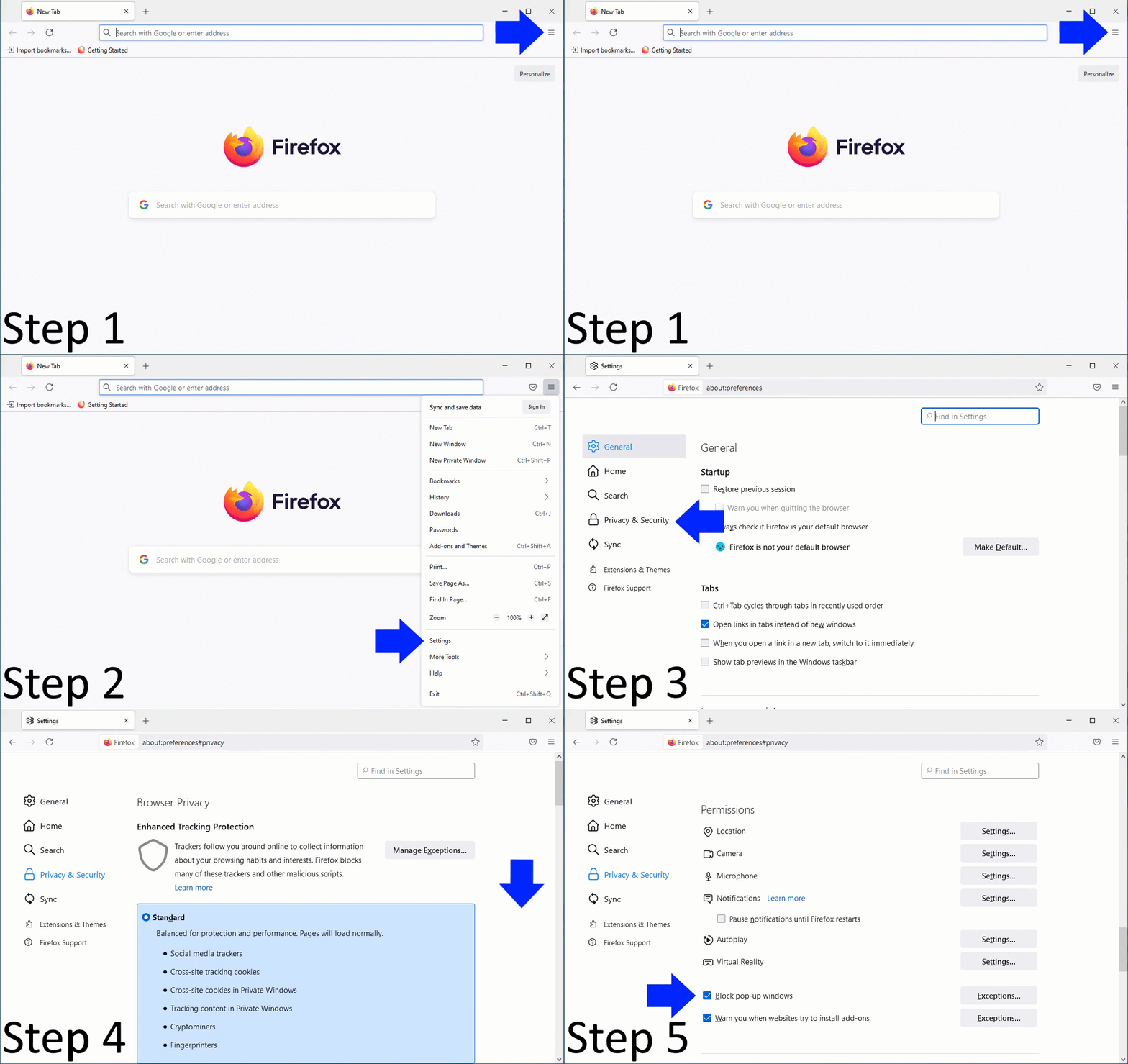
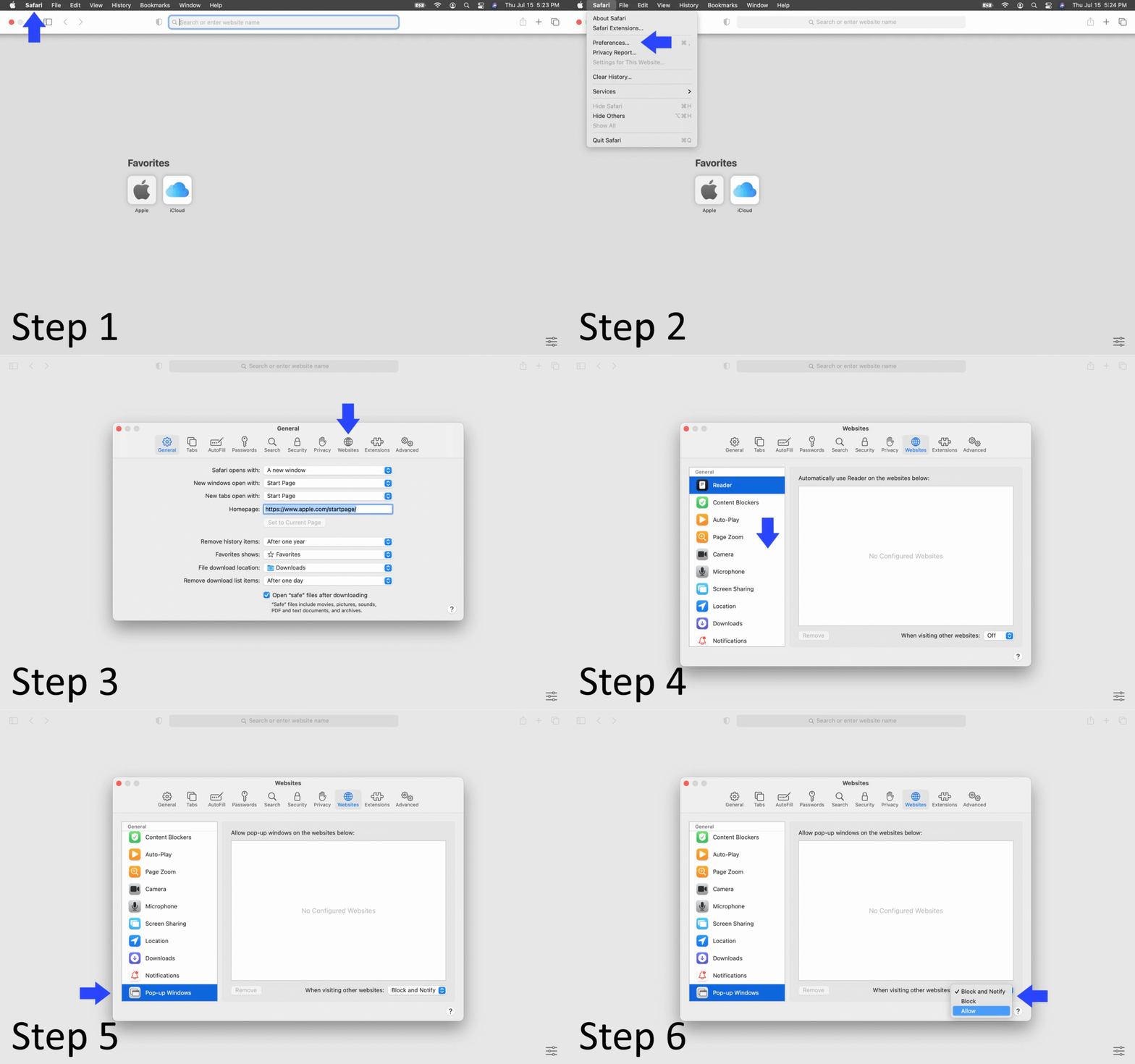
This article discusses how to change pop-up blocker settings in an Internet browser.

Doing so can leave you vulnerable to malicious programs. You can either disable the blocker temporarily or add favorite websites to your browser's safe list, so pop-ups will always appear.
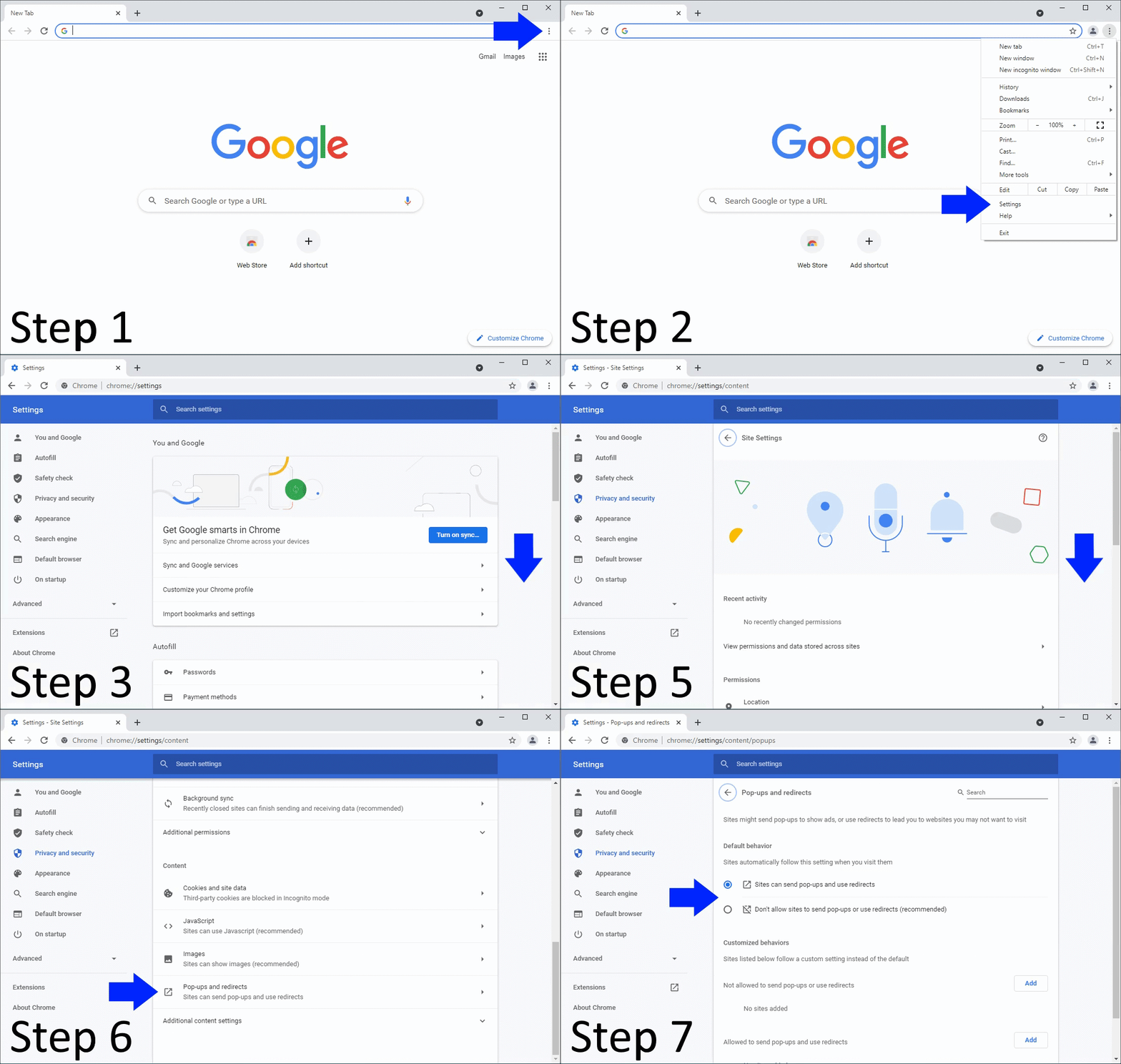
Resources:
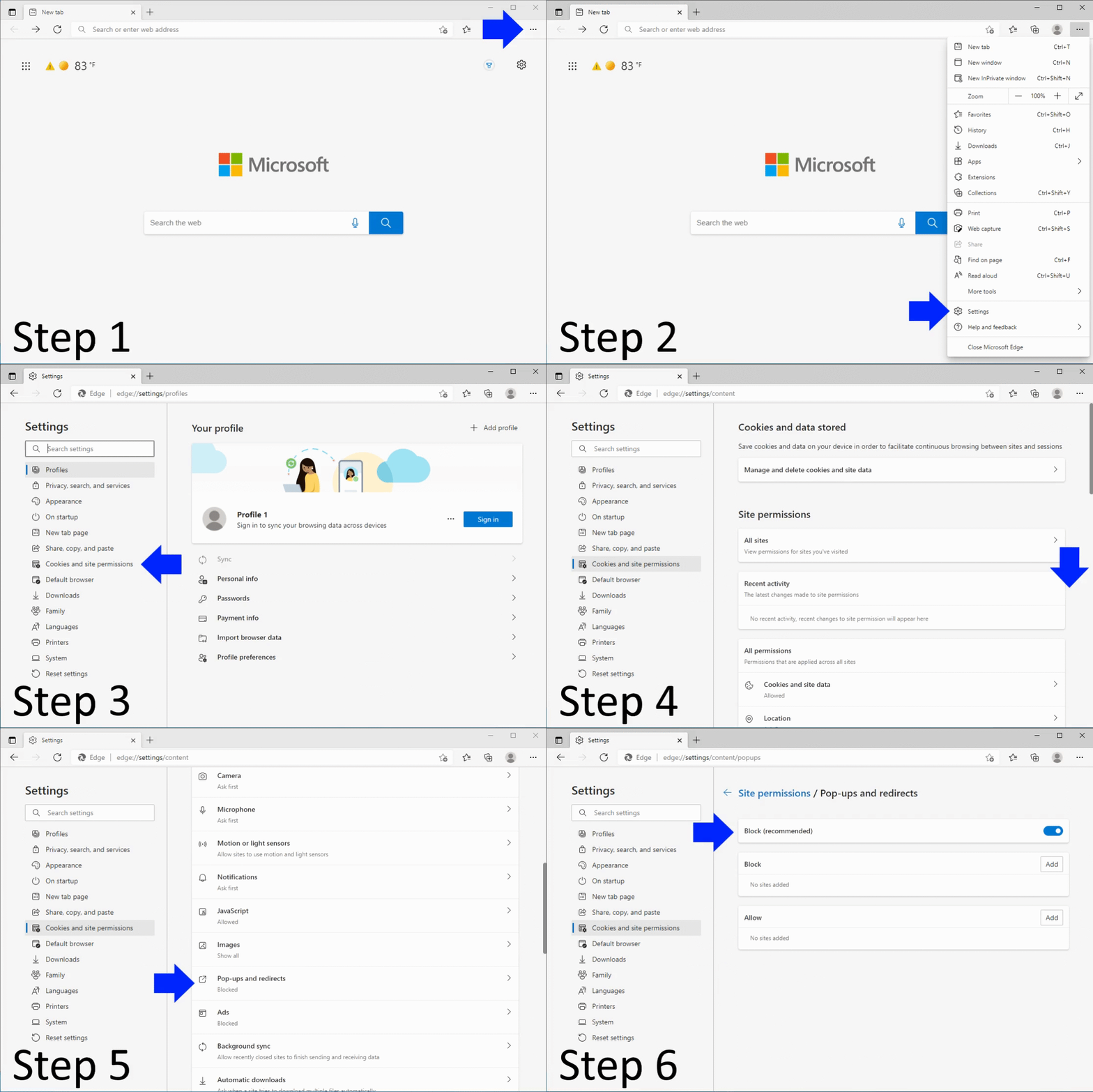
Resources:
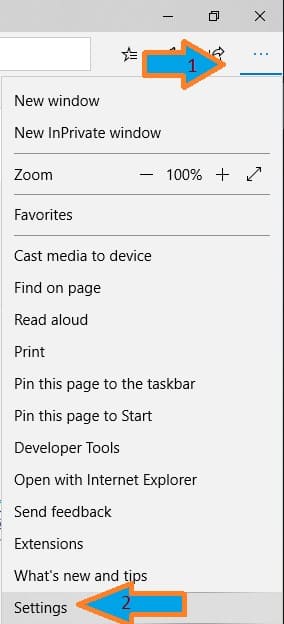
Figure 1
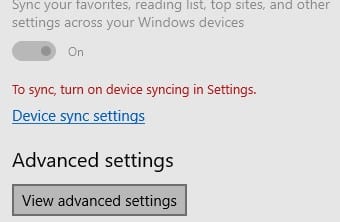
Figure 2
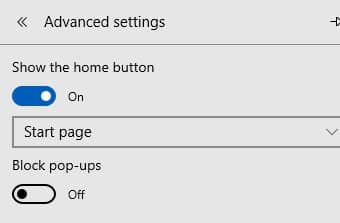
Figure 3
Resources:
Resources:
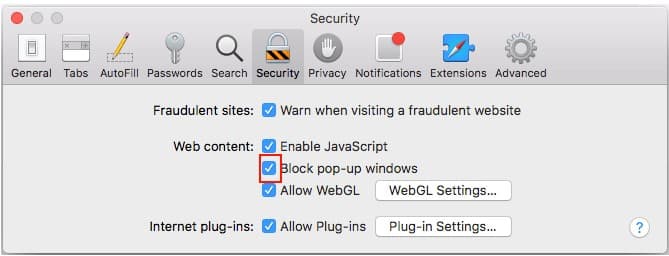
Figure 4
Keywords: Edge, Explorer, Safari, Chrome, Firefox