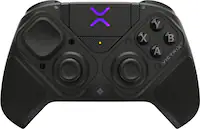
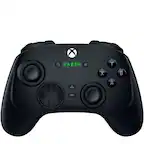
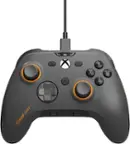
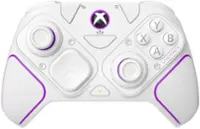
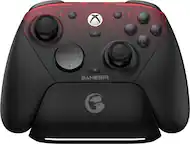
SCUF - VALOR PRO Wireless Performance Controller for Xbox Series X|S, Xbox One and PC - Black
Color
BlackRelated Item

Specifications
- WirelessYesBattery SizeNot ApplicableCompatible Platform(s)Xbox Series X, Xbox Series S, Xbox One, Windows
- Key Specs
- Wireless: true
- Battery Size: Not Applicable (The battery size required for operation.)
- Compatible Platform(s): Xbox Series X, Xbox Series S, Xbox One, Windows
- General
- Brand: SCUF
- Model Number: 505-178-05-001-NA
- Product Name: SCUF VALOR PRO Wireless Performance Controller for Xbox Series X|S, Xbox One and PC
- Color: Black
- Features
- Product Type: Controller
- Headset Jack: true
- Rumble Vibration: true
- Analog Joysticks: true
- Button Mapping: true
- Lighting Type: Single color
- Customizable Lighting: None
- Illumination: true
- Share Button: true (Allows users to access social sharing options directly from the controller. Options may include sharing in-game photos or video clips, inviting other users to play, streaming game play to an online platform, and more.)
- Connectivity
- Wireless: true
- Power
- Rechargeable Battery: true
- Charging Interface(s): USB-C (The connection for transmitting power to charge the device.)
- Battery Size: Not Applicable (The battery size required for operation.)
- Batteries Included: true (Indicates whether the product comes with the required batteries for its operation.)
- Dimensions
- Product Height: 2.6 inches (The out of box height of the item. Height is measured as the vertical distance from the bottom of the item to the top as it would be primarily used or placed.)
- Product Width: 4.21 inches (The out of box width of the item. Width is measured as the horizontal distance from one side of the item to the other as it would be primarily used or placed.)
- Product Length: 6.02 inches (The out of box length of the item. Length is measured as the longest dimension of the item.)
- Product Weight: 0.8 pounds (The out of box weight of the item.)
- Cord Length: 72 inches
- Compatibility
- Compatible Platform(s): Xbox Series X, Xbox Series S, Xbox One, Windows
- Warranty
- Warranty - Parts: 1 year
- Warranty - Labor: 1 year
- Other
- UPC: 840370227825
Valor Pro Wireless pushes performance on Xbox with game-changing features. React faster with the rear paddles by keeping your thumbs on the thumbsticks while you jump, slide, reload, and more. With a low-latency wireless connection, Bluetooth®, and 1k Hz polling on PC, every movement stays sharp and responsive. Our new anti-drift TMR thumbsticks are designed to feel familiar while still alleviating common symptoms of wear and tear. Customize your controller settings without ever leaving your console with the SCUF app available on Xbox and PC. The built-in battery delivers up to 17 hours of playtime and recharges fast with the included 6ft USB-C.
- FASTER GAMEPLAY: Features four rear paddles so you can react faster in-game and with our instant triggers that eliminate trigger pull, shaving milliseconds off your reaction time. And when you're on PC, activate the 1k Hz polling rate for lightning-fast inputs.
- MULTIPLE WAYS TO CONNECT: Switch between low-latency wireless, Bluetooth®, or ultra-fast wired. No matter how you play, Valor Pro keeps your connection stable so you can stay locked in.
- TAILORED FUNCTIONALITY: Customize your inputs and adjust the TMR thumbstick deadzones directly from your Xbox or PC using the SCUF app. Built for total control with no need to pause.
- ULTIMATE CUSTOMIZATION: Show off your personality and coordinate your controller with your space. With a wide range of colors, designs, and swappable faceplates and thumbsticks, it’s easy to create a look that’s all you.
- MORE COMFORT: Utilizing over a decade of expertise our performance grip provides ultimate non-slip comfort, and the new wraparound bumpers have more surface area for faster movements.
- FASTER GAMEPLAY: Features four rear paddles so you can react faster in-game and with our instant triggers that eliminate trigger pull, shaving milliseconds off your reaction time. And when you're on PC, activate the 1k Hz polling rate for lightning-fast inputs.
- MULTIPLE WAYS TO CONNECT: Switch between low-latency wireless, Bluetooth®, or ultra-fast wired. No matter how you play, Valor Pro keeps your connection stable so you can stay locked in.
- TAILORED FUNCTIONALITY: Customize your inputs and adjust the TMR thumbstick deadzones directly from your Xbox or PC using the SCUF app. Built for total control with no need to pause.
- ULTIMATE CUSTOMIZATION: Show off your personality and coordinate your controller with your space. With a wide range of colors, designs, and swappable faceplates and thumbsticks, it’s easy to create a look that’s all you.
- MORE COMFORT: Utilizing over a decade of expertise our performance grip provides ultimate non-slip comfort, and the new wraparound bumpers have more surface area for faster movements.
Whats Included
- SCUF Valor Pro Wireless Performance Xbox Controller
- Braided 6ft / 2m USB-C Cable
- Wireless Dongle
- Short Domed Thumbstick
- Long Domed Thumbstick
- Left Inner Paddle Blanking Plate
- Right Inner Paddle Blanking Plate
- Safety Leaflet
- SCUF Valor Pro Wireless Performance Xbox Controller
- Braided 6ft / 2m USB-C Cable
- Wireless Dongle
- Short Domed Thumbstick
- Long Domed Thumbstick
- Left Inner Paddle Blanking Plate
- Right Inner Paddle Blanking Plate
- Safety Leaflet
Q: Does it have hall effect joysticks
A: TMR joysticks. Better than hall effect
Q: Does this come with Hall Effect, ant-drift sticks?
A: TMR joysticks. Better than Hall effect
Compare similar products

Valor Pro Wireless pushes performance on Xbox with game-changing features. React faster with the rear paddles by keeping your thumbs on the thumbsticks while you jump, slide, reload, and more. With a low-latency wireless connection, Bluetooth®, and 1k Hz polling on PC, every movement stays sharp and responsive. Our new anti-drift TMR thumbsticks are designed to feel familiar while still alleviating common symptoms of wear and tear. Customize your controller settings without ever leaving your console with the SCUF app available on Xbox and PC. The built-in battery delivers up to 17 hours of playtime and recharges fast with the included 6ft USB-C.

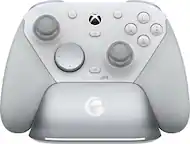
Stay one step, one shot, and one level above the competition with the Razer Wolverine V3 Pro 8K PC—our first ever native 8000 Hz wireless esports controller. Be the one that others fear to face with speed, control, and precision that’s unlike any other.
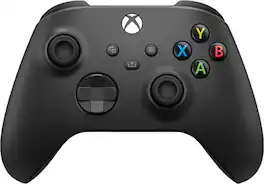
Experience the modernized design of the Xbox Wireless Controller in Carbon Black, featuring sculpted surfaces and refined geometry for enhanced comfort during gameplay. Stay on target with a hybrid D -pad and textured grip on the triggers, bumpers, and back-case. Seamlessly capture and share content such as screenshots, recordings, and more with the Share button. Plug in any compatible headset with the 3.5mm audio jack. Use the Xbox Accessories app to remap buttons and create custom controller profiles for your favorite games. Quickly pair with, play on, and switch between devices including console, PC, and mobile.*
Experience the modernized design of the Xbox Wireless Controller in Carbon Black, featuring sculpted surfaces and refined geometry for enhanced comfort during gameplay. Stay on target with a hybrid D -pad and textured grip on the triggers, bumpers, and back-case. Seamlessly capture and share content such as screenshots, recordings, and more with the Share button. Plug in any compatible headset with the 3.5mm audio jack. Use the Xbox Accessories app to remap buttons and create custom controller profiles for your favorite games. Quickly pair with, play on, and switch between devices including console, PC, and mobile.*
| Pros for SCUF - VALOR PRO Wireless Performance Controller for Xbox Series X|S, Xbox One and PC - Black | |||
|---|---|---|---|
| Ergonomics, Build Quality, Battery Life, Trigger Performance, Connectivity | There were no pros for this product— | Overall Performance, Color, Grip, Ease of use, Design | Overall Performance, Color, Grip, Ease of use, Design |
| Cons for SCUF - VALOR PRO Wireless Performance Controller for Xbox Series X|S, Xbox One and PC - Black | |||
| There were no cons for this product— | There were no cons for this product— | Stick Drift, Battery Life, Connectivity, Size, Buttons | Stick Drift, Battery Life, Connectivity, Size, Buttons |
Specs
Reviews
Customers are saying
Customers often highlight the VALOR PRO Wireless Performance Controller for its highly customizable ergonomics and great button quality. Users appreciate the sensitive bumper buttons, hassle-free wireless connectivity, and long battery life with USB-C charging. Many have also noted the absence of stick drift and the instantaneous response due to the high polling rate. Overall, the controller seems to be well-received for its performance and features.
Customer Images
The vast majority of our reviews come from verified purchases. Reviews from customers may include My Best Buy members, employees, and Tech Insider Network members (as tagged). Select reviewers may receive discounted products, promotional considerations or entries into drawings for honest, helpful reviews.
- Rated 4 out of 5 stars
SCUF Valor Pro Wireless – Premium Powerhouse
The SCUF Valor Pro Wireless is absolutely a premium-feeling controller. It has real weight to it, feels high-end in the hands, and performs great across the board. Build quality is top-tier, and the short-pull mechanical triggers are a sweet touch. But after two years on the Xbox Elite Series 2, the Valor Pro just isn’t as comfortable for me. The grips on the SCUF are thicker and chunkier than I prefer, and I wish the face buttons were clickier like the triggers. It would be nice if the xbox logo would light up as well. Those are personal preferences, though—nothing to do with the quality. Overall, if you don’t mind a thicker grip, the SCUF Valor Pro Wireless is a fantastic, premium controller that I can easily recommend.
Posted by Poppa
- Rated 5 out of 5 stars
From 5x elite series 2 controllers to SCUF
You may have had a similar experience over the years. Xbox controllers used to be built for nuclear war, but the elite series 2 can't even win a battle against my TV. SCUF has replaced my yearly routine of replacing overpriced microsoft controllers to one that is anti-stick drift and has a nice feel, with paddles that glick like mouse buttons. It's so satisfying to use, and feels quite durable. The face plate comes off for easy cleaning or stick swapping. I will be staying with SCUF if they continue to make controllers this well, and with non-analog sticks that don't drift being a major selling point. Time to play some more BF6 :)
Posted by Brad
- Rated 5 out of 5 stars
Extremely flexible, responsive
The Corsair SCUF Valor Pro Wireless controller can be used with an XBOX or PC; connected via USB or Wirelessly via BT (mobile devices) or Low Latency RF. My first impression is that it is a high quality controller, with textured rubber on the rear and smooth rubber on the front. It weighs 10.2oz (which is about 40% less than a Xbox controller 15.7 oz) and about the same size. It is a highly user customizable controller. It can either be customized via remapping profiles. Any paddle can be remapped by holding the paddle down and pressing the button you want to be saved. The included concave thumbsticks can be changed out for either a short or tall convex thumbstick. The inner paddles can be disabled or completely replaced by blank plates. The controller can also control the audio/mic from a wired headset (std 3.5mm connector), two scroll wheels handle the audio levels of the headphones and mic (without affecting windows or xbox volumes (still independent). In wired mode polling can be set to 1K (PC only). Low Latency RF polling is done at 500 poles/sec. As of today most consoles/games do not support 1K polling (but this may be coming soon). The SCUF Valor Pro also has a Companion App (now in Beta) available from the windows store (for Windows and Xbox). The companion app provides a graphic interface to remapping all paddle/button remapping. I found that you must use the controller to navigate the app (you can't use mouse or trackpad to control/interface with the app). Besides this the app performed as expected (no issues I discovered). Connecting the controller to your device is easily done using the included USB-C to USB-A cable to an XBOX or PC using the XBOX or PC (or BT) switch on the bottom of the controller. Then press and hold the Nexus (Xbox logo) until you are connected. To connect with Low Latency RF, connect the included RF dongle to the Xbox or PC via a USB-A port. Then press and hold the Nexus (Xbox logo) until you are connected. To connect via Bluetooth select the BT button on the controllers bottom and press and hold the Nexus (Xbox logo) until you are connected. You will then need to go to the Bluetooth setting and select the Valor Pro Wireless Controller and you can then play via Bluetooth (you have to connect within 20s). I tried the BT on my PC and iPhone and both worked as expected. I tried both with Asphalt Legends and RaceRoom games. Both platforms worked as expected. Here I have to say how responsive the controller was in wired mode... very impressive. Instantaneous responsiveness. BT was prompt but not instantaneous. The feel of the controller is excellent, the lighter controller felt great. I used the 'built in' Racing profile and out of the box it was 95% of what I'd have wanted. I re-mapped the "Y" and "A" buttons to be shift up/shift down and it worked as I wanted it. I do want to also commend Corsair on the quality of their documentation and the step-by-step by setup information. When I found no real documentation in the box my initial impression was how I was supposed to figure out all of the options. After using their QR code, it did a better job of walking me through the set up then any printed documentation could have. If you want a wireless controller this is probably king of the hill. If you don't care about wireless then their new wired controller is less expensive. The degree/flexibility of remapping all paddles/buttons is quite remarkable. Using their companion app any number of profiles can be defined to handle all this re-mapping.
Posted by 3Tcubed