Adesso - iMouse M80 - PC - Optical - Wireless - 32.81 ft - Radio Frequency - 2.40 GHz - USB - 1200 dpi - Scroll Wheel - 3 - Wireless - Unknown
Reviews coming soon
About this product
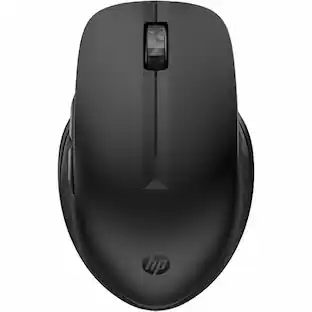
Experience new levels of productivity with the Adesso iMouse M80 2.4GHz Wireless Mouse. Its optical sensor tracking method lets you work on any surface with better speed and accuracy. The 3 button mouse is designed with an enhanced optical sensor of 1200 DPI which provides better speed and accuracy. With a 2.4GHz connection, no wires or cords will be tangled and you have a 30 ft range in any direction.
Features
2.4GHz RF Wireless Technology
This 2.4GHz wireless mouse fits perfectly with your computer and allows you to work freely with no space constraints of wires, offering 30 feet (10m) of wireless freedom
Metal Scroll Wheel
Navigate quickly and easily with the convenient scroll wheel.
Optical Sensor
Optical sensor technology improves precision and even lets you work on most glass, marble, wood and leather surfaces without the need of a mouse pad. With an optical resolution of 1200 DPI, you can browse comfortably basically on any surface.
Specifications
- Connection TypeWireless
Reviews
This product doesn't have any reviews yet.

Compare similar products

Experience new levels of productivity with the Adesso iMouse M80 2.4GHz Wireless Mouse. Its optical sensor tracking method lets you work on any surface with better speed and accuracy. The 3 button mouse is designed with an enhanced optical sensor of 1200 DPI which provides better speed and accuracy. With a 2.4GHz connection, no wires or cords will be tangled and you have a 30 ft range in any direction.

Eliminate the most common computer mouse issue—the cord. With the Best Buy Essentials Wireless Mouse with USB Receiver, you can navigate the web with speed and accuracy. Compatible with both Windows and Mac computers, simply insert the included nano receiver into one of your computer’s USB ports to wirelessly connect the mouse. It has just 3 buttons and an ambidextrous design for simple control. Optical technology detects when the mouse moves to deliver an accurate 1600 DPI response. We also included a AA battery, so you won’t have to worry about keeping the mouse powered until the LED indicator starts to blink. Let us improve your computer navigation by going wireless with this Best Buy-backed mouse.
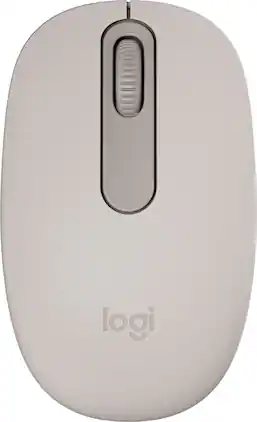
Discover the reliable Logitech M196 Bluetooth Wireless Mouse and declutter your workspace. This convenient portable mouse pairs to your laptop or tablet in seconds via Bluetooth—no dongle or port required. Enjoy up to 12-month battery life and auto sleep feature to help you go longer between AA battery changes. Small enough to toss in a bag, this comfortable Bluetooth travel mouse has an ambidextrous design that guides either your right or left hand into a natural position. The Logitech M196 Wireless Bluetooth Mouse is made to last with recycled plastic.

Adesso iMouse S50 - 2.4GHz Wireless Mini Mouse - Travel Mouse - Optical - Wireless - 30 ft - Radio Frequency - 2.40 GHz - Black - USB - 1200 dpi - Scroll Wheel - 3 Button(s) - Symmetrical - 2 x AAA Battery Supported
| Pros for Adesso - iMouse M80 - PC - Optical - Wireless - 32.81 ft - Radio Frequency - 2.40 GHz - USB - 1200 dpi - Scroll Wheel - 3 - Wireless - Unknown | |||
|---|---|---|---|
| There were no pros for this product— | Overall Performance, Ease of use, Price, Size, Wireless | Overall Performance, Connectivity, Ease of Use, Weight, Ergonomics | There were no pros for this product— |
| Cons for Adesso - iMouse M80 - PC - Optical - Wireless - 32.81 ft - Radio Frequency - 2.40 GHz - USB - 1200 dpi - Scroll Wheel - 3 - Wireless - Unknown | |||
| There were no cons for this product— | Click Sound, Grip | Noise Level | There were no cons for this product— |
Specs
Be the first to ask a question.
We’ll try to get your question answered within 24 hours by a Best Buy customer or brand representative.
Customers often buy these together
Computer Keyboards


![The text on the image reads:
888 DD DI DD 4 DSC i F2 F3 4 FS T6 ET 1. 1N IN F.. 11 1.. 114 1n F1 F12 118 in9 - a ee 1 8F 2 3 $ 4 % 5 A 6 & 7 . 8 I 9 I 0 ee I + = delete fn home page up clear - / + tab Q W E R T Y U I 0 P { [ ] ] | I delete end page down 7 8 9 ee caps lock A S D F G H J K L : I - return 4 5 6 + shift Z X C V N M < F > ? / shift a 1 2 3 control option 2 command 3 command option control Y - 0 enter
After grouping and correcting the text, it reads:
888 DD DI DD 4 DSC i F2 F3 4 FS T6 ET 1. 1N IN F.. 11 1.. 114 1n F1 F12 118 in9 - a ee 1 8F 2 3 $ 4 % 5 A 6 & 7 . 8 I 9 I 0 ee I + = delete fn home page up clear - / + tab Q W E R T Y U I 0 P { [ ] ] | I delete end page down 7 8 9 ee caps lock A S D F G H J K L : I - return 4 5 6 + shift Z X C V N M < F > ? / shift a 1 2 3 control option 2 command 3 command option control Y - 0 enter](https://pisces.bbystatic.com/image2/BestBuy_US/images/products/f4059d3a-0c2a-46ef-bcfd-4e11b9b26d5d.jpg;maxHeight=232;maxWidth=233?format=webp)




Customers ultimately bought
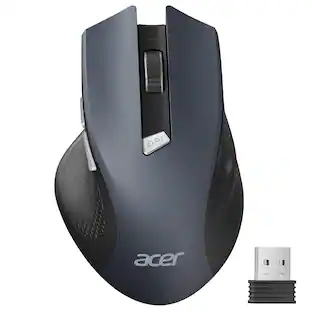
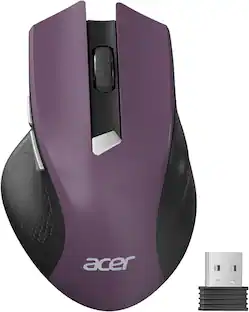
Acer Wireless Mouse for Laptop, 2.4GHz Computer Mouse 3 Adjustable DPI Office Cordless USB Mice with USBA Receiver
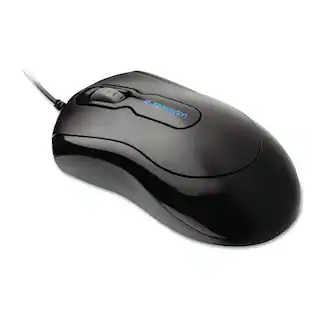
Holiday Deal$11.99The price was $13.99Kensington K72356US USB 2.0 Left/Right Hand Use Mouse-In-A-Box Optical Mouse
$8.29The price was $22.09

Explore tech essentials Sponsored

Keep exploring
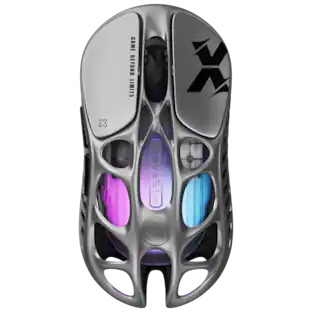
GravaStar Mercury X Wireless Optical Gaming Mouse with 32000 DPI and 49g Magnesium Alloy Frame
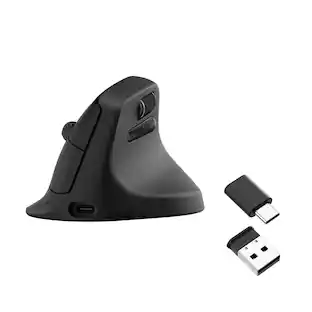
$75.95The price was $109.95ProtoArc EM11 NL Wireless Ergonomic Vertical Mouse, Rechargeable
Holiday Deal$24.99The price was $45.99GravaStar Mercury X Pro Wireless 8K Hz Gaming Mouse with 32000 DPI and 49g Magnesium Alloy Frame
$118.95The price was $139.95GravaStar Mercury M2 Wireless Gaming Mouse with 26000 DPI PAW3395 Sensor and 79g Lightweight Design
$75.95The price was $79.95Acer Wireless Mouse for Laptop, 2.4GHz Computer Mouse 3 Adjustable DPI Office Cordless USB Mice with USBA Receiver
Holiday Deal$10.99The price was $12.99