Alienware - AW510K Full-size Wired Mechanical CHERRY MX Low Profile Red Switch Gaming Keyboard with RGB Back Lighting for PC - Lunar Light
Color
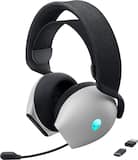
Lunar Light- Alienware - AW725H Tri Mode Wireless Over-the-Ear Gaming Headset for PC, Xbox X|S, Xbox One, PS5, PS4, Switch and Mobile - Lunar Light$129.99The price was $149.99


More Buying Options

Specifications
- Lighting TypeRGBForm FactorFull-sizeKeyboard TechnologyMechanicalKey Switch BehaviorLinearConnection TypeWired
- Key Specs
- Lighting Type: RGB
- Form Factor: Full-size (The size, arrangement, and physical configuration of the product.)
- Keyboard Technology: Mechanical (Type of technology that detects a key press.)
- Key Switch Behavior: Linear (Refers to the mechanisms under the keycaps on a keyboard that enable you to type faster and more precisely. Linear switches move straight up and down without any sound or bump. Tactile switches provide a noticeable bump in the key press, and no sound. Clicky switches provide a bump in the key press and "clicky" sound.)
- Connection Type: Wired
- General
- Brand: Alienware
- Model Number: AW510K-L
- Product Name: AW510K Full-size Wired Mechanical CHERRY MX Low Profile Red Switch Gaming Keyboard with RGB Back Lighting for PC
- Color: Lunar Light
- Features
- Lighting Type: RGB
- Customizable Lighting: true
- Numeric Keypad: true
- Touchpad: false
- Keyboard Type: Gaming, Programmable, Keypad
- Palm Rest: false
- Spill Resistant: false (Designed to resist some degree of accidental liquid spill. The level of spill-resistance is indicated by the product manufacturer, but the degree of protection may not be guaranteed after normal wear of the product.)
- Keyboard Features: Programmable keys and dedicated volume control.
- Foldable: false
- Functions
- Form Factor: Full-size (The size, arrangement, and physical configuration of the product.)
- Number Of Keys: 105
- Keyboard Technology: Mechanical (Type of technology that detects a key press.)
- Dedicated Macro Keys: false (Perform shortcuts of key sequences to carry out commands with a single key. Key sequences may include key strokes, mouse actions, and/or menu actions.)
- Adjustable Tilt Function: true
- Key Switch Type: Cherry MX Silent Red
- Key Switch Behavior: Linear (Refers to the mechanisms under the keycaps on a keyboard that enable you to type faster and more precisely. Linear switches move straight up and down without any sound or bump. Tactile switches provide a noticeable bump in the key press, and no sound. Clicky switches provide a bump in the key press and "clicky" sound.)
- Rollover: 1-key (Refers to the number of keys that can be correctly registered when pressed simultaneously. Rollover may be referred to as n-key rollover (KRO) or anti-ghosting.)
- Multimedia Keys: true
- Internet Keys: false
- Connectivity
- Connection Type: Wired
- Wired Connectivity: USB-A
- Cable Length: 6.6 feet
- Detachable Cable: false
- Number Of USB Port(s): 1 (The total number of USB ports including all generations and versions.)
- Compatibility
- Operating System Compatibility: Windows
- Plug and Play Operation: true
- System Requirements: Windows 10 (The software that a product must have for it to be able to integrate with another product.)
- Dimensions
- Product Height: 1.2 inches (The out of box height of the item. Height is measured as the vertical distance from the bottom of the item to the top as it would be primarily used or placed.)
- Product Width: 18.4 inches (The out of box width of the item. Width is measured as the horizontal distance from one side of the item to the other as it would be primarily used or placed.)
- Product Depth: 6.14 inches (The out of box depth of the item. Depth is measured as the distance from the front of the item to the back as it would be primarily used or placed.)
- Product Weight: 32.1 ounces (The out of box weight of the item.)
- Mouse
- Mouse Included: false
- Warranty
- Warranty - Parts: 1 year
- Warranty - Labor: 1 year
- Other
- UPC: 884116349419
Game like a pro with this Alienware low-profile RGB mechanical keyboard. The 6.5-foot cable with a USB connector offers easy access to a wide range of gaming computers, while the Cherry MX low-profile keys offer fast, accurate responses for dominating the battlefield or race track easily. This Alienware low-profile RGB mechanical keyboard has dedicated volume and multimedia control keys for handling playback seamlessly.
- Keyboard controls: Include mute, play/pause, stop, backward, volume, skip backward and skip forward.
- Adjustable keyboard height: So you can set the keyboard where it is most comfortable for you.
- Integrated numeric keypad: Allows simple data entry when you're not gaming for multifunction use.
- USB interface: Enables a simple wired connection to your computer.
- Windows compatible: For use with your existing computer.
- Keyboard controls: Include mute, play/pause, stop, backward, volume, skip backward and skip forward.
- Adjustable keyboard height: So you can set the keyboard where it is most comfortable for you.
- Integrated numeric keypad: Allows simple data entry when you're not gaming for multifunction use.
- USB interface: Enables a simple wired connection to your computer.
- Windows compatible: For use with your existing computer.
Whats Included
- Alienware AW510K Wired Mechanical CHERRY MX Low Profile Red Switch Keyboard with RGB Back Lighting
- Owner's manual
- Alienware AW510K Wired Mechanical CHERRY MX Low Profile Red Switch Keyboard with RGB Back Lighting
- Owner's manual
Q: Is the height of this keyboard adjustable?
A: Yes, the height of this keyboard is adjustable for comfort.
Q: Is this keyboard compatible with Windows?
A: Yes, this keyboard is compatible with Windows operating systems.
Q: Does this gaming keyboard have multimedia keys?
A: Yes, this gaming keyboard has multimedia keys for seamless control.
Q: What kind of USB connector does the keyboard have?
A: The keyboard has a USB-A connector.
Q: Does this keyboard have a numeric keypad?
A: Yes, this keyboard has an integrated numeric keypad.
Q: Are the keys on this keyboard programmable?
A: Yes, this keyboard has programmable keys.
Q: What is the length of the keyboard cable?
A: The keyboard cable is 6.6 feet long.
A: These are the dimensions of the keyboard: width 18.4 in, depth 6.1 in, height 1.2 in.
Compare similar products

Game like a pro with this Alienware low-profile RGB mechanical keyboard. The 6.5-foot cable with a USB connector offers easy access to a wide range of gaming computers, while the Cherry MX low-profile keys offer fast, accurate responses for dominating the battlefield or race track easily. This Alienware low-profile RGB mechanical keyboard has dedicated volume and multimedia control keys for handling playback seamlessly.
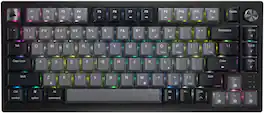
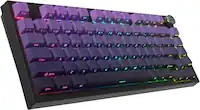
Stand out from the crowd with superior skill and distinctive design. The CORSAIR K65 PLUS WIRELESS is a 75% gaming keyboard that maxes out on performance and personality. Step up your switch game with pre-lubricated CORSAIR MLX Red linear switches that make each keystroke silky smooth and responsive. Integrated sound dampening tempers annoying clacks and pings, so you can enjoy subtle, pleasant acoustics as you play and type. Easily connect to PC, Mac, and other devices via ultra-fast 2.4GHz wireless or Bluetooth, and power through your playing sessions for longer than ever – up to 266 hours on a single charge. On the K65 PLUS WIRELESS, skill meets style.

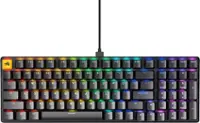
CORSAIR’s VANGUARD 96 pulls off the astonishing feat of shrinking a full keyboard with arrow keys, a tenkey pad, an LCD screen, rotary dial, and 6 programmable G-keys into a super-compact frame. Featuring wobble-free pre-lubricated CORSAIR MLX switches, it’s also hotswappable, supporting compatible 3-pin and 5-pin switches. The stunning LCD screen takes keyboard personalization to the next level with animations, stats, and game integration support. Quadlayer sound dampening provides satisfying keypress acoustics, and 8,000Hz hyper-polling delivers lightning-fast inputs. VANGUARD 96 also features Elgato Virtual Stream Deck integration, FlashTap SOCD handling, and easy customization via our web-based utility, CORSAIR Web Hub.
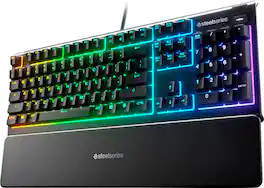
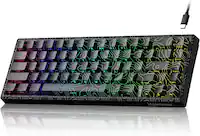
The Apex 3 gaming keyboard was built for the needs of gamers, with water and dust resistance for protection against spills and accidents, as well as premium features like low friction whisper quiet gaming switches, 10-zone RGB customization, a premium magnetic wrist rest, multimedia controls, and gaming-grade keys.
| Pros for Alienware - AW510K Full-size Wired Mechanical CHERRY MX Low Profile Red Switch Gaming Keyboard with RGB Back Lighting for PC - Lunar Light | |||
|---|---|---|---|
| RGB Lighting, Keyboard Quality, Key Feel, Ease of use, Volume Control | Keyboard Quality, Key Feel, Noise Level, RGB Lighting, Battery Life | Noise Level, Build Quality, Feel, Size, Typing Experience | Keyboard Quality, Key Feel, Noise Level, RGB Backlighting, Wrist Rest |
| Cons for Alienware - AW510K Full-size Wired Mechanical CHERRY MX Low Profile Red Switch Gaming Keyboard with RGB Back Lighting for PC - Lunar Light | |||
| Price, Software, USB Ports | Price | Software, Key Layout, Port Placement, Wrist Rest | Software, Size, Connectivity |
Specs
Reviews
Customers are saying
Customers commend the AW510K gaming keyboard for its quality, customizable RGB lighting, and satisfying key feel. Users appreciate its ease of use and handy volume control. Some customers mention the keyboard requires two USB ports and express concerns about the software. A few customers also noted the price and the absence of a palm rest.
- RGB Lighting (190)
- Keyboard Quality (180)
- Key Feel (80)
- USB Ports (8)
- Price (6)
- Software (6)
Customer Images
The vast majority of our reviews come from verified purchases. Reviews from customers may include My Best Buy members, employees, and Tech Insider Network members (as tagged). Select reviewers may receive discounted products, promotional considerations or entries into drawings for honest, helpful reviews.
- Rated 5 out of 5 stars
The perfect accessory for my Alienware desktop
I love this cherry mechanical keyboard. It has a great tactile feel. The back lighting is excellent. The USB port on the keyboard is handy for connecting my my Alienware headset. It is a beautiful keyboard. It is a nice compliment to my Alienware Aurora 16 gaming desktop.
Steve Posted
- Rated 5 out of 5 stars
Demanding Users
I’ve been using this Alienware keyboard for a few weeks now, and the experience has been outstanding. The design is sleek, with a solid build and premium finish. The RGB backlighting is vibrant and fully customizable, perfect for gaming or working in low-light settings. The keys are responsive and precise, making it great for both long gaming sessions and typing. The Alienware Command Center software makes it easy to set up macros and lighting effects. Overall, it’s a keyboard built for performance, style, and durability. Highly recommended for gamers and demanding users.
HAlejandroBG01 Posted
- Rated 5 out of 5 stars
Great Keyboard, Subpar Software
I would like to preface this review by mentioning that I have never used a mechanical keyboard ever. I am a person who has largely used chiclet/laptop style keyboards. As such, I was drawn to this keyboard for its low profile form and full size. It was also important to me to get a white keyboard, since I have a lot of vision issues against black keyboards, though this product ended up being more of a pale grey. The best I can describe the color as is the color of light grey toned paper, if you’re familiar with it. But with the LEDs on, it easily can be read as white, so this is not a huge issue. As long as I can see the keys, I’m satisfied. Typing takes some adjustments; not only am I coming from experience only with laptop keyboards, but I’m also not used to any type of mechanical keys. That being said, the MX Cherry Reds are smooth and sensitive; it doesn’t take much to register a keystroke. As a heavy handed typer, I haven’t noticed any issues regarding repetitive keystrokes, but I have learned that if I’m not careful I can lean my hand on a key too heavily and accidentally trigger it. Again, not a deal breaker. I’m very happy that the keys are solid and clicky, but not terribly loud that I will keep up my family in the other room. The sound is audible, but subtle. There is some instance of rattle and ping with keys like the space bar, shifts, and enter keys, but they aren’t so obvious while actually typing versus button mashing. The biggest issue I had wasn’t even with the keyboard itself. Alienware’s “Command Center” software is ridiculously slow, as well as sensitive. It took nearly 15 minutes to set up the keyboard’s lighting profiles. The software definitely hasn’t been optimized in a while. It functions, but barely enough to be decent. This isn’t an issue with the keyboard itself though, so it isn’t worth a star deduction, but definitely worth mentioning to future customers. If I was to nitpick, I would say that the LEDs for things like the function key lock, num lock, and similar features, is really annoying. I’ll be keeping my keyboard set to white (which is tinted slightly blue, FYI) for the most part anyways, but the fact that those keys light up white when in use is frustrating. Especially since I use media keys a lot and would prefer to keep the function lock on 24/7 for easier access to those. Maybe there is a way to configure this, but so far I haven’t found anything online. Once again, Dell provides relatively poor service in that department. Overall I really like this keyboard. It’s a premium price, so I recommend snagging it while on sale or open-box like I did. If you’re in the market for a white, low profile keyboard, this should fit the bill nicely, but there may be some cheaper alternatives if you can sacrifice some of the bells and whistles here.
Olivia Posted
Explore tech essentials Sponsored
- $210.99The price was $219.99