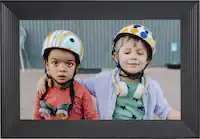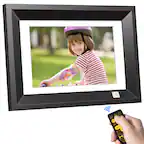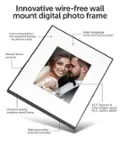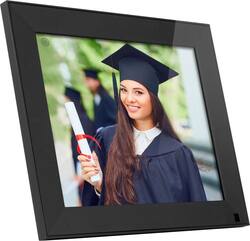
Aluratek - 9" WiFi Touchscreen IPS LCD Display Digital Photo Frame with Motion Sensor and 16GB Built-in Memory - Black
- General
- Brand: Aluratek
- Model Number: AWS09F
- Product Name: 9" WiFi Touchscreen IPS LCD Display Digital Photo Frame with Motion Sensor and 16GB Built-in Memory
- Color: Black
- Dimensions
- Product Width: 9.3 inches (The out of box width of the item. Width is measured as the horizontal distance from one side of the item to the other as it would be primarily used or placed.)
- Product Height: 7.5 inches (The out of box height of the item. Height is measured as the vertical distance from the bottom of the item to the top as it would be primarily used or placed.)
- Product Depth: 2.5 inches (The out of box depth of the item. Depth is measured as the distance from the front of the item to the back as it would be primarily used or placed.)
- Product Weight: 1.2 pounds (The out of box weight of the item.)
- Imaging
- Image Resolution (Display): 1024 x 768 (Refers to the number of pixels, both horizontally and vertically, used to either capture an image or display it. The higher the resolution the finer the image details.)
- Compatibility
- Memory Card Compatibility: microSD (The type of memory card(s) recommended for use with the product.)
- Interface(s): USB (Refers to the types of connections that devices use to interact and communicate with each other.)
- Minimum System Requirements: Mac OS, Windows
- Wireless Connectivity: Wi-Fi (The manner in which a device sends data to another device over a short distance without the use of wires or cables.)
- Operating System Compatibility: Android, Apple iOS, Mac, Windows
- Features
- Screen Size: 9 inches (Size of the screen, measured diagonally from corner to corner.)
- Built-in Storage: 1.6 gigabytes
- Programmable Timer: true
- Warranty
- Warranty - Parts: 2 years
- Warranty - Labor: 2 years
- Other
- UPC: 812658014991
Aluratek’s 9 inch WiFi Digital Photo Frame with Touchscreen IPS LCD Display and Motion Sensor is a wonderful way to bring your treasured memories to life with incredible image clarity in rich and vibrant colors on the true color LCD panel at 1024 x 768 resolution at an ideal 4:3 aspect ratio. The functional and stylish frame makes a great addition to any room of your house or office. Aluratek digital photo frames make a great gift for grandparents, moms and just about anyone who would like to share in your families most memorable moments. Display photos from your most recent vacation, graduations, anniversaries and birthdays and relive them over and over again.
- 9" Touchscreen: Your digital photos will be displayed clearer and vibrant on the IPS LCD panel. (1024x768 resolution, 4:3 aspect ratio)
- Motion Sensor Activated: The frame will auto turn on when movement is detected up to 10 feet away.
- Wireless Photo Sharing: Send photos to the frame using our smartphone app, Facebook Messenger, Twitter Messages or even through email! Use multiple smartphones or email addresses to send photos and videos to one frame or use one smartphone or email address to send photos and videos to multiple frames.
- Multimedia Support: In addition to photos, enjoy video, music and slideshow play. Supports various picture, video and audio formats. Features integrated stereo speakers.
- Built-in Memory: Transfer and store files quickly and easily from your personal computer to the frame’s 16GB built-in memory.
- MicroSD Card Support: Insert a MicroSD, MicroSDHC or MicroSDXC card into the card slot to instantly view your photos.
- Clock, Calendar, Weather: Use the built-in clock, calendar, alarm with auto on / off timer to easily configure the time and day. Use a weather ap to check what to wear before heading out so you are always prepared.
- Easy To Use: Fast and easy navigation through the touchscreen menus with no required setup or software to install.
- 9" Touchscreen: Your digital photos will be displayed clearer and vibrant on the IPS LCD panel. (1024x768 resolution, 4:3 aspect ratio)
- Motion Sensor Activated: The frame will auto turn on when movement is detected up to 10 feet away.
- Wireless Photo Sharing: Send photos to the frame using our smartphone app, Facebook Messenger, Twitter Messages or even through email! Use multiple smartphones or email addresses to send photos and videos to one frame or use one smartphone or email address to send photos and videos to multiple frames.
- Multimedia Support: In addition to photos, enjoy video, music and slideshow play. Supports various picture, video and audio formats. Features integrated stereo speakers.
- Built-in Memory: Transfer and store files quickly and easily from your personal computer to the frame’s 16GB built-in memory.
- MicroSD Card Support: Insert a MicroSD, MicroSDHC or MicroSDXC card into the card slot to instantly view your photos.
- Clock, Calendar, Weather: Use the built-in clock, calendar, alarm with auto on / off timer to easily configure the time and day. Use a weather ap to check what to wear before heading out so you are always prepared.
- Easy To Use: Fast and easy navigation through the touchscreen menus with no required setup or software to install.
Whats Included
- 9" WiFi Touchscreen Digital Photo Frame
- USB Cable
- Power Adapter
- Instruction Manual
- 9" WiFi Touchscreen Digital Photo Frame
- USB Cable
- Power Adapter
- Instruction Manual
Product Manuals
Q: can you upload photos from your phone
A: You can use the Smart Frame app on your phone to send photos to a WIFI frame but you cannot do a direct connection of the phone to the frame. You can do a direct connection of the computer to the frame. We recommend you use the photo app on the phone (Smart Frame) to send photos to the photo frame.
Q: Does this digital frame scroll images, meaning can you send multiple pics? And if yes, how many?
A: Yes, the WIFI frame will run a slideshow of photos that are uploaded to the frame or of photos that are on an SD card or USB thumb drive. When you send photos using the phone app you can only send 9 at a time, depending on the size of the photos.
Q: can you turnoff the motion detector/
A: Yes. Go into settings > system settings > display on the frame and here you can turn off the motion sensor.
A: For this model/tooling, it only supports microSD card. You may copy files to a microSD card or copy the photo to the internal memory of the frame via computer.
A: I'm a new user too and I have not found any yearly fee to use the app. I've downloaded the app to my phone and can send up to 9 pictures at a time. Good luck.
Q: How do you remove photos sent to your frame?
A: undefined