ASUS - ProArt PA24ACRV 24" Class WQHD LED Monitor - 16:9 - 23.8" Viewable - In-plane Switching (IPS) Technology - LED - 95% DCI-P3
Related Item

Highlights
- Key Specs
- Refresh Rate: 144Hz (The number of frames per second the device can produce natively without enhancement. Higher rates help produce smooth, seamless pictures.)
- Maximum Resolution: 1920 x 1080 (Maximum resolution refers to the highest number of pixels that a screen can process and display. Higher resolution signals produce more detailed images.)
- Screen Size: 13.3 inches (Size of the screen, measured diagonally from corner to corner.)
- Display Connector(s): 1 x HDMI, 1 x VGA, Display connection via USB port (The number and type of connectors used to connect to an external display.)
- General
- Brand: ASUS
- Product Name: Asus ProArt PA24ACRV 24" Class WQHD LED Monitor - 16:9 - 23.8" Viewable - In-plane Switching (IPS) Technology - LED
- Color: 95% DCI-P3
- Display
- Refresh Rate: 144Hz (The number of frames per second the device can produce natively without enhancement. Higher rates help produce smooth, seamless pictures.)
- Maximum Resolution: 1920 x 1080 (Maximum resolution refers to the highest number of pixels that a screen can process and display. Higher resolution signals produce more detailed images.)
- Contrast Ratio: 800:1 (Measured difference between a displayed image's brightest whites and darkest blacks. The larger the first number, the more detail and color that can be displayed.)
- Display Type: LED
- Aspect Ratio: 16:9 (The measurement of the width of a screen compared to the height of a screen, expressed as a ratio.)
- Curved Screen: false
- Brightness: 400.0 candela per square meter (A measure of the total light output.)
- Screen Size: 13.3 inches (Size of the screen, measured diagonally from corner to corner.)
- Connectivity
- Number of HDMI Inputs (Total): 1
- Display Connector(s): 1 x HDMI, 1 x VGA, Display connection via USB port (The number and type of connectors used to connect to an external display.)
- Features
- Adjustable Stand Height: true
- Dimensions
- Product Width: 21.2 inches (The out of box width of the item. Width is measured as the horizontal distance from one side of the item to the other as it would be primarily used or placed.)
- Product Weight: 17.45 pounds (The out of box weight of the item.)
- Stand Included: true
- Certifications Listings & Approvals
- ENERGY STAR Certified: true (Devices carrying the ENERGY STAR service mark, such as computer products and peripherals, kitchen appliances, and other products, generally use 20% to 30% less energy than required by federal standards.)
- Warranty
- Warranty - Parts: 1 year
- Warranty - Labor: 1 year
- Other
- UPC: 197105308138
Asus ProArt PA24ACRV 24" Class WQHD LED Monitor - 16:9 - 23.8" Viewable - In-plane Switching (IPS) Technology - LED Backlight - 2560 x 1440 - 16.7 Million Colors - 400 Nit - 5 ms - 75 Hz Refresh Rate - Speakers - USB Type-C - HDMI - DisplayPort - VESA Mount Compatible - USB Hub
- ASUS ProArt Display PA24ACRV Professional Monitor - 24-in...: 23.8-inch QHD (2560 x 1440) LED backlight display with IPS 178° wide viewing angle panel. International color standard 95% DCI-P3 and 100% sRGB wide color gamut. Calman Verified with factory calibrated for excellent Delta E < 2 color accuracy. Extensive connectivity including DP over USB-C with 96W Power Delivery, DisplayPort (MST), HDMI and USB hub. Built-in Ambient Light Sensor synchronizes display brightness and color
- Filmmakers & Video Editors: High resolution and wide color gamut are ideal for HDR video production.
- Colorists: Factory pre-calibrated to Delta E < 2 color accuracy for industry-leading color fidelity.
- Designers & Photographers: Truly precise color reproduction to bring out the details in photographs or digital artwork.
- Exquisite Design: Compared to its predecessor, ProArt Display PA24ACRV has a space-saving base that's 33% smaller, as well as a 30% slimmer profile. Like its contemporaries in the ProArt Display family, PA24ACRV feels right at home in a studio or in any living space, with an understated elegance that is a nod to exquisite craftsmanship and uncompromising attention to detail.
Whats Included
- MAG 275UPD E14 monitor, DisplayPort cable (1.4a), power cord (C13), quick guide
Compare similar products

Asus ProArt PA24ACRV 24" Class WQHD LED Monitor - 16:9 - 23.8" Viewable - In-plane Switching (IPS) Technology - LED Backlight - 2560 x 1440 - 16.7 Million Colors - 400 Nit - 5 ms - 75 Hz Refresh Rate - Speakers - USB Type-C - HDMI - DisplayPort - VESA Mount Compatible - USB Hub

ProArt Display PA248QV is a 24.1-inch monitor designed to satisfy the needs of creative professionals, from photo and video editing to graphic design. ProArt Display PA248QV is factory calibrated and Calman Verified to deliver superb color accuracy. It also provides industry-standard 100% sRGB / 100% Rec. 709 color space coverage. With ASUS-exclusive features, such as ProArt Preset and ProArt Palette with six-axis color, black-level and brightness adjustments, PA248QV makes it easy to achieve the exact look you desire quickly, easily and precisely.
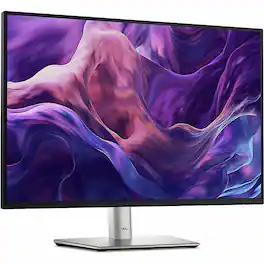
Dell P2425 Monitor for all-day productivity. Get enhanced visual comfort and seamless connectivity with this 24-in WUXGA monitor. Environmentally-forward thinking with sustainable materials and elevated standards with packagining innovation and energy conservation. Get a seamless viewing experience and focus on your task with ultra-thin bezel design. Varied and multiple interfaces to ensure that whatever device you need has a connection.
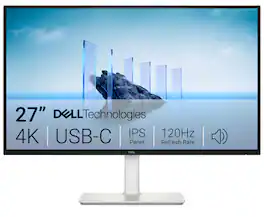
Dell 27 Plus 4K USB-C Monitor - S2725QC. Whether you're watching movies or playing games, enjoy an immersive viewing experience with improved eye comfort on a 4-star certified monitor*.
| Pros for ASUS - ProArt PA24ACRV 24" Class WQHD LED Monitor - 16:9 - 23.8" Viewable - In-plane Switching (IPS) Technology - LED - 95% DCI-P3 | |||
|---|---|---|---|
| There were no pros for this product— | There were no pros for this product— | There were no pros for this product— | Screen Quality, Connectivity, Refresh Rate, Overall Performance, Adjustability |
Specs
Reviews
This product doesn't have any reviews yet.
Explore tech essentials Sponsored
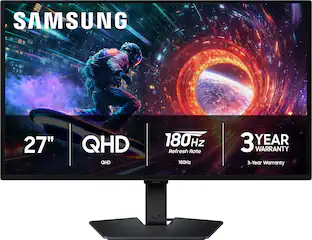 $399.99The price was $499.99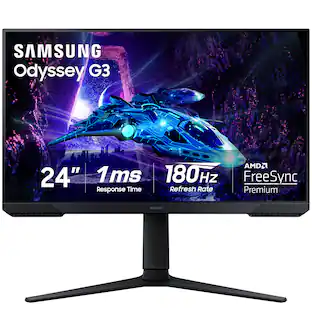
Samsung - Odyssey G30D 24" LED FHD AMD FreeSync Premium 180Hz 1ms Gaming Monitor (DisplayPort, HDMI)
$149.99The price was $199.99