Skip to contentGo to Product Search
Main Content

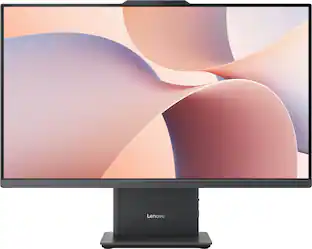
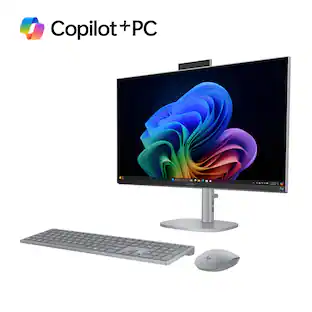
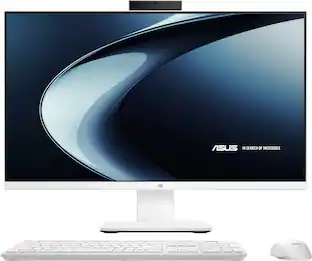
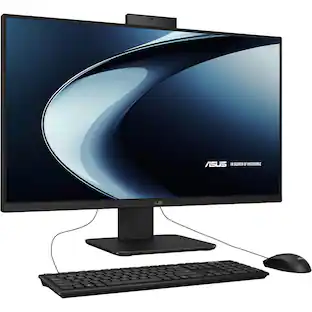
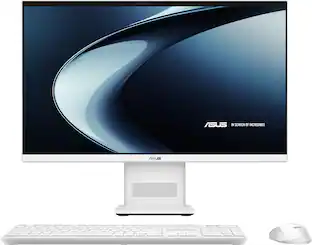
ASUS - VM471 27" Full HD Touch-Screen All-in-One - Copilot+ PC - Snapdragon X - 16GB RAM - 1TB SSD - White

Model: VM471QA-X1.16.1TB.27
SKU: 6671600
Sold byBest Buy

Customers are saying

Customers recognize that this product offers a high-quality build, impressive processor speed, and a straightforward setup process. While users appreciate the fast and quiet performance, some have expressed a desire for a higher display resolution. Additionally, there is feedback regarding the ergonomics, specifically noting that the stand lacks height adjustment capabilities.

Generated by AI based on customer reviews.

Highlights

Features

  • Windows 11 Copilot+ PC

    Get a familiar, easy to use experience for the whole family, with Copilot+ features built in for smart assistance, photo editing, and voice tools.

  • Crisp 27-Inch Full HD Touch-Sreen

    Enjoy bright, crisp visuals with 100% sRGB color, 300 nits of brightness, and touch-screen support ideal for browsing, schoolwork, and streaming with the family.

  • Snapdragon X Speed and Efficiency

    Power through everyday multitasking with a fast, energy efficient processor built for Copilot+ PC experiences and all day responsiveness.

  • 45 TOPS of On Device AI Power

    Experience fast, private AI features like smart photo organization and real time voice processing, processed locally for quicker results.

  • Room to Store and Multitask

    Store photos, documents, and downloads with up to 1TB of Gen 4 SSD space, while 16GB of LPDDR5X memory keeps multiple browser tabs and apps running smoothly.

  • Sleek, Clutter Free Design

    Bring home a sleek all in one built on a new ASUS chassis, with a slim stand and clean rear profile that fits any room in the house.

  • Rich Sound, Crystal Clear Calls

    Fill the room with immersive Dolby Atmos audio from dual 3W speakers, and stay clear on video calls and online classes with AI noise canceling microphones, even in a busy household.

  • Wireless Keyboard and Mouse Included

    Get set up right away with a matching wireless sandstone white keyboard and wireless optical mouse, included right out of the box.

  • Fast, Flexible Connectivity

    Connect cameras, drives, and monitors with ease using HDMI, Ethernet, USB-A, and USB-C ports, backed by fast and stable Wi-Fi 6E and Bluetooth 5.3 wireless access.

Specifications

  • Screen Size
    27 inches
    Processor Model
    Snapdragon X
    CPU Base Clock Frequency
    2.97 gigahertz
    Storage Type
    SSD
    Total Storage Capacity
    1000 gigabytes
Sponsored

Reviews

Rating 4.5 out of 5 stars with 11 reviews

5 star rating. 7 reviews4 star rating. 3 reviews3 star rating. 1 review
82% would recommend to a friend
Customers are sayingCustomers recognize that this product offers a high-quality build, impressive processor speed, and a straightforward setup process. While users appreciate the fast and quiet performance, some have expressed a desire for a higher display resolution. Additionally, there is feedback regarding the ergonomics, specifically noting that the stand lacks height adjustment capabilities.
This summary was generated by AI based on customer reviews.
  • Build Quality (8)
  • Ease of Setup (3)
  • Processor Speed (3)
  • Display Resolution (6)
  • Ergonomics (3)

Customer Images

The vast majority of our reviews come from verified purchases. Reviews from customers may include My Best Buy members, employees, and Tech Insider Network members (as tagged). Select reviewers may receive discounted products, promotional considerations or entries into drawings for honest, helpful reviews.

  • Rated 5 out of 5 stars

    Good Looking and Responsive!

    The ASUS-VM471 27” Full HD Touch-Screen All-in-One PC with Copilot+ and the Snapdragon X with 16GB of RAM is a beautiful-looking machine and it’s big. As a person who has been using 27” monitors for years at my main PC, somehow the 27” screen on this ASUS-VM471 looks bigger. It is also unbelievably thin for an All-in-One yet still has all of the necessary ports and features built in that you need. I have heard rumblings about non-compatibility issues with ARM-based chips and Windows, but have not seen any issues during setup or use with this one, so maybe that has been worked out by now. One thing I noted is it looked like Chrome did two installs and on the second I saw x86, but when I went and looked, it was an ARM64 version. Whatever it was doing, it works great and I am very surprised by how snappy this ARM-based PC is. It seems faster than my 12th gen i7-12700F somehow, with 32GB of RAM. It’s also amazing to have a touchscreen so big. This makes some games very fun to play on it and allows you to put it anywhere you want. You could put it on a retractable shelf on the wall in your kitchen with velcro on the bottom of the stand if you wanted to, or on an island, and just use the touchscreen for navigation. While the screen does look good, I did notice some things that did not look as good as they do on my 2K screens. I really think ASUS should have upped the resolution to 2560x1440 and put a different ARM processor if they needed to. For most things, it is not noticeable, but I think a 27” screen could use a higher resolution for detailed images. That is really my only criticism of the ASUS VM-471 and it is relatively minor. This PC does come with plenty of ports, surprisingly, with an HDMI out and a DisplayPort out for adding screens. There are also 3 USB Type-A ports and a USB Type-C port, three of which will charge your phone. With one terabyte of storage on board, that should be plenty for most users and it is good that they used that size SSD. The included wireless Keyboard and mouse are surprisingly nice to use and operate off of one small dongle plugged into one of the USB Type-A ports in the back. Overall, I am really impressed with the ASUS-VM471 All-In-One and think it makes a great PC for everyday use cases that cover the needs of the large majority of users. People will be happy to have this simple-to-hook-up, good-looking machine in their homes that only requires one wire the power cable to get it going. ASUS did a great job with the VM-471. I just want to see options with upgraded screen resolutions, with 2K and 4K options in future models.

    Posted by Androidaholic

  • Rated 4 out of 5 stars

    Snappy and Efficient All in One

    I have been using the ASUS VM471 for a little while, and overall I think it is a solid all-in-one computer for everyday home or office use. The 27" Full HD touchscreen is easy to use, and the system feels quick for the kinds of things I do most often, like browsing, streaming, working in Office, and keeping photos and files organized. The 16GB of memory and 1TB solid state drive also make it feel roomy and responsive. The Snapdragon X processor is probably the part I was most curious about. In regular daily use, it has been fast, quiet, and cool. I can have several apps open without the computer getting noisy or feeling sluggish. Apps that are built for this type of processor open quickly and run well. The only thing to keep in mind is that some older Windows programs, certain business software, or demanding PC games may not work as smoothly because they were originally made for Intel or AMD systems. For normal home and office use, I have not had an issue, but I would not buy this expecting it to be a gaming machine or a replacement for a workstation. For me, the processor makes the most sense for someone who wants a quiet, efficient Windows desktop for school, remote work, web use, video calls, and general productivity. If you depend on older specialty software or play heavier PC games, you may want to check compatibility first or stick with a traditional Intel or AMD computer. The included keyboard and mouse were not my favorite at first. They are very light and feel a little cheap when you pick them up. After using them for a while, though, they worked fine for basic day-to-day tasks. I would not call them premium, but they get the job done. The screen is bright, and the touch response has been good. My main complaints are the stand and the resolution. The stand tilts, but it does not adjust up and down, which would have been nice. The 1080p resolution is usable, but on a 27-inch screen I personally prefer 4K because text looks sharper. If you are already used to a higher-resolution monitor, you may notice the difference. I like the clean white design. It looks modern on a desk, and the all-in-one setup keeps things simple with fewer cables and less clutter. The speakers are loud and clear enough for videos and calls, and the webcam is fine for everyday meetings. Inputs and Connectivity The port selection is about what I would expect on an all-in-one desktop. There are enough USB ports for normal accessories, HDMI for another display or device, and a headphone/microphone combo jack. Wi-Fi 6E and Bluetooth have been stable for me. It is not packed with ports, but it has enough for a simple home or office setup. Copilot Plus The Copilot Plus features are a nice extra. I have found the quick summaries and writing help useful when I am working through messages, notes, or general information. They are not the main reason I would buy the computer, but they do make it feel more current. Overall, I think the ASUS VM471 is a good choice for someone who wants a clean, quiet, and easy desktop setup for everyday use. It is best for web browsing, streaming, schoolwork, office tasks, video calls, and general productivity. I would not recommend it for serious gaming or professional editing, and I do wish the screen were sharper and the stand were more adjustable. Still, for the right user, it is a practical all-in-one that feels fast, looks nice, and keeps the desk simple.

    Posted by Mukman

  • Rated 4 out of 5 stars

    such a clean looking Computer

    The ASUS VM471 all in one is a clean, modern desktop designed for people who want a capable everyday Windows PC without dealing with a separate computer tower, monitor, speakers, keyboard, and mouse. With Snapdragon X this Copilot+ PC combines with large 27” inch touchscreen with 16GB of memory and 1TB of PCle 4.0 SSD. What stands out about the VM471 is has to be the design, the white chassis, slim bezels, clean stand, and minimal cable setup make it look much more like a large premium monitor than your traditional desktop computer. DEVICE & FEATURES The 27” inc is the sweet spot when it comes to monitor size in my opinion, it uses 1920x1080 HD touchscreen with 100% sRGB and up to 300 nits brightness, I wish it was 1440p but 1080p is good enough for 27” inc size. As long as you don’t sit too far from the screen the resolution is still fine through this day. The Snapdragon X processor is an interesting choice for an all in one computer. Is listed as 8 core CPU with base clock of 2.97GHz, instead of maximum performance the Snapdragon platform is designed around responsive everyday performance and efficiency. You do get 16GB of DDR Memory and 1 TB PCle 4.0 SSD, so that’s plenty of room for documents, photos or some applications. Connectivity we have USB-A, USB-C connectivity, HDMI 2.1, Ethernet, WiFi 6E and support for Bluetooth 5.3 you also get a built in 1080p camera. Audio we have dual 3W speakers with Dolby Atmos enhancement, along with AI noise-canceling microphones. Inside the box we we also get a full sized keyboard and mouse that both wireless and runs on batteries. EXPERIENCE This one of the cleanest looking All in One computer Ive had, the way Asus did all the input and the power button its extremely clean to see on your desk. From browsing, email, streaming and managing files Snapdragon X is pretty good. Having touch screen is great to have some might not use it much but its nice to be able to scroll and have a majority of work controlling the browser or looking at photos using the touch screen. Again its 1080p so some area might seems a bit blurry, the colors produce colorful image. The build in speaker which I think was pretty decent, its hard to complain much considering if youre aiming for a All in One type of computer, but this is one of the few computer that has the center speaker and im Asus did great for speaker placement. The only thing about Snapdragon platform it might not work on certain application specially if you need this computer for work. If youre dealing with some 3D work or any kind of software that’s pretty demanding Snapdragon might not be the one. CONCLUSION: Overall the ASUS VM471 is a very sleek all in one computer, if youre looking for minimalist type this fit that look. I been enjoying my time with this computer the only cons I could say is not having the ability to adjust the screen height or to switch vertically. Some people might think 1080p is blurry but so far it has been fine with me browsing around. It does have a premium price I just wish it has the ability to be adjusted. But I did not encounter any slow down it was responsive even the touch screen functionality was responsive as well.

    Posted by Naztynestor

  • Rated 3 out of 5 stars

    Great for families, students, and kids

    The ASUS All-in-One VM471 is a no-frills desktop computer that takes up minimal space and is great for families, students, and even children. I will admit that I was skeptical about a computer utilizing a Snapdragon processor, but I can safely say that it performs perfectly for its target audience. While you won’t be gaming top titles, or doing intense photo-video editing, the speed and performance of this computer is certainly enough for everyday tasks. Re-booting the computer, or waking the computer from sleep is very fast. Basic office applications, web browsing, and YouTube streaming with a stable internet connection are all quick and responsive. This computer also comes with 16GB of RAM and a whopping 1TB SSD, which only adds to the overall quickness of the entire system. This comes in even more handy when several user profiles are set up, leaving users with plenty of internal drive space to run the entire family's preferred applications with plenty of room for everyone's saved profiles and documents. ASUS have also included a basic 2 Megapixel Webcam so users and families can chat with friends and even join online meetings. The available ports are also very impressive on this computer and should be more than enough to satisfy casual users. This model includes one USB-C port on the side which can also fast charge your phone or tablet. Just below the USB-C port, is a multi-jack headphone / microphone combo jack. The back of the machine includes three standard USB-A ports for peripherals, as well as a single HDMI and Display Port for connecting to your TV or an external monitor. The power button is on the right side of the base and is lit up with a soft white LED making it very easy to see and locate. The speaker is located on the front of the base. While the ASUS VM471 is a fantastic computer for its target audience, I do think it falls short in a few key areas. The good thing is, some of these issues can be fixed if you choose to go that route. First, the screen resolution is only “Full HD” 1920x1080. In 2026 most of us are used to looking at devices and computers with razor sharp text and a very dense pixel ratio. Looking at text on an HD screen these days is a bit disappointing and takes me back to the older CRT monitor days. That said, watching YouTube looks great and the fact that the panel is a touch screen, makes up for it a little bit. The internal front speaker is also very weak sounding. Basic webchats and videos are okay, just don’t expect HiFi audio for streaming music. Lastly, the included wireless mouse and keyboard feel extremely cheap, lightweight, and thin. The keyboard does not have any backlighting and the action feels weak. As stated before, some of these minor issues can be remedied, but that only adds to the overall cost. I replaced the stock keyboard and mouse with the set I was using previously. I also had a different external computer speaker that plugs in via USB and the headphone jack. Computer upgrades have always been available, but it is ultimately your choice to do that if you prefer. **** PROS **** Fast and efficient for everyday tasks Plenty of ports Touch screen **** CONS **** Display resolution Keyboard & Mouse Speaker

    Posted by MrShinyCadillackness

  • Rated 5 out of 5 stars

    ASUS Computer

    Replacing a 11 year old Dell, so far it's great. Easy set up and works for everything I need it to.

    Posted by ALBERTR

Compare similar products

ASUS - VM471 27" Full HD Touch-Screen All-in-One - Copilot+ PC - Snapdragon X - 16GB RAM - 1TB SSD - White
4.5(11)

Meet the next wave of everyday computing with the first ASUS All-in-One powered by Snapdragon X Series. Built for fast, responsive performance and AI-enhanced experiences, this sleek 27” touch-screen PC keeps everything you need in one streamlined design. From work tasks and video calls to streaming and browsing, the Snapdragon X platform delivers smooth performance with impressive power efficiency. The vibrant Full HD display with ultra-slim bezels gives you more screen and less distraction, while built-in AI capabilities help optimize performance, enhance video calls, and keep your workflow moving without slowdowns. With a clean white finish, wireless keyboard and mouse, and a clutter-free setup, this all-in-one is designed to fit naturally into any space, whether it’s your home office, dorm, or shared workspace.

ASUS - VM670 27" FHD Touch-Screen All-in-One - Copilot+ PC - AMD Ryzen AI 5 330 (2025) - 16GB Memory - 1TB SSD Storage - White
4.4(12)

The ASUS VM670 All-in-One brings smooth performance to any workspace in a sleek, space-saving design with an immersive touch display. An anti-glare panel reduces reflections to help ease eye strain through long work sessions or weekend streaming. AI-powered noise cancelation keeps video calls clear and distraction-free, making hybrid work feel natural. Fast, reliable connectivity and a full set of ports make it simple to plug in monitors, drives, and accessories, while built-in security features provide peace of mind. For productivity, creativity, and downtime, the VM670 delivers performance, polish, and smart conveniences—all in a compact AIO that keeps your desk clean and your day moving.
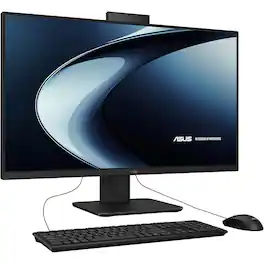
ASUS - 27" All-in-One Desktop - Intel I5-13420H - 16GB/1TB - Windows 11 Home - Black

Asus 27" All-in-One Desktop - Intel I5-13420H - 16GB/1TB - Windows 11 Home. Model V470VAMS504T. 16GB DDR5 memory, 1000GB SSD storage, Intel UHD Graphics graphics, and Windows 11 Home.
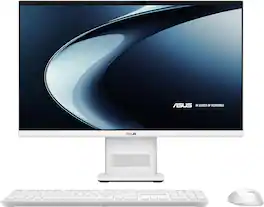
ASUS - VM441 24" FHD Touchscreen All-in-One - Copilot+ PC - Snapdragon X (2025) - 16GB Memory - 512GB SSD Storage - White
4.7(69)

Meet the next wave of everyday computing with the first ASUS All-in-One powered by Snapdragon X Series. Built for fast, responsive performance and AI-enhanced experiences, this sleek 23.8” touchscreen PC keeps everything you need in one streamlined design. From work tasks and video calls to streaming and browsing, the Snapdragon X platform delivers smooth performance with impressive power efficiency. The vibrant Full HD display with ultra-slim bezels gives you more screen and less distraction, while built-in AI capabilities help optimize performance, enhance video calls, and keep your workflow moving without slowdowns. With a clean white finish, wireless keyboard and mouse, and a clutter-free setup, this all-in-one is designed to fit naturally into any space—whether it’s your home office, dorm, or shared workspace.

Pros for ASUS - VM471 27" Full HD Touch-Screen All-in-One - Copilot+ PC - Snapdragon X - 16GB RAM - 1TB SSD - White
Build Quality, Ease of Setup, Processor SpeedOverall PerformanceThere were no pros for this product—Overall Performance, Touchscreen Responsiveness, Design, Noise Level, Form Factor
Cons for ASUS - VM471 27" Full HD Touch-Screen All-in-One - Copilot+ PC - Snapdragon X - 16GB RAM - 1TB SSD - White
Display Resolution, ErgonomicsThere were no cons for this product—There were no cons for this product—There were no cons for this product—

Specs

Questions & Answers

  • is there an extra cost to use copilot

    No, there is no extra cost to use the basic version of Microsoft Copilot. Optional paid subscriptions are available for enhanced features.

    Answered by ASUS Answers
    ASUS Answers response
No content

Customers often buy these together

Sponsored